


Artificial Intelligence and Machine Learning Articles
AI/ML Skills Gap 2026: Why Companies Can't Find Job-Ready Talent
20 AI/ML Interview Questions Recruiters Can Use Without a Tech Background - Best Guide
How Industry-Backed AI/ML Bootcamps Are Changing the AI/ML Hiring Pipeline - Best Guide 2026
From IT Support to AI Engineer: A Realistic Career Switch Guide 2026


Get In Touch For Details! Request More Information
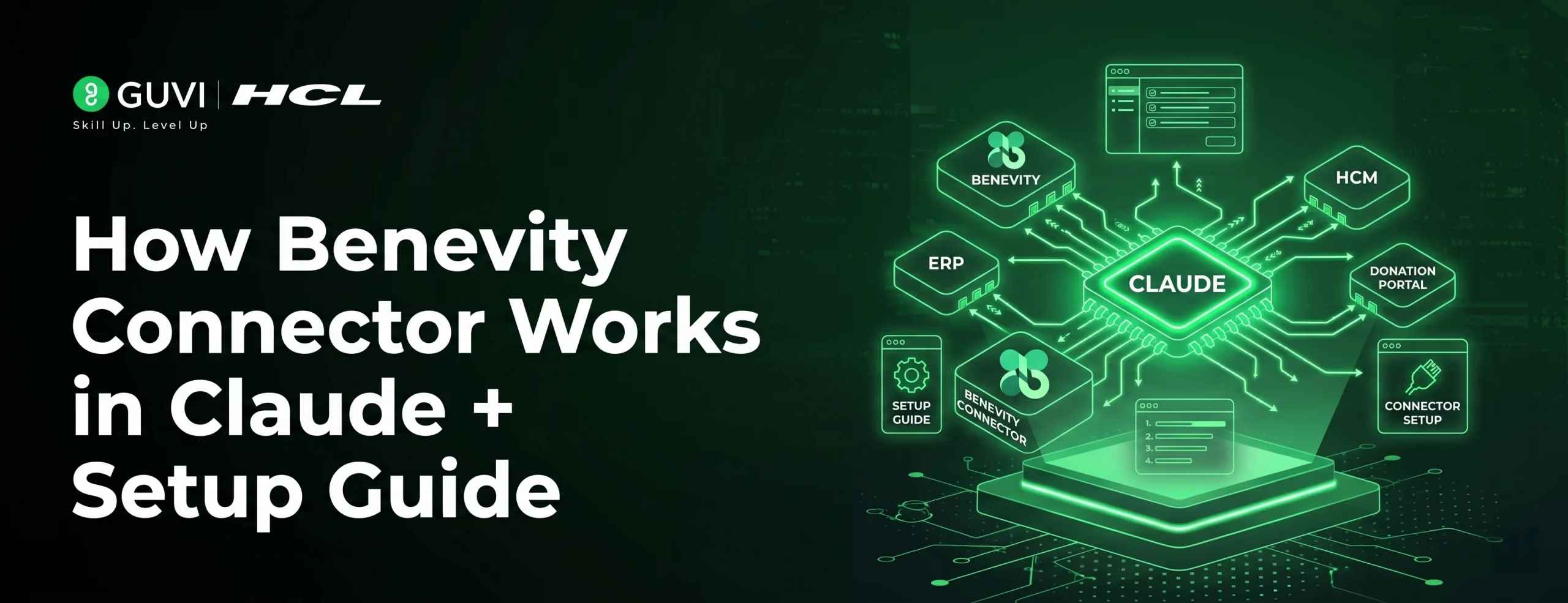
How Benevity Connector Works in Claude + Setup Guide
Jun 22, 2026 5 Min Read 534 Views
(Last Updated)
Choosing a nonprofit isn’t overwhelming due to a lack of options, but because the process is disjointed. Users often end up browsing multiple tabs, comparing limited information, and still feel uncertain about their final choice.
The Benevity connector in Claude streamlines this entire search into a conversation. No more navigating through filtered lists and directories; you can just prompt Claude to locate and compare organizations directly to match your intent.
In this article, you will learn how the Benevity connector functions within Claude, the role of Model Context Protocol in facilitating the integration, and its application in real-world scenarios, so you can use it at the right opportunities.
TL;DR
- The Benevity connector in Claude helps discover nonprofits using AI and 2.5M+ vetted organizations in its database.
- This is done via Model Context Protocol, allowing Claude to query actual, structured data, not make predictions.
- It’s great for research, comparing options, and planning a CSR program, but not for actually giving donations.
- It helps replace cumbersome manual searching with conversational search and rapid decision-making.
- It should be used when you seek clarity and want to filter down options, not when you want to carry out a donation.
Table of contents
- What is the Benevity Connector in Claude
- How Benevity Connector Works
- What Model Context Protocol Does
- Real Use Cases & Scenarios
- Individual Discovery
- Local Search and Volunteering
- Research Before Donating
- Corporate CSR Planning
- Decision Guide
- Benevity vs Conventional Search
- Setup Guide
- Using Benevity Connector for Tech and AI Exploration
- Find Tech-Focused Nonprofits
- Study Learning & Open Source Projects
- Research Tech-Oriented Impact Projects
- CSR with a Technological Angle
- Benefits & Trade-offs
- Limitations
- Best Practices
- Conclusion
- FAQs
- What is the Benevity connector in Claude?
- What is Model Context Protocol?
- Can I donate through this connector?
- Do I need a Benevity account?
- Who should use this tool?
What is the Benevity Connector in Claude
The Benevity connector is an integration inside Claude that gives users access to a database of over 2.5 million vetted nonprofit organizations. This is part of Claude’s broader connector system, which allows it to interact with external tools and data sources.
Instead of navigating a platform, the user can talk with Claude and, in return, get organized data about the organization, mission, geographical region they work in, and even a link to them. This provides a way of exploration versus manual discovery that minimizes effort and confusion.
How Benevity Connector Works
In the most basic form, a user asks a question and the model answers it. However, beneath the surface lies a structured system managing the interaction.
When a prompt is input, Claude sends the prompt to the connector layer and then pulls information from Benevity’s nonprofit database. The goal is that it pulls information from a confirmed record, rather than being made up from the model’s knowledge base.
Example flow:
A general query can be put in, like:
“Find nonprofits working on mental health support.”
Claude returns an answer and a list of nonprofit organizations. The user can continue asking for more information.
“Which of these are working with youth support?”
Rather than repeating the entire question, the answer now only narrows the response rather than starting over. This process of guided discovery leads to a more seamless search.
What Model Context Protocol Does
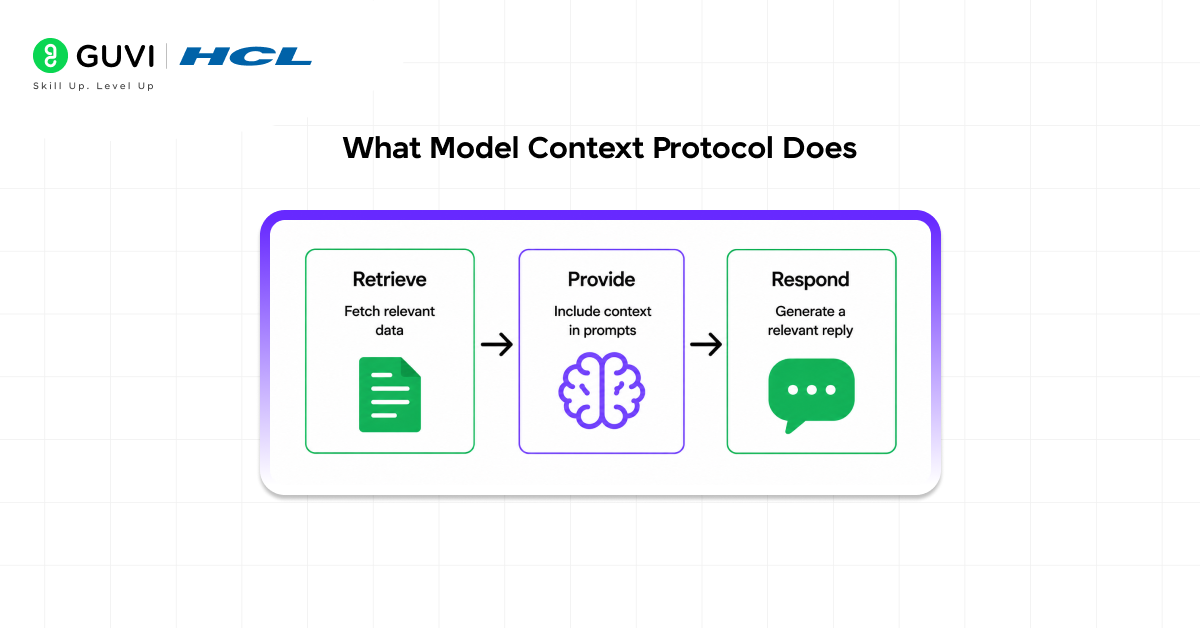
The Model Context Protocol is the part of Claude that interacts with an external system, like the Benevity connector. Without this, the model would just pull from its training knowledge base. However, through the use of the Model Context Protocol, the model has the capability of retrieving structured information from external systems and presenting it as answers to questions.
That is, Claude isn’t guessing and is pulling the answer from the actual Benevity nonprofit database and relaying it in readable text. To put it simply, the model becomes a data-connected assistant.
The Benevity connector goes beyond simple search results by allowing you to refine and narrow down nonprofit options through follow-up questions.
This turns discovery into a conversation-driven experience, making it easier to find the most relevant organizations without manually filtering through lists.
Real Use Cases & Scenarios
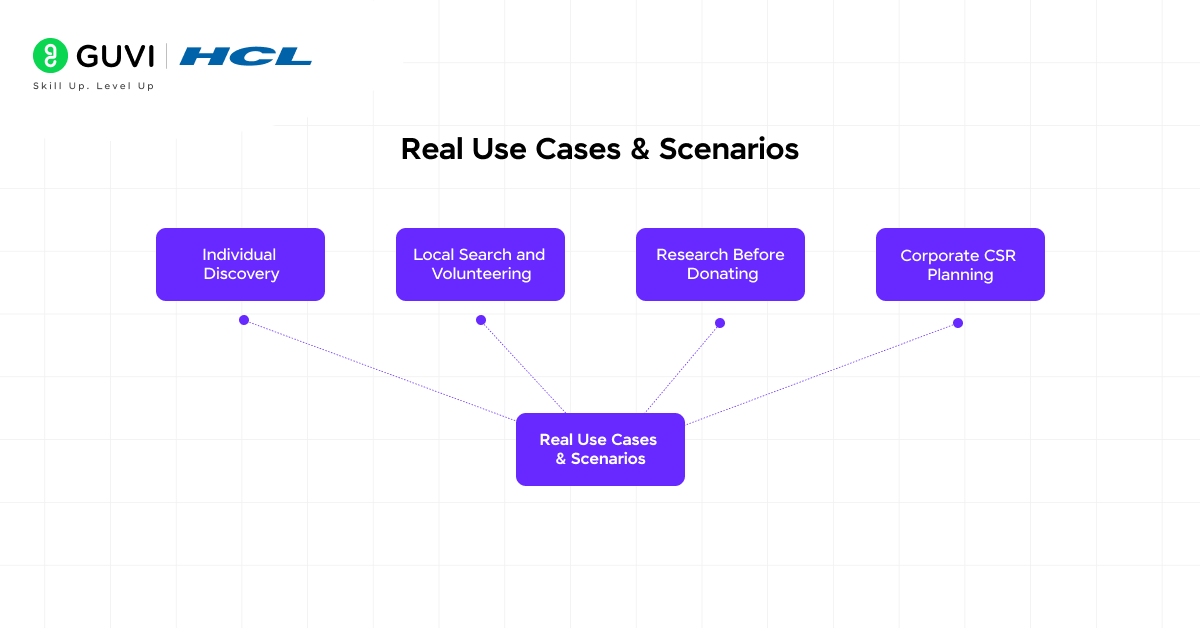
Here’s how the connector works in real-world situations:
Individual Discovery
If you’re trying to discover new causes you might support, you can use Claude to help find relevant nonprofit organizations. For example, if you’re interested in environmentalism but have specific regions or areas of impact you’d like to focus on, Claude can narrow down your search results for you. This is an easier alternative than browsing multiple websites or organizations and helps cut down on decision fatigue.
Local Search and Volunteering
If you’d like to contribute to your local community, you can ask Claude for organizations in your area and get relevant information and links to relevant sites, instead of scrolling through directories or using maps yourself.
Research Before Donating
Rather than sifting through generic descriptions on the website of a nonprofit you’re considering donating to, you can simply ask Claude to tell you about the work an organization does in order to receive summaries of its mission, programs, and scale before giving to it.
Corporate CSR Planning
This feature is quite useful in a corporate context. It can be used by employees to help identify nonprofit organizations for partnerships or even volunteering and matching gift programs.
The Benevity connector provides access to over 2.5 million vetted nonprofits worldwide, making it one of the largest curated databases for social impact research all searchable through a single conversation.
Decision Guide
You should use the Benevity connector when you are still in the research phase of determining where and how you would like to support a cause. The connector is great for decision-making and comparison, but it won’t help with action. When you’re trying to decide on a nonprofit and want clarification about what the organization does and how they do it, use the connector.
However, if you already know exactly which nonprofit you’d like to support and where, and just want to donate directly, you’ll still need to go outside the connector for this action.
To put it simply: use Claude for research and decision-making, then take action elsewhere.
Benevity vs Conventional Search
Traditional search needs a few steps: you search, you filter, you open the links, and you compare the data. All of this can take time and isn’t always an accurate representation of the situation.
With Claude, it’s conversational: you explain your need, narrow down, and compare in the same place, which makes finding what you’re looking for easier.
It’s important to note the trade-off: it makes searches faster and clearer, but it loses implementation features, such as directly donating.
Setup Guide
Setting up the Benevity connector is very easy, and you don’t need any prior technical knowledge to do it.
- You need to open Claude and go to Settings → Connectors.
- Then, inside the connectors section, search for Benevity, activate it, and it’s all set up to use directly within conversations.
- You also don’t need to create a Benevity account, as everything works instantly within Claude.

Using Benevity Connector for Tech and AI Exploration
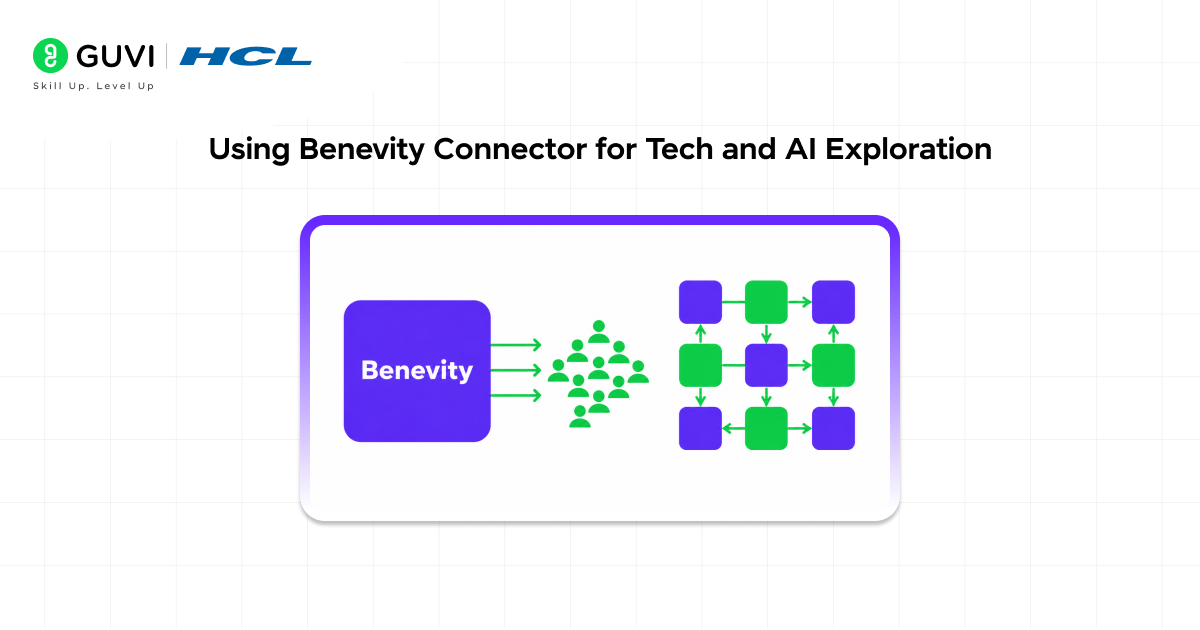
Beyond general discovery, the Benevity connector can also be used to explore how technology is applied across real-world impact areas.
That’s where it becomes more than just a search tool, helping you connect your technical skills to real-world impact.
Find Tech-Focused Nonprofits
Curious to know where AI and data science are implemented in the real world? You can explore organizations and see how tech solutions are applied in domains like healthcare, climate, and education. This helps you find organizations that are actually solving real problems instead of staying at a purely theoretical level.
Example prompts:
- Find nonprofits using AI for healthcare or disease prediction
- Suggest organizations applying data science to climate change
- Are there any nonprofits teaching programming to disadvantaged students?
Study Learning & Open Source Projects
It’s an ideal way for students and developers to find groups promoting code education, open-source projects, or tech communities. More importantly, it enables them to discover places where they can apply their technical skills in real-world scenarios and develop hands-on experience, instead of just practicing in an isolated environment.
Example prompts:
- “Find nonprofits that teach Python or web development to beginners.”
- “Are there organizations that support open-source contributions?”
- “Suggest nonprofits focused on STEM education for students.”
Research Tech-Oriented Impact Projects
Students, developers, or anyone curious about technology can leverage Claude to learn how technology is being used in different sectors and contexts. This research can aid those seeking to explore practical AI applications, for example, AI models predicting illnesses or optimizing crop yields, instead of focusing solely on the theory behind AI.
Example prompts:
- “How are nonprofits using machine learning in healthcare or agriculture?”
- “Compare organizations working on AI for social good.”
CSR with a Technological Angle
It’s beneficial for tech companies wanting to initiate programs aligned with their core areas of expertise. Instead of arbitrary collaborations, tech companies can opt for more specific and meaningful programs in the domains of AI, data science, or coding education, making them and their employees more engaged and their impact more substantial.
Example prompts:
- “Suggest nonprofits for corporate volunteering in AI or data science education.”
- “Find organizations where employees can mentor students in coding or tech skills.”
If you’re curious about how these AI-driven workflows actually work under the hood, exploring generative AI concepts can give you a much deeper perspective.
Benefits & Trade-offs
The primary benefit of utilizing the Benevity connector is its speed. Tasks that would typically take hours are reduced to mere minutes. The connector also brings greater clarity, as it provides structured information that is easy to process. Its conversational user interface minimizes effort and offers a natural interaction.
The trade-offs include that it doesn’t support transactions or donations, and the quality of the results largely depends on how the query is formulated.
Limitations
The Benevity connector is not a complete solution. Its functionality only covers discovery and research.
Users cannot carry out actions such as making donations or registering from within Claude. Similarly, outcomes may require follow-up prompts to get the precise desired depth of detail.
Understanding the limitations of this connector and working within them helps manage expectations and use it more effectively.
Best Practices
Make queries more explicit and concise for improved results. It is best to specify the location, cause, or type of nonprofit in your query instead of phrasing them as general questions.
Use follow-up prompts to further narrow down results rather than trying to elicit the entirety of the desired output from a single prompt. Users should perceive Claude as a research assistant rather than a search engine.
To effectively work with AI-powered tools like Claude and integrations such as the Benevity connector, having a strong understanding of how AI systems interact with real-world data and external tools is essential. If you’re looking to build these skills in a practical, structured way, programs like this AI and Machine Learning course can help you gain hands-on experience with real-world data and intelligent systems.
Conclusion
The Benevity connector within Claude represents a transition from the previously labor-intensive search for nonprofit opportunities to more sophisticated, AI-powered decision-making processes. The combination of a verified, up-to-date database and conversationally facilitated interaction simplifies how people find and evaluate nonprofit opportunities.
The connector is an effective tool for research and comparison that speeds up the decision-making process. However, it is not built for execution, and therefore, action takes place on external platforms. As AI technologies advance, it is likely we will see more integrations such as this that streamline processes and increase user productivity.
This shifts nonprofit discovery from a static search process into a more interactive, decision-driven workflow.
FAQs
1. What is the Benevity connector in Claude?
It is an integration that allows users to discover and research verified nonprofit organizations through Claude using conversational queries instead of manual searching.
2. What is Model Context Protocol?
Model Context Protocol is the system that enables Claude to connect with external tools like Benevity and retrieve real-time structured data instead of generating responses.
3. Can I donate through this connector?
No, the Benevity connector is designed only for discovery and research. You can visit the nonprofit’s official website to make donations or contributions.
4. Do I need a Benevity account?
No, you do not need a Benevity account. The connector works directly within Claude and can be used without any additional login or authentication.
5. Who should use this tool?
It is useful for individuals, students, researchers, and organizations looking to discover, compare, or plan initiatives with verified nonprofit organizations efficiently.
Success Stories

About the Author
Vishalini Devarajan
An Aerospace Engineer turned content writer, I focus on making complex concepts easy to understand through well-structured, reader-friendly blogs. Whether it’s a technical topic or a non-technical one, I love creating content that is clear, engaging, and impactful.
View all posts by Vishalini Devarajan
Connect with me @











Did you enjoy this article?