


Artificial Intelligence and Machine Learning Articles
How to Evaluate LLM Outputs in Production Deployments
AI/ML Skills Gap 2026: Why Companies Can't Find Job-Ready Talent
20 AI/ML Interview Questions Recruiters Can Use Without a Tech Background - Best Guide
How Industry-Backed AI/ML Bootcamps Are Changing the AI/ML Hiring Pipeline - Best Guide 2026


Get In Touch For Details! Request More Information
How RevOps Teams Are Building Their Own Tools with Vibe Coding
Jun 24, 2026 6 Min Read 539 Views
(Last Updated)
Revenue Operations, or RevOps, teams are the backbone of modern business efficiency. They connect sales, marketing, and customer success into one unified engine that drives growth. But there is a problem. Most RevOps professionals are not developers, yet they constantly need custom tools, dashboards, automation scripts, and data integrations that IT teams do not have time to build.
Enter vibe coding, a new approach to software development that lets non-technical people build functional tools using AI assistance, visual workflows, and low-code platforms. It is not about replacing developers. It is about empowering RevOps teams to solve their own problems quickly without waiting months for IT to prioritize their requests.
In this guide, we will explore how RevOps teams are using vibe coding to build their own tools, what makes this approach different from traditional development, and how you can start doing it yourself even if you have never written a line of code before.
Quick TL;DR Summary
- This guide explains what vibe coding is and why it is perfect for RevOps teams who need custom tools but lack coding skills.
- You will learn how AI-powered platforms let non-developers build dashboards, automations, and integrations without traditional programming.
- The guide covers the main tools and platforms that make vibe coding possible, including Replit, Zapier, Retool, and more.
- Real-world examples show you exactly how RevOps teams are using vibe coding to solve everyday business challenges.
- Practical tips help you get started with vibe coding and build your first tool even if you have zero technical background.
- You will also understand the limitations so you can set realistic expectations and know when to involve professional developers.
Table of contents
- What Is Vibe Coding?
- Why RevOps Teams Need Custom Tools
- The Common Challenges RevOps Teams Face
- How RevOps Teams Are Using Vibe Coding
- Real-World Examples of Vibe Coding in Action
- Example 1: Building a Pipeline Health Dashboard
- Example 2: Automating Lead Assignment
- The Tools That Make Vibe Coding Possible
- Pros and Cons of Vibe Coding for RevOps
- Pros
- Cons
- Common Use Cases for RevOps Vibe Coding
- Limitations to Keep in Mind
- The Future of Vibe Coding for RevOps
- Conclusion
- FAQs
- Do I need to know how to code to use vibe coding?
- Is vibe coding suitable for production business tools?
- What is the best platform for RevOps teams to start with?
- How long does it take to build a tool with vibe coding?
- Can vibe coding replace traditional software development?
What Is Vibe Coding?

Vibe coding is a casual term that describes building software by describing what you want in plain language and letting AI or low-code tools handle the technical implementation. Instead of learning syntax, debugging errors, and managing infrastructure, you focus on the outcome you need and let the platform do the heavy lifting.
It is called vibe coding because you are working from the vibe or feeling of what you want rather than precise technical specifications. You might say something like “build me a dashboard that shows this month’s pipeline by region” and an AI assistant writes the code for you.
This approach works especially well for RevOps teams because their needs are usually specific, business-focused, and require quick iteration. They do not need enterprise-grade applications. They need tools that solve immediate problems and can be updated as business needs change.
Why RevOps Teams Need Custom Tools
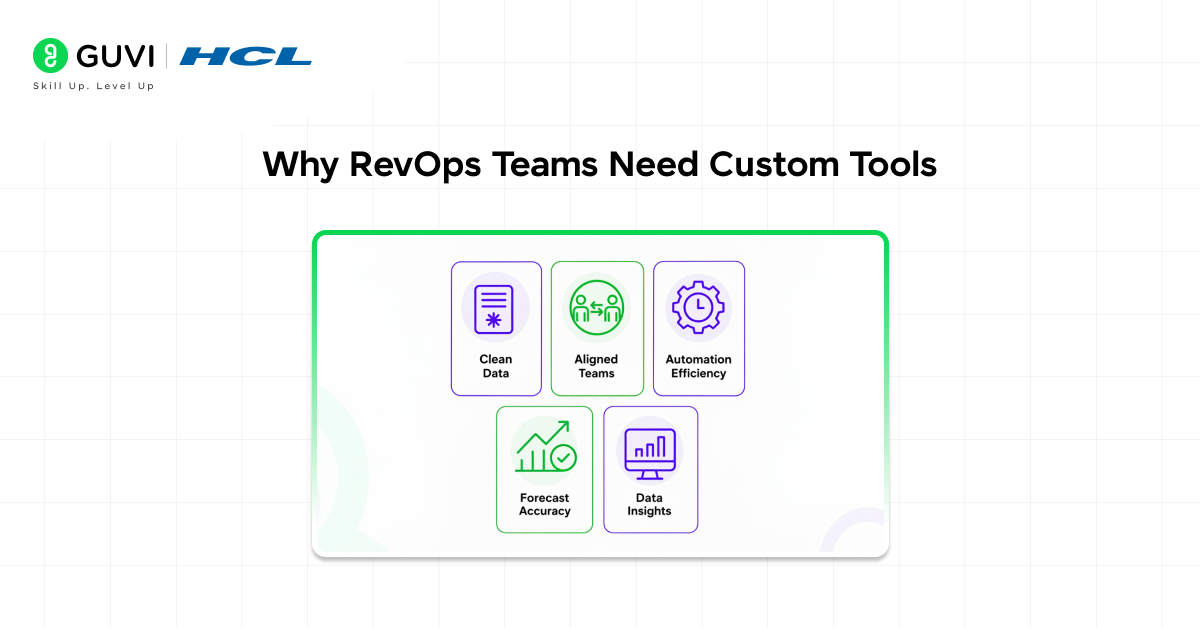
RevOps teams live in a world of spreadsheets, CRM systems, marketing platforms, analytics tools, and data warehouses. They need to connect these systems, clean data, build reports, and automate repetitive tasks. But off-the-shelf software rarely fits their exact needs.
The Common Challenges RevOps Teams Face
- Data lives in too many places.
Sales data is in Salesforce, marketing data is in HubSpot, product usage is in Mixpanel, and finance data is in NetSuite. Connecting all of this manually is a nightmare.
- Reports take too long to build.
By the time IT builds a custom dashboard, the business needs have changed. RevOps teams need answers now, not next quarter.
- Automation requires developer time.
Simple workflows like syncing contacts between platforms or flagging stale deals require IT involvement, which creates bottlenecks.
- Existing tools do not fit the process.
Every company operates differently. Generic SaaS products force you to adapt your workflow to their limitations instead of the other way around.
- Budget constraints.
Hiring developers or buying expensive enterprise software is not always an option, especially for smaller teams or startups.
These challenges make vibe coding incredibly attractive. RevOps professionals can build exactly what they need without waiting for approval, budget, or developer availability.
Studies show that RevOps teams spend up to 30% of their time on manual data tasks that could be automated.
Vibe coding tools help reclaim that time by enabling teams to build custom automations without relying on technical dependencies, making workflows faster and more efficient.
How RevOps Teams Are Using Vibe Coding
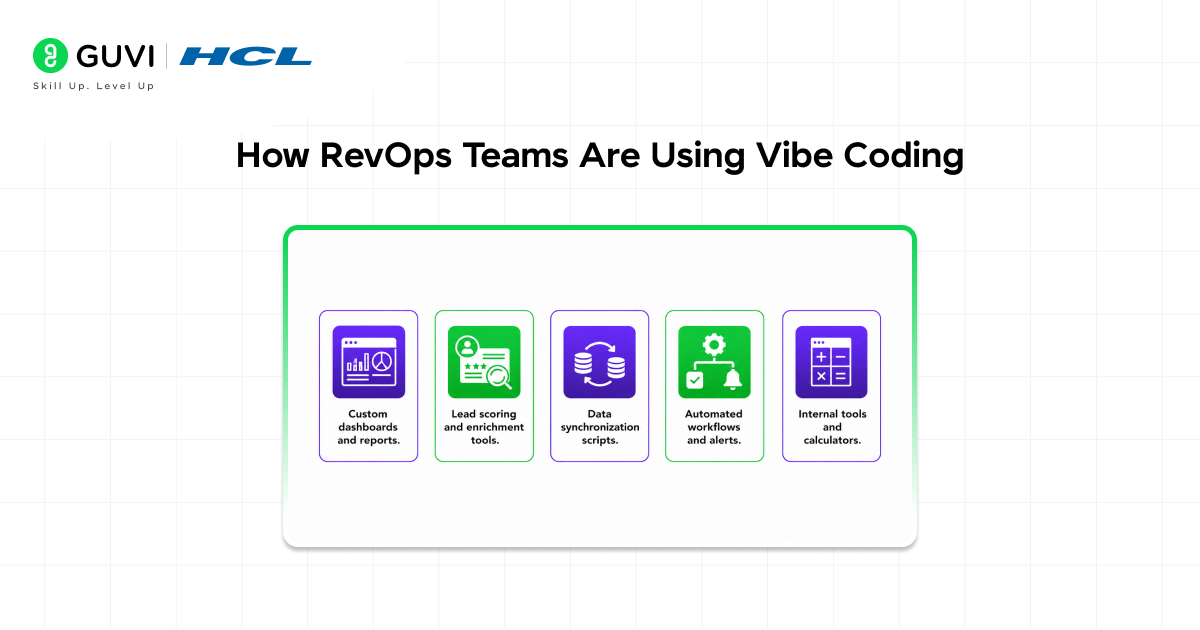
Let us look at real examples of how RevOps teams are building their own tools using vibe coding approaches.
- Custom dashboards and reports.
RevOps teams use platforms like Retool, Replit, and Google Apps Script to build custom dashboards that pull data from multiple sources. Instead of waiting for engineering to build a reporting pipeline, they describe what metrics they need and let AI generate the queries and visualizations.
- Lead scoring and enrichment tools.
Teams build simple apps that score leads based on custom criteria, enrich contact data from third-party APIs, or flag high-priority accounts. These tools integrate directly with their CRM without requiring a full development cycle.
- Data synchronization scripts.
RevOps professionals use vibe coding to create scripts that sync data between platforms. For example, automatically copying closed deals from Salesforce to a Google Sheet for finance reporting, or pushing webinar attendees from Zoom into HubSpot.
- Automated workflows and alerts.
Teams build tools that monitor CRM data and trigger actions automatically. For instance, sending a Slack alert when a deal goes stale, or automatically assigning leads to sales reps based on territory rules.
- Internal tools and calculators.
RevOps teams create custom calculators for things like commission splits, quota attainment, or discount approval workflows. These tools live in simple web interfaces that anyone on the team can use.
Read More: Is Vibe Coding the Future of Software Development?
Real-World Examples of Vibe Coding in Action
Example 1: Building a Pipeline Health Dashboard
A RevOps manager at a SaaS company needs to track pipeline health across regions. They open Replit, describe what they need to an AI assistant, and within an hour have a working dashboard that pulls data from Salesforce, calculates conversion rates, and highlights at-risk deals.
The AI writes the Python code to connect to the Salesforce API, process the data, and display it in a simple web interface. The RevOps manager does not need to understand how APIs work or how to write database queries. They just describe the metrics they need and refine the output until it is right.
Example 2: Automating Lead Assignment
A RevOps team needs to assign inbound leads to sales reps based on complex rules involving geography, company size, and industry. Building this in their CRM would require custom development and admin configuration that could take weeks.
Instead, they use Zapier and a simple Python script hosted on Replit. When a new lead comes in, Zapier triggers the script, which applies the assignment logic and updates the CRM. The whole solution is built in a few hours and can be updated instantly when rules change.
The Tools That Make Vibe Coding Possible
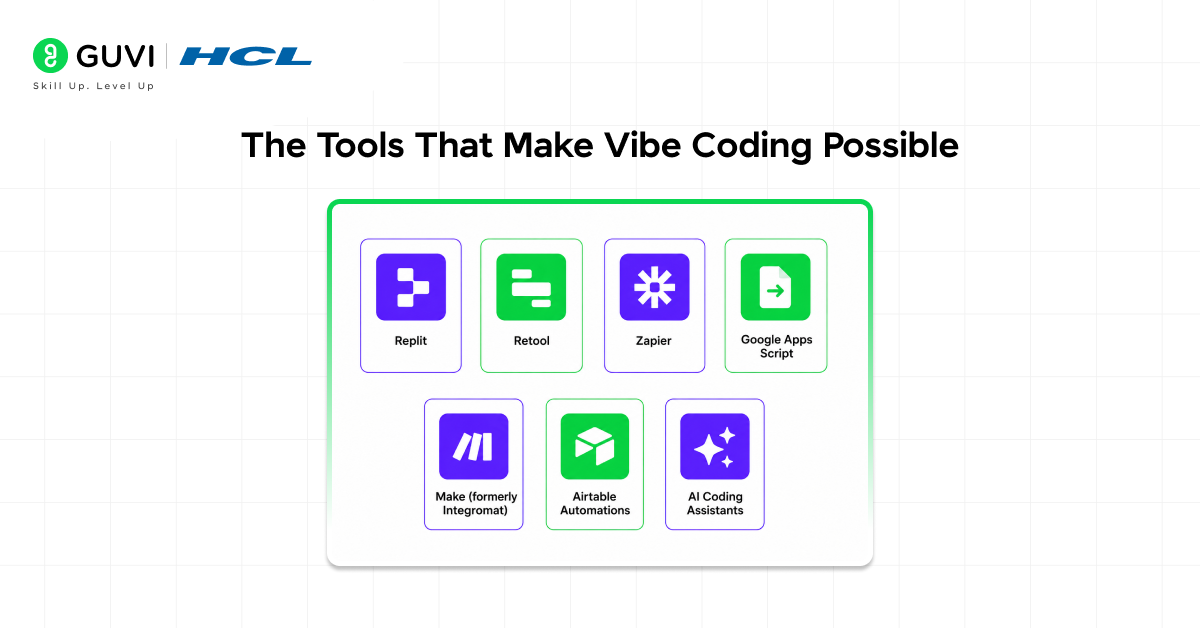
Several platforms have emerged that make vibe coding accessible to non-developers. Here are the most popular ones for RevOps teams.
- Replit
A browser-based coding environment with AI assistance. You describe what you want to build, and the AI writes the code for you. Great for scripts, small web apps, and automation tools.
- Retool
A low-code platform specifically designed for building internal tools. Drag and drop components, connect to databases and APIs, and build functional apps without writing much code.
- Zapier
An automation platform that connects different apps and services. While not strictly coding, it lets you build complex workflows using a visual interface. For more advanced needs, Zapier supports custom code steps.
- Google Apps Script
Built into Google Workspace, Apps Script lets you automate Google Sheets, Docs, and other Google tools using JavaScript. AI assistants can help write the scripts even if you do not know JavaScript.
- Make (formerly Integromat)
Similar to Zapier but with more visual workflow design. Great for complex multi-step automations that involve data transformation and conditional logic.

- Airtable Automations
Airtable combines database functionality with built-in automation features. RevOps teams use it to build custom apps that store data and trigger actions automatically.
- AI Coding Assistants
Tools like ChatGPT, Claude, and GitHub Copilot can write code for you when you describe what you need. You can copy that code into platforms like Replit or Google Apps Script and run it immediately.
Pros and Cons of Vibe Coding for RevOps
Pros
- RevOps teams can build tools in hours or days instead of waiting weeks or months for IT.
- No need to learn traditional programming languages or development frameworks.
- Tools can be updated and iterated quickly as business needs change.
- Costs are much lower than hiring developers or buying expensive enterprise software.
- Teams gain independence and do not have to depend on engineering resources for every need.
Cons
- Vibe-coded tools may not scale well for enterprise-level applications or high-traffic use cases.
- Non-developers might build tools without proper error handling, security, or data validation.
- Relying too heavily on AI-generated code can create maintenance challenges if the original builder leaves.
- Some integrations and advanced features still require real developer expertise.
- Over time, teams may accumulate too many custom tools that become hard to manage and maintain.
Common Use Cases for RevOps Vibe Coding
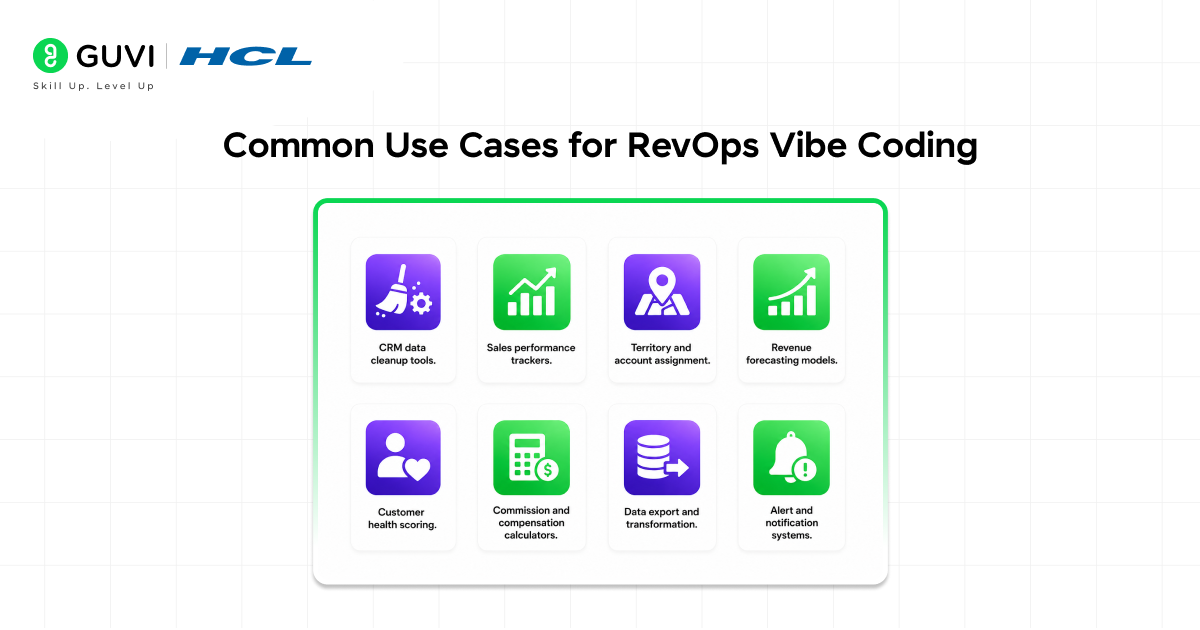
Here are the most popular types of tools RevOps teams are building.
- CRM data cleanup tools.
Scripts that find and fix duplicate records, standardize formatting, or fill in missing fields automatically.
- Sales performance trackers.
Dashboards that show quota attainment, deal velocity, and rep performance without relying on standard CRM reports.
- Territory and account assignment.
Tools that automatically assign accounts or leads based on business rules too complex for CRM workflows.
- Revenue forecasting models.
Calculators that project future revenue based on pipeline, conversion rates, and historical data.
- Customer health scoring.
Apps that score customer accounts based on usage data, support tickets, and engagement signals to identify churn risk.
- Commission and compensation calculators.
Self-service tools where reps can model their earnings based on different deal scenarios.
- Data export and transformation.
Scripts that pull data from one system, transform it, and load it into another without manual CSV downloads.
- Alert and notification systems.
Tools that monitor CRM or analytics platforms and send Slack or email alerts when specific conditions are met.
Limitations to Keep in Mind
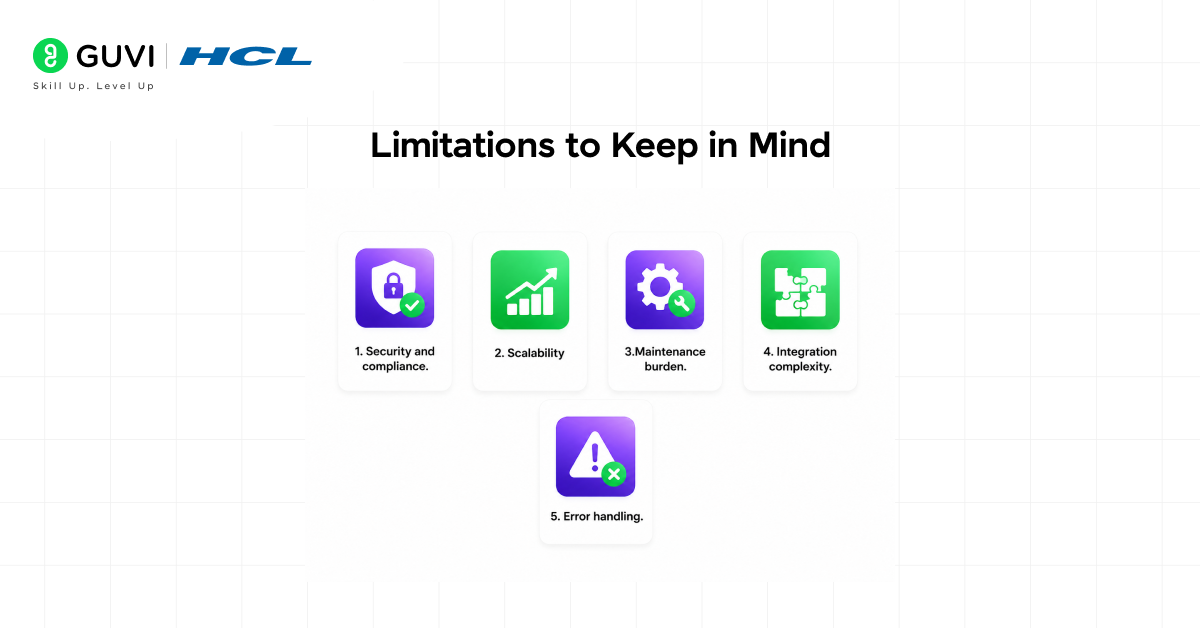
Vibe coding is powerful, but it is not a replacement for professional software development in all cases. Here are the limitations you should be aware of.
- Security and compliance.
Tools built by non-developers may not follow security best practices. If you are handling sensitive customer data, involve IT or security teams.
- Scalability.
Vibe-coded tools work great for small teams and limited data volumes. If your company grows, you may need to rebuild with proper engineering.
- Maintenance burden.
Tools you build yourself become your responsibility. If you leave the company or move roles, someone else needs to understand and maintain what you built.
- Integration complexity.
Some platforms have complicated APIs or authentication requirements that are hard to work with even with AI assistance.
- Error handling.
AI-generated code may not include robust error handling. If something goes wrong, your tool might fail silently or cause data issues.
Over 60% of RevOps professionals report that waiting for IT resources is their biggest bottleneck when implementing new processes or tools.
Vibe coding removes this dependency by enabling teams to build and deploy solutions independently, accelerating execution and reducing delays.
The Future of Vibe Coding for RevOps
Vibe coding is still in its early days, but the trend is clear. More non-technical professionals will build their own tools as AI assistance gets better and platforms become more user-friendly.
We can expect to see better integration between vibe coding platforms and business systems like CRMs and data warehouses. AI assistants will get smarter about understanding business context and suggesting the right solutions. Security and compliance features will improve to make vibe-coded tools safe for production use.
RevOps teams that embrace vibe coding now will have a significant advantage. They will be able to move faster, test ideas cheaper, and adapt to changing business needs without depending on scarce developer resources.
If you want to learn more on how RevOps teams are building their own tools with Vibe Coding, do not miss the chance to enroll in HCL GUVI’s Intel & IITM Pravartak Certified Artificial Intelligence & Machine Learning course. Endorsed with Intel certification, this course adds a globally recognized credential to your resume, a powerful edge that sets you apart in the competitive AI job market.
Conclusion
Vibe coding is changing how RevOps teams work. Instead of waiting for IT to build custom tools, operations professionals are building them themselves using AI assistance and low-code platforms. The results are faster, cheaper, and more aligned with actual business needs.
This does not mean every RevOps person needs to become a developer. It means the barrier to building useful software has dropped low enough that motivated non-technical people can create real value without years of coding education.
If you are in RevOps and constantly frustrated by tool limitations, data silos, or IT backlogs, vibe coding might be exactly what you need. Start small, use AI to help, and build one simple tool that solves a real problem. You will be surprised how quickly you can go from idea to working solution.
FAQs
1. Do I need to know how to code to use vibe coding?
No. Vibe coding is designed for people without coding experience. You describe what you want in plain language, and AI or low-code platforms handle the technical implementation. You can start building useful tools on day one.
2. Is vibe coding suitable for production business tools?
It depends on the tool. For internal dashboards, simple automations, and low-stakes applications, vibe coding works great. For tools that handle sensitive data, need high reliability, or serve many users, you should involve professional developers.
3. What is the best platform for RevOps teams to start with?
Zapier is great for simple automations, Retool is excellent for building internal dashboards, and Replit is perfect if you need custom scripts or more control. Start with the platform that matches your specific use case.
4. How long does it take to build a tool with vibe coding?
Simple tools can be built in hours. More complex solutions might take a few days. The key is that you iterate quickly and can update your tool instantly when needs change, unlike traditional development cycles.
5. Can vibe coding replace traditional software development?
No. Vibe coding is perfect for internal tools, quick automations, and specific business needs. Traditional software development is still necessary for core products, complex systems, security-critical applications, and solutions that need to scale to thousands of users.
Success Stories

About the Author
Vishalini Devarajan
An Aerospace Engineer turned content writer, I focus on making complex concepts easy to understand through well-structured, reader-friendly blogs. Whether it’s a technical topic or a non-technical one, I love creating content that is clear, engaging, and impactful.
View all posts by Vishalini Devarajan
Connect with me @









Did you enjoy this article?