


Python Articles
Go vs Python for Forward Deployed Engineering Workloads
Python for Forward Deployed Engineers: What You Actually Need to Know
Freelancing as a Python Developer: Getting Your First Client


Get In Touch For Details! Request More Information
The 10 Best Python IDEs for 2026: Boost Your Coding Experience
Sep 28, 2026 8 Min Read 4081 Views
(Last Updated)
Ever lost an afternoon setting up a code editor when you could have been writing Python? The right tool makes coding faster and far less frustrating.
A Python IDE (Integrated Development Environment) is software that combines a code editor, debugger, code completion, and project management in one place, built to make writing Python faster and less error-prone. Beginner or expert, the right one boosts your productivity.
This guide ranks the best Python IDEs for 2026, updated for the biggest changes of the past year, including PyCharm’s move to one unified product, and shows which one fits how you work.
Table of contents
- TL;DR Summary
- What Is a Python IDE?
- What Does a Python IDE Actually Do?
- How to Choose From the Best Python IDEs
- The Best Python IDEs of 2026
- PyCharm
- Visual Studio Code (VS Code)
- Jupyter Notebook
- PyDev (Eclipse)
- IDLE
- Sublime Text
- Spyder
- Wing
- GNU Emacs
- Thonny
- AI-Native and AI-Assisted Python Editors in 2026
- Complete Comparison of the Best Python IDEs
- Free vs Paid: What the Best Python IDEs Cost
- Which of the Best Python IDEs Should You Pick?
- More Python IDEs Worth Exploring
- Retired Tools to Skip
- Getting the Most Out of Your Python IDE
- Common Mistakes to Avoid When Choosing a Python IDE
- Concluding Thoughts
- FAQs
- Which IDE should I use for Python?
- Why is PyCharm better than VSCode?
- Is VSCode good for Python?
- What is the fastest IDE?
- Is PyCharm still free?
TL;DR Summary
- What it is: a roundup of the 10 best Python IDEs and code editors for 2026, from beginner-friendly to professional-grade
- Top picks: PyCharm for full-featured Python work, VS Code for a lightweight, customizable setup
- Best for beginners: Thonny (Python built in) and IDLE (bundled with Python)
- Best for data science: Jupyter Notebook and Spyder
- Big change to know: PyCharm Community Edition is discontinued; unified PyCharm keeps a free core, including Jupyter support, plus an optional Pro subscription
- Skip: Atom and Komodo IDE, both retired in 2022
New to Python? Explore HCL GUVI’s Python Hub for tutorials, challenges, and guides to sharpen your skills!
What Is a Python IDE?
IDE stands for Integrated Development Environment, a single application where you write, run, test, and debug code. A Python IDE is one built with Python in mind, so it understands the language’s syntax, libraries, and virtual environments.
You could write Python in a plain text editor and run it from a terminal, but that means juggling several tools in separate windows. An IDE puts them side by side and makes them work together, so you spend less time switching and more time building.
Developers use them for everything from quick scripts to large applications and data analysis, and the best Python IDEs all bundle the same core tools, as the next section shows.
What Does a Python IDE Actually Do?
So what’s actually inside? Here’s what a typical Python IDE gives you:
| Feature | What it does for you |
|---|---|
| Code editor | Syntax highlighting, smart indentation, and quick navigation |
| Code completion | Suggests names and methods as you type |
| Debugger | Lets you pause, step through, and inspect your code |
| Project tools | Manages files, virtual environments, and packages |
| Version control | Git support without leaving the window |
| Run and test | Runs scripts and tests with a click |
IDE or code editor? VS Code, Sublime Text, and Emacs are technically code editors that become IDE-like once you add extensions. We include them because most Python developers use them that way.
How to Choose From the Best Python IDEs
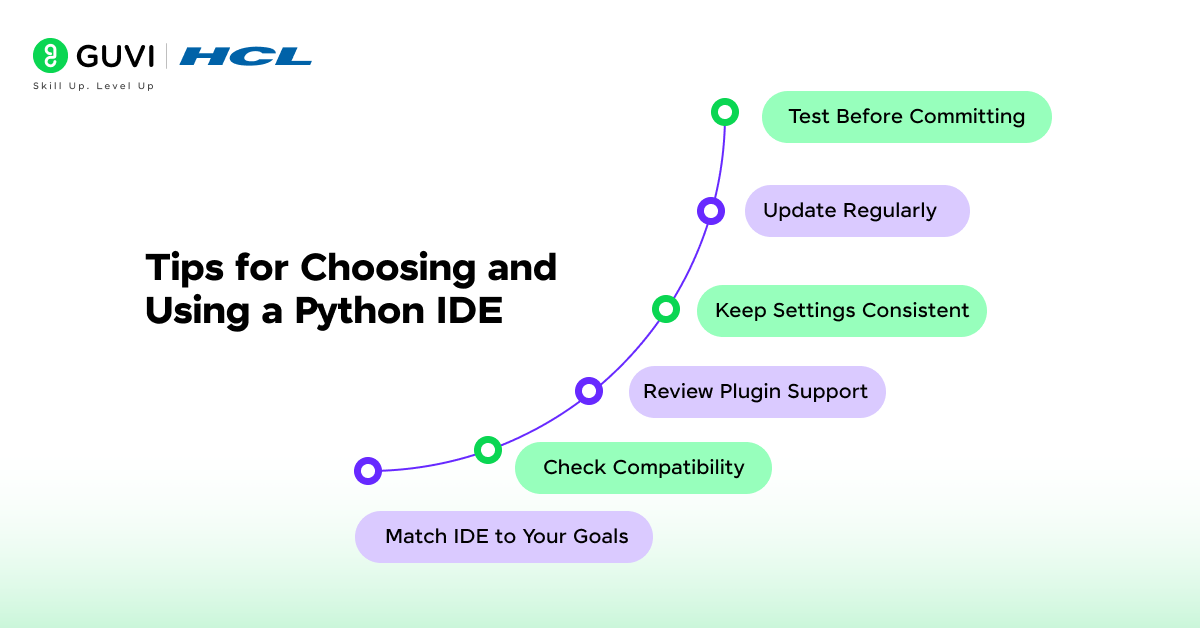
Before the list, here’s what to weigh. The ten below are ranked with these in mind.
- Your experience level: beginners do better with simple tools like Thonny or IDLE, while professionals want deep debugging and refactoring.
- The kind of work you do: data analysis, web development, and general scripting each favor different tools.
- Your machine: full IDEs like PyCharm need more memory than lightweight editors like VS Code or Sublime Text.
- Your budget: most options are free, but a few keep advanced features behind a subscription or license.
- Whether it’s still maintained: check for recent releases, since some popular tools have quietly been retired.
- How much AI you want built in: several tools now ship with AI assistants, covered later in this guide.
The Best Python IDEs of 2026
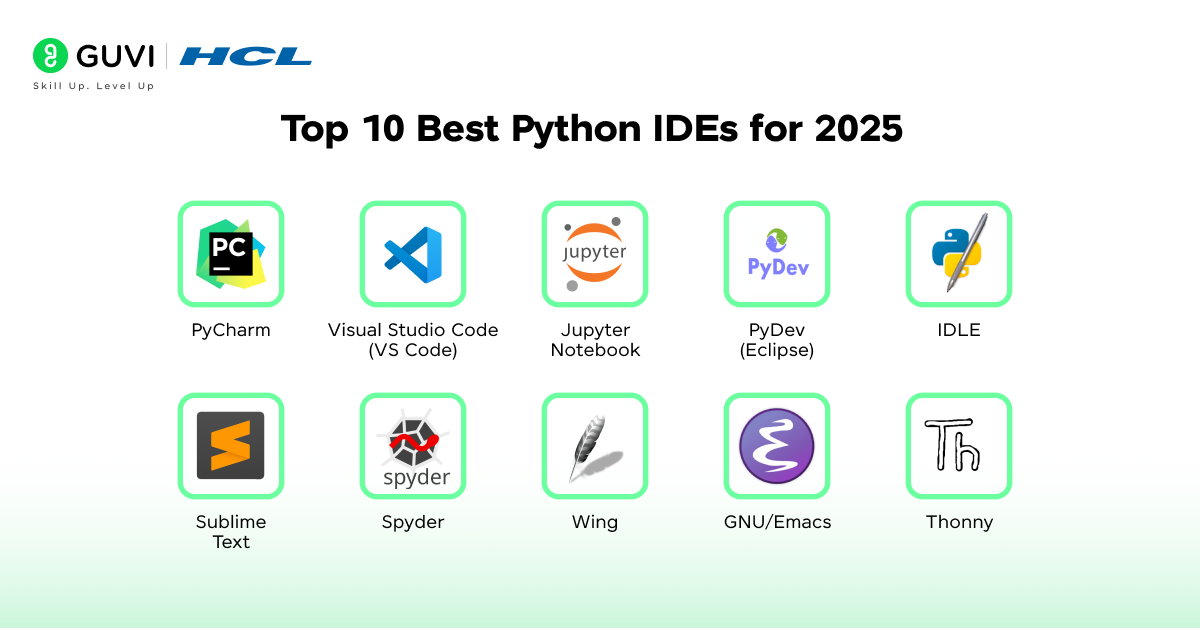
Here are the ten best Python IDEs, each with who it’s for, what it does well, and what to watch out for.
1. PyCharm
Best for: professional developers and large projects
PyCharm, from JetBrains, is one of the most popular Python IDEs, with deep code analysis, refactoring, and debugging built in.
The 2025 change to know: PyCharm used to ship as separate Community, Educational, and Professional editions. JetBrains merged Community and Professional into one unified PyCharm from version 2025.1, and 2025.2 was the last standalone Community release.
Today the core, including Jupyter Notebook support, is free. A Pro subscription adds advanced tooling that used to be Professional-only, such as database management, specialized frameworks, and web development tools.
Every new install includes a 30-day Pro trial, and you can keep using the free core afterward. That’s why PyCharm tops our list of the best Python IDEs.
Pros
- Active community support
- Extensive plugin ecosystem
- Excellent debugging capabilities
- A free core that now includes Jupyter Notebook support
Cons
- Advanced features require a paid Pro subscription
- Heavy on system resources
- Limited support for other programming languages
2. Visual Studio Code (VS Code)
Best for: developers who want flexibility across languages
Visual Studio Code, from Microsoft, is a lightweight, extensible code editor that developers love.
It isn’t built specifically for Python in Data Science, but its extensions add excellent Python support, including syntax highlighting, code completion, Git integration, and advanced debugging.
With its customizable design and huge extension library, it’s one of the best Python IDEs for developers who want a lightweight yet powerful setup.
Pros
- Extensive customization with a large number of extensions
- Powerful code management engine
- Works with popular AI coding assistants
Cons
- Initial customization can feel overwhelming
- Some extensions can be unreliable
Also Read: Top 12 Key Benefits of Learning Python in 2026
3. Jupyter Notebook
Best for: data science, research, and teaching
Jupyter Notebook is a web-based tool for interactive notebooks that mix code, visualizations, and explanatory text.
It supports dozens of languages, including Python, and data scientists love it for analysis, simulations, and sharing findings. Prefer an IDE? PyCharm’s free core now opens notebooks too.
Either way, Jupyter earns its place among the best Python IDEs for data work.
Pros
- Easy to use and learn
- Supports multiple programming languages
- Convenient for data science and scientific computing
Cons
- Best suited to data work, less so for general development
- Lacks the advanced features of full IDEs
- Managing code across many independent cells gets harder as notebooks grow
4. PyDev (Eclipse)
Best for: developers who already work in Eclipse
PyDev is a Python plugin for Eclipse. Eclipse was designed for Java, but plugins let it support other languages too.
PyDev adds code completion, code analysis, and debugging, plus support for Python variants such as Jython and IronPython. Eclipse’s large community makes it a natural pick if you already know the ecosystem, and it ranks among the best Python IDEs for Eclipse users.
Pros
- Easy to learn and feature-rich
- Large and active community
- Supports multiple Python variants
Cons
- The user interface may feel less modern than other IDEs
- Some plugins can be unstable
5. IDLE
Best for: absolute beginners
IDLE, short for Integrated Development and Learning Environment, comes bundled with your Python installation.
It gives you an interactive interpreter where you can edit, run, and debug Python code, with syntax highlighting, search, auto-completion, and a built-in debugger. IDLE is the OG of the best Python IDEs for beginners.
Pros
- Friendly interface for beginners
- Covers the essentials, like syntax highlighting and auto-completion
- Built-in debugger
Cons
- Too simple for larger projects
- Lacks the advanced features of other IDEs
6. Sublime Text
Best for: developers who value speed
Sublime Text is a fast, stable text editor that becomes a capable Python editor through packages and plugins.
It supports many languages, offers syntax highlighting and customizable themes, and can be tailored heavily to your preferences. It earns its place among the best Python IDEs for speed. You can evaluate it for free, but a license is required for continued use.
Pros
- Fast and reliable performance
- Customizable with a wide range of plugins
- Supports multiple programming languages
Cons
- Requires a paid license for continued use
- Some plugins can be confusing to install
- Steep learning curve for customization
7. Spyder
Best for: scientific computing and data analysis
Spyder is built for scientific work. It integrates Matplotlib, Pandas, NumPy, IPython, and SciPy, so your analysis tools are already at hand.
You also get syntax highlighting, code completion, interactive execution, a variable explorer, and a documentation viewer, which makes Spyder one of the best Python IDEs for scientific programming.
Pros
- Strong community support
- Rich set of development tools
- Comprehensive documentation
Cons
- Some features need extra dependencies installed separately
- Steep learning curve for beginners
8. Wing
Best for: Python-focused professional work
Wing is a Python IDE built around a productive development experience, with code feedback, syntax highlighting, auto-completion, and smart refactoring.
It’s now licensed in two tiers, Wing Classic and Wing Pro (which adds AI coding agent workflows), alongside Wing 101, a free, simplified version for teaching beginners. The free Wing Personal edition was discontinued with Wing 12.
A 30-day free trial unlocks all Wing Pro features, so you can try before you buy. Wing ranks among the best Python IDEs for developers who want a strong debugger.
Pros
- Customizable and extensible
- Powerful debugger
- Feature-rich environment
Cons
- Minimal support for languages other than Python
- The full-featured versions are paid; the only free option is Wing 101
- The interface may feel dated
9. GNU Emacs
Best for: keyboard-driven developers who love to customize
GNU Emacs is a highly customizable editor that handles Python through extensions. The Elpy extension adds syntax highlighting and automatic indentation for Python projects.
Emacs is free on all major platforms and famous for flexibility and keyboard navigation. It has a steep learning curve, but it ranks among the best Python IDEs for total control once it clicks.
Pros
- Free and fully customizable
- Fully navigable through keyboard bindings
- Runs on all major platforms
Cons
- Steep learning curve for beginners
- Documentation can be outdated for some features
10. Thonny
Best for: students and first-time programmers
Thonny is a beginner-friendly Python IDE with a simple, lightweight environment for learning. It comes with Python built in, so there’s no separate installation.
The interface is clean and basic, and the debugger is simple enough to follow. Thonny may lack advanced features, but it’s one of the best Python IDEs for beginners: simple and hassle-free.

Pros
- Designed for learning
- Clean, functional interface
- Easy to get started
Cons
- Not suitable for experienced developers who need advanced features
- Lacks the depth of full-featured IDEs
Learning about the 10 best Python IDEs for 2026 shows how the right tools boost coding efficiency, but becoming a data scientist takes more than an IDE.
Our Data Science course helps you master Python for real-world work in machine learning, statistics, data visualization, and AI projects.
With expert mentorship, global certification, lifetime access, and placement support, it turns coding practice into a career. Enroll now and power your future with data!
AI-Native and AI-Assisted Python Editors in 2026
The biggest shift among the best Python IDEs in 2026 is AI. Most tools above now offer some built-in AI assistance, and a new category of AI-native editors has grown alongside them.
- Cursor: an AI-first editor built on top of VS Code, so VS Code users feel at home. Its AI can read your codebase, edit files, and build features from plain-English instructions. It reportedly reached around 10 million active developers by early 2026.
- PyCharm: includes built-in AI assistance, including JetBrains’ Junie coding agent and, since 2025.3, Claude Agent.
- VS Code: works with popular AI coding assistants through its extension ecosystem.
- Wing Pro: includes an AI assistant and coding agent workflows, available only in the Pro tier.
How to use them well: treat AI output as a draft. Read the code before you run it, keep your tests in place, and check your organization’s policy before sending proprietary code to a cloud AI service.
Complete Comparison of the Best Python IDEs
| IDE | Best For | Strengths | Limitations |
|---|---|---|---|
| PyCharm | Professional developers and large projects | Rich features, strong debugging, plugin ecosystem, free core with Jupyter support | Advanced features need a paid Pro subscription, heavy on resources |
| VS Code | Flexibility and customization | Lightweight, wide extension library, Git integration | Setup can be overwhelming, some extensions unstable |
| Jupyter Notebook | Data science and research | Interactive notebooks, visualizations, easy sharing | Not ideal for general development, cell management can be tricky |
| PyDev (Eclipse) | Developers familiar with Eclipse | Supports multiple Python variants, active community | Dated interface, some plugins unstable |
| IDLE | Beginners | Bundled with Python, simple interface, built-in debugger | Too basic for advanced projects |
| Sublime Text | Speed and simplicity | Fast, customizable, supports many languages | Requires license for continued use, plugin setup can confuse newcomers |
| Spyder | Scientific computing and data analysis | Built-in scientific libraries, variable explorer | Steep learning curve, some features need extra dependencies |
| Wing | Python-focused professional work | Smart refactoring, strong debugger, AI workflows in Pro | Limited language support, full versions are paid, Personal edition discontinued |
| GNU Emacs | Customization and keyboard control | Fully customizable, free, wide extension support | Very steep learning curve, dated documentation |
| Thonny | Students and beginners | Simple layout, Python bundled | Lacks advanced tools, unsuitable for large projects |
Free vs Paid: What the Best Python IDEs Cost
Most of the best Python IDEs are free, but a few keep advanced features behind a subscription or license. Always check the official site for current pricing.
| IDE | Cost | Notes |
|---|---|---|
| PyCharm | Free core, optional paid Pro | Jupyter support is in the free core; every new install includes a 30-day Pro trial |
| VS Code | Free | Extensions add Python support |
| Jupyter Notebook | Free | Open source |
| PyDev (Eclipse) | Free | Open-source plugin for Eclipse |
| IDLE | Free | Bundled with Python |
| Sublime Text | Paid license | Free to evaluate; a license is required for continued use |
| Spyder | Free | Open source |
| Wing | Free Wing 101, paid Classic and Pro | 30-day Pro trial; Wing Personal was discontinued |
| GNU Emacs | Free | Extensions such as Elpy add Python features |
| Thonny | Free | Python comes built in |
Which of the Best Python IDEs Should You Pick?
Still undecided? Match your situation to a starting point.
| Your Situation | Start With | Why |
|---|---|---|
| Complete beginner learning syntax | Thonny or IDLE | Simple, no heavy setup |
| Data science and analysis | Jupyter Notebook or Spyder | Built for exploration and visualization |
| Large professional projects, deep debugging | PyCharm or Wing Pro | Full-featured, strong debuggers |
| Multiple languages, lightweight setup | VS Code or Sublime Text | Fast and highly customizable |
| Already working in Eclipse | PyDev | Fits your existing workflow |
| Keyboard-driven, fully customizable workflow | GNU Emacs | Extensible to your exact preferences |
| AI-first workflow | Cursor, or an AI assistant in VS Code or PyCharm | Built around AI assistance |
Pick one of the best Python IDEs, use it for a week or two, and switch only if it genuinely gets in your way.
More Python IDEs Worth Exploring
Some tools fall outside our list of the best Python IDEs but still fit unique workflows:
- Eric Python IDE:Eric is a full-featured Python IDE built with PyQt that offers an integrated environment tailored for Python projects.
- Strengths: robust debugging, project management, Python shell support
- Limitations: the interface feels complex for beginners, and it has a smaller user base than PyCharm or VS Code
- NetBeans with Python plugins:NetBeans is widely known as a Java IDE, and Python support comes from community-maintained plugins rather than being built in.
- Strengths: a familiar environment for Java developers
- Limitations: Python support is less advanced than in dedicated Python IDEs
- Bluefish Editor: Bluefish is a lightweight editor aimed at web development that also supports Python coding.
- Strengths: fast performance, simple interface, low system resource usage
- Limitations: limited advanced features, better suited to small projects or quick edits
Retired Tools to Skip
Two tools still appear on older lists of the best Python IDEs but are no longer maintained:
- Atom: GitHub sunset Atom on December 15, 2022 and archived its repositories, so it gets no updates or security fixes.
- Komodo IDE: ActiveState retired it in December 2022 and released the code as open source. Active development has stopped.
For a new project, pick a maintained alternative such as VS Code.
Getting the Most Out of Your Python IDE
Once you’ve picked one of the best Python IDEs, a few habits help you get far more out of it:
- Learn the shortcuts: a handful of keyboard shortcuts for running, searching, and refactoring saves hours over a year.
- Use the debugger: stepping through code beats scattering print statements.
- Keep settings consistent: use similar configurations across projects to cut adjustment time.
- Add plugins with purpose: install only the extensions that solve a real problem, to avoid clutter and slowdowns.
- Update regularly: updates bring bug fixes, new features, and better performance.
An IDE can boost your productivity, but real progress comes from consistent coding practice.
HCL GUVI’s CodeKata is a gamified platform with 1,500+ coding challenges in Python, Java, C, and more, designed to sharpen your logic, speed, and accuracy.
With progressive difficulty levels, instant feedback, and leaderboard motivation, CodeKata turns daily practice into interview-winning confidence. Start solving today and turn your IDE into a coding powerhouse!
Common Mistakes to Avoid When Choosing a Python IDE
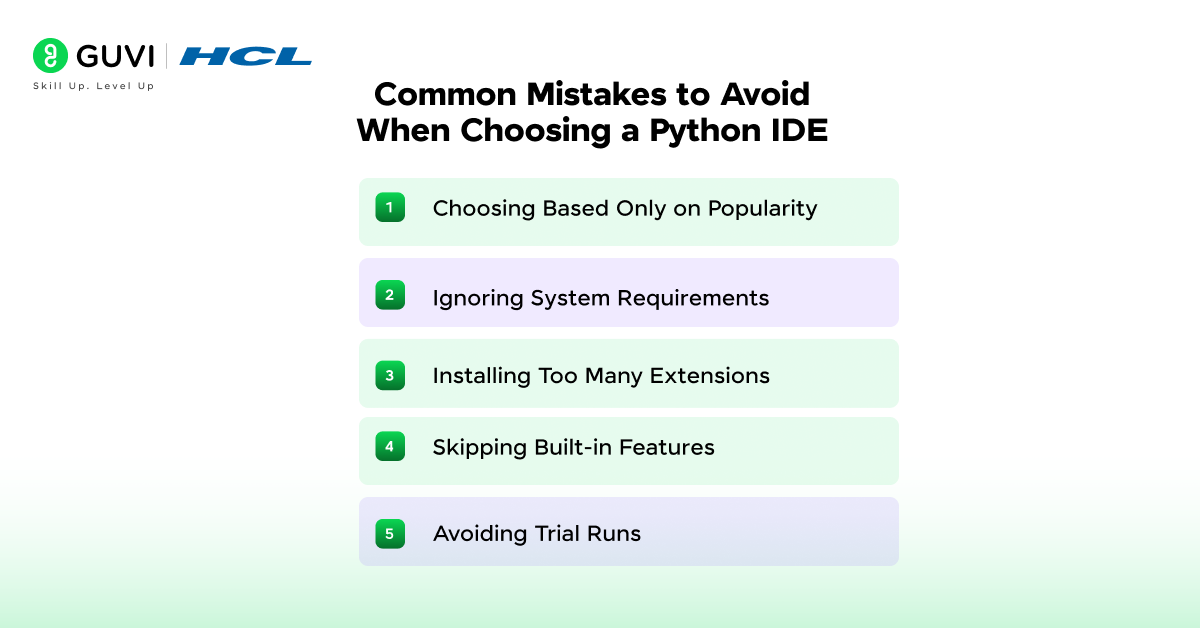
Picking the wrong one from the best Python IDEs can slow you down. Watch out for these:
- Choosing on popularity alone: a widely discussed IDE may not fit your workflow or your machine.
- Trusting outdated recommendations: some tools still praised online, like Atom and Komodo IDE, are no longer maintained, and PyCharm’s editions changed in 2025. Check the official site for current status.
- Ignoring system requirements: heavy IDEs can drag on older machines.
- Installing too many extensions: unnecessary add-ons slow performance and cause instability.
- Skipping built-in features: many developers overlook built-in debuggers, version control, and testing tools that save time.
- Skipping trial runs: try two or three IDEs before committing to one.
Go from absolute beginner to Python expert with our Python Zero to Hero Course, a 100% online, self-paced program with lifetime access, globally recognized certification, and dedicated forum support.
It includes four gamified practice platforms (CodeKata, WebKata, Debugging, and IDE) and a 7-day refund guarantee, your risk-free path to real-world coding mastery. Enroll now and unlock your programming potential!
Concluding Thoughts
The right Python IDE can change how productive and how enjoyable coding feels. Whether you’re a beginner or an experienced developer, there’s an excellent option for you.
PyCharm, Visual Studio Code, Jupyter Notebook, and the other best Python IDEs covered here each bring something different, but the final choice depends on your work.
Weigh your project complexity, your machine, and your preferences, then pick from the best Python IDEs and start building.
FAQs
Which IDE should I use for Python?
For Python, popular IDEs include PyCharm, VSCode, and Jupyter Notebooks, and a few unique and highly efficient ones that we’ve discussed at length in the article above.
Why is PyCharm better than VSCode?
PyCharm and VSCode are both excellent choices, but if we have to pick one, it would by PyCharm for its excellent debugging.
Is VSCode good for Python?
Yes, VSCode is widely used and well-suited for Python development. In fact, it’s one of the best Python IDEs.
What is the fastest IDE?
IDE speed varies based on factors like system specifications and project size. Consider testing PyCharm, VSCode, and others to find the fastest for your needs. But usually it’s VSCode for most cases.
Is PyCharm still free?
PyCharm offers both free and paid versions. The free Community edition is suitable for many Python developers and is pretty robust as well as efficient.
Success Stories

About the Author
Jebasta
I translate the language of data into stories that anyone can understand. As a writer with a data science background, I simplify analytics, AI, and decision-making so beginners and enthusiasts can confidently explore the world of data.
View all posts by Jebasta
Connect with me @







Did you enjoy this article?