


Python Articles
Go vs Python for Forward Deployed Engineering Workloads
Python for Forward Deployed Engineers: What You Actually Need to Know
Freelancing as a Python Developer: Getting Your First Client


Get In Touch For Details! Request More Information

Square roots come up constantly in Python, whether you’re calculating distances, working with statistics, or solving a math problem. Python doesn’t have a built-in square root keyword, but it gives you several reliable ways to calculate one, each suited to a slightly different situation.
Table of contents
- TL;DRSummary
- How Do You Find the Square Root in Python?
- Understanding Square Roots Before You Code
- Method 1: math.sqrt()
- ValueError: math domain error
- Method 2: The Exponent Operator (**)
- Method 3: math.pow()
- Method 4: NumPy's np.sqrt()
- Method 5: cmath.sqrt() for Negative and Complex Numbers
- Comparing All Five Methods
- Bonus: Cube Roots in Python
- Which Method Should You Use?
- Conclusion
- FAQs
- What is the easiest way to find a square root in Python?
- Can I calculate a square root without importing any module?
- What happens if I use math.sqrt() on a negative number?
- When should I use numpy.sqrt()?
- What is the difference between math.sqrt() and math.pow()?
- How do I calculate the square root of a negative number in Python?
- Which square root method should I choose in Python?
TL;DR Summary
- Python offers multiple ways to calculate square roots, including math.sqrt(), the exponent operator (** 0.5), math.pow(), numpy.sqrt(), and cmath.sqrt().
- math.sqrt() is the preferred choice for most use cases because it is simple, readable, and included in Python’s standard library.
- Different methods handle negative numbers differently, making it important to choose the right approach based on whether you’re working with real numbers, arrays, or complex values.
Calculate square roots in Python using math.sqrt() and ** 0.5. Master Python basics to advanced with HCL GUVI’s Python Zero to Hero Course. Start your Python journey here
How Do You Find the Square Root in Python?

The most common way to find a square root in Python is using math.sqrt(), part of the built-in math module. For example, math.sqrt(25) returns 5.0. Other options include the ** exponent operator, math.pow(), NumPy’s np.sqrt() for arrays, and cmath.sqrt() for negative or complex numbers.
Understanding Square Roots Before You Code
- A square root is the inverse of squaring. If 3 squared is 9, then the square root of 9 is 3, because 3 × 3 equals 9. Simple in concept, but there are three categories of numbers worth understanding before you start calculating.
- Positive numbers behave exactly as expected. The square root of 25 is 5, the square root of 1 is 1.
- Zero has a square root of zero straightforward, no surprises.
- Negative numbers are where things get interesting. There’s no real number that, when multiplied by itself, gives a negative result.
- Two negatives multiplied together always produce a positive number. This means math.sqrt(-10) will throw an error Python’s math module only works with real numbers, and negative square roots require complex numbers instead.
- Keep that distinction in mind. It explains why some of the methods below behave differently when negative numbers are involved.
Method 1: math.sqrt()
- This is the standard, most commonly used way to calculate a square root in Python. It’s part of the math module, which ships with the standard Python installation no external library required.
- import math
- a = 25 result = math.sqrt(a)
- print(result) # Output: 5.0
- math.sqrt() always returns a float, even when the result is a whole number. It works for any non-negative number, including decimals:
- import math
- print(math.sqrt(30.82)) # Output: 5.55157… print(math.sqrt(0)) # Output: 0.0
- Try it on a negative number, and Python raises a ValueError:
- import math
- print(math.sqrt(-10))
ValueError: math domain error
For most everyday Python code, math.sqrt() is the method you’ll reach for. It’s fast, simple, and clearly communicates intent to anyone reading your code.
Method 2: The Exponent Operator (**)
- Since a square root is mathematically the same as raising a number to the power of 0.5, Python’s exponent operator can do the job without importing anything at all.
- a = 25 result = a ** 0.5
- print(result) # Output: 5.0
- This works identically to math.sqrt() for positive numbers, but with zero dependencies. It’s a useful shortcut when you don’t want to import math just for one calculation or when you’re working in an environment with restricted imports.
- One quirk worth knowing: unlike math.sqrt(), the exponent operator does not raise an error on negative numbers it returns a complex number instead, because Python’s ** operator handles complex arithmetic automatically when needed.
- result = (-25) ** 0.5 print(result) # Output: (3.0616171314562834e-16+5j) a complex number
Method 3: math.pow()
- math.pow() is another option from the math module. It takes two arguments the base and the exponent so calculating a square root means raising to the power of 0.5, just like the exponent operator.
- import math
- a = 25 result = math.pow(a, 0.5)
- print(result) # Output: 5.0
- The result is identical to math.sqrt() and the ** operator for positive numbers. The main difference is readability and convention — math.pow() makes the “raising to a power” operation explicit, which can be useful in code that already deals with various exponents.
- Like math.sqrt(), math.pow() raises an error on negative numbers, since it also only works with real numbers.
Calculate square roots in Python using math.sqrt() and ** 0.5. Master Python basics to advanced with HCL GUVI’s Python Zero to Hero Course. Start your Python journey here
Method 4: NumPy’s np.sqrt()
- If you’re already working with NumPy, which is extremely common in data science or numerical computing contexts, np.sqrt() is the natural choice. Its biggest advantage is that it works on arrays just as easily as it works on single numbers.
- import numpy as np
- a = 25 result = np.sqrt(a) print(result) # Output: 5.0
- arr = [1, 25, 100] arr_result = np.sqrt(arr) print(arr_result) # Output: [ 1. 5. 10.]
- This is the only method on this list that handles entire arrays in a single call, applying the square root to every element. That’s enormously useful when working with datasets, rather than looping through individual values manually.
- Keep in mind the return type: np.sqrt() returns a numpy.float64 for a single number and a numpy.ndarray for an array, not Python’s native float or list. This matters if you’re passing results into code that expects native Python types.
Method 5: cmath.sqrt() for Negative and Complex Numbers
- When you specifically need to handle negative numbers or complex numbers, cmath Python’s complex math module is the right tool. Unlike math.sqrt(), it never raises an error for negative input.
- import cmath
- print(cmath.sqrt(25)) # Output: (5+0j) print(cmath.sqrt(-100)) # Output: 10j print(cmath.sqrt(10+10j)) # Output: (3.7..+1.32..j)
- Every result from cmath.sqrt() is a complex number, even when the input is a simple positive integer.
- That’s a meaningful difference from the other methods if you only need real number results, this extra complexity isn’t worth it.
- But for any code that may legitimately encounter negative values and needs a defined result instead of a crash, cmath.sqrt() is exactly the right tool.
The square root operation is fundamental to fields such as machine learning, statistics, computer graphics, and physics. One of its most common applications is the Euclidean distance formula, which measures the straight-line distance between two points. This calculation powers technologies ranging from recommendation systems and clustering algorithms to GPS navigation, image recognition, and robotics.

Comparing All Five Methods
| Method | Library Needed | Works on Negative Numbers | Best For |
| math.sqrt() | math (built-in) | No raises ValueError | General-purpose, single values |
| ** 0.5 | None | Returns complex number | Quick calculations, no imports |
| math.pow() | math (built-in) | No raises ValueError | Explicit power operations |
| np.sqrt() | numpy | No returns nan | Arrays, data science workflows |
| cmath.sqrt() | cmath (built-in) | Yes returns complex | Negative or complex number handling |
Bonus: Cube Roots in Python
- If a square root is a number raised to the power of 0.5, a cube root follows the same logic raised to the power of 1/3:
- a = 27 cube_root = a ** (1/3)
- print(cube_root) # Output: 3.0
- This pattern generalises to any root: the nth root of a number is that number raised to the power of 1/n. NumPy also offers np.cbrt() specifically for cube roots, which handles negative numbers correctly, unlike the exponent approach.
Which Method Should You Use?
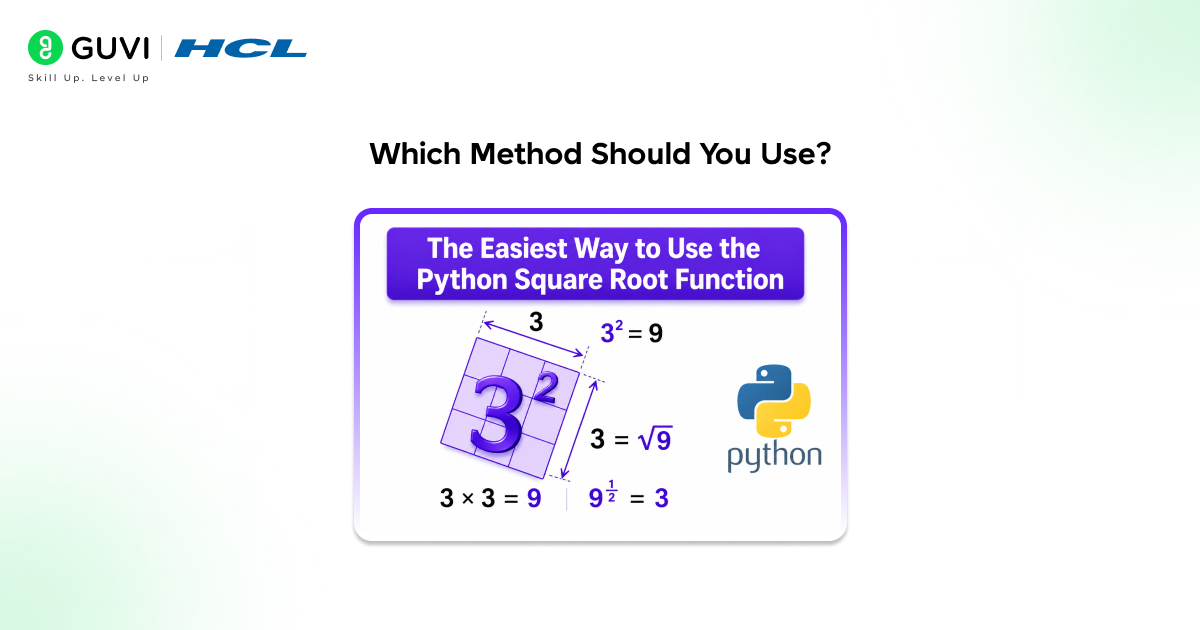
- For most everyday Python scripts, math.sqrt() is the right default it’s fast, clear, and built into the standard library. Reach for the exponent operator (** 0.5) when you want a zero-dependency one-liner.
- Choose np.sqrt() the moment you’re working with arrays or already have NumPy in your project. And keep cmath.sqrt() in your back pocket for the specific case where negative or complex inputs are a real possibility rather than a sign of a bug.
- Most Python programs only ever need one of these math.sqrt() but knowing the other four means you’ll always have the right tool when an edge case shows up.
Conclusion
Python gives you five solid ways to calculate a square root, each suited to a different situation. math.sqrt() covers the vast majority of everyday use cases. The exponent operator offers a dependency-free shortcut. math.pow() is functionally identical with more explicit syntax. NumPy’s np.sqrt() extends naturally to arrays.
And cmath.sqrt() is the only method that gracefully handles negative numbers without crashing. Pick the one that fits your data and your dependencies, and you’ll never be stuck wondering how to calculate a square root in Python again.
FAQs
1. What is the easiest way to find a square root in Python?
The easiest and most commonly used method is math.sqrt(). After importing Python’s built-in math module, you can calculate a square root with math.sqrt(number).
2. Can I calculate a square root without importing any module?
Yes. You can use the exponent operator and raise a number to the power of 0.5.
result = 25 ** 0.5
print(result) # 5.0
This approach requires no imports and works well for simple calculations.
3. What happens if I use math.sqrt() on a negative number?
math.sqrt() raises a ValueError because the math module only supports real numbers.
import math
math.sqrt(-25)
# ValueError: math domain error
For negative numbers, use cmath.sqrt() instead.
4. When should I use numpy.sqrt()?
Use numpy.sqrt() when working with arrays, matrices, or large datasets. It can compute square roots for multiple values simultaneously, making it ideal for data science and scientific computing tasks.
5. What is the difference between math.sqrt() and math.pow()?
Both can calculate square roots, but math.sqrt() is specifically designed for square root operations, while math.pow() performs general exponentiation.
math.sqrt(25)
math.pow(25, 0.5)
For readability and intent, math.sqrt() is usually preferred.
6. How do I calculate the square root of a negative number in Python?
Use Python’s built-in cmath module, which supports complex numbers.
import cmath
result = cmath.sqrt(-25)
print(result) # 5j
This returns a complex number instead of raising an error.
7. Which square root method should I choose in Python?
Choose based on your use case:
math.sqrt() – Best for everyday calculations with real numbers.
** 0.5 – Quick calculations without imports.
math.pow() – When working with general exponent operations.
numpy.sqrt() – For arrays and data science workloads.
cmath.sqrt() – For negative or complex numbers.
Success Stories

About the Author
Vishalini Devarajan
An Aerospace Engineer turned content writer, I focus on making complex concepts easy to understand through well-structured, reader-friendly blogs. Whether it’s a technical topic or a non-technical one, I love creating content that is clear, engaging, and impactful.
View all posts by Vishalini Devarajan
Connect with me @















Did you enjoy this article?