


Python Articles
Excel SQL Python for BPO Professionals Best Guide to Move Into Data Science
Go vs Python for Forward Deployed Engineering Workloads
Python for Forward Deployed Engineers: What You Actually Need to Know
Freelancing as a Python Developer: Getting Your First Client


Get In Touch For Details! Request More Information
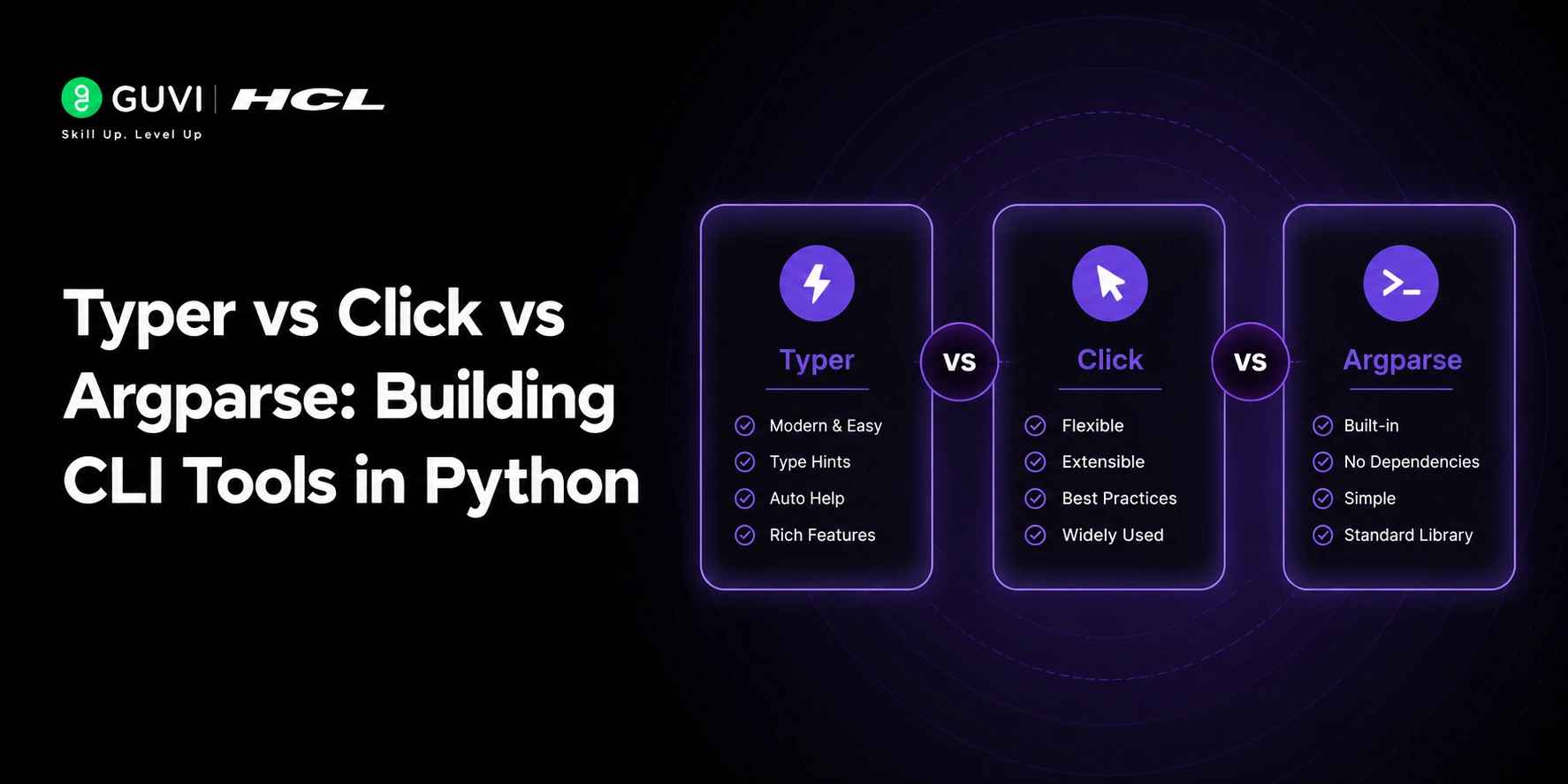
Typer vs Click vs Argparse: Building CLI Tools in Python
Jun 28, 2026 4 Min Read 1429 Views
(Last Updated)
Python has become a preferred language for building automation tools, DevOps utilities, and developer productivity applications. As organizations increasingly rely on command-line tools to streamline workflows, understanding Typer vs Click vs Argparse helps developers make informed decisions. Learners can strengthen their Python skills through HCL GUVI’s Python Course to examine the strengths, limitations, and ideal use cases of these popular Python CLI frameworks.
Table of contents
- TL;DR Summary
- What Are Python CLI Tools?
- What Is Argparse?
- Key Features of Argparse
- Simple Argparse Example
- Pros
- Cons
- What Is Click?
- Key Features of Click
- Simple Click Example
- Pros
- Cons
- What Is Typer?
- Key Features of Typer
- Simple Typer Example
- Pros
- Cons
- Typer vs Click vs Argparse: Key Differences
- Typer vs Click vs Argparse: Code Comparison
- Argparse
- Click
- Typer
- Typer vs Click vs Argparse: Performance Comparison
- Typer vs Click vs Argparse for Modern Development
- Argparse
- Click
- Typer
- When Should You Choose Argparse?
- Best Use Cases
- When Should You Choose Click?
- Best Use Cases
- When Should You Choose Typer?
- Best Use Cases
- Which CLI Framework Should You Choose in 2026?
- Conclusion
- FAQs
- Which is better: Typer, Click, or Argparse?
- Is Typer better than Click?
- Is Argparse still relevant in 2026?
- Which framework is easiest for beginners?
- Can Typer handle large applications?
- Which framework is best for AI and automation tools?
- Should I learn Argparse before Typer?
TL;DR Summary
- Typer, Click, and Argparse are three popular frameworks for building Python CLI applications.
- Argparse is ideal for lightweight scripts that require no external dependencies.
- Click provides flexibility and scalability for complex command-line applications.
- Typer simplifies development with type hints, automatic validation, and minimal boilerplate.
- Each framework serves different use cases, making the right choice dependent on your project requirements.
What Are Python CLI Tools?
Python CLI tools are applications that run through the command line or terminal. They let users interact with software using commands and arguments.
Unlike graphical applications, CLI tools prioritize speed, automation, and scripting.
Some common examples include:
- Git
- Docker CLI
- AWS CLI
- Database migration tools
- Deployment scripts
- Data processing utilities
- AI model management tools
Python is ideal for CLI development due to its readability, extensive ecosystem, and strong support for automation workflows.
What Is Argparse?
Argparse is Python’s official module for parsing command-line arguments. It comes included in the Python standard library.
It allows developers to define arguments, validate user input, generate help messages, and create command-line applications without installing extra packages.
Key Features of Argparse
- Built into Python
- No external dependencies
- Automatic help generation
- Support for positional and optional arguments
- Strong customization capabilities
Simple Argparse Example
| import argparse parser = argparse.ArgumentParser() parser.add_argument(“–name”) args = parser.parse_args() print(f”Hello {args.name}”) |
Pros
- No dependencies
- Stable and mature
- Works in restricted environments
- Full control over argument parsing
Cons
- Verbose syntax
- More boilerplate code
- Complex subcommands can be hard to manage
Argparse remains a good choice for developers who value simplicity and minimal dependencies.
What Is Click?
Click is a popular Python package made for creating command-line applications with a cleaner syntax.
Instead of manually setting up arguments, Click uses decorators to define commands and options.
Key Features of Click
- Decorator-based syntax
- Built-in prompts and confirmations
- Automatic help pages
- Nested command support
- Extensible architecture
Simple Click Example
| import click @click.command() @click.option(“–name”) def greet(name): click.echo(f”Hello {name}”) greet() |
Pros
- Cleaner code structure
- Excellent command organization
- Production-ready
- Strong ecosystem
Cons
- Requires installation
- Learning decorators may take time for beginners
Click is often used in tools where maintainability and scalability are crucial.
What Is Typer?
Typer is a modern CLI framework created by Sebastián Ramírez, the founder of FastAPI.
Built on Click, Typer uses Python type hints to generate argument validation, documentation, and command structures automatically.
Key Features of Typer
- Type-hint-based development
- Automatic validation
- Built-in autocompletion support
- Automatic help generation
- Minimal boilerplate
Simple Typer Example
| import typer def greet(name: str): print(f”Hello {name}”) typer.run(greet) |
Pros
- Easy to learn
- Less code
- Great developer experience
- Excellent IDE support
Cons
- External dependency
- Advanced customization may require knowledge of Click
Typer has gained popularity among modern CLI apps for its simplicity and focus on productivity.
Typer is built on top of Click, meaning every Typer application uses Click’s proven command system under the hood. This gives developers the reliability, flexibility, and scalability of Click while allowing them to write significantly less code by leveraging Python type hints for automatic argument parsing, validation, and CLI documentation generation.
Typer vs Click vs Argparse: Key Differences
| Feature | Typer | Click | Argparse |
| Framework Type | Modern CLI Framework | CLI Framework | Standard Library Module |
| Installation Required | Yes | Yes | No |
| Type Hint Support | Yes | Partial | Limited |
| Automatic Help | Yes | Yes | Yes |
| Autocompletion | Yes | Yes | Limited |
| Boilerplate Code | Low | Medium | High |
| Learning Curve | Easy | Moderate | Moderate |
| Subcommand Support | Excellent | Excellent | Good |
| Developer Experience | Excellent | Good | Moderate |
| Best For | Modern Projects | Large CLI Apps | Lightweight Scripts |
Typer vs Click vs Argparse: Code Comparison
Let’s see how much code is needed to create the same greeting command.
Argparse
| import argparse parser = argparse.ArgumentParser() parser.add_argument(“name”) args = parser.parse_args() print(f”Hello {args.name}”) |
Click
| import click @click.command() @click.argument(“name”) def greet(name): click.echo(f”Hello {name}”) greet() |
Typer
| import typer def greet(name: str): print(f”Hello {name}”) typer.run(greet) |
Typer requires the least setup while keeping readability and functionality.
Want to build more powerful Python CLI applications? Download HCL GUVI’s free Python eBook and strengthen the programming fundamentals behind modern developer tools.

Typer vs Click vs Argparse: Performance Comparison
Performance is a common topic when comparing CLI frameworks, but for most applications, the differences are minor.
Since Argparse is built into Python, it has minimal overhead and is often the lightest option.
Click has a small dependency overhead but remains efficient for most workloads.
Typer is built on Click and adds a slight additional abstraction, though the effect is minimal for typical CLI applications.
Performance Ranking:
- Argparse
- Click
- Typer
In real-world use, maintainability and developer productivity usually matter more than slight differences in startup time.
Typer vs Click vs Argparse for Modern Development
Modern applications often involve:
- Cloud-native services
- DevOps automation
- AI and machine learning workflows
- Data engineering pipelines
- Microservices
These projects need scalable and maintainable tools.
Argparse
Good for smaller automation scripts and lightweight utilities.
Click
Best for large applications with multiple commands and significant customization.
Typer
Great for modern development teams that lean heavily on type hints and fast iteration.
For most new Python projects, Typer provides the best balance between productivity and scalability.
Understanding framework performance is only part of the decision-making process. Explore HCL GUVI’s Python Course to strengthen your Python fundamentals and build practical development skills through real-world projects.
When Should You Choose Argparse?
Choose Argparse if you:
- Need no external dependencies
- Work in restricted environments
- Build lightweight scripts
- Want full control over parsing
- Prefer an included solution
Best Use Cases
- Internal automation scripts
- System administration tools
- Lightweight utilities
When Should You Choose Click?
Choose Click if you:
- Need a mature framework
- Build large command hierarchies
- Require advanced customization
- Maintain enterprise CLI applications
Best Use Cases
- DevOps platforms
- Deployment tools
- Enterprise command-line utilities
When Should You Choose Typer?
Choose Typer if you:
- Are starting a new project
- Use Python type hints often
- Want rapid development
- Prefer minimal boilerplate
- Need automatic documentation
Best Use Cases
- AI tools
- Data engineering utilities
- Developer productivity tools
- Modern cloud-native applications
Which CLI Framework Should You Choose in 2026?
A quick decision guide:
- New CLI projects → Typer
- Enterprise CLI tools → Click
- No dependencies → Argparse
If you’re developing modern APIs, AI utilities, automation platforms, or developer tools, Typer is often the most efficient choice. For organizations managing large CLI systems, Click remains a dependable and scalable option. If simplicity and portability are priorities, Argparse remains a great choice.
Conclusion
Building effective CLI applications starts with choosing a framework that aligns with your project’s goals, complexity, and future growth. Whether you prioritize simplicity, flexibility, or developer experience, understanding these frameworks helps you make informed decisions and create reliable command-line tools that are easier to develop, maintain, and scale over time for diverse real-world development scenarios.
FAQs
1. Which is better: Typer, Click, or Argparse?
There is no single best framework. Typer is great for modern CLI apps, Click excels in large projects, and Argparse suits dependency-free scripts.
2. Is Typer better than Click?
Typers often provide a better developer experience for many projects, but Click offers more control and customization.
3. Is Argparse still relevant in 2026?
Yes, Argparse remains widely used because it is included with Python and has no external dependencies.
4. Which framework is easiest for beginners?
Typer is generally considered the easiest due to its use of familiar Python functions and type hints.
5. Can Typer handle large applications?
Yes, because Typer is built on Click, it supports complex command structures and large-scale CLI projects.
6. Which framework is best for AI and automation tools?
Typer is often preferred for AI and automation workflows because it supports fast development and clean code organization.
7. Should I learn Argparse before Typer?
Learning Argparse can help you understand CLI basics, but many developers start directly with Typer for modern projects.
Success Stories

About the Author
Vishalini Devarajan
An Aerospace Engineer turned content writer, I focus on making complex concepts easy to understand through well-structured, reader-friendly blogs. Whether it’s a technical topic or a non-technical one, I love creating content that is clear, engaging, and impactful.
View all posts by Vishalini Devarajan
Connect with me @










Did you enjoy this article?