


Python Articles
What Is GUI in Python? A Beginner's Guide
Probability Basics: A Clear Introduction
How to Use Python in Excel: A Step-by-Step Guide for Beginners


Get In Touch For Details! Request More Information
What is the map() function in Python? A Complete Guide
Jun 28, 2026 7 Min Read 32 Views
(Last Updated)
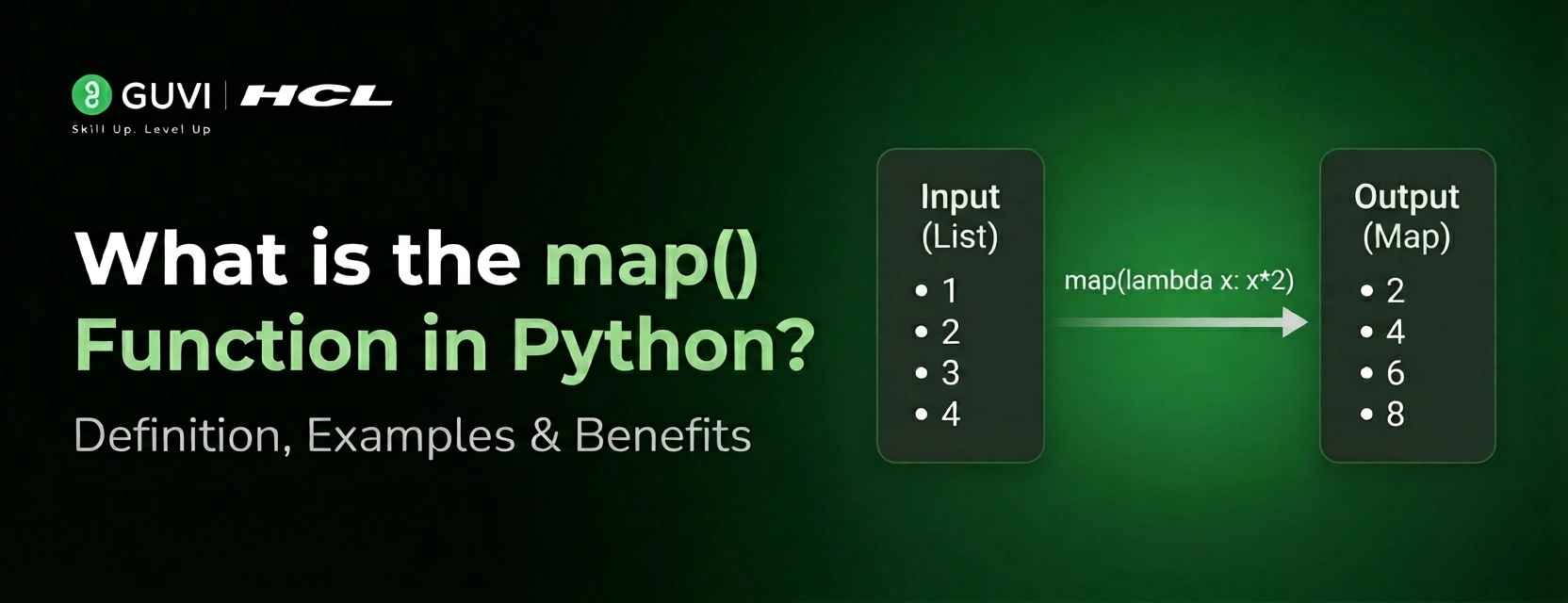
map() removes the boilerplate of creating an empty list, looping, transforming, and appending by expressing the intent directly: apply a function to every item in an iterable. As a built-in, it takes a callable and one (or more) iterables, applies the callable to each element, and yields the results—making code shorter, clearer, and closer to the idea you want to express rather than the mechanics of how to do it.
Using a map improves readability and encourages functional-style thinking: replace the five-line pattern of initializing, iterating, transforming, and appending with a single, declarative expression. For simple transformations, it’s usually clearer than an explicit for loop, and when combined with list(), tuple(), or other consumers, it integrates cleanly into Python pipelines.
In this article, we will walk through everything you need to understand about the map() function in Python. We will cover its syntax, how it works internally, how to use it with named functions, lambda functions, built-in functions, and multiple iterables, how it compares to for loops and list comprehensions, and when each approach is the right choice.
Table of contents
- TL;DR
- The Syntax of map()
- How map() Works Internally
- Step 1: Purpose and benefits
- Step 2: Lazy evaluation (what happens internally)
- Step 3: Memory and performance implications
- Step 4: Exhaustion and reuse
- Using map() with a Named Function
- Using map() with Lambda Functions
- Using map() with Python Built-in Functions
- Processing User Input With map()
- Using map() With Multiple Iterables
- map() With Strings and String Methods
- Converting the map Object: list, tuple, and set
- map() vs. for Loop vs. List Comprehension
- Chaining map() With Other Functions
- Common Mistakes to Avoid
- Wrapping Up
- FAQ
- When should I use map() instead of a list comprehension?
- How do I get a list from map()?
- Can map() take multiple iterables?
- Is map() faster than a for loop?
- Why is my map result empty on the second use?
TL;DR
- map(function, iterable, *iterables) applies a function to every item of one or more iterables and returns a lazy map object (an iterator).
- Pass the function object (e.g., int or a named function), not a call; convert the map to list/tuple/set to consume results.
- map is memory‑efficient (lazy), can take multiple iterables (stops at the shortest), and at most one pass the map iterator is exhausted after use.
- Use map when you already have a function to apply (especially built‑ins); prefer list comprehensions for simple one‑off expressions for readability.
- Common pitfalls: calling the function (map(f(), …)), forgetting to convert/exhaust the iterator, and relying on side effects inside the mapping function.
The Syntax of map()
The syntax of map() is clean and minimal:
map(function, iterable, *iterables)
- The function parameter is the function you want to apply to each element. This can be a named function defined with def, a lambda function, or any built-in Python function. Crucially, you pass the function itself, not a call to the function. You write map(str, numbers), not map(str(), numbers).
- The iterable parameter is the sequence whose elements you want to transform. This can be a list, tuple, string, set, range, or any other Python iterable.
- The *iterables* part means you can optionally pass additional iterables, which is used when the function takes multiple arguments. We will cover this in detail later.
- The return value is a map object, not a list. map() returns an iterator and processes items on demand. This makes it extremely memory-efficient for large datasets, unlike list comprehensions, which build a new list in memory.
- Just remember that because it produces an iterator, you must convert the result into a concrete collection, such as a list or tuple, if you need to access the values immediately or use them multiple times.
How map() Works Internally
Step 1: Purpose and benefits
- map() applies a function to every element of an iterable, letting you transform elements without writing explicit loops. It improves clarity and supports a functional programming style.
Step 2: Lazy evaluation (what happens internally)
- Calling map(function, iterable) creates a map object that stores the function and iterable but does not process elements immediately. Each time you request the next value, Python pulls the next item from the iterable, applies the function, and returns the result.
Step 3: Memory and performance implications
- Because map() is lazy, it doesn’t build a full list of results up front, so it’s memory-efficient for large iterables (for example, one million items). However, processing happens on demand rather than all at once.
Step 4: Exhaustion and reuse
- A map object is an iterator and becomes exhausted after a full pass. If you need to iterate results multiple times, convert to a list first (for example, list(map(func, iterable))).
Using map() with a Named Function
The most straightforward use of map() pairs it with a function you have already defined:
# Define a function to apply

def square(number):

    return number ** 2

numbers = [1, 2, 3, 4, 5]

# Apply square to every element

result = map(square, numbers)

# Convert to list to see all results

print(list(result))

# Output: [1, 4, 9, 16, 25]

# Works with tuples and other iterables too

temperatures_celsius = (0, 20, 37, 100)

def celsius_to_fahrenheit(celsius):

    return (celsius * 9/5) + 32

fahrenheit = list(map(celsius_to_fahrenheit, temperatures_celsius))

print(fahrenheit)

# Output: [32.0, 68.0, 98.6, 212.0]
Notice that map(square, numbers) passes the function square without parentheses. You are passing the function object itself, not its return value. This is a common beginner mistake: writing map(square(), numbers) would try to call square() with no arguments right there, which raises a TypeError.
In Python 3, the map() function returns a map object (an iterator) rather than a list, a change from Python 2 where map() immediately produced a complete list of results. This lazy evaluation approach improves memory efficiency because values are generated only when needed, making map() well-suited for large datasets and data-processing pipelines. The same design philosophy applies to functions such as filter() and zip(), which also return iterators in Python 3. However, because a map object can be consumed only once and does not support random access, developers often convert it to a concrete collection such as list() or tuple() when they need to access the results multiple times or use indexing operations.

Using map() with Lambda Functions
Lambda functions are anonymous functions defined inline, and they pair naturally with map() for quick, one-off transformations:
numbers = [1, 2, 3, 4, 5, 6, 7, 8]

# Square numbers using lambda

squared = list(map(lambda x: x ** 2, numbers))

print(squared)

# Output: [1, 4, 9, 16, 25, 36, 49, 64]

# Double each number

doubled = list(map(lambda x: x * 2, numbers))

print(doubled)

# Output: [2, 4, 6, 8, 10, 12, 14, 16]

# Convert strings to uppercase

names = ["alice", "bob", "carol", "david"]

upper_names = list(map(lambda name: name.upper(), names))

print(upper_names)

# Output: ['ALICE', 'BOB', 'CAROL', 'DAVID']

# Check if numbers are even (returns booleans)

is_even = list(map(lambda x: x % 2 == 0, numbers))

print(is_even)

# Output: [False, True, False, True, False, True, False, True]
Lambda functions keep the transformation logic right where it is used, making the code self-contained. However, for complex logic involving multiple statements or conditionals, define a properly named function with def and use map() with that. This is far more readable, debuggable, and testable than a complex lambda.
Using map() with Python Built-in Functions
Some of the cleanest uses of map() involve passing built-in Python functions directly:
# Convert a list of strings to integers

string_numbers = ["1", "2", "3", "4", "5"]

integers = list(map(int, string_numbers))

print(integers)

# Output: [1, 2, 3, 4, 5]

print(type(integers[0]))

# Output: <class 'int'>

# Convert integers to strings

numbers = [10, 20, 30, 40, 50]

strings = list(map(str, numbers))

print(strings)

# Output: ['10', '20', '30', '40', '50']

# Convert to floats

int_list = [1, 2, 3, 4, 5]

floats = list(map(float, int_list))

print(floats)

# Output: [1.0, 2.0, 3.0, 4.0, 5.0]

# Get the length of each word

words = ["Python", "is", "awesome", "and", "powerful"]

lengths = list(map(len, words))

print(lengths)

# Output: [6, 2, 7, 3, 8]

# Round a list of floats

prices = [2.567, 10.234, 5.895, 3.141]

rounded = list(map(round, prices))

print(rounded)

# Output: [3, 10, 6, 3]
map() with built-in functions remains faster and more concise for simple one-function transforms. Use map() when applying a single existing function, especially for type conversions like map(int, strings).
Processing User Input With map()
One of the most practical everyday uses of map() is converting user input, which always arrives as strings, into the required types:
# Reading multiple integers from a single line of input

# User types: 10 20 30 40 50

user_input = "10 20 30 40 50"

numbers = list(map(int, user_input.split()))

print(numbers)

# Output: [10, 20, 30, 40, 50]

print(sum(numbers))

# Output: 150

# Reading multiple floats

float_input = "3.14 2.71 1.41 1.73"

floats = list(map(float, float_input.split()))

print(floats)

# Output: [3.14, 2.71, 1.41, 1.73]

# Practical simulation of reading coordinates

coordinates_input = "10 20 30"

x, y, z = map(int, coordinates_input.split())

print(f"x={x}, y={y}, z={z}")

# Output: x=10, y=20, z=30
The pattern list (map(int, input().split())) is one of the most commonly used one-liners in competitive programming and data processing scripts. It reads a line of space-separated numbers and converts them all to integers in a single expression.
Using map() With Multiple Iterables
map() can accept more than one iterable, which enables element-wise operations between parallel sequences:
# Add corresponding elements from two lists

list_a = [10, 20, 30, 40]

list_b = [1, 2, 3, 4]

sums = list(map(lambda a, b: a + b, list_a, list_b))

print(sums)

# Output: [11, 22, 33, 44]

# Multiply corresponding elements

products = list(map(lambda a, b: a * b, list_a, list_b))

print(products)

# Output: [10, 40, 90, 160]

# Three iterables: combine first name, middle, and last name

first = ["John", "Jane", "Bob"]

middle = ["Michael", "Marie", "Lee"]

last = ["Smith", "Doe", "Johnson"]

full_names = list(map(

    lambda f, m, l: f"{f} {m} {l}",

    first, middle, last

))

print(full_names)

# Output: ['John Michael Smith', 'Jane Marie Doe', 'Bob Lee Johnson']
The function must accept the same number of arguments as there are iterables. Iteration stops at the shortest iterable, so unequal-length lists do not raise errors: extra elements are silently ignored.
# Shorter iterable limits the output

a = [1, 2, 3, 4, 5]

b = [10, 20, 30]          # shorter list

result = list(map(lambda x, y: x + y, a, b))

print(result)

# Output: [11, 22, 33]   (stops at length of b)
map() With Strings and String Methods
map() works elegantly with string methods because string methods are functions that can be applied to each element:
# Apply string methods to a list of strings

words = ["  hello  ", "  world  ", "  python  "]

# Strip whitespace from each string

stripped = list(map(str.strip, words))

print(stripped)

# Output: ['hello', 'world', 'python']

# Convert each word to title case

fruits = ["apple", "banana", "cherry", "date"]

title_fruits = list(map(str.title, fruits))

print(title_fruits)

# Output: ['Apple', 'Banana', 'Cherry', 'Date']

# Capitalize first letter of each name

names = ["alice", "bob", "carol"]

capitalized = list(map(str.capitalize, names))

print(capitalized)

# Output: ['Alice', 'Bob', 'Carol']

# Replace characters in each string

emails = ["[email protected]", "[email protected]", "[email protected]"]

replaced = list(map(lambda e: e.replace("test.com", "company.org"), emails))

print(replaced)

# Output: ['[email protected]', '[email protected]', '[email protected]']
Converting the map Object: list, tuple, and set
Since map() returns an iterator, you need to convert it to collect the results:
numbers = [1, 2, 3, 4, 5]

mapped = map(lambda x: x ** 2, numbers)

# Convert to list (most common)

as_list = list(mapped)

print(as_list)

# Output: [1, 4, 9, 16, 25]

# Need to recreate because the iterator is now exhausted

mapped = map(lambda x: x ** 2, numbers)

# Convert to tuple

as_tuple = tuple(mapped)

print(as_tuple)

# Output: (1, 4, 9, 16, 25)

# Convert to set (removes duplicates, unordered)

numbers_with_dups = [1, 2, 2, 3, 3, 4]

as_set = set(map(lambda x: x ** 2, numbers_with_dups))

print(as_set)

# Output: {1, 4, 9, 16} (duplicates removed)

# Use in a for loop directly (no conversion needed)

mapped = map(lambda x: x ** 2, numbers)

for value in mapped:

    print(value, end=" ")

# Output: 1 4 9 16 25
If you only need to iterate through the results once, you can use the map object directly in a for loop without converting it to a list. Converting to a list is only necessary when you need random access to elements or need to iterate multiple times.
map() vs. for Loop vs. List Comprehension
Understanding when to use each approach is one of the most practical skills you can develop as a Python programmer.
The for loop approach:
numbers = [1, 2, 3, 4, 5]

# For loop: most explicit, most lines

squared_loop = []

for n in numbers:

    squared_loop.append(n ** 2)

print(squared_loop)

# Output: [1, 4, 9, 16, 25]
The map() approach:
# map(): concise, functional style

squared_map = list(map(lambda x: x ** 2, numbers))

print(squared_map)

# Output: [1, 4, 9, 16, 25]
The list comprehension approach:
# List comprehension: clean, readable, Pythonic

squared_comp = [x ** 2 for x in numbers]

print(squared_comp)

# Output: [1, 4, 9, 16, 25]- List comprehensions are generally more readable, especially for beginners. They explicitly show the for loop structure. Use map() when you already have a function defined. It is also a good choice when you need to apply the same function to multiple iterables.
- Use map() for clarity when you have a pre-defined function. For simple, one-off transformations, a list comprehension is often the Pythonic choice.
- The clearest guideline: when you already have a named function or a built-in function, map(function, iterable) is clean and efficient. When you need to write a new expression just for this transformation, a list comprehension is usually more readable.
Chaining map() With Other Functions
map() can be combined with filter() and sorted() to build powerful data processing pipelines:
numbers = [1, 2, 3, 4, 5, 6, 7, 8, 9, 10]

# Square numbers, then filter to keep only those above 25

squared = map(lambda x: x ** 2, numbers)

large_squares = list(filter(lambda x: x > 25, squared))

print(large_squares)

# Output: [36, 49, 64, 81, 100]

# Process a list of dictionaries

students = [

    {"name": "Alice", "score": 85},

    {"name": "Bob", "score": 92},

    {"name": "Carol", "score": 78},

    {"name": "David", "score": 95}

]

# Extract scores using map

scores = list(map(lambda s: s["score"], students))

print(f"All scores: {scores}")

# Output: All scores: [85, 92, 78, 95]

# Extract names and convert to uppercase

upper_names = list(map(lambda s: s["name"].upper(), students))

print(f"Names: {upper_names}")

# Output: Names: ['ALICE', 'BOB', 'CAROL', 'DAVID']

# Calculate letter grades

def get_grade(score):

    if score >= 90: return "A"

    elif score >= 80: return "B"

    elif score >= 70: return "C"

    else: return "F"

grades = list(map(get_grade, scores))

print(f"Grades: {grades}")

# Output: Grades: ['B', 'A', 'C', 'A']
Common Mistakes to Avoid
The most frequent mistake beginners make is calling the function instead of passing it:
numbers = [1, 2, 3, 4, 5]

# WRONG: calling the function with ()

# This raises TypeError because str() needs an argument

# result = list(map(str(), numbers))

# CORRECT: passing the function reference

result = list(map(str, numbers))

print(result)

# Output: ['1', '2', '3', '4', '5']

The second common mistake is forgetting to convert the map object before trying to use it multiple times:

numbers = [1, 2, 3, 4, 5]

mapped = map(lambda x: x ** 2, numbers)

first_use = list(mapped)

print(first_use)   # [1, 4, 9, 16, 25] - works fine

second_use = list(mapped)

print(second_use)  # [] - EMPTY! Iterator is exhausted

# Fix: convert to list immediately if needed multiple times

mapped_list = list(map(lambda x: x ** 2, numbers))

print(mapped_list)  # [1, 4, 9, 16, 25]

print(mapped_list)  # [1, 4, 9, 16, 25] - works again
Avoid relying on side effects in map() as it leads to subtle, hard-to-debug issues. The most common errors with map() are TypeError exceptions.
Now that you understand how Python’s map() function applies a given function to every item in an iterable and returns a map object (which you can convert to a list, tuple, etc.), ready to go deeper into Python and master core programming concepts like higher‑order functions, list comprehensions, and clean, efficient code? Start learning with HCL GUVI’s Programming Course and build strong, practical programming skills for real‑world projects.
Wrapping Up
The map() function is one of Python’s most elegant tools for data transformation. By taking a function and an iterable and applying the function to every element, it replaces verbose for loops with clean, expressive one-liners.
Its lazy evaluation makes it memory-efficient for large datasets, its ability to handle multiple iterables makes it flexible for parallel operations, and its compatibility with named functions, lambdas, and built-in functions makes it versatile across a wide range of use cases.
The practical rule for when to reach for map() is simple: if you already have a function and need to apply it across a collection, map() is clean and fast. If you need to write a new expression for the transformation, and readability is the priority, a list comprehension usually reads more clearly. Both are correct in Python, and knowing when each one fits is what turns good code into great code.
FAQ
When should I use map() instead of a list comprehension?
A: Use map() when you already have a function (named or built‑in) to apply to every item; it’s concise and emphasizes the function application. Use list comprehensions when the transformation is a simple expression or involves conditionals; they’re often clearer to read.
How do I get a list from map()?
A: Wrap it with list(): list(map(func, iterable)). Use tuple(…) or set(…) if you need those types. Remember the map iterator is consumed when converted.
Can map() take multiple iterables?
A: Yes. If you pass multiple iterables, the mapping function must accept the same number of arguments; iteration stops at the shortest iterable (extra items are ignored).
Is map() faster than a for loop?
A: It depends. map() can be marginally faster for simple function calls (and avoids explicit Python loop overhead), especially with built-ins. But list comprehensions are often similarly fast and more readable. For heavy work, prefer vectorized libraries (NumPy) or multiprocessing.
Why is my map result empty on the second use?
A: Because map() returns an iterator that becomes exhausted after one complete iteration. If you need to reuse results, convert to a list once (mapped = list(map(…))) and reuse that list.
Success Stories

About the Author
Vishalini Devarajan
An Aerospace Engineer turned content writer, I focus on making complex concepts easy to understand through well-structured, reader-friendly blogs. Whether it’s a technical topic or a non-technical one, I love creating content that is clear, engaging, and impactful.
View all posts by Vishalini Devarajan
Connect with me @













Did you enjoy this article?