


Full Stack Development Articles
Claude for Architecture and Engineering Documentation
Freelancing as a Python Developer: Getting Your First Client


Get In Touch For Details! Request More Information
How to Deploy Infrastructure Programmatically with Pulumi Automation API
Sep 21, 2026 3 Min Read 269 Views
(Last Updated)
Modern cloud teams need faster and safer ways to manage infrastructure beyond manual CLI commands. Pulumi Automation API helps developers run Pulumi programs directly from code and control workflows like preview, deploy, refresh, and destroy. This makes it useful for CI/CD pipelines, internal platforms, and automated cloud provisioning.
Read this Pulumi Automation API tutorial to understand how it works, why developers use it, and how to create infrastructure through a simple code-driven workflow.
TL;DR:
- Pulumi Automation API lets developers run infrastructure workflows directly from application code.
- It helps automate Pulumi operations like preview, deploy, refresh, destroy, and stack output reading.
- Teams can use it to build CI/CD workflows, internal developer platforms, and self-service cloud tools.
- The tutorial shows how to create an inline Pulumi program, select a stack, configure AWS, and deploy an S3 bucket.
- Pulumi Automation API is useful when infrastructure deployment needs to be repeatable, programmable, and closely connected with application workflows.
Table of contents
- What is Pulumi Automation API?
- Pulumi Automation API Tutorial: Deploy Infrastructure Programmatically
- Install Pulumi and Set Up Your Project
- Create an Inline Pulumi Program
- Create or Select a Stack
- Install Required Plugins
- Configure Cloud Region
- Run a Preview Before Deployment
- Deploy Infrastructure with up
- Read Stack Outputs
- Refresh Stack State
- Destroy Resources When Needed
- Add Error Handling
- Use Automation API in CI/CD or Internal Tools
- Conclusion
- FAQs
- What is Pulumi Automation API?
- Why use Pulumi Automation API?
- Is Pulumi Automation API used in CI/CD?
- Does Pulumi Automation API replace Pulumi CLI?
- Which languages support Pulumi Automation API?
What is Pulumi Automation API?
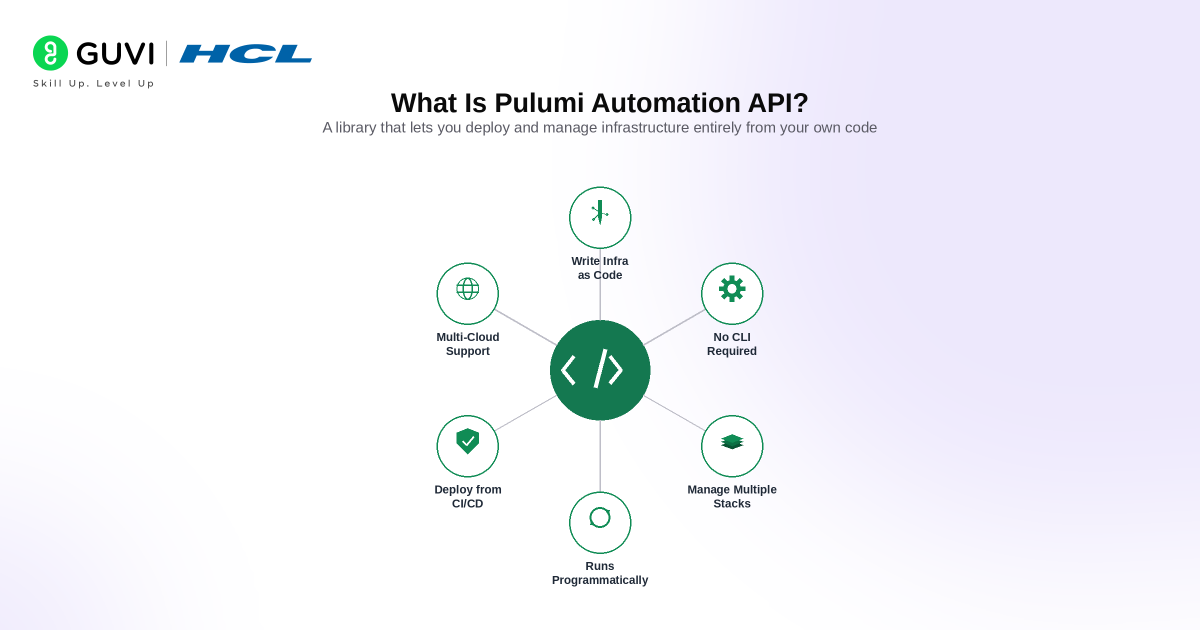
Pulumi Automation API is a programmable interface that lets you run Pulumi infrastructure operations from your own application code.
Normally, developers use Pulumi through CLI commands such as:
pulumi preview
pulumi up
pulumi refresh
pulumi destroy
With Automation API, these actions can be handled inside a Node.js, TypeScript, Python, Go, or C# application. This means your program can create stacks, set configurations, run previews, deploy resources, read outputs, and clean up infrastructure automatically.
Pulumi Automation API is useful when teams want to build:
- Internal developer platforms
- Self-service cloud provisioning tools
- CI/CD deployment workflows
- Preview environments for pull requests
- Temporary test infrastructure
- Automated cleanup systems
In simple terms, Pulumi Automation API helps teams treat infrastructure deployment as part of their application logic.
Pulumi Automation API Tutorial: Deploy Infrastructure Programmatically
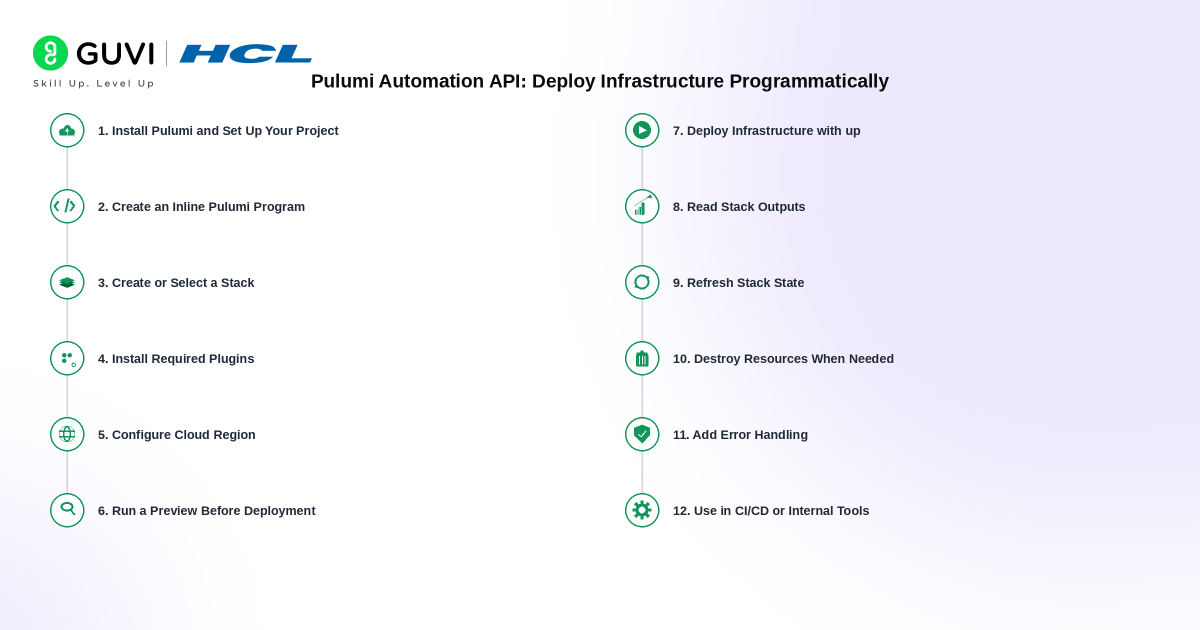
1. Install Pulumi and Set Up Your Project
Start by installing Pulumi and creating a new Node.js or TypeScript project. Automation API works with Pulumi SDKs, so your project needs the Pulumi package and the required cloud provider package.
mkdir pulumi-automation-demo

cd pulumi-automation-demo

npm init -y

npm install @pulumi/pulumi @pulumi/pulumi/automation @pulumi/aws
This setup gives your application access to Pulumi resources and Automation API methods.
2. Create an Inline Pulumi Program
An inline program defines infrastructure inside the same application file. This is useful when you want infrastructure creation to be controlled by a script, backend service, internal dashboard, or CI/CD workflow.
import * as aws from "@pulumi/aws";

const pulumiProgram = async () => {

  const bucket = new aws.s3.Bucket("automation-api-bucket");

  return {

    bucketName: bucket.id,

  };

};
The program above creates an AWS S3 bucket and exports the bucket name as stack output.
3. Create or Select a Stack
A stack is an isolated environment for your infrastructure. Teams usually create separate stacks for development, staging, and production. Pulumi Automation API exposes stack lifecycle methods such as up, preview, refresh, and destroy.
import * as auto from "@pulumi/pulumi/automation";

const stack = await auto.LocalWorkspace.createOrSelectStack({

  stackName: "dev",

  projectName: "automation-api-demo",

  program: pulumiProgram,

});
This code creates the stack if it does not exist. It selects the stack if it already exists.
4. Install Required Plugins
Pulumi providers need plugins to communicate with cloud platforms. Install the AWS plugin before running the deployment.
await stack.workspace.installPlugin("aws", "v6.0.0");This step prepares the workspace to create AWS resources.
Build strong Python programming skills with HCL GUVI’s Python Course. Learn Python fundamentals, automation logic, scripting workflows, and real-world programming applications through 100% online self-paced learning, industry-recognised certification, lifetime content access, dedicated forum support, and 4 gamified practice platforms.
5. Configure Cloud Region
Set stack configuration before deployment. Configuration values are stored against the selected stack.
await stack.setConfig("aws:region", {

  value: "us-east-1",

});
This tells Pulumi where AWS resources should be created.

6. Run a Preview Before Deployment
The preview step shows what Pulumi plans to create, update, or delete. This helps catch mistakes before applying infrastructure changes.
const previewResult = await stack.preview({

  onOutput: console.info,

});
Use preview in CI/CD pipelines to review infrastructure changes before production deployment.
7. Deploy Infrastructure with up
Run the up method to apply the infrastructure changes.
const upResult = await stack.up({

  onOutput: console.info,

});

console.log("Deployment complete");

console.log(upResult.outputs);
This command provisions the resources defined in the Pulumi program and returns stack outputs.
8. Read Stack Outputs
Stack outputs help pass infrastructure values to other systems. For example, you can use the S3 bucket name in backend code, frontend configuration, or another deployment workflow.
const outputs = await stack.outputs();

console.log("Bucket Name:", outputs.bucketName.value);
This makes Automation API useful for internal developer platforms and deployment portals.
9. Refresh Stack State
Use refresh when you want Pulumi to compare the stack state with the real cloud environment.
await stack.refresh({

  onOutput: console.info,

});
This is helpful when resources were changed outside Pulumi.
10. Destroy Resources When Needed
The destroy step removes resources managed by the stack.
await stack.destroy({

  onOutput: console.info,

});
Use this carefully in production environments. It is useful for temporary environments, test infrastructure, preview deployments, and cleanup workflows.
11. Add Error Handling
Production workflows should include error handling around stack operations.
try {

  await stack.up({

    onOutput: console.info,

  });

} catch (error) {

  console.error("Deployment failed:", error);

}
This helps prevent silent deployment failures and makes debugging easier.
12. Use Automation API in CI/CD or Internal Tools
Pulumi Automation API is most powerful when used inside custom workflows. You can use it to build self-service deployment tools, preview environments, testing pipelines, cloud provisioning dashboards, and automated cleanup scripts.
Instead of asking developers to run Pulumi commands manually, your application can control infrastructure changes through code.
Conclusion
Pulumi Automation API makes infrastructure deployment more flexible and developer-friendly. It gives teams a way to control Pulumi operations directly from code instead of depending only on manual CLI workflows.
This is especially useful for teams building internal tools, automated deployment systems, and cloud provisioning platforms. Developers can create stacks, configure cloud regions, preview changes, deploy infrastructure, read outputs, and destroy resources from one controlled workflow.
Pulumi Automation API is a strong choice when your infrastructure needs to work closely with your application, CI/CD pipeline, or platform engineering setup.
FAQs
What is Pulumi Automation API?
Pulumi Automation API lets developers run Pulumi infrastructure operations directly from application code.
Why use Pulumi Automation API?
Pulumi Automation API helps automate infrastructure deployment, stack management, preview workflows, and cleanup tasks.
Is Pulumi Automation API used in CI/CD?
Yes, Pulumi Automation API is commonly used in CI/CD pipelines to preview and deploy infrastructure changes.
Does Pulumi Automation API replace Pulumi CLI?
Pulumi Automation API does not fully replace the CLI. It uses Pulumi programmatically to control infrastructure workflows from code.
Which languages support Pulumi Automation API?
Pulumi Automation API supports popular languages such as TypeScript, JavaScript, Python, Go, and C#.
Success Stories

About the Author
Vaishali
I'm a seasoned writer with four years of experience across technical, non-technical, and just about every genre or niche you can imagine. Adaptable and curious, I enjoy exploring new topics and making information engaging and easy to understand. Fueled by a steady stream of tea, I approach each project with creativity, reliability, and genuine enthusiasm for storytelling.
View all posts by Vaishali
Connect with me @































Did you enjoy this article?