


Full Stack Development Articles
Freelancing as a Python Developer: Getting Your First Client
Claude for Regex: Write and Explain Complex Patterns


Get In Touch For Details! Request More Information
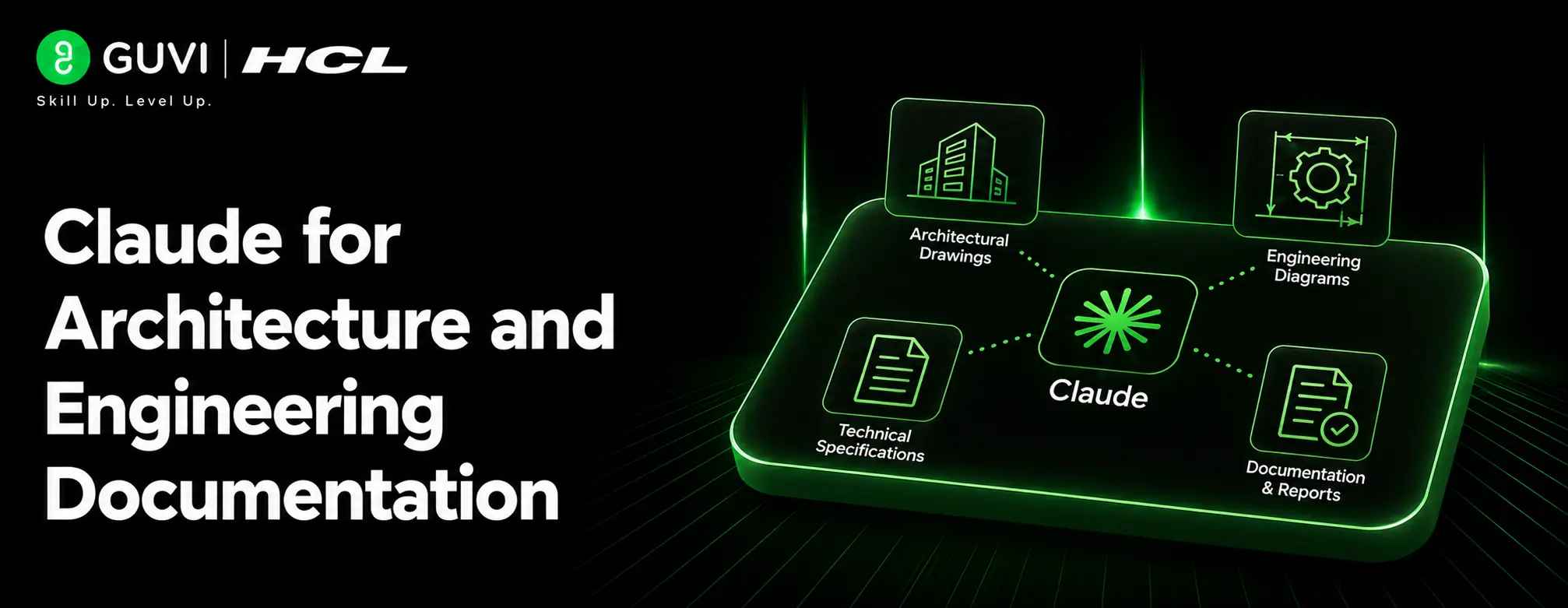
Claude for Architecture and Engineering Documentation
Aug 10, 2026 3 Min Read 519 Views
(Last Updated)
Claude is a strong assistant for architecture and engineering teams because it can handle long, technical, and structured content. It works well when you need to transform scattered notes into something organized, readable, and useful for teams or clients.
Table of contents
- TL;DR Summary
- Direct Answer Box
- What Claude Can Draft
- Architecture Use Cases
- Engineering Use Cases
- How It Helps Teams
- Better Organization
- Faster Research
- Suggested Workflow
- Step 1: Collect Inputs
- Step 2: Ask For Structure
- Step 3: Verify Technical Content
- Step 4: Refine For Audience
- Comparison Table
- Common Mistakes
- Real-World Example
- What To Do Next
- Conclusion
- FAQs
- What is Claude best used for in architecture and engineering documentation?
- Can Claude replace an architect or engineer?
- How does Claude help with regulatory research?
- Is Claude useful for client-facing documents?
- Can Claude help with engineering knowledge management?
- What is the safest way to use Claude for these tasks?
TL;DR Summary
- Use Claude to draft briefs, summaries, specs, and design notes.
- It can help organize engineering knowledge into reusable documentation.
- Claude is useful for research, writing, and structure, not final engineering judgment.
- Project-based workflows make it easier to keep docs consistent over time.
- A good process is: gather inputs, draft, verify, revise, and approve.
Direct Answer Box
| Claude can help architects and engineers draft clearer documentation by turning rough notes, design decisions, and project requirements into structured writeups. It is especially useful for briefs, technical explanations, project summaries, regulatory research, and documentation templates, but the final technical and safety decisions should always stay with qualified professionals. |
What Claude Can Draft
Claude can help with many documentation tasks that usually take time but do not require final engineering judgment. That makes it a good fit for early drafts and internal communication.
1. Architecture Use Cases
For architects, Claude can help write:
- Project briefs.
- Concept summaries.
- Client-facing explanations.
- Site analysis notes.
- Regulatory research summaries.
- Design review comments.
2. Engineering Use Cases
For engineers, Claude can help produce:
- Technical documentation.
- System overviews.
- Process descriptions.
- Engineering knowledge bases.
- Implementation summaries.
- Internal handoff notes.
How It Helps Teams
Claude is most valuable when documentation is fragmented across emails, notes, drawings, and meetings. It can pull that material into a single narrative or document structure, which makes it easier for teams to review and share.
1. Better Organization
Claude can turn raw material into sections, bullet points, and summaries. This is helpful when teams need repeatable documentation formats for projects, approvals, or handoffs.
2. Faster Research
It can also support technical and regulatory research by summarizing source material before a professional reviews it. That makes it faster to prepare background notes or comparison tables.
Suggested Workflow
The best workflow is to treat Claude as a drafting assistant, not as the final authority. Start with source material, let Claude organize it, then verify the output against drawings, specs, and professional standards.
Step 1: Collect Inputs
Gather:
- Design notes.
- Meeting minutes.
- Project requirements.
- Codes or regulations.
- Diagrams or reference material.
- Existing documentation.
Step 2: Ask For Structure
Tell Claude what kind of document you want, who it is for, and how detailed it should be. That helps it produce a better first draft.
Step 3: Verify Technical Content
Check the draft against the actual project details, regulations, and technical constraints. Claude can help draft the language, but experts must confirm the facts.
Step 4: Refine For Audience
You can then adjust the wording for clients, consultants, contractors, or internal teams. Claude is especially useful for rewriting the same technical content at different levels of complexity.
Claude can be especially helpful for turning scattered project notes into a clean first draft, which saves time during the earliest stages of documentation. It is also useful for rewriting the same technical content for different audiences, such as clients, contractors, or internal teams. Many architecture and engineering teams get the best results when they use Claude for structure and clarity, then let professionals verify the technical details before anything is finalized.

Comparison Table
| Documentation Task | Claude’s Role | Human Role |
| Project brief | Draft and organize | Approve scope and intent |
| Technical summary | Simplify dense material | Verify technical accuracy |
| Regulatory research notes | Summarize source material | Confirm compliance relevance |
| Handoffs and summaries | Structure information clearly | Ensure nothing critical is missing |
| Client-facing explanations | Rewrite for clarity | Review for correctness and tone |
Use Claude to draft architecture notes, engineering docs, and design decisions faster. Learn full-stack skills with HCL GUVI’s Full Stack Development Course.
Common Mistakes
The biggest mistake is trusting AI-generated documentation without a technical review. In architecture and engineering, even a polished draft can contain dangerous omissions or inaccuracies.
Avoid:
- Using Claude to make final code, safety, or compliance decisions.
- Pasting incomplete context and expecting a correct document.
- Letting documentation become generic and detached from the real project.
- Skipping professional review before publication or submission.
Real-World Example
An architect might give Claude meeting notes, a design brief, and site research, then ask for a project summary and client-ready explanation. An engineer might do the same with system notes and draft an internal technical document that later gets reviewed and finalized by the team.
What To Do Next
Start with one document type, such as a brief, technical summary, or handoff note. Build a reusable prompt and review process so Claude can support documentation consistently across projects.
Conclusion
Claude is useful for architecture and engineering documentation because it can organize complex information, simplify technical writing, and speed up early drafts. It works best when paired with human expertise, especially for anything involving safety, compliance, or final professional judgment.
FAQs
1. What is Claude best used for in architecture and engineering documentation?
Claude is best for drafting briefs, summaries, research notes, client explanations, and internal technical documentation.
2. Can Claude replace an architect or engineer?
No. Claude can assist with writing and organization, but final design, code, safety, and compliance decisions must be made by qualified professionals.
3. How does Claude help with regulatory research?
It can summarize regulations and source material into readable notes, but those notes still need expert review before being used in a project.
4. Is Claude useful for client-facing documents?
Yes. It can turn technical language into clearer client-ready explanations, which is helpful for briefs and progress updates.
5. Can Claude help with engineering knowledge management?
Yes. It can help capture, organize, and reuse team knowledge in documentation systems and project workspaces.
6. What is the safest way to use Claude for these tasks?
Use it to draft and structure content, then verify every technical detail against drawings, specs, and professional standards.
Success Stories

About the Author
HCL GUVI
This article was selected and published as part of the HCL GUVI AI Blogathon 2026, an initiative designed to encourage students, AI enthusiasts, and aspiring tech writers to simplify complex AI concepts through impactful technical content. The contest recognized high-quality, original, and insightful AI-focused blogs, with selected authors receiving publication opportunities on the HCL GUVI blog platform along with official author credits and recognition.
View all posts by HCL GUVI
Connect with me @






































Did you enjoy this article?