


Full Stack Development Articles
Claude for Architecture and Engineering Documentation
Freelancing as a Python Developer: Getting Your First Client


Get In Touch For Details! Request More Information
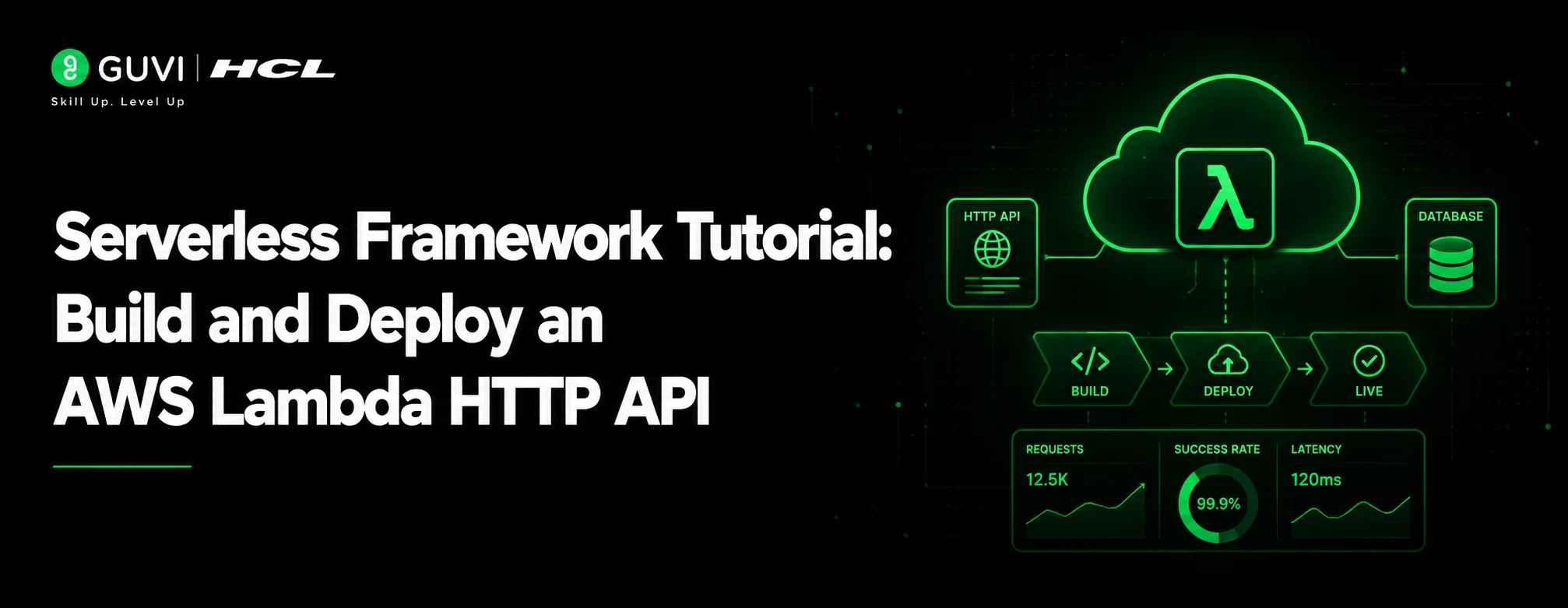
Serverless Framework Tutorial: Build and Deploy an AWS Lambda HTTP API
Jul 10, 2026 3 Min Read 312 Views
(Last Updated)
Serverless Framework helps developers deploy cloud functions, APIs, events, and infrastructure using a simple configuration file. In this tutorial, we will build a small HTTP API using Serverless Framework, AWS Lambda, and API Gateway HTTP API.
The tutorial uses Serverless Framework v4, AWS Lambda, and the Node.js 22 runtime. AWS currently lists nodejs22.x as a supported Lambda runtime, and Serverless Framework v4 requires authentication through Serverless Dashboard or a license key.
TL;DR
- Builds a two-endpoint HTTP API (GET /status, POST /messages) using Serverless Framework v4, AWS Lambda, and Node.js 22
- Covers the full workflow: install, log in, configure serverless.yml, write the handler, test locally, deploy, and remove
- Includes fixes for 5 common deployment errors, missing credentials, expired tokens, unsupported runtimes, handler mismatches, CloudFormation rollbacks
- Ends with next steps for production readiness: auth, validation, monitoring, CI/CD
Table of contents
- What is Serverless Framework?
- Prerequisites
- Step-by-Step Guide to Using Serverless Framework
- Step 1: Install Serverless Framework
- Step 2: Log In to Serverless Framework
- Step 3: Create a New Serverless Project
- Step 4: Create the Required Files
- Step 5: Configure the serverless.yml File
- Step 6: Write the Lambda Function
- Step 7: Test the Function Locally
- Step 8: Deploy the Application
- Step 9: Test the Deployed API
- Step 10: Check Logs and Debug Issues
- Step 11: Update and Redeploy
- Step 12: Remove the Service
- 5 Common Serverless Framework Deployment Errors and How to Avoid Them
- AWS Credentials Not Found
- Expired AWS Security Token
- Unsupported Lambda Runtime
- Handler Not Found
- CloudFormation Stack Rollback
- Conclusion
- FAQs
- What is Serverless Framework used for?
- Does Serverless Framework only work with AWS?
- What is the role of the serverless.yml file?
- Can Serverless Framework deploy REST APIs?
- How do you remove a deployed Serverless Framework project?
What is Serverless Framework?
Serverless Framework is an open-source deployment framework used to build, configure, and deploy serverless applications across cloud platforms such as AWS, Azure, and Google Cloud. It allows developers to define functions, APIs, events, IAM permissions, environment variables, and cloud resources inside a single serverless.yml file. Instead of manually creating AWS Lambda functions, API Gateway routes, deployment packages, and CloudFormation stacks, Serverless Framework automates infrastructure provisioning and simplifies the complete serverless deployment workflow.
What You Will Build
We will create two API endpoints:
GET /status
POST /messages
The first endpoint will return a health status. The second endpoint will accept a JSON message and return a response.
Prerequisites
Before starting, install or create the following:
- Node.js and npm
- An AWS account
- Serverless Framework CLI
- AWS credentials or Serverless Dashboard access
Serverless Framework is installed through npm, and the official documentation recommends installing it globally.
Step-by-Step Guide to Using Serverless Framework
Step 1: Install Serverless Framework
Install Serverless Framework globally using npm. This gives access to the serverless command from the terminal.
npm install -g serverless
Step 2: Log In to Serverless Framework
Serverless Framework v4 requires authentication. Run the login command and complete the browser-based login process.
serverless login
Step 3: Create a New Serverless Project
Create a new project folder and initialize a Node.js project. This creates the basic files needed for development.
mkdir serverless-http-api
cd serverless-http-api
npm init -y
Step 4: Create the Required Files
Create a serverless.yml file for cloud configuration and a handler.js file for Lambda function logic.
touch serverless.yml handler.js
Step 5: Configure the serverless.yml File
Define the cloud provider, runtime, region, functions, and HTTP API routes inside serverless.yml. This file tells Serverless Framework what to deploy.
Build hands-on serverless computing skills with HCL GUVI’s Serverless AWS Lambda Course. Learn AWS Lambda, serverless architecture, API workflows, deployment basics, and real-world cloud application development through structured training designed for aspiring cloud and backend developers.
Step 6: Write the Lambda Function
Add the function logic inside handler.js. The function receives an event, processes the request, and returns an HTTP response.
Step 7: Test the Function Locally
Use the local invoke command to test the Lambda function before deploying it to AWS.
serverless invoke local --function getStatus
Step 8: Deploy the Application
Deploy the serverless application to AWS. Serverless Framework packages the function code and creates cloud resources using AWS CloudFormation.
serverless deploy
Step 9: Test the Deployed API
Use the generated API Gateway URL to test the deployed endpoint with curl, Postman, or a browser.
Step 10: Check Logs and Debug Issues
View Lambda logs from the terminal to debug runtime errors, failed requests, or unexpected function behavior.
serverless logs --function getStatus
Step 11: Update and Redeploy
Make code or configuration changes, then redeploy the service. Use full deployment for infrastructure changes and function deployment for code-only updates.
serverless deploy

Step 12: Remove the Service
Remove the deployed AWS resources after testing to avoid unnecessary cloud charges.
serverless remove
5 Common Serverless Framework Deployment Errors and How to Avoid Them
1. AWS Credentials Not Found
This error occurs when Serverless Framework cannot access valid AWS credentials during deployment.
AWS provider credentials not found
Avoid this by configuring AWS credentials before running deployment.
aws configure
Use the correct profile when working with multiple AWS accounts.
serverless deploy --aws-profile dev-profile
2. Expired AWS Security Token
This happens when temporary AWS SSO or session credentials expire.
The security token included in the request is expired
Avoid this by refreshing the AWS session before deployment.
aws sso login --profile dev-profile
Then deploy with the same profile.
serverless deploy --aws-profile dev-profile
3. Unsupported Lambda Runtime
Deployment can fail when serverless.yml uses an old or unsupported AWS Lambda runtime.
Runtime nodejs18.x is not supported
Avoid this by using a supported runtime.
provider:
  name: aws
  runtime: nodejs22.x
4. Handler Not Found
This error appears when the handler path in serverless.yml does not match the file name or exported function.
Cannot resolve handler
Avoid this by keeping the handler reference and exported function consistent.
functions:
  getStatus:
    handler: handler.getStatus
module.exports.getStatus = async function () {
  return {
    statusCode: 200,
    body: JSON.stringify({ status: 'ok' })
  };
};
5. CloudFormation Stack Rollback
This happens when AWS fails to create one or more resources during deployment.
CloudFormation stack is in ROLLBACK_COMPLETE state
Avoid this by checking CloudFormation events, fixing the failed resource, and removing the broken stack before redeploying.
serverless remove
serverless deploy
Most rollback issues come from wrong IAM permissions, invalid resource names, duplicate resources, unsupported configuration, or deployment to the wrong AWS region.
Conclusion
Serverless Framework makes it easier to define, deploy, test, and manage AWS Lambda applications from one configuration file. In this tutorial, we created a Node.js HTTP API, tested it locally, deployed it to AWS, viewed logs, and removed the service after testing.
A production project should also add request validation, authentication, environment variables, IAM permissions, monitoring, and CI/CD before going live.
FAQs
What is Serverless Framework used for?
Serverless Framework is used to build, configure, and deploy serverless applications. It helps developers manage AWS Lambda functions, API Gateway routes, IAM permissions, environment variables, and cloud resources through a single serverless.yml file.
Does Serverless Framework only work with AWS?
No. Serverless Framework is commonly used with AWS, but it also supports other cloud providers such as Azure and Google Cloud. AWS remains one of the most widely used providers because of its strong Lambda and API Gateway ecosystem.
What is the role of the serverless.yml file?
The serverless.yml file defines the complete serverless application configuration. It includes provider settings, runtime, region, stage, functions, events, IAM permissions, environment variables, and deployment resources.
Can Serverless Framework deploy REST APIs?
Yes. Serverless Framework can deploy REST APIs and HTTP APIs using AWS API Gateway. Developers can connect API routes directly to Lambda functions and expose them as public endpoints.
How do you remove a deployed Serverless Framework project?
Run the serverless remove command from the project folder. It deletes the deployed AWS resources created by the service, including Lambda functions, API Gateway routes, CloudFormation stacks, and related infrastructure.
Success Stories

About the Author
Vaishali
I'm a seasoned writer with four years of experience across technical, non-technical, and just about every genre or niche you can imagine. Adaptable and curious, I enjoy exploring new topics and making information engaging and easy to understand. Fueled by a steady stream of tea, I approach each project with creativity, reliability, and genuine enthusiasm for storytelling.
View all posts by Vaishali
Connect with me @































Did you enjoy this article?