


Java Articles
Kafka Streams Tutorial: Build Your First Data Pipeline
What is ArrayList in Java: A Complete Guide
What is HashMap in Java: How It Works, Methods, and Examples


Get In Touch For Details! Request More Information
Java applications often encounter unexpected situations such as invalid inputs, missing files, and runtime errors. To handle these issues, Java uses exception handling mechanisms. Among the most commonly confused concepts are throw and throws. While they sound similar, they serve different purposes and help developers write cleaner and more reliable code.
Read this blog to understand the difference between throw and throws, along with syntax, examples, use cases, and best practices.
Quick Answer:
The difference between throw and throws in Java is that throw is used to explicitly create and throw an exception inside a method or block, while throws is used in a method declaration to indicate which exceptions a method may pass to the caller. throw handles a single exception object, whereas throws can declare multiple exceptions.
Table of contents
- What Is Exception Handling in Java?
- Key Components of Exception Handling
- What Is throw in Java?
- What Is throws in Java?
- Syntax of throw
- Example
- Syntax of throws
- Multiple Exception Syntax
- Key Features of throw
- Key Features of throws
- How throw Works
- Step 1: Program Evaluates a Condition
- Step 2: Exception Object Is Explicitly Created
- Step 3: JVM Interrupts Normal Execution
- Step 4: Control Transfers to Matching Handler
- Step 5: Stack Trace Information Is Generated
- How throws Works
- Step 1: Method Declares Possible Exceptions
- Step 2: Method Executes Risk-Prone Operations
- Step 3: Exception Is Propagated to Caller
- Step 4: Calling Method Decides Handling Strategy
- Step 5: Exception Resolution Occurs Higher in the Call Chain
- Real-World Applications of throw
- Banking Systems for Transaction Validation
- Authentication and Authorization Systems
- E-Commerce Order Processing Validation
- REST API Input Validation
- Healthcare and Medical Record Systems
- Real-World Applications of throws
- File Processing and Document Management Systems
- Database Connectivity Operations
- Network Communication Services
- Cloud Storage and External API Integrations
- Enterprise Layered Architecture
- Difference Between throw and throws in Java
- Conclusion
- FAQs
- Can throw be used to generate custom exceptions in Java?
- Can a method use both throw and throws together?
- Does throws create an exception object during execution?
- Can unchecked exceptions be declared using throws?
- Why is exception propagation important in Java?
What Is Exception Handling in Java?
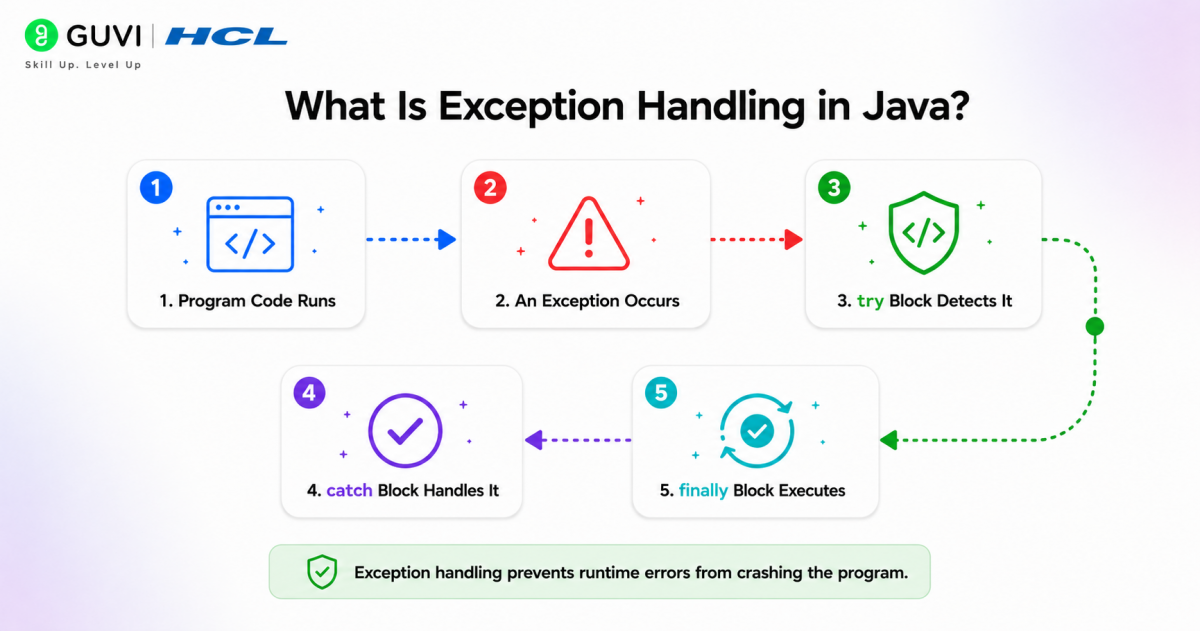
Exception handling in Java is a mechanism used to detect, manage, and recover from runtime errors that disrupt normal program execution. Issues such as invalid inputs, file failures, network interruptions, or database errors can occur unexpectedly. Instead of terminating the application, Java handles these situations using an exception framework.
Java exception handling uses try, catch, finally, throw, and throws. Exceptions are represented as objects under the Throwable hierarchy, including Exception and Error. This mechanism improves fault tolerance, supports exception propagation, and separates error-handling logic from business logic.
Key Components of Exception Handling
- try block for risky code execution
- catch block for exception handling
- finally block for cleanup operations
- throw keyword for generating exceptions
- throws keyword for exception declaration
What Is throw in Java?
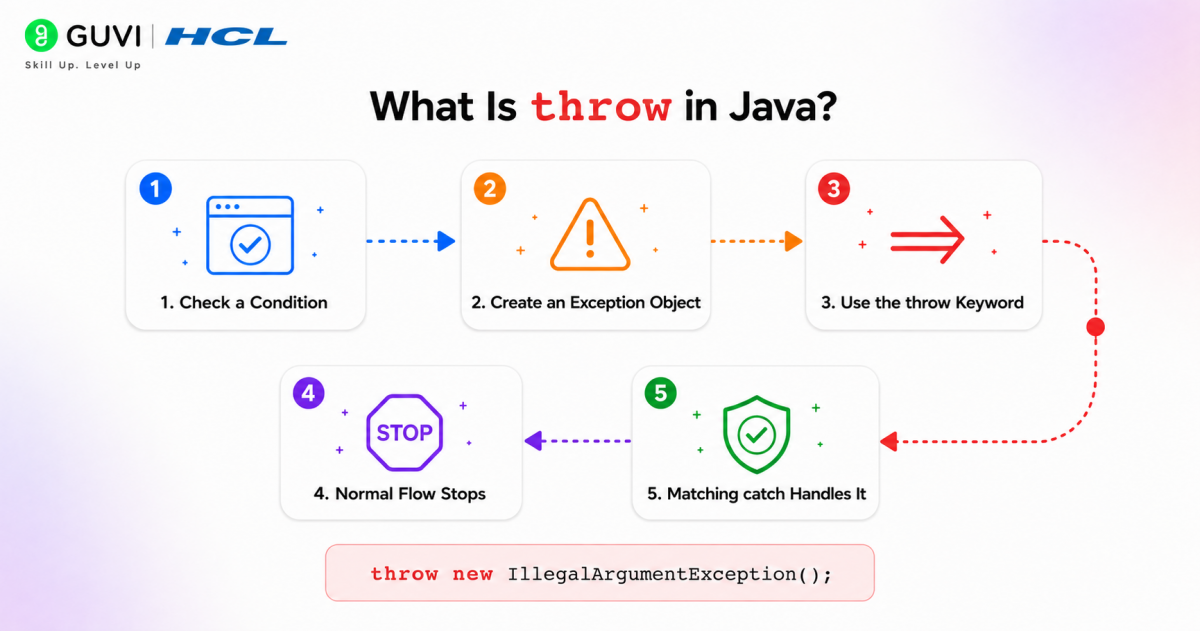
The throw keyword in Java is used to explicitly create and generate an exception object during program execution. It allows developers to manually trigger exceptions based on validations, business rules, or custom conditions.
When a throw statement executes, control immediately transfers to the nearest matching exception handler and interrupts normal execution flow. It requires an exception object derived from the Throwable hierarchy.
What Is throws in Java?
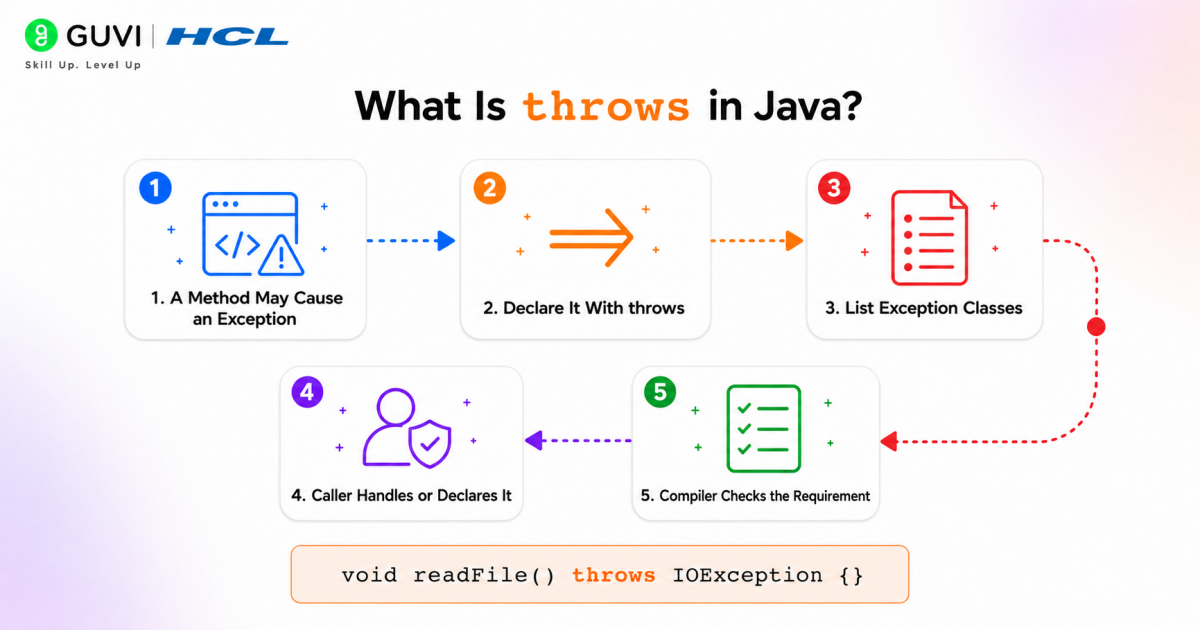
The throws keyword in Java is used in method declarations to specify exceptions a method may propagate to the caller. It transfers exception-handling responsibility instead of handling exceptions locally.
throws primarily works with checked exceptions and creates a clear exception contract between methods. Unlike throw, it only declares exception classes and does not create exception objects.
Syntax of throw
The throw keyword is used inside a method or code block to explicitly create and generate an exception object during execution. It requires an instance of a class derived from the Throwable hierarchy.
throw new ExceptionType("Exception message");Example
throw new ArithmeticException("Invalid operation");Here, the JVM immediately creates the exception object and transfers control to the nearest matching exception handler.
Syntax of throws
The throws keyword is used in a method declaration to indicate that the method may propagate one or more exceptions to the calling method rather than handling them locally.
returnType methodName() throws ExceptionType {

}
Multiple Exception Syntax
returnType methodName() throws IOException, SQLException {

}
This creates an exception contract, informing callers about possible checked exceptions during execution.
Key Features of throw
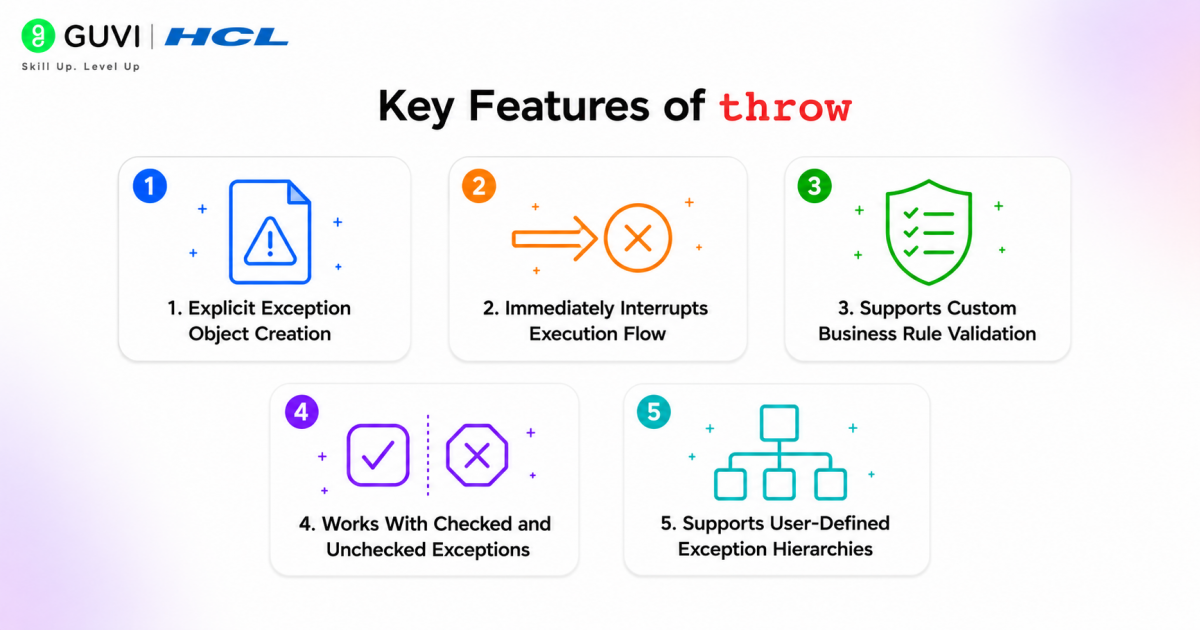
- Explicit Exception Object Creation: throw creates and raises an actual exception object during execution. Unlike compiler-generated exceptions, developers manually define when exceptions should occur.
- Immediately Interrupts Execution Flow: Once a throw statement executes, normal execution stops instantly and program control shifts to the nearest compatible catch block or propagates upward.
- Supports Custom Business Rule Validation: throw is commonly used to validate domain-specific conditions such as authentication failures, invalid transactions, age restrictions, or custom application constraints.
- Works with Checked and Unchecked Exceptions: The keyword can generate both checked exceptions such as IOException and unchecked exceptions such as NullPointerException or ArithmeticException.
- Supports User-Defined Exception Hierarchies: Developers can create custom exception classes extending Exception or RuntimeException and trigger them using throw for better application-specific error handling.
Key Features of throws
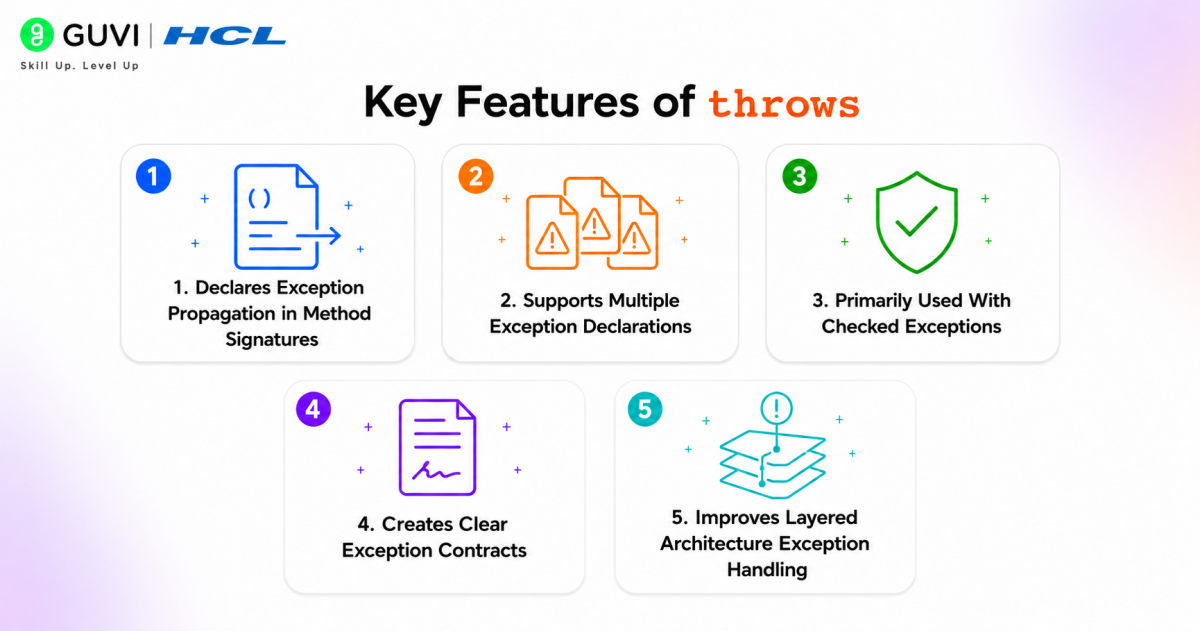
- Declares Exception Propagation in Method Signatures: throws specifies which exceptions may leave a method without being handled internally, allowing callers to prepare suitable handling mechanisms.
- Supports Multiple Exception Declarations: A method can declare multiple possible exceptions separated by commas, simplifying exception communication.
throws IOException, SQLException- Primarily Used with Checked Exceptions: Checked exceptions require either local handling or declaration using throws. This helps enforce compile-time exception management.
- Creates Clear Exception Contracts: Method declarations become self-documenting by explicitly informing developers about possible runtime risks associated with method execution.
- Improves Layered Architecture Exception Handling: In enterprise applications, low-level methods often propagate exceptions using throws, allowing service or controller layers to handle failures centrally.
How throw Works
Step 1: Program Evaluates a Condition
The application checks a business rule, validation, or runtime condition.
if(age < 18)Step 2: Exception Object Is Explicitly Created
A new exception object derived from Throwable is created.
throw new ArithmeticException(“Not eligible”);
Step 3: JVM Interrupts Normal Execution
The remaining statements inside the current block stop executing immediately.
Step 4: Control Transfers to Matching Handler
The JVM searches for the nearest compatible catch block. If no handler exists, exception propagation begins.
Step 5: Stack Trace Information Is Generated
Java records method calls and execution paths to support debugging and error diagnosis.
How throws Works
Step 1: Method Declares Possible Exceptions
The method signature specifies potential exceptions.
public void readFile() throws IOExceptionStep 2: Method Executes Risk-Prone Operations
Operations such as file access, database connections, or network communication may generate checked exceptions.
FileReader file = new FileReader("data.txt");Step 3: Exception Is Propagated to Caller
Instead of handling the exception internally, the method passes responsibility upward.
Step 4: Calling Method Decides Handling Strategy
The caller may either handle the exception using try-catch or continue propagating it using another throws declaration.
try{

   readFile();

}

catch(IOException e){

   System.out.println(e);

}
Step 5: Exception Resolution Occurs Higher in the Call Chain
In layered systems, exceptions often travel through repository, service, and controller layers before centralized handling occurs.
Real-World Applications of throw
1. Banking Systems for Transaction Validation
Banking applications frequently use throw to reject invalid operations such as insufficient account balance, negative withdrawal amounts, or unauthorized transactions. Instead of allowing incorrect transactions to proceed, systems explicitly generate exceptions.
if(balance < withdrawalAmount){

    throw new InsufficientBalanceException("Insufficient funds");

}
2. Authentication and Authorization Systems
Login and identity systems use throw to generate exceptions when user credentials fail validation, sessions expire, or unauthorized access attempts occur.
if(token == null){

    throw new AuthenticationException("Invalid access token");

}
3. E-Commerce Order Processing Validation
Shopping platforms validate inventory, payment status, and product availability before confirming purchases. Exceptions are thrown when business rules fail.
if(productStock == 0){

    throw new ProductUnavailableException("Item out of stock");

}
4. REST API Input Validation
Backend APIs often use throw for request validation to prevent malformed or invalid payloads from reaching service layers.
if(userEmail.isEmpty()){

    throw new IllegalArgumentException("Email cannot be empty");

}
5. Healthcare and Medical Record Systems
Healthcare systems validate patient identifiers, appointment details, and prescription rules. Exceptions help prevent invalid clinical operations.
if(patientId == null){

    throw new InvalidPatientException("Patient ID missing");

}
Real-World Applications of throws
1. File Processing and Document Management Systems
File operations such as reading, writing, or uploading documents can generate checked exceptions. Methods declare these risks using throws.
public void readDocument() throws IOException {

    FileReader file = new FileReader("report.txt");

}
This informs callers that file-related failures may occur.
2. Database Connectivity Operations
Database methods often propagate SQL exceptions rather than handling them inside low-level modules.
public Connection connectDatabase() throws SQLException {

    return DriverManager.getConnection(url);

}
Higher service layers can then decide how database failures should be managed.
3. Network Communication Services
Network operations frequently encounter communication interruptions, timeout issues, and socket failures. Methods declare such exceptions using throws.
public void connectServer() throws IOException {

    socket.connect(address);

}
4. Cloud Storage and External API Integrations
Applications communicating with external APIs or cloud platforms often use throws to propagate service failures and connectivity issues.
public void uploadFile() throws ApiException {

    cloudService.upload(data);

}
5. Enterprise Layered Architecture
Large enterprise systems use throws to propagate exceptions across repository, service, and controller layers, enabling centralized exception handling and cleaner system design.
public User getUser() throws UserNotFoundException {

    return repository.findUser(id);

}
This keeps exception-handling logic separated from core business operations.
Go beyond understanding Java concepts and start building strong programming foundations with HCL GUVI’s Java Programming Course. Learn through a 100% online, self-paced learning experience and earn a globally recognised certification. Get full lifetime access to course content, dedicated forum support to clear your doubts, access to 4 gamified practice platforms, and learn with confidence backed by a 7-Day Refund Policy.
Difference Between throw and throws in Java
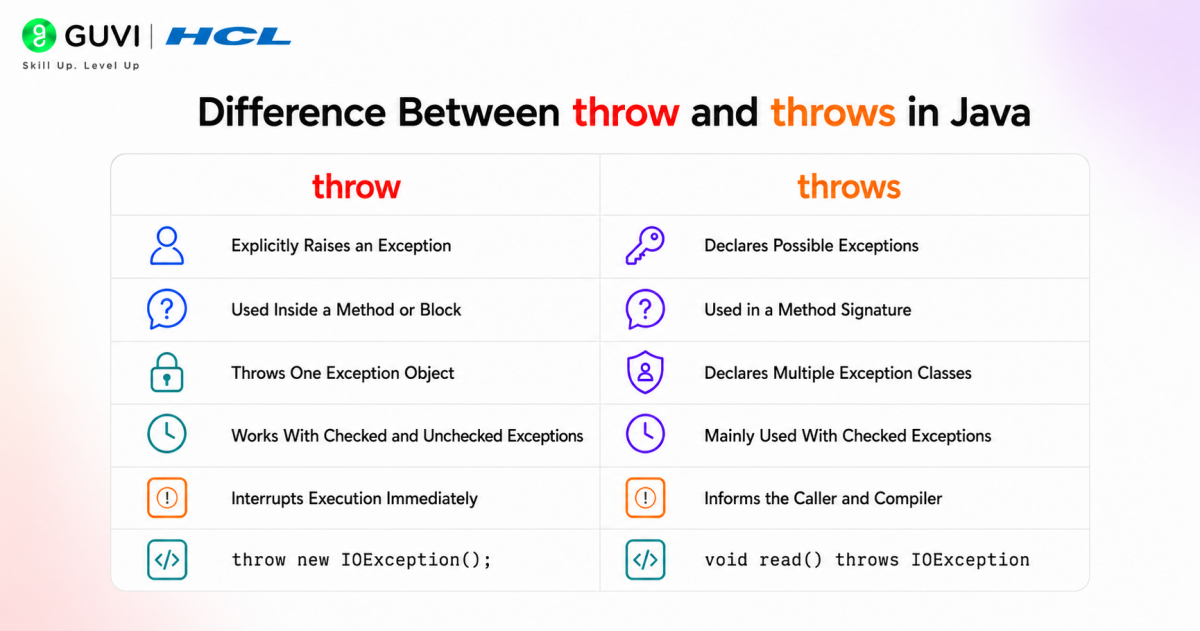
| Feature | throw | throws |
| Usage Location | Inside a method or code block | In a method declaration/signature |
| Function | Generates an exception object | Informs the caller about possible exceptions |
| Object Creation | Creates an exception object | Does not create any object |
| Exception Handling | Transfers control to a catch block | Passes handling responsibility to caller |
| Number of Exceptions | Throws one exception object at a time | Can declare multiple exceptions |
| Works With | Checked and unchecked exceptions | Mainly checked exceptions |
| Syntax | throw new ExceptionType(); | method() throws IOException |
| Execution Impact | Interrupts normal execution immediately | Does not interrupt execu |
Conclusion
Understanding the difference between throw and throws is important for writing clean and reliable Java code. While throw is used to explicitly generate exceptions, throws helps pass exception-handling responsibility to the calling method. Knowing when and where to use each keyword improves code readability, simplifies debugging, and helps developers build scalable applications with more effective and structured exception handling.
FAQs
Can throw be used to generate custom exceptions in Java?
Yes. Developers can create custom exception classes by extending Exception or RuntimeException and explicitly generate them using throw for application-specific validations.
Can a method use both throw and throws together?
Yes. A method can explicitly generate an exception using throw and declare exception propagation using throws within the same implementation.
Does throws create an exception object during execution?
No. throws only declares potential exceptions in a method signature. It does not create or generate exception objects at runtime.
Can unchecked exceptions be declared using throws?
Yes. Although throws is primarily used with checked exceptions, it can also declare unchecked exceptions such as NullPointerException or IllegalArgumentException.
Why is exception propagation important in Java?
Exception propagation allows errors to move up the call stack so higher application layers can handle failures centrally and maintain cleaner architecture.
Success Stories

About the Author
Vaishali
I'm a seasoned writer with four years of experience across technical, non-technical, and just about every genre or niche you can imagine. Adaptable and curious, I enjoy exploring new topics and making information engaging and easy to understand. Fueled by a steady stream of tea, I approach each project with creativity, reliability, and genuine enthusiasm for storytelling.
View all posts by Vaishali
Connect with me @




















Did you enjoy this article?