


Java Articles
Kafka Streams Tutorial: Build Your First Data Pipeline
What is ArrayList in Java: A Complete Guide
What is HashMap in Java: How It Works, Methods, and Examples


Get In Touch For Details! Request More Information
Overriding in Java : Simple Beginner’s Guide with Examples
Jul 03, 2026 5 Min Read 1222 Views
(Last Updated)
When you learn Java, one of the first things you come across is inheritance. A child class can inherit methods from a parent class. But what if the child class wants to do something differently using the same method? That is exactly where overriding in Java comes in. It is a simple concept that makes your code flexible, clean, and powerful.
This guide explains method overriding in Java from scratch with real examples, rules, and tips that every beginner needs to know before writing object-oriented Java code.
Quick Answer
Overriding in Java means a child class redefines a method that already exists in its parent class, using the same name, same parameters, and same return type. When you call that method on a child class object, the child’s version runs instead of the parent’s.
Table of contents
- What Is a Parent Class and Child Class
- What Is Overriding in Java
- Overriding in Java: Basic Example
- What Is @Override Annotation
- Rules of Overriding in Java
- Access Modifier Rules in Overriding
- Using super to Call the Parent Method
- Overriding vs Overloading: What Is the Difference
- Real-World Example: Multiple Animals
- What Cannot Be Overridden in Java
- Tips for Beginners
- 💡 Did You Know?
- Conclusion
- FAQs
- What is overriding in Java in simple words?
- What are the rules of overriding in Java?
- What is the difference between overriding and overloading in Java?
- Why do we use @Override in Java?
- Can we override static and private methods in Java?
What Is a Parent Class and Child Class
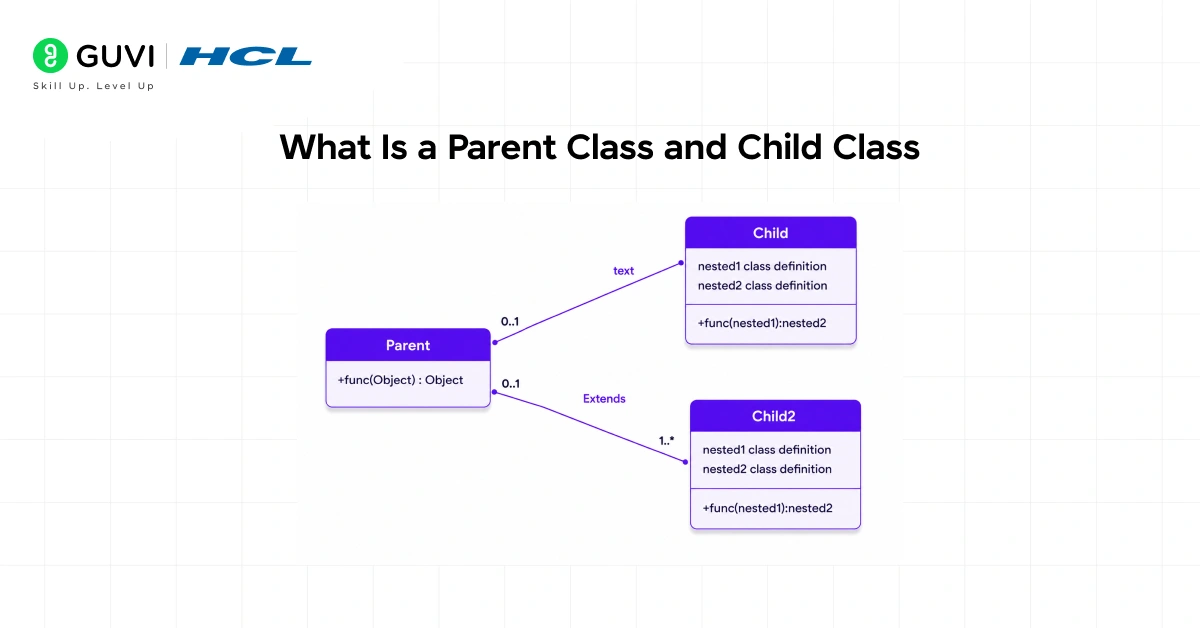
Before understanding overriding, you need to know these two terms.
Parent Class (Superclass):
- The original class that has the method
- Also called superclass or base class
- Example: Animal is a parent class with a method sound()
Child Class (Subclass):
- A class that inherits from the parent class using the extends keyword
- Also called subclass or derived class
- Example: Dog extends Animal and wants its own version of sound()
Inheritance means the child class gets all the public and protected methods of the parent class automatically. Overriding means the child class replaces one of those inherited methods with its own version.
What Is Overriding in Java
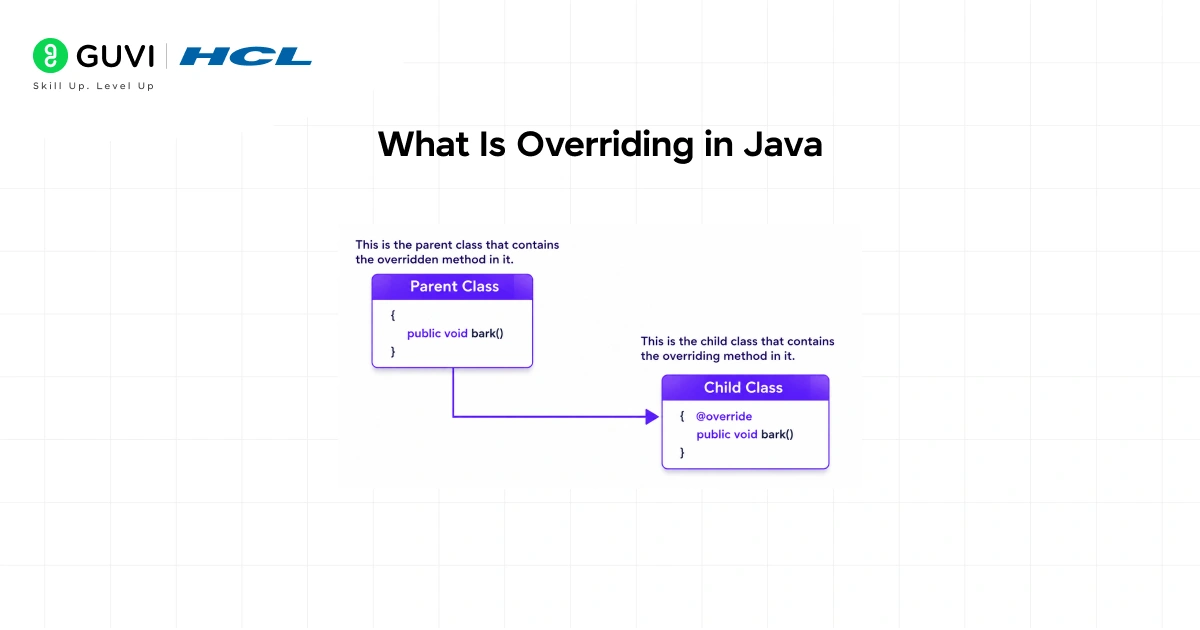
Method overriding in Java means the child class writes its own version of a method that was already defined in the parent class. Both versions have the same name, same parameters, and same return type. But they do different things.
When you create an object of the child class and call that method, Java runs the child’s version, not the parent’s. This is called runtime polymorphism because Java decides which version to run at the time the program is running.
Simple real-life example:
Think of it like a recipe passed down from parent to child. The parent has a recipe for making tea. The child inherits it but makes their own version with ginger and lemon. The dish is still called “making tea” but the steps are different.
Do check out HCL GUVI’s Java Course for Beginners if you want to learn core Java concepts like method overriding, inheritance, polymorphism, OOP principles, and real-world Java programming from scratch. This beginner-friendly course includes hands-on coding exercises and practical examples to help you build a strong foundation in Java development.
Overriding in Java: Basic Example
Parent class:
Java code
class Animal {
    void sound() {
        System.out.println("Animal makes a sound");
    }
}
Child class overriding the method:
Java code
class Dog extends Animal {
    @Override
    void sound() {
        System.out.println("Dog barks");
    }
}
Main class:
Java code
class Main {
    public static void main(String[] args) {
        Dog d = new Dog();
        d.sound();
    }
}
Output: Dog barks
Even though Dog inherits sound() from Animal, its own version runs because it overrides it.
What Is @Override Annotation
You may have noticed @Override written above the method in the child class. This is called an annotation. It is not compulsory but it is highly recommended.
What @Override does:
- Tells the Java compiler that you intend to override a method
- If you accidentally change the method name or parameters, the compiler throws an error and stops you
- Makes your code easier to read and understand for others
Always use @Override when overriding a method. It is a best practice in Java development.
Rules of Overriding in Java
These rules must be followed. Breaking any of them will cause an error or the method will not override correctly.
| Rule | Details |
| Same method name | The child method must have the exact same name as the parent method |
| Same parameters | The number, type, and order of parameters must be identical |
| Same or compatible return type | Return type must match or be a subtype of the parent’s return type |
| Access level cannot be reduced | If parent method is public, child cannot make it protected or private |
| Cannot override static methods | Static methods belong to the class, not the object |
| Cannot override private methods | Private methods are not inherited, so they cannot be overridden |
| Cannot override final methods | A method marked final in the parent cannot be changed in the child |
| Must have IS-A relationship | Overriding only works when the child class extends the parent class |
Access Modifier Rules in Overriding
The child class can keep the same access level or make it more open. It cannot make it more restrictive.
| Parent Method Access | Allowed in Child |
| public | public only |
| protected | protected or public |
| default (no modifier) | default, protected, or public |
| private | Cannot be overridden |
Example of a mistake beginners make:
Java code
class Animal {
    public void sound() {
        System.out.println("Animal makes a sound");
    }
}

class Dog extends Animal {
    @Override
    protected void sound() { // ERROR: reducing access from public to protected
        System.out.println("Dog barks");
    }
}
This will cause a compile-time error. Never reduce access level in an overriding method.
Using super to Call the Parent Method
Sometimes you want to run the parent’s version of the method along with the child’s version. You can do that using the super keyword.
Java code
class Animal {
    void sound() {
        System.out.println("Animal makes a sound");
    }
}

class Dog extends Animal {
    @Override
    void sound() {
        super.sound(); // calls parent method first
        System.out.println("Dog barks");
    }
}
Output: Animal makes a sound Dog barks
When to use super:
- When you want to keep the parent’s behavior and add something extra on top of it
- Common in framework development and extending library classes
Overriding vs Overloading: What Is the Difference
Beginners often confuse overriding with overloading. They are completely different things.
| Feature | Overriding | Overloading |
| Definition | Child redefines parent’s method | Same class has multiple methods with same name but different parameters |
| Class involved | Two classes (parent and child) | Same class |
| Parameters | Must be identical | Must be different |
| Return type | Must match | Can be different |
| When decided | At runtime | At compile time |
| Inheritance needed | Yes | No |
Overloading example (same class, different parameters):

Java code
class Calculator {
    int add(int a, int b) { return a + b; }
    int add(int a, int b, int c) { return a + b + c; }
}
Overriding example (child redefines parent method):
Java code
class Animal {
    void sound() { System.out.println("Some sound"); }
}
class Cat extends Animal {
    @Override
    void sound() { System.out.println("Meow"); }
}
Real-World Example: Multiple Animals
This example shows how overriding makes code clean and practical when dealing with multiple subclasses.
Java code
class Animal {
    void sound() {
        System.out.println("Animal makes a sound");
    }
}

class Dog extends Animal {
    @Override
    void sound() {
        System.out.println("Dog barks");
    }
}

class Cat extends Animal {
    @Override
    void sound() {
        System.out.println("Cat meows");
    }
}

class Cow extends Animal {
    @Override
    void sound() {
        System.out.println("Cow moos");
    }
}

class Main {
    public static void main(String[] args) {
        Animal a;

        a = new Dog();
        a.sound(); // Dog barks

        a = new Cat();
        a.sound(); // Cat meows

        a = new Cow();
        a.sound(); // Cow moos
    }
}
Notice that the variable a is of type Animal but it holds different subclass objects. Java figures out which sound() to call at runtime based on the actual object. This is runtime polymorphism in action.
Do check out HCL GUVI’s Java Full Stack Development Course if you want to master Java, Spring Boot, backend development, APIs, databases, and full stack application building with hands-on projects and live mentor support. This industry-focused program helps beginners and working professionals build strong real-world development skills and become job-ready for full stack developer roles.
What Cannot Be Overridden in Java
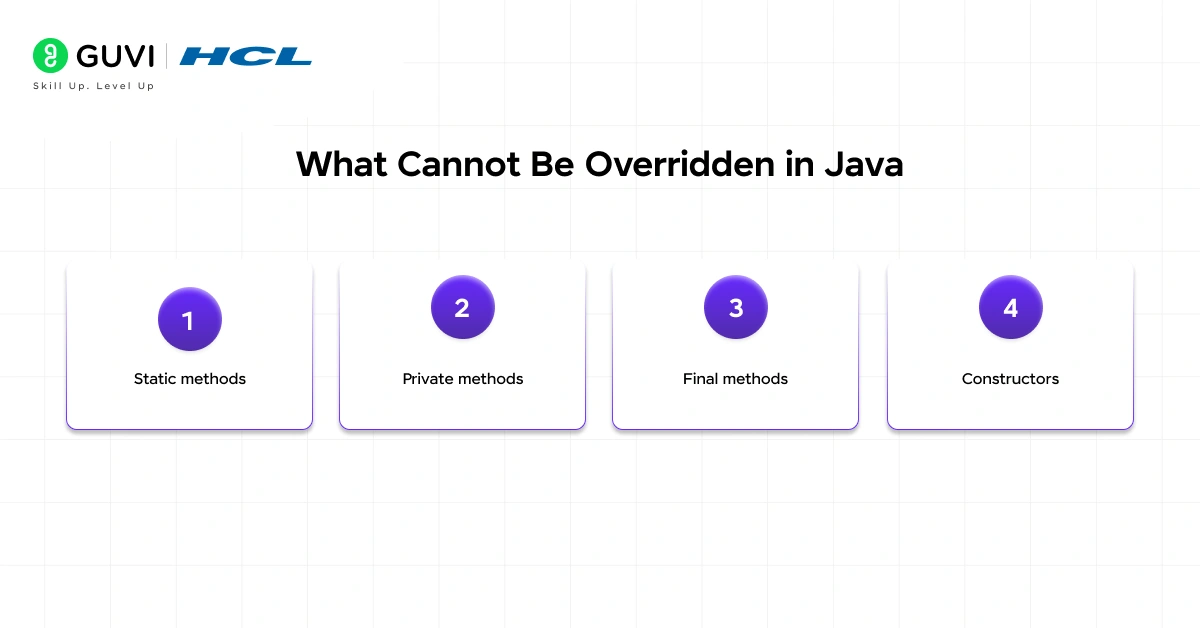
- Static methods: Static methods belong to the class itself, not to objects. They can be hidden but not overridden.
- Private methods: Private methods are not inherited, so the child class has no access to them.
- Final methods: The final keyword locks a method. It cannot be changed in any subclass.
- Constructors: Constructors are not methods and cannot be overridden. They can only be called using super().
Tips for Beginners
- Always write @Override: It saves you from silent bugs where you think you are overriding but actually you created a new method with a typo in the name.
- Remember the three musts: Same name, same parameters, same return type. If any of these is different, it is not overriding.
- Do not reduce access: If the parent method is public, keep it public in the child.
- Use super when needed: If you want both the parent and child behavior, call super.methodName() inside the overriding method.
- Test with parent reference: Try assigning a child object to a parent reference variable. The overriding method should still run from the child class. If it does, your overriding is working correctly.
💡 Did You Know?
- Overriding in Java is the foundation of runtime polymorphism, which is one of the four pillars of object-oriented programming alongside encapsulation, inheritance, and abstraction.
- The @Override annotation was introduced in Java 5 (released in 2004) and has been a recommended best practice ever since.
- Method overriding allows Java applications to achieve dynamic method dispatch, enabling flexible and reusable code in large-scale software development.
Conclusion
Overriding in Java is not just a concept for exams. It is something you will use every single time you work with inheritance in a real project. Whether you are building an app, working on a framework, or writing business logic, overriding lets you customize behavior without rewriting code from scratch.
Start by practicing the Animal and Dog example. Then try creating your own parent and child classes. Override two or three methods and call them using a parent reference to see runtime polymorphism in action. Once that clicks, move on to using super, then explore abstract classes where overriding becomes mandatory.
Understanding overriding in Java deeply will make inheritance, polymorphism, and design patterns all much easier to learn.
FAQs
1. What is overriding in Java in simple words?
Overriding in Java means a child class writes its own version of a method that already exists in the parent class. When you call that method on a child object, the child’s version runs instead of the parent’s version.
2. What are the rules of overriding in Java?
The overriding method must have the same name, same parameters, and same or compatible return type as the parent method. The access level cannot be reduced. Static, private, and final methods cannot be overridden.
3. What is the difference between overriding and overloading in Java?
Overriding happens between a parent and child class where the child redefines an inherited method with the same signature. Overloading happens in the same class where multiple methods share the same name but have different parameters.
4. Why do we use @Override in Java?
@Override tells the compiler that you intend to override a method. If your method signature does not match the parent method, the compiler gives an error. It prevents silent bugs and makes code easier to read.
5. Can we override static and private methods in Java?
No. Static methods are not overridden, they are hidden. Private methods are not inherited by the child class, so they cannot be overridden at all. Only public and protected instance methods can be overridden.
Success Stories

About the Author
Jebasta
I translate the language of data into stories that anyone can understand. As a writer with a data science background, I simplify analytics, AI, and decision-making so beginners and enthusiasts can confidently explore the world of data.
View all posts by Jebasta
Connect with me @


























Did you enjoy this article?