


Java Articles
Kafka Streams Tutorial: Build Your First Data Pipeline
What is ArrayList in Java: A Complete Guide
What is HashMap in Java: How It Works, Methods, and Examples


Get In Touch For Details! Request More Information
Collection Hierarchy in Java : Complete Beginner’s Guide with All Interfaces and Classes
Jul 03, 2026 6 Min Read 1270 Views
(Last Updated)
When you write a Java program that stores a list of students, a set of unique IDs, or a map of names to scores, you are using the Java Collections Framework. But most beginners start using ArrayList or HashMap without understanding the bigger picture of how everything connects. That bigger picture is the collection hierarchy in Java.
Understanding the collection hierarchy in Java makes you a far better Java developer. You learn which interface to use, which class to pick, and why one collection behaves differently from another. This guide covers the entire collection hierarchy in Java from the root interface all the way down to every important implementation class.
Quick Answer
The collection hierarchy in Java is a structured set of interfaces and classes organized in a parent-child relationship inside the java.util package. At the top sits the Iterable interface, followed by the Collection interface. Collection branches into three main sub-interfaces: List, Set, and Queue. The Map interface forms a separate branch. Each interface has multiple implementation classes like ArrayList, HashSet, HashMap, and LinkedList.
Table of contents
- What Is the Java Collections Framework
- Key Terms You Need to Know
- The Full Collection Hierarchy in Java at a Glance
- Level 1: The Iterable Interface
- Level 2: The Collection Interface
- Level 3: The Three Main Sub-Interfaces
- Level 4: The Map Interface (Separate Tree)
- Choosing the Right Collection: Quick Decision Guide
- Legacy Classes in the Collection Hierarchy in Java
- Tips for Beginners Learning the Collection Hierarchy in Java
- 💡 Did You Know?
- Conclusion
- FAQs
- What is the collection hierarchy in Java?
- Is Map part of the collection hierarchy in Java?
- What is the difference between List, Set, and Queue in the collection hierarchy in Java?
- Which class should a beginner start with in the collection hierarchy in Java?
- What is the difference between HashSet, LinkedHashSet, and TreeSet in the collection hierarchy in Java?
What Is the Java Collections Framework
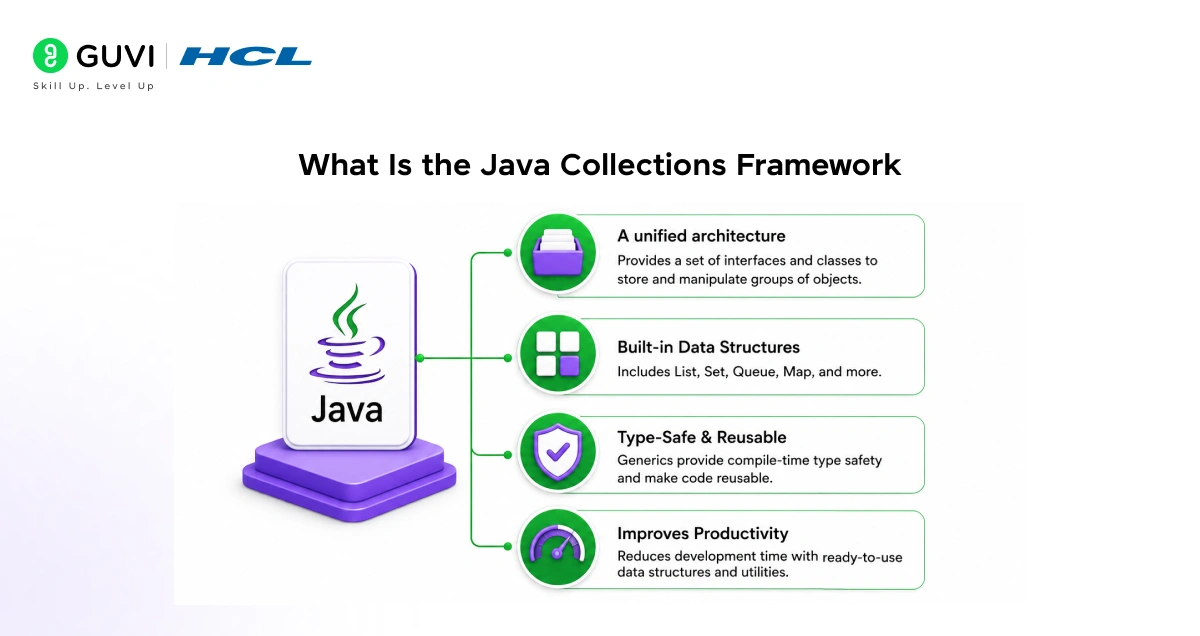
Before diving into the collection hierarchy in Java, understand what the Java Collections Framework is and why it exists.
What it is:
- A built-in set of interfaces and classes in Java for storing and managing groups of objects
- Available in the java.util package, no external library needed
- Introduced in Java 1.2 and continuously improved in every version since
Why it matters:
- Arrays in Java have a fixed size. Collections grow and shrink dynamically.
- You do not need to write your own data structures. Java provides ready-made, optimized ones.
- All collections share common methods like add(), remove(), size(), and contains().
- It reduces boilerplate code and makes programs cleaner and faster to write.
Two separate trees in the collection hierarchy in Java:
| Tree | Root Interface | Stores |
| Collection tree | Collection | Individual elements |
| Map tree | Map | Key-value pairs |
Map is not a child of Collection. It forms its own separate branch.
Key Terms You Need to Know
- Interface: A contract that defines what methods a class must have. Does not contain actual logic.
- Class: A concrete implementation that contains actual working code.
- Extends: An interface inheriting from another interface or a class inheriting from another class.
- Implements: A class agreeing to follow the rules of an interface.
- Generic (E, K, V): Placeholder types. Collection means a collection of elements of type E. You decide what E is when you use it.
- Duplicate elements: Two or more elements that are equal to each other.
- Ordered collection: Elements maintain the order in which they were inserted.
- Sorted collection: Elements are arranged in ascending or natural order automatically.
Build a strong foundation in Java programming with HCL GUVI’s Java for Beginners course, where you’ll learn core Java concepts like OOPs, inheritance, polymorphism, collections, exception handling, loops, arrays, and real-world programming fundamentals through hands-on coding exercises and beginner-friendly lessons designed for aspiring developers.
The Full Collection Hierarchy in Java at a Glance
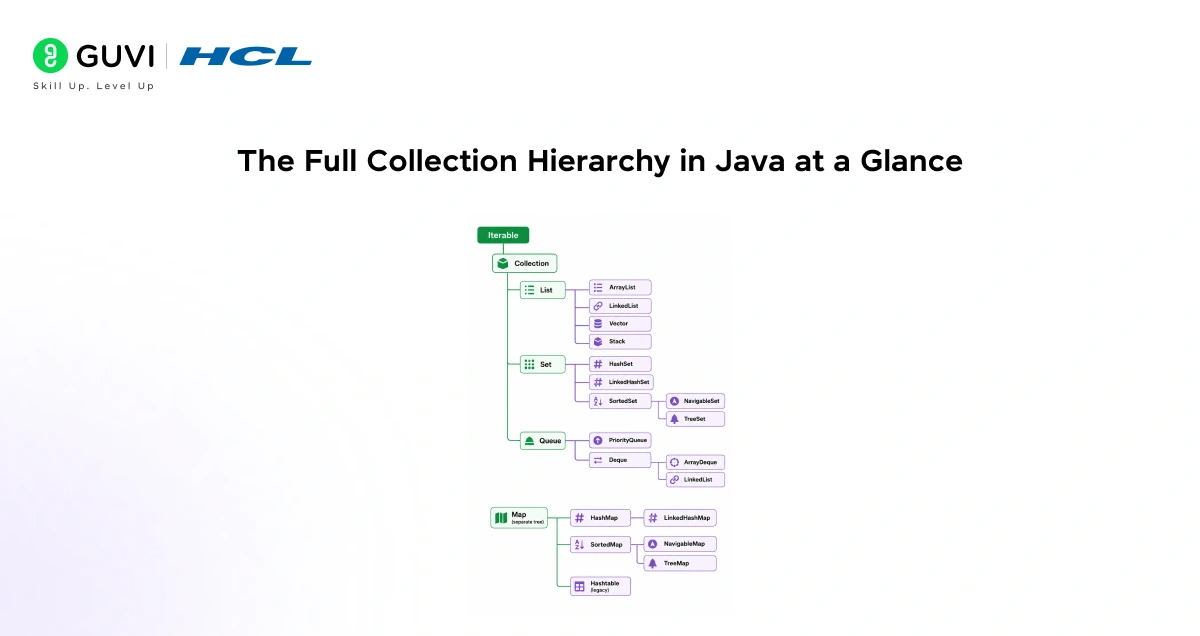
Iterable
└── Collection
├── List
│ ├── ArrayList
│ ├── LinkedList
│ ├── Vector
│ │ └── Stack
├── Set
│ ├── HashSet
│ │ └── LinkedHashSet
│ └── SortedSet
│ └── NavigableSet
│ └── TreeSet
└── Queue
├── PriorityQueue
└── Deque
├── ArrayDeque
└── LinkedList
Map (separate tree)
├── HashMap
│ └── LinkedHashMap
├── SortedMap
│ └── NavigableMap
│ └── TreeMap
└── Hashtable (legacy)
Now let us understand each level of the collection hierarchy in Java in detail.
Level 1: The Iterable Interface
The Iterable interface sits at the very top of the collection hierarchy in Java. It is the parent of the Collection interface.
What it does:
- Contains only one method: iterator()
- The iterator() method returns an Iterator object
- An Iterator lets you loop through elements of any collection one by one
- This is why you can use a for-each loop on any Java collection
Real-life analogy: Think of Iterable as the rule that says “this container can be opened and its contents taken out one by one.” Every collection follows this rule.
Level 2: The Collection Interface
The Collection interface is the root of the collection hierarchy in Java. All major collection types (List, Set, Queue) extend from this single interface.
What it provides:
- add(E e): Adds a single element
- remove(Object o): Removes a specific element
- size(): Returns the number of elements
- contains(Object o): Checks if an element exists
- isEmpty(): Checks if the collection has no elements
- clear(): Removes all elements
- iterator(): Returns an iterator to loop through elements
Important note: Java does not provide a direct class that implements Collection. You always use one of its sub-interfaces: List, Set, or Queue.
Level 3: The Three Main Sub-Interfaces
The Collection interface branches into three main sub-interfaces. Each one has a different behavior and purpose.
| Interface | Order | Duplicates Allowed | Best Used For |
| List | Yes, insertion order | Yes | Ordered sequences, index-based access |
| Set | No (except LinkedHashSet) | No | Unique elements, removing duplicates |
| Queue | Yes, FIFO or priority | Yes | Processing elements in order |
1. List Interface
The List interface represents an ordered collection that allows duplicate elements. Every element has an index starting from 0.
Key features of List:
- Elements maintain insertion order
- Duplicate elements are allowed
- You can access any element directly using its index
- You can insert or delete elements at specific positions
Implementation classes:
| Class | How It Stores Data | Best For |
| ArrayList | Dynamic array (resizable) | Fast reading and searching by index |
| LinkedList | Doubly linked list | Fast insertion and deletion |
| Vector | Synchronized dynamic array | Thread-safe operations (legacy) |
| Stack | Extends Vector, LIFO order | Last-in-first-out operations |
ArrayList vs LinkedList at a glance:
| Operation | ArrayList | LinkedList |
| Get by index | Fast O(1) | Slow O(n) |
| Add at end | Fast O(1) | Fast O(1) |
| Add in middle | Slow O(n) | Fast O(1) |
| Memory usage | Less | More (stores pointers) |
When to use which:
- Use ArrayList when you read data frequently and rarely insert in the middle
- Use LinkedList when you frequently insert or delete elements
2. Set Interface
The Set interface represents a collection of unique elements. It does not allow duplicates. If you add an element that already exists, it is simply ignored.
Key features of Set:
- No duplicate elements allowed
- Most Set implementations do not guarantee insertion order
- Useful when you need to store unique values only
- No index-based access (unlike List)
Implementation classes:
| Class | Order | How It Works | Best For |
| HashSet | No order | Uses hashing | Fast add, remove, search |
| LinkedHashSet | Insertion order | Hash table + linked list | Unique elements in insertion order |
| TreeSet | Sorted order | Red-Black tree | Unique elements in sorted order |
Sub-interfaces of Set:
- SortedSet: Extends Set. Elements are automatically sorted in ascending order. Provides methods like first(), last(), headSet(), and tailSet().
- NavigableSet: Extends SortedSet. Adds navigation methods like lower(), floor(), ceiling(), and higher() to find elements relative to a given value. TreeSet implements NavigableSet.
3. Queue Interface
The Queue interface represents a collection designed for holding elements before processing. It typically follows FIFO (First In First Out) order, just like a real-world queue at a counter.

Key features of Queue:
- Elements are added at the rear and removed from the front
- Used for task scheduling, job processing, and BFS graph algorithms
- Provides offer(), poll(), and peek() methods
Implementation classes and sub-interfaces:
| Class or Interface | Type | Best For |
| PriorityQueue | Priority-based queue | Processing elements by priority, not order |
| Deque | Double-ended queue interface | Adding or removing from both ends |
| ArrayDeque | Array-based deque | Stack and queue operations, faster than Stack class |
| LinkedList | Also implements Deque | Queue operations using a linked list |
Deque explained simply:
Deque stands for Double-Ended Queue. Unlike a normal queue that only allows adding at the rear and removing from the front, a Deque lets you add and remove from both ends. It can act as both a Stack (LIFO) and a Queue (FIFO).
Level 4: The Map Interface (Separate Tree)
The Map interface is not part of the Collection tree but is a critical part of the collection hierarchy in Java. It stores data as key-value pairs where each key is unique.
Key features of Map:
- Every entry has a key and a value
- Keys must be unique. Values can repeat.
- You retrieve a value by providing its key
- Does not extend Collection or Iterable
Core methods:
- put(K key, V value): Adds or updates a key-value pair
- get(Object key): Returns the value for a given key
- remove(Object key): Removes a key-value pair
- containsKey(Object key): Checks if a key exists
- keySet(): Returns all keys as a Set
- values(): Returns all values as a Collection
Implementation classes:
| Class | Order | How It Works | Best For |
| HashMap | No order | Hash table | Fast key-value storage and retrieval |
| LinkedHashMap | Insertion order | Hash table + linked list | Key-value pairs in insertion order |
| TreeMap | Sorted by key | Red-Black tree | Key-value pairs sorted by key |
| Hashtable | No order | Synchronized hash table | Legacy thread-safe map (avoid in new code) |
Sub-interfaces of Map:
- SortedMap: Extends Map. Keys are automatically sorted in ascending order.
- NavigableMap: Extends SortedMap. Adds methods like lowerKey(), floorKey(), ceilingKey(), and higherKey(). TreeMap implements NavigableMap.
Choosing the Right Collection: Quick Decision Guide
| Your Need | Use This |
| Ordered list with duplicates, fast read | ArrayList |
| Ordered list with frequent insert or delete | LinkedList |
| Unique elements, fastest operations | HashSet |
| Unique elements in insertion order | LinkedHashSet |
| Unique elements in sorted order | TreeSet |
| Key-value pairs, fast access | HashMap |
| Key-value pairs in insertion order | LinkedHashMap |
| Key-value pairs sorted by key | TreeMap |
| Queue with priority ordering | PriorityQueue |
| Stack or double-ended queue | ArrayDeque |
Legacy Classes in the Collection Hierarchy in Java
Some older classes exist in the collection hierarchy in Java from before the Collections Framework was introduced in Java 1.2. They were later updated to implement the new interfaces but are generally avoided in modern code.
- Vector: Like ArrayList but synchronized. Use ArrayList instead unless thread safety is needed.
- Stack: Extends Vector. Use ArrayDeque instead for stack operations.
- Hashtable: Like HashMap but synchronized. Use ConcurrentHashMap instead for thread-safe maps.
Tips for Beginners Learning the Collection Hierarchy in Java
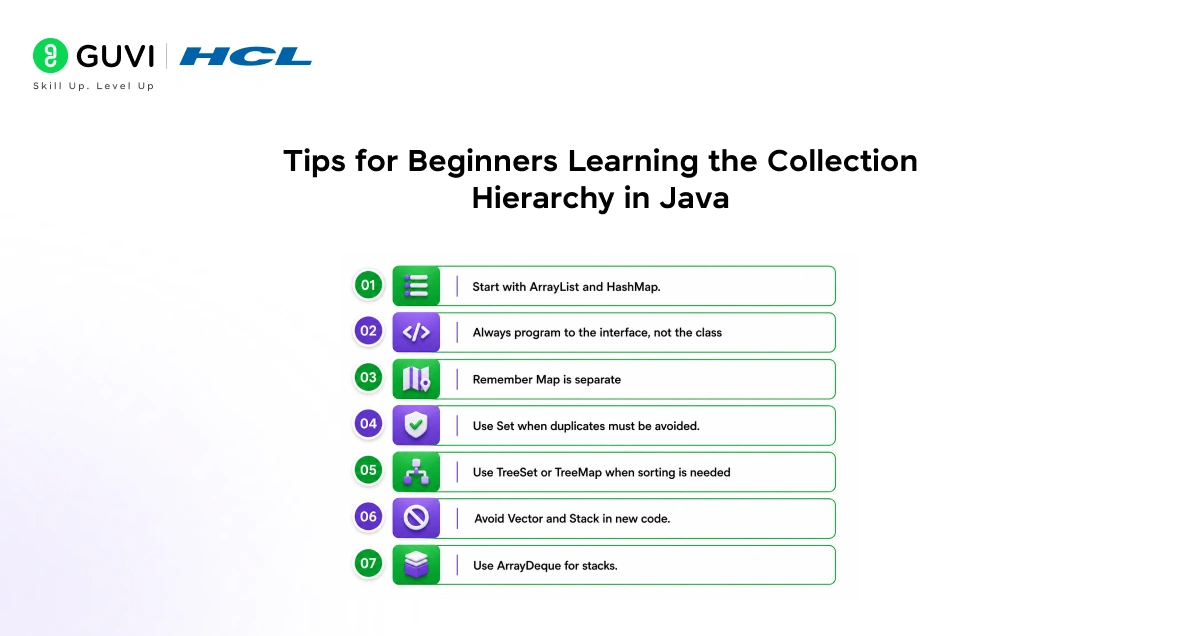
- Start with ArrayList and HashMap. These two are the most commonly used in real projects. Learn them deeply before moving to others.
- Always program to the interface, not the class. Write List myList = new ArrayList() instead of ArrayList myList = new ArrayList(). This makes it easy to swap implementations later.
- Remember Map is separate. Map does not extend Collection. Many beginners assume it does and get confused. It forms its own tree.
- Use Set when duplicates must be avoided. If you are storing user IDs, email addresses, or any unique identifier, always use a Set.
- Use TreeSet or TreeMap when sorting is needed. They automatically keep elements or keys in sorted order without any extra code.
- Avoid Vector and Stack in new code. Use ArrayList and ArrayDeque instead. They are faster and more modern.
- Use ArrayDeque for stacks. The official Java documentation recommends ArrayDeque over Stack for LIFO operations.
💡 Did You Know?
- Java 21 added SequencedCollection, SequencedSet, and SequencedMap interfaces that unified encounter-order access. Methods like getFirst(), getLast(), and reversed() now work on ArrayList, LinkedHashSet, LinkedHashMap, and more.
- Map does not extend Collection because a Map stores pairs of objects (key and value) while Collection stores individual objects. Making Map extend Collection would break the design contract of Collection methods like add(E e).
- TreeSet and TreeMap both use a Red-Black tree internally, which is a self-balancing binary search tree. This is why they always keep elements in sorted order automatically.
- The Collections utility class (different from the Collection interface) provides static methods like sort(), shuffle(), reverse(), and binarySearch() that work on any List.
Conclusion
The collection hierarchy in Java is not just theory for exams. It is a practical map that guides every data storage decision you make in a Java program. Once you know where each interface and class sits in the hierarchy and what makes each one different, choosing the right collection becomes natural and fast.
Start by getting comfortable with ArrayList, HashSet, and HashMap. Then explore LinkedList and TreeMap. Read the hierarchy diagram in this guide regularly until you can redraw it from memory. Once the collection hierarchy in Java feels natural, topics like generics, iterators, the Comparable interface, and Java Streams will all become much easier to learn.
Every serious Java developer knows this hierarchy. Now you do too.
FAQs
1. What is the collection hierarchy in Java?
The collection hierarchy in Java is a structured set of interfaces and classes in the java.util package organized in a parent-child relationship. It starts with the Iterable interface at the top, followed by the Collection interface which branches into List, Set, and Queue. The map forms a separate tree. Together they make up the Java Collections Framework.
2. Is Map part of the collection hierarchy in Java?
Map is part of the Java Collections Framework but it does not extend the Collection interface. It forms its own separate branch. This is because Map stores key-value pairs while Collection stores individual elements, and the two designs are fundamentally different.
3. What is the difference between List, Set, and Queue in the collection hierarchy in Java?
List is an ordered collection that allows duplicates and supports index-based access. Set stores only unique elements with no duplicates allowed. Queue is designed for holding elements before processing them, typically in FIFO order. All three extend the Collection interface.
4. Which class should a beginner start with in the collection hierarchy in Java?
Start with ArrayList for lists, HashSet for unique elements, and HashMap for key-value pairs. These three are the most commonly used in real Java projects and cover most data storage needs. Once comfortable with these, move on to LinkedList, TreeSet, and TreeMap.
5. What is the difference between HashSet, LinkedHashSet, and TreeSet in the collection hierarchy in Java?
All three implement the Set interface and store unique elements. HashSet offers the fastest performance but does not maintain any order. LinkedHashSet maintains the insertion order of elements. TreeSet keeps elements in automatically sorted ascending order but is slightly slower than HashSet.
Success Stories

About the Author
Jebasta
I translate the language of data into stories that anyone can understand. As a writer with a data science background, I simplify analytics, AI, and decision-making so beginners and enthusiasts can confidently explore the world of data.
View all posts by Jebasta
Connect with me @




















Did you enjoy this article?