


Python Articles
Excel SQL Python for BPO Professionals Best Guide to Move Into Data Science
Go vs Python for Forward Deployed Engineering Workloads
Python for Forward Deployed Engineers: What You Actually Need to Know
Freelancing as a Python Developer: Getting Your First Client


Get In Touch For Details! Request More Information
Building a REST API with FastAPI + SQLAlchemy + Alembic
Jul 08, 2026 5 Min Read 834 Views
(Last Updated)
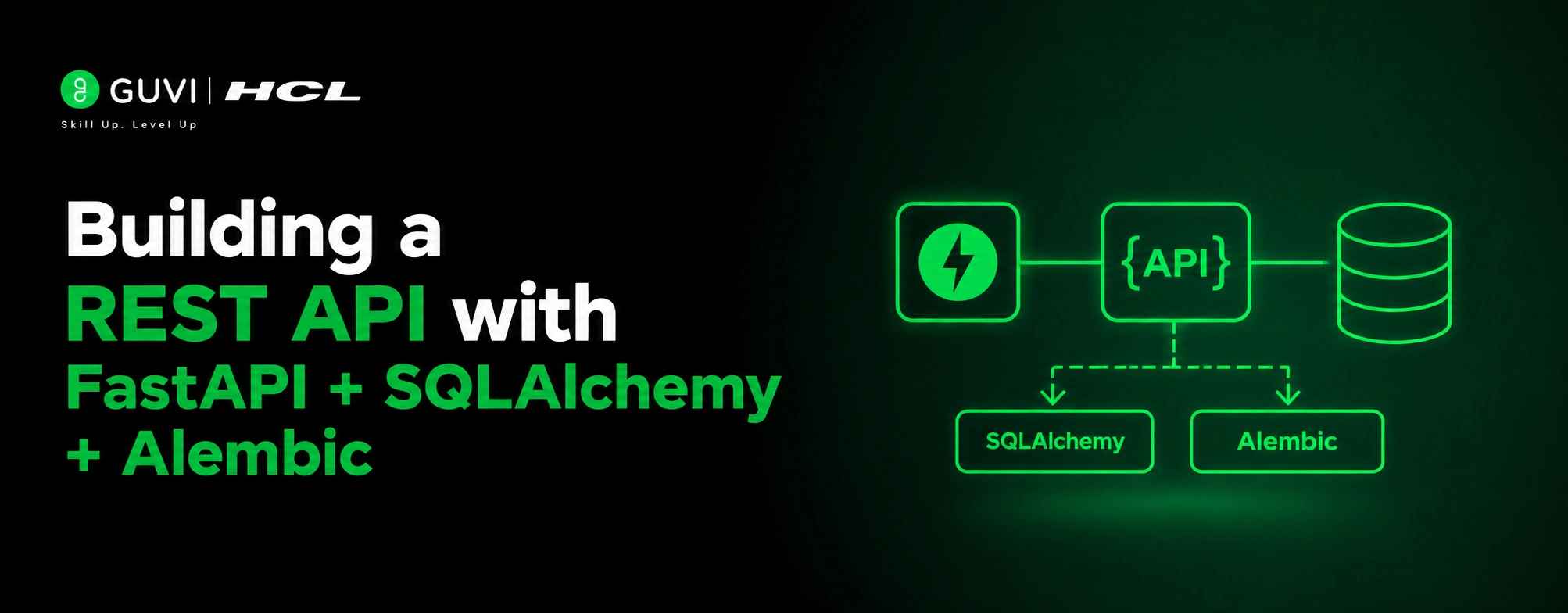
FastAPI has become Python’s fastest-growing web framework, surpassing Flask in GitHub stars in late 2025 and now powering production APIs at companies like Microsoft, Netflix, and Uber. Pair it with SQLAlchemy 2.0 for database access and Alembic for schema migrations, and you have a production-grade stack that is both fast to build and built to last. This guide walks you through the complete setup from scratch.
Table of contents
- TL;DR Summary
- What Are FastAPI, SQLAlchemy, and Alembic?
- Step 1: Install Dependencies
- Step 2: Configure the Database Connection
- Step 3: Define Your SQLAlchemy Model
- Step 4: Create Pydantic Schemas
- Step 5: Build the Service Layer
- Step 6: Create the API Routes
- Step 7: Wire Up main.py
- Step 8: Set Up Alembic Migrations
- Running the API
- Conclusion
- FAQs
- Why use Alembic over Base.metadata.create_all()?
- How do I set up async support in production?
- What’s the benefit of a service layer?
- How do I prevent N+1 queries during serialization?
- What’s required in Alembic’s env.py?
- How do I generate and apply migrations?
- How do I run the API in dev vs production?
TL;DR Summary
- Use FastAPI (Pydantic/Starlette) for routing/validation, SQLAlchemy 2.0 (Mapped/mapped_column) for models/queries, and Alembic for version-controlled migrations this stack is production-ready and testable.
- Follow a clean project layout: models, schemas, routers, and services separated; keep routes thin, put business logic in services, and use get_db() dependency for per-request sessions with pool_pre_ping=True.
- Avoid pitfalls: never use Base.metadata.create_all() in production, always return Pydantic response_model (not raw ORM), import all models in Alembic env.py, use .env for DATABASE_URL, and prefer async (asyncpg + sqlalchemy[asyncio]) for production.
Build production APIs with FastAPI + SQLAlchemy + Alembic. Master Python backend with HCL GUVI’s Python Zero to Hero course. Start your Python journey here
What Are FastAPI, SQLAlchemy, and Alembic?
FastAPI is a modern Python web framework built on Pydantic and Starlette. SQLAlchemy 2.0 is the industry-standard Python ORM for defining and querying relational databases. Alembic is SQLAlchemy’s companion migration tool. It tracks schema changes over time so you never modify a production database by hand. Together, these three cover your entire API-to-database layer.
Step 1: Install Dependencies
- pip install “fastapi[standard]” sqlalchemy alembic psycopg2-binary python-dotenv uvicorn
- FastAPI [standard] includes Pydantic v2 and uvicorn. psycopg2-binary is the PostgreSQL driver. python-dotenv loads environment variables from a .env file so your database URL never lives in code.
- For async support, strongly recommended for production, replace psycopg2-binary with asyncpg and add sqlalchemy[asyncio]:
- pip install asyncpg “sqlalchemy[asyncio]”
Step 2: Configure the Database Connection
- Create app/database.py. This file sets up the SQLAlchemy engine, the session factory, and the declarative base all your models will inherit from:
- from sqlalchemy import create_engine from sqlalchemy. orm import sessionmaker, DeclarativeBase from app.config import settings
| engine = create_engine(settings.DATABASE_URL, pool_pre_ping=True, # Reconnects on stale connections echo=False # Set True for SQL query logging in dev ) SessionLocal = sessionmaker(autocommit=False, autoflush=False, bind=engine) class Base(DeclarativeBase): pass def get_db(): db = SessionLocal() try: yield db finally: db.close() |
- pool_pre_ping=True handles database connection drops gracefully, critical in any containerized or cloud environment. get_db() is a FastAPI dependency that opens a session per request and closes it cleanly regardless of success or failure.
- Create app/config.py to load the database URL from your .env file:
- from pydantic_settings import BaseSettings
| class Settings(BaseSettings): DATABASE_URL: str = “postgresql://user:password@localhost/mydb” class Config: env_file = “.env” |
settings = Settings()
Pydantic’s model_config = {“from_attributes”: True} (previously orm_mode = True in Pydantic v1) enables models to read data directly from SQLAlchemy ORM objects. Without this setting, FastAPI cannot automatically access ORM model attributes when generating JSON responses. Enabling it allows FastAPI to seamlessly serialize database objects into API responses without requiring manual conversion to dictionaries.
Step 3: Define Your SQLAlchemy Model
Create app/models/user. py:
from sqlalchemy import Integer, String, DateTime, func from sqlalchemy. orm import Mapped, mapped_column from app.database import Base
class User(Base): tablename = “users”
id: Mapped[int] = mapped_column(Integer, primary_key=True, index=True)
email: Mapped[str] = mapped_column(String, unique=True, index=True, nullable=False)
name: Mapped[str] = mapped_column(String, nullable=False)
created_at: Mapped[DateTime] = mapped_column(DateTime, server_default=func.now())
This uses SQLAlchemy 2.0’s Mapped and mapped_column syntax, the modern approach that provides full type inference. The older Column() style still works, but doesn’t give you the same static analysis support.
server_default=func.now() sets the timestamp at the database level, not in Python, which is important for consistency across multiple API workers.
Step 4: Create Pydantic Schemas
Schemas define what comes in from the client and what goes out in the response. They live in app/schemas/user.py and are completely separate from your SQLAlchemy models:
from pydantic import BaseModel, EmailStr from datetime import datetime
class UserCreate(BaseModel): email: EmailStr name: str
class UserResponse(BaseModel): id: int email: str name: str created_at: datetime
model_config = {“from_attributes”: True}
- model_config = {“from_attributes”: True} (formerly orm_mode = True in Pydantic v1) tells Pydantic how to read values from SQLAlchemy model attributes rather than a plain dictionary. Without this, FastAPI cannot serialise ORM objects into JSON responses.
- Never return SQLAlchemy model objects directly from your routes. Always pass through a Pydantic response schema. This prevents lazy-loaded relationships from triggering unexpected database queries during serialisation — one of the most common N+1 pitfalls in FastAPI applications.
Step 5: Build the Service Layer
Business logic belongs in a service layer, not inside route handlers. Create app/services/user. py:
| from sqlalchemy.orm import Session from app.models.user import User from app.schemas.user import UserCreate def get_user(db: Session, user_id: int) -> User | None: return db.query(User).filter(User.id == user_id).first() def get_users(db: Session, skip: int = 0, limit: int = 100) -> list[User]: return db.query(User).offset(skip).limit(limit).all() def create_user(db: Session, user_in: UserCreate) -> User: user = User(email=user_in.email, name=user_in.name) db.add(user) db.commit() db.refresh(user) return user def delete_user(db: Session, user_id: int) -> bool: user = db.query(User).filter(User.id == user_id).first() if not user: return False db.delete(user) db.commit() return True |
Keeping database logic here means your routes become thin coordinators that validate input, call the service, and return the response. This makes each layer independently testable.
Step 6: Create the API Routes
Create app/routers/users.py:
- from fastapi import APIRouter, Depends, HTTPException, status from sqlalchemy. orm import Session from app. database import get_db from app.schemas.user import UserCreate, UserResponse from app. services import user as user_service
- router = APIRouter(prefix=”/users”, tags=[“users”])
- @router.get(“/”, response_model=list[UserResponse]) def list_users(skip: int = 0, limit: int = 100, db: Session = Depends(get_db)): return user_service.get_users(db, skip=skip, limit=limit)
- @router.get(“/{user_id}”, response_model=UserResponse) def get_user(user_id: int, db: Session = Depends(get_db)): user = user_service.get_user(db, user_id) if not user: raise HTTPException(status_code=status.HTTP_404_NOT_FOUND, detail=”User not found”) return user
- @router.post(“/”, response_model=UserResponse, status_code=status. HTTP_201_ CREATED) def create_user(user_in: UserCreate, db: Session = Depends(get_db)): return user_service.create_user(db, user_in)
- @router.delete(“/{user_id}”, status_code=status.HTTP_204_NO_CONTENT) def delete_user(user_id: int, db: Session = Depends(get_db)): if not user_service.delete_user(db, user_id): raise HTTPException(status_code=status.HTTP_404_NOT_FOUND, detail=”User not found”)
- Depends(get_db) injects a fresh database session into each route. FastAPI handles the dependency lifecycle automatically; the session opens at the start of the request and closes at the end via the finally block in get_db().

Step 7: Wire Up main.py
Create app/main.py:
| from fastapi import FastAPI from app. routers import users app = FastAPI(title=“My API”, version=“1.0.0”) app.include_router(users.router) @app.get(“/health”) def health_check(): return {“status”: “ok”} |
- Never call Base.metadata.create_all(engine) here in production. That approach creates tables from scratch but cannot handle schema changes.
- Add a column to your model, restart the app, and that column will not appear in the database. Always use Alembic migrations for any schema changes in staging and production.
Build production APIs with FastAPI + SQLAlchemy + Alembic. Master Python backend with HCL GUVI’s Python Zero to Hero course. Start your Python journey here
Step 8: Set Up Alembic Migrations
- Alembic is what gives your database schema version control. Every change to a model — adding a column, creating an index, renaming a table — goes through a migration script, just like Git tracks code changes.
- Initialize Alembic:
- alembic init alembic
- Open alembic/env.py and make two changes. First, load your database URL from config rather than hardcoding it:
- from app.config import settings config.set_main_option(“sqlalchemy.url”, settings.DATABASE_URL)
- Second, point Alembic at your model metadata so it can detect schema changes:
- from app.database import Base from app.models import user # Import all models so Base.metadata knows about them target_metadata = Base.metadata
- Now generate your first migration:
- alembic revision –autogenerate -m “Create users table”
- The –autogenerate flag compares your SQLAlchemy models against the current database schema and writes the migration steps automatically. Review the generated file in alembic/versions/ before applying autogenerate is smart but occasionally misses constraints or custom types.
| Apply the migration: alembic upgrade head To roll back: alembic downgrade -1 |
Every schema change from this point follows the same pattern: update the model, generate a migration, review it, apply it. Never modify a production database manually outside this process.
Running the API
- Development:
- uvicorn app.main:app –reload –host 0.0.0.0 –port 8000
- Production (multiple workers):
- uvicorn app.main:app –host 0.0.0.0 –port 8000 –workers 4
- FastAPI generates interactive API documentation automatically. Visit http://localhost:8000/docs for the Swagger UI and http://localhost:8000/redoc for the ReDoc interface both are live and executable against your running API.
Conclusion
FastAPI, SQLAlchemy 2.0, and Alembic form a stack that is genuinely production-ready from the first line of code. FastAPI handles routing, validation, and serialisation through Pydantic. SQLAlchemy manages your database models and queries with full type inference.
Alembic gives your schema the same version control discipline you apply to code. Keep your layers separated routes thin, logic in services, queries in models and every part of this stack becomes independently testable and easy to extend as your API grows.
FAQs
Why use Alembic over Base.metadata.create_all()?
Alembic tracks schema changes via migrations, enabling safe column/index additions and rollbacks; create_all() can’t handle schema evolution in existing tables.
How do I set up async support in production?
Replace psycopg2-binary with asyncpg and install sqlalchemy[asyncio]; configure the engine with an async URL and use async session handling.
What’s the benefit of a service layer?
It isolates business logic and DB queries from routes, making each layer independently testable and keeping routes thin as coordinators.
How do I prevent N+1 queries during serialization?
Never return raw ORM objects; always use Pydantic response_model to avoid lazy-loaded relationships triggering unexpected queries.
What’s required in Alembic’s env.py?
Load DATABASE_URL from config and import all models before setting target_metadata = Base.metadata so Alembic detects all tables.
How do I generate and apply migrations?
Run alembic revision –autogenerate -m “message”, review the generated file, then apply with alembic upgrade head; roll back with alembic downgrade -1.
How do I run the API in dev vs production?
Dev: uvicorn app.main:app –reload; Production: uvicorn app.main:app –workers 4; use FastAPI’s auto-generated docs at /docs (Swagger) and /redoc.
Success Stories

About the Author
Vishalini Devarajan
An Aerospace Engineer turned content writer, I focus on making complex concepts easy to understand through well-structured, reader-friendly blogs. Whether it’s a technical topic or a non-technical one, I love creating content that is clear, engaging, and impactful.
View all posts by Vishalini Devarajan
Connect with me @















Did you enjoy this article?