


Cloud Computing Articles
From Beginner to DevOps Engineer: How HCL GUVI Zen Class Helps You Get There
12 Important Azure Admin Roles and Responsibilities- Complete Guide


Get In Touch For Details! Request More Information

HTTP in Computer Networks Explained: Basics, Methods & More
Jul 27, 2026 5 Min Read 5082 Views
(Last Updated)
Have you ever typed a web address, hit Enter, and wondered exactly how that short string turns into a fully rendered page on your screen? Here’s the thing: that invisible handshake between your browser and a remote server is powered by HTTP, the Hypertext Transfer Protocol.
At its core, HTTP in computer networks is a simple, text-based request–response protocol that follows a client-server model, but it packs a lot of practical detail you’ll use again and again: methods (GET, POST, PUT), status codes (200, 404, 500), headers, caching rules, and the evolution from HTTP/1.1 to HTTP/2 and HTTP/3 (QUIC).
In this article, you’ll get clear, textbook-accurate definitions, concise examples of how HTTP shows up in web apps and APIs, and hands-on pointers so you can inspect and experiment with real requests. So, without further ado, let us get started!
Table of contents
- AI Overview / Quick Answer
- What is HTTP in Computer Networks?
- What Is HTTP in Computer Networks?
- Key Features of HTTP
- How HTTP in Computer Networks Works?
- How HTTP Works Step by Step — Request/Response Cycle
- What a Raw HTTP Request Looks Like
- HTTP Requests and Methods
- HTTP Methods: GET, POST, PUT, DELETE, PATCH With Examples
- HTTP Status Codes: 200, 301, 404, 500 — What They Mean
- HTTP vs HTTPS vs HTTP/2 vs HTTP/3 — Key Differences
- What are HTTP Status Codes?
- HTTP vs. HTTPS (Secure HTTP)
- HTTP vs. HTTPS: Why the S Matters
- HTTP Versions and Evolution
- Conclusion
- FAQs
- What is HTTP, and how does it work?
- What is the difference between HTTP and HTTPS?
- What are HTTP methods?
- What are HTTP status codes?
- What port does HTTP use?
AI Overview / Quick Answer
HTTP (HyperText Transfer Protocol) is the request-response protocol that lets browsers and servers exchange web data. It defines methods like GET and POST, status codes like 200 and 404, and has evolved from HTTP/1.1 through HTTP/2 to the UDP-based HTTP/3.
| Version | Year | Format | Key Change |
| HTTP/1.1 | 1999 | Text-based | Persistent connections, chunked transfer |
| HTTP/2 | 2015 | Binary | Multiplexing, header compression, server push |
| HTTP/3 | 2022 | Binary over QUIC | Runs on UDP, faster on lossy networks |
What is HTTP in Computer Networks?
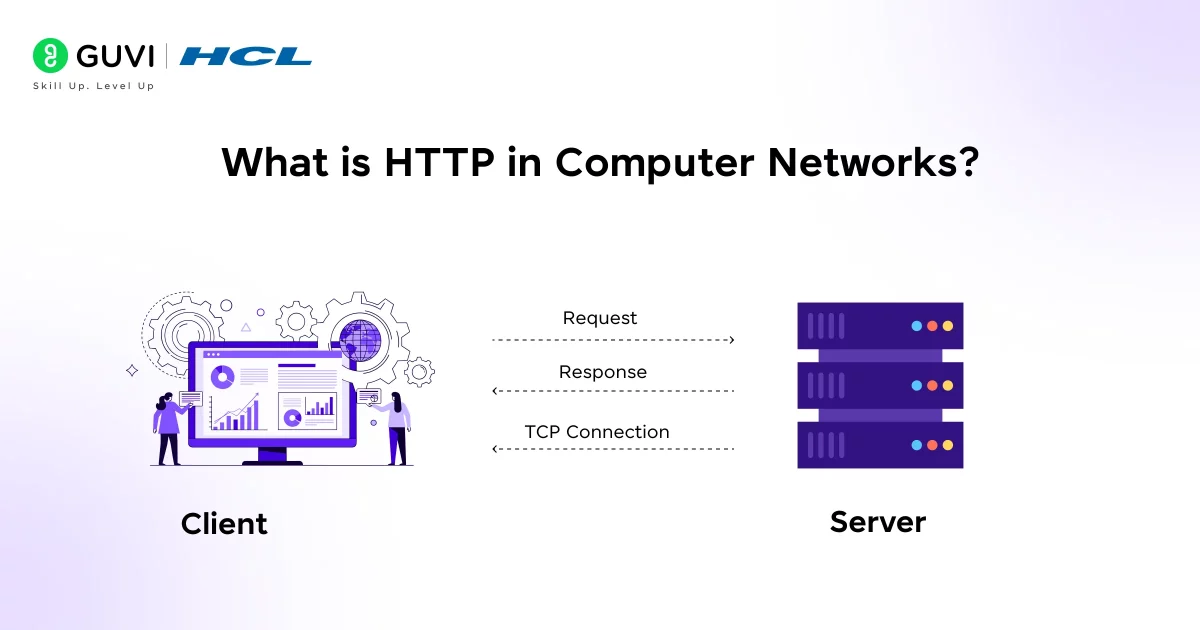
What Is HTTP in Computer Networks?
HTTP in computer networks stands for HyperText Transfer Protocol. It defines how web clients and servers talk to each other. Tim Berners-Lee created it in the early 1990s at CERN as the foundation of the World Wide Web, standardizing how requests and responses are formatted and exchanged.
- Foundation of the Web: HTTP is the protocol almost every website uses to deliver content to your browser.
- Stateless Protocol: each request is independent — the server keeps no memory of past requests unless cookies or sessions are layered on top.
Key Features of HTTP
Some of the basic features that make HTTP work include:
- Client-Server Model: HTTP uses a client–server architecture. The client (usually your web browser or an app) initiates requests, and the server (hosting the website or API) responds. This clear separation allows browsers and servers to evolve independently.
- Statelessness: Each HTTP request is independent. The server doesn’t remember previous requests from the same client. (In effect, after each response, the connection can close if not persistent.)
- Connectionless by Default: In older HTTP versions (like 1.0), each request opened a new TCP connection to the server. HTTP/1.1 introduced persistent connections (keep-alive), so one TCP connection can handle multiple requests in sequence.
If you are curious on how servers handle requests from HTTP, read the blog – How Do Servers Handle Requests? A Comprehensive Guide
How HTTP in Computer Networks Works?
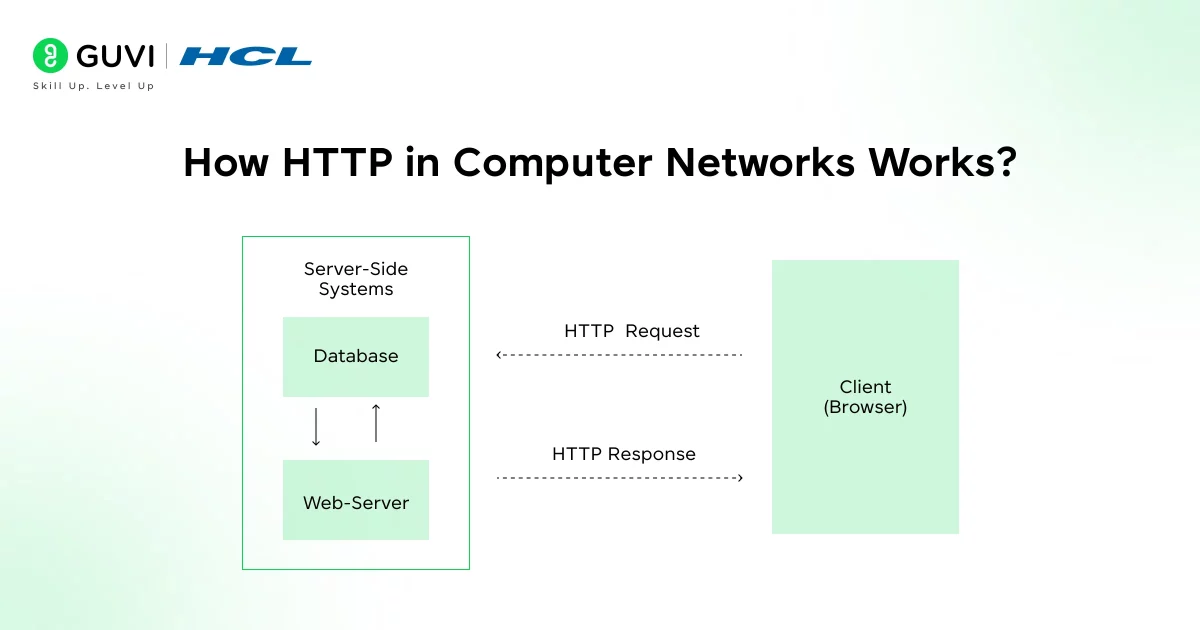
At its core, HTTP is simple: a client sends a request and a server sends a response. Here is a step-by-step look at a typical HTTP transaction:
- Client Sends an HTTP Request: You (the client) ask for something. For example, you enter http://example.com/index.html in your browser. The browser constructs an HTTP request message that includes a request line (with a method like GET, the resource path /index.html, and the protocol version), headers (like Host: example.com, User-Agent, etc.).
- Server Processes the Request: The web server receives this request and processes it. It determines which resource is being requested (e.g., the file index.html) and what the client is asking. It may read the file from disk, run scripts, query databases, or perform other logic to prepare a response.
- Server Sends an HTTP Response: After preparing the data, the server sends back an HTTP response message. This response starts with a status line, for example, HTTP/1.1 200 OK, indicating success. It then includes response headers (like Content-Type, Content-Length, etc.) and finally the message body (e.g. the HTML content of the page). If the requested resource is not found, the server might send 404 Not Found instead.
- Client Receives and Renders: Your browser (the client) receives the response. It reads the status code: if 200 OK, it proceeds to parse the content. The browser then renders the page for you to see. If the response included references to additional resources (images, CSS, scripts), the browser makes additional HTTP requests to fetch those as well, repeating this cycle.
If you want in-depth knowledge about computer networks and don’t know where to start, consider enrolling in HCL GUVI’s Self-Paced Networking Concepts course, which covers essential networking concepts, protocols, and security measures to help upskill your career in IT infrastructure and network management.
How HTTP Works Step by Step — Request/Response Cycle
A typical HTTP transaction follows four steps:
1. Client sends an HTTP request — the browser builds a request line (method + path + version) plus headers such as Host and User-Agent.
2. Server processes the request — it locates the resource, may query a database or run server-side logic.
3. Server sends an HTTP response — starting with a status line (e.g., HTTP/1.1 200 OK), followed by headers and a body.
4. Client receives and renders — the browser reads the status code, renders the content, and fires additional requests for embedded assets (images, CSS, JS).
What a Raw HTTP Request Looks Like
Stripped of any framework, a raw HTTP GET request travelling over the wire looks like this:
GET /index.html HTTP/1.1
Host: example.com
User-Agent: Mozilla/5.0
Accept: text/html
Connection: keep-alive
And the matching raw response:
HTTP/1.1 200 OK
Content-Type: text/html; charset=UTF-8
Content-Length: 1256
Cache-Control: max-age=3600

<!DOCTYPE html>
<html>...</html>
HTTP Requests and Methods
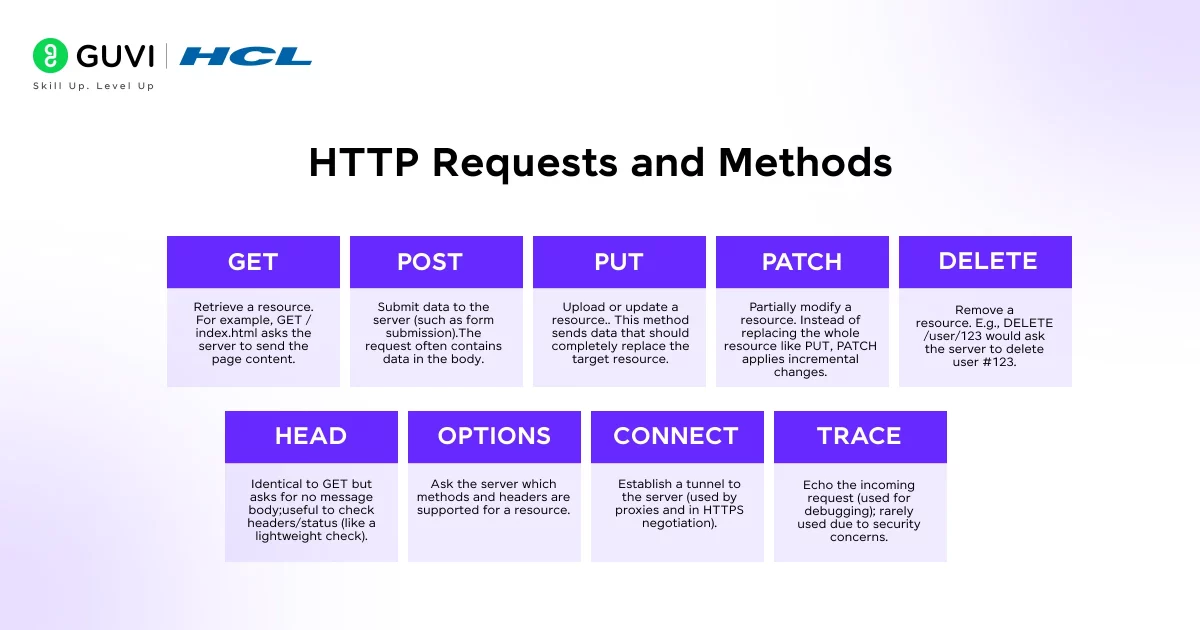
HTTP Methods: GET, POST, PUT, DELETE, PATCH With Examples
Each HTTP method tells the server what action to perform on a resource.
| Method | Purpose | Example Request |
| GET | Retrieve a resource, no side effects | GET /users/42 HTTP/1.1 |
| POST | Submit new data (e.g., form, new record) | POST /users HTTP/1.1, body: {“name”:”Asha”} |
| PUT | Replace a resource entirely | PUT /users/42 HTTP/1.1, body: {“name”:”Asha”,”age”:29} |
| PATCH | Partially update a resource | PATCH /users/42 HTTP/1.1, body: {“age”:30} |
| DELETE | Remove a resource | DELETE /users/42 HTTP/1.1 |
- HEAD: same as GET but returns no body — used for lightweight status checks.
- OPTIONS: asks the server which methods/headers a resource supports.
Common pairing: reading a blog post uses GET, submitting a signup form uses POST, and updating a single profile field uses PATCH rather than PUT.
HTTP Status Codes: 200, 301, 404, 500 — What They Mean
- 200 OK — the request succeeded and the response body contains the requested data.
- 301 Moved Permanently — the resource now lives at a new URL; browsers and search engines update their records.
- 404 Not Found — the server couldn’t locate the requested resource.
- 500 Internal Server Error — the server hit an unexpected condition while processing a valid request.
Full category reference:
| Range | Category | Common Codes |
| 1xx | Informational | 100 Continue |
| 2xx | Success | 200 OK, 201 Created, 204 No Content |
| 3xx | Redirection | 301 Moved Permanently, 302 Found, 304 Not Modified |
| 4xx | Client Error | 400 Bad Request, 401 Unauthorized, 403 Forbidden, 404 Not Found |
| 5xx | Server Error | 500 Internal Server Error, 502 Bad Gateway, 503 Service Unavailable |

HTTP vs HTTPS vs HTTP/2 vs HTTP/3 — Key Differences
| Aspect | HTTP | HTTPS | HTTP/2 | HTTP/3 |
| Encryption | None (plaintext) | TLS/SSL encrypted | Optional (usually paired with TLS) | Encryption built-in (mandatory) |
| Transport | TCP | TCP + TLS | TCP | QUIC (UDP) |
| Default Port | 80 | 443 | 443 (typical) | 443 (typical) |
| Format | Text-based | Text-based, encrypted | Binary, multiplexed | Binary over QUIC |
| Speed on Lossy Networks | Baseline | Baseline + handshake cost | Faster (multiplexing) | Fastest (no TCP head-of-line blocking) |
What are HTTP Status Codes?
When the server responds, it always includes a status code (a 3-digit number) that tells the client how the request went. These codes are grouped into five categories:
- 1xx (Informational): Request received, continuing process (rarely used).
- 2xx (Success): The request was successfully received and processed.
- 200 OK – Standard response for successful GET or POST.
- 201 Created – A new resource was successfully created (often after a POST).
- 204 No Content – Request succeeded, but there is no content to return (for DELETE, PUT without response body, etc.).
- 200 OK – Standard response for successful GET or POST.
- 3xx (Redirection): Further action needed.
- 301 Moved Permanently – The resource has a new URL.
- 302 Found – Temporary redirect.
- 304 Not Modified – Resource not modified; use cached version.
- 301 Moved Permanently – The resource has a new URL.
- 4xx (Client Error): The request was invalid or cannot be fulfilled by the server.
- 400 Bad Request – Server could not understand the request.
- 401 Unauthorized – Authentication required or failed.
- 403 Forbidden – Server refuses to fulfill.
- 404 Not Found – The requested resource isn’t available on the server.
- 418 I’m a teapot – (An Easter egg status code from an April Fools joke; rarely seen in practice.)
- 400 Bad Request – Server could not understand the request.
- 5xx (Server Error): The server failed to fulfill a valid request.
- 500 Internal Server Error – General server failure.
- 502 Bad Gateway, 503 Service Unavailable – Server cannot handle request (overloaded or down), etc.
- 500 Internal Server Error – General server failure.
For example, if you try to load a page that doesn’t exist, the server will send 404 Not Found along with a “Not Found” page. If a request is successful, you’ll see 200 OK. Web developers use these codes to understand what’s happening in the background.
HTTP vs. HTTPS (Secure HTTP)
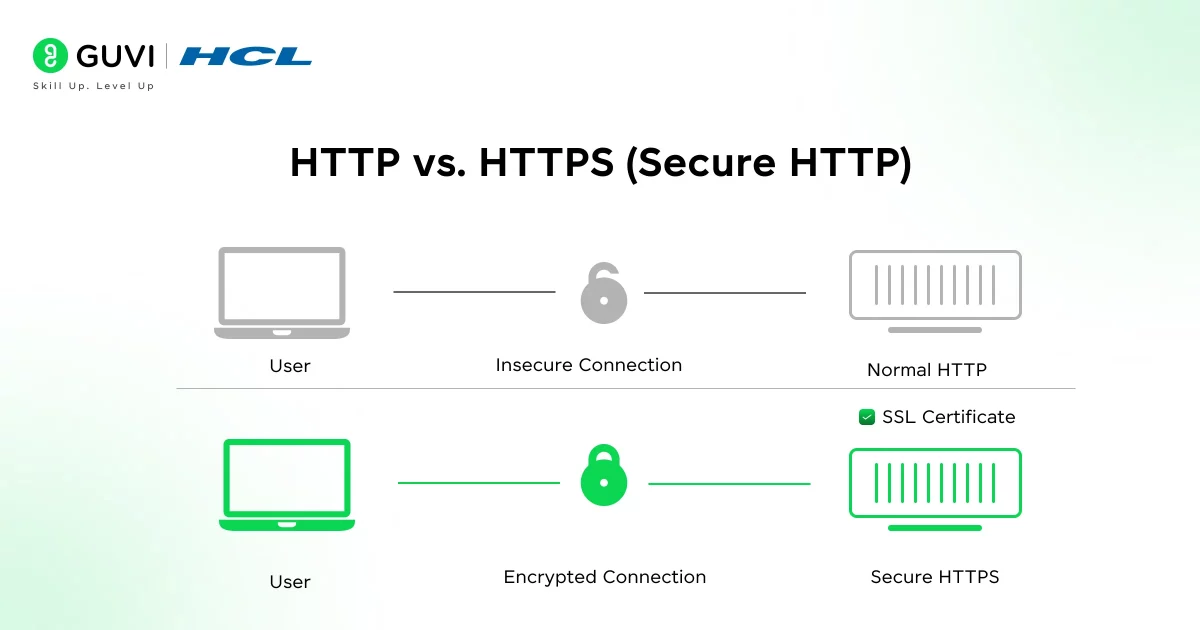
HTTP by itself sends everything in plaintext over the network. This means an attacker sniffing the network could read the contents of requests and responses (including passwords, cookies, etc.).
To protect privacy and security, HTTPS was introduced. HTTPS means “HTTP over TLS/SSL”: before any HTTP data is exchanged, the client and server perform an encryption handshake using SSL/TLS. All subsequent HTTP messages (requests and responses) are then encrypted.
In practice, HTTPS works almost exactly like HTTP at the protocol level, except the entire TCP connection is secured with encryption. The URL starts with https:// and the default port is 443 (instead of 80). When you visit an HTTPS site, your browser first checks the server’s digital certificate (issued by a trusted authority) to authenticate the server. Once the TLS tunnel is established, your GET and POST data travels encrypted.
Today, HTTPS is so important that browsers and search engines favor HTTPS by default. For example, Google’s search ranking gives a slight boost to HTTPS sites, and browsers show a padlock icon for HTTPS pages.
HTTP vs. HTTPS: Why the S Matters
HTTP sends everything in plaintext, so an attacker sniffing the network could read passwords, cookies, or form data. HTTPS wraps the same HTTP messages inside a TLS-encrypted tunnel: the URL starts with https://, the default port switches to 443, and browsers verify the server’s certificate before exchanging data. Search engines and browsers favor HTTPS by default, including a padlock indicator and a minor ranking signal.
HTTP Versions and Evolution
- HTTP/0.9 (1991): the original, GET-only, no headers or status codes.
- HTTP/1.0 (1996): added headers and status codes; one connection per request.
- HTTP/1.1 (1999): persistent connections, pipelining, chunked transfers — the long-time standard.
- HTTP/2 (2015): binary framing, multiplexing, header compression, server push.
- HTTP/3 (2022): runs over QUIC (UDP) instead of TCP, cutting latency and recovering faster from packet loss.
The original version of HTTP, called HTTP/0.9, only supported one command: GET, and it didn’t even include headers or status codes. It was so minimal that every response was just raw HTML with no metadata. Fast forward to today, and we have HTTP/3 running over QUIC, enabling faster, more reliable connections even on spotty networks like mobile or Wi-Fi.
If you’re curious to learn all about Computer Networks and want to apply it in real-world scenarios, don’t miss the chance to enroll in HCL GUVI’s IITM Pravartak and MongoDB Certified Online AI Software Development Course. Endorsed with NSDC certification, this course adds a globally recognized credential to your resume, a powerful edge that sets you apart in the competitive job market.
Conclusion
In conclusion, HTTP in computer networks is the key protocol that makes web browsing and online communication possible. It’s simple in concept but also very powerful and flexible. As you start learning networking or web development, understanding HTTP is essential.
Once you understand the request–response model, the common methods, status codes, headers, and the role of HTTPS (TLS) for security, you’ll be able to read network traces, troubleshoot problems, and make smarter design choices for web apps and APIs.
FAQs
1. What is HTTP, and how does it work?
HTTP (Hypertext Transfer Protocol) is the standard protocol used for transferring data on the web. It works on a client-server model where your browser sends requests and servers return responses.
2. What is the difference between HTTP and HTTPS?
HTTPS is the secure version of HTTP, using SSL/TLS encryption to protect data in transit. It ensures privacy and prevents tampering during communication.
3. What are HTTP methods?
HTTP methods define the type of action to perform on a resource; common ones include GET (retrieve), POST (submit), PUT (update), and DELETE (remove).
4. What are HTTP status codes?
They are three-digit numbers in server responses indicating request outcomes—e.g., 200 (OK), 404 (Not Found), 500 (Server Error).
5. What port does HTTP use?
HTTP uses port 80 by default, while HTTPS uses port 443 for secure communication.
Success Stories

About the Author
Lukesh S
A professional content writer who has experience in freelancing and now working as a Technical Content Writer at HCL GUVI having sound knowledge in Blog Writing and Creative Writing!
View all posts by Lukesh S
Connect with me @
















Did you enjoy this article?