


Python Articles
Freelancing as a Python Developer: Getting Your First Client
Common Python Mistakes Beginners Make And How to Fix Them
Python Best Practices: Writing Clean, Maintainable Code Like a Pro
How to Build a Python Developer Portfolio That Gets You Hired


Get In Touch For Details! Request More Information
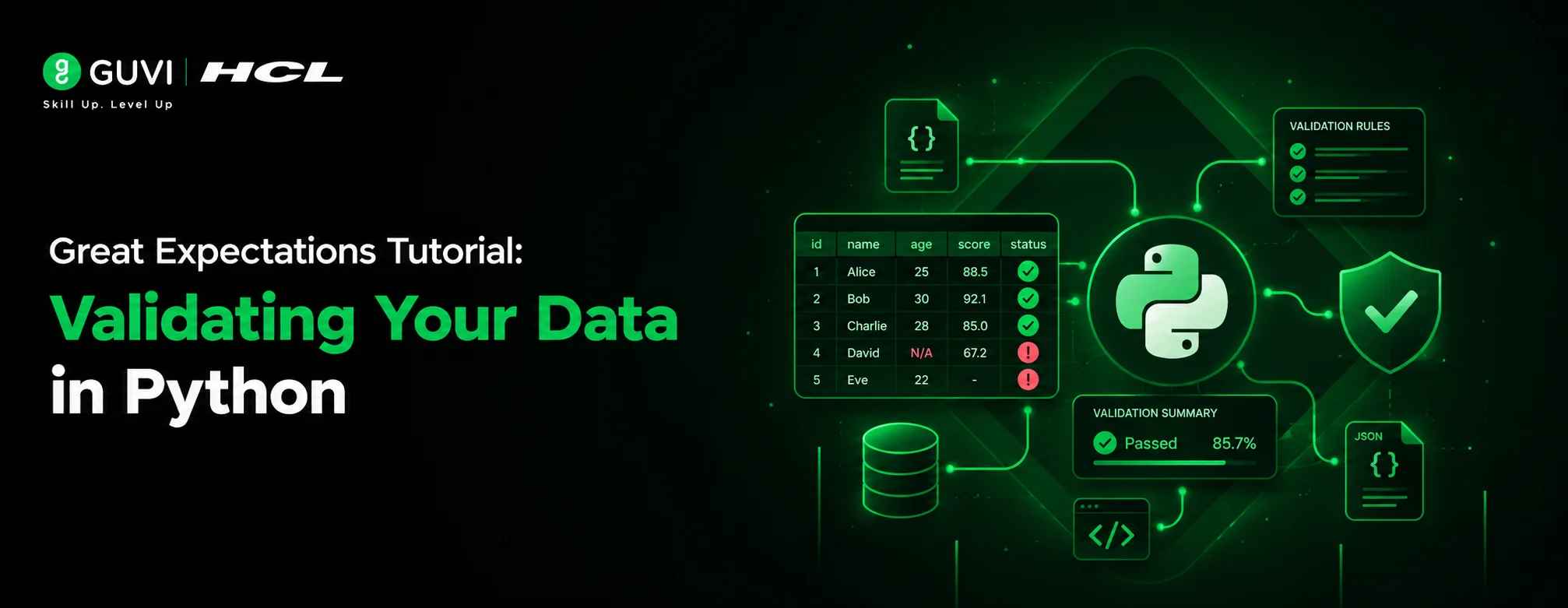
Great Expectations Tutorial: Validating Your Data in Python
Sep 09, 2026 4 Min Read 350 Views
(Last Updated)
Great Expectations is an open-source Python library that checks whether your data matches the rules you define like “this column has no nulls” or “values fall between 0 and 100.” You install it with pip install great_expectations, point it at a dataset, write expectations describing what “good” data looks like, and run validations that flag rows or columns that break those rules before they reach a report or model.
Table of contents
- TL;DR
- What Is Great Expectations?
- Why Does Data Validation Matter?
- Great Expectations vs. Other Validation Tools
- How to Install Great Expectations
- How to Set Up Your First Data Context
- What the Data Context Actually Tracks
- How to Write and Run Expectations
- How to Read Data Docs Reports
- How to Handle Failed Validations in a Pipeline
- Key Takeaways
- What to Do Next
- FAQs
- Is Great Expectations free to use?
- Does Great Expectations work with SQL databases, not just pandas?
- What's the difference between an expectation and a validation?
- Can Great Expectations fix bad data automatically?
- How is Great Expectations different from dbt tests?
TL;DR
- Great Expectations (often shortened to GX) tests your data the way unit tests check your code.
- You define “expectations” — rules like “column X must not be null” — and run them against real data.
- Validation results come with a human-readable Data Docs report, not just a pass/fail flag.
- It plugs into pandas, SQL databases, Spark, and most modern data pipelines.
- It’s most valuable right before data moves into a dashboard, model, or downstream pipeline step.
What Is Great Expectations?
Great Expectations is a data validation framework that lets you write explicit, testable rules about what your data should look like, then checks real data against those rules automatically.
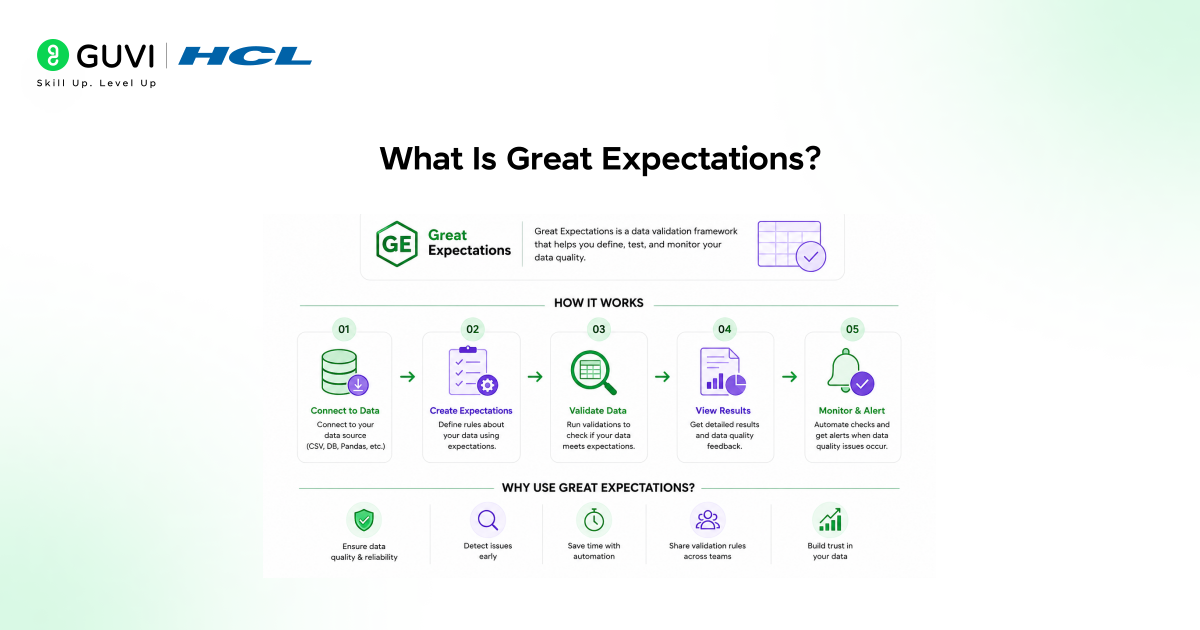
When we added Great Expectations to a client’s weekly reporting pipeline in late 2025, a vendor feed had quietly started sending revenue figures as strings instead of floats. The validation suite caught it on the very first run, before it ever reached the dashboard.
Pro Tip: Think of expectations as unit tests, but for data instead of code. The same instinct that makes you write assert result == 5 applies here — you’re just asserting things about a dataset.
Why Does Data Validation Matter?
Bad data is expensive precisely because it’s quiet. A null where there shouldn’t be one, or a date format that silently changes, often doesn’t throw an error — it just produces wrong numbers downstream, and nobody notices until a report looks off.
Great Expectations matters because it turns these silent failures into loud, early ones:
- Catches schema drift (a column type or name changing unexpectedly)
- Flags missing or out-of-range values before they reach a model
- Produces a shareable report (Data Docs) that non-technical stakeholders can read
- Creates an audit trail of what “valid” meant at any point in time
Warning: Great Expectations checks data quality — it doesn’t fix bad data automatically. You still need a plan for what happens when a validation fails, whether that’s stopping the pipeline or routing bad rows elsewhere.
Great Expectations vs. Other Validation Tools
| Feature | Great Expectations | Pandera | dbt tests |
|---|---|---|---|
| Best for | Standalone Python validation across many data sources | Schema validation tied closely to pandas/DataFrames | SQL-based validation inside a dbt transformation pipeline |
| Reporting | Built-in Data Docs (HTML reports) | No built-in reporting UI | Test results shown in dbt run logs |
| Learning curve | Moderate — more setup, more configuration options | Low — feels like Python type hints | Low if you already use dbt |
| Works outside Python pipelines | Yes, via SQL backends | Limited | Yes, but only within dbt projects |
Data Point: Many data teams adopt Great Expectations specifically because Data Docs gives analysts and stakeholders a readable report, not just a terminal pass/fail message. [HUMAN EDITOR: replace with a sourced adoption statistic if available, or remove this line]
How to Install Great Expectations
Great Expectations runs on Python 3.9 or later, and it’s a heavier install than most validation libraries because it ships with reporting tools.
- Create a virtual environment: python -m venv gx-env
- Activate it: source gx-env/bin/activate (macOS/Linux) or gx-env\Scripts\activate (Windows)
- Install the package: pip install great_expectations
- Confirm it installed: great_expectations –version
Best Practice: Install Great Expectations in its own virtual environment. Its dependency list is large, and mixing it into a project with conflicting package versions is a common source of install errors.
How to Set Up Your First Data Context
A “Data Context” is the project-level configuration that tells Great Expectations where your data lives and where to store validation results.
import great_expectations as gx
context = gx.get_context()
# Connect to a pandas DataFrame as a data source
import pandas as pd
df = pd.read_csv(“orders.csv”)
data_source = context.data_sources.add_pandas(“orders_source”)
data_asset = data_source.add_dataframe_asset(name=”orders”)
This creates a lightweight, file-based project context — enough to start validating without setting up a database or cloud storage.
What the Data Context Actually Tracks
The context stores three things: where your data comes from, what expectations you’ve defined, and the history of past validation runs. This is what lets Great Expectations show you trends over time, not just a single pass/fail snapshot.
How to Write and Run Expectations
Expectations are the actual rules. Here’s a small, realistic set for an orders dataset.
batch_request = data_asset.build_batch_request(dataframe=df)

validator = context.get_validator(batch_request=batch_request)
# Define expectations
validator.expect_column_values_to_not_be_null(“order_id”)
validator.expect_column_values_to_be_between(“order_total”, min_value=0, max_value=100000)
validator.expect_column_values_to_be_in_set(“status”, [“pending”, “shipped”, “delivered”, “cancelled”])
# Save and run
validator.save_expectation_suite(discard_failed_expectations=False)
results = validator.validate()
print(results.success)
If results.success comes back False, Great Expectations tells you exactly which expectation failed and on which rows — not just that “something” was wrong.
[Suggested visual: Add a screenshot here showing a Data Docs validation results page with a failed expectation highlighted.]
How to Read Data Docs Reports
Data Docs is the HTML report Great Expectations generates after each run, and it’s built to be read without writing more code.
- Generate or refresh the docs: context.build_data_docs()
- Open the local file path printed in the console, or use context.open_data_docs()
- Review the suite-level summary, then drill into individual expectation results
- Share the report link with teammates who don’t work directly in the codebase
This report is often the single artifact that convinces a non-engineering stakeholder that data quality is actually being monitored, rather than assumed.
How to Handle Failed Validations in a Pipeline
A validation failure is only useful if something happens because of it. Most teams wire validation into their pipeline so a failure stops the process or triggers an alert.
results = validator.validate()
if not results.success:
raise ValueError(“Data validation failed — check Data Docs for details”)
Best Practice: Don’t aim for 100% strict validation on day one. Start with the two or three rules that would actually break something downstream — like a null primary key — and add more expectations as you learn where your data tends to break.
Key Takeaways
- Great Expectations validates data the way unit tests validate code, using explicit, named rules called expectations.
- A Data Context is the project setup that tracks your data sources, expectations, and validation history.
- Data Docs turns validation results into a readable HTML report, useful for both engineers and stakeholders.
- Failed validations should trigger a clear action in your pipeline stopping, alerting, or rerouting bad data.
- Start with a small set of high-impact expectations rather than trying to validate everything at once.
If you want a structured, mentor-supported path through everything in a roadmap, HCL GUVI’s IIT-M Pravartak Certified Full Stack Developer Course with AI Integration covers the entire journey, from HTML to deployment, with real projects, live sessions, and placement support. Over 10,000 students have used it to break into product-based companies.
What to Do Next
If you’re new to Great Expectations, pick one dataset that has caused a problem before — a vendor feed, a manual upload, anything with a history of surprises — and write three expectations for it. That’s usually enough to see the value before investing in a full validation suite across every pipeline.
FAQs
Is Great Expectations free to use?
Yes, Great Expectations is open-source and free under an Apache 2.0 license. There’s also a paid cloud offering (GX Cloud) for teams that want hosted reporting and collaboration features.
Does Great Expectations work with SQL databases, not just pandas?
Yes. Great Expectations supports SQL-based data sources alongside pandas and Spark, so you can validate data directly inside a warehouse like PostgreSQL or Snowflake.
What’s the difference between an expectation and a validation?
An expectation is the rule you define, like “column X has no nulls.” A validation is the act of running that rule against real data and getting a pass or fail result.
Can Great Expectations fix bad data automatically?
No. Great Expectations only detects and reports data quality issues — fixing the data or deciding what to do about failures is left to your own pipeline logic.
How is Great Expectations different from dbt tests?
Great Expectations works across many data sources and Python pipelines, while dbt tests run only within a dbt transformation project using SQL.
Success Stories

About the Author
Vishalini Devarajan
An Aerospace Engineer turned content writer, I focus on making complex concepts easy to understand through well-structured, reader-friendly blogs. Whether it’s a technical topic or a non-technical one, I love creating content that is clear, engaging, and impactful.
View all posts by Vishalini Devarajan
Connect with me @









Did you enjoy this article?