


Python Articles
Freelancing as a Python Developer: Getting Your First Client
Common Python Mistakes Beginners Make And How to Fix Them
Python Best Practices: Writing Clean, Maintainable Code Like a Pro
How to Build a Python Developer Portfolio That Gets You Hired


Get In Touch For Details! Request More Information
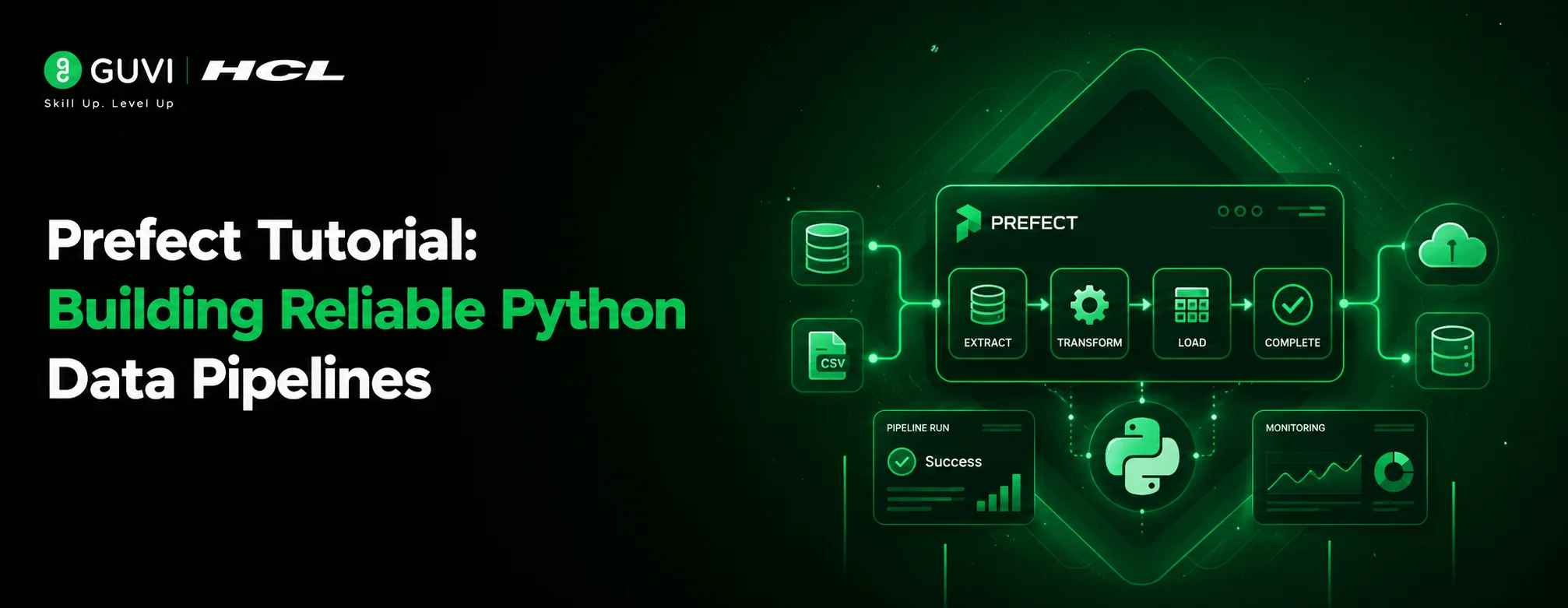
Prefect Tutorial: Building Reliable Python Data Pipelines
Sep 09, 2026 4 Min Read 334 Views
(Last Updated)
Prefect is a Python-based workflow orchestration tool that turns ordinary functions into trackable, schedulable, and fault-tolerant pipelines using simple decorators like @flow and @task. You install it with pip install prefect, wrap your existing code, and run it locally or deploy it to run on a schedule with automatic retries, logging, and a visual dashboard — without rewriting your logic around a rigid DAG syntax.
Table of contents
- TL;DR
- What Is Prefect?
- Why Does Prefect Matter for Data Teams?
- Prefect vs. Airflow vs. Dagster
- How to Install Prefect
- How to Build Your First Prefect Flow
- What Each Decorator Actually Does
- How to Monitor Flows With the Prefect UI
- How to Schedule a Prefect Flow
- How to Handle Failures and Retries
- Key Takeaways
- What to Do Next
- FAQs
- Is Prefect free to use?
- Does Prefect replace Airflow?
- Can I run Prefect without the UI?
- What Python version does Prefect require?
- How is a Prefect task different from a Prefect flow?
TL;DR
- Prefect lets you turn plain Python functions into orchestrated workflows using @flow and @task decorators — no special DAG syntax required.
- It handles retries, caching, scheduling, and failure notifications out of the box.
- A local Prefect server gives you a dashboard to watch every run, including logs and task-level status.
- Deployments let you run flows on a schedule or trigger them from events, without manually starting scripts.
- It’s a strong fit for data teams who want orchestration without the operational weight of Airflow.
What Is Prefect?
Prefect is an open-source orchestration framework for Python that manages how and when your code runs. Instead of writing custom retry logic, logging, or scheduling by hand, you describe your workflow with two decorators — @task for individual units of work and @flow for the pipeline that ties them together.
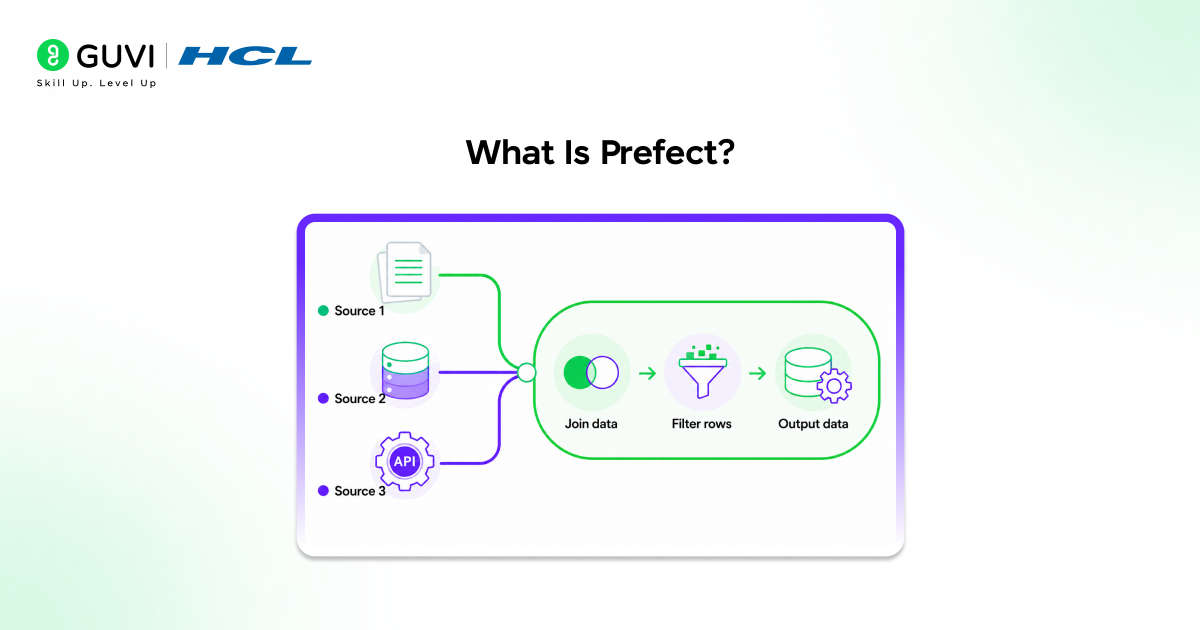
When we moved a client’s nightly ETL job from cron scripts to Prefect in late 2025, the biggest win wasn’t speed it was visibility. A job that used to fail silently overnight now sent a Slack alert within minutes, with the exact task and error logged in the dashboard.
Pro Tip: If you already have working Python functions, you rarely need to rewrite them for Prefect. In most cases, you just add decorators on top of code that already exists.
Why Does Prefect Matter for Data Teams?
Data pipelines fail in small, annoying ways a flaky API, a timeout, a missing file. Prefect matters because it treats these failures as expected events rather than exceptions to your code, giving you retries, alerts, and historical run data without extra plumbing.
Compared to writing orchestration logic from scratch in cron or custom schedulers, Prefect gives you:
- Automatic retries with configurable backoff
- A persistent record of every run, including inputs and logs
- Built-in caching so you don’t recompute unchanged results
- A UI you can hand to a teammate who isn’t reading raw logs
Warning: Prefect is an orchestrator, not a data processing engine. It schedules and tracks the work — your actual transformations still run in pandas, Spark, dbt, or whatever tool you already use.
Prefect vs. Airflow vs. Dagster
| Feature | Prefect | Airflow | Dagster |
|---|---|---|---|
| Setup complexity | Low — pure Python, no DAG files required | High — DAG files, scheduler, webserver | Medium — typed assets, more upfront structure |
| Dynamic workflows | Native support (loops, conditionals work as-is) | Limited without workarounds | Supported via dynamic graphs |
| Local development | Runs directly with python flow.py | Needs a running Airflow instance | Needs dagster dev |
| Best for | Teams wanting fast iteration on Python-native pipelines | Large, mature data platforms with complex scheduling needs | Teams wanting strong data asset typing/lineage |
Data Point: Prefect’s own 2025 community survey reported that most users cited faster local iteration and simpler debugging as their top reasons for switching from Airflow.
How to Install Prefect
Prefect runs on Python 3.9 or later. Set up a clean environment before installing.
- Create a virtual environment: python -m venv prefect-env
- Activate it: source prefect-env/bin/activate (macOS/Linux) or prefect-env\Scripts\activate (Windows)
- Install Prefect: pip install -U prefect
- Confirm the install: prefect version
Best Practice: Always install Prefect inside a virtual environment, not globally. Orchestration tools tend to pull in dependencies that can conflict with other projects.
How to Build Your First Prefect Flow
Here’s a minimal example that fetches data and processes it the same shape as most real pipelines, just simplified.
from prefect import flow, task
import httpx
@task(retries=2, retry_delay_seconds=5)
def fetch_data(url: str) -> dict:
response = httpx.get(url)
response.raise_for_status()
return response.json()
@task
def process_data(data: dict) -> int:
return len(data.get(“results”, []))
@flow(name=”fetch-and-process”)
def my_pipeline(url: str):
raw = fetch_data(url)
count = process_data(raw)
print(f”Processed {count} records”)
if __name__ == “__main__”:
my_pipeline(“https://api.example.com/data”)
Run it directly with python my_pipeline.py. Notice the retries=2 argument on fetch_data — that single line replaces what would otherwise be a manual try/except retry loop.
What Each Decorator Actually Does
A @task is the smallest trackable unit of work Prefect logs its inputs, outputs, duration, and any retries. A @flow is the container that calls one or more tasks in sequence or in parallel; it’s the unit you schedule and deploy.

How to Monitor Flows With the Prefect UI
Prefect ships with a local server that gives you a dashboard for every run.
- Start the server: prefect server start
- Open the dashboard at http://127.0.0.1:4200
- Run your flow script again; it now appears in the UI automatically
- Click into the run to see task-level logs, durations, and any errors
[Suggested visual: Add a screenshot here showing the Prefect UI flow-run timeline with task statuses color-coded.]
How to Schedule a Prefect Flow
Running scripts manually doesn’t scale. Deployments let Prefect run your flow on a schedule or in response to events.
from prefect import flow
@flow
def my_pipeline():
…
if __name__ == “__main__”:
my_pipeline.serve(name=”nightly-pipeline”, cron=”0 2 * * *”)
This single .serve() call starts a long-running process that triggers my_pipeline every night at 2 AM, with no separate cron job or external scheduler needed.
Pro Tip: For production use, most teams move from .serve() to a proper work pool and worker setup, which separates “where the flow is defined” from “where it actually runs” — useful once you’re deploying to Docker or Kubernetes.
How to Handle Failures and Retries
Prefect’s retry handling is one of its most practical features because it’s declarative — you state the policy, not the loop.
@task(retries=3, retry_delay_seconds=10, retry_jitter_factor=0.5)
def unreliable_call():
…
For failure notifications, Prefect supports automations that watch for failed runs and send alerts to Slack, email, or a webhook, configurable directly from the UI without additional code.
Warning: Retries re-run the entire task, not just the part that failed. If your task has side effects (like writing a file), make sure it’s safe to run more than once this is usually called making a task “idempotent.”
Key Takeaways
- Prefect turns existing Python functions into orchestrated workflows with two decorators: @task and @flow.
- Retries, caching, and scheduling are handled declaratively, removing a lot of boilerplate error-handling code.
- The local UI gives non-technical stakeholders visibility into pipeline health without reading logs.
- .serve() is the fastest path to a scheduled flow; work pools and workers are the production-grade path.
- Idempotency matters more with retries enabled design tasks so re-running them is safe.
If you want a structured, mentor-supported path through everything in a roadmap, HCL GUVI’s IIT-M Pravartak Certified Full Stack Developer Course with AI Integration covers the entire journey, from HTML to deployment, with real projects, live sessions, and placement support. Over 10,000 students have used it to break into product-based companies.
What to Do Next
If you’re evaluating Prefect for your team, start by converting one existing script ideally something that already fails occasionally into a flow. That’s usually enough to demonstrate the retry and visibility benefits without committing to a full migration.
FAQs
Is Prefect free to use?
Yes, Prefect’s open-source core is free under an Apache 2.0 license. Prefect Cloud, a managed hosting option, has paid tiers for teams that don’t want to self-host the server.
Does Prefect replace Airflow?
Prefect can replace Airflow for most teams, especially those who want Python-native workflows without writing separate DAG files. Airflow still has an edge in some large, long-established enterprise deployments.
Can I run Prefect without the UI?
Yes. Flows run fine as plain Python scripts without a server connection, though you lose the dashboard, retry history, and notification features.
What Python version does Prefect require?
Prefect requires Python 3.9 or newer. Always check the current Prefect documentation for the latest supported version range before installing.
How is a Prefect task different from a Prefect flow?
A task is a single unit of work tracked by Prefect, while a flow is the function that organizes and calls one or more tasks together as a pipeline.
Success Stories

About the Author
Vishalini Devarajan
An Aerospace Engineer turned content writer, I focus on making complex concepts easy to understand through well-structured, reader-friendly blogs. Whether it’s a technical topic or a non-technical one, I love creating content that is clear, engaging, and impactful.
View all posts by Vishalini Devarajan
Connect with me @














Did you enjoy this article?