


Artificial Intelligence and Machine Learning Articles
Using Claude to Write LinkedIn Posts That Get Engagement
Claude for Social Media: Creating a Month of Content Fast


Get In Touch For Details! Request More Information

How to Deploy Claude Code Across Your Enterprise
Jun 20, 2026 6 Min Read 1336 Views
(Last Updated)
Claude Code has become a powerful pair‑programming assistant for developers, but managing it across an enterprise team introduces real friction. Individual Max subscriptions lead to scattered billing, no visibility into usage, and no centralized control over who can access what.
As soon as several engineers start using Claude Code heavily, these loose setups quickly become a budget and security problem. Anthropic’s Team and Enterprise plans solve this by bringing Claude Code under a single, centrally managed subscription.
Organizations can now enforce SSO, assign Standard or Premium seats, lock down policies with managed settings, and control spend and compliance at scale. This structure turns a collection of personal accounts into a governed, enterprise‑grade coding assistant for your entire engineering organization.
In this article, we will walk through exactly how to enable Claude Code for your enterprise team, what the plan differences are, how seat types work, how to configure SSO and admin controls, how to set organization-wide policies, and what the Compliance API offers for teams with regulatory requirements.
Quick TL;DR:
- Centralized management – Team and Enterprise plans let you manage Claude Code under one subscription with admin control over who uses it and how much they spend.
- Team vs. Enterprise – Team (5–150 people, per‑seat pricing, 200K tokens); Enterprise (larger teams, usage‑based billing, SSO/SCIM, up to 1M tokens for Claude Code).
- Seat types – Standard seats for non‑devs; Premium seats for engineers who need Claude Code; admins can upgrade seats as needed.
- SSO & identity – Enforce SSO (Okta, Azure AD, Auth0, Google Workspace) and domain capture so everyone signs in via the work account, not personal ones.
- Policy & security – Use managed-settings.json to lock down model access, file permissions, MCP servers, and code‑modifying commands across machines.
- Cost & compliance – Set spend caps per organization and per user, use analytics (lines of code accepted, suggestion rates), and leverage the Compliance API for regulated industries.
Table of contents
- How Do You Enable Claude Code for an Enterprise Team?
- Understanding the Plans: Team vs. Enterprise
- Team Plan vs. Enterprise Plan
- What Sets Enterprise Apart
- Seat Types: Standard vs. Premium
- Standard vs. Premium Seats
- Managing and Upgrading Seats
- Setting Up SSO and Identity Management
- Configuring Organization-Wide Claude Code Policies
- Enforcing Organization-Wide Policies
- Hierarchical Settings and Permission Rules
- Governing MCP Server Access
- Spend Controls and Usage Analytics
- Centralized Spend Control and Seat Management
- Organization‑Level Caps and Usage Analytics
- The Compliance API for Regulated Industries
- The Compliance API for Regulated Work
- Personal vs. Work Accounts and Data Governance
- What Enterprises Are Seeing in Practice
- Final Thoughts
- FAQs
- Can I use Claude Code on my individual Max plan?
- How do I give developers access to Claude Code?
- Is my data used for model training on Enterprise?
- Can I control which tools Claude Code can access?
- What do I gain from the Compliance API?
How Do You Enable Claude Code for an Enterprise Team?
Upgrade to a Team or Enterprise plan and assign premium seats to developers through the admin panel
Enterprise and Team customers can now upgrade to premium seats that include more usage and Claude Code, bringing Claude’s app and powerful coding agent together under one subscription. Admins have full flexibility to assign standard or premium seats according to individual user requirements and organizational roles.
Understanding the Plans: Team vs. Enterprise
Team Plan vs. Enterprise Plan
The Team plan is designed for organizations of 5 to 150 people, with per‑seat pricing and a fixed usage amount per seat. For teams with 150+ developers or strict compliance needs, the Enterprise plan is the right fit, offering usage‑based billing where all members share one organizational token pool and no per‑seat usage limits.
Enterprise also unlocks larger context windows: 500K tokens with Sonnet 4.6 in chat and 1M tokens when using Claude Code, which is critical for long, agentic coding sessions over large codebases.
What Sets Enterprise Apart
Enterprise goes beyond Team by including SAML 2.0 and OIDC‑based SSO with SCIM for automated user provisioning and deprovisioning, detailed audit logs, and custom data retention settings.
It also provides the Compliance API and Analytics API for regulatory and usage‑monitoring use cases, plus HIPAA readiness via a Business Associate Agreement, making it the right choice for organizations that need governed, auditable AI coding at scale.
When teams move from individual Max accounts to Team or Enterprise, Claude Code becomes a centrally managed, auditable pair-programming tool. Features like SSO, SCIM, and policy controls allow organizations to enforce security, cost limits, and restrict risky actions such as unauthorized file edits.
Enterprise plans also unlock up to 1M-token context windows (and 500K with Sonnet 4.6), enabling deeper reasoning across large codebases. With tools like the Compliance API and structured commercial terms, Claude Code evolves into a governed, production-ready system integrated into enterprise risk and compliance frameworks.

Seat Types: Standard vs. Premium
Standard vs. Premium Seats
One of the most practical parts of the Team and Enterprise setup is the two‑tier seat model. Admins can assign Standard seats for Claude.ai usage (writing, analysis, planning) and Premium seats for developers who need Claude Code. This lets you align costs with actual needs: product managers or designers typically only require Standard seats, while engineers living in the terminal with Claude Code agents should have Premium access.
Managing and Upgrading Seats
Premium seats give users access to both Claude and Claude Code, so developers can chat through design and research in Claude, then generate and run production‑ready code with Claude Code in the terminal.
Seat upgrades are prorated within your billing cycle, allowing you to add Premium seats as your developer count grows without waiting for renewal. All of this is handled through the self‑serve admin panel, so you rarely need to contact Anthropic support when someone joins or leaves the team.
Setting Up SSO and Identity Management
Step 1: Prepare for SSO before rollout
Decide on SSO first, before Claude Code reaches any developers. Deploying without SSO creates personal accounts, inconsistent access, and messy deprovisioning later. This step is the foundation for a centralized, secure rollout.
Step 2: Configure SSO in the Admin Console
Claude supports SAML 2.0 and OIDC with Okta, Azure AD, Auth0, and Google Workspace. In the Claude Admin Console, enable “Require SSO for Console” and “Require SSO for Claude”. This enforces SSO authentication and inherits MFA from your identity provider.
Step 3: Claim your corporate email domains
Use domain capture to claim your organization’s email domains in Claude. Once active, any sign‑in with a company email is automatically routed to your enterprise workspace. This prevents employees from falling back to personal accounts on any interface.
Step 4: Map IdP groups to Claude roles
In your identity provider, map groups (e.g., “Engineering”) to Claude roles: Primary Owner (full admin), Admin (users, policies, logs), and Member (standard users). When someone is added to the right group, they get the correct Claude role automatically. When they leave the group, their access is revoked across web, desktop, and CLI.
Step 5: Enable SCIM for Enterprise plans
On Enterprise, turn on SCIM for automatic user provisioning and deprovisioning. SCIM lets you sync users from your IdP and manage access across multiple organizations (e.g., separate Team/Enterprise or Console workspaces). This removes manual work and keeps access aligned with your HR and directory systems..
Configuring Organization-Wide Claude Code Policies
1. Enforcing Organization-Wide Policies
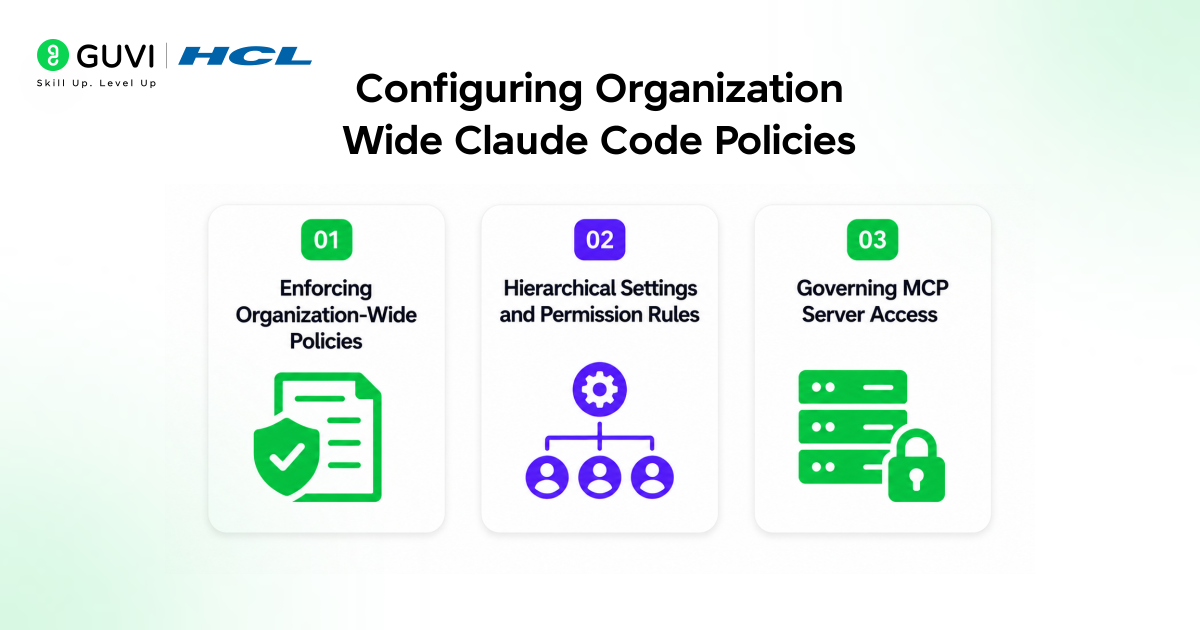
Once identity and SSO are set, the next step is controlling what Claude Code can do across your team’s machines. The managed-settings.json file enforces organization‑wide policies that individual developers cannot override. Admins deploy it via MDM to system‑level paths on macOS or Linux, where it governs permissions, model access, MCP server allowlists, and sandbox behavior.
2. Hierarchical Settings and Permission Rules
Granular control comes from a hierarchy of settings.json files: enterprise‑managed policies, project‑specific settings, and user preferences. These layers define “allow,” “ask,” and “deny” rules for specific commands and actions in the terminal.
A sensible base policy blocks access to sensitive locations like .env files and secrets directories, sets “ask” for file‑modifying or deployment‑related commands, and explicitly allows only the tools your workflows actually depend on.
3. Governing MCP Server Access
For MCP server governance, the managed‑settings file lets admins define an allowlist of approved servers. This prevents developers from connecting Claude Code to arbitrary external services while still enabling approved integrations such as GitHub, Slack, or internal databases.
The result is a tightly controlled, yet flexible environment where external tools remain available only when they meet your organization’s security and compliance standards.
Spend Controls and Usage Analytics
Centralized Spend Control and Seat Management
- Cost visibility was one of the most cited frustrations with individual subscriptions. The Team and Enterprise admin panel addresses this directly. Self‑serve seat management lets admins purchase new seats, directly manage seat allocation, and provision users through the admin panel.
- Granular spend controls let you set spending limits at the organization and individual user level to stay within budget while maintaining flexibility for essential projects. Usage analytics give you visibility into Claude Code metrics, including lines of code accepted, suggestion acceptance rate, and usage patterns.
Organization‑Level Caps and Usage Analytics
- The spend control system operates at two levels. Organization‑level caps set an overall ceiling on what the entire company can spend in a billing period. User‑level caps let you set different limits for different roles. A senior engineer running complex agent workflows might have a higher individual cap than someone who is just getting started.
- When a user approaches their limit, they are notified so work is not interrupted unexpectedly. Usage analytics show metrics like lines of code accepted and suggestion acceptance rates, which help you figure out if you are getting your money’s worth.
- For engineering leaders trying to justify the cost of Claude Code to finance teams, having concrete metrics tied to actual developer productivity is a meaningful advantage over trying to estimate value from individual anecdotes.
The Compliance API for Regulated Industries
The Compliance API for Regulated Work
For finance, healthcare, and government organizations, the Compliance API makes large‑scale Claude Code use possible. It gives compliance teams real‑time, programmatic access to usage data and customer content instead of manual exports.
Teams can build continuous monitoring, auto‑flag risks, and plug Claude data into existing dashboards. Selective deletion tools also let admins manage data retention and purge specific content when needed.
Personal vs. Work Accounts and Data Governance
Consumer accounts (Free, Pro, Max) follow Consumer Terms: conversations are used for model training by default unless each user opts out. Work accounts on Team/Enterprise follow Commercial Terms, where Anthropic acts as a data processor, and conversations are not used to train models by default.
This separation is essential for compliance and privacy in regulated industries. Moving employees from personal accounts to managed Work accounts is a data‑governance requirement, not just an admin cleanup.
What Enterprises Are Seeing in Practice
- The adoption results from early enterprise customers give a concrete sense of what centralized Claude Code management enables at scale.
- Behavox, a compliance and security company, shared: “Since bundling Claude for Enterprise with Claude Code, we’ve rolled it out to hundreds of developers, and it has quickly become our go-to pair programmer.
- Its coding assistance consistently outperforms other agents, delivering superior results and value every day.” Altana reported: “Claude Code and Claude have accelerated Altana’s development velocity by 2-10x, transforming how we build sophisticated AI/ML systems that facilitate multi-party collaboration on large-scale knowledge graphs of global supply chains.”
- The velocity gains are consistent across organizations that have made the shift from individual subscriptions to managed enterprise deployment.
- The combination of centralized access control, enforced policies, spend visibility, and compliance tooling removes the organizational friction that otherwise limits how broadly an engineering team can actually use Claude Code in production workflows.
If you want to go beyond individual coding assistants and learn how Claude Code, managed seats, SSO, and compliance‑aware workflows fit into modern AI‑driven engineering, explore HCL GUVI’s IIT Pravartak AI and ML Course program at HCL GUVI. Build secure, enterprise‑scale coding agents, automate developer workflows, and master governed AI‑pair‑programming step by step.
Final Thoughts
Enabling Claude Code for your enterprise team is not just about flipping a switch; it is about putting the right structure in place so that a powerful tool can scale safely across your organization.
Start with SSO and domain capture, assign seat types based on actual developer needs, configure managed settings to enforce your organization’s policies, and set spend controls before usage scales up.
This approach provides a simple way to scale with Claude, while offering centralized billing, management, and enterprise-grade administrative controls at every step. Teams on the Team plan can get started with a straightforward admin panel setup in an afternoon.
Enterprise deployments with SCIM, the Compliance API, and managed policy rollout via MDM will take longer to configure properly, but getting it right at the start is far easier than retrofitting governance onto a team that has already scattered across personal accounts.
FAQs
1. Can I use Claude Code on my individual Max plan?
Yes, but only for solo use; for enterprise teams, you need Team or Enterprise with Premium seats for developers.
2. How do I give developers access to Claude Code?
Upgrade to Team/Enterprise, assign them Premium seats via the admin panel, ensure they sign in with SSO and their work email.
3. Is my data used for model training on Enterprise?
No, Work accounts on Team/Enterprise are under Commercial Terms, where conversations are not used to train Anthropic models by default.
4. Can I control which tools Claude Code can access?
Yes, use the managed‑settings file to allowlist approved MCP servers and block or require approvals for certain commands and file operations.
5. What do I gain from the Compliance API?
It gives programmatic access to usage and content data so you can build continuous monitoring, enforce policies, and integrate into existing compliance dashboards.
Success Stories

About the Author
Vishalini Devarajan
An Aerospace Engineer turned content writer, I focus on making complex concepts easy to understand through well-structured, reader-friendly blogs. Whether it’s a technical topic or a non-technical one, I love creating content that is clear, engaging, and impactful.
View all posts by Vishalini Devarajan
Connect with me @












Did you enjoy this article?