


Artificial Intelligence and Machine Learning Articles
Finance Manager to Data Analytics: Career Growth, Salary and Seniority
How to Evaluate LLM Outputs in Production Deployments
AI/ML Skills Gap 2026: Why Companies Can't Find Job-Ready Talent
20 AI/ML Interview Questions Recruiters Can Use Without a Tech Background - Best Guide


Get In Touch For Details! Request More Information
27+ Best Free AI Tools in 2026 – Writing, Image, Code, Video & Productivity (Category-Wise)
Jul 18, 2026 5 Min Read 68533 Views
(Last Updated)
AI tools are transforming how we create content, with over 1 million users today making videos using platforms like Synthesia that offer 230+ avatars in 140+ languages. Looking for the best free AI tools that actually deliver results? You’re not alone. In fact, major brands including Shopify, Instacart, and Airbnb are already using ai marketing tools to gain competitive advantages.
The good news? There are over 1,500 free ai tools available without registration, and this isn’t just about saving money. This expert-tested guide cuts through the noise to bring you the best free ai tools that genuinely work in 2026. I’ve tested and compiled the most effective options to help you achieve professional results without the premium price tag. Let’s get right to it!
TL/DR Summary:
TL;DR
AI tools with a real, permanent free tier now exist for almost every task, writing, chatting, coding, image and video generation, and productivity. This guide organizes 27+ of the best ones by category, states each tool’s actual free-tier limit (not just “free forever” marketing language), and adds a dedicated section for Indian students, plus a straight answer to “is the free tier enough, or do you need to pay?”
Table of contents
- Top 25 Best Free AI Tools in 2026 for Content Creation, Marketing, SEO, and Productivity
- Free AI Tools vs Paid AI Tools : Is Free Enough?
- AI Chatbots & Writing Assistants
- ChatGPT
- Claude
- Google Gemini
- Perplexity
- Grammarly
- SuperHumanizer
- AIhumanizer.io
- HumanizeText.io
- AI Image Generation Tools
- Canva AI
- Ideogram
- Adobe Firefly
- AI Video & Presentation Tools
- Gamma
- Runway
- AI Coding Tools
- GitHub Copilot
- Google Colab
- AI Productivity & Research Tools
- NotebookLM
- Free AI Tools for Students in India
- Concluding Thoughts…
- FAQs
- Q1. What are some of the best free AI tools available in 2026?
- Q2. How can AI tools help improve productivity in content creation?
- Q3. Are there any free AI tools for SEO and content optimization?
- Q4. Can AI tools help with video creation for social media?
Top 25 Best Free AI Tools in 2026 for Content Creation, Marketing, SEO, and Productivity
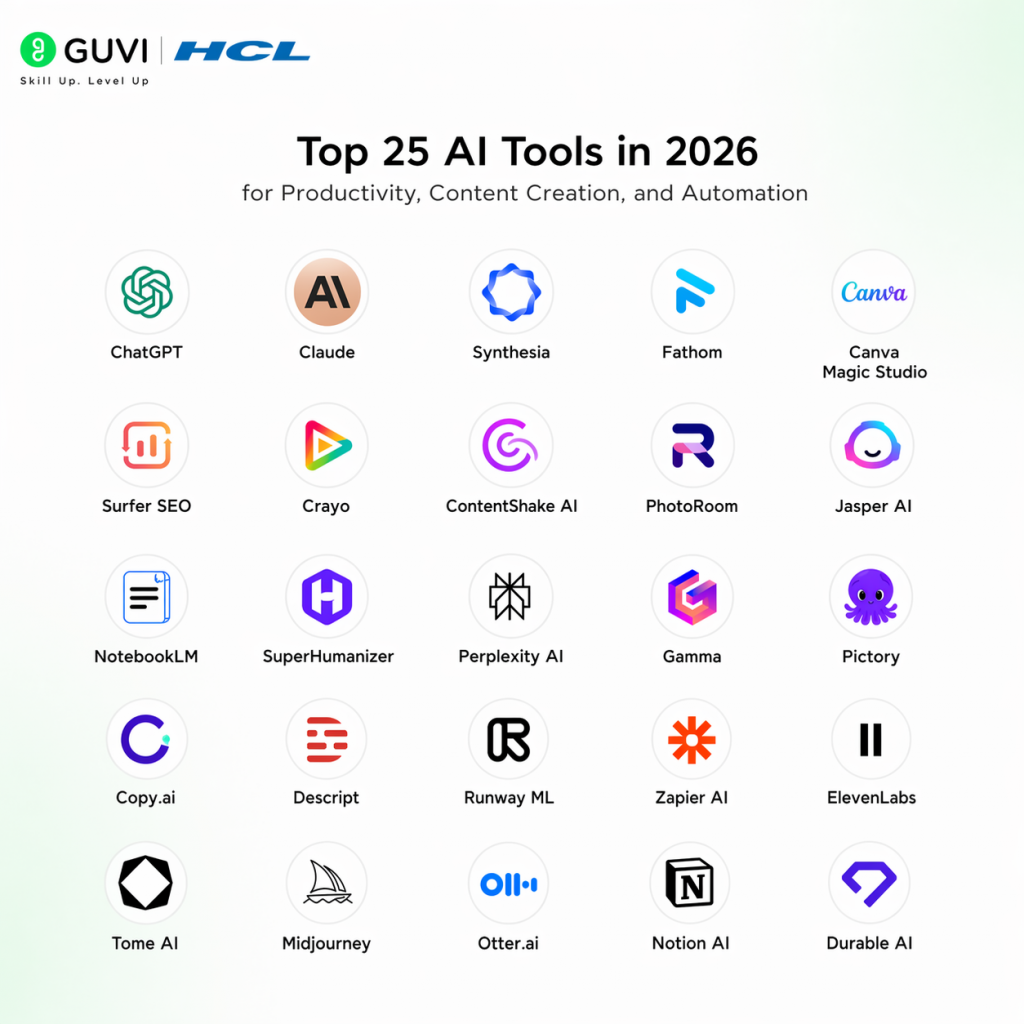
Finding free AI tools that actually deliver results can feel like searching for a needle in a haystack. Fortunately, after extensive testing, we’ve identified the most powerful free AI options that consistently perform well. These tools offer significant value without requiring payment upfront, though some operate on freemium models with additional features available through paid plans.
Free AI Tools vs Paid AI Tools : Is Free Enough?
Short answer: for learning, coursework, and light personal projects, free tiers are enough for almost everyone. For daily professional use heavy coding, client-facing video, or research at volume, you’ll likely hit a ceiling within a few weeks.
| Use Case | Is the Free Tier Enough? | When You’d Need to Upgrade |
|---|---|---|
| Studying / coursework | Yes, comfortably | Rarely only for very heavy daily use |
| Job hunting (resumes, prep, interview practice) | Yes | If using multiple AI tools daily at high volume |
| Freelance / client work | Sometimes | When a client needs higher-resolution exports, no watermark, or faster turnaround |
| Startup / business use | Rarely as sole tool | Almost always: team seats, higher limits, priority support |
| Learning to code | Yes | Once building production-grade or large projects |
1. AI Chatbots & Writing Assistants
Best for drafting, brainstorming, research, and everyday Q&A.
| Tool | Free Tier Limit | Best For | Paid Plan? |
|---|---|---|---|
| ChatGPT | Daily message cap on the flagship model, unlimited on the lighter fallback model | All-round writing, brainstorming, coding help | Yes – Go / Plus / Pro tiers |
| Claude | Daily message allowance on the free model | Long-form writing, careful reasoning, document analysis | Yes – Pro / Max tiers |
| Google Gemini | Free tier with daily limits; free 1-year Pro access for verified students in some regions | Research, Google Workspace integration, Hindi/regional language support | Yes – Gemini Pro / Ultra |
| Perplexity | Unlimited standard searches; limited Pro searches per day | Cited research with clickable sources | Yes – Perplexity Pro |
| Grammarly | Unlimited basic grammar/spelling checks across browser tabs | Polishing assignments, emails, and cover letters | Yes – Premium for full-paragraph rewrites |
ChatGPT
The default starting point for most people good at drafting, explaining concepts, and general coding help.
Claude
Known for careful, well-structured long-form writing and handling big documents without losing context.
Google Gemini
Strongest pick if you’re already in the Google ecosystem (Docs, Sheets, Gmail) or need Hindi/regional-language support.
Perplexity
Every answer comes with clickable citations, the most useful habit-builder for anyone who needs to verify sources, from students to marketers.
Grammarly
Works quietly in the background across your browser; use it to polish, not to rewrite your entire draft.
SuperHumanizer
SuperHumanizer is a free AI tool built to fix robotic writing. When you use tools like ChatGPT, the results can sometimes feel stiff or unnatural.
AIhumanizer.io
AIhumanizer.io is a free tool that rewrites AI-generated content in a natural way. It is made for writers, students, and marketers.
HumanizeText.io
HumanizeText.io is a free tool that works as an AI to human text converter. It rewrites content from ChatGPT, Gemini, Claude, and other AI tools, or even from a human, to make it sound more natural.
2. AI Image Generation Tools
Best for social graphics, posters, thumbnails, and design without a designer.
| Tool | Free Tier Limit | Best For | Paid Plan? |
|---|---|---|---|
| Canva AI | Free Magic Design, background removal, and text-to-image generation | Non-designers needing quick posters, resumes, presentations | Yes – Canva Pro |
| Ideogram | Weekly credit allowance sufficient for a handful of image sets | Images with accurate text/typography (posters, thumbnails) | Yes – paid credit tiers |
| Adobe Firefly | Limited monthly generative credits | Photo editing (Generative Fill/Expand) inside Photoshop | Yes – Creative Cloud plans |
| Leonardo AI | Limited daily generation credits | Stylized art and game/concept assets | Yes – subscription tiers |
Canva AI
The best free option if you’re not a designer and just need something that looks polished quickly.
Ideogram
The go-to when you need legible text baked into an image, most AI image generators still struggle with this.
Adobe Firefly
Best if you’re already inside the Adobe ecosystem and want context-aware fill/expand rather than fully generating an image from scratch.
3. AI Video & Presentation Tools
Best for pitch decks, explainer videos, and quick async communication.
| Tool | Free Tier Limit | Best For | Paid Plan? |
|---|---|---|---|
| Gamma | Free credit allowance, roughly enough for several presentations a month | Auto-generated slide decks from a text prompt | Yes — paid credit tiers |
| Runway | One-time free credit allowance for short video generations | AI video generation and editing (background removal, inpainting) | Yes — Standard / Pro |
| HeyGen | Small free credit allowance for short avatar videos | Talking-head videos with AI avatars, multilingual dubbing | Yes — paid plans |
| Loom | Limited number of recordings per month with AI summaries/chapters | Quick async video updates for teams or clients | Yes — Business plan |
Gamma
Type a prompt, pick a style, get a full deck — a genuine time-saver for reports, pitches, and class presentations.
Runway
Credits go fast on generation, but the editing tools (background removal, motion tracking) are useful on their own.

4. AI Coding Tools
Best for learning to code, debugging, and building small projects.
| Tool | Free Tier Limit | Best For | Paid Plan? |
|---|---|---|---|
| GitHub Copilot | Free with a verified student account via GitHub Student Developer Pack | In-editor code completion and explanations | Yes — paid for non-students |
| Google Colab | Free cloud Python notebooks with limited GPU/TPU access | Running Python and ML experiments without local setup | Yes — Colab Pro for more compute |
| Cursor | Limited free tier for AI-assisted coding in-editor | AI pair-programming inside a dedicated code editor | Yes — Pro plan |
| Replit AI | Free tier with limited AI assistant usage | Building and hosting small projects in-browser | Yes — paid plans for more usage |
GitHub Copilot
Free for students with a valid college ID via the GitHub Student Developer Pack — one of the highest-value free upgrades available to Indian college students.
Google Colab
The easiest way to run Python and basic ML workloads without setting up anything locally — ideal for coursework and portfolio projects.
5. AI Productivity & Research Tools
Best for studying, meeting notes, and turning messy input into structured output.
| Tool | Free Tier Limit | Best For | Paid Plan? |
|---|---|---|---|
| NotebookLM | Generous free tier — upload your own PDFs/notes and query only that material | Turning your own notes/textbooks into a private study assistant | Free (Google account required) |
| Fireflies.ai | Unlimited transcriptions with a capped total storage minutes | Meeting transcription, summaries, and action items | Yes — paid tiers for more storage |
| Taskade | Free tier includes unlimited projects and a small number of AI agents | Project planning, brainstorming, kanban boards | Yes — paid tiers for more agents |
| Scribe | Free tier with unlimited step-by-step guides | Auto-documenting workflows with screenshots | Yes — paid for team features |
NotebookLM
Unlike a general chatbot, it only answers from documents you upload — genuinely useful for turning your own syllabus or notes into a study partner, with zero hallucination risk from outside sources.
Free AI Tools for Students in India
This is where most “best free AI tools” lists fall short — they’re written for a Western audience and skip the tools and offers that actually matter for Indian students: Hindi-language support, exam-specific tools, and student verification programs.
| Tool | Why It Matters for Indian Students | Free Tier / Offer |
|---|---|---|
| Perplexity | Cited research for term papers, UPSC/JEE current-affairs prep, and fact-checking before quoting a source | Unlimited standard searches; limited Pro searches/day (some regions get a free 1-year Pro offer for verified students) |
| NotebookLM | Upload NCERT PDFs or coaching notes and get answers only from your material — no generic internet answers | Free with a Google account |
| Google Gemini | Native Hindi and regional-language support; integrates with Docs/Sheets for assignments | Free tier; some verified students get a free 1-year Pro offer |
| GitHub Student Developer Pack | Free access to GitHub Copilot and a bundle of developer tools with a valid college ID | Free for verified students |
| ChatGPT | General doubt-solving, essay drafting, and step-by-step concept explanations | Free tier with daily usage caps |
Practical tip: pick two tools and build a habit before adding a third. A common, workable combination is Perplexity for research plus NotebookLM for revision set one up today rather than bookmarking this for later.
Concluding Thoughts…
As AI technology continues to evolve, these free tools offer remarkable capabilities previously available only through expensive software or specialized talent. Throughout this guide, you’ve discovered powerful options that deliver professional results without straining your budget.
What makes these tools particularly valuable is how they democratize access to advanced capabilities. Rather than spending hours learning complex software or hiring specialists, you can now accomplish sophisticated tasks within minutes.
Experiment with several options to discover which ones truly streamline your workflow and deliver results. After all, finding the right AI tools isn’t about chasing the newest technology, it’s about identifying reliable solutions that consistently save time and improve output quality.
FAQs
Q1. What are some of the best free AI tools available in 2026?
Some of the top free AI tools in 2026 include ChatGPT for general AI assistance, Synthesia for AI video creation, Fathom for meeting notes, Canva Magic Studio for design tasks, and Surfer SEO for content optimization. These tools offer powerful capabilities without requiring upfront payment.
Q2. How can AI tools help improve productivity in content creation?
AI tools can significantly boost productivity in content creation by automating tasks like video production, design work, and SEO optimization. For example, Synthesia can generate studio-quality videos with AI avatars in minutes, while Canva Magic Studio allows users to create professional designs without specialized skills.
Q3. Are there any free AI tools for SEO and content optimization?
Yes, there are free AI tools available for SEO and content optimization. Surfer SEO offers a browser extension and limited free audits to help optimize individual pieces of content. ContentShake AI, developed by Semrush, provides a 7-day free trial with full access to its SEO-focused blog writing features.
Q4. Can AI tools help with video creation for social media?
Absolutely. Tools like Crayo specialize in creating short-form video content for platforms like TikTok, Instagram Reels, and YouTube Shorts. It offers features like auto-generated captions, effects, and background removal, helping users create engaging videos quickly and efficiently.
Success Stories

About the Author
Vaishali
I'm a seasoned writer with four years of experience across technical, non-technical, and just about every genre or niche you can imagine. Adaptable and curious, I enjoy exploring new topics and making information engaging and easy to understand. Fueled by a steady stream of tea, I approach each project with creativity, reliability, and genuine enthusiasm for storytelling.
View all posts by Vaishali
Connect with me @







Did you enjoy this article?