


Python Articles
Freelancing as a Python Developer: Getting Your First Client
Common Python Mistakes Beginners Make And How to Fix Them
Python Best Practices: Writing Clean, Maintainable Code Like a Pro
How to Build a Python Developer Portfolio That Gets You Hired


Get In Touch For Details! Request More Information
What Is Indentation Error in Python? Causes and Fixes
Jul 24, 2026 4 Min Read 504 Views
(Last Updated)
Many Python beginners encounter indentation errors within their first few hours of coding, often without understanding why their code is failing when it looks correct to them. Indentation error in Python is not just a stylistic issue, it is a fundamental part of how Python reads and executes code. Getting comfortable with Python’s indentation rules will prevent the most common class of beginner syntax errors immediately.
Table of contents
- Quick TL;DR
- What Is Indentation in Python?
- What Is an IndentationError in Python?
- Common Causes of Indentation Errors in Python
- Cause 1: Missing Indentation After a Block Header
- Cause 2: Unexpected Indentation
- Cause 3: Inconsistent Indentation Inside a Block
- Cause 4: Mixing Tabs and Spaces
- Cause 5: Incorrect Indentation After else or elif
- How to Fix Indentation Errors in Python
- Fix 1: Use 4 Spaces Consistently
- Fix 2: Enable Visible Whitespace in Your Editor
- Fix 3: Use an Autoformatter
- Fix 4: Read the Error Message Carefully
- Conclusion
- FAQ
- What is an indentation error in Python?
- Why does Python use indentation instead of braces?
- What causes an IndentationError: expected an indented block?
- What is the difference between IndentationError and TabError?
- How many spaces should I use for indentation in Python?
- How do I fix an indentation error in Python?
- Can I use tabs instead of spaces in Python?
- What tool automatically fixes indentation errors in Python?
Quick TL;DR
- Indentation error in Python is a syntax error that occurs when the spaces or tabs used to structure code blocks are inconsistent or incorrect.
- Unlike most programming languages, Python uses indentation to define code structure instead of curly braces.
- An IndentationError means Python cannot determine which block a line of code belongs to.
- Understanding why indentation errors occur and how to fix them is one of the first practical skills every Python beginner must develop.
Want to build a strong Python foundation and go from beginner to job-ready developer? Explore HCL GUVI’s Python Programming Course, structured for beginners with hands-on projects and real-world practice.
What Is Indentation in Python?
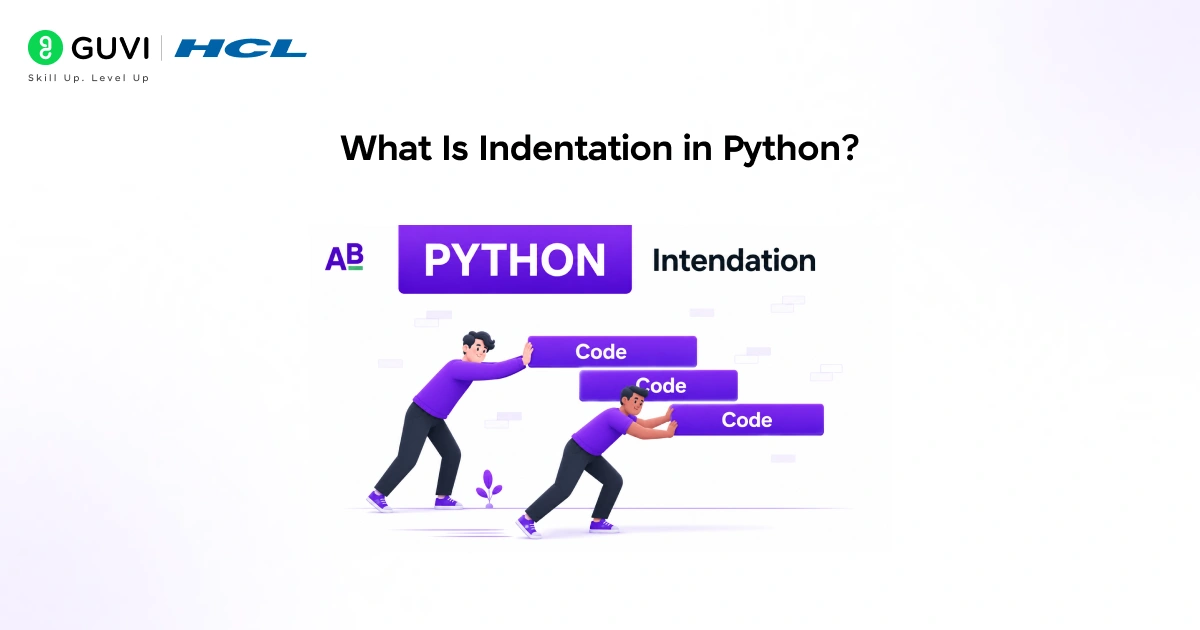
Indentation refers to the spaces or tabs placed at the beginning of a line to indicate that it belongs to a specific code block. Python uses indentation to define the structure of loops, conditionals, functions, and classes.
In most languages, curly braces define code blocks. Python replaces them entirely with consistent indentation:
# Correct

if True:

    print("This is inside the if block")

print("This is outside")
The indented line belongs to the if block. The non-indented line runs regardless of the condition.
Read More: Python Error and In-built Exception in Python
What Is an IndentationError in Python?
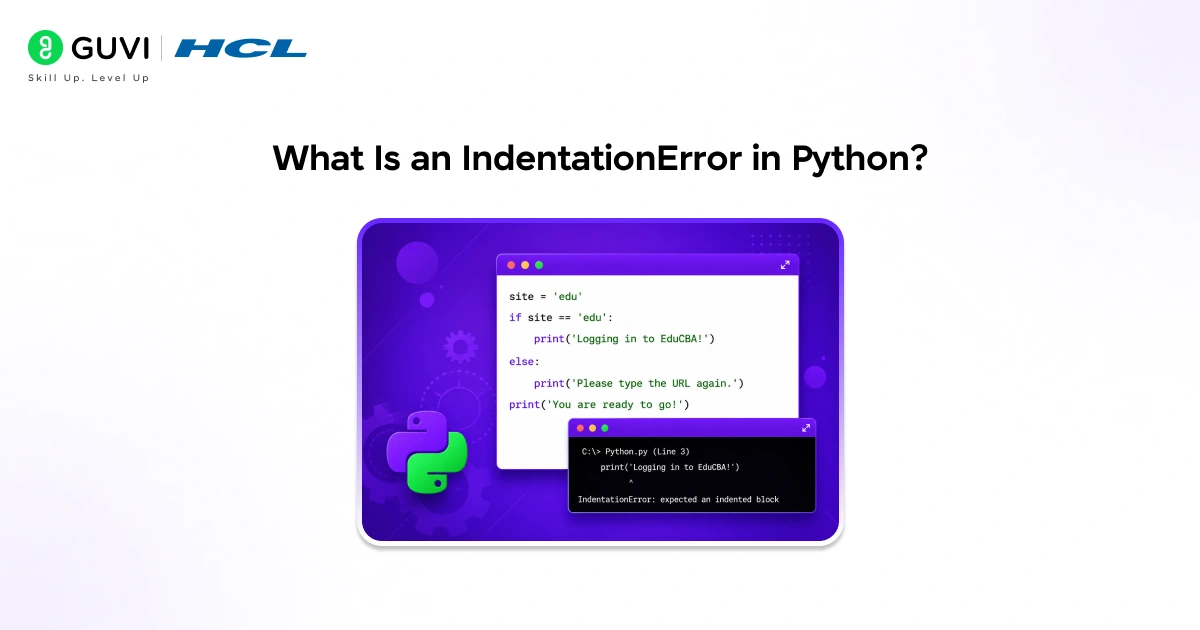
An IndentationError is raised by the Python interpreter when it finds a line of code that does not match the expected indentation level of its block.
Python raises two specific types:
- IndentationError: unexpected indent: A line is indented where no indentation is expected
- IndentationError: expected an indented block: A block header like if, for, or def is not followed by an indented line
- TabError: inconsistent use of tabs and spaces in indentation: Tabs and spaces are mixed in the same block
Python’s requirement for consistent indentation was a deliberate design decision by its creator, Guido van Rossum. He believed that since developers already indent code for readability, making indentation part of the language syntax would encourage cleaner, more consistent code across projects. Research on code readability has also shown that well-formatted, consistently indented code is generally easier to understand, review, and maintain than code with inconsistent formatting.
Common Causes of Indentation Errors in Python
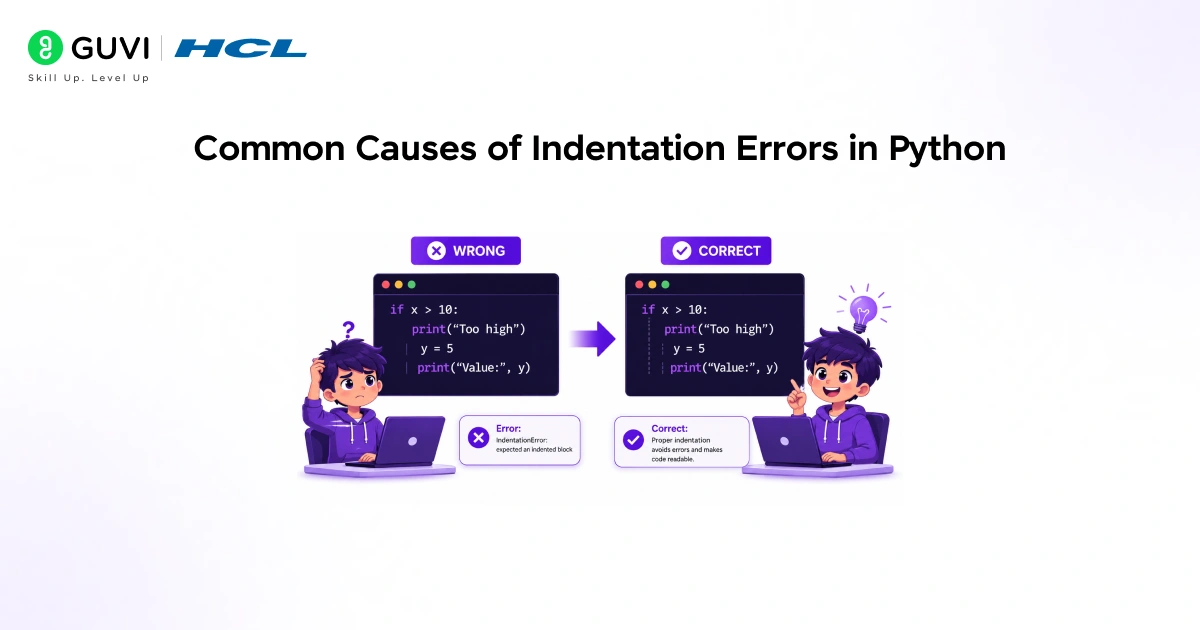
Cause 1: Missing Indentation After a Block Header
Every block header like if, for, while, def, and class must be followed by at least one indented line.
# Wrong

def greet():

print("Hello")   # IndentationError: expected an indented block

# Correct

def greet():

    print("Hello")
Python expects the body of the function to be indented relative to the def line.
Cause 2: Unexpected Indentation
Adding indentation where none is expected causes Python to think a new block is starting.
# Wrong

name = "Priya"

    print(name)   # IndentationError: unexpected indent

# Correct

name = "Priya"

print(name)
Both lines are at the top level and must start at the same column.
Cause 3: Inconsistent Indentation Inside a Block
Mixing different numbers of spaces inside the same block confuses the interpreter.
# Wrong

for i in range(3):

    print(i)

      print(i * 2)   # IndentationError: unexpected indent

# Correct

for i in range(3):

    print(i)

    print(i * 2)
Both lines inside the loop must use the same number of spaces.
Cause 4: Mixing Tabs and Spaces
Using tabs in one line and spaces in another within the same block causes a TabError, which Python 3 treats as an IndentationError.
# Wrong (tab on first line, spaces on second)

def calculate():

result = 10     # tab

    return result   # spaces

# Correct (use spaces consistently)

def calculate():

    result = 10

    return result
Python 3 does not allow mixing tabs and spaces in the same block under any circumstances.
Cause 5: Incorrect Indentation After else or elif
Every else and elif block must align with its corresponding if and use consistent indentation in its body.
# Wrong

x = 10

if x > 5:

    print("Greater")

  else:           # IndentationError: unindent does not match

    print("Smaller")

# Correct

if x > 5:

    print("Greater")

else:

    print("Smaller")
The else keyword must be at the same indentation level as the if it belongs to.

Want to build a strong Python foundation and go from beginner to job-ready developer? Explore HCL GUVI’s Python Programming Course, structured for beginners with hands-on projects and real-world practice.
How to Fix Indentation Errors in Python
Fix 1: Use 4 Spaces Consistently
PEP 8, Python’s official style guide, recommends using 4 spaces per indentation level. Configure your code editor to insert 4 spaces when you press the Tab key.
Fix 2: Enable Visible Whitespace in Your Editor
Most editors like VS Code and PyCharm have an option to show whitespace characters. Enabling this makes tabs and spaces visually distinct, helping you spot mixing immediately.
Fix 3: Use an Autoformatter
Tools like Black and autopep8 automatically fix indentation issues across your entire codebase:
pip install black
black your_file.py
Running Black before committing code eliminates indentation errors before they reach your team’s codebase.
Fix 4: Read the Error Message Carefully
Python’s IndentationError message always includes the file name, line number, and a caret pointing to the problematic line:
File “script.py”, line 5
print(name)
^
IndentationError: unexpected indent
Always start debugging from the exact line Python points to.
IndentationError is one of the most common errors encountered by new Python programmers and is frequently discussed on Stack Overflow. Because Python uses indentation to define code blocks, even a misplaced space or tab can trigger an error. Syntax and indentation mistakes are among the first challenges beginners face, making proper code formatting an essential skill for writing correct and readable Python programs.
Conclusion
Indentation errors are one of the first obstacles every Python developer encounters, but they are also among the easiest to prevent once you understand why Python enforces them. Consistent use of 4 spaces, an editor with Python support, and an autoformatter like Black will eliminate virtually all indentation errors before they ever appear.
As you progress to writing larger functions, nested loops, and class hierarchies, clean indentation habits become even more important for code that is easy to read, review, and maintain. Build those habits now and they will serve you throughout your entire Python career.
FAQ
What is an indentation error in Python?
An IndentationError occurs when Python finds inconsistent or missing indentation in a code block, preventing it from determining the structure of your program.
Why does Python use indentation instead of braces?
Python enforces indentation by design to make code universally readable and consistently formatted across all developers and codebases.
What causes an IndentationError: expected an indented block?
This occurs when a block header like def, if, or for is not followed by at least one indented line in its body.
What is the difference between IndentationError and TabError?
IndentationError covers all indentation issues. TabError is a specific type raised when tabs and spaces are mixed in the same block, which Python 3 does not allow.
How many spaces should I use for indentation in Python?
PEP 8 recommends 4 spaces per indentation level. Most Python editors and linters enforce this standard by default.
How do I fix an indentation error in Python?
Read the error message to find the exact line, check for mixed tabs and spaces, ensure all lines in the same block use the same number of spaces, and use an autoformatter like Black to fix issues automatically.
Can I use tabs instead of spaces in Python?
You can use tabs, but you must never mix tabs and spaces in the same file. The recommended standard is 4 spaces per indent level, which most editors handle automatically.
What tool automatically fixes indentation errors in Python?
Black is the most widely used Python autoformatter. Running black your_file.py automatically corrects indentation and other style issues across the entire file.
Success Stories

About the Author
Vishalini Devarajan
An Aerospace Engineer turned content writer, I focus on making complex concepts easy to understand through well-structured, reader-friendly blogs. Whether it’s a technical topic or a non-technical one, I love creating content that is clear, engaging, and impactful.
View all posts by Vishalini Devarajan
Connect with me @









Did you enjoy this article?