


Python Articles
Freelancing as a Python Developer: Getting Your First Client
Common Python Mistakes Beginners Make And How to Fix Them
Python Best Practices: Writing Clean, Maintainable Code Like a Pro
How to Build a Python Developer Portfolio That Gets You Hired


Get In Touch For Details! Request More Information
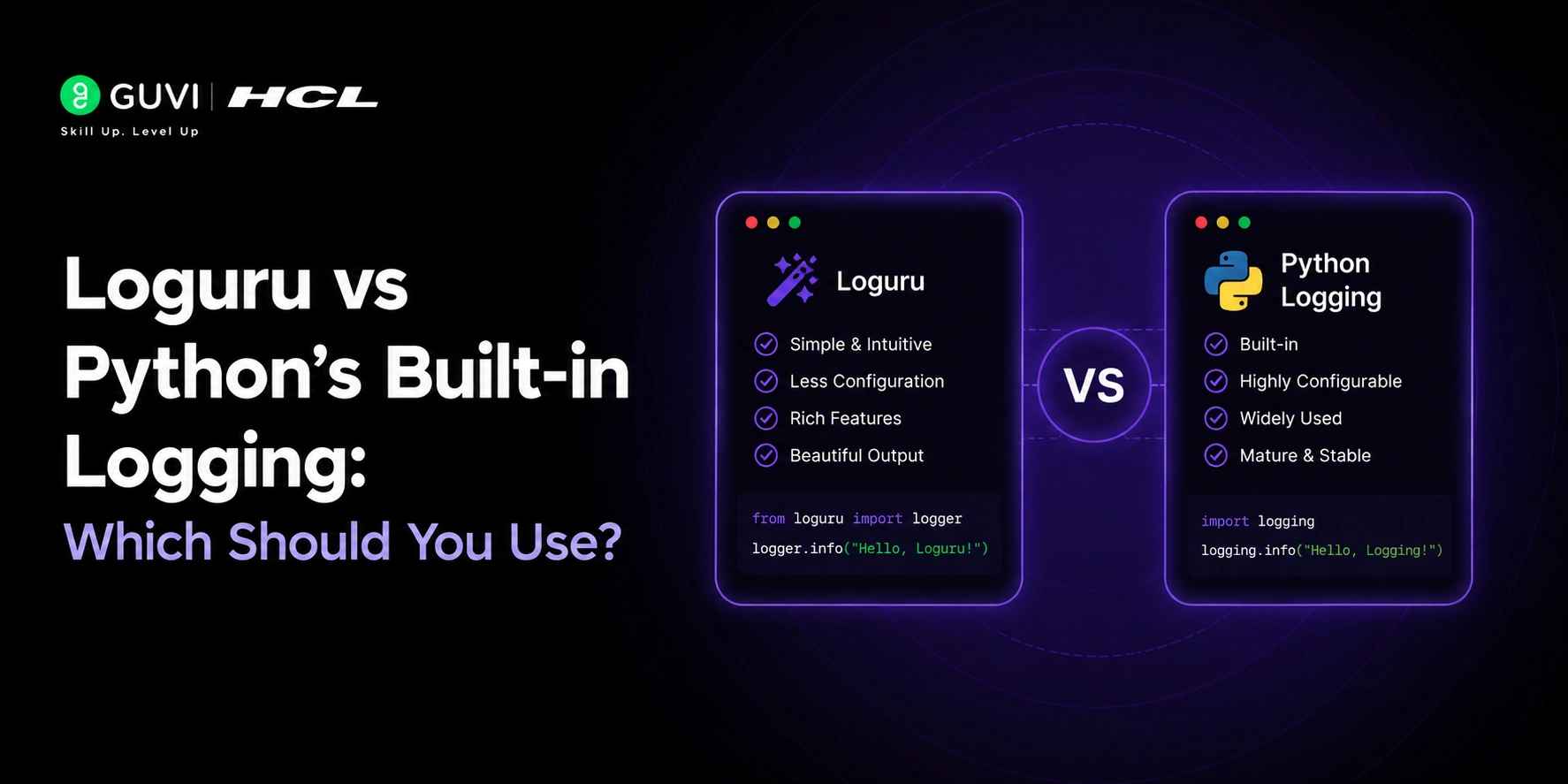
Loguru vs Python’s Built-in Logging: Which Should You Use?
Jul 08, 2026 3 Min Read 267 Views
(Last Updated)
Python applications rely on logging to track events, diagnose issues, and monitor system behavior. As developers seek more efficient ways to manage logs, understanding Loguru vs Python Logging becomes increasingly important. Learners can further enhance their Python expertise through platforms such as HCL GUVI’s Python Course, which covers practical concepts including debugging, logging, and application development.
Table of contents
- TL;DR
- What is Logging in Python?
- Why is Logging Important?
- Easier Debugging
- Production Monitoring
- Security Auditing
- Performance Analysis
- Compliance and Reporting
- What is Python's Built-in Logging Module?
- Key Capabilities
- Basic Example
- What is Loguru?
- Installation
- Basic Example
- Key Features of Python Logging
- Built into Python
- Hierarchical Loggers
- Flexible Configuration
- Strong Ecosystem Support
- Key Features of Loguru
- Minimal Configuration
- Built-in File Rotation
- Log Retention Policies,
- Compression Support
- Better Exception Handling
- Loguru vs Python Logging: Detailed Comparison
- Loguru vs Python Logging: Code Comparison
- Python Logging
- Loguru
- Performance Comparison
- Common Logging Mistakes Developers Make
- Using Print Statements in Production
- Logging Sensitive Information
- Excessive Logging
- Ignoring Log Rotation
- When Should You Use Loguru?
- When Should You Use Python Logging?
- Conclusion
- FAQs
- Is Loguru better than Python logging?
- Can Loguru replace Python logging completely?
- Is Loguru suitable for production applications?
- Which logging library is easier for beginners?
- Does Loguru improve application performance?
- Can I use Loguru and Python logging together?
- Which logging library is better for large-scale enterprise applications?
- Does Loguru support structured logging?
TL;DR
- Python Logging is the built-in standard for production-grade applications.
- Loguru simplifies logging with a cleaner API and minimal setup.
- Loguru includes built-in file rotation, retention, and compression features.
- Python Logging offers greater flexibility and broader ecosystem support.
- Performance is similar, so ease of use matters more than speed.
- Choose Loguru for faster development and cleaner code.
- Choose Python Logging for enterprise applications and complex logging requirements.
What is Logging in Python?
Logging is the process of recording information about an application’s execution. These records help developers understand what happens inside an application while it runs.
A log can contain:
- Application startup and shutdown events
- User activities
- Database operations
- API requests and responses
- Warning messages
- Errors and exceptions
Many beginners start with print statements:
print(“User logged in successfully”)
While this works during development, it becomes difficult to manage in larger applications.
A dedicated logging library provides:
- Timestamps
- Severity levels
- Log filtering
- Persistent storage
- Better debugging capabilities
This makes logging a crucial component of modern software development.
Why is Logging Important?
Without proper logging, diagnosing issues in production environments becomes significantly harder.
1. Easier Debugging
Logs help developers identify exactly where an error occurred and what caused it.
2. Production Monitoring
Logs provide visibility into how applications behave in real-world environments.
3. Security Auditing
Organizations can track:
- Login attempts
- Access patterns
- Suspicious activities
4. Performance Analysis
Developers can identify bottlenecks by monitoring execution times and resource usage.
5. Compliance and Reporting
Many industries require logs for auditing and regulatory compliance.
What is Python’s Built-in Logging Module?
Python’s logging module is part of the standard library and has been the preferred logging solution for many years.
It offers a comprehensive framework for generating log messages and managing outputs.
Key Capabilities
- Multiple log levels
- Custom formatters
- Multiple handlers
- Filtering support
- File logging
- Network logging
- Hierarchical loggers
Basic Example
| import logging logging.basicConfig(level=logging.INFO) logging.info(“Application started”) Output: INFO:root:Application started |
Since it comes bundled with Python, no additional installation is required.
What is Loguru?
Loguru is a third-party Python logging library focused on simplicity and developer experience.
Unlike the standard logging module, Loguru provides a pre-configured logger that works immediately after installation.
Installation
| pip install loguru |
Basic Example
| from loguru import logger logger.info(“Application started”) |
Output:
| 2026-06-16 10:30:21 | INFO | Application started |
Loguru removes much of the configuration overhead associated with traditional logging and includes advanced functionality with minimal setup.
Key Features of Python Logging
1. Built into Python
Since it is part of the standard library, there is no need for external dependencies.
| import logging |
This simplifies deployment and dependency management.
2. Hierarchical Loggers
Python logging supports hierarchical logger structures.
| import logging logger = logging.getLogger(__name__) |
This is particularly valuable for large applications with multiple modules and packages.
3. Flexible Configuration
Developers can customize:
- Log formats
- Handlers
- Filters
- Output destinations
This flexibility makes Python logging well-suited for enterprise applications.
4. Strong Ecosystem Support
Many popular Python frameworks integrate directly with the standard logging module:
This compatibility is one of Python logging’s strongest advantages.
Key Features of Loguru
1. Minimal Configuration
Loguru allows developers to start logging immediately.
| from loguru import logger logger.info(“Application started”) |
2. Built-in File Rotation
| from loguru import logger logger.add( “app.log”, rotation=”100 MB” ) |
3. Log Retention Policies,
| logger. add( “app.log”, retention=”30 days” ) |
4. Compression Support
| logger. add( “app.log”, compression=”zip” ) |
5. Better Exception Handling
| from loguru import logger @logger.catch def divide(a, b): return a / b divide(10, 0) |
Understanding tools like Loguru is essential for modern Python development. To gain hands-on experience with logging, debugging, and real-world Python projects, consider exploring HCL GUVI’s Python Course, which covers industry-relevant concepts and practical applications.

Loguru vs Python Logging: Detailed Comparison
| Feature | Python Logging | Loguru |
| Built into Python | Yes | No |
| Installation Required | No | Yes |
| Configuration Complexity | High | Low |
| Learning Curve | Moderate | Easy |
| Logger Hierarchy | Yes | No |
| File Rotation | Manual Setup | Built-in |
| Log Retention | Manual Setup | Built-in |
| Compression | Manual Setup | Built-in |
| Colored Logs | Limited | Built-in |
| Structured Logging | Supported | Easier |
| Exception Tracebacks | Standard | Better |
| Ecosystem Compatibility | Excellent | Good |
| Enterprise Adoption | High | Growing |
Loguru vs Python Logging: Code Comparison
Python Logging
| import logging logging.basicConfig( filename=”app.log”, level=logging.INFO, format=”%(asctime)s – %(levelname)s – %(message)s” ) logging.info(“Server started”) |
Loguru
| from loguru import logger logger.add(“app.log”) logger.info(“Server started”) |
The Loguru implementation is shorter, cleaner, and easier to read.
Performance Comparison
Many developers wonder whether Loguru is faster than Python logging.
In practice, logging performance depends more on:
- Disk I/O
- Log volume
- Message formatting
- Network operations
For most applications, the performance difference between the two libraries is minimal.
When choosing between them, focus on:
- Ease of use
- Project requirements
- Team preferences
- Ecosystem compatibility
rather than raw performance.
Common Logging Mistakes Developers Make
1. Using Print Statements in Production
Avoid:
| print(“Database connection failed”) Use: logger.error(“Database connection failed“) |
2. Logging Sensitive Information
Never log:
- Passwords
- Authentication tokens
- API keys
- Credit card information
3. Excessive Logging
Logging every action can:
- Create massive log files
- Increase storage costs
- Make troubleshooting harder
4. Ignoring Log Rotation
Large log files can quickly consume storage.
Always implement log rotation in production environments.
Master Python faster with HCL GUVI’s free Python eBook, packed with practical examples, industry insights, and hands-on learning
When Should You Use Loguru?
Loguru is a great choice if:
- You’re starting a new project.
- You want cleaner code.
- You prefer minimal configuration.
- You need built-in file rotation.
- You want automatic log retention.
- You’re building APIs and microservices.
When Should You Use Python Logging?
Python logging is often a better fit when:
- Working in enterprise environments.
- Maintaining large applications.
- Following organizational logging standards.
- Integrating with existing observability tools.
- Managing complex logger hierarchies.
Conclusion
Choosing between Loguru and Python Logging isn’t about finding a winner; it’s about selecting the tool that best fits your development needs. Loguru shines with its straightforward setup and developer-friendly features, making it ideal for projects where simplicity matters. Python Logging, on the other hand, offers greater flexibility and deeper integration with the Python ecosystem. Whichever option you choose, effective logging remains essential for building reliable, maintainable, and production-ready applications.
FAQs
1. Is Loguru better than Python logging?
Loguru is easier to use and requires less configuration. Python logging offers greater flexibility and ecosystem compatibility.
2. Can Loguru replace Python logging completely?
Yes, although many teams use both together to maintain compatibility with third-party libraries.
3. Is Loguru suitable for production applications?
Yes. It supports file rotation, retention policies, compression, and structured logging, making it production-ready.
4. Which logging library is easier for beginners?
Loguru is generally easier because it provides a ready-to-use logger with minimal setup.
5. Does Loguru improve application performance?
Not significantly. Its primary advantage is improved developer experience rather than raw performance.
6. Can I use Loguru and Python logging together?
Yes. Loguru can integrate with the standard logging module, allowing both libraries to coexist in the same application.
7. Which logging library is better for large-scale enterprise applications?
Python’s built-in logging module is generally preferred for large-scale enterprise applications because it offers extensive customization, supports hierarchical loggers, and integrates seamlessly with most Python frameworks and observability tools.
8. Does Loguru support structured logging?
Yes. Loguru supports structured logging through features like contextual data binding and custom formatting. This makes it easier to generate machine-readable logs for monitoring platforms, analytics systems, and centralized logging solutions.
Success Stories

About the Author
Vishalini Devarajan
An Aerospace Engineer turned content writer, I focus on making complex concepts easy to understand through well-structured, reader-friendly blogs. Whether it’s a technical topic or a non-technical one, I love creating content that is clear, engaging, and impactful.
View all posts by Vishalini Devarajan
Connect with me @












Did you enjoy this article?