


Artificial Intelligence and Machine Learning Articles
AI/ML Skills Gap 2026: Why Companies Can't Find Job-Ready Talent
20 AI/ML Interview Questions Recruiters Can Use Without a Tech Background - Best Guide
How Industry-Backed AI/ML Bootcamps Are Changing the AI/ML Hiring Pipeline - Best Guide 2026
From IT Support to AI Engineer: A Realistic Career Switch Guide 2026


Get In Touch For Details! Request More Information
How Non-Technical Professionals Learn AI and Build Apps in 2026: A Beginner’s Guide to Launch Your First AI Project
Aug 12, 2026 7 Min Read 3243 Views
(Last Updated)
If you’re not a developer but you’re curious about AI, you’re in good company. A huge share of today’s AI explorers come from business, marketing, operations, design, HR, and finance. They’re not chasing code; they’re chasing solutions.
Non-technical professionals learn AI by experimenting with tools first, mastering clear prompting, and using no-code platforms to connect AI models to simple workflows, no programming required. You no longer need a computer science background to build something real with AI.
This guide walks you through the exact learning path, the tools, and the practical steps to build your first real AI app.
Table of contents
- TL;DR Summary
- Why AI Is Now Accessible to Non-Technical Professionals Who Want to Learn AI
- The rise of no-code and low-code tools
- Pre-trained AI models
- The shift toward natural-language interfaces
- Business demand for AI-assisted workflows
- Start With the Fundamentals: What You Really Need To Know to Learn AI
- Core concepts worth grasping
- How to Learn AI and Build Apps: Step by Step
- Step 1: Experiment with AI tools first, don't study them
- Step 2: Learn to write prompts that actually work
- Step 3: Understand the basics of web apps
- Step 4: Learn one no-code or low-code platform
- Step 5: Connect your app to an AI model
- Step 6: Build your first tiny end-to-end project
- How AI Apps Actually Work Behind the Scenes Once You Build Apps
- The Skills You Actually Need (And How to Build Them Naturally)
- Problem-solving
- Prompt engineering
- Understanding AI limitations
- Data organization
- Prototyping mindset
- No-Code and Low-Code Platform Comparison for Building AI Apps
- Choosing the Right Tools for Learning and Building
- For learning AI fundamentals
- For hands-on experimentation
- For building apps
- For managing AI interactions
- What Web-AI Apps You Can Actually Build Without Any Code
- Ethics and Safety: What You Should Always Keep in Mind
- What a Realistic Learning Timeline Looks Like
- Best Way for Non-Technical Professionals in India to Learn AI and Build Apps (2026)
- Why Web-AI Apps Are a Huge Opportunity for Non-Technical Creators
- Conclusion
- FAQs
- Can a non-technical person really learn AI?
- How do I start learning AI if I have no technical background?
- Do I need to learn coding to build an AI web app?
- What type of AI projects are best for beginners?
- How long does it take to build a basic AI app?
TL;DR Summary
- Non-technical professionals can learn AI without coding, using no-code and low-code platforms to build apps.
- The path is: experiment with AI tools first, learn to prompt clearly, understand web app basics, pick one no-code platform, connect it to an AI model, then build a small end-to-end project.
- Bubble, Glide, Webflow, and Replit are the most beginner-friendly platforms for building AI apps.
- Your biggest advantage isn’t coding skill, it’s domain expertise in your own field.
- A realistic timeline is 1 to 2 months to build a working prototype, with many learners launching their first tool within that window.
- India-specific advantages include multilingual learning resources and growing demand for hybrid, non-tech-to-AI roles.
Why AI Is Now Accessible to Non-Technical Professionals Who Want to Learn AI
For years, Artificial Intelligence (AI) felt like a gated community. If you didn’t speak Python or understand neural networks, you could only watch from the outside. But several changes flipped that script.
1. The rise of no-code and low-code tools
Platforms now abstract away the heavy engineering. You can drag, drop, prompt, and integrate systems without ever touching a command line.
2. Pre-trained AI models
Instead of training your own model from scratch, you can plug into existing models for text, image, audio, and structured data. These models already “know things,” so your role is to direct them responsibly.
3. The shift toward natural-language interfaces
Prompting became the new programming. When you can build workflows simply by writing what you want in plain English, the barrier to entry drops dramatically.
4. Business demand for AI-assisted workflows
Companies want automation, insights, personalization, and faster decision-making. And who understands the existing processes best? Often, it’s the non-technical teams.
If you want to know how AI is impacting the world of software development and how it enhances its capabilities, read AI in Software Development: How it Transforms Coding?
Start With the Fundamentals: What You Really Need To Know to Learn AI
You don’t need a computer science degree. You just need enough understanding to think clearly and make good choices.
Core concepts worth grasping
Here’s the minimum effective dose of AI knowledge:
- What AI models do: They recognize patterns, make predictions, and generate content based on training data.
- Types of AI tasks: Classification, summarization, translation, generation, extraction, and recommendations.
- What training vs inference means: Training builds a model; inference is the model doing its job.
- How prompting works: Clear instructions lead to better responses.
- APIs: A structured way your app communicates with an AI model.
- Data privacy and ethics basics: Especially around user data, permissions, and transparency.
That’s enough to learn AI and start building. You’ll pick up the rest as you go.
How to Learn AI and Build Apps: Step by Step
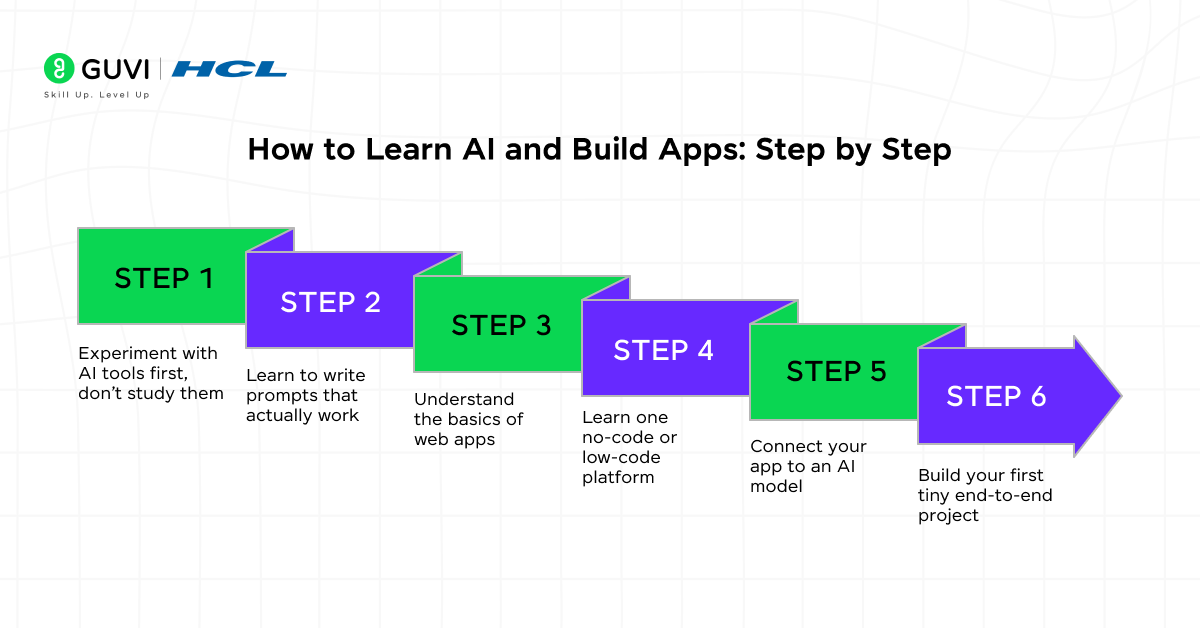
Let’s break the journey to learn AI and build apps into a practical path. You’ll notice it’s less about technicalism and more about exploration, problem-solving, and pattern recognition.
Step 1: Experiment with AI tools first, don’t study them
People often assume they need to read textbooks. What helps more is using AI tools directly.
Start with tools like:
- ChatGPT
- Claude
- Gemini
- Perplexity
- Midjourney or DALL·E for images
Try simple tasks: summarize something, brainstorm variations of an idea, extract data from text, or generate copy. Play. The experimentation phase removes intimidation.
Step 2: Learn to write prompts that actually work
Prompting is a skill. And no, it’s not about magic templates. It’s about clarity.
A good prompt usually includes:
- The task
- The format you want
- The context
- The constraints
- Examples (optional but helpful)
Once you master prompting, you’re already halfway to being able to build apps that use AI well.
Step 3: Understand the basics of web apps
Building AI apps doesn’t mean building everything from scratch. But you should understand what a web app is made of:
- Frontend: What users see
- Backend: The logic behind the scenes
- Database: Where information sits
- APIs: How your app talks to AI models
You don’t need to build apps manually from scratch. Plenty of tools assemble this for you.
Step 4: Learn one no-code or low-code platform
Popular choices to build apps with include Bubble, Webflow with third-party automations, Glide, Softr, Replit’s AI Starter projects, OpenAI’s Responses API playgrounds, and Zapier or Make for workflow automation.
If your goal is to build something quickly without code, Bubble and Glide tend to be favorites. If you want to tiptoe into real development without drowning in complexity, Replit is fantastic.
Step 5: Connect your app to an AI model
This is where everything clicks. You’ll integrate an AI API, usually through no-code connectors or a few copied lines of starter code.
What you configure:
- The model you want to use
- The user input you’ll send to it
- How the model’s response appears in your app
- Any post-processing (formatting, storing, routing, validating)
Once you do this once, you’ll feel like you unlocked a superpower.
Step 6: Build your first tiny end-to-end project
Don’t start with something huge. Build something small and useful.
A few AI project ideas:
- A customer inquiry assistant for your team
- A resume analyzer
- A writing assistant tailored to your industry
- A Q&A bot for company policies
- A personal research agent
- A meeting notes summarizer
The point is to finish something quickly. Finished teaches faster than perfect.
Most non-technical AI builders who launch their first app report learning 80 percent of the valuable concepts within their first small project, not during the study phase. In other words, building teaches better than reading.
How AI Apps Actually Work Behind the Scenes Once You Build Apps
You don’t need to implement these details yourself, but having a mental model helps you think like a creator.
- Inputs: This is what users provide: text, uploads, selections, numbers, or recorded audio.
- Processing: Your app takes that input and sends it to an AI model with a structured prompt or instructions.
- AI response: The model returns text, JSON, images, or embeddings (vector data).
- Post-processing: Your app formats it, stores it, or uses it to trigger another action.
- Output: The user receives a clean, friendly result that feels instant and intelligent.
This simple loop is the foundation of almost every AI-powered tool you’ve ever used.
The Skills You Actually Need (And How to Build Them Naturally)
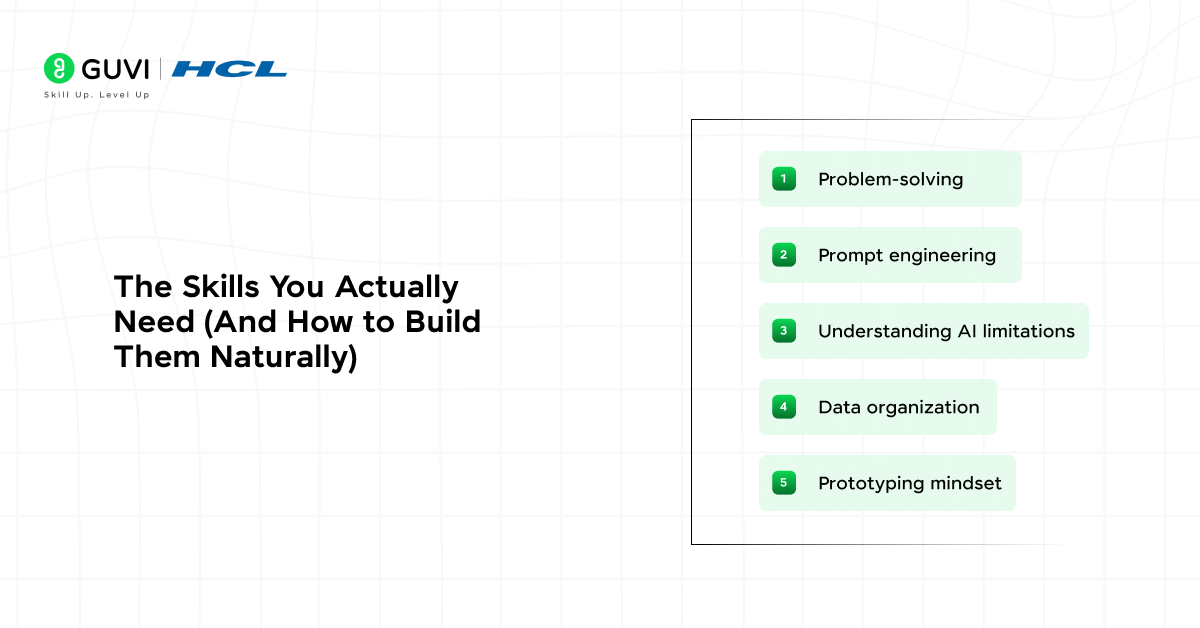
1. Problem-solving
This is your biggest advantage as you learn AI. You know your domain. You know where inefficiencies live. AI builders succeed because they solve meaningful problems, not because they write the fanciest code.
2. Prompt engineering
Clear thought produces clear prompts, and clear prompts are half of what it takes to learn AI well. Practice refining instructions until the output matches your intent.
3. Understanding AI limitations
Models hallucinate. They misunderstand vague instructions. They may produce biased or incomplete results. A good builder learns how to steer them responsibly.
4. Data organization
AI tools thrive on structured input, something you’ll notice the moment you start to build apps. Even learning what a clean spreadsheet looks like gives you an edge.
5. Prototyping mindset
Don’t wait months to polish. Build apps fast, test fast, iterate fast.
No-Code and Low-Code Platform Comparison for Building AI Apps
With several platforms competing for your attention as you learn to build apps, here’s how the most popular ones actually compare.
| Platform | Best For | Coding Required | Learning Curve | Free Tier |
|---|---|---|---|---|
| Bubble | Full-featured web apps with AI integration | None | Moderate | Yes, limited |
| Glide | Business-facing apps from spreadsheets | None | Low | Yes, limited |
| Webflow | Polished, design-heavy sites with automation | None to minimal | Moderate to high | Yes, limited |
| Replit | Small AI apps with light, guided coding | Minimal | Low to moderate | Yes, generous |
| Zapier / Make | Connecting AI to existing business tools | None | Low | Yes, limited |
| Softr | Turning spreadsheets/databases into apps | None | Low | Yes, limited |
If you’re building your very first project to learn AI and build apps, Glide or Bubble are the easiest starting points. Once you’re comfortable and want more control, Replit is a natural next step since it introduces light code without overwhelming you.

Before we move further, ensure you have a good grip on data science essentials like Python, MongoDB, Pandas, and NumPy. If you are looking for a detailed course, you can join HCL GUVI’s Data Science Course with Placement Assistance.
Choosing the Right Tools for Learning and Building
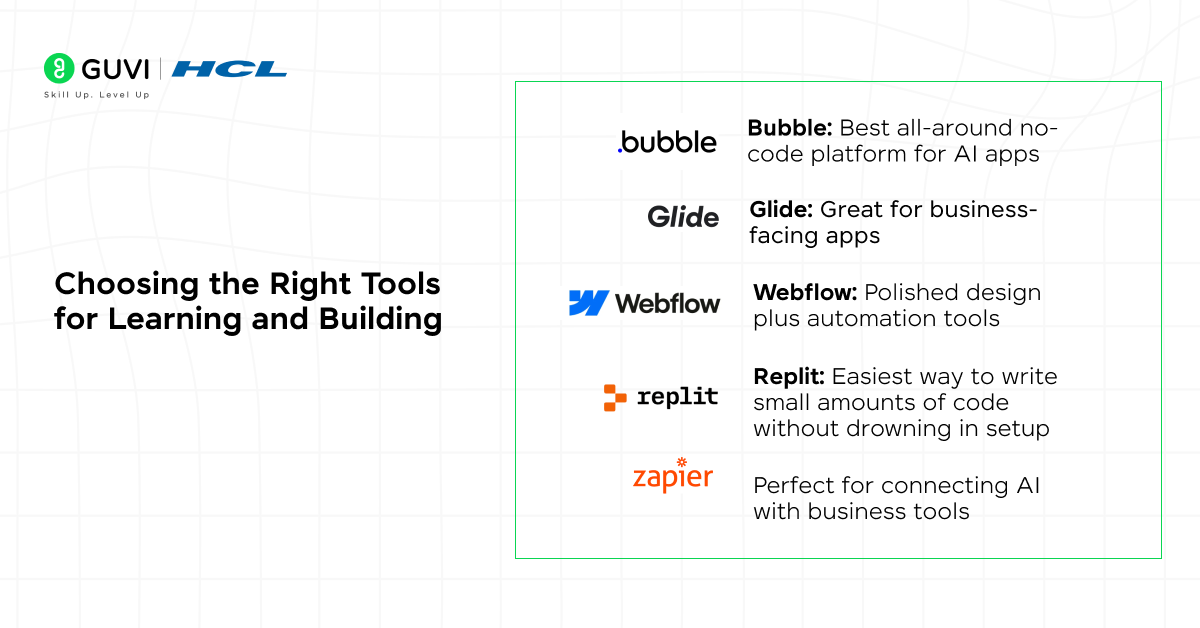
Here’s what most non-technical learners find easiest when they want to learn AI and build apps.
For learning AI fundamentals
- HCL GUVI’s AI/ML Course, Coursera, Udacity, or edX intro courses
- YouTube tutorials from educators like freeCodeCamp
- Interactive resources from edtech platforms that focus on real examples rather than abstract theory
For hands-on experimentation
- ChatGPT or Claude for text-based tasks
- Midjourney or Canva AI for image creation
- Poe for exploring multiple models
- Perplexity for research workflows
For building apps
- Bubble: Best all-around no-code platform for AI apps
- Glide: Great for business-facing apps
- Webflow: Polished design plus automation tools
- Replit: Easiest way to write small amounts of code without drowning in setup
- Zapier/Make: Perfect for connecting AI with business tools
For managing AI interactions
- OpenAI’s Responses API (its current agent-building platform, having fully replaced the older Assistants API)
- Anthropic API
- Google Gemini API
- Hugging Face Inference API
These services expose AI capabilities in simple, structured ways. If you were following an older tutorial that mentions the OpenAI Assistants API specifically, note that it’s been retired in favour of the Responses API, so newer guides and starter templates will use that instead.
What Web-AI Apps You Can Actually Build Without Any Code
Let’s make this concrete. Non-technical creators are already building:
1. Knowledge assistants: Internal tools that answer employee questions, analyze documents, or guide customers.
2. Personalized learning platforms: Adaptive study tools, quiz generators, AI tutors, and curriculum assistants.
3. Research engines: Apps that pull information from the web, summarize it, and deliver insights.
4. Writing and editing tools: Industry-specific content assistants that follow company style and voice.
5. Automation tools: AI agents that perform tasks across different apps, like sorting emails, updating spreadsheets, or drafting notes.
6. Customer-facing apps: Chatbots, recommendation engines, onboarding assistants, and micro-SaaS tools you can even monetize.
The ecosystem to build apps with AI is wide open. You’re not late. You’re early.
Ethics and Safety: What You Should Always Keep in Mind
As you learn AI and build apps, remember it’s powerful, which means it should be handled with care.
1. Be mindful of the data you use: Don’t upload confidential or personally identifiable information unless the platform explicitly supports secure handling.
2. Communicate clearly: If your app uses AI, tell users. Transparency builds trust.
3. Accuracy test: Never assume a model is always right. Build checks where possible.
4. Avoid automating decisions that require human oversight: AI should assist good judgment, not replace it.
What a Realistic Learning Timeline Looks Like
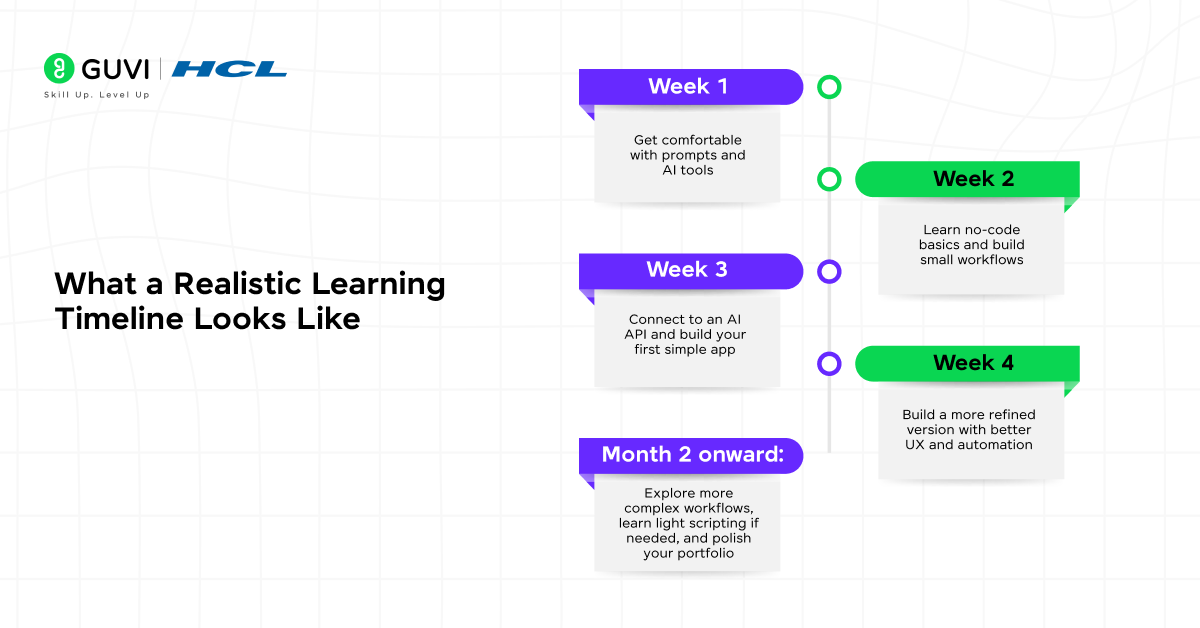
People often want to know how long this takes. Here’s an honest estimate:
- Week 1: Get comfortable with prompts and AI tools
- Week 2: Learn no-code basics and build small workflows
- Week 3: Connect to an AI API and build your first simple app
- Week 4: Build a more refined version with better UX and automation
- Month 2 onward: Explore more complex workflows, learn light scripting if needed, and polish your portfolio
Within two months, many non-technical learners launch their first public tools or internal prototypes.
Best Way for Non-Technical Professionals in India to Learn AI and Build Apps (2026)
Learning to learn AI and build apps in India specifically comes with a few genuine advantages worth knowing about.
1. Multilingual learning removes a real barrier when you’re trying to learn AI in your own language. Platforms like HCL GUVI offer AI and no-code fundamentals in English, Hindi, Tamil, Telugu, and other regional languages, which matters if English-only tutorials have been slowing you down.
2. Non-tech-to-AI transitions are actively rewarded once you learn AI and build apps in the Indian job market. Professionals in finance, marketing, HR, and operations who add practical AI-building skills on top of their domain expertise are increasingly moving into hybrid roles like AI Product Specialist or Automation Lead, roles that barely existed three years ago.
3. Government and industry skilling pushes are lowering the entry cost to build apps and learn AI. Initiatives tied to India’s broader digital and AI skilling push mean more free and subsidized learning resources are available now than even a year or two ago, alongside employer-funded upskilling budgets at many mid-size and large companies.
4. Start where your job already is. The fastest way to learn AI for most Indian professionals isn’t a generic AI app; it’s automating one real, annoying task at your current job first. That gives you a built-in use case, a receptive audience (your own team), and a concrete story for your resume.
Why Web-AI Apps Are a Huge Opportunity for Non-Technical Creators
Your advantage isn’t coding knowledge. It’s domain expertise. You know how your industry works. You know where inefficiencies live. You know what would save time, improve accuracy, and remove friction.
AI tools need that perspective. The best AI apps don’t come from people who only understand technology. They come from people who understand problems deeply.
AI levels the playing field. The next wave of innovation will be built by people like you.
Conclusion
In conclusion, learning AI as a non-technical professional is less about becoming a developer and more about becoming a creator who can think clearly, communicate well, and experiment boldly. The moment you build your first small AI workflow, something shifts. You start seeing opportunities everywhere. Tasks that felt manual become automatable. Ideas that felt out of reach become prototypes.
You don’t need perfect knowledge, advanced math, or complex code. You need curiosity, patience, and a willingness to build something small. Every great AI builder started where you are now: slightly unsure, a little overwhelmed, but genuinely excited.
If you follow the steps in this guide and commit to experimenting for a few weeks, you’ll be able to build your own web-AI apps faster than you expect. And you’ll realize that this isn’t just a technical skill, it’s a superpower for your career.
FAQs
1. Can a non-technical person really learn AI?
Yes. Most modern AI tools use natural-language instructions, so you don’t need coding skills to start. With a basic understanding of prompts and workflows, you can build practical AI projects.
2. How do I start learning AI if I have no technical background?
Begin by experimenting with AI tools, then learn prompt writing, and explore no-code platforms. Hands-on practice matters far more than theory at the start.
3. Do I need to learn coding to build an AI web app?
No. Many no-code builders like Bubble, Glide, and Webflow let you connect AI APIs without programming. Coding becomes useful later but isn’t required for your first apps.
4. What type of AI projects are best for beginners?
Start with simple tools like a content generator, a document Q&A assistant, or a summarizer. These help you learn the AI workflow without complex logic.
5. How long does it take to build a basic AI app?
Most beginners can build a functional prototype in one to two weeks. With a few small projects, you’ll quickly gain enough confidence to build more advanced apps.
Success Stories

About the Author
Jebasta
I translate the language of data into stories that anyone can understand. As a writer with a data science background, I simplify analytics, AI, and decision-making so beginners and enthusiasts can confidently explore the world of data.
View all posts by Jebasta
Connect with me @










Did you enjoy this article?