


Data Science Articles
Accountant vs Data Analyst Salary in India After Switching Careers - Best Guide
Finance Managers: Could Data Science Be Your Next Career Move?
Insurance Claims Executive to Data Analyst: Is It a Good Switch?
Banking Executive (Loans, KYC) to Data Analyst: Skills and Career Path

Get In Touch For Details! Request More Information
Best Power BI Course With Certificate: Top Options for Beginners
Oct 14, 2026 9 Min Read 10622 Views
(Last Updated)
Power BI Courses are a practical starting point if you want to learn how to clean data, build data models, create DAX measures, and turn business data into interactive reports.
For beginners, the best Power BI Courses should provide a clear learning path, practical exercises, portfolio work, and an honest explanation of the certificate you receive after completion.
This updated 2026 guide compares Power BI Courses from HCL GUVI, Microsoft, Coursera, LinkedIn Learning, and Alison so you can choose based on your learning goal rather than certificate wording alone.
Table of contents
- TL;DR
- Best Power BI Courses With Certificates: Comparison Table
- Why Learning Power BI Matters in Today’s Data Roles?
- How Power BI Helps You Stand Out?
- Best Power BI Courses With Certificates: Quick Comparison
- Top Power BI Courses with Certification ( Free + Paid )
- HCL GUVI Power BI Course
- Microsoft Learn: Power BI Learning Path
- What You Will Learn
- Certificate Clarification
- Best For
- Alison: Master Microsoft Power BI
- What You Will Learn
- Best For
- LinkedIn Learning: Power BI Essential Training
- What You Will Learn
- Best For
- Microsoft Power BI Data Analyst Professional Certificate on Coursera
- What You Will Learn
- Certificate
- Best For
- What Certificate Do You Get From Power BI Courses?
- Course Completion Certificate
- Learning Achievement
- Professional Certificate
- Microsoft Certification
- Career Paths That Require Power BI Skills
- Roles That Commonly List Power BI in Requirements
- How long does it take to Learn Power BI?
- What Affects Your Learning Timeline?
- Skills That Increase Your Value After Learning Power BI
- Strong Combinations
- How to Choose the Right Power BI Courses in 2026
- Factors That Help You Decide
- What Makes a Good Power BI Portfolio Project?
- Elements Recruiters Expect to See
- What Makes a Good Power BI Portfolio Project?
- How to Add Power BI Certificates to LinkedIn?
- Steps to Add a Certificate
- Free Resources to Practice Power BI After the Course
- Reliable Practice Sources
- Real World Example: Choosing a Power BI Course as a Fresher
- Common Mistakes When Choosing Power BI Courses
- Build Practical Power BI Skills with HCL GUVI
- Conclusion
- FAQs
- Which Power BI Courses are best for beginners?
- Do Power BI Courses provide certificates?
- Is Microsoft Learn one of the free Power BI Courses?
- Which Power BI Courses prepare for PL 300?
- Is a Power BI course certificate useful for freshers?
- How long do Power BI Courses take?
- Do I need coding before joining Power BI Courses?
- What should I learn after Power BI Courses?
TL;DR
Power BI Courses can help beginners learn data preparation, Power Query, data modelling, DAX, dashboards, and business reporting in a structured way. Strong 2026 options include HCL GUVI’s Microsoft Power BI Course, Microsoft Learn, Microsoft’s Power BI Data Analyst Professional Certificate on Coursera, LinkedIn Learning, and Alison.
Not all Power BI Courses provide the same type of credential. Some issue a course completion certificate, while the official Microsoft Certified: Power BI Data Analyst Associate credential requires the PL 300 exam. Choose based on learning depth, certificate type, project practice, and whether you plan to prepare for PL 300.
Best Power BI Courses With Certificates: Comparison Table
Before enrolling in a Power BI course, compare the syllabus, learning format, certificate type, and cost. A course that includes practical exercises can help you develop skills you can demonstrate in interviews.
| Power BI Course | Learning Format | Certificate Type | Cost | Best For |
|---|---|---|---|---|
| HCL GUVI Microsoft Power BI Course | Self-paced, recorded lessons | Course completion certificate | Paid; check current fee | Beginners learning Power BI through structured lessons |
| Microsoft Learn | Self-paced learning paths | Learning achievements; Microsoft certification is separate | Free learning resources | Learners preparing for PL-300 |
| Microsoft Power BI Data Analyst Professional Certificate on Coursera | Structured, multi-course program | Microsoft career certificate | Subscription or other applicable fees | Learners seeking comprehensive career-focused training |
| LinkedIn Learning: Power BI Essential Training | Video-based learning | Course completion certificate | Subscription or applicable access fees | Working professionals and learners who prefer video lessons |
| Alison Power BI Courses | Self-paced learning | Optional paid certificate, depending on the course | Free learning; certificate may cost extra | Beginners exploring Power BI on a budget |
Which course should you choose?
- Choose HCL GUVI if you want structured, self-paced learning with practical Power BI concepts and a course completion certificate.
- Choose Microsoft Learn if you want free official learning resources and preparation material for the PL-300 exam.
- Choose Coursera if you prefer a longer, career-focused learning program.
- Choose LinkedIn Learning for short, structured video lessons.
- Choose Alison if you want to explore Power BI fundamentals before investing in a paid course.
Note: Fees, subscriptions, and certificate conditions may change. Check each provider’s official course page before enrolling. A course completion certificate is different from the Microsoft Certified: Power BI Data Analyst Associate credential, which requires passing the PL-300 exam.
If you’re serious about mastering Power BI and launching a successful data career, HCL GUVI’s Data Science course is the perfect starting point. Designed by industry experts, it offers hands-on projects and real-time dashboards to help you build job-ready Tableau skills from scratch.
Why Learning Power BI Matters in Today’s Data Roles?
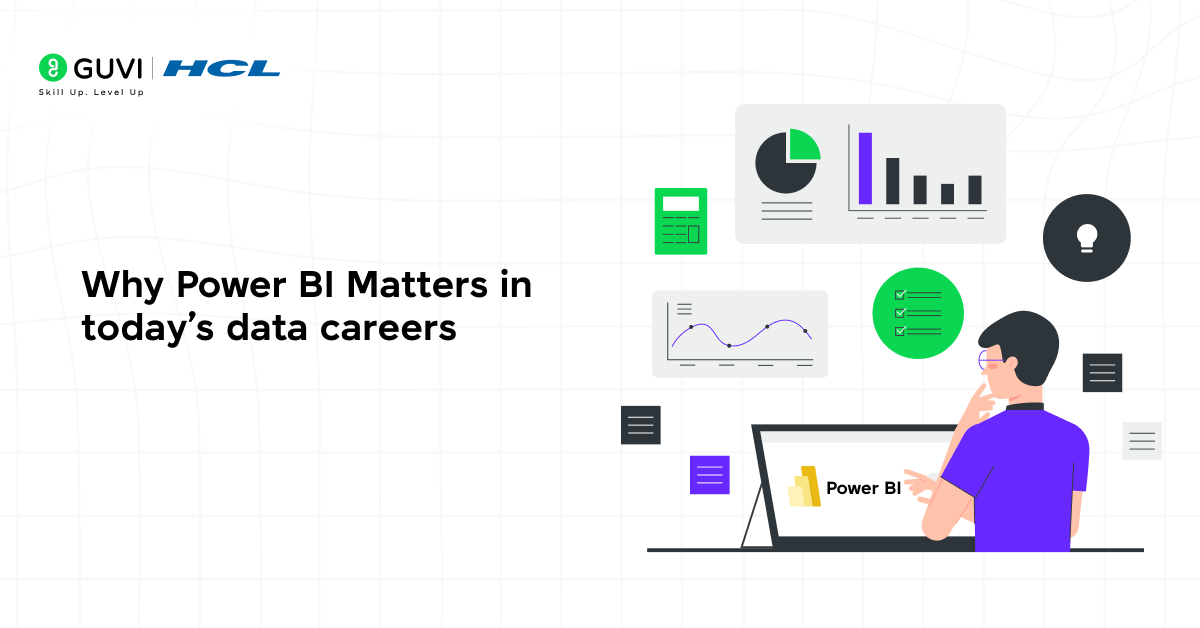
Power BI has become a preferred tool for data reporting in small businesses and large enterprises. Companies value candidates who can convert raw data into dashboards that support decisions. Learners who master Power BI gain an edge in entry-level analytics, reporting roles, and business support positions.
How Power BI Helps You Stand Out?
Recruiters look for familiarity with reports, visuals, and data modelling, skills that connect directly to data science fundamentals. Power BI supports Excel users who want to move into analytics or start transitioning toward data science roles. Many job listings now highlight Power BI skills for positions such as Business Analyst, MIS Executive, and entry-level support roles.
Best Power BI Courses With Certificates: Quick Comparison
| Power BI Courses | Learning Format | Certificate Type | Best For |
| HCL GUVI Microsoft Power BI Course | Self paced | Course completion certificate | Beginners wanting structured Power BI practice |
| Microsoft Learn Power BI | Self paced | Learning achievements. PL 300 is separate | Official Microsoft learning and PL 300 preparation |
| Microsoft Power BI Data Analyst on Coursera | Multi course program | Microsoft career certificate | Career focused Power BI learning |
| LinkedIn Learning Power BI Essential Training | Video course | LinkedIn Learning completion certificate | Short structured learning |
| Alison Introduction to Power BI | Self paced | Free learning. Certificate is optional and paid | Beginners seeking a free starting point |
These Power BI Courses provide different levels of depth and different credentials.
If your main goal is the official Microsoft Power BI certification, remember that completing Power BI Courses is not the same as earning Microsoft Certified: Power BI Data Analyst Associate. That credential requires passing Microsoft exam PL 300.
Top Power BI Courses with Certification ( Free + Paid )
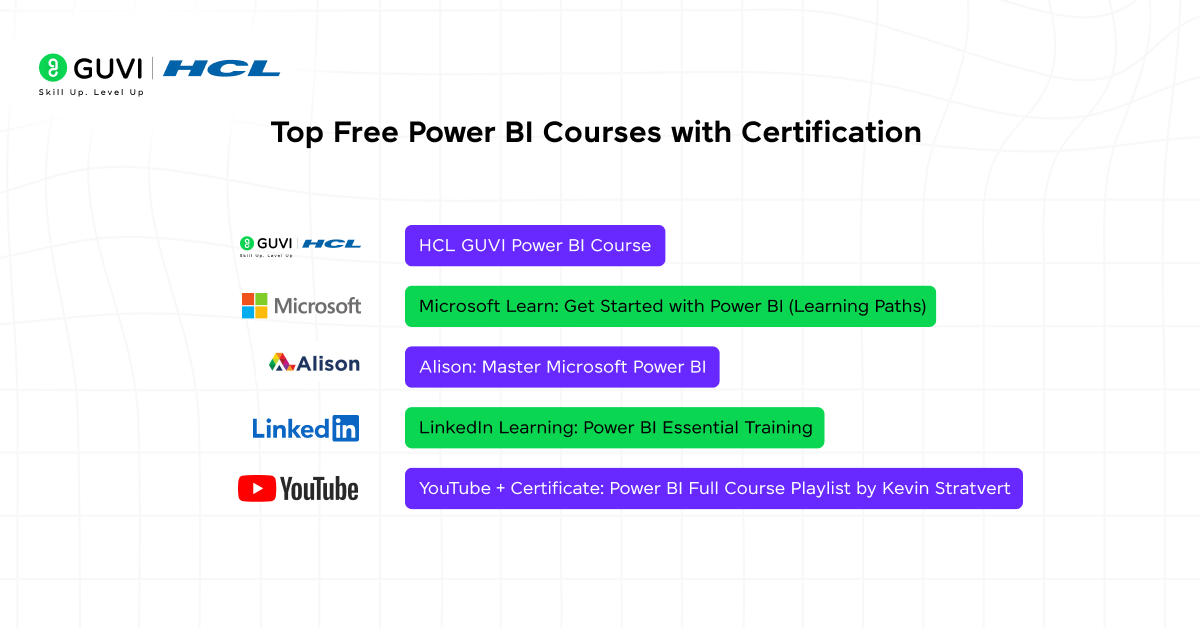
1. HCL GUVI Power BI Course
Among beginner Power BI Courses, HCL GUVI’s Microsoft Power BI Course provides structured learning across data preparation, Power Query, data modelling, DAX, interactive reports, dashboards, and data storytelling.
The course is self paced and provides a completion certificate after you finish the course requirements. It also includes practical exercises that help you understand the complete Power BI workflow instead of learning individual features separately.
Duration: Self-paced
Course Fee: Paid program with certificate included
What You Will Learn:
- Data loading: Importing datasets from Excel, CSV, SQL, and APIs
- Data modelling: Creating relationships and basic star schema structure
- Visual creation: Building charts, KPI cards, maps, and drill-through reports
- Beginner DAX: Simple calculated columns and measures for metrics
- Data cleaning workflow: Power Query steps to shape and format raw files
- Report publishing: Exporting dashboards to Power BI Service and HCL GUVI Cloud
What You’ll Build for Your Portfolio:
- Sales dashboard sample: Interactive page with slicers and visuals
- Cleaned dataset file: Power Query steps applied on raw data
- DAX measure sheet: PBIX file showing calculated metrics
- Course certificate badge: Shareable on LinkedIn and resume
Best For:
- Students preparing for analytics careers
- Developers moving into reporting tasks
- Small business owners tracking performance data
Course Link: HCL GUVI Power BI Course
2. Microsoft Learn: Power BI Learning Path
Microsoft Learn should remain one of the recommended Power BI Courses resources, but the certificate wording needs correction.
Microsoft Learn provides free official Power BI learning paths covering data preparation, modelling, visualisation, reports, workspaces, security, and data analytics. These learning paths can also help you prepare for Microsoft’s PL 300 certification exam.
What You Will Learn
• Power Query and data preparation
• Data modelling
• DAX fundamentals
• Power BI reports
• Data visualisation
• Power BI Service
• Workspaces and sharing
• Security and management
Certificate Clarification
Completing Microsoft Learn modules can give you learning achievements and progress records.
However, finishing these Power BI Courses learning paths does not automatically give you the Microsoft Certified: Power BI Data Analyst Associate certification.
You must pass the PL 300 exam separately to earn that credential.
Best For
• Learners who want official Microsoft learning material
• PL 300 candidates
• Professionals refreshing Power BI concepts
• Learners who want free structured training
Official Learning Page:
https://learn.microsoft.com/en-us/training/powerplatform/power-bi
3. Alison: Master Microsoft Power BI
Alison remains one of the accessible Power BI Courses for beginners. Its current Introduction to Power BI course covers basic data analysis and visualisation concepts and can be studied without paying for course access.
The learning content is free, while a formal Alison certificate is optional and paid.
What You Will Learn
• Power BI fundamentals
• Data analysis basics
• Data visualisation
• Reports and dashboards
• Basic Power BI workflows
Best For
• Complete beginners
• Learners who want free course access
• Students exploring Power BI before choosing a longer program
Course Link: Alison: Master Microsoft Power BI
4. LinkedIn Learning: Power BI Essential Training
LinkedIn Learning’s current Power BI Essential Training provides a structured introduction to Power BI Service, Power BI Desktop, reports, visualisation, data modelling, sharing, and newer features such as Copilot.
It remains one of the useful shorter Power BI Courses for learners who prefer video based training and want a LinkedIn Learning certificate of completion.
What You Will Learn
• Power BI Service
• Power BI Desktop
• Importing data
• Data models
• Reports and visualisations
• Dashboards
• Workspaces and sharing
• Copilot basics in Power BI
Best For
• Working professionals
• Learners who prefer video lessons
• Professionals looking for a shorter refresher
Course Link: LinkedIn Learning: Power BI Essential Training
5. Microsoft Power BI Data Analyst Professional Certificate on Coursera
Microsoft’s Power BI Data Analyst Professional Certificate on Coursera is one of the more complete Power BI Courses for beginners who want a career focused learning path.
The program is taught by Microsoft and covers Excel, Power BI, data preparation, data modelling, DAX, data visualisation, report creation, deployment, maintenance, and a capstone project.
It also helps learners prepare for Microsoft’s PL 300 certification exam.
What You Will Learn
• Data preparation
• Microsoft Excel for analysis
• Power BI
• Data modelling
• DAX
• Data visualisation
• Dashboards and reports
• Power BI deployment and maintenance
• Business intelligence
• Data storytelling
Certificate
Learners who complete the program earn a shareable Microsoft career certificate through Coursera.
This is still different from the Microsoft Certified: Power BI Data Analyst Associate certification, which requires passing PL 300.
Best For
• Complete beginners
• Aspiring Power BI analysts
• Learners who want a longer structured program
• Candidates preparing for PL 300
Official Course:
https://www.coursera.org/professional-certificates/microsoft-power-bi-data-analyst
What Certificate Do You Get From Power BI Courses?
Different Power BI Courses provide different types of certificates. This distinction should be clear before you enrol.
Course Completion Certificate
This is issued by a learning provider after you complete its course requirements.
HCL GUVI and LinkedIn Learning fall into this category.
Learning Achievement
Microsoft Learn records completed learning activities and modules. These achievements show that you have completed Microsoft training content.
They are not the same as a Microsoft professional certification.
Professional Certificate
Microsoft’s Power BI Data Analyst Professional Certificate on Coursera gives you a shareable Microsoft career certificate after completing the program.
Microsoft Certification
Microsoft Certified: Power BI Data Analyst Associate is the official Microsoft credential for Power BI data analysts.
To earn it, you need to pass exam PL 300.
This distinction matters when comparing Power BI Courses because the word “certificate” can refer to very different credentials.
Official Microsoft Certification:
https://learn.microsoft.com/en-us/credentials/certifications/data-analyst-associate/
Microsoft Certified: Power BI Data Analyst Associate currently has a 12 month renewal cycle. Eligible certification holders can renew through Microsoft’s free online renewal assessment.
Career Paths That Require Power BI Skills
Power BI plays a key role in data reporting across multiple departments. Finance teams use dashboards to track revenue trends and expense patterns, while marketing teams review campaign results through interactive visuals. In supply chain operations, Power BI reports help analyse stock levels and order flow, and HR teams rely on its insights to study hiring metrics and retention numbers. By applying Power BI projects to real datasets, professionals learn to convert raw tables into readable insights that support faster and smarter team decisions.
Roles That Commonly List Power BI in Requirements
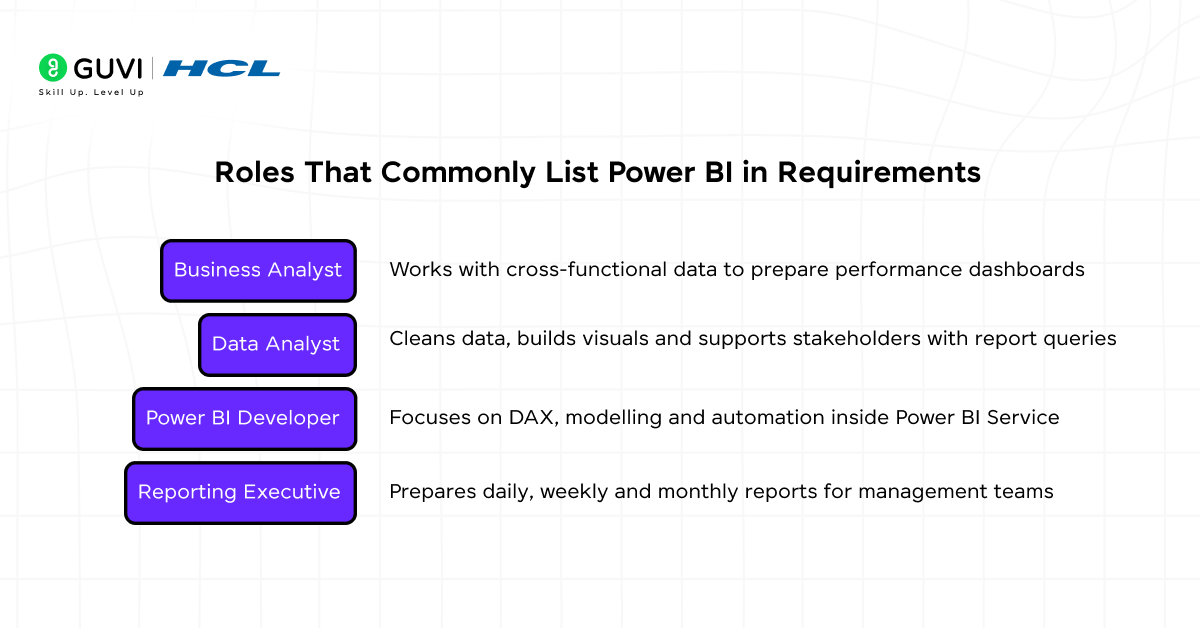
- Business Analyst: Works with cross-functional data to prepare performance dashboards
- Data Analyst: Cleans data, builds visuals, and supports stakeholders with report queries
- Power BI Developer: Focuses on DAX, modeling, and automation inside Power BI Service
- Reporting Executive: Prepares daily, weekly, and monthly reports for management teams
Also, Read: Top 50 Power BI Developer Interview Questions and Answers

If you are considering Data Analyst roles after completing Power BI Courses, see HCL GUVI’s Data Analyst roles and responsibilities guide to understand how Power BI fits with SQL, Excel, Python, reporting, and business communication.
How long does it take to Learn Power BI?
Learners who already work with Excel can grasp the Power BI interface within a week. Understanding DAX and data modelling requires patience and repetition. Building dashboards using real data helps learners gain confidence. A guided project turns basic knowledge into usable skill.
What Affects Your Learning Timeline?
- Previous experience with spreadsheets
Familiarity with tables, formulas, and charts speeds up progress - Time available for practice
Daily practice improves recall and reduces errors - Complexity of the datasets you work with
Large or messy data takes longer to clean and model
The time required for Power BI Courses depends on how deeply you want to learn the tool. Creating basic reports may take much less time than becoming comfortable with Power Query, data modelling, DAX, report design, and business analysis.
Skills That Increase Your Value After Learning Power BI
Employers prefer candidates who combine dashboard skills with data extraction or processing abilities. A single tool is rarely enough in practical projects. Pairing Power BI with a second skill makes you more useful to a team.
Strong Combinations
- Power BI with SQL: Helps you pull clean data from databases
- Power BI with Excel: Supports quick reporting tasks in smaller teams
- Power BI with basic Python: Useful for cleaning raw text files or automating input files
How to Choose the Right Power BI Courses in 2026
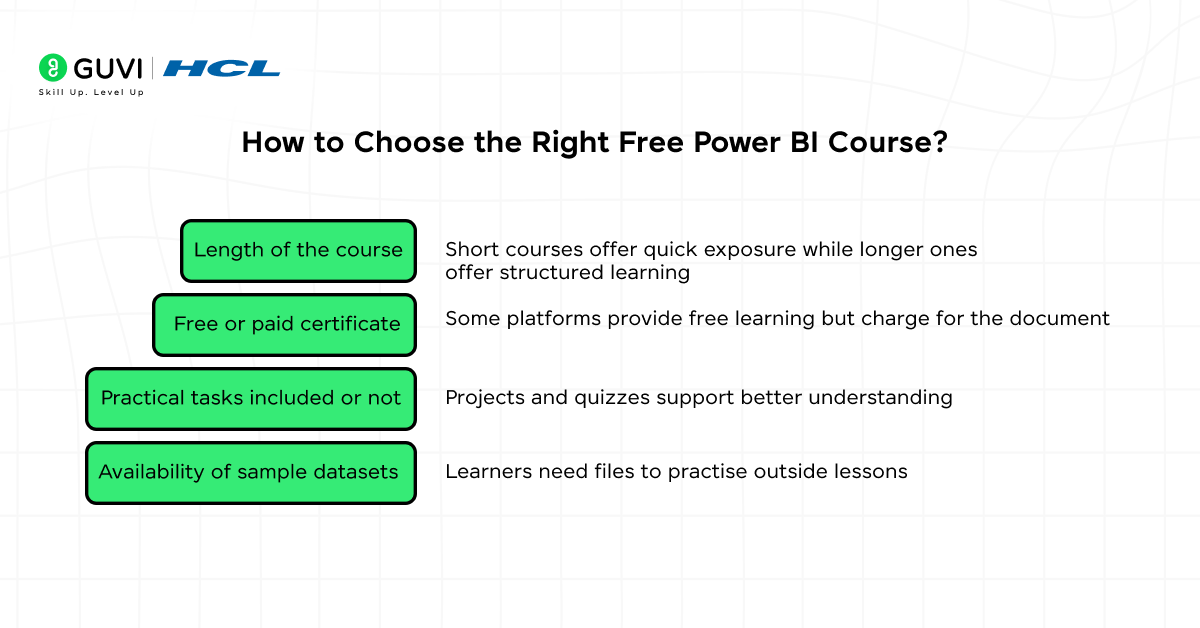
Free courses vary in length, depth, and certificate type. Some offer hands-on labs while others focus on theory. Learners should review course pages before enrolling.
Factors That Help You Decide
- Length of the course: Short courses offer quick exposure, while longer ones offer structured learning
- Free or paid certificate: Some platforms provide free learning, but charge for the document
- Practical tasks included or not: Projects and quizzes support better understanding
- Availability of sample datasets: Learners need files to practise outside lessons
The right Power BI Courses depend on what you want to achieve after completing them.
Choose HCL GUVI if you want structured practical learning with a completion certificate.
Choose Microsoft Learn if you want official free Microsoft training or PL 300 preparation.
Choose the Microsoft Coursera Professional Certificate if you want a longer career focused program with a Microsoft career certificate.
Choose LinkedIn Learning if you prefer a shorter professional video course.
Choose Alison if you want free course access and an optional paid certificate.
Before enrolling in Power BI Courses, check whether the syllabus includes:
• Power Query
• Data cleaning
• Data modelling
• DAX
• Visualisation
• Interactive reports
• Dashboard design
• Practical projects
Do not choose Power BI Courses only because the provider uses the word “certificate.”
If you are still deciding between business intelligence tools, compare Power BI and Tableau before choosing your learning path.
What Makes a Good Power BI Portfolio Project?
A strong Power BI Developer project shows more than visuals. It proves that you can handle the full workflow, from raw data to a finished report. Recruiters expect clarity, logical data modelling, and a short written summary that explains the insights behind the dashboard.
Elements Recruiters Expect to See
- Data source explanation: Short note on where the data came from and why it matters
- Dashboard layout with filters and slices: Allows viewers to explore results without editing visuals
- At least one calculated field: Demonstrates basic DAX knowledge
- Summary of key insights: Shows you can interpret the chart, not only build it
What Makes a Good Power BI Portfolio Project?
Completing Power BI Courses is more useful when you turn what you learn into visible projects.
Build at least two dashboards that demonstrate Power Query, data modelling, DAX, clear visual design, and business insights. Use these Power BI project ideas for beginners to practise with realistic analytics scenarios.
Do not only recreate the exact dashboard shown inside the course. Build at least one project independently.
How to Add Power BI Certificates to LinkedIn?
Certificates boost keyword visibility and help recruiters filter profiles during hiring. Adding the certificate also gives weight to entry-level applications.
When adding certificates from Power BI Courses to LinkedIn, use the exact credential name given by the provider.
Do not write “Microsoft Certified: Power BI Data Analyst Associate” unless you have actually earned the Microsoft certification through PL 300.
Steps to Add a Certificate
- Open LinkedIn and go to the Licenses and Certifications section
- Enter the course name, provider, and issue date
- Paste the certificate URL if provided
Free Resources to Practice Power BI After the Course
Practice should continue after you complete Power BI Courses. Use new datasets so you can apply Power Query, modelling, DAX, and dashboard design without following a tutorial step by step.
Learners need practical data to stay consistent after training. Public datasets help you build new dashboards and try fresh visuals. Repeated practice improves logic, design, and speed.
HCL GUVI’s top Power BI resources can also help you find additional learning material after completing your main course.
Reliable Practice Sources
- Microsoft sample datasets: Come with clean files used in official demos
- Kaggle open datasets: Offers varied data such as sales, sports, and finance
- Data from government portals: Provides authentic datasets for public analysis
Level up your data career with our free ebook: Master the Art of Data Science. Learn key concepts, real-world tools, and strategies to grow into a high-earning data strategist. Download your free copy now!
Real World Example: Choosing a Power BI Course as a Fresher
Suppose Neha is a commerce graduate who already knows Excel and wants an entry level analyst role.
Instead of comparing Power BI Courses only by duration or certificate name, she checks whether each option teaches Power Query, data modelling, DAX, dashboards, and practical projects.
She completes a structured beginner course, builds a sales dashboard and a finance dashboard, then uses Power BI interview questions and answers to prepare for hiring rounds.
This makes Power BI Courses more valuable because the certificate is supported by practical work she can explain during an interview.
Common Mistakes When Choosing Power BI Courses
1. Choosing only for the certificate: Power BI Courses are useful when the syllabus and practical work match the skills you need.
2. Confusing course certificates with Microsoft certification: Completing Power BI Courses does not automatically make you Microsoft Certified. PL 300 is required for Microsoft Certified: Power BI Data Analyst Associate.
3. Skipping projects: Power BI Courses should lead to dashboards you can show and explain to recruiters.
4. Ignoring DAX and data modelling: Attractive charts alone do not demonstrate complete Power BI ability. Strong Power BI Courses should cover how the data model and calculations work behind the report.
5. Paying before checking the syllabus: Compare Power BI Courses for Power Query, DAX, modelling, reporting, and project work before enrolling.
Build Practical Power BI Skills with HCL GUVI
If you want Power BI Courses that take you from data preparation to dashboards and DAX, HCL GUVI’s Microsoft Power BI Course provides structured self paced training with a completion certificate.
The course covers Power Query, data modelling, DAX, report design, dashboards, and business intelligence concepts.
Use Power BI Courses alongside practical project work so you can show employers both a learning credential and actual reporting skills.
Conclusion
Power BI Courses can help beginners build practical reporting and business intelligence skills, but the right option depends on the learning depth and credential you need.
HCL GUVI works well for structured practical learning, Microsoft Learn provides official free study material, Coursera offers a broader Microsoft career certificate, LinkedIn Learning suits shorter professional learning, and Alison provides a free starting point.
Whichever Power BI Courses you choose, prioritise Power Query, data modelling, DAX, dashboards, projects, and clear business storytelling. If you want the official Microsoft certification, prepare separately for PL 300.
FAQs
1. Which Power BI Courses are best for beginners?
Good Power BI Courses for beginners include HCL GUVI, Microsoft Learn, Microsoft’s Power BI Data Analyst Professional Certificate on Coursera, LinkedIn Learning, and Alison.
2. Do Power BI Courses provide certificates?
Many Power BI Courses provide completion certificates, but the credential varies by provider. Microsoft Certified: Power BI Data Analyst Associate requires a separate PL 300 exam.
3. Is Microsoft Learn one of the free Power BI Courses?
Yes. Microsoft Learn provides free Power BI Courses and learning paths. They can help with PL 300 preparation, but completing them does not automatically earn Microsoft certification.
4. Which Power BI Courses prepare for PL 300?
Microsoft Learn and Microsoft’s Power BI Data Analyst Professional Certificate on Coursera are useful for PL 300 preparation. Other Power BI Courses can also strengthen Power Query, DAX, modelling, and reporting skills.
5. Is a Power BI course certificate useful for freshers?
Yes. A course certificate can show structured learning, but freshers should support it with dashboards and practical projects that demonstrate Power BI skills.
6. How long do Power BI Courses take?
Power BI Courses can range from short video programs to multi course professional certificates. Choose based on your starting knowledge and the amount of practical work you need.
7. Do I need coding before joining Power BI Courses?
No. Beginner Power BI Courses usually do not require programming experience. Basic Excel and data knowledge can make Power BI easier to learn.
8. What should I learn after Power BI Courses?
After Power BI Courses, strengthen SQL, Excel, business analytics, communication, and portfolio projects. You can then prepare for analyst interviews or PL 300 if Microsoft certification is your goal.
Success Stories

About the Author
Reemsha Khan
Always been a storyteller at heart. Now, I turn complex topics into simple, easy-to-understand stories through content. Hope you find it helpful.
View all posts by Reemsha Khan
Connect with me @












Did you enjoy this article?