


Project Articles
Automated Resume Screener: NLP-Based Python Project with Source Code
Business Analysis in Digital Transformation Projects - Best Guide
Build No-Code AI Agents with Flowise AI: Step-by-Step Beginner Guide


Get In Touch For Details! Request More Information

10 Power BI Project Ideas for Beginners to Build a Strong Portfolio in 2026
Oct 05, 2026 9 Min Read 91221 Views
(Last Updated)
Power BI Project Ideas are practical dashboard and analytics projects that help you turn raw data into interactive reports, KPIs, and business insights using Microsoft Power BI.
The best Power BI Project Ideas for 2026 combine data cleaning, data modeling, DAX, Power Query, visualization, and clear business storytelling so students and freshers can demonstrate practical analytics skills.
Power BI Project Ideas are one of the best ways to learn business intelligence by working with realistic datasets instead of only watching tutorials. A strong project shows that you can take raw data, clean it, analyze it, and turn it into information that supports a business decision.
In 2026, useful Power BI Project Ideas should go beyond attractive charts. Your portfolio should demonstrate Power Query, data modeling, DAX measures, interactive reporting, and the ability to explain what your dashboard actually tells the user.
Whether you are a student, fresher, aspiring data analyst, business analyst, or BI developer, the projects below give you a practical path from beginner dashboards to more advanced analytics work.
Quick Answer:
These 10 Power BI projects, from beginner dashboards like sales and HR analytics to advanced solutions like healthcare, social media, and logistics, help build skills in data modeling, DAX, visualization, integration, and real-world decision-making using Microsoft Power BI.
- Over 5 million users actively use Microsoft Power BI across enterprises and SMBs globally.
- The business intelligence market is expected to surpass $50 billion by 2030, driven by growing analytics adoption.
- Data-driven companies are 23x more likely to acquire customers and 19x more likely to be profitable.
Table of contents
- What is Power BI?
- Top 10 Power BI Project Ideas
- Beginner Level Power BI Project Ideas
- Sales Performance Dashboard for E-commerce
- Human Resource Analytics Dashboard
- Sales Analysis
- Intermediate Level Power BI Project Ideas
- Customer Segmentation Dashboard
- Retail Inventory Management Dashboard
- Energy Consumption Analysis
- Education Performance Dashboard
- Advanced Level Power BI Project Ideas
- Social Media Analytics Dashboard
- Healthcare Patient Management Dashboard
- Transportation and Logistics Dashboard
- Quick Comparison of the Best Power BI Project Ideas in 2026
- Best Power BI Project Ideas in India 2026 for Students and Freshers
- UPI and Digital Payments Dashboard
- Indian Banking Trends Dashboard
- Indian E-commerce Sales and Returns Dashboard
- IT Workforce and Attrition Dashboard
- Electricity Consumption Dashboard
- How to Choose the Right Power BI Project for Your Career Goals
- 2026 Career Context in India
- Key Power BI Skills You Build Through Real Projects
- Best Practices to Make Your Power BI Portfolio Job-Ready
- Build Your Power BI Skills with HCL GUVI
- Conclusion
- FAQs
- What are the best Power BI Project Ideas for beginners?
- Which Power BI project is best for a resume?
- How many Power BI Project Ideas should I include in my portfolio?
- Where can I find datasets for Power BI Project Ideas?
- Can I build Power BI Project Ideas for free?
What is Power BI?
Microsoft Power BI is a business intelligence and analytics platform used to connect, transform, model, visualize, and analyze data. Power BI Desktop combines tools such as Power Query for data preparation, DAX for calculations, data modeling, and interactive reporting in one environment.
Power BI is updated regularly with new features, visual improvements, and performance changes. When working on Power BI Project Ideas, beginners should use a recent version of Power BI Desktop so they can access current features and avoid compatibility issues while building and updating portfolio projects.
Microsoft’s July 2026 Power BI update also introduced changes across reporting, modeling, mobile, and embedded analytics, including expanded modern visual defaults and conditional formatting improvements. This makes it worth checking newer Power BI capabilities before following an older project tutorial exactly.

Top 10 Power BI Project Ideas
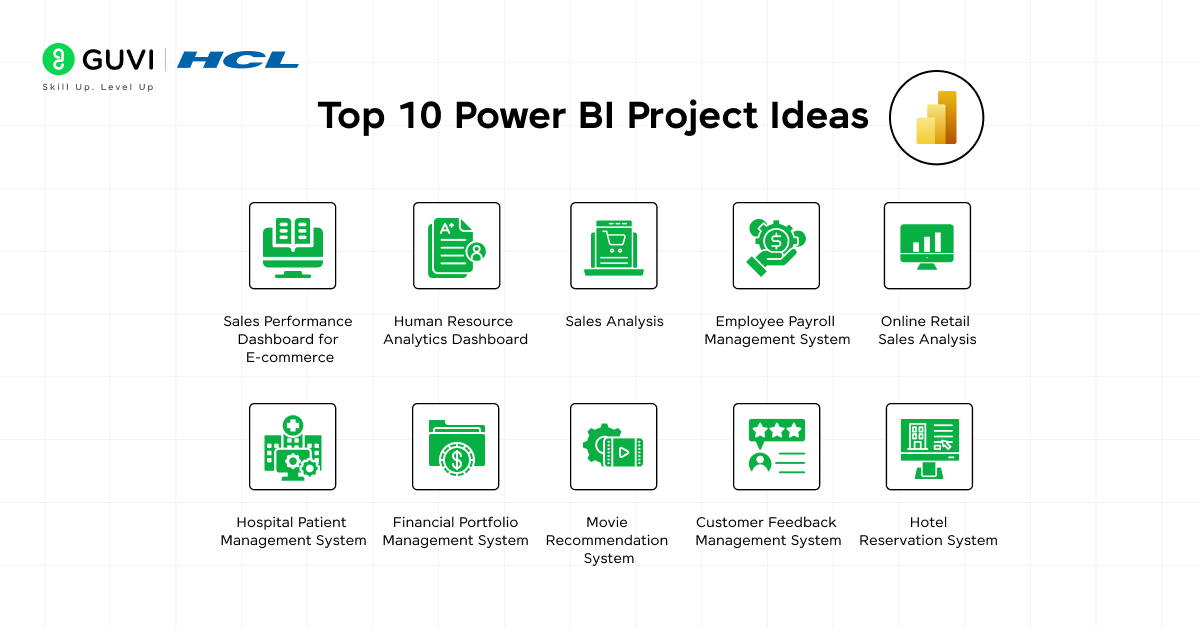
Each of these Power BI project ideas will help you learn something new, improve your skills, and challenge your creativity. Let’s explore!
Beginner Level Power BI Project Ideas
1. Sales Performance Dashboard for E-commerce
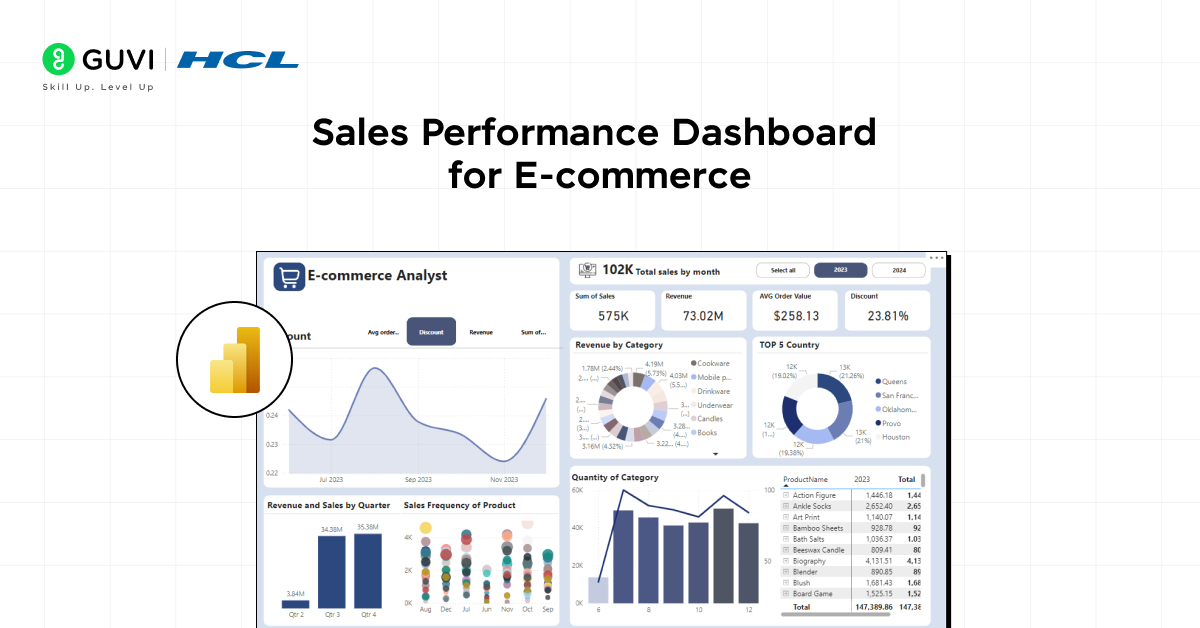
Build a dashboard that visualizes sales data for an e-commerce company. You can use Power BI to track sales, revenue, and customer demographics across various regions and products.
Time Taken: 1-2 weeks
Project Complexity: Beginner
Technology Stack: Power BI, SQL, Excel
Learning Curve and Required Skills: Data modeling, DAX, and Power Query knowledge
Integration with other systems: Integrates well with Excel and SQL databases
Security Measures: Role-based access and row-level security for restricting sensitive sales data
Source Code: Sales Performance Dashboard
2. Human Resource Analytics Dashboard
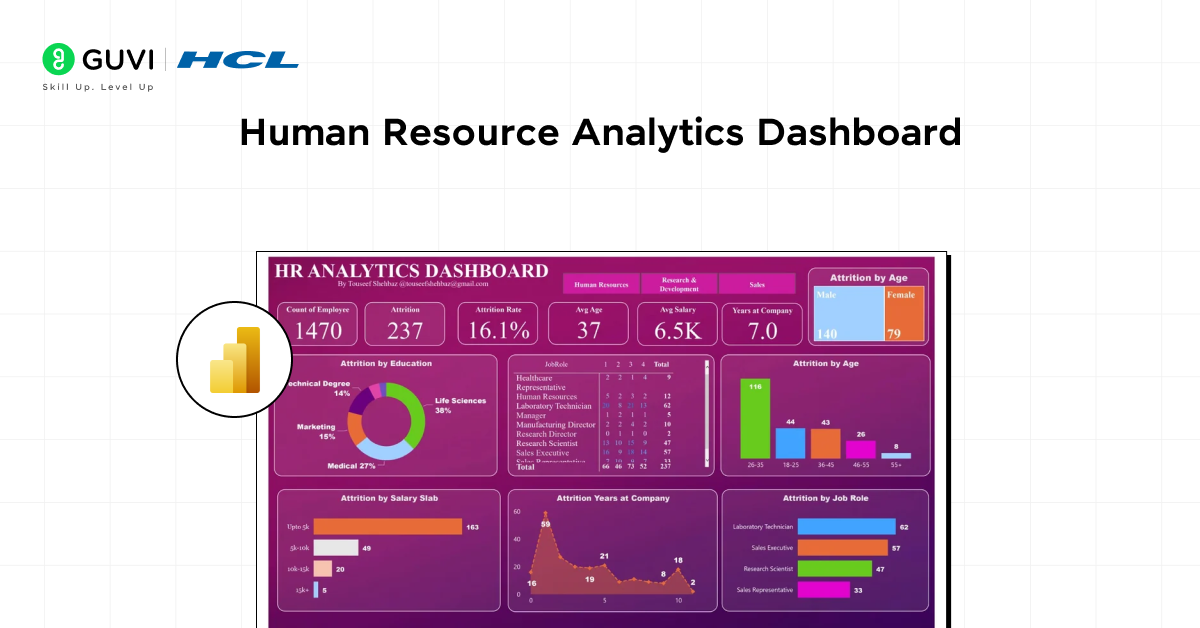
Develop a dashboard that provides insights into an organization’s workforce, including employee demographics, turnover rates, and performance metrics. This project will help HR professionals make data-driven decisions.
Time Taken: 2 weeks
Project Complexity: Beginner
Technology Stack: Power BI, Excel, SharePoint
Learning Curve and Required Skills: DAX, data modeling, Power Query
Integration with other systems: Integrates with SharePoint for employee data
Security Measures: Role-level security to protect employee data
Source Code: Human Resource Analytics Dashboard
3. Sales Analysis
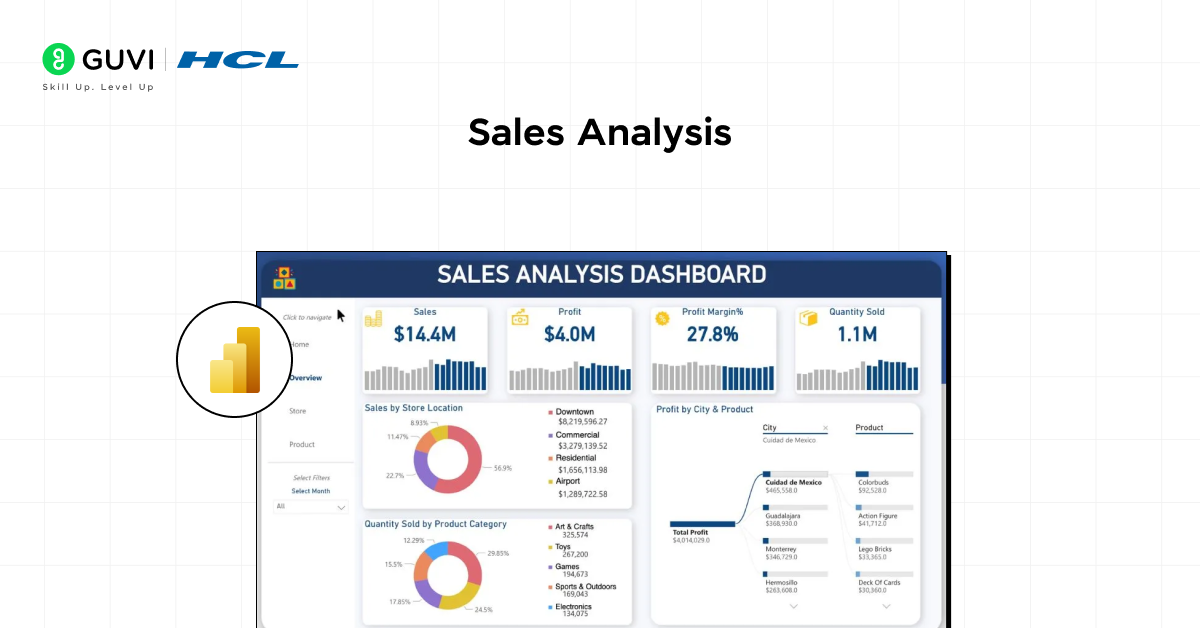
Create a financial dashboard to compare a company’s budget with actual spending. This project teaches you how to deal with financial datasets and make real-time comparisons between expected and actual data.
Time Taken: 1-2 weeks
Project Complexity: Beginner
Technology Stack: Power BI, Excel, Power Query
Learning Curve and Required Skills: Financial data modeling, Power Query
Integration with other systems: Can integrate with Microsoft Teams for reporting
Security Measures: Set up row-level security to manage who can see the financial reports
Source Code: Sales Analysis
Know more about the best YouTube channel to learn Power BI
Looking to build practical data analytics skills? Explore beginner-friendly Power BI tutorials, dashboard projects, and hands-on learning resources on HCL GUVI Learn Hub
Intermediate Level Power BI Project Ideas
4. Customer Segmentation Dashboard
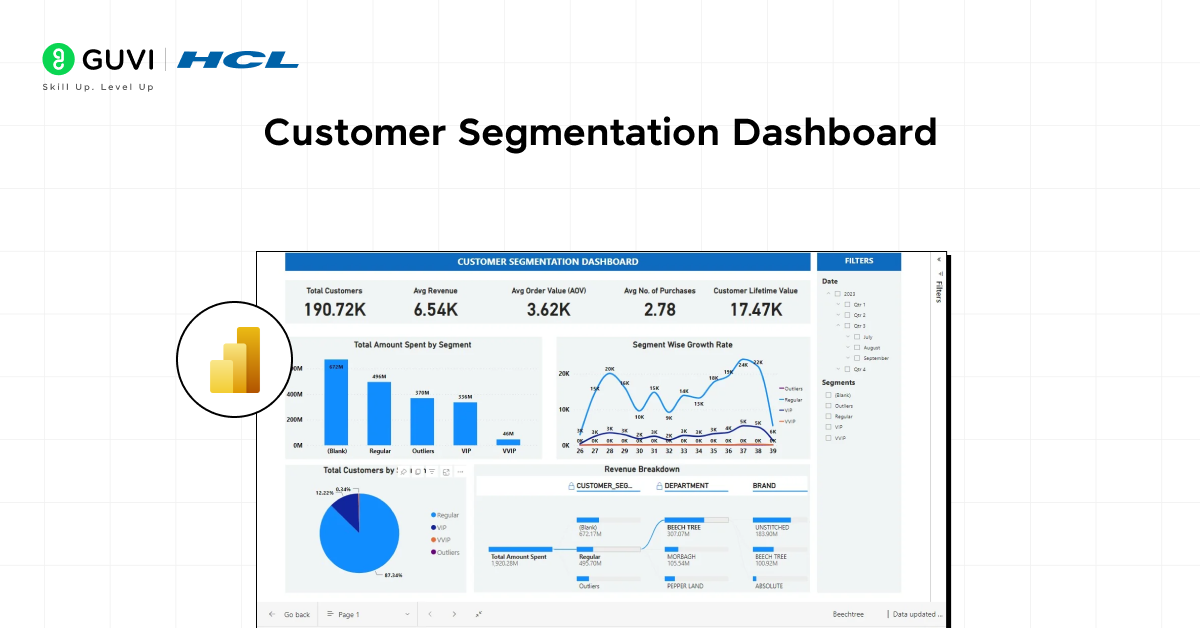
This project involves creating a dashboard that segments customers based on various factors like purchasing behavior, demographics, and location. It’s an excellent project for anyone interested in marketing analytics.
Time Taken: 2-3 weeks
Project Complexity: Intermediate
Technology Stack: Power BI, SQL, Python (optional for advanced analytics)
Learning Curve and Required Skills: DAX, customer data modeling
Integration with other systems: Easily integrates with CRM systems
Security Measures: Row-level security to restrict access to sensitive customer data
Source Code: Customer Segmentation Dashboard
If ChatGPT is part of your daily work, it is time to use it better.
HCL GUVI’s Bharat AI Initiative, powered by OpenAI, helps you build advanced ChatGPT skills with structured prompting and practical guidance. Available in English, Hindi, Marathi, Tamil, and Telugu, this program is absolutely free!
5. Retail Inventory Management Dashboard
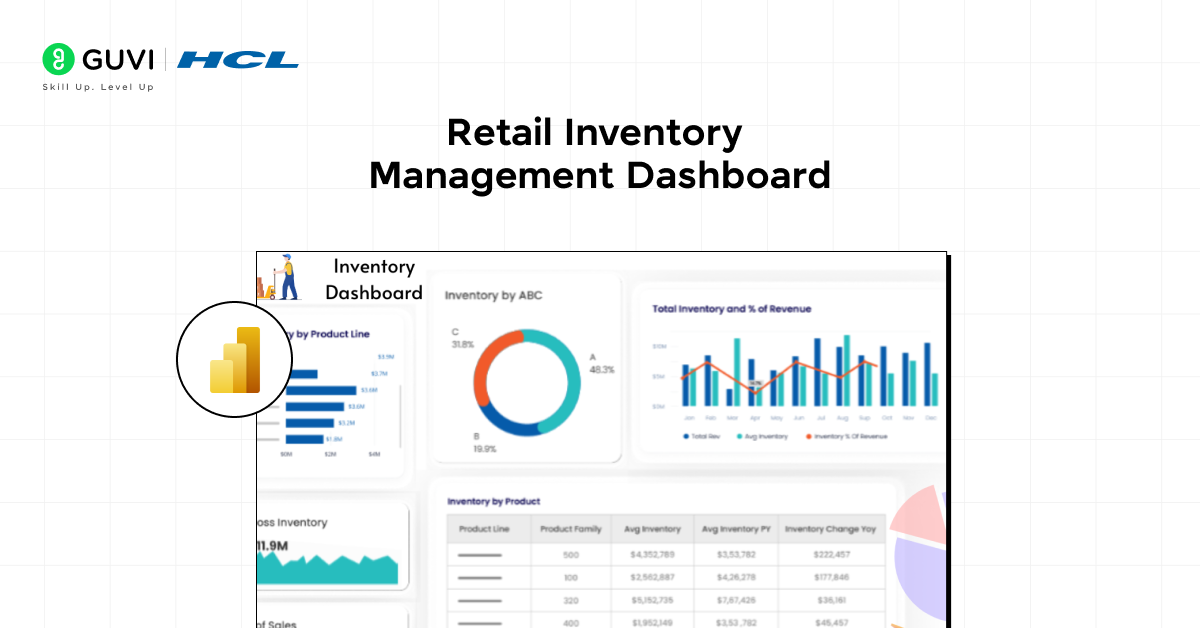
Monitor the stock levels, sales trends, and reorder points of products in a retail environment. This project is ideal for those who want to understand supply chain and inventory analytics.
Time Taken: 3 weeks
Project Complexity: Intermediate
Technology Stack: Power BI, Excel, SQL
Learning Curve and Required Skills: DAX, inventory management concepts
Integration with other systems: Can be integrated with ERP systems
Security Measures: Role-level security for inventory data
Source Code: Retail Inventory Management Dashboard
Turn your Power BI skills into real-world expertise with project-based learning, mentor guidance, and industry-focused training through HCL GUVI Zen Class
6. Energy Consumption Analysis
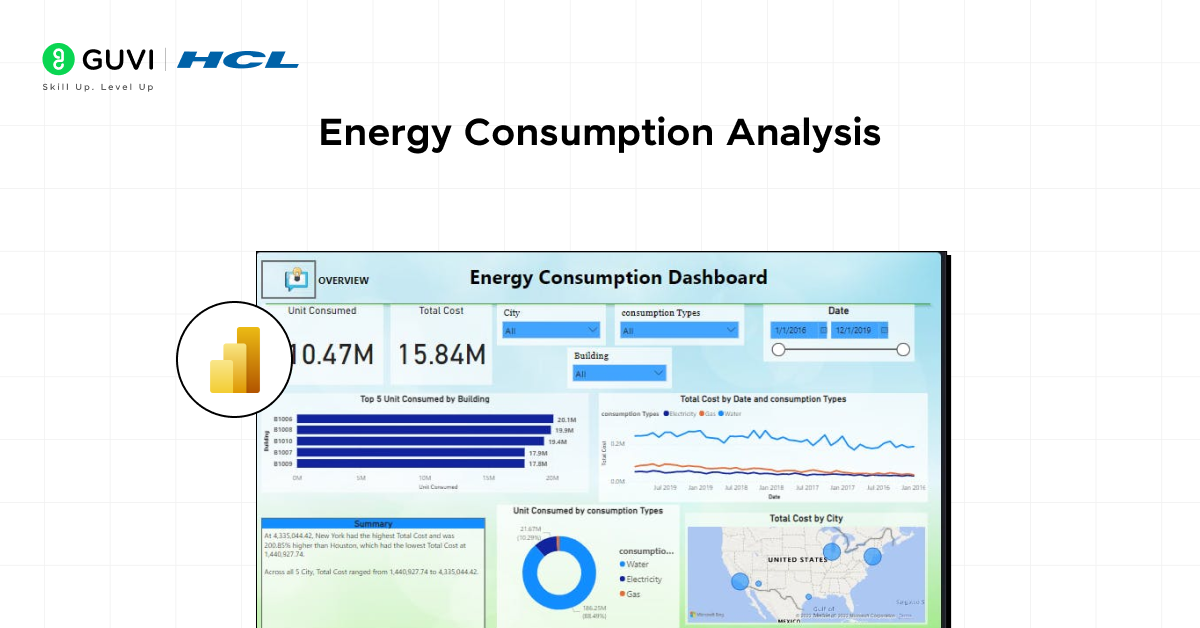
Analyze and visualize energy consumption trends for households or businesses. This dashboard can track power usage, suggest energy-saving opportunities, and compare usage across different periods.
Time Taken: 2-4 weeks
Project Complexity: Intermediate
Technology Stack: Power BI, IoT data, Azure
Learning Curve and Required Skills: Power Query, DAX, Azure integration
Integration with other systems: Can be integrated with IoT platforms
Security Measures: Role-based security to limit access to energy data
Source Code: Energy Consumption Analysis
7. Education Performance Dashboard
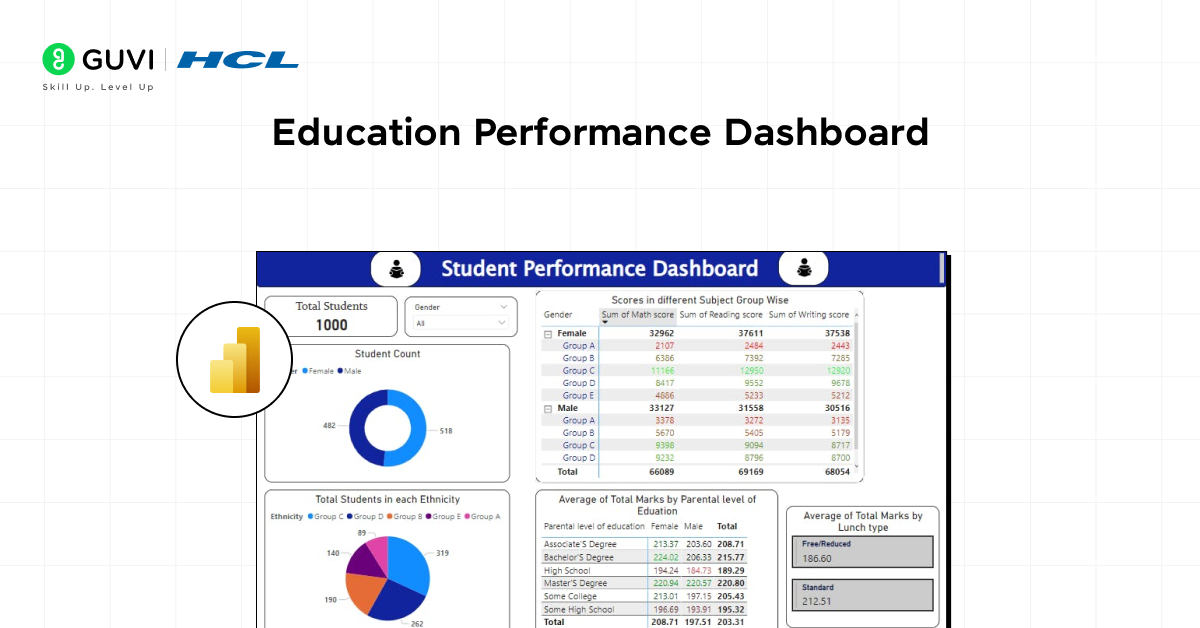
Develop a dashboard to track student performance, attendance, and teacher effectiveness. This project helps educational institutions visualize data to improve student outcomes.
Time Taken: 2 weeks
Project Complexity: Intermediate
Technology Stack: Power BI, Excel, SharePoint
Learning Curve and Required Skills: Power Query, DAX, education data modeling
Integration with other systems: Can be integrated with student information systems (SIS)
Security Measures: Ensure privacy through role-based access for sensitive student data
Source Code: Education Performance Dashboard
Want to become a job-ready data analyst? Learn Power BI, data visualization, SQL, and dashboard development through hands-on projects and expert-curated learning paths on HCL GUVI Learn Hub
Advanced Level Power BI Project Ideas
8. Social Media Analytics Dashboard
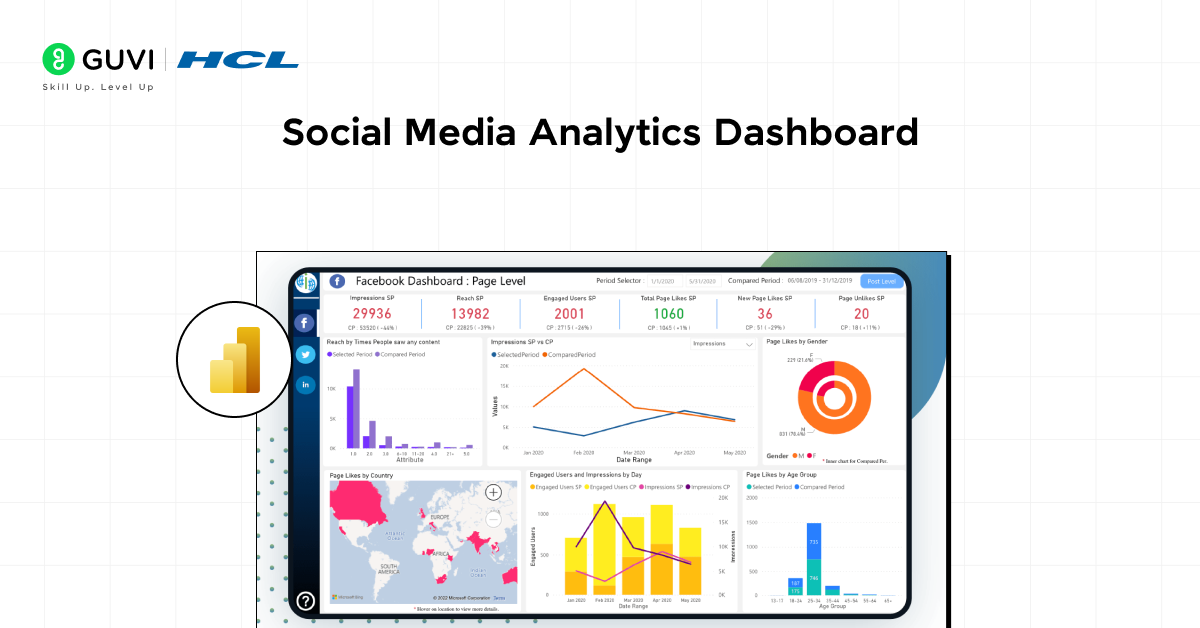
Build a dashboard that tracks the performance of social media campaigns across different platforms like Facebook, Twitter, and LinkedIn. This project helps marketers to visualize engagement, reach, and conversion metrics.
Time Taken: 2-3 weeks
Project Complexity: Advanced
Technology Stack: Power BI, Google Analytics API, Excel
Learning Curve and Required Skills: Advanced DAX, API integration
Integration with other systems: Integrates with social media analytics platforms via APIs
Security Measures: Ensure only authorized users can access marketing data
Source Code: Social Media Analytics Dashboard
9. Healthcare Patient Management Dashboard
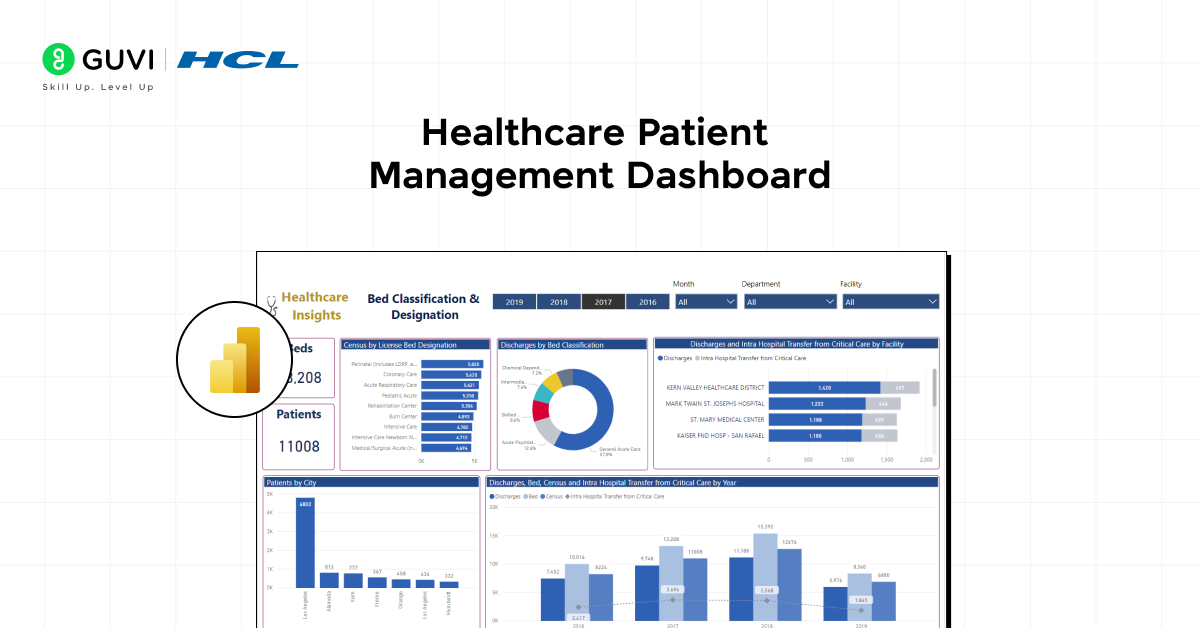
This project focuses on creating a dashboard for hospitals or clinics to track patient visits, treatment history, and billing information. It provides healthcare professionals with critical insights into their patient operations.
Time Taken: 3 weeks
Project Complexity: Advanced
Technology Stack: Power BI, SQL, Power Apps
Learning Curve and Required Skills: Data modeling, Power Query, healthcare analytics
Integration with other systems: Integrates with hospital management software
Security Measures: Strict role-based access for patient data confidentiality
Source Code: Healthcare Patient Management Dashboard
10. Transportation and Logistics Dashboard
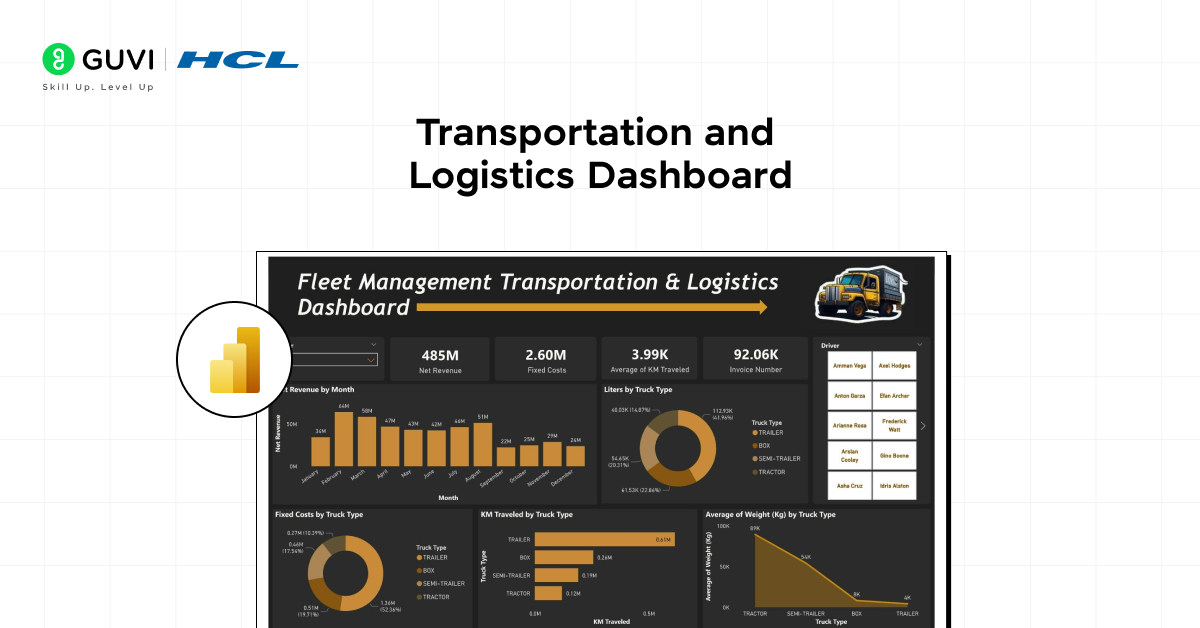
Create a dashboard that tracks shipment details, delivery routes, and delivery performance metrics for a logistics company. This project is perfect for learning how to manage and visualize complex datasets.
Time Taken: 3 weeks
Project Complexity: Advanced
Technology Stack: Power BI, SQL, Python (optional for route optimization)
Learning Curve and Required Skills: Advanced DAX, route optimization algorithms
Integration with other systems: Easily integrates with GPS systems and CRMs
Security Measures: Restrict access to confidential logistics data
Source Code: Transportation and Logistics Dashboard
Know about Power BI Developer Interview Questions and Answers
Quick Comparison of the Best Power BI Project Ideas in 2026
Before choosing from the detailed Power BI Project Ideas below, use this table to match a project with your current level, career goal, and the skill you want to demonstrate.
The strongest Power BI Project Ideas are not always the most complex. They are the ones where you can clearly explain the problem, data model, KPIs, insights, and business decisions.
| Project | Level | Main Skills | Suggested Data | Typical Build Time | Best Portfolio Value |
| Sales Performance Dashboard | Beginner | Power Query, DAX basics, KPI cards, slicers | E-commerce sales data | 1–2 weeks | Shows end-to-end reporting and commercial thinking |
| HR Analytics Dashboard | Beginner | Data cleaning, DAX, attrition metrics | Employee or HR dataset | Around 2 weeks | Useful for HR and people analytics roles |
| Sales / Budget Analysis | Beginner | Variance analysis, Power Query, financial KPIs | Budget and actuals data | 1–2 weeks | Good for finance and business analyst portfolios |
| Customer Segmentation Dashboard | Intermediate | Data modeling, DAX, segmentation | CRM or customer purchase data | 2–3 weeks | Demonstrates customer and marketing analysis |
| Retail Inventory Dashboard | Intermediate | Inventory KPIs, SQL, DAX | Sales and stock data | Around 3 weeks | Useful for retail and operations analytics |
| Energy Consumption Analysis | Intermediate | Time-series analysis, Power Query, DAX | Energy usage data | 2–4 weeks | Shows trend and operational analysis |
| Education Performance Dashboard | Intermediate | Data modeling, KPI design, filtering | Student performance data | Around 2 weeks | Useful for education and institutional analytics |
| Social Media Analytics Dashboard | Advanced | API data, advanced DAX, campaign metrics | Social or campaign data | 2–3 weeks | Demonstrates marketing analytics and integration |
| Healthcare Patient Dashboard | Advanced | Data modeling, security concepts, operational KPIs | De-identified healthcare data | Around 3 weeks | Shows complex domain reporting |
| Transportation and Logistics Dashboard | Advanced | Advanced DAX, route and delivery KPIs | Shipment or logistics data | Around 3 weeks | Strong for supply chain and operations roles |
For beginners, the sales, HR, and budget dashboards are the safest Power BI Project Ideas because their business questions are easy to understand and explain during interviews.
Intermediate learners should choose Power BI Project Ideas that require multiple related tables, stronger DAX measures, and deeper business logic.
Advanced learners can move towards Power BI Project Ideas involving APIs, security rules, larger data models, external systems, or operational decision-making.
Best Power BI Project Ideas in India 2026 for Students and Freshers
The best Power BI Project Ideas in India should reflect business problems that Indian students and freshers can understand, research, and explain confidently during an interview.
You do not need confidential company information. Public datasets, simulated business data, Microsoft samples, and Indian open-data platforms can provide enough information to build credible Power BI Project Ideas.
1. UPI and Digital Payments Dashboard
A UPI dashboard is one of the most relevant Power BI Project Ideas in India because NPCI publishes monthly statistics covering UPI transaction volume, transaction value, and participating banks.
You can use Power Query to prepare monthly data and DAX to calculate growth measures. Useful dashboard metrics can include:
- Monthly transaction volume
- Monthly transaction value
- Month-on-month growth
- Number of participating banks
- Historical transaction trends
This project works particularly well for students interested in fintech, banking, payments, and business analytics.
2. Indian Banking Trends Dashboard
For finance-focused Power BI Project Ideas, use public information from the Reserve Bank of India’s Database on Indian Economy.

RBI describes DBIE as its flagship data dissemination platform for macroeconomic and financial statistics. It includes data across banking, financial markets, corporate performance, the external sector, and other areas.
Keep the project focused. Instead of trying to visualize every available indicator, select one question such as:
- How have bank deposits changed?
- How has credit changed over time?
- How do selected banking indicators compare?
- What trends are visible across specific periods?
A focused dashboard is easier to explain than one filled with unrelated charts.
3. Indian E-commerce Sales and Returns Dashboard
E-commerce remains one of the easiest Power BI Project Ideas to explain during an interview.
Create a public or simulated dataset containing orders from Indian cities, product categories, discounts, returns, delivery status, and revenue.
Your dashboard can track:
- Total revenue
- Total orders
- Average order value
- Return rate
- Top categories
- City-wise sales
- Monthly sales movement
- Delivery performance
The project becomes stronger when you finish by explaining two or three business recommendations based on the dashboard.
4. IT Workforce and Attrition Dashboard
Students targeting analyst roles can also create Power BI Project Ideas around workforce and HR analytics.
Use sample or anonymised employee data to examine:
- Total headcount
- Attrition
- Department-wise exits
- Experience bands
- Hiring trends
- Job roles
- Employee demographics
The important part is not simply showing employee counts. Explain which teams have higher attrition and what additional information an HR team might investigate before making a decision.
5. Electricity Consumption Dashboard
Energy-based Power BI Project Ideas can use public government datasets to compare electricity consumption across periods, locations, or consumer categories.
Indian government open-data portals include electricity consumption datasets that can be used for analysis and visualization.
You can demonstrate:
- Time-series analysis
- Power Query cleaning
- Regional comparison
- Consumption trends
- KPI calculations
- Interactive filtering
For your portfolio, choose one or two of these Power BI Project Ideas and make them deeper rather than creating five shallow dashboards.
A recruiter should be able to understand the problem you solved, the dataset you selected, the DAX measures you created, the insights you found, and the decision your dashboard could support.
If ChatGPT is part of your daily work, it is time to use it better.
HCL GUVI’s Bharat AI Initiative, powered by OpenAI, helps you build advanced ChatGPT skills with structured prompting and practical guidance. Available in English, Hindi, Marathi, Tamil, and Telugu, this program is absolutely free!
These Power BI project ideas should help you level up your data science skills while solving real-world problems. By exploring these options, you’ll have a solid foundation to build even more advanced projects in the future.
Want to become a job-ready data analyst? Build real-world Power BI projects, master dashboard development, and gain hands-on analytics experience with HCL GUVI Zen Class.
How to Choose the Right Power BI Project for Your Career Goals
Selecting the right Power BI project ideas is not about complexity alone. It is about relevance to your career path.
If you are targeting roles like data analyst, business analyst, or BI developer, your project should align with real-world business use cases.
Key factors to consider:
- Domain relevance: Finance, marketing, operations, or healthcare
- Data availability: Public datasets, APIs, or simulated business data
- Problem clarity: Clear KPI tracking like revenue, churn, or efficiency
- Scalability: Ability to extend the project with more features
A well-chosen project demonstrates not only technical skills but also business thinking and decision-making ability.
2026 Career Context in India
Power BI Project Ideas are most useful when they help you move from saying “I know Power BI” to showing “I can solve a business problem using Power BI.”
Glassdoor’s India salary data listed an average Power BI Developer salary of approximately ₹6.05 lakh per year, based on 50 submitted salaries when checked in August 2026. Actual salaries vary significantly based on experience, location, company, responsibilities, and technical skills, so this figure should be treated only as a current market reference.
For students and freshers, the purpose of Power BI Project Ideas should not be to chase a salary figure. Your portfolio should show that you can clean imperfect data, create relationships, write useful measures, build readable reports, identify meaningful insights, and explain those insights clearly.
Key Power BI Skills You Build Through Real Projects
Working on Power BI dashboards helps you develop practical skills that go beyond theory.
Core skills you gain:
- Data Modeling: Building relationships between multiple tables
- DAX Functions: Creating calculated columns and measures
- Power Query: Cleaning and transforming raw data
- Data Visualization: Designing intuitive dashboards
- Performance Optimization: Improving report speed and efficiency
Advanced projects also introduce:
- API integrations
- Real-time data streaming
- Row-level security implementation
- API integrations
- Real-time data streaming
- Row-level security implementation
In 2026, strong Power BI Project Ideas should also show that you are comfortable working with current Power BI reporting and modeling features rather than depending only on older dashboard tutorials.
Microsoft continues to update Power BI every month, so treat feature awareness as part of your workflow. You do not need to use every new capability. Use newer features only when they make the dashboard clearer, easier to maintain, or more useful to the end user.
These skills are essential for working with tools like Microsoft Excel, SQL, and cloud platforms such as Microsoft Azure.
Best Practices to Make Your Power BI Portfolio Job-Ready
Building projects is not enough. Presentation and structure determine whether your portfolio stands out.
Follow these best practices:
- Start with a problem statement: Clearly define what the dashboard solves
- Use clean UI design: Avoid clutter and focus on readability
- Highlight insights: Add summary sections explaining key findings
- Include interactivity: Filters, slicers, and drill-down features
- Document your work: Add descriptions, tools used, and outcomes
- Show your data workflow: For each of your Power BI Project Ideas, briefly explain the original dataset, cleaning steps, data model, important DAX measures, and final insights. Recruiters should be able to understand how you reached the dashboard, not just see the finished visual.
- Add business recommendations: Strong Power BI Project Ideas should end with two or three decisions or recommendations supported by the data. This shows analytical thinking instead of only dashboard design ability.
Your portfolio does not need ten nearly identical dashboards. A smaller set of well-documented Power BI Project Ideas across different business problems can demonstrate more range than repeatedly changing the dataset while using the same dashboard layout.
Pro tip: Recruiters value dashboards that show decision-making insights, not just visuals.
Also Read: How Companies Use Data to Make Decisions
Build Your Power BI Skills with HCL GUVI
Working on Power BI Project Ideas is much easier when you understand data preparation, modelling, DAX, and dashboard creation properly.
HCL GUVI’s Microsoft Power BI Course takes you through Power BI fundamentals, SQL Server connections, data visualisation, data modelling, DAX, and practical project work. It is a useful next step if you want to turn the project ideas in this guide into complete dashboards for your portfolio. Once your portfolio is ready and you want to move beyond reporting into Python, statistics, and predictive analysis, the HCL Guvi’s Data Science Course is a logical next step to grow from a Power BI analyst into a broader data professional.
Conclusion
Power BI Project Ideas are one of the most practical ways to turn Power BI knowledge into portfolio evidence. In 2026, focus on projects that demonstrate the full analytics workflow rather than dashboards that only look attractive.
Start with beginner Power BI Project Ideas such as sales or HR analytics, then move towards projects involving multiple tables, DAX, SQL, APIs, security, or industry-specific datasets.
For Indian students and freshers, strong Power BI Project Ideas should solve a clear business problem and explain the KPIs, insights, and decisions supported by the dashboard. Quality, business relevance, and your ability to explain the project matter more than the number of dashboards you build.
FAQs
1. What are the best Power BI Project Ideas for beginners?
The best Power BI Project Ideas for beginners include sales performance, HR analytics, budget versus actual, inventory, and simple e-commerce dashboards. Start with a clean dataset and focus on Power Query, basic DAX, relationships, slicers, KPI cards, and clear business insights before attempting advanced integrations.
2. Which Power BI project is best for a resume?
The best resume project is one that solves a realistic business problem and lets you explain your work clearly. Among common Power BI Project Ideas, a sales dashboard, customer analysis, HR attrition dashboard, or inventory dashboard works well because recruiters can quickly understand the KPIs and business value.
3. How many Power BI Project Ideas should I include in my portfolio?
Three to five well-documented Power BI Project Ideas are generally more useful than a large collection of similar dashboards. Include a variety, such as one beginner project, one project with stronger data modeling or DAX, and one domain-specific project aligned with the job you want. Current 2026 project guidance similarly emphasizes portfolio quality over quantity.
4. Where can I find datasets for Power BI Project Ideas?
You can find datasets for Power BI Project Ideas through Microsoft sample data, Kaggle, data.gov.in, RBI’s Database on Indian Economy, NPCI statistics, and other public-data portals. Always check usage permissions and avoid publishing confidential or personally identifiable information in a public portfolio.
5. Can I build Power BI Project Ideas for free?
Yes. Power BI Desktop is available as a free Windows application for creating reports, data models, DAX measures, Power Query transformations, and dashboards. You can therefore complete many Power BI Project Ideas without paying for the desktop authoring application, although some cloud sharing and collaboration capabilities require paid Power BI or Microsoft Fabric licensing.
Success Stories

About the Author
Reemsha Khan
Always been a storyteller at heart. Now, I turn complex topics into simple, easy-to-understand stories through content. Hope you find it helpful.
View all posts by Reemsha Khan
Connect with me @


Did you enjoy this article?
Comments













Powerbi project ideas