


Data Science Articles
Accountant vs Data Analyst Salary in India After Switching Careers - Best Guide
Finance Managers: Could Data Science Be Your Next Career Move?
Insurance Claims Executive to Data Analyst: Is It a Good Switch?
Banking Executive (Loans, KYC) to Data Analyst: Skills and Career Path


Get In Touch For Details! Request More Information
Data Cleaning in Data Science: A Comprehensive Guide
Oct 12, 2026 6 Min Read 20297 Views
(Last Updated)
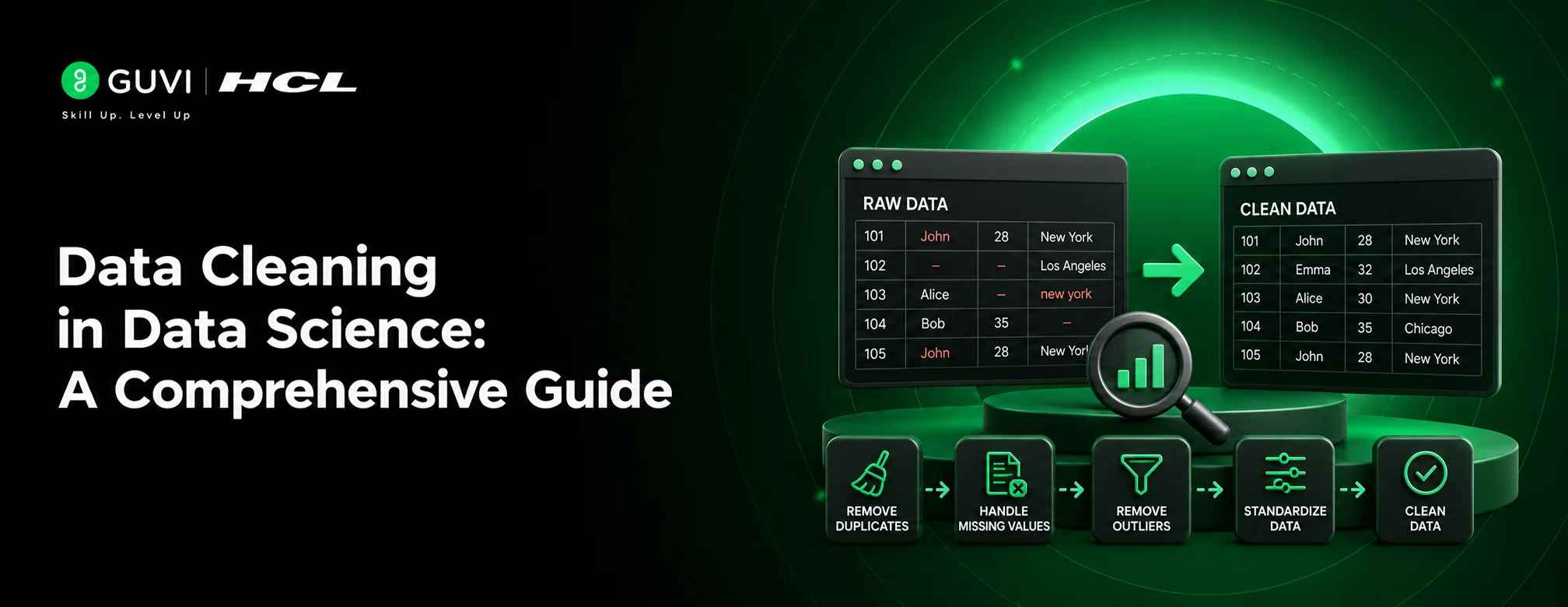
Data cleaning is the process of finding and fixing errors, duplicates, and missing values in a dataset before it’s used for analysis or model building. It typically involves:
- Removing duplicate or irrelevant records
- Fixing missing or incomplete values
- Correcting formatting and typing errors
- Standardizing units, dates, and categories
- Flagging or treating outliers
Without this step, even the most advanced analysis will produce misleading results because a model or dashboard is only as reliable as the data it’s fed.
Table of contents
- TL;DR Summary
- What is Data Cleaning in Data Science?
- Data Cleaning vs Data Preprocessing vs Data Wrangling
- The Data Cleaning Process, Step by Step
- Common Data Quality Issues You'll Run Into
- Data Cleaning Tools Compared
- Best Practices Worth Following
- Common Mistakes to Avoid
- Conclusion
- FAQs
- What is data cleaning in data science?
- What are the steps of data cleaning?
- Why is data cleaning important in data science?
- What is the difference between data cleaning and data preprocessing?
- Which tools are used for data cleaning?
TL;DR Summary
- Data Cleaning is the process of finding and fixing errors, duplicates, and missing values before analysis or model building.
- Wrangling shapes the data, cleaning corrects it, and preprocessing tunes it for your model.
- The Data Cleaning process follows 8 steps, from understanding your data to validating the result.
- Missing data, duplicates, inconsistent formatting, typos, outliers, and structural errors are the most common issues.
- Tools like Pandas, OpenRefine, Excel, SQL, and Trifacta help, and habits like documenting every change prevent common Data Cleaning mistakes.
What is Data Cleaning in Data Science?
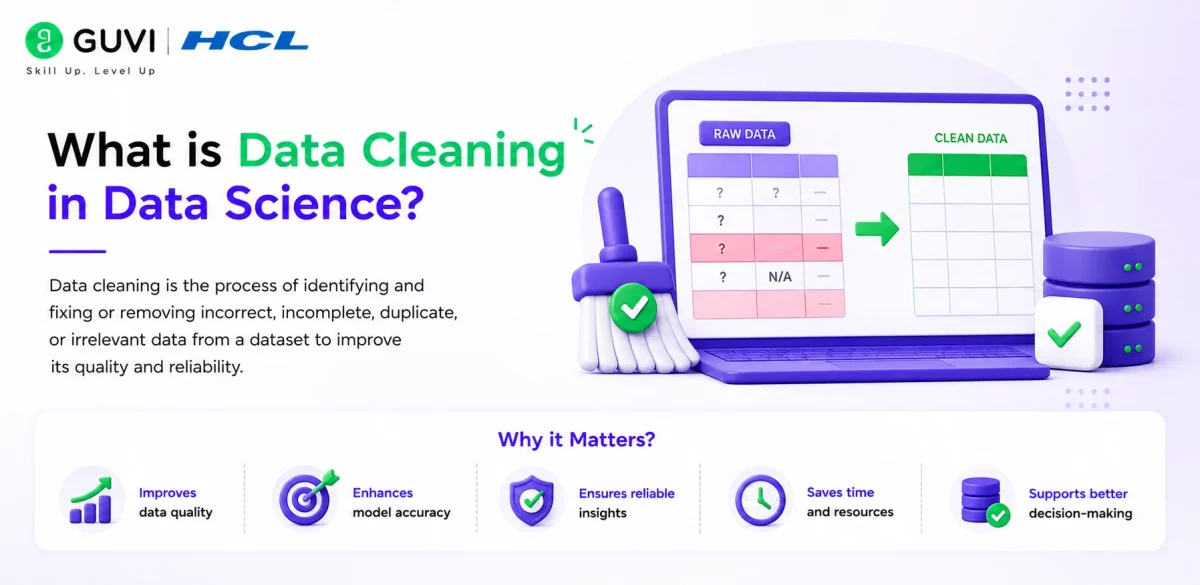
Data cleaning, also called data cleansing or scrubbing, turns raw, messy data into a dataset you can trust for analysis.
Raw data collected from forms, sensors, APIs, or logs is rarely ready to use.
You’ll often find blank fields, duplicate rows, mismatched date formats, or nonsensical values, like a negative age or a future birth date. Cleaning resolves these problems before they quietly distort your results.
Still Saying “I’ll Start Next Month”? We’ve all said it. Meanwhile, someone else just started. HCL GUVI’s Advanced Data Science & Generative AI Program takes you from zero to job-ready with live online classes, 10+ real projects, 1:1 doubt sessions, and an IITM Pravartak certification. Learn in your own language, with placement support and 1000+ hiring partners behind you. Your “someday” can begin today. Apply now!
Data Cleaning vs Data Preprocessing vs Data Wrangling
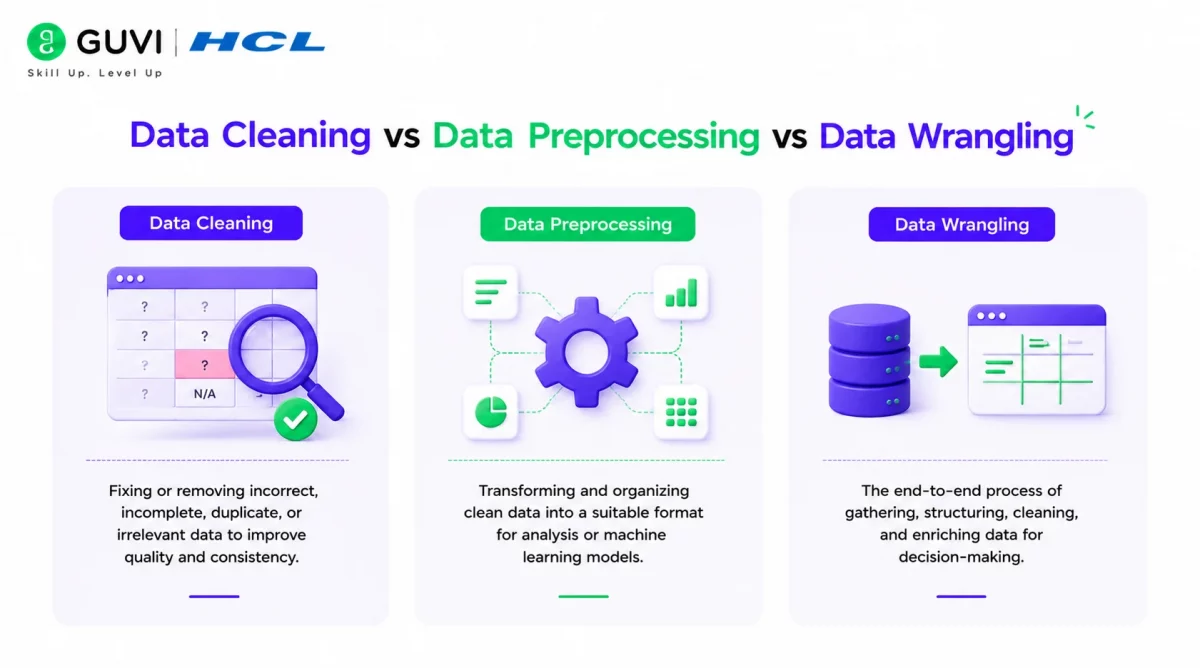
People use these three terms interchangeably, but they aren’t quite the same. Here’s how they actually differ.
| Aspect | Data Cleaning | Data Preprocessing | Data Wrangling |
|---|---|---|---|
| Definition | Fixing errors, duplicates, missing values | Preparing cleaned data for modeling | Reshaping raw data into a usable structure |
| Primary goal | Accuracy and consistency | Model readiness | Structure and accessibility |
| When it happens | Right after data collection | After cleaning, before modeling | Can happen before or alongside cleaning |
| Example task | Removing duplicate customer records | Scaling numerical features | Merging three CSV files into one table |
| Typical output | A clean, error-free dataset | A model-ready dataset | A structured, unified dataset |
In short, wrangling shapes the data, cleaning corrects it, and preprocessing tunes it for your model.
According to multiple industry reports on data science workflows, professionals spend nearly 60 to 80 percent of their project time cleaning and preparing data, far more than they spend on modeling or analysis.
The Data Cleaning Process, Step by Step
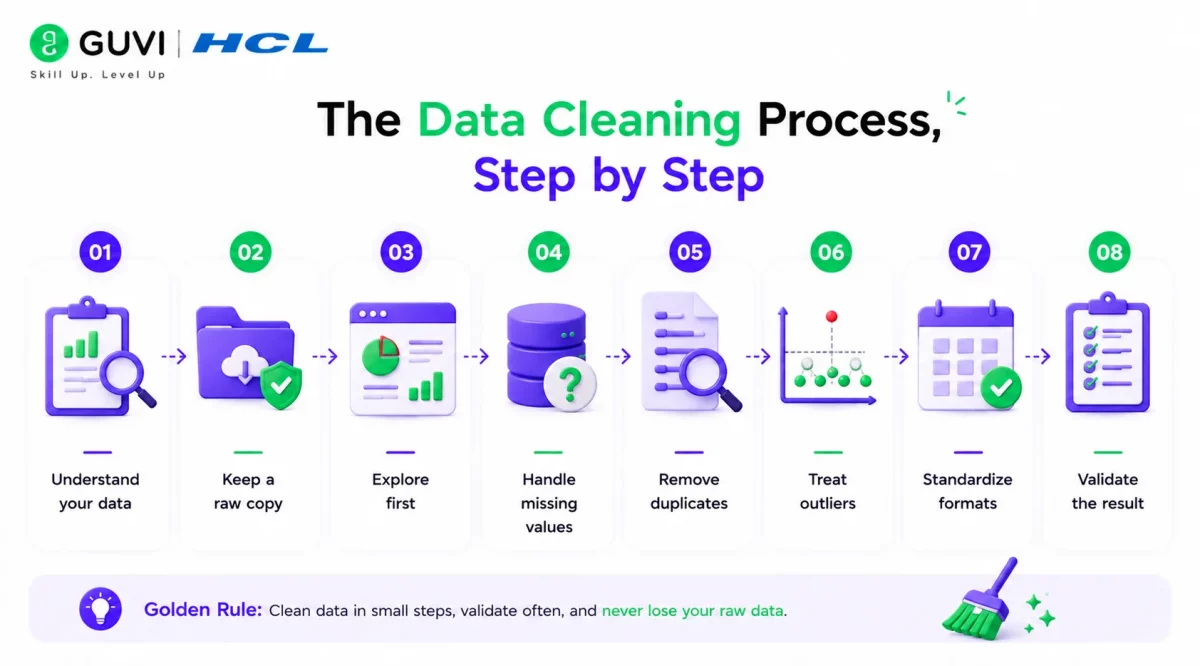
Data Cleaning gets much easier when you follow a proven workflow instead of starting from scratch on every project. Here are the steps most data scientists rely on:
Note: All code snippets in this section use Python (with the pandas library).
Step 1: Understand Your Data
Before you change a single value, find out what you are actually holding. Read the data dictionary, check the data source, and review what each column should contain.
import pandas as pd

df = pd.read_csv("customers.csv")
df.info()
Code Explanation:
read_csvloads the file into a DataFrame.df.info()shows every column, its data type, and how many non-null values it has.
Step 2: Keep a Raw Copy
Never clean your only copy of the data. Save the original untouched, and do all your work on a duplicate. If something goes wrong, you can always start over.
df_raw = df.copy()
df_raw.to_csv("customers_raw_backup.csv", index=False)
Code Explanation:
df.copy()creates an independent copy, so changes todfnever touchdf_raw.to_csvsaves the backup to disk, so it survives even if your session ends.
Step 3: Explore First
Imagine buying a used car without opening the hood. That is what cleaning without exploring looks like. Run quick summaries and simple charts to spot the obvious problems early, like impossible ages, strange categories, or columns full of blanks.
print(df.describe())
print(df.isnull().sum())
Code Explanation:
describe()gives the min, max, mean, and spread of numeric columns, which makes odd values easy to catch.isnull().sum()counts the missing values in each column.
Step 4: Handle Missing Values
Not every blank deserves the same treatment. If only a tiny share of rows is missing, deleting them is usually fine. If a lot is missing, fill the gaps sensibly. If the fact that data is missing is itself meaningful, flag it so the information is not lost.
df["missing_income"] = df["income"].isnull()
df["income"] = df["income"].fillna(df["income"].median())
df = df.dropna(subset=["customer_id"])
Code Explanation:
- The first line creates a flag column that records which rows were originally missing.
- The second line fills missing income with the median, which is safer than the mean when values are skewed.
- The third line drops rows where
customer_idis missing, since those rows are unusable.
Step 5: Remove Duplicates
Duplicates quietly inflate your counts and skew your results. First decide what “duplicate” means for your dataset. Is it an identical row, or just a repeated customer ID? Exact matches are easy to remove, while near matches like “Jon Smith” and “John Smith” need fuzzy matching tools.
print(df.duplicated().sum())
df = df.drop_duplicates(subset="customer_id", keep="first")
Code Explanation:
duplicated().sum()tells you how many fully identical rows exist.drop_duplicatesremoves repeats based oncustomer_idand keeps the first record.
Step 6: Treat Outliers
Here is the golden rule: investigate before you delete. A salary of 10 million might be a typing error, or it might be your most valuable customer. Check the context, then decide whether to remove, cap, or keep it.
q1 = df["income"].quantile(0.25)
q3 = df["income"].quantile(0.75)
iqr = q3 - q1

outliers = df[(df["income"] < q1 - 1.5 * iqr) | (df["income"] > q3 + 1.5 * iqr)]
print(len(outliers))
Code Explanation:
q1andq3mark the middle 50% of your data, andiqris the gap between them.- Values beyond 1.5 times the IQR from either end are flagged as potential outliers.
- Printing the count lets you review them before deciding what to do.
Step 7: Standardize Formats
Computers treat “Mumbai”, “mumbai”, and “ MUMBAI “ as three different cities. Make dates, units, capitalization, and category labels consistent so that your analysis groups things correctly.
df["signup_date"] = pd.to_datetime(df["signup_date"], errors="coerce")
df["city"] = df["city"].str.strip().str.title()
Code Explanation:
to_datetimeconverts messy date strings into a proper date type, anderrors="coerce"turns unreadable dates into blanks instead of crashing.str.strip()removes extra spaces, andstr.title()makes capitalization uniform.
Step 8: Validate the Result
Cleaning is only finished once you have proven it worked. Compare the cleaned data against the raw copy and confirm that you removed the problems without losing anything important.
print(df_raw.shape, df.shape)
print(df_raw["income"].describe())
print(df["income"].describe())
Code Explanation:
shapeshows how many rows and columns you started with versus what remains.- Comparing
describe()output for both versions shows whether key statistics shifted more than expected.
Common Data Quality Issues You’ll Run Into
Data Cleaning starts with recognizing what is actually wrong, and most messy datasets share the same six problems. For each one, you’ll see the mistake in code first, then the correct way to handle it.
Note: All code snippets in this section use Python (with the pandas library).
1. Missing Data
Blanks appear when a form field is skipped, a sensor fails, or a system never records a value. The danger is that they hide quietly, and the usual quick fix, dropping them, can wipe out far more data than you expect.

The problem:
df = df.dropna()
print(len(df))  # 10,000 rows shrink to 3,200
One blank in any column removes the entire row, so a few scattered gaps can destroy most of your dataset.
How to fix it:
print(df.isnull().mean().mul(100).round(1))   # check how much is missing first
df["income"] = df["income"].fillna(df["income"].median())
df = df.dropna(subset=["customer_id"])        # drop only where it truly matters
Check the percentage per column, fill what can be filled sensibly, and drop rows only when a critical column is empty.
2. Duplicate Records
These usually appear when you merge files from different sources or when a user submits a form twice. They inflate your counts, so ten real customers can look like fifteen.
The problem:
df = df.drop_duplicates()
print(df["customer_id"].duplicated().sum())  # still shows 120 repeats
Rows are only removed when every single column matches. If one copy has a different phone number or timestamp, it slips through.
How to fix it:
df = df.sort_values("updated_at")
df = df.drop_duplicates(subset="customer_id", keep="last")
print(df["customer_id"].duplicated().sum())  # 0
Define duplicates by the column that identifies a record, and keep the most recent version instead of a random one.
3. Inconsistent Formatting
Is 04/05/2026 the fourth of May or the fifth of April? When two sources use different date styles, pandas may guess wrong without telling you.
The problem:
df["signup_date"] = pd.to_datetime(df["signup_date"])
# 04/05/2026 is read as April 5th, but your source meant May 4th
There is no error and no warning, only wrong dates that quietly corrupt your analysis.
How to fix it:
df["signup_date"] = pd.to_datetime(df["signup_date"], format="%d/%m/%Y", errors="coerce")
print(df["signup_date"].isnull().sum())  # rows that did not match the format
State the format explicitly, and let failures show up as blanks you can inspect instead of silent mistakes.
4. Typos and Spelling Errors
Free-text fields are full of “Delhi”, “delhi”, and “Dehli”. To a computer, those are three different cities, so your results split into pieces.
The problem:
print(df.groupby("city")["sales"].sum())
# Delhi     540000
# delhi      32000
# Dehli       8000
One city is reported as three, and every total and chart built on this is wrong.
How to fix it:
df["city"] = df["city"].str.strip().str.title()
df["city"] = df["city"].replace({"Dehli": "Delhi"})
print(df.groupby("city")["sales"].sum())
# Delhi     580000
Standardize the casing first, then map the remaining typos to the correct label. Keeping the mapping in your code makes the fix repeatable.
5. Outliers
An age of 250 is clearly a typing error. A purchase of 5 lakh rupees might be a real, valuable customer. Both look strange, but only one is wrong.
The problem:
df = df[df["income"] < df["income"].quantile(0.95)]This automatically deletes the top 5% of earners, whether they are errors or your best customers.
How to fix it:
q1, q3 = df["income"].quantile([0.25, 0.75])
iqr = q3 - q1
df["is_outlier"] = (df["income"] < q1 - 1.5 * iqr) | (df["income"] > q3 + 1.5 * iqr)
print(df[df["is_outlier"]][["customer_id", "income"]])
Flag the unusual values, review them one by one, and only then decide to remove, cap, or keep them.
6. Structural Errors
These are layout problems rather than value problems, such as hidden spaces in headers or the same column named three different ways.
The problem:
print(df["income"])
# KeyError: 'income'  (the real column name is "Income " with a trailing space)
The data is there, but the code cannot find it, and the error message gives no hint about why.
How to fix it:
df.columns = df.columns.str.strip().str.lower().str.replace(" ", "_")
print(df.columns.tolist())
print(df["income"])
Clean the column names first so they all follow a single style. Every later step depends on referring to them correctly.
If you’re weighing a data science path against analytics, Data Science vs Data Analytics breaks down where this skill fits in each role.
Data Cleaning Tools Compared
Your tool choice usually depends on dataset size and how comfortable you are writing code.
| Tool | Best For | Coding Required | Handles Large Data |
|---|---|---|---|
| Pandas (Python) | Custom, repeatable cleaning pipelines | Yes | Yes |
| OpenRefine | Exploratory cleaning of messy text data | No | Moderate |
| Excel / Power Query | Small datasets, quick fixes | No | No |
| SQL | Cleaning inside a database | Yes | Yes |
| Trifacta / Alteryx | Visual, drag-and-drop workflows | No | Yes |
Pandas remains the industry default because you can reuse scripts across projects. If you’re new to it, HCL GUVI’s guide on useful Python libraries for data science is a good next stop.
Best Practices Worth Following
- Always work on a copy, never the original file
- Document every transformation you make and why
- Start with a small sample before cleaning the full dataset
- Automate repeatable steps, but keep human judgment for edge cases
- Re-validate the data after every major cleaning step
Also Read: Best Datasets for Data Science Projects
Common Mistakes to Avoid
- Cleaning before exploring. Jumping straight into fixes without understanding the data first often causes you to “fix” things that weren’t broken.
- Deleting missing data by default. Deletion is the easiest option, but it can quietly remove useful information. Imputation is often the better call.
- Ignoring outliers without investigation. Not every outlier is an error. Some represent real, important events.
- Skipping documentation. Undocumented cleaning steps make your work impossible to reproduce or audit later.
Conclusion
Data cleaning determines whether you can trust any analysis or model results. Even the best algorithm produces unreliable output when the underlying data is inaccurate, inconsistent, or incomplete. That is why clean data leads to sharper insights, more dependable models, and better decisions. Ultimately, Data Cleaning isn’t a side task; it’s one of the most important skills in data science.
FAQs
1. What is data cleaning in data science?
Data cleaning is the process of finding and fixing errors, duplicates, and missing values in a dataset before using it for analysis or model building.
2. What are the steps of data cleaning?
The steps are to understand your data, keep a raw copy, explore, handle missing values, remove duplicates, treat outliers, standardize formats, and validate the result.
3. Why is data cleaning important in data science?
A model or dashboard is only as reliable as the data it is fed, so skipping data cleaning leads to misleading results.
4. What is the difference between data cleaning and data preprocessing?
Data cleaning fixes errors and inconsistencies in raw data, while preprocessing prepares the cleaned data for modeling.
5. Which tools are used for data cleaning?
Common data cleaning tools include Pandas, OpenRefine, Excel or Power Query, SQL, and Trifacta or Alteryx.
Success Stories














Did you enjoy this article?