


Artificial Intelligence and Machine Learning Articles
CI/CD Pipelines for Machine Learning Projects
A/B Testing for Machine Learning Models
What is Model Drift Detection: Keeping Models Accurate in Production
Model Versioning in Machine Learning: Best Practices and Strategies


Get In Touch For Details! Request More Information
Canary Deployment Strategies for ML Models
Sep 01, 2026 4 Min Read 23 Views
(Last Updated)
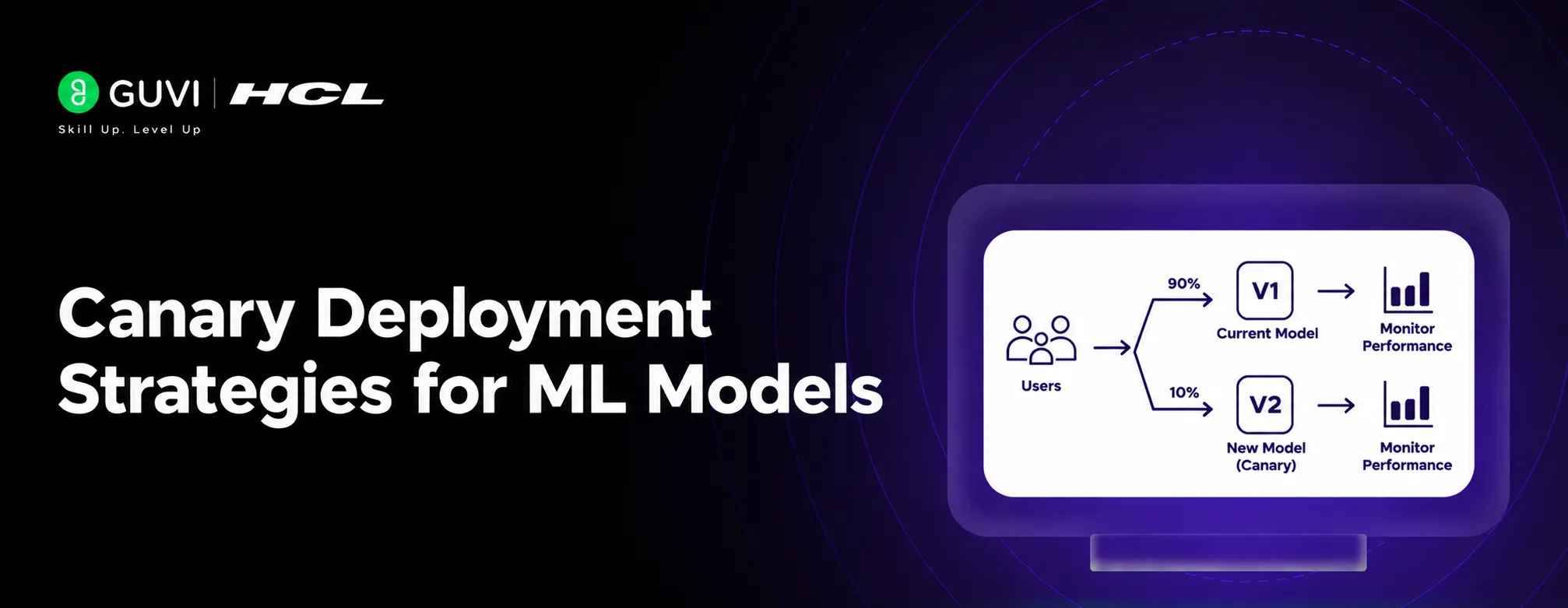
Canary Deployment is a controlled rollout method for releasing a new machine learning model to production. The current production model is called the stable model, baseline, or champion. The new model is called the canary or challenger.
Table of contents
- TL;DR Summary
- What Is Canary Deployment?
- Why Use Canary Deployment for ML Models?
- How Does Canary Deployment Work?
- Deploy Both Model Versions
- Route Traffic Gradually
- What Metrics Should You Monitor?
- Infrastructure Metrics
- Model Metrics
- Business Metrics
- Safety and Fairness Metrics
- How Do You Define Rollback Thresholds?
- Canary Deployment Strategies
- Percentage-Based Canary
- User-Based Canary
- Region-Based Canary
- Segment-Based Canary
- Shadow Deployment Combined with Canary
- Canary vs A/B Testing
- Automated Rollback
- Common Mistakes to Avoid
- Conclusion
- FAQs
- What is Canary Deployment in machine learning?
- What percentage of traffic should go to a canary model?
- What should you monitor during a canary rollout?
- What happens if the canary model performs poorly?
- What is the difference between canary and shadow deployment?
- Is Canary Deployment the same as A/B testing?
- Why is automated rollback important?
- Can a canary model pass overall metrics but still be unsafe?
TL;DR Summary
- Canary Deployment limits the impact of a faulty or underperforming ML model.
- The new model is exposed to a small traffic percentage first.
- Teams define success and rollback thresholds before deployment.
- Traffic increases gradually when the canary meets all requirements.
- Automated monitoring and rollback make the process safer.
Direct Answer
Canary Deployment is a gradual release strategy in which a new machine learning model receives a small percentage of production traffic while the existing model continues serving most users. Teams monitor accuracy, latency, errors, business outcomes, and safety metrics before increasing traffic. If the new model fails, traffic can quickly return to the stable version.
What Is Canary Deployment?
The canary deployment method is used. Instead of sending 100% of traffic to the challenger, you might begin with 1% or 5%. If the model performs well, traffic gradually increases. If it results in errors, poor predictions, latency spikes, or harmful business impacts, traffic is routed back to the stable model.
The name comes from the historical use of canary birds in coal mines as an early warning signal. In MLOps, the canary model provides an early signal before a problem affects the entire user base.
Canary deployment for ML models gradually shifts a small, controlled slice of live traffic to a new model, monitors latency, error rate, and business KPIs, and auto-rolls back if any guardrail breaches. Learn AI & ML with HCL GUVI’s Artificial Intelligence and Machine Learning course.
Why Use Canary Deployment for ML Models?
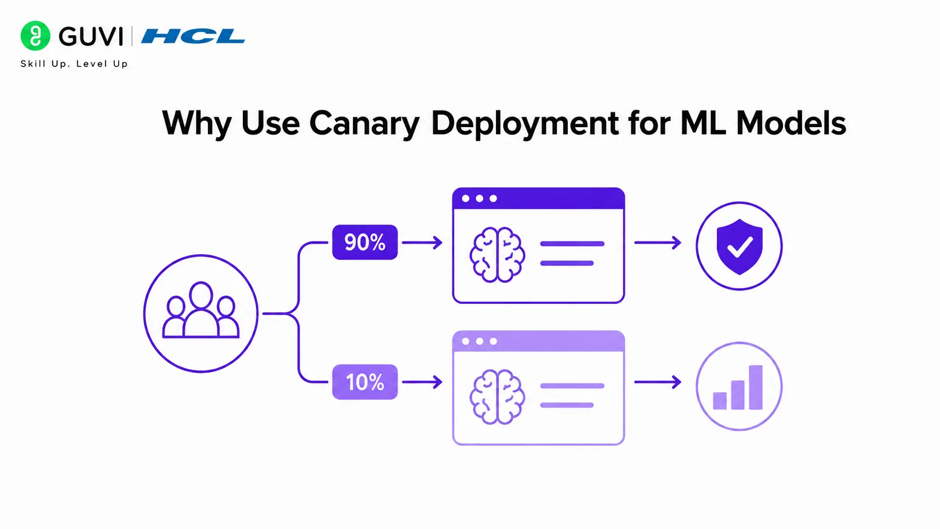
A model may pass offline tests and still fail in production. The data, traffic, hardware, or user behavior may be different from what the development team expected.
Canary Deployment reduces this risk by limiting the model’s initial exposure.
It helps teams detect:
- Prediction quality degradation.
- Data distribution changes.
- Higher API latency.
- Memory or CPU problems.
- Unexpected model outputs.
- Segment-specific fairness issues.
- Increased business losses.
- Safety or compliance violations.
A canary does not guarantee that a model is correct. It limits the blast radius while the team gathers real production evidence.
How Does Canary Deployment Work?
A standard canary rollout follows these stages:
- Train and validate the new model offline.
- Deploy the model beside the stable version.
- Route a small traffic percentage to the canary.
- Monitor technical, model, business, and safety metrics.
- Compare results against the baseline.
- Increase traffic if all checks pass.
- Roll back if predefined thresholds are violated.
- Promote the canary to the new stable model.
MLflow recommends weighted traffic routing, predefined rollback thresholds, phased rollout stages, and continuous monitoring for AI model deployments.
Process Box
text

Stable model: 99% traffic

Canary model: 1% traffic

If healthy:

5% → 25% → 50% → 100%

If unhealthy:

Canary traffic → 0%

Restore stable model

Investigate and fix
1. Deploy Both Model Versions
The stable and canary models should run independently. Each model needs:
- A unique version identifier.
- Separate health checks.
- Reproducible configuration.
- Compatible input and output schemas.
- Independent logs and metrics.
- A documented rollback path.
Do not replace the stable model before verifying that the canary can serve production traffic correctly.
2. Route Traffic Gradually
A load balancer, API gateway, feature flag, or service mesh can route traffic between model versions.
A typical rollout may look like this:
| Stage | Canary traffic | Main purpose |
| Initial | 1% | Check basic health and errors |
| Early | 5% | Review latency and prediction quality |
| Mid | 25%–50% | Evaluate business and segment metrics |
| Late | 100% | Complete promotion and ongoing monitoring |
These percentages are examples, not fixed rules. A healthcare or financial model may require much slower progression than an internal recommendation model.
What Metrics Should You Monitor?
Canary monitoring should cover more than model accuracy.
Infrastructure Metrics
- Request latency.
- Error rate.
- Timeout rate.
- CPU and GPU usage.
- Memory consumption.
- Throughput.
- Container restarts.
Model Metrics
- Accuracy.
- Precision and recall.
- F1 score.
- Calibration.
- Drift indicators.
- Prediction confidence.
- Abstention or fallback rate.
Business Metrics
- Click-through rate.
- Conversion rate.
- Revenue per user.
- Fraud losses.
- Customer retention.
- Support tickets.
- Cancellation rate.
Safety and Fairness Metrics
- Toxic or unsafe outputs.
- Privacy violations.
- Incorrect high-risk predictions.
- Performance across demographic groups.
- Disparate error rates.
- Human-review escalation rate.
Best Practice: Define all important metrics before deployment. Do not wait until after the canary produces unexpected results to decide what “success” means.
How Do You Define Rollback Thresholds?
Rollback thresholds determine when the canary should lose traffic or be disabled.
For a metric where higher values are better:
Formula Box: Canary Performance Condition
Mcanary≥Mstable−ϵM_{\text{canary}} \geq M_{\text{stable}}-\epsilonMcanary≥Mstable−ϵWhere:
- McanaryM_{\text{canary}}Mcanary is the canary metric.
- MstableM_{\text{stable}}Mstable is the stable model metric.
- ϵ\epsilonϵ is the maximum acceptable degradation.
- For error rates, lower is better:
Formula Box: Error-Rate Condition
Ecanary≤Estable+δE_{\text{canary}} \leq E_{\text{stable}}+\deltaEcanary≤Estable+δ
Where:- EcanaryE_{\text{canary}}Ecanary is the canary error rate.
- EstableE_{\text{stable}}Estable is the baseline error rate.
- δ\deltaδ is the allowed increase.
- For example, you might define:
- Latency increase must remain below 10%.
- Error rate must not increase by more than 0.5 percentage points.
- Recall must not decline by more than 2%.
- No critical safety violation is permitted.
Some thresholds should trigger an immediate rollback. Others may require investigation before a decision.
Canary Deployment Strategies
1. Percentage-Based Canary
A fixed percentage of traffic is routed to the new model.
Example:
text
Stable model: 95%

Canary model: 5%
This is simple and works well when traffic is large enough to produce reliable measurements.
2. User-Based Canary
A selected group of users receives the new model. Assignment remains stable throughout the experiment. This prevents users from switching between model versions and is useful for personalization systems.
3. Region-Based Canary
The canary is released to a particular region, data center, or market. This strategy is useful when traffic, infrastructure, or regulatory requirements differ by location.
4. Segment-Based Canary
The new model is released to a carefully selected user segment, such as internal employees, low-risk accounts, or users who opted into testing. This reduces exposure but may produce biased results if the segment is not representative.
Shadow Deployment Combined with Canary
In a shadow deployment, the canary receives copies of production requests but does not influence user-facing results.
This helps evaluate:
- Prediction differences.
- Latency.
- Resource usage.
- Output quality.
After shadow testing, the model can move to a small user-facing canary.
Canary vs A/B Testing
Canary Deployment and A/B testing are related but serve different goals.
| Factor | Canary Deployment | A/B Testing |
| Main goal | Reduce deployment risk | Compare alternatives |
| Initial traffic | Usually small | Often balanced or predefined |
| Primary focus | Stability and safety | Causal performance comparison |
| Rollback | Central feature | Not always immediate |
| Duration | Until safe promotion | Designed experiment period |
| Typical outcome | Promote or revert | Select the better variant |
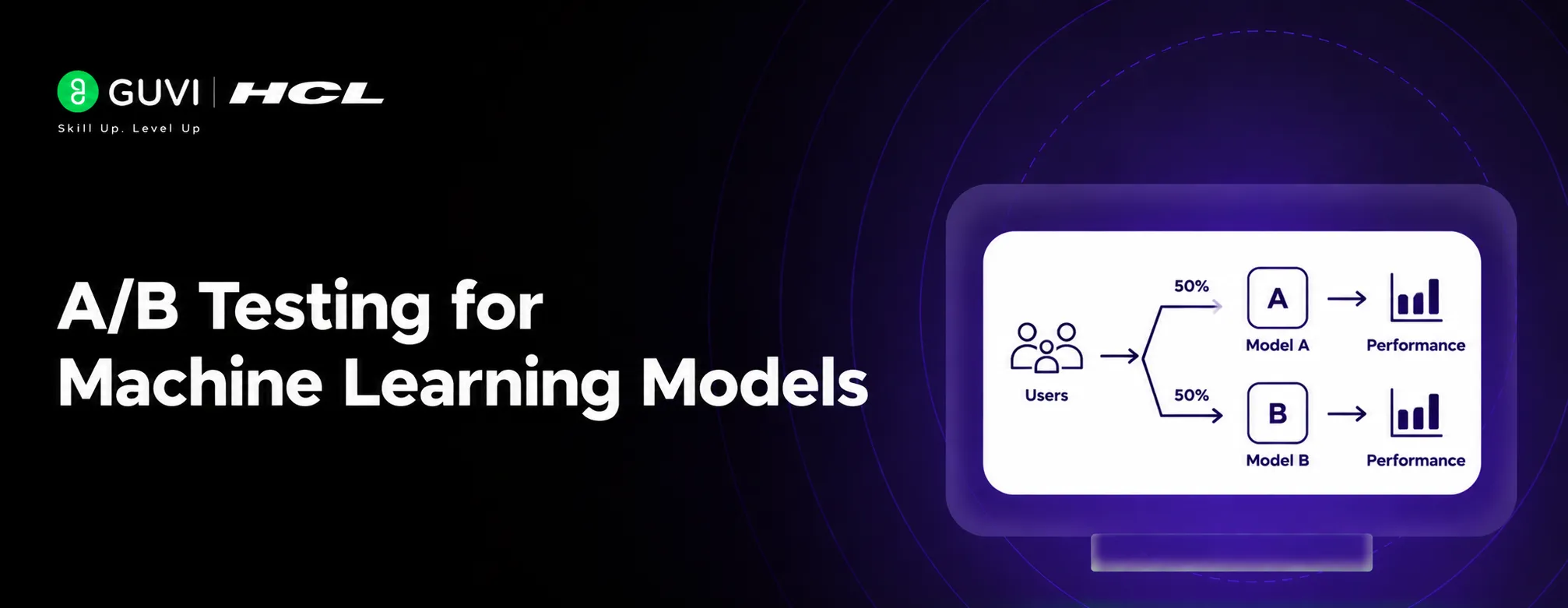
A canary asks, “Is this model safe and stable enough to release?” An A/B test asks, “Which model produces better outcomes under controlled conditions?”
Automated Rollback
Manual rollback is slow and error-prone. Production systems should automate rollback for severe failures.
A rollback system can:
- Read monitoring metrics.
- Compare canary values with thresholds.
- Stop traffic when a critical condition is detected.
- Route requests back to the stable model.
- Notify the responsible team.
- Preserve logs for investigation.
Automation should be conservative. A temporary metric fluctuation should not always trigger a rollback, but high error rates, unsafe outputs, or service outages should.
Common Mistakes to Avoid
- Sending too much traffic to the canary too early.
- Monitoring only infrastructure health.
- Ignoring delayed outcomes such as fraud or churn.
- Using a biased test group.
- Forgetting to version the model and configuration.
- Defining thresholds after seeing the results.
- Deploying without an automated rollback path.
- Comparing the canary with an outdated baseline.
- Treating a successful canary as proof of long-term performance.
- Ignoring fairness, safety, or segment-level regressions.
Canary deployment for ML models gradually shifts a small, controlled slice of live traffic to a new model, monitors latency, error rate, and business KPIs, and auto-rolls back if any guardrail breaches. Learn AI & ML with HCL GUVI’s Artificial Intelligence and Machine Learning course.
A canary model can have excellent average performance while failing badly for a small but important user group. That is why segment-level monitoring is essential during ML deployment, especially for high-impact applications.
Conclusion
Canary Deployment provides a safer way to release machine learning models into production. By exposing a small percentage of traffic to the new model, teams can identify failures before they affect the full user base.
The strongest strategy combines gradual traffic shifting, representative routing, clear thresholds, automated monitoring, and fast rollback. A model should not become the new production version simply because it passed offline evaluation. It should earn promotion through reliable behavior in real conditions.
FAQs
What is Canary Deployment in machine learning?
Canary Deployment gradually releases a new ML model to a small percentage of production traffic while the existing model continues serving most users.
What percentage of traffic should go to a canary model?
Many teams start with 1% or 5%, then increase traffic gradually. The right percentage depends on traffic volume, model risk, and the application’s business impact.
What should you monitor during a canary rollout?
Monitor latency, errors, resource usage, prediction quality, data drift, business outcomes, safety metrics, and performance across important user segments.
What happens if the canary model performs poorly?
Traffic should be routed back to the stable model. The team can then investigate logs, metrics, input data, model behavior, and infrastructure before trying another rollout.
What is the difference between canary and shadow deployment?
A canary model serves a small number of real users. A shadow model receives copied requests but does not affect user-facing results.
Is Canary Deployment the same as A/B testing?
No. Canary Deployment primarily reduces release risk, while A/B testing compares model variants to measure which one produces better outcomes.
Why is automated rollback important?
Automated rollback reduces the time between detecting a failure and restoring the stable model. This limits user impact and helps protect business operations.
Can a canary model pass overall metrics but still be unsafe?
Yes. Aggregate metrics can hide failures affecting specific groups or edge cases. Always monitor important segments and safety conditions separately.
Success Stories

About the Author
HCL GUVI
This article was selected and published as part of the HCL GUVI AI Blogathon 2026, an initiative designed to encourage students, AI enthusiasts, and aspiring tech writers to simplify complex AI concepts through impactful technical content. The contest recognized high-quality, original, and insightful AI-focused blogs, with selected authors receiving publication opportunities on the HCL GUVI blog platform along with official author credits and recognition.
View all posts by HCL GUVI
Connect with me @





Did you enjoy this article?