


Artificial Intelligence and Machine Learning Articles
CI/CD Pipelines for Machine Learning Projects
A/B Testing for Machine Learning Models
Canary Deployment Strategies for ML Models
What is Model Drift Detection: Keeping Models Accurate in Production


Get In Touch For Details! Request More Information
Go Beyond Building Apps with Lovable: The Complete 2026 Guide
Jul 22, 2026 7 Min Read 1905 Views
(Last Updated)
Most people open Lovable to build something fast. A prototype for a meeting, an MVP to test an idea, a dashboard for a client. They type a description, get a working app in minutes, and think that is impressive. But building apps with Lovable is just the entry point. The developers, founders, and product teams getting the most out of this platform are deploying real products, serving paying users, handing code to developers, and launching businesses, all without ever writing code from scratch.
This guide goes further than most. It covers what Lovable is, how building apps with Lovable actually works, what comes after the first build, how to deploy and monetise, real success stories, and the honest limitations you should know before you start.
Quick Answer
Lovable is a full-stack AI app builder. You describe what you want in plain English and it generates a React and TypeScript app with a real database, user authentication, and one-click deployment. Building apps with Lovable starts free, with paid plans from $20 per month (~Rs. 1,680). The code is yours from day one and syncs to GitHub automatically.
Table of contents
- What is Lovable?
- What Makes Lovable Different from Other App Builders
- How Building Apps with Lovable Works: 3 Core Modes
- Agent Mode
- Chat Mode
- Visual Edits
- What Lovable Actually Builds: The Full Stack
- Frontend
- Backend (Lovable Cloud, launched October 2025)
- Deployment
- What You Can Build: 6 Real Use Cases
- SaaS Dashboards
- Client Portals and Internal Tools
- MVP Validation
- Marketplace and Booking Apps
- AI-Powered Tools
- Websites and Landing Pages with Real Backends
- Go Beyond the First Build: What Happens Next
- Connect Payments with Stripe
- Hand Off to a Developer
- Deploy to a Custom Domain
- Extend the Code Manually
- Scale with Supabase Directly
- Plan Mode: Build Right the First Time Feature
- Lovable Pricing: What You Actually Pay
- Tips for Getting the Best Results
- 💡 Did You Know?
- Conclusion
- FAQs
- Do I need coding experience to use Lovable?
- What is the difference between Lovable and Bubble?
- Can I build a paid product with Lovable?
- What happens to my app if I cancel my subscription?
- How does building apps with Lovable compare to hiring a developer?
What is Lovable?
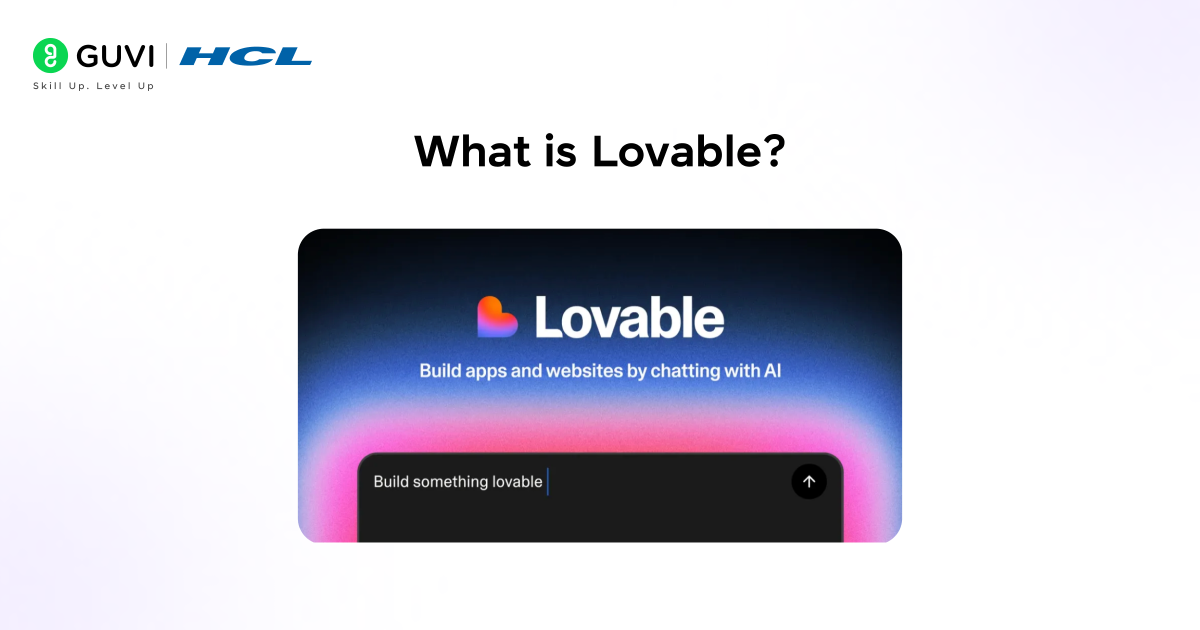
Building apps with Lovable starts with an AI-powered platform that turns plain English into full-stack web applications. It started as GPT Engineer, an open-source project with 50,000+ GitHub stars, before launching commercially as Lovable in November 2024. It hit the number one spot on Product Hunt on launch day.
The growth since then has been exceptional:
- $100M ARR reached within eight months of commercial launch
- $200M ARR by December 2025
- $330M Series B raised in December 2025 at a $6.6 billion valuation
- Backed by Nvidia and Salesforce, with enterprise customers including Klarna, Uber, and Zendesk
- Millions of builders using it daily by early 2026
What makes building apps with Lovable different from a regular chatbot is the output. The tech stack it produces is React and TypeScript on the frontend and Supabase on the backend. That is the same stack professional development teams use at scale. The code is real, clean, and fully yours.
Thought to ponder: A developer at a startup costs $80 to $150 per hour. A simple MVP takes six to twelve weeks and $20,000 to $60,000. What changes about the pace of innovation when that collapses to a weekend and $25?
Hint: We are already finding out. A growth marketer built a women’s safety app called Plinq entirely with Lovable. It reached 10,000 users and $456,000 in annual recurring revenue. A Grammy-nominated filmmaker built an AI filmmaking studio. A Cornell student shipped real projects with minimal coding experience. Building apps with Lovable is not a shortcut for small things. It is a genuine path to real products.
What Makes Lovable Different from Other App Builders
Not all AI builders produce the same result. When building apps with Lovable, the most important difference is full-stack output. Some tools generate a beautiful frontend with no database, no auth, and no backend. Here is where building apps with Lovable compares:
| Feature | Lovable | Bolt.new | v0 by Vercel | Bubble |
| Output type | Full-stack (React + Supabase) | Frontend + Bolt Cloud | React / Next.js UI | Visual blocks |
| Code ownership | Yes, full GitHub export | Yes | Yes | No, platform-locked |
| Auth built-in | Yes (Lovable Cloud) | Yes (Bolt Cloud, mid-2025) | No | Yes |
| Database built-in | Yes (Supabase-powered) | Yes | No | Yes (limited) |
| Visual editor | Yes, click to edit | Limited | Yes | Yes |
| Best for | Full-stack MVPs, real products | Quick frontend prototypes | UI components, Next.js teams | Non-technical visual builders |
Building apps with Lovable is the only option in this list that combines full code ownership with a full backend, no additional setup needed.
Do check out HCL GUVI’s Artificial Intelligence and Machine Learning Course if you want to strengthen your technical skills while exploring advanced workflow and app-building concepts. This mentor-led program includes live classes, real-world projects, and hands-on training in machine learning, deep learning, NLP, and AI deployment, helping learners build industry-ready portfolios and gain practical experience in modern technologies.
Explore: How to Maintain Brand Control When Building with Lovable
How Building Apps with Lovable Works: 3 Core Modes
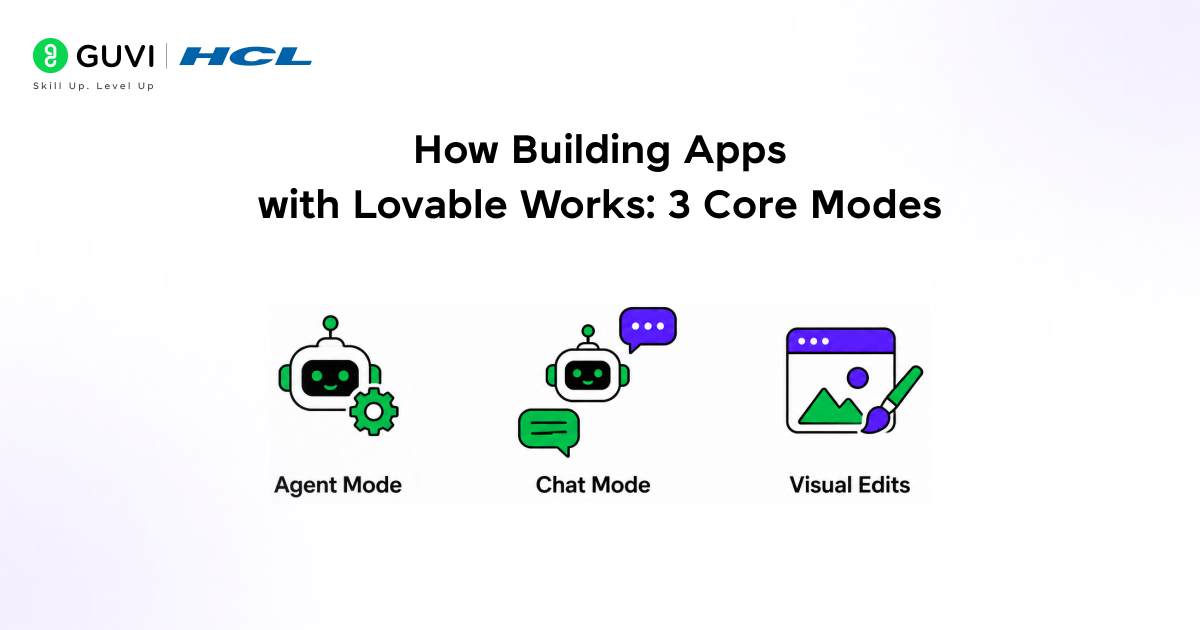
The workflow for building apps with Lovable has three distinct modes. Understanding all three is what separates users who build a prototype from users who ship a product.
1. Agent Mode
Agent Mode is the most powerful workflow. The AI works autonomously without supervision.
- What it does: Explores the codebase, debugs proactively, searches the web for solutions, and handles complex multi-step requests from start to finish
- Example use: “Add Google sign-in, user profiles, and role-based permissions” runs as one task without you approving each step
- Credit cost: Roughly 1 to 1.5 credits per major step, varying with complexity
- When to use it: For significant features, large additions, and anything touching multiple files
2. Chat Mode
Chat Mode is for planning and thinking before any code is written.
- What it does: You describe a problem or idea conversationally. The AI thinks through approaches with you without generating code.
- Best use: Working through what to build before committing credits, debugging by describing what is broken, deciding between two approaches
- Credit cost: 1 credit per message, no code generated
- When to use it: Always before Agent Mode for any complex feature
3. Visual Edits
Visual Edits is a Figma-style click-to-edit layer directly on your live app preview.
- What it does: Click any element in the rendered app and change colour, font, size, spacing, or layout directly
- Best use: All UI polish after the structure is built. Never waste a prompt on a colour change.
- Credit cost: Zero. Visual edits are always free.
- When to use it: For every visual tweak after the first working build
Riddle: You build a SaaS dashboard in three prompts. You then want to make 25 small visual changes: button colours, heading sizes, card spacing, font weights. How many credits does that cost?
Answer: Zero. Every visual edit in building apps with Lovable is free. This is one of the most misunderstood cost facts in building apps with Lovable. Credits pay for logic and code. The visual layer is always free. Knowing this changes how you work.
Explore: How to Integrate Replicate with Lovable: Step-by-Step AI App Guide
What Lovable Actually Builds: The Full Stack
Building apps with Lovable produces complete, production-ready applications. Here is exactly what you get. Here is exactly what gets generated.
1. Frontend
- React with TypeScript: The production framework used by Meta, Airbnb, and professional dev teams worldwide
- Tailwind CSS: Utility-first styling that produces clean, responsive layouts automatically
- shadcn/ui components: Accessible, consistent component library that makes every app look polished without extra effort
2. Backend (Lovable Cloud, launched October 2025)
Before Lovable Cloud, connecting a backend meant manually setting up Supabase. Now it is built in from the first prompt.
- PostgreSQL database: Real relational database for all your app’s data
- User authentication: Email, password, Google sign-in, and GitHub login generated when you ask for them
- File storage: Images, documents, and uploads handled without third-party configuration
- Row-level security: Database-level permissions so each user sees only their own data
3. Deployment
- One-click publish to a live lovable.app subdomain from day one
- Custom domain support on all paid plans
- Two-way GitHub sync on all plans including free
- Export anytime to Vercel, Netlify, or any hosting provider
What You Can Build: 6 Real Use Cases
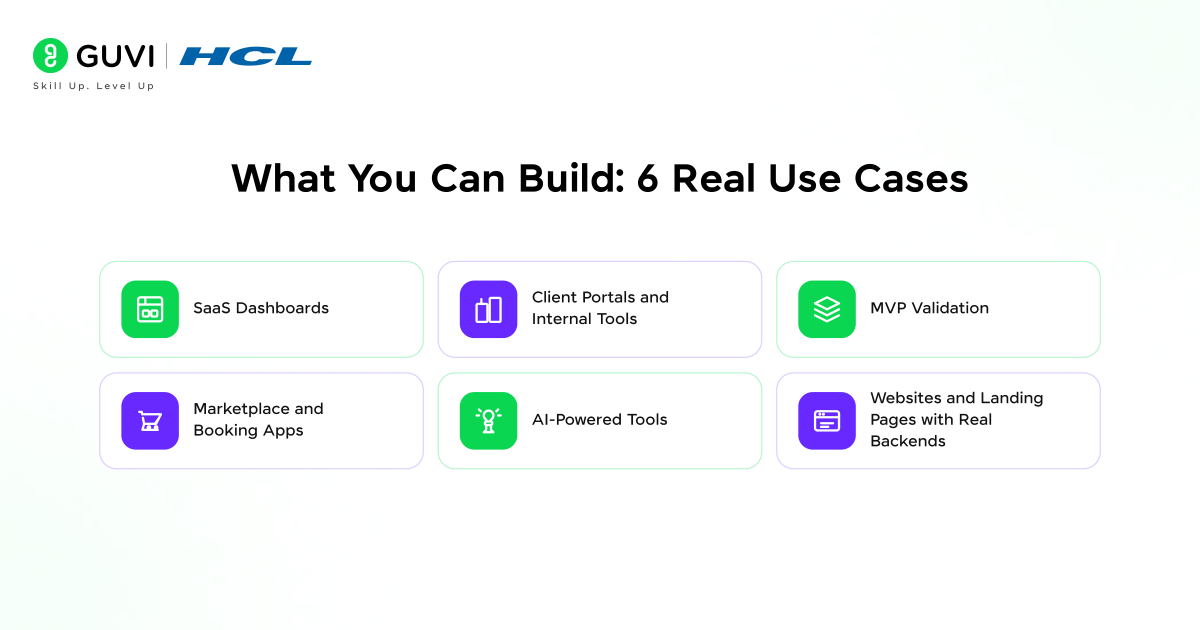
Building apps with Lovable goes far beyond simple landing pages. Here is what teams are actually shipping in 2026.
1. SaaS Dashboards
- What it handles: User auth, database, charts, tables, role-based access, subscription payments via Stripe
- Who uses it: Solo founders validating SaaS ideas before hiring developers
- Example prompt: “Build a project management dashboard with user login, project creation, task tracking with due dates and priorities, and a summary view of active work.”
2. Client Portals and Internal Tools
- What it handles: Role-separated views, data upload, reporting, client-facing dashboards
- Real example: Bilal built Aneta, an AI-powered HR engagement platform, in one month using Lovable from idea to fully functional product
- Why it works: Business logic can be described in plain English faster than writing specs for a developer
3. MVP Validation
- What it handles: Full working product in days, real user flows, real data storage
- Real example: Mindaugas built Backchannel (education and community platform) without coding experience, going from idea to paying customers entirely through Lovable
- Why it works: Test real demand before committing to months of traditional development
4. Marketplace and Booking Apps
- What it handles: Multiple user types, listings, booking flows, Stripe payments, separate buyer and seller dashboards
- Example prompt: “Build a marketplace where freelancers list services, clients browse and book, and payments go through Stripe. Each side gets its own dashboard.”
- Works with: Supabase for data, Stripe for commerce, Lovable Cloud for auth
5. AI-Powered Tools
- What it handles: Integration with external AI APIs, prompt interfaces, workflow automation tools
- Real example: Grammy-nominated filmmaker Mike Burns built an AI filmmaking studio using Lovable with no coding experience
- Example uses: Resume parsers, content generators, automated reporting tools, AI-assisted research apps
6. Websites and Landing Pages with Real Backends
- What it handles: Lead capture forms with real database storage, waitlists, newsletter signups, contact forms that actually send emails
- Why not just use Webflow: Because building apps with Lovable gives you a real backend attached to the site. Your form data goes into a database, not a static email.
- Time to build: 30 minutes for a professional landing page with working backend
Explore: Campus x Replit: AI App Building Course and Vibe Coding

Go Beyond the First Build: What Happens Next
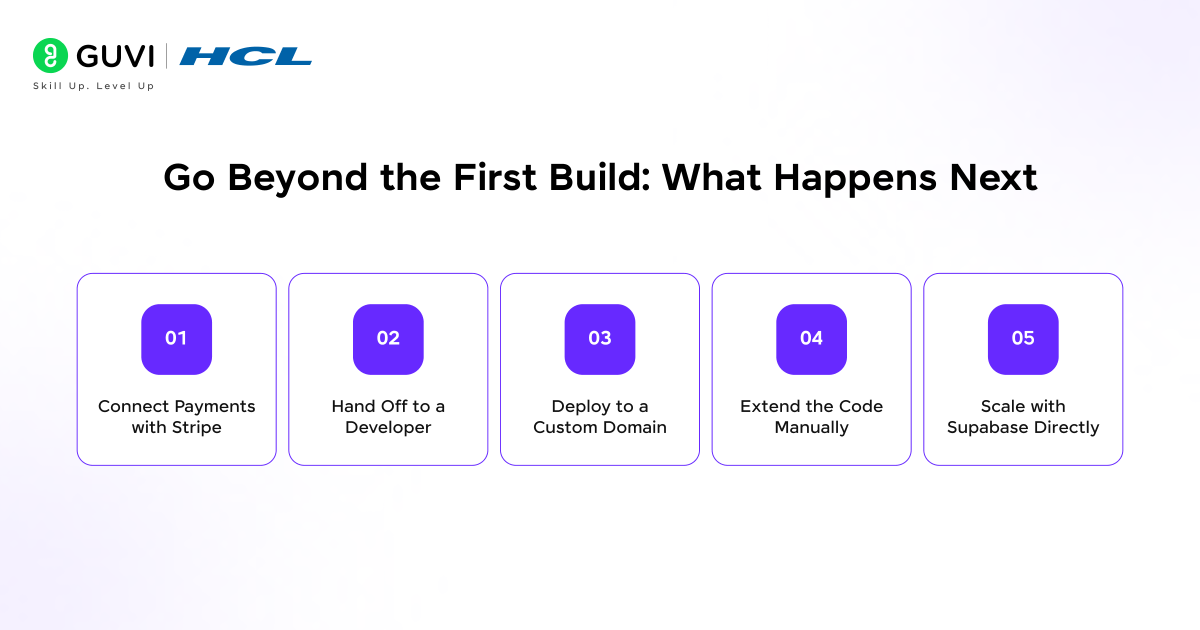
Most guides stop at the first prompt. Here is what going beyond building apps with Lovable actually looks like.
1. Connect Payments with Stripe
When building apps with Lovable, adding Stripe generates a full payment flow: subscription plans, checkout session, webhook handling, and a billing page. Founders have launched paid products entirely through this workflow without ever writing a payment integration manually.
- How to prompt it: “Add Stripe subscriptions with a free trial, a $29/month Pro plan, and a billing page where users can manage or cancel.”
- What you get: Working checkout, webhook listener, plan gating on features, billing dashboard
2. Hand Off to a Developer
Because every project created when building apps with Lovable syncs to GitHub, you can bring in a developer at any stage. The developer gets a real React and TypeScript codebase they recognise, not a proprietary no-code export.
- Common workflow: Build the prototype in Lovable, validate with users, hand GitHub repo to a developer to scale or extend
- What the developer sees: Standard React components, Supabase tables with clear schema, Tailwind styling, TypeScript types
3. Deploy to a Custom Domain
On any paid plan, you can point to a domain you own at your Lovable app. Your app stops being a Lovable subdomain and starts being your brand.
- Steps: Connect your domain in Lovable settings, update your DNS records, wait for propagation
- Cost: Included in all paid plans from $20/month
4. Extend the Code Manually
You always own the code. Open the GitHub repository, clone it locally, open it in VS Code, and edit anything. You can add functionality Lovable cannot generate, fix specific bugs, or refactor for performance.
- Two-way sync: Changes pushed from VS Code pull back into the Lovable editor automatically
- Best of both worlds: Use Lovable for fast feature generation, your IDE for precise control
5. Scale with Supabase Directly
Lovable Cloud is powered by Supabase. If your app grows beyond the built-in limits, connect directly to Supabase’s dashboard for advanced database management, edge functions, and higher performance tiers.
- No lock-in: The Supabase tables Lovable created are yours. You access them in Supabase’s dashboard independently.
- Growth path: Start on Lovable Cloud, graduate to Supabase Pro when you need it
Plan Mode: Build Right the First Time Feature
Plan Mode (February 2026) is one of the most credit-saving features for building apps with Lovable.
When building apps with Lovable with Plan Mode active, the AI shows you a full plan before writing a single line of code of what it intends to build. You read the plan, correct misunderstandings, and approve. Only then does the build start.
- Review what matters: Check which database tables it plans, which pages it creates, what the auth flow looks like
- Fix before it builds: Correcting a misunderstanding in the plan costs zero credits. Fixing it after costs multiple.
- Use it for every significant feature: The few seconds it takes to read the plan pays back in saved credits and avoided rework
Lovable Pricing: What You Actually Pay
| Plan | Monthly Price | Credits | Best For |
| Free | $0 | 5 daily credits | Testing, simple prototypes |
| Starter/Pro | From $20/month (~Rs. 1,680) | 100+ monthly + 5 daily bonus | Solo founders, 1-2 serious apps/month |
| Business | From $50/month (~Rs. 4,200) | Higher tiers | Teams, SSO, data privacy controls |
| Enterprise | Custom | Custom | Large orgs, audit logs, SCIM |
How credits are consumed:
- Styling change (button colour, font): ~0.5 credits
- New page or component: ~1 credit
- Complex feature (authentication): ~1 to 1.5 credits
- Visual edits: always free
- “Try to fix” errors: always free
- Basic MVP from scratch: typically 150 to 300 credits over a few weeks
- Students: 50% off all paid plans with a university email
Do enroll in GUVI’s free AI & ML Email Course if you want a simple and structured way to start learning artificial intelligence fundamentals. This 5-day email course covers core AI and machine learning concepts, differences between AI types, real-world use cases, and career insights, helping beginners understand how AI works and how to begin building relevant skills step by step.
Tips for Getting the Best Results
- Write detailed first prompts: Describe the exact pages, user flows, and data you need. Vague prompts mean more correction rounds and more credit spend.
- Use Visual Edits for all UI changes: Never prompt for a colour, font, or spacing change. Click it directly in the visual editor. It is free every time.
- Always use Chat Mode first: Before running Agent Mode on a complex feature, spend one credit in Chat Mode to think through the approach. A correct plan before the build saves several credits after.
- Batch related changes: Combine five small requests into one prompt. Lovable handles them together at lower credit cost than five separate prompts.
- Always use “Try to fix”: When Lovable generates an error, click Try to Fix before writing a correction yourself. It is free and often resolves it immediately.
- Plan for Supabase scaling: Lovable Cloud uses Supabase under the hood. If your app grows with heavy traffic or large data, you may need a Supabase Pro plan separately.
💡 Did You Know?
- Lovable started as the open-source project by GPT Engineer in 2023, attracting 50,000+ GitHub stars before the commercial platform launched. It remains one of the fastest-growing developer tools in history.
- The growth behind building apps with Lovable: in December 2025, Lovable raised $330 million at a $6.6 billion valuation from Nvidia and Salesforce, one of the largest rounds ever raised by a European AI startup.
- Sabrine Matos, a growth marketer with no engineering background, built Plinq (a women’s safety app) using Lovable. Plinq reached 10,000 users and $456,000 ARR, a result of building apps with Lovable from day one.
Conclusion
Building apps with Lovable is the fastest path for building apps with Lovable and getting to a deployed product in 2026. But the platform is more than a fast start. The two-way GitHub sync, Stripe integration, Supabase backend, custom domains, Plan Mode, and three distinct working modes mean you can take an app from first prompt to paying customers entirely within Lovable, then hand a clean codebase to a developer when you are ready to scale.
The first build in building apps with Lovable is the starting line. The product comes from what you do next: iterating through building apps with Lovable, deploying, gathering feedback, connecting payments, and shipping improvements through conversation with the AI rather than long development cycles.
Start building apps with Lovable for free right now at lovable.dev. Describe the simplest version of what you want to build. See what comes back in the first minute.
FAQs
1. Do I need coding experience to use Lovable?
No coding experience is needed for building apps with Lovable. Non-technical founders, designers, and product managers ship real products with it daily. Developers who do know how to code get extra value from owning and extending the GitHub-synced codebase.
2. What is the difference between Lovable and Bubble?
Building apps with Building apps with Lovable generates real React and TypeScript code you own and can export. Bubble produces visual no-code blocks that are locked inside the Bubble platform. With Lovable you can hand the codebase to any developer. With Bubble you cannot.
3. Can I build a paid product with Lovable?
Yes. Building apps with Lovable integrates Stripe for subscriptions, one-time payments, and marketplace transactions. Many founders have launched commercial products, collected revenue, and scaled entirely through Lovable.
4. What happens to my app if I cancel my subscription?
With building apps with Lovable, your code lives on GitHub independently of your plan. If you cancel, the code and all project files remain yours forever. You can deploy to Vercel or Netlify on your own. Only the Lovable-hosted subdomain and cloud features stop.
5. How does building apps with Lovable compare to hiring a developer?
Compared to building apps with Lovable, a freelance developer charges $50 to $150 per hour. A simple MVP costs $5,000 to $20,000 and takes weeks. Building apps with Lovable costs $20 to $100 per month and takes days. For validation and early-stage products, building apps with Lovable wins clearly on speed and cost.
Success Stories

About the Author
Jebasta
I translate the language of data into stories that anyone can understand. As a writer with a data science background, I simplify analytics, AI, and decision-making so beginners and enthusiasts can confidently explore the world of data.
View all posts by Jebasta
Connect with me @









Did you enjoy this article?