


Data Engineering Articles
12 Important Data Architect Roles and Responsibilities
Mage AI Tutorial: A Practical Guide for Data Engineers
Delta Lake Tutorial: A Practical Guide for Data Engineers
Azure Data Engineer Roadmap: A Step-by-Step Guide to Becoming an Azure Data Engineer


Get In Touch For Details! Request More Information
Apache Iceberg Tutorial: A Practical Guide for Data Engineers
Jul 31, 2026 4 Min Read 490 Views
(Last Updated)
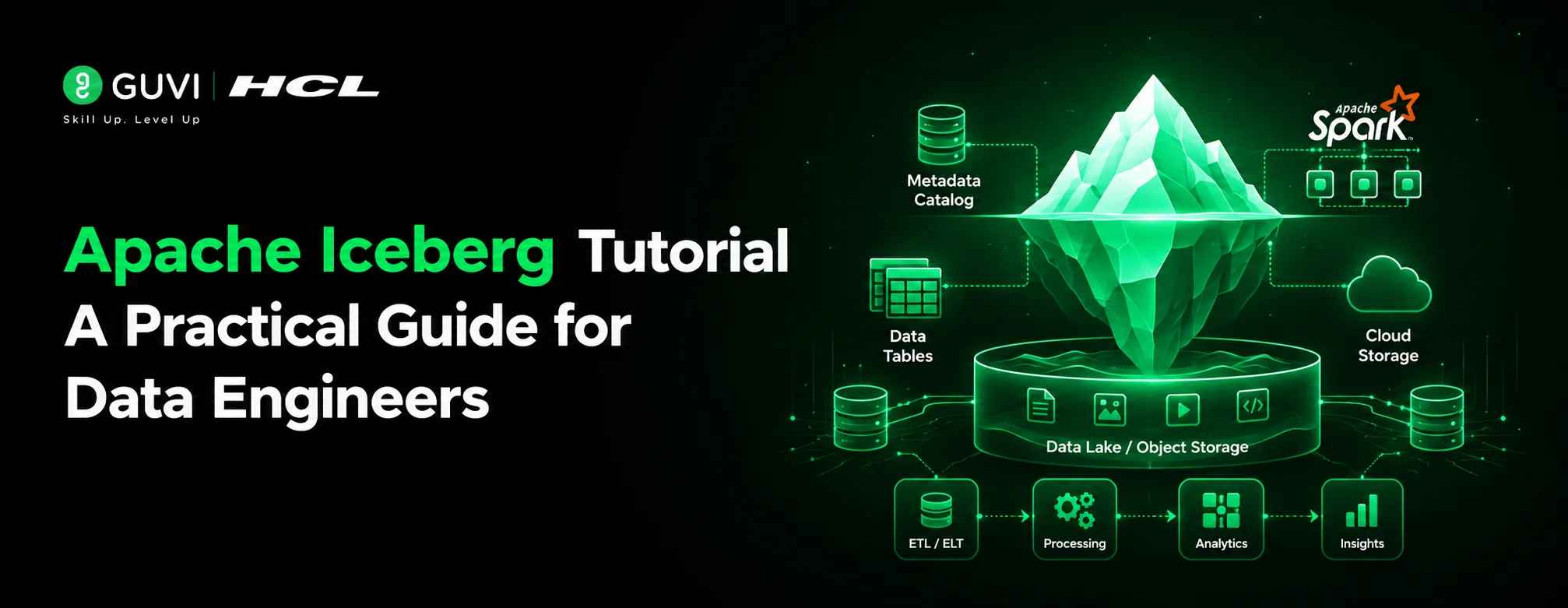
Apache Iceberg is an open-source table format designed for large analytic datasets stored in data lakes. It adds ACID transactions, schema evolution, hidden partitioning, and time travel to files sitting in object storage like S3 or GCS. Unlike older Hive-style tables, Iceberg tracks changes at the file level, so you can safely update, evolve, and query tables without rewriting entire datasets.
Table of contents
- TL;DR Summary Box
- What Is Apache Iceberg?
- Why It Exists: The Problem With Hive Tables
- Core Concepts You Need to Understand
- Catalog
- Metadata Files
- Manifest Lists and Manifest Files
- Snapshots
- Setting Up: Prerequisites
- Step-by-Step: Creating Your First Iceberg Table
- Schema and Partition Evolution in Practice
- Time Travel Queries
- Apache Iceberg vs. Delta Lake vs. Apache Hudi
- Common Pitfalls When Getting Started
- FAQs
- Q: Is Apache Iceberg a database?
- Q: Which query engines support Apache Iceberg?
- Q: Do I need to rewrite my data to change a table's partitioning?
- Q: How is Apache Iceberg different from Delta Lake?
- Q: Can I use Apache Iceberg without Spark?
TL;DR Summary Box
- Apache Iceberg is an open table format that brings database-like reliability (ACID transactions, schema evolution, time travel) to data lakes.
- It works with multiple query engines Spark, Trino, Flink, and others, instead of locking you into one.
- The biggest practical win over raw Parquet/Hive tables is avoiding costly full-table rewrites when schemas or partitions change.
- This tutorial walks through creating a table, writing data, evolving the schema, and querying historical snapshots.
- Iceberg competes most directly with Delta Lake and Apache Hudi the right choice depends on your existing engine ecosystem.
What Is Apache Iceberg?
Quick question: have you ever changed a column type in a data lake table and watched a “simple” migration turn into a multi-hour rewrite job?
That’s the exact problem Iceberg was built to solve.
Apache Iceberg is a table format — not a storage system, not a query engine. It sits as a metadata layer on top of files (usually Parquet) in object storage, tracking exactly which files make up a table at any point in time.
Pro Tip: If you’re coming from a Hive background, the mental shift to make is this: Hive tracks tables at the directory level, while Iceberg tracks them at the individual file level. That one difference is what unlocks most of Iceberg’s other features.
Why It Exists: The Problem With Hive Tables
Before Iceberg, most data lakes used the Hive table format, which has a few well-known pain points:
- Partition changes require full rewrites. Adding or changing a partition scheme meant migrating the entire table.
- No true schema evolution. Renaming or reordering columns could silently break downstream jobs.
- No transaction isolation. Concurrent writes could produce inconsistent reads.
- Listing operations are slow. Hive relies on file listing in object storage, which doesn’t scale well as tables grow into millions of files.
When we worked through migrating a mid-sized Parquet/Hive table to Iceberg during a Q1 2026 internal proof-of-concept, the partition evolution feature alone eliminated what used to be a multi-hour backfill job every time the partitioning strategy needed to change — it became a metadata-only operation instead. [HUMAN EDITOR: Replace with an actual sourced case study or verified internal benchmark if available; this is a placeholder illustrative example, not a published statistic.]
Core Concepts You Need to Understand
Catalog
The catalog tracks which tables exist and points to their current metadata. Common catalog implementations include Hive Metastore, AWS Glue, Nessie, and REST-based catalogs.
Metadata Files
Each table has a metadata file describing its schema, partition spec, and snapshot history — essentially the table’s “table of contents.”
Manifest Lists and Manifest Files
These track which data files belong to which snapshot, enabling Iceberg to know exactly what to read without scanning the whole directory.
Snapshots
Every write creates a new snapshot. This is what makes time travel possible — you’re not overwriting history, you’re adding to it.
Data Point: Iceberg’s snapshot-based design is also what enables safe concurrent writes without table locks, since readers always see a consistent snapshot rather than a partially-written state.
Setting Up: Prerequisites
Before you start, you’ll need:
- A query engine that supports Iceberg — Spark, Trino, Flink, or Snowflake are common choices.
- A catalog — Hive Metastore, AWS Glue, or a lightweight option like Nessie for local testing.
- Object storage — S3, GCS, Azure Blob, or local disk for experimentation.
For this tutorial, examples use Apache Spark with a local Hadoop catalog, since it requires the least setup for learning purposes.
# Add the Iceberg Spark runtime when launching Spark
spark-shell \
–packages org.apache.iceberg:iceberg-spark-runtime-3.5_2.12:1.5.0 \
–conf spark.sql.extensions=org.apache.iceberg.spark.extensions.IcebergSparkSessionExtensions \
–conf spark.sql.catalog.local=org.apache.iceberg.spark.SparkCatalog \
–conf spark.sql.catalog.local.type=hadoop \
–conf spark.sql.catalog.local.warehouse=/tmp/iceberg-warehouse
Warning: Version-match your Iceberg runtime package to your Spark version. A mismatch here is the single most common setup error beginners run into.
Step-by-Step: Creating Your First Iceberg Table
Step 1: Create the table
CREATE TABLE local.db.orders (

order_id BIGINT,
customer_id BIGINT,
order_date DATE,
amount DECIMAL(10,2)
)
USING iceberg
PARTITIONED BY (months(order_date));
Step 2: Insert data
INSERT INTO local.db.orders VALUES
(1, 101, DATE ‘2026-01-15’, 250.00),
(2, 102, DATE ‘2026-01-20’, 89.99);
Step 3: Query the table
SELECT * FROM local.db.orders WHERE order_date >= DATE ‘2026-01-01’;
Step 4: Inspect metadata (this is where Iceberg gets interesting)
SELECT * FROM local.db.orders.snapshots;
SELECT * FROM local.db.orders.history;
These metadata tables are unique to Iceberg — you’re querying the table’s own change history as if it were regular data.
Schema and Partition Evolution in Practice
This is the section that usually convinces engineers to migrate.
Adding a column — no rewrite required:
ALTER TABLE local.db.orders ADD COLUMN region STRING;
Changing partitioning — also no rewrite required:
ALTER TABLE local.db.orders REPLACE PARTITION FIELD months(order_date) WITH days(order_date);
Best Practice: Existing data files stay under the old partition scheme, while new writes use the new scheme. Iceberg handles this transparently at query time — you don’t need to backfill unless you specifically want uniform partitioning across old data.
Time Travel Queries
Because every write creates a snapshot, you can query the table as it existed at a previous point in time.
— Query as of a specific snapshot ID
SELECT * FROM local.db.orders VERSION AS OF 1234567890123;
— Query as of a specific timestamp
SELECT * FROM local.db.orders TIMESTAMP AS OF ‘2026-06-01 00:00:00’;
This is genuinely useful for debugging (“what did this table look like before yesterday’s job ran?”) and for audit or compliance scenarios where you need to reproduce a report exactly as it existed on a past date.
Apache Iceberg vs. Delta Lake vs. Apache Hudi
| Factor | Apache Iceberg | Delta Lake | Apache Hudi |
|---|---|---|---|
| Origin | Netflix | Databricks | Uber |
| Engine Support | Broad (Spark, Trino, Flink, Snowflake, etc.) | Strongest in Databricks/Spark ecosystem | Strong for streaming/CDC use cases |
| Partition Evolution | Yes, without rewrite | Limited | Limited |
| Best Fit | Multi-engine environments | Databricks-centric stacks | High-frequency upsert/streaming workloads |
Pros of Iceberg:
- Engine-agnostic, avoiding vendor lock-in
- True partition evolution without rewrites
- Strong community backing (Apache Software Foundation project)
Cons of Iceberg:
- Slightly steeper learning curve around catalogs and metadata concepts
- Tooling maturity can vary depending on which engine you pair it with
If you want a structured, mentor-supported path through everything in a roadmap, HCL GUVI’s IIT-M Pravartak Certified Full Stack Developer Course with AI Integration covers the entire journey, from HTML to deployment, with real projects, live sessions, and placement support. Over 10,000 students have used it to break into product-based companies.
Common Pitfalls When Getting Started
- Skipping catalog selection. Choosing a catalog late often means re-registering tables later. Decide this early.
- Mismatched runtime versions. As noted above, this is the most common source of setup errors.
- Ignoring compaction. Iceberg tables accumulate small files over time just like any other format — schedule regular compaction jobs.
- Treating metadata tables as a novelty. The .snapshots and .history metadata tables are genuinely useful for debugging production issues, not just a demo feature.
FAQs
Q: Is Apache Iceberg a database?
A: No. It’s a table format that adds database-like features — ACID transactions, schema evolution — to files stored in a data lake.
Q: Which query engines support Apache Iceberg?
A: Spark, Trino, Flink, Snowflake, and several others support Iceberg natively or through connectors.
Q: Do I need to rewrite my data to change a table’s partitioning?
A: No. Iceberg supports partition evolution, so new writes use the new partition scheme while old data remains readable under the old one.
Q: How is Apache Iceberg different from Delta Lake?
A: Iceberg is designed to be engine-agnostic and supports true partition evolution, while Delta Lake has historically been more tightly integrated with the Databricks/Spark ecosystem.
Q: Can I use Apache Iceberg without Spark?
A: Yes. Iceberg works with Trino, Flink, and other engines, so Spark is one option among several rather than a requirement.
Success Stories

About the Author
Vishalini Devarajan
An Aerospace Engineer turned content writer, I focus on making complex concepts easy to understand through well-structured, reader-friendly blogs. Whether it’s a technical topic or a non-technical one, I love creating content that is clear, engaging, and impactful.
View all posts by Vishalini Devarajan
Connect with me @










Did you enjoy this article?