


Cloud Computing Articles
From Beginner to DevOps Engineer: How HCL GUVI Zen Class Helps You Get There
12 Important Azure Admin Roles and Responsibilities- Complete Guide


Get In Touch For Details! Request More Information
Router in a Computer Network: Everything You Need to Know
Jul 27, 2026 8 Min Read 3671 Views
(Last Updated)
A router in a computer network is a device that connects two or more networks and forwards data packets between them, using a routing table to pick the best path. It operates at Layer 3 (Network Layer) of the OSI model, the layer responsible for addressing and routing, not just moving raw signals.
Every file you download, every page you visit, and every reel you stream relies on something you probably don’t think about very often. It doesn’t have a screen, it doesn’t make noise, but it quietly makes the decisions about where every bit of data should go.
This quiet “decision-maker,” the perfectly unexciting router in a computer network, doesn’t crave recognition. It sits in the background and directs data so that our connections remain fast, stable, and smart.
Without a router in the computer network, the internet would be a dysfunctional mess of lost connections.
In this blog, let’s bring this silent, hard-working piece of technology into the light, and discuss how the router in a computer network operates to keep the digital realm functioning smoothly.
Table of contents
- TL;DR Summary
- What is a Router in a Computer Network?
- Why Do We Need a Router in a Computer Network?
- Router vs Switch vs Hub vs Modem
- Key Components & Architecture of a Router in a Computer Network
- Input Port & Output Port
- Switching Fabric / Internal Process
- Routing Processor & Routing Table
- Forwarding Plane
- How a Router Works Step by Step — Packet Routing Explained
- Static Routing vs Dynamic Routing — Difference
- Router in OSI Model — Layer 3 (Network Layer) Explained
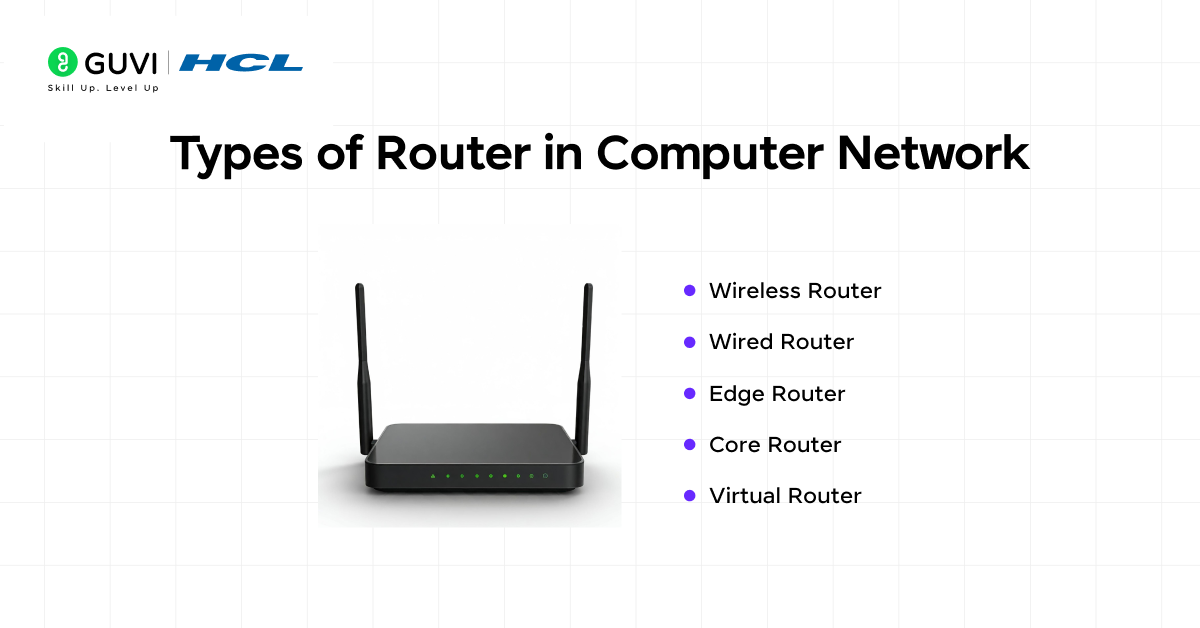
- Types of Routers — Core, Edge, Wireless, Virtual
- Wireless Router
- Wired Router
- Edge Router
- Core Router
- Virtual Router
- Applications and Use-Cases of a Router in a Computer Network
- Wrapping it up:
- FAQs
- What is a router in computer network?
- What is the main function of a router?
- Is a router the same as a modem?
- How many types of routers are there?
- Why is a router important in computer networks?
TL;DR Summary
- A router in a computer network connects two or more networks and forwards data packets using a routing table, operating at Layer 3 (Network Layer) of the OSI model.
- Routers differ from switches, hubs, and modems in both function and OSI layer, covered in a dedicated comparison table below.
- Static routing works fine for small, stable networks; dynamic routing (using protocols like OSPF and BGP) is built for large or constantly changing ones.
- The five main router types are wireless, wired, edge, core, and virtual, each suited to a different scale and use case.
- Understanding where a router sits in the OSI model explains why it can make smarter forwarding decisions than a simple switch or hub.
Router vs Switch at a Glance:
| Device | Primary Job | OSI Layer |
|---|---|---|
| Router | Connects different networks, forwards packets between them | Layer 3 (Network) |
| Switch | Connects devices within the same network | Layer 2 (Data Link) |
What is a Router in a Computer Network?
A router in a computer network is the hardware or software aspect of a device that connects two or more networks, and helps forward data packets from one network to another network.
To elaborate: when data travels networks (such as your laptop to a web server), the data is broken down into packets.
The router in the computer network inspects those packets to obtain their destination address, consults its internal information (routing table), and determines the next best network pathway to forward that packet.
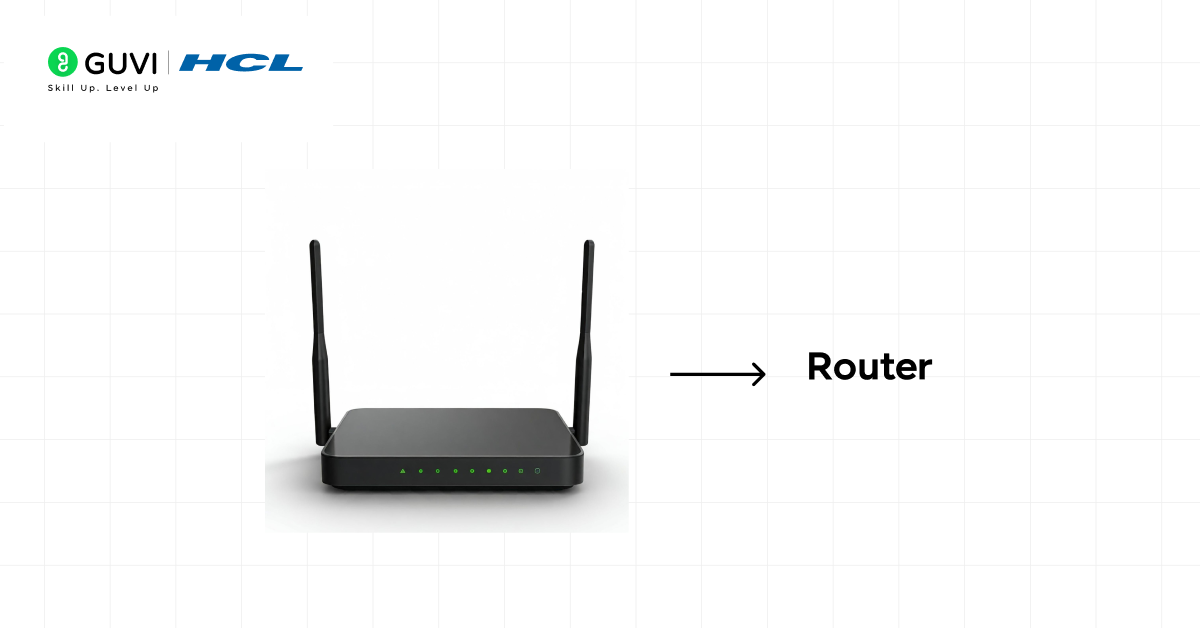
Routers operate on Layer 3 (Network Layer) of the OSI model, which is exactly why they can make routing decisions based on logical IP addresses rather than just physical connections.
Why Do We Need a Router in a Computer Network?
Understanding why a router in a computer network is necessary helps you appreciate network design and performance. Here are some key reasons:
- Bridging between different networks: A router allows communication between two or more different networks, such as between a home LAN and the Internet, or between a branch office and other offices in a company WLAN.
- Directing traffic: Without a router in a computer network, data packets may be lost or sent inefficiently. The router is used to make sure that packets take the right path.
- Internet sharing: In a small office or a normal home, there are several devices sharing the same connection to the Internet. The sharing is done through the router in the computer network.
- Segmentation and control: Routers are used in larger networks to partition the network into sub-nets, thereby enhancing the performance, security, and manageability. A router used in the computer network is able to implement policies, traffic control and isolate faults.
Therefore, the presence of a router in a computer network is the basis of modern networking, whether a small home-based or world worldwide Internet backbone.
Router vs Switch vs Hub vs Modem
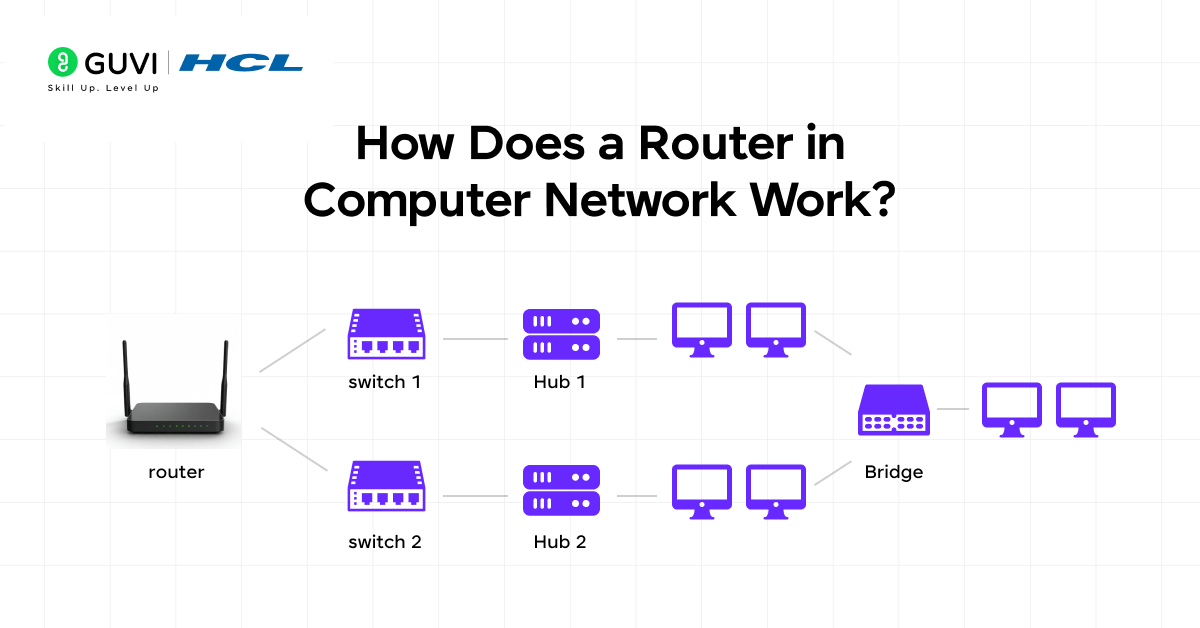
Comparing a router in a computer network to these other devices clears up a lot of confusion. These four devices are often confused since they all sit in the same box on your desk or wall, but each does a fundamentally different job at a different layer.
| Device | Function | OSI Layer | Use Case |
|---|---|---|---|
| Router | Connects different networks, forwards packets using IP addresses | Layer 3 (Network) | Connecting a home/office LAN to the internet |
| Switch | Connects multiple devices within the same network using MAC addresses | Layer 2 (Data Link) | Linking computers, printers within one office LAN |
| Hub | Broadcasts incoming data to all connected ports, no intelligence | Layer 1 (Physical) | Legacy, low-cost device linking; largely replaced by switches today |
| Modem | Converts digital signals to analog (and back) for internet transmission over cable/phone lines | Layer 1 (Physical) | Connecting a home network to the ISP’s line |
The key distinction: a router in a computer network makes intelligent forwarding decisions based on IP addresses and a routing table. A switch does the same job but only within a single network, using MAC addresses. A hub has no intelligence at all, it just repeats signals to every port. A modem’s job is entirely different: translating between your ISP’s transmission medium and digital data your router and devices understand.
Key Components & Architecture of a Router in a Computer Network
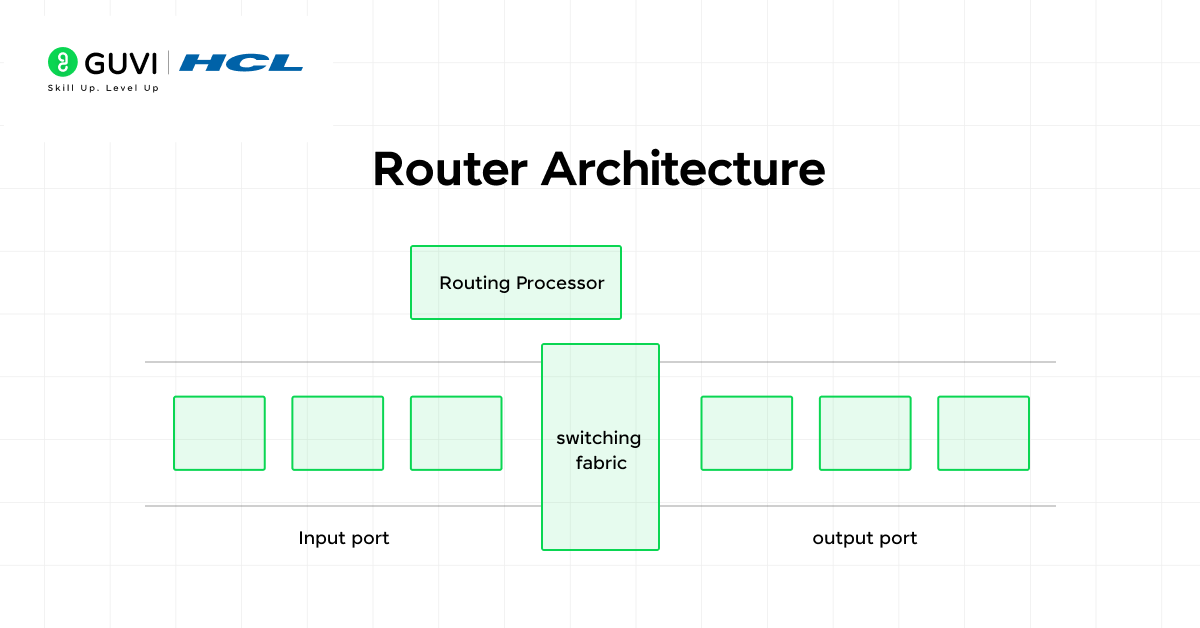
There are some internal parts and processes that enable it to be functional when you open the hood of a router in a computer network. Let’s explore them:
Input Port & Output Port
- Input Port: It is the port through which the router accepts a packet via a network link that is connected to the router. The port manages the physical layer and the data link layer functionality and sends the packet to the next step.
- Output Port: Once the router has decided on the next destination, the packet leaves through the output port. The router can alter the header of the packet (e.g., MAC address) and then transmit it.
Switching Fabric / Internal Process
Within a router of a computer network, there is a switching fabric or internal bus that transfers packets between input and output, usually at high speed. Hardware and software are utilized to transport packets in an efficient manner.
Also read: Routing and Switching
Routing Processor & Routing Table
- Routing Processor: This component of the router operates routing protocols, routing tables, and routing decisions in the control plane.
- Routing Table: This table is the key to the router of a computer network, as it holds the information on the path to different networks of destination networks. When a packet arrives, the router looks up the destination IP address in the routing table to decide the next hop.
Forwarding Plane
When the routing table provides the route, the forwarding plane (data plane) manages the physical transfer of the packet through the router between the input and output interfaces. This segregation (control plane vs data plane) helps the performance.
The architecture of a router in a computer network is made up of all these pieces; this is a device that is constructed to route packets in an efficient and reliable manner.
How a Router Works Step by Step — Packet Routing Explained
Having seen the components, it is time to trace how a router in a computer network works when a packet comes:
- Packet arrives at the input port: One of the network links brings a packet into one of the input ports of the router.
- Header inspection: The router reads the packet header and verifies the destination IP address. Other fields (e.g. priority/QoS) may also be checked by the router.
- Routing table lookup: The router looks up its routing table and identifies the most appropriate path (next hop) to the destination network. The routing table can either be static or dynamic.
- Packet modification: The packet can be altered: the router can update the source/destination MAC addresses (data link layer), decrement the TTL, recalculate a new checksum, and other adjustments.
- Forwarding through the output port: The packet is sent through the output port to the destination device (which can be another router or the destination host).
- Repeat across the path: This is done repeatedly across various routers until the packet reaches the destination network.
This entire sequence, from arrival to forwarding, typically happens in microseconds, which is exactly why a router in a computer network can process millions of packets per second without introducing noticeable delay.
Also read: What is IoT? A Comprehensive Guide [2026]
Static Routing vs Dynamic Routing — Difference
Every router in a computer network needs to know which path to send a packet down, and there are two fundamentally different ways it can learn that: someone tells it manually, or it figures it out automatically.
| Factor | Static Routing | Dynamic Routing |
|---|---|---|
| How routes are set | Manually configured by a network administrator | Automatically learned and updated via routing protocols |
| Adaptability | Fixed; doesn’t change unless manually updated | Adjusts automatically as the network changes |
| Protocols used | None, direct manual entries | OSPF, BGP, RIP, EIGRP |
| Best for | Small, stable networks with predictable topology | Large or frequently changing networks |
| CPU/resource usage | Minimal, no ongoing computation | Higher, routers continuously exchange and process routing updates |
| Failure handling | No automatic rerouting if a link fails | Automatically reroutes around failed links |
Static routing is set manually by a network administrator and doesn’t change unless deliberately updated. It fits small and stable networks well, where the topology rarely changes and manual configuration is manageable.
Dynamic routing has routers share routing information using routing protocols (like OSPF and BGP), automatically updating routing tables as the network changes. This is far more suitable for large or dynamic networks, like ISP backbones, where manually managing routes would be impossible at scale.
Ready to build strong networking skills? Explore HCL GUVI’s Networking Course and start learning today.
Router in OSI Model — Layer 3 (Network Layer) Explained
A router in a computer network operates specifically at Layer 3, the Network Layer, of the seven-layer OSI model, and understanding why matters for grasping what makes a router different from a switch or hub.
What Layer 3 actually handles: the Network Layer is responsible for logical addressing (IP addresses) and determining the best path for data to travel across multiple networks. This is distinct from Layer 2 (Data Link), which handles addressing within a single network using MAC addresses, and Layer 1 (Physical), which handles the raw transmission of bits over a physical medium.
Why this matters practically: because a router operates at Layer 3, it can read and act on IP addresses, meaning it can make forwarding decisions across entirely different networks, not just within one. A Layer 2 device like a switch has no concept of “which network” a device belongs to, it only knows which physical port a MAC address is reachable through.

How this plays out in a real packet’s journey: as a packet moves from your laptop to a website, it passes through several Layer 3 hops (routers), each one reading the destination IP address, consulting its own routing table, and forwarding the packet one step closer to its destination. Layer 2 switches may exist between these router hops too, but they only handle the “last mile” delivery within each individual network segment.
Types of Routers — Core, Edge, Wireless, Virtual
Not every router in a computer network is the same. Depending on where they’re used, how they connect devices, and what kind of traffic they handle, routers can vary widely in design and purpose. Here’s a detailed look at the major types of routers in computer networks and what makes each one unique:
1. Wireless Router
This is the most common type of router in a computer network you can find in almost every household or a small office.
It is linked to a modem and forms a Wi-Fi network, and can be connected to several devices (phones, laptops, smart televisions, etc.) without the use of cables.
The features that are normally built into these routers include:
- SSID broadcast to discover Wi-Fi,
- Security protection by password and encryption, and
- DHCP services in order to allocate IP addresses automatically.
They’re the perfect choice for homes or small workspaces that need convenience, flexibility, and minimal wiring. However, their range depends on factors like antenna strength and interference.
2. Wired Router
A wired router in a computer network links devices using Ethernet cables rather than Wi-Fi.
It offers very stable and high-speed connections and that is why it is commonly applied in offices, data centers, and in game arrangements.
Wired routers typically accept multiple LAN ports and typically have an attachment to switches in order to expand the network.
The main advantages include:
- Consistent high-speed data transfer
- Less latency than wireless routers
- Stronger defense against wireless interference or hacking.
Although they are not as flexible as wireless routers, they suit well in an environment that does not require flexibility.
3. Edge Router
This type of router in a computer network lies at the border (or edge) of the network, the point where internal systems and the outside world (usually the internet) meet.
For example, in the business environment, the edge router is used to bridge the private network of the company and the Internet Service Provider (ISP).
These routers handle:
- Large quantities of incoming and outgoing traffic,
- Security can be implemented in the form of access control lists (ACLs) and firewall rules, and
- Inter-protocol, inter-IP routing.
Edge routers are made to be efficient and quick, and data exchange is smoother between the inner network and the outside networks.
Also read: Top 30 Networking Interview Questions and Answers [Includes All 3 Levels]
4. Core Router
This is another key type of router in a computer network. If edge routers are the guards at the boundary, core routers are the powerhouses at the center. A core router in a computer network is used to pass bulky traffic in the backbone of a network – let’s say, in an ISP, a data center, or a large company.
They are designed for:
- High-speed packet forwarding (in terabits/s),
- Fault tolerance and low latency,
- Maintenance of links between various edge routers or distribution routers.
Such routers do not have a direct connection to end-user devices. They rather make sure that the data in the whole network is flowing effectively and dependably.
- A single router can make millions of forwarding decisions every second without slowing down — ensuring uninterrupted data flow across networks.
- The internet relies on over 70,000+ active routers that work together using global routing tables to keep data packets moving efficiently across the world.
- Your home router does more than provide Wi-Fi — it also manages NAT, DHCP, basic firewalling, and connected devices all at once.
- Enterprise routers are built for speed and reliability, capable of handling terabits of data per second for large-scale network infrastructures.
- A router’s routing table can store hundreds of thousands of routes that continuously update as global network paths change.
- Without routing protocols like OSPF and BGP, the internet as we know it would collapse in minutes. These protocols are the silent backbone of global connectivity.
Routers are the true workhorses of the internet quietly powering every click, stream, and connection around the globe!
5. Virtual Router
This final type of router in a computer network is not physical hardware at all. It is a software router that is implemented in a virtual machine, cloud server, or container.
It does all the routing tasks of a hardware router but is more flexible, such that using it has become a popular choice in cloud computing and scale-out settings.
Key benefits include:
- Scalability (adding more capacity is only a software-configured option)
- Economical (no physical hardware required)
- Integration with the current technologies, such as SDN (Software Defined Networking)
Companies that use cloud infrastructure (like AWS, Google Cloud, or Azure) rely heavily on virtual routers to manage internal and external traffic dynamically.
Read More: Components of the Internet: A Comprehensive Guide
Applications and Use-Cases of a Router in a Computer Network
Home Network
In a regular home network, a router in a computer network connects a home LAN, your devices (computers, smartphones, IoT devices) to the Internet via the modem. It is responsible for assigning local IPs, routing packets to your ISP, and managing your home LAN.
Small Office / Branch Office
In a small office or branch office environment, a router in a computer network connects the office LAN to the WAN or the Internet. It may also connect to the head office via VPN while providing firewall functionality, QoS for voice or video traffic.
Also read: How to Become a Network Engineer? 6 Easy Steps To Get Started
Enterprise Network
In large enterprises, a router in a computer network may be used to segment different departments, link multiple campuses, manage redundancy, and provide high throughput across the core network.
Core routers typically connect to other networks and handle large volumes of traffic, while edge routers connect to the outside world.
Internet Service Provider (ISP)
At the highest level, a router in a computer network is used by ISPs to interconnect across backbone links, exchange routing information (BGP), and direct global Internet traffic. These routers typically work at massive scale and speed.
Cloud / Virtual Networks
In a virtualized or cloud network environment, a virtual router in a computer network connects virtual sub-nets and routes traffic in the cloud or between clouds or on-premises and clouds.
If you’re excited to master the art of routing in computer networks, then take the next step and join the AI Software Development Course by HCL GUVI, IITM Pravartak, MongoDB, a 9-month industry-ready program covering Java, System Design, Generative AI, 15+ hands-on projects, and 4 globally recognized certifications.
Wrapping it up:
While you may not think about it every day, a router in a computer network influences every interaction you have online. It also decides how data moves, where it moves, and how quickly it gets there, turning complex digital chaos into smooth communication.
From a simple home Wi-Fi setup to massive global infrastructures, every router in a computer network forms the foundation that keeps networks alive and efficient.
Understanding how they work isn’t just about learning another networking concept; it’s about realizing how every click, call, and connection depends on structured intelligence working behind the scenes.
So, the next time your Wi-Fi light blinks, remember that small router in a computer network isn’t just a device. It’s the decision-maker of your digital world.
FAQs
1. What is a router in computer network?
A router is a device that connects multiple networks and forwards data packets to their destinations.
2. What is the main function of a router?
The primary purpose of a router is to chose the best available path for data to travel connected networks.
3. Is a router the same as a modem?
No, a modem connects the network to the Internet, whereas a router uses that connection to manage and share it with its devices.
4. How many types of routers are there?
Some common types of routers include wireless, wired, edge, core and virtual each with its own unique needs for networking.
5. Why is a router important in computer networks?
A router is needed in a computer network because without it, the devices would not know how to directly receive or send data, which would also make communication nearly impossible.
Success Stories

About the Author
Jebasta
I translate the language of data into stories that anyone can understand. As a writer with a data science background, I simplify analytics, AI, and decision-making so beginners and enthusiasts can confidently explore the world of data.
View all posts by Jebasta
Connect with me @












Did you enjoy this article?