


Database Articles
Python and SQL for FP&A: What Finance Managers Should Learn
SQL Window Functions: Practical Examples Every Analyst Needs
Microservices vs Monolith: Making the Right Architectural Choice


Get In Touch For Details! Request More Information
SQL Queries with Examples: Complete Guide from Basic to Advanced (2026)
Oct 27, 2026 6 Min Read 150034 Views
(Last Updated)
SQL is one of the most valuable skills for anyone working with databases, data analytics, or software development. However, knowing SQL syntax is only the beginning. The real challenge is writing queries that retrieve accurate results, combine information from multiple tables, and solve practical business problems.
A simple SELECT statement can retrieve employee records, whereas JOINs connect related datasets. GROUP BY helps summarise sales figures, and window functions support advanced calculations without removing individual rows.
This guide covers the most commonly used SQL queries with examples, expected outputs, difficulty levels, and practical applications. You will also learn important SQL interview queries, common mistakes, and the differences between SQL and NoSQL.
Table of contents
- Quick Answer
- What Are SQL Queries?
- Some of the Most Common SQL Queries
- SELECT Statement
- JOIN Statements
- GROUP BY Clause
- Subqueries
- Window Functions
- SQL Interview Queries Asked at Amazon, Flipkart, TCS, Infosys
- Advanced SQL Interview Queries With Examples
- Find the Top Three Highest-Paid Employees in Each Department
- Calculate a Running Total of Monthly Sales
- Find Customers Who Have Never Placed an Order
- Calculate Month-over-Month Revenue Growth
- Find Products Generating More Revenue Than Their Category Average
- SQL vs NoSQL- When to Use Which?
- Common Mistakes to Avoid
- Common Mistakes Beginners Make in SQL
- Wrapping it Up
- FAQs
- What Are the Most Commonly Used SQL Queries?
- Which SQL Queries Are Most Important for Interviews?
- What Is the Difference Between WHERE and HAVING in SQL?
- Which SQL Query Is Used to Find Duplicate Records?
- What Is the Difference Between JOIN and Subquery in SQL?
- How Long Does It Take to Learn Basic SQL Queries?
Quick Answer
SQL queries help you retrieve, filter, combine, summarise, and analyse structured data for reporting, applications, and technical interviews.
- Basic Retrieval:
SELECT,WHERE, andORDER BY - Combine Tables:
JOINstatements - Summarise Data:
GROUP BY,COUNT(),SUM(), andAVG() - Filter Groups:
HAVING - Advanced Logic: Subqueries and CTEs
- Analytical Queries: Window functions such as
RANK(),ROW_NUMBER(), andLAG() - Interview Focus: JOINs, duplicates, second-highest values, running totals, and growth calculations
SQL was originally called SEQUEL (Structured English Query Language), built by IBM in the 1970s. Nearly 60% of developers worldwide still use it today, making it one of the most durable languages in tech.
What Are SQL Queries?
SQL queries are commands used to retrieve, filter, combine, update, and analyse data stored in relational databases. Common SQL queries include SELECT, WHERE, JOIN, GROUP BY, subqueries, CTEs, and window functions, which help users solve everything from basic data retrieval tasks to advanced reporting and business analysis.
Some of the Most Common SQL Queries
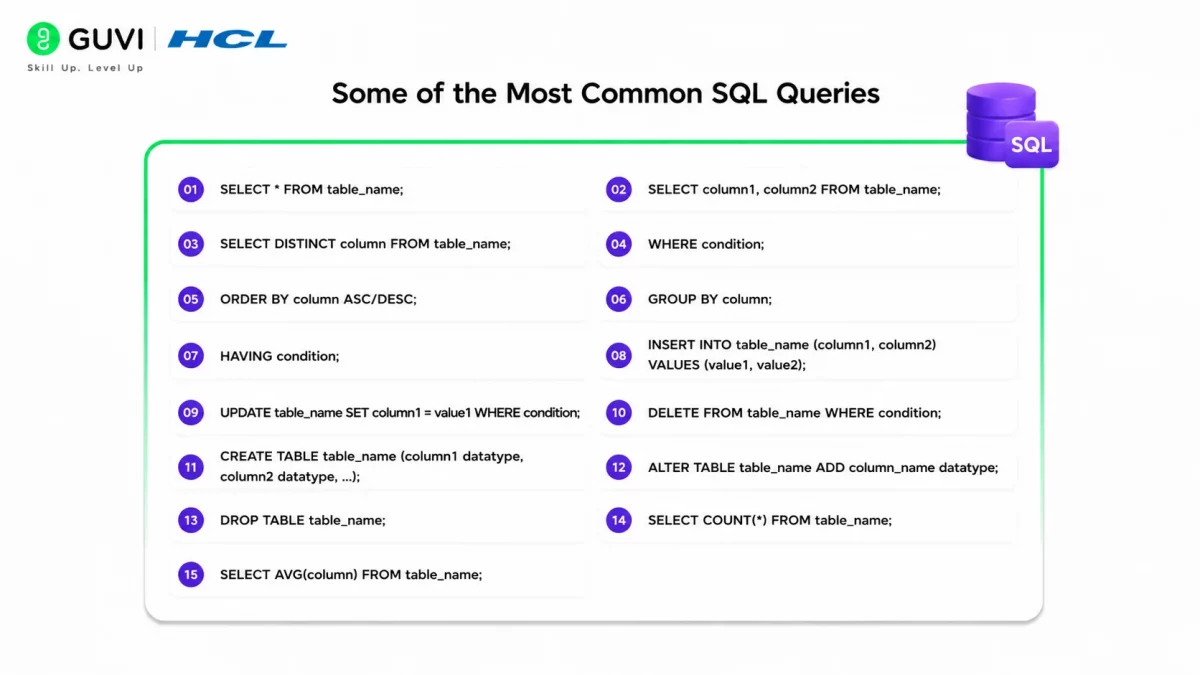
| Query | Function |
|---|---|
| SELECT * FROM table_name; | Retrieve all columns and rows from the specified table. |
| SELECT column1, column2 FROM table_name; | Retrieve specific columns from the specified table. |
| SELECT DISTINCT column FROM table_name; | Retrieve unique values from a specific column in the table. |
| WHERE condition; | Filter rows based on a specified condition in the WHERE clause. |
| ORDER BY column ASC/DESC; | Sort the result set in ascending (ASC) or descending (DESC) order based on a specified column. |
| GROUP BY column; | Group rows based on the values in a specific column. |
| HAVING condition; | Filter groups based on a specified condition in the HAVING clause (used with GROUP BY). |
| INSERT INTO table_name (column1, column2) VALUES (value1, value2); | Insert new records into a table with specified column values. |
| UPDATE table_name SET column1 = value1 WHERE condition; | Update existing records in a table based on a specified condition. |
| DELETE FROM table_name WHERE condition; | Delete rows from a table based on a specified condition. |
| CREATE TABLE table_name (column1 datatype, column2 datatype, …); | Create a new table with specified columns and data types. |
| ALTER TABLE table_name ADD column_name datatype; | Add a new column to an existing table. |
| DROP TABLE table_name; | Delete an entire table along with its data. |
| SELECT COUNT(*) FROM table_name; | Count the number of rows in a table. |
| SELECT AVG(column) FROM table_name; | Calculate the average value of a numeric column in a table. |
Need to change a column name after the table is created? Here is how to rename a column in SQL.
SQL is a core skill for data analysts, data scientists, and business intelligence professionals. However, building a career in data requires applying SQL alongside Python, statistics, visualisation, and practical problem-solving. Take the next step with HCL GUVI’s Data Science Course. Develop job-ready skills through live online classes, expert mentorship, hands-on projects, and placement assistance.
1. SELECT Statement
Difficulty: Beginner
SELECT retrieves data from a table. It’s the query you’ll write most often.
SELECT first_name, last_name, salary
FROM employees
WHERE salary > 70000;
Output:
| first_name | last_name | salary |
|---|---|---|
| Rohan | Mehta | 82000 |
| Vikram | Singh | 91000 |
Keep these in mind:
- Avoid
SELECT *in production code — it’s slower and breaks silently when columns change - Combine with WHERE, ORDER BY, and LIMIT to control exactly what comes back
2. JOIN Statements
Difficulty: Intermediate
JOINs combine rows from two or more tables using a shared column. Most real applications store data across multiple tables, so this is non-negotiable.
SELECT s.first_name, c.course_name
FROM students s
JOIN courses c ON s.student_id = c.student_id;
Output:
| first_name | course_name |
|---|---|
| Ananya | Data Science |
| Rohan | Web Development |
INNER JOIN returns only matching rows. LEFT JOIN keeps every row from the first table even without a match. Mixing these up is one of the most common beginner errors.
3. GROUP BY Clause
Difficulty: Intermediate
GROUP BY summarizes rows into groups, usually paired with COUNT, SUM, or AVG.
SELECT department_id, AVG(salary) AS avg_salary
FROM employees
GROUP BY department_id;
Output:
| department_id | avg_salary |
|---|---|
| 101 | 78500 |
| 102 | 85200 |
Use HAVING (not WHERE) if you need to filter after grouping — for example, showing only departments where the average salary exceeds ₹80,000.
Also Read: SQL for Data Science
4. Subqueries
Difficulty: Advanced
A subquery is a query nested inside another query. It’s useful when a filter depends on a result you don’t know in advance.
SELECT first_name
FROM employees
WHERE salary > (SELECT AVG(salary) FROM employees);
Output:
| first_name |
|---|
| Rohan |
| Vikram |
CTEs (WITH clauses) do the same job with better readability for multi-step logic, and are the modern preference over deeply nested subqueries.
5. Window Functions
Difficulty: Advanced
Window functions calculate across related rows without collapsing them, using OVER().
SELECT first_name, department_id, salary,
RANK() OVER (PARTITION BY department_id ORDER BY salary DESC) AS dept_rank
FROM employees;
Output:
| first_name | department_id | salary | dept_rank |
|---|---|---|---|
| Vikram | 101 | 91000 | 1 |
| Rohan | 101 | 82000 | 2 |
RANK() skips numbers on ties, ROW_NUMBER() never ties, and LAG()/LEAD() pull values from neighboring rows — handy for period-over-period comparisons.
Know More About SQL Window Functions
SQL Interview Queries Asked at Amazon, Flipkart, TCS, Infosys
Difficulty: Intermediate to Advanced
These companies tend to test the same handful of query patterns. A few you should be able to write cold:
- Find the second-highest salary (a favorite at TCS and Infosys):
sql
SELECT MAX(salary) AS second_highest
FROM employees
WHERE salary < (SELECT MAX(salary) FROM employees);
Output:
| second_highest |
|---|
| 82000 |
2. Find duplicate records (common at Amazon and Flipkart data-heavy rounds):
sql
SELECT email, COUNT(*)
FROM users
GROUP BY email
HAVING COUNT(*) > 1;
Output:
| count | |
|---|---|
| [email protected] | 2 |
3. Find employees with no matching department (LEFT JOIN + IS NULL, a classic Flipkart question):
sql
SELECT e.first_name
FROM employees e
LEFT JOIN departments d ON e.department_id = d.department_id
WHERE d.department_id IS NULL;
Output:
| first_name |
|---|
| Priya |
Interviewers are usually less interested in the exact syntax and more in whether you can explain your logic out loud. Practice narrating your thought process, not just typing the query.
Advanced SQL Interview Queries With Examples
Advanced SQL interviews test your ability to solve business problems using multiple SQL concepts. Employers may ask you to calculate rankings, identify missing records, analyse customer behaviour, or compare performance across reporting periods.
Here are five advanced SQL interview queries worth practising:
1. Find the Top Three Highest-Paid Employees in Each Department
Difficulty: Advanced
This query uses DENSE_RANK() to rank employees by salary within each department.
WITH ranked_employees AS (
    SELECT
        first_name,
        department_id,
        salary,
        DENSE_RANK() OVER (
            PARTITION BY department_id
            ORDER BY salary DESC
        ) AS salary_rank
    FROM employees
)
SELECT *
FROM ranked_employees
WHERE salary_rank <= 3;
Output:
| first_name | department_id | salary | salary_rank |
|---|---|---|---|
| Vikram | 101 | 91000 | 1 |
| Rohan | 101 | 82000 | 2 |
| Ananya | 101 | 78000 | 3 |
| Priya | 102 | 95000 | 1 |
| Neha | 102 | 85000 | 2 |
DENSE_RANK() assigns the same rank to employees with equal salaries. It does not skip ranking numbers after ties. Consequently, the query may return more than three employees per department.

2. Calculate a Running Total of Monthly Sales
Difficulty: Advanced
Running totals help analysts track cumulative revenue and business growth.
SELECT
    sale_month,
    revenue,
    SUM(revenue) OVER (
        ORDER BY sale_month
        ROWS BETWEEN UNBOUNDED PRECEDING
        AND CURRENT ROW
    ) AS running_total
FROM monthly_sales;
Output:
| sale_month | revenue | running_total |
|---|---|---|
| 2026-01 | 50000 | 50000 |
| 2026-02 | 65000 | 115000 |
| 2026-03 | 70000 | 185000 |
| 2026-04 | 80000 | 265000 |
The SUM() window function calculates cumulative revenue without combining individual monthly records.
3. Find Customers Who Have Never Placed an Order
Difficulty: Intermediate to Advanced
This query identifies customers without matching transactions using NOT EXISTS.
SELECT
    c.customer_id,
    c.customer_name
FROM customers c
WHERE NOT EXISTS (
    SELECT 1
    FROM orders o
    WHERE o.customer_id = c.customer_id
);
Output:
| customer_id | customer_name |
|---|---|
| 103 | Ananya |
| 107 | Priya |
NOT EXISTS checks whether a matching order exists for each customer. This approach is useful for identifying inactive customers and investigating conversion problems.
4. Calculate Month-over-Month Revenue Growth
Difficulty: Advanced
Month-over-month analysis measures how revenue changes between consecutive reporting periods.
WITH revenue_comparison AS (
    SELECT
        sale_month,
        revenue,
        LAG(revenue) OVER (
            ORDER BY sale_month
        ) AS previous_revenue
    FROM monthly_sales
)
SELECT
    sale_month,
    revenue,
    ROUND(
        (revenue - previous_revenue) * 100.0
        / NULLIF(previous_revenue, 0),
        2
    ) AS growth_percentage
FROM revenue_comparison;
Output:
| sale_month | revenue | growth_percentage |
|---|---|---|
| 2026-01 | 50000 | NULL |
| 2026-02 | 65000 | 30.00 |
| 2026-03 | 70000 | 7.69 |
| 2026-04 | 80000 | 14.29 |
LAG() retrieves revenue from the preceding row. NULLIF() prevents division-by-zero errors when previous revenue is zero.
The first month returns NULL because no earlier period exists.
5. Find Products Generating More Revenue Than Their Category Average
Difficulty: Advanced
This query compares individual product revenue against the average revenue within its category.
WITH product_comparison AS (
    SELECT
        product_name,
        category,
        revenue,
        AVG(revenue) OVER (
            PARTITION BY category
        ) AS category_avg
    FROM products
)
SELECT
    product_name,
    category,
    revenue
FROM product_comparison
WHERE revenue > category_avg;
Output:
| product_name | category | revenue |
|---|---|---|
| Laptop | Electronics | 150000 |
| Smartphone | Electronics | 120000 |
| Office Chair | Furniture | 45000 |
The window function calculates category-level averages while retaining individual product records. The outer query then identifies products performing above their category average.
These examples use illustrative datasets. Actual outputs depend on the underlying records and database system.
Related Blog: SQL Interview Questions
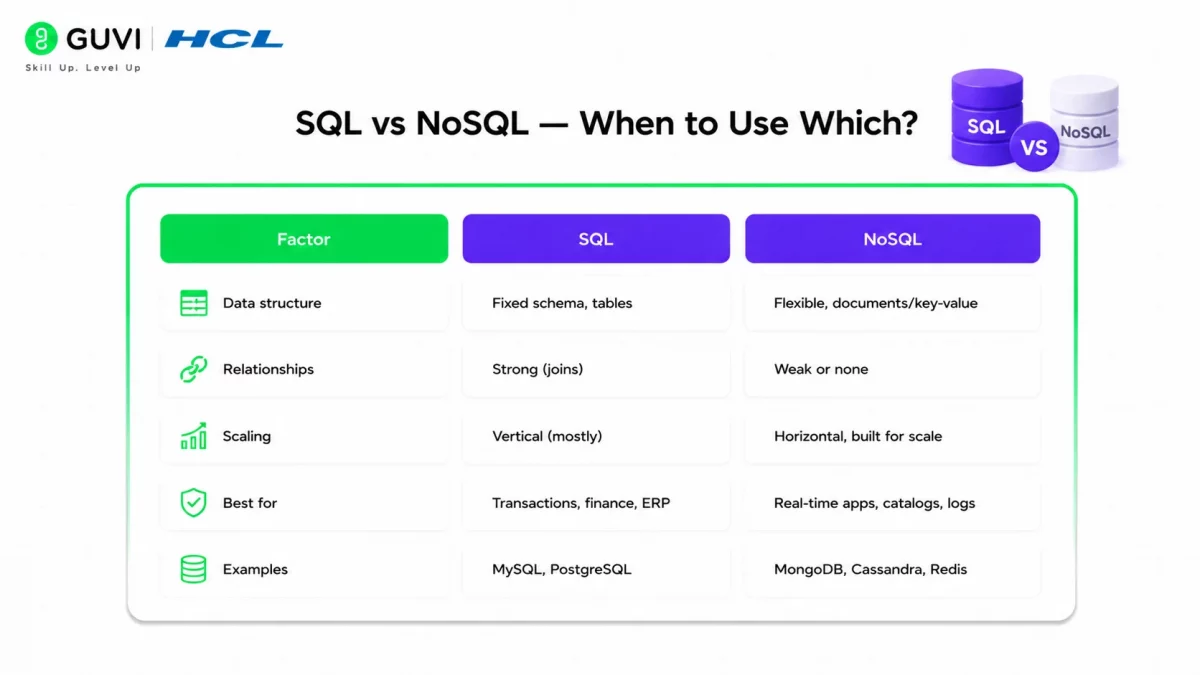
SQL vs NoSQL- When to Use Which?
Difficulty: Beginner
This question comes up constantly once you move past query basics, especially in system design rounds.
| Factor | SQL | NoSQL |
|---|---|---|
| Data structure | Fixed schema, tables | Flexible, documents/key-value |
| Relationships | Strong (joins) | Weak or none |
| Scaling | Vertical (mostly) | Horizontal, built for scale |
| Best for | Transactions, finance, ERP | Real-time apps, catalogs, logs |
| Examples | MySQL, PostgreSQL | MongoDB, Cassandra, Redis |
Simple rule of thumb: if your data has clear relationships and needs strong consistency, go SQL. If it’s high-volume, semi-structured, and needs to scale horizontally, NoSQL fits better. Many real systems use both.
Common Mistakes to Avoid
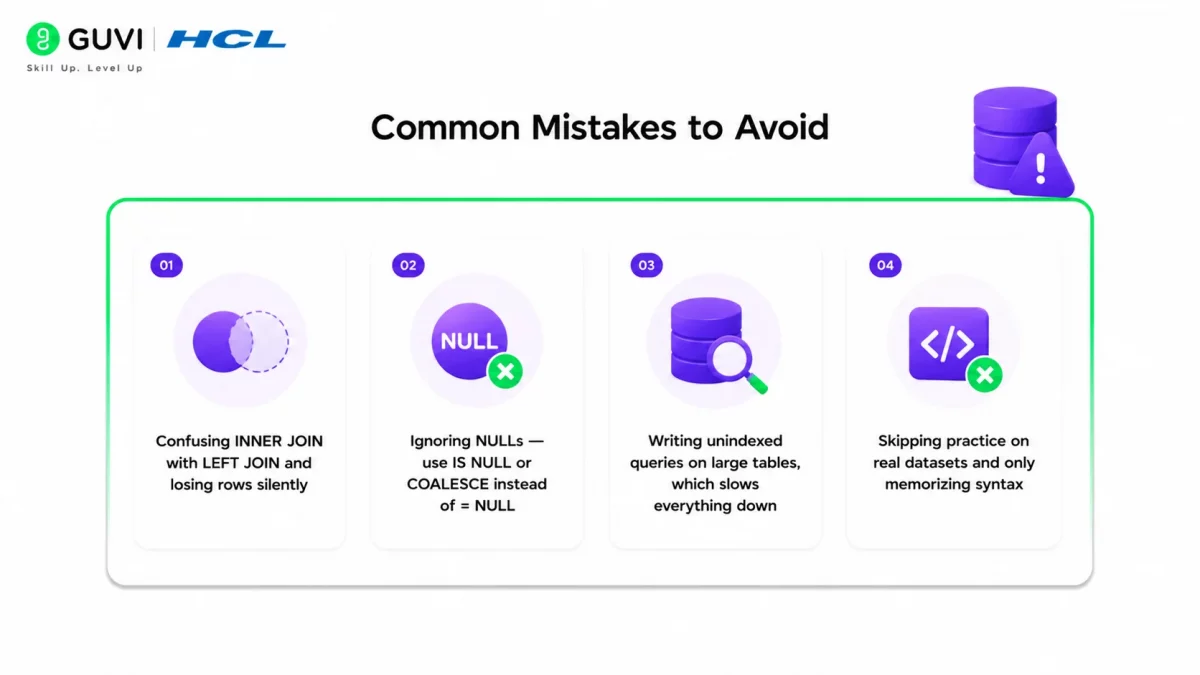
- Confusing INNER JOIN with LEFT JOIN and losing rows silently
- Ignoring NULLs — use IS NULL or COALESCE instead of
= NULL - Writing unindexed queries on large tables, which slows everything down
- Skipping practice on real datasets and only memorizing syntax
Master SQL queries from basic to advanced with HCL GUVI’s Mastering MySQL Course. Learn database fundamentals, SQL commands, joins, subqueries, and practical query writing to strengthen your data management and analysis skills. Enrol today to build confidence in writing SQL queries for real-world applications.
Common Mistakes Beginners Make in SQL
Beginners often know basic SQL syntax but struggle with query logic, data relationships, and result accuracy.
Common mistakes include:
- Using the Wrong JOIN: Choosing an incorrect join type can remove needed rows or create unexpected duplicates.
- Ignoring NULL Values: Comparisons with
NULLrequireIS NULLorIS NOT NULL, not standard equality operators. - Forgetting GROUP BY Rules: Selecting non-aggregated columns without grouping them correctly can cause errors or misleading results.
- Confusing WHERE and HAVING: Use
WHEREbefore aggregation andHAVINGto filter grouped results. - *Overusing SELECT : Retrieving every column can reduce readability and increase unnecessary processing.
- Missing JOIN Conditions: Incomplete join logic can produce duplicate-heavy or Cartesian results.
- Ignoring Duplicate Records: Duplicate rows can distort counts, averages, and business metrics.
- Writing Complex Queries Too Early: Beginners often combine too much logic in one query instead of breaking it into smaller steps.
- Not Checking Data Types: Comparing incompatible data types can cause errors or incorrect filtering.
- Using Incorrect Aggregate Logic: Functions such as
COUNT,SUM, andAVGcan produce misleading results when grouping is poorly defined. - Skipping Query Validation: Always check row counts, sample records, and expected outputs before trusting results.
- Ignoring Query Readability: Poor aliases, inconsistent formatting, and deeply nested logic make SQL harder to debug and maintain.
- Memorising Without Practising: SQL becomes easier through hands-on problems involving joins, filtering, aggregation, and real datasets.
- Not Considering Performance: Repeated subqueries, unnecessary columns, and inefficient filtering can slow large database queries.
Know About SQL Project Ideas
Ready to go from SQL beginner to pro?HCL GUVI’s SQL Handbook guides you through practical examples, real-world projects, and hands-on exercises — all online and self-paced.
Wrapping it Up
Mastering SQL requires more than memorising commands. Understanding how SELECT, JOIN, GROUP BY, subqueries, and window functions work together helps you solve real database problems confidently.
Start with basic retrieval and filtering queries before progressing towards complex joins and analytical functions. Practise each concept using real datasets and review your results for accuracy.
Consistent practice will strengthen your SQL fundamentals and prepare you for technical interviews, data analysis projects, and database-related roles.
FAQs
What Are the Most Commonly Used SQL Queries?
SELECT, INSERT, UPDATE, DELETE, JOIN, GROUP BY, and ORDER BY are among the most commonly used SQL commands and clauses. They help retrieve, modify, combine, summarise, and organise database records.
Which SQL Queries Are Most Important for Interviews?
SQL interviews frequently test JOINs, GROUP BY, HAVING, subqueries, CTEs, and window functions. Candidates should also practise finding duplicate records, calculating rankings, and retrieving the second-highest salary.
What Is the Difference Between WHERE and HAVING in SQL?
WHERE filters individual rows before grouping, whereas HAVING filters grouped results. HAVING is commonly used with aggregate functions such as COUNT, SUM, and AVG.
Which SQL Query Is Used to Find Duplicate Records?
GROUP BY combined with HAVING COUNT(*) > 1 identifies repeated values. Analysts commonly use this approach to detect duplicate email addresses, customer IDs, or transaction records.
What Is the Difference Between JOIN and Subquery in SQL?
JOIN combines related information from multiple tables. A subquery places one query inside another to support filtering, comparisons, or calculations. The appropriate choice depends on the required result and query structure.
How Long Does It Take to Learn Basic SQL Queries?
Beginners can learn basic SQL queries within two to four weeks of consistent practice. Advanced concepts such as window functions, query optimisation, and complex joins generally require additional hands-on experience.
Success Stories

About the Author
Vaishali
I'm a seasoned writer with four years of experience across technical, non-technical, and just about every genre or niche you can imagine. Adaptable and curious, I enjoy exploring new topics and making information engaging and easy to understand. Fueled by a steady stream of tea, I approach each project with creativity, reliability, and genuine enthusiasm for storytelling.
View all posts by Vaishali
Connect with me @

Did you enjoy this article?
Comments












Thank you
I was looking for such type of short intro to SQL Queries with few useful examples as I am going to appear for an interview of SQL Server Database. Example given are well understandable and useful with daily life examples.
Very helpful for today's external exam
Thanks
Ease to understand for beginners