


Interview Articles
InfyTQ Interview Experience 2026: Process, Questions, Preparation & Tips
Deloitte NLA Interview Experience 2026: Rounds, Questions and Preparation - Best Guide
Capgemini Exceller Interview Questions 2026: Coding, Technical, HR, and AI Prep - Best Guide
Wipro Elite NTH Interview Experience 2026: What Candidates Say


Get In Touch For Details! Request More Information
Top 50+ SQL Interview Questions with Answers in 2026
Oct 05, 2026 13 Min Read 55350 Views
(Last Updated)
Welcome to the last-minute guide to ace your SQL interview! Whether you are preparing for your first SQL interview or aiming to level up in your current database-related role, mastering SQL is essential for success.
This blog lists the top 50+ SQL interview questions with answers, covering a wide range of SQL concepts from beginner to advanced level. From theoretical concepts to query writing, each question is explained in detail to ensure you’re fully prepared. Let’s jump into it.
Table of contents
- TL;DR Summary
- Beginner's SQL Interview Questions
- What is the difference between WHERE and HAVING in SQL?
- What is the GROUP BY clause in SQL?
- What is NULL in SQL, and how do you handle it?
- What is the difference between UNIQUE and PRIMARY KEY constraints?
- Intermediate SQL Interview Questions
- What is the difference between UNION and UNION ALL in SQL?
- What is the difference between IN and EXISTS in SQL?
- What is a view in SQL?
- How do you find duplicate records in a table?
- What is the difference between a subquery and a JOIN?
- Advanced SQL Interview Questions
- What are window functions in SQL?
- What is the difference between ROW_NUMBER(), RANK(), and DENSE_RANK()?
- What is the difference between a CTE and a subquery?
- How do you find the second-highest salary in SQL?
- What are ACID properties in SQL transactions?
- How do you find the nth highest salary in SQL?
- What is a database trigger, and when would you use one?
- Conclusion
- FAQs
- Q1. What is normalization, and why is it important in database design?
- Q2. What is the importance of learning SQL for a database professional?
- Q3. How do I improve my SQL skills?
- Q4. What SQL topics are most commonly asked in interviews?
- Q5. Are SQL queries asked in interviews?
- Q6. How should freshers prepare for SQL interview questions?
- Q7. What is the best way to practise SQL for interviews?
TL;DR Summary
- SQL interview questions commonly test database fundamentals, queries, joins, keys, and constraints.
- Intermediate questions focus on aggregate functions, indexes, subqueries, views, and data manipulation.
- Advanced interviews may cover CTEs, window functions, transactions, query optimization, and stored procedures.
- Practical rounds often require you to write SQL queries and solve data-based problems.
- Strong preparation requires both conceptual understanding and regular query practice.
Beginner’s SQL Interview Questions
Let’s start with the basic-level SQL interview questions for beginners. If you’re a beginner in SQL or applying to an entry-level job, then you can expect more theoretical SQL interview questions. This includes questions on databases and their types, SQL applications, statements, commands, and types of queries. Let’s dive deeper into the detailed answers for these SQL interview questions.
1. What is SQL?
SQL stands for Structured Query Language. It is a programming language used to interact with Relational Databases. This is a popular query language that helps in fetching, updating, deleting and inserting data from and to the databases.
2. What is a database?
A database is a structured collection of data that is stored electronically. It can store data in the form of numbers, texts, images, videos, and other types of data. Databases serve as a backbone to most of the modern applications, from e-commerce to social networking platforms and also in enterprise applications.
3. What is a DBMS with some examples?
DBMS stands for database management system. It is a software system that is used to manage the databases and handle the data stored inside the databases. Examples of DBMS include MySQL, Oracle, PostgreSQL for relational databases, and MongoDB for non-relational databases.
4. What is the difference between SQL and NoSQL?
SQL databases: Relational databases that typically use predefined schemas and store structured data in tables. Examples include MySQL, PostgreSQL, Oracle, and SQL Server.
NoSQL databases: NoSQL databases are non-relational databases that support flexible data models such as documents, key-value pairs, wide-column stores, and graphs. They are commonly used when applications need flexible schemas or need to handle large volumes of varied data. NoSQL databases also support CRUD operations. Examples include MongoDB, Cassandra, and Redis.
Both SQL and NoSQL databases can support different scaling approaches depending on the database system and architecture.
5. What are the types of SQL statements?
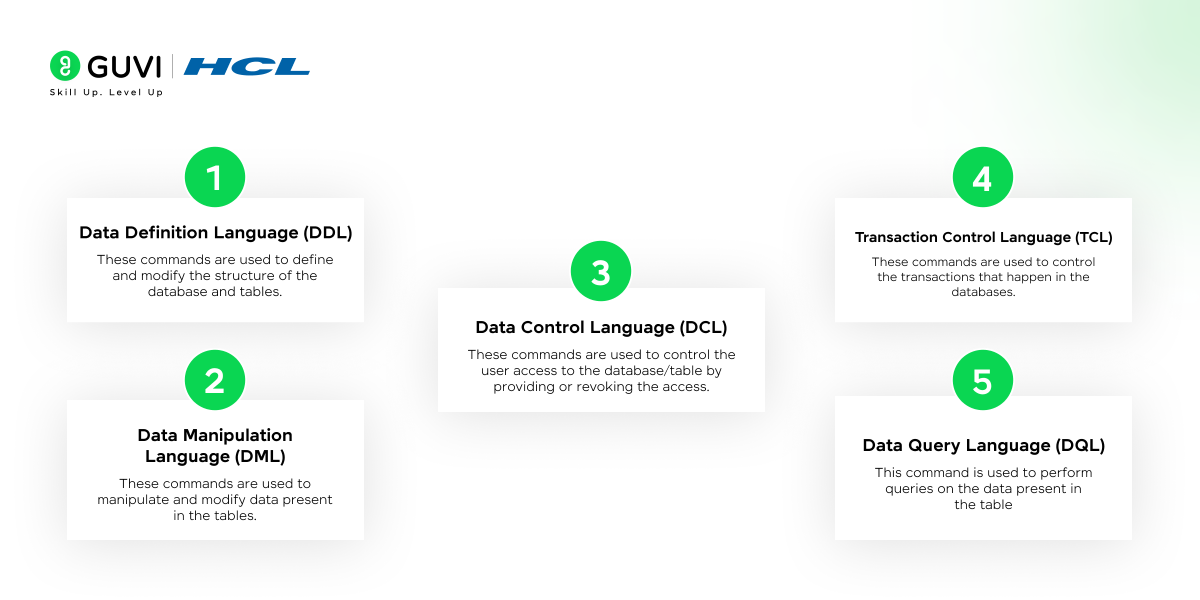
SQL statements are also known as commands that are used to modify, create, and delete data from the databases. There are five types of commands in SQL.
- Data Definition Language (DDL): These commands are used to define and modify the structure of the database and tables.
- Data Manipulation Language (DML): These commands are used to manipulate and modify data present in the tables.
- Data Control Language (DCL): These commands are used to control the user access to the database/table by providing or revoking access.
- Transaction Control Language (TCL): These commands are used to control the transactions that happen in the databases.
- Data Query Language (DQL): This command is used to perform queries on the data present in the table.
Explore: Database Design: Principles and Best Practices
6. Give some examples of common SQL commands
- DDL: This includes commands such as CREATE, ALTER, DROP, TRUNCATE, and RENAME.
- DML: This includes commands such as SELECT, INSERT, UPDATE, and DELETE.
- DCL: This includes commands such as GRANT and REVOKE.
- TCL: It includes commands such as COMMIT, ROLLBACK, SAVEPOINT, and SET TRANSACTION.
- DQL: It includes the command SELECT.
7. What is the difference between a primary key and a foreign key?
Primary Key: A primary key is a field in a table that uniquely identifies each row in the table. The main constraint of the primary key is that it must contain unique values, and it cannot have NULL values. Each table has only one primary key. Example: Student’s ROLL NUMBER.
Foreign Key: A foreign key is a field or combination of fields in one table that references a primary key or unique key in another table. It helps establish and maintain relationships between tables. A foreign key can contain duplicate values and, depending on the constraint, may also contain NULL values. Example: Student’s COURSE_ID.
8. What is a join?
A Join in SQL is used to combine data from two or more tables based on common or related columns between them. This can retrieve records from multiple tables using a single query.
9. What are tables and fields in SQL?
Tables: A table is a collection of rows and columns. It is a fundamental unit of storage in relational databases. Each table represents an entity, for example: Students, Employees, etc.
Fields: A field is also known as a column in SQL. It is a single piece of data stored in a table. It defines a type for the data stored in the column, such as integer, string or date. Example: StudentID, EmployeeID, etc.
10. What is RDBMS?
RDBMS stands for Relational Database Management System. It is a subset of the database management system (DBMS), it only stores structured data such as tables. RDBMS defines relationships between tables through the concept of foreign keys. It is based on the relational model of data, where tables represent data and relationships among them. Examples of popular RDBMS include MySQL, PostgreSQL, Oracle and SQL Server.
11. What is the difference between WHERE and HAVING in SQL?
Answer: WHERE filters individual rows before grouping, while HAVING filters grouped results after the GROUP BY operation.
For example:
SELECT Department, COUNT(*) AS EmployeeCount FROM Employees WHERE Status = ‘Active’ GROUP BY Department HAVING COUNT(*) > 10;Here, WHERE first selects active employees, while HAVING returns only departments with more than 10 active employees.
12. What is the GROUP BY clause in SQL?
Answer: GROUP BY combines rows with the same values into groups so that aggregate functions such as COUNT(), SUM(), AVG(), MIN(), and MAX() can be applied to them.
For example:
SELECT Department, AVG(Salary) AS AverageSalary FROM Employees GROUP BY Department;This groups employees by department and calculates the average salary for each department.
13. What is NULL in SQL, and how do you handle it?
Answer: NULL represents a missing, unknown, or unavailable value in a database. It is different from 0, an empty string, or a blank value.
To check for NULL values, use IS NULL or IS NOT NULL instead of =.
SELECT * FROM Employees WHERE ManagerID IS NULL;Functions such as COALESCE() can also be used to replace NULL with another value when needed.
14. What is the difference between UNIQUE and PRIMARY KEY constraints?
Answer: Both help prevent duplicate values, but they serve different purposes.
- A PRIMARY KEY uniquely identifies every row in a table and cannot contain NULL values.
- A UNIQUE constraint ensures that values in a column or combination of columns remain unique.
- A table can have only one primary key constraint, but it can have multiple UNIQUE constraints.
If you’re curious about learning SQL, then why are you wasting your time? Start your SQL journey from HCL Guvi’s course on MySQL. This course provides a detailed knowledge of SQL from basic to advanced levels by leveraging the MySQL database. You will also gain industry-recognised certifications and hands-on experience in creating databases and building real-world projects.
Discover: 10 Unique SQL Project Ideas [With Source Code]
SQL has been around since the 1970s, yet it remains one of the core skills used across data analytics, software development, data engineering, and database administration today.
Intermediate SQL Interview Questions
This section will cover intermediate SQL interview questions with answers that cover concepts such as functions, CRUD operations, joins, and constraints with sample SQL queries. So, stay tuned!
15. What are the types of joins? Explain with examples.
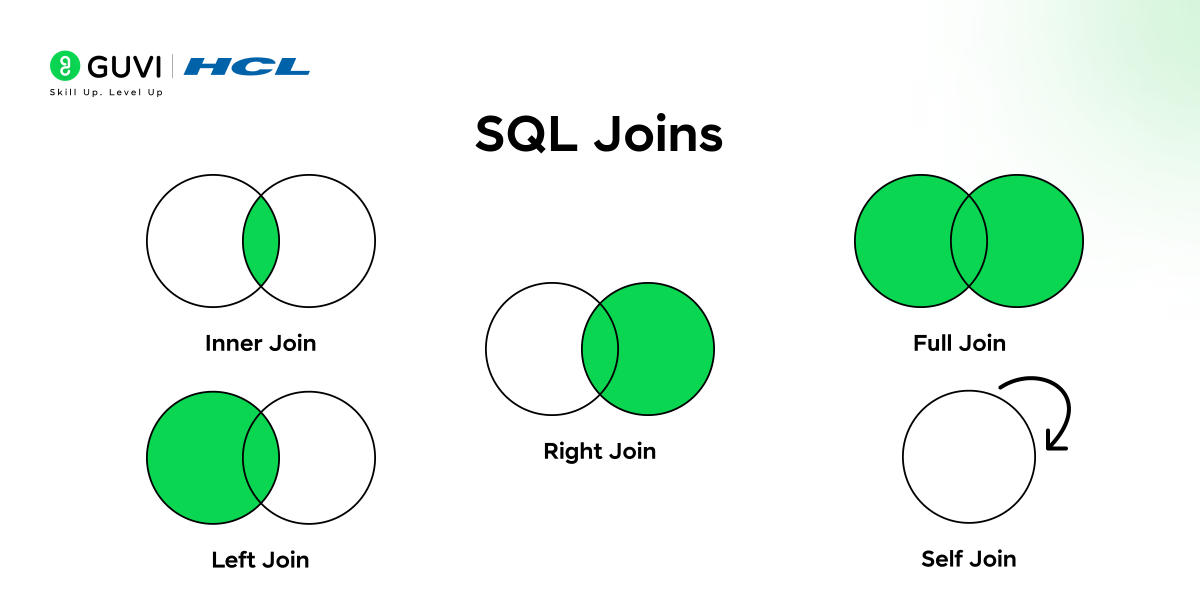
There are five types of joins in SQL. They are:
- INNER JOIN: This join returns only the rows that have matching values (common values) in both tables.
Example query
| SELECT Employees.Name, Orders.OrderDate FROM Employees INNER JOIN Orders ON Employees.EmployeeID = Orders.EmployeeID; |
This returns only the employees who placed the orders.
- LEFT JOIN: It is also known as LEFT OUTER JOIN. It returns all the rows from the left table and only returns the matching rows from the right table. If there are no matching rows, then NULL values are returned from the right table.
Example query
| SELECT Employees.Name, Orders.OrderDate FROM Employees LEFT JOIN Orders ON Employees.EmployeeID = Orders.EmployeeID; |
This will return all employees who placed orders, and for those without orders, the OrderDate will be null.
- RIGHT JOIN: It is also known as RIGHT OUTER JOIN. This join returns all the rows from the right table and only returns the matching rows from the left table. If there are no matching rows, it will return NULL values from the left table.
Example query
| SELECT Employees.Name, Orders.OrderDate FROM Employees RIGHT JOIN Orders ON Employees.EmployeeID = Orders.EmployeeID; |
This will return all the orders, employees without orders, the employee name will be NULL values.
- FULL JOIN: It is also known as FULL OUTER JOIN. This join returns all rows from both the left and right tables if there is a match between either of the left or right tables. No matching rows will return NULL values.
Example query
| SELECT Employees.Name, Orders.OrderDate FROM Employees FULL JOIN Orders ON Employees.EmployeeID = Orders.EmployeeID; |
This will return all the values from both the employees and the orders table, even if there is no match.
- SELF JOIN: This will join a table with itself. It is used to compare the rows within the same table.
16. What is an index and its types?
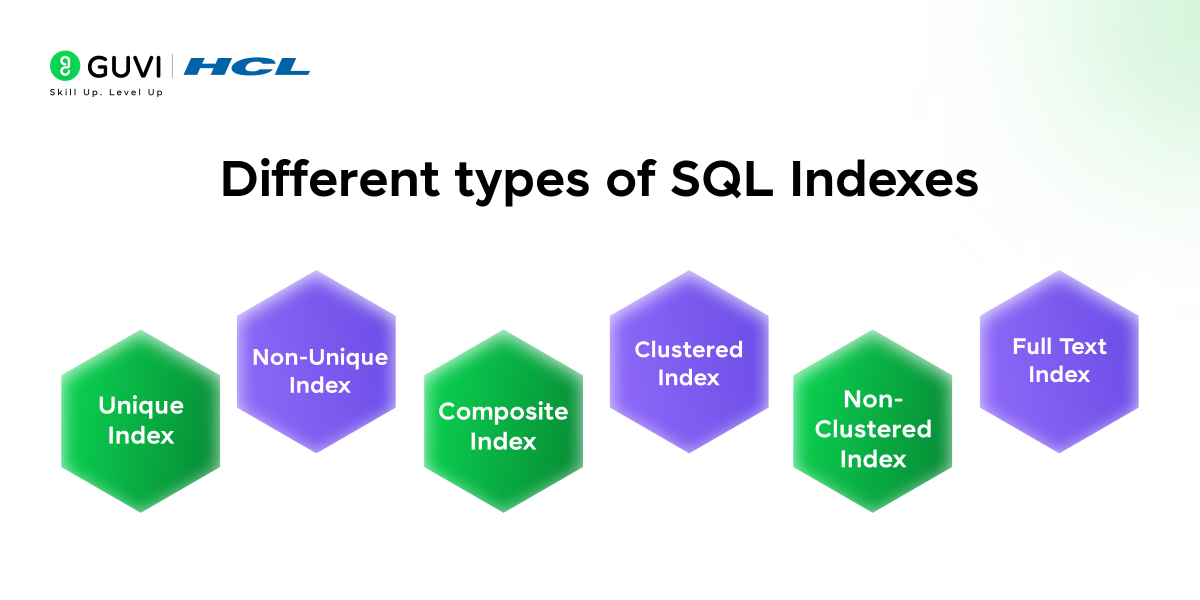
The index is an object that is used to improve the speed of data retrieval operations on a table. It is created on a table’s one or two columns to quickly find the rows based on those columns.
Common types of indexes include:
- Unique Index: It ensures that all the values in the index are unique. It is automatically created when a unique constraint is applied.
- Example: CREATE UNIQUE INDEX id ON Student(StId);
- Non-Unique Index: It doesn’t enforce uniqueness, and it can store duplicate values.
- Example: CREATE INDEX id ON Student(StId);
- Composite Index: It is a type of index that is created on multiple columns in a table.
- Example: CREATE INDEX id ON Student(StId, StName);
- Clustered Index: It reorganises the data of the table based on the indexed column, and it stores the data in the index’s order.
- Non-Clustered Index: It stores a separate copy of the indexed columns and pointers to the table’s data without altering the data structure of the table.
- Full Text Index: It is an index used for indexing large text fields for faster search results.
17. How to create a table?
A table in SQL can be created using the CREATE keyword. The syntax for creating a table is given below:
| CREATE TABLE table_name( column1 datatype constraint, column2 datatype constraint, … ); |
Example query:
| CREATE TABLE Students( StudentID INT PRIMARY KEY, Name VARCHAR(100), Age INT, Address VARCHAR(100) ); |
18. What are CRUD Operations? Explain with examples.
CRUD stands for Create, Read, Update, and Delete, which are the four basic operations for managing data in a database.
- Create: It is used to create a table and insert new records into the table.
- Read: It is used to retrieve records from the table (SELECT * FROM Students;).
- Update: It is used to modify the existing records in the table (UPDATE Students SET Age = 21 WHERE StudentID = 3;).
- Delete: It removes the records from a table (DELETE FROM Students WHERE StudentID = 1;).
19. What are aggregate functions? Give some examples of functions.
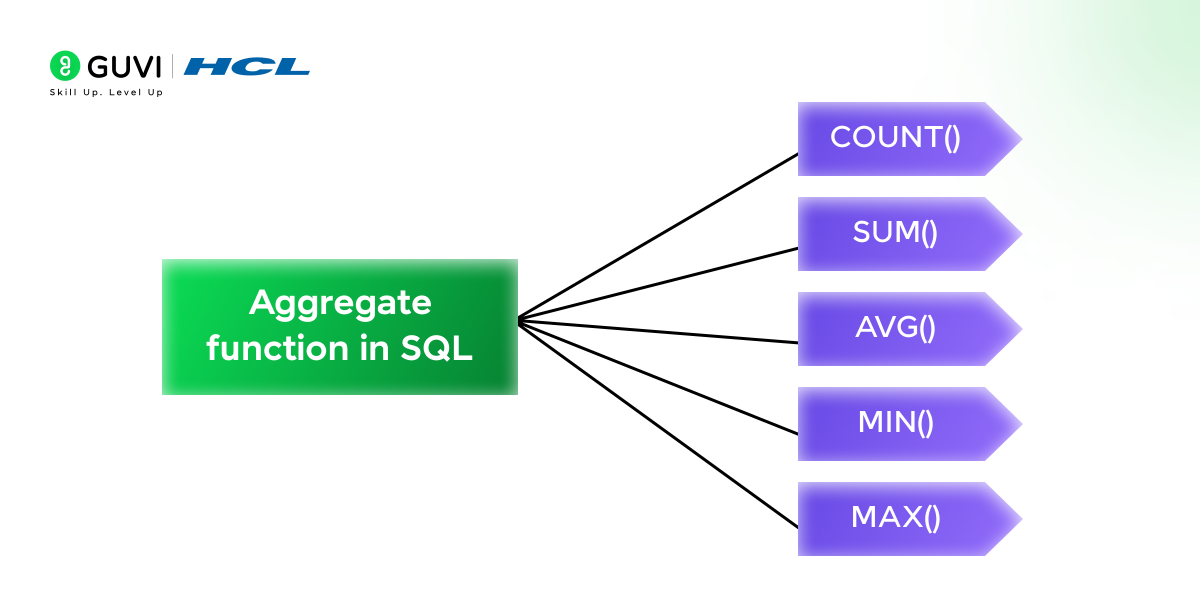
Aggregate functions are used to perform calculations against a column and return a single value as a result. Some of the examples for aggregate functions include:
- COUNT(): Returns the number of rows.
- SUM(): Return the sum of the values in a column.
- AVG(): Returns the average of a column.
- MIN(): Returns the minimum value in a column.
- MAX(): Returns the maximum value in a column.
Explore: Get Started With SQL for Data Science – Basic Concepts
20. What is the difference between SQL and PL/SQL?
SQL: Structured Query Language (SQL) is a declarative language used to query and manipulate relational databases. It interacts with the database to perform operations like retrieving, updating and deleting data.
PL/SQL: Procedural Language/SQL (PL/SQL) is an extension of SQL provided by Oracle. It allows us to write procedural code which includes looping statements, conditions, variables, and exception handling.
21. What is the difference between a clustered and non-clustered index, and how do indexes impact query performance in large datasets?
A clustered index decides the actual physical order of rows in a table. This means the table is stored based on that index, like a dictionary arranged alphabetically. A non-clustered index is separate from the table and only stores pointers that help quickly locate data.
Indexes speed up searches because the database doesn’t have to scan every row. But too many indexes can slow down insert, update, or delete operations. So the goal is to use the right indexes for the columns that are searched or sorted most often.
22. What is a composite key?
A composite key is a primary key that consists of more than one column. It is used when a single column is not sufficient to uniquely identify a row in a table.
Example query
| CREATE TABLE Orders( OrderID INT, ProductID INT, Quantity INT, PRIMARY KEY (OrderID, ProductID); ); |
23. What is the difference between DELETE and TRUNCATE?
| DELETE | TRUNCATE |
Removes selected rows using a WHERE clause, or all rows if no condition is specified. | Removes all rows from a table and does not support a WHERE clause. |
| Changes can generally be rolled back when executed within a transaction. | Rollback behaviour depends on the database system and transaction context. |
| Can be slower when deleting a large number of rows. | Generally faster when removing all rows from a large table. |
| DELETE FROM Students WHERE StudentID = 1; | TRUNCATE TABLE Students; |
24. What is the difference between DROP and TRUNCATE?
| DROP | TRUNCATE |
| It completely removes a table with its structure and data from the database. | It removes all the rows from the table but the structure of the table retains the same. |
| It cannot be rolled back. | It cannot drop a table. |
| DROP TABLE Students; | TRUNCATE TABLE Students; |
25. What are constraints, and give some examples of constraints?
Constraints are the rules applied to columns in a table to ensure data integrity, uniqueness, and correctness. There are various types of constraints, some of which are:
- PRIMARY KEY: It uniquely identifies each record in the table.
- FOREIGN KEY: It ensures values from one table match of another table. It handles the relationship between tables.
- NOT NULL: It ensures that a column cannot have a NULL value.
- DEFAULT: It sets a default value for a column if no value is provided.
26. What is the difference between UNION and UNION ALL in SQL?
Answer: Both UNION and UNION ALL combine the results of two or more SELECT statements.
- UNION removes duplicate rows from the final result.
- UNION ALL retains all rows, including duplicates.
- UNION ALL can be faster because it does not need to eliminate duplicate records.
Example:
SELECT City FROM Customers UNION SELECT City FROM Suppliers;Use UNION when you need distinct results and UNION ALL when duplicate values are acceptable.
27. What is the difference between IN and EXISTS in SQL?
Answer: Both IN and EXISTS can be used to check whether matching data exists, but they work differently.
- IN compares a value against a list or the result of a subquery.
- EXISTS checks whether a subquery returns at least one matching row.
Example using EXISTS:
SELECT * FROM Customers c WHERE EXISTS ( SELECT 1 FROM Orders o WHERE o.CustomerID = c.CustomerID );This returns customers who have at least one corresponding order.
28. What is a view in SQL?
Answer: A view is a virtual table based on the result of a SQL query. It usually does not store the underlying data itself but displays data retrieved from one or more tables.
Example:
CREATE VIEW ActiveEmployees AS SELECT EmployeeID, Name, Department FROM Employees WHERE Status = ‘Active’;Views can simplify complex queries, restrict access to selected data, and provide a consistent way to retrieve commonly used information.

29. How do you find duplicate records in a table?
Answer: You can find duplicate records by using GROUP BY on the column you want to check and HAVING COUNT(*) > 1 to return values that occur more than once.
For example, to find duplicate email addresses in a Customers table:
Here, GROUP BY groups identical email addresses, while HAVING COUNT(*) > 1 filters the result to show only duplicate values.
30. What is the difference between a subquery and a JOIN?
Answer: A subquery is a query nested inside another SQL query, while a JOIN combines rows from two or more tables based on a related column.
- Use a JOIN when you need columns from multiple related tables in the result.
- A subquery can be useful when one query’s result is needed to filter or calculate another query.
- The best choice depends on the problem, readability, database engine, and execution plan.
For example, both approaches can be used to find employees belonging to a particular department, but the query structure will differ.
Advanced SQL Interview Questions
This section will cover the advanced SQL interview questions. This includes advanced concepts such as stored procedures, cursors, transaction protocols, normalization techniques, and writing queries based on requirements. Let’s dive into the SQL interview questions.
31. What is a stored procedure?
A stored procedure is a set of SQL statements that can be stored in a database and executed as a single unit of code. This is used to access the set of instructions repeatedly without writing the code multiple times. It can accept input parameters and return values.
Example query
| CREATE PROCEDURE GetEmployeeDetails (IN empId INT) BEGIN SELECT * FROM Employees WHERE EmployeeID = empId; END; CALL GetEmployeeDetails (101); |
32. What are the differences between OLTP and OLAP?
OLTP: Online Transaction Processing (OLTP) deals with day-to-day transaction data. It focuses on faster processing of insertion, updation, and deletion operations. Example: Banking systems and order processing.
OLAP: Online Analytical Processing (OLAP) is used for complex queries and analysis that often involves large amounts of historical data. It focuses on read-heavy operations and aggregation of data. Example: Business intelligence and reporting systems.
33. What is a subquery? What are its types?
A subquery is also known as a nested query that is present inside another query. It can be used to return results that will be used by the outer query. There are four types of subqueries.
- Single-row subquery: It returns only a single value (using aggregation functions).
- Multi-row subquery: It returns multiple rows/fields (using WHERE condition against a column).
- Correlated subquery: It refers to the outer query, and this executes once for each row processed by the outer query.
- Scalar subquery: This subquery returns a single value (one row and one column).
34. What is a cursor in SQL?
A cursor is an SQL object that is used to retrieve, update, and navigate through a result set. It is mainly used for operations that perform row-by-row basis rather than set-based.
Example query
| DECLARE my_cursor CURSOR FOR SELECT EmployeeID, Name FROM Employees; OPEN my_cursor; FETCH NEXT FROM my_cursor INTO @emp_id, @emp_name; —- Main operation goes here CLOSE my_cursor; DEALLOCATE my_cursor; |
35. List the different types of relationships in SQL
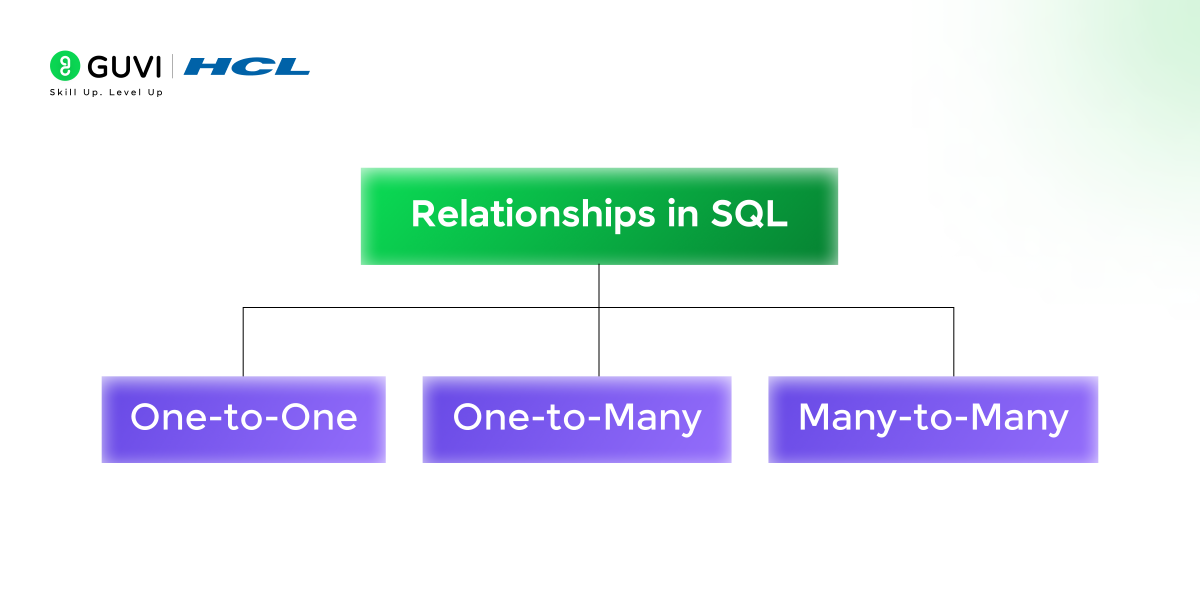
There are three types of relationships in SQL. It includes:
- One-to-One (1:1): Each record in table A is related to only one record in table B.
- One-to-Many (1:N): A record in table A can relate to multiple records in table B.
- Many-to-Many (N:N): Every record in table A can be related to multiple records in table B and vice versa.
36. What are the various forms of Normalization?
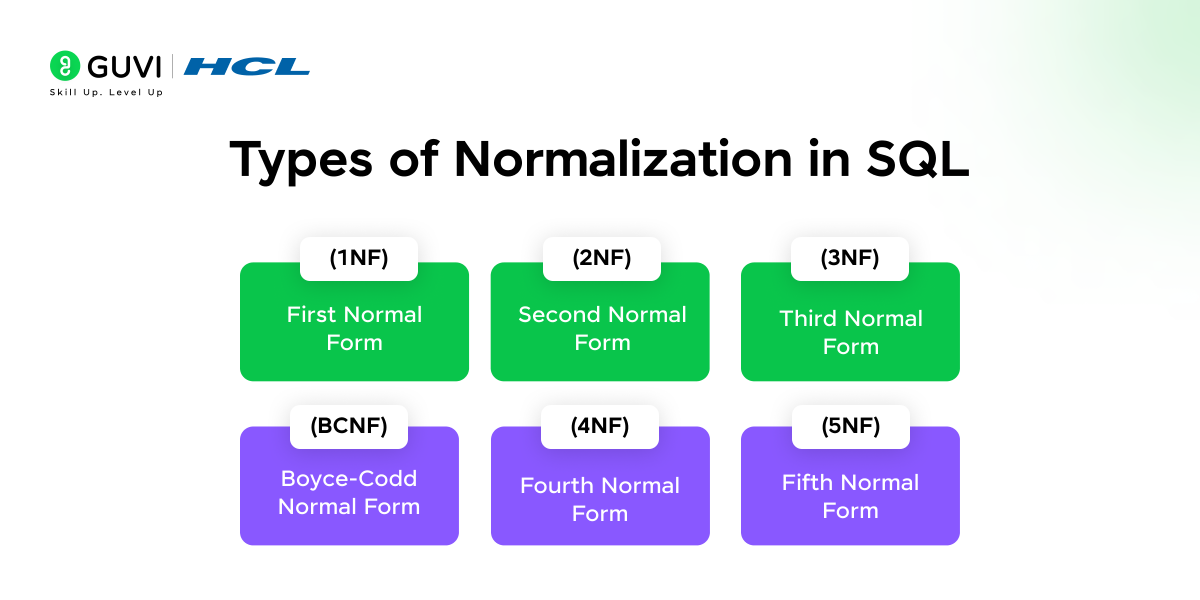
In general, normalization is the process of organising data in a database to reduce redundancy and dependency. Various forms of normalization include:
- First Normal Form (1NF): This form ensures that there are no duplicates present in the record, i.e., each column contains atomic values, and each record is uniquely identified.
- Second Normal Form (2NF): This form should meet 1NF requirements and remove partial dependencies, i.e., non-key attributes depend on the whole primary key.
- Third Normal Form (3NF): This form should meet the 2NF requirements and remove transitive dependency, i.e.,non-key attributes depend only on the primary key.
- Boyce-Codd Normal Form (BCNF): It is a stricter version of 3NF, where every determinant is a candidate key.
- Fourth Normal Form (4NF): It should meet 3NF and eliminate multi-valued dependencies.
- Fifth Normal Form (5NF): It should meet 4NF and ensure that the database is free of redundancy caused by joins.
37. How do you select all even or odd records in a table?
You can check whether the record in the numeric column is even or odd using the modulo (%) operator.
Query
| —- Select all even records from EmployeeId column SELECT * FROM Employees WHERE EmployeeID % 2 = 0; —- Select all odd records from EmployeeId column SELECT * FROM Employees WHERE EmployeeID % 2 != 0; |
38. Write a SQL query to find values in a text column of a table that starts with a letter ‘R’.
With the help of the LIKE operator, you can easily find the values in a text column that start with the letter ‘R’.
Query
| SELECT * FROM Employees WHERE Name LIKE ‘R%’; |
39. Write a query to find the top 5 customers with the highest total order amounts.
Using the SUM() function combined with GROUP BY and ORDER BY, we can find the top 5 customers from the orders table.
| SELECT CustomerID, SUM(OrderAmount) AS TotalOrderAmount FROM Orders GROUP BY CustomerID ORDER BY TotalOrderAmount DESC LIMIT 5; |
40. Write a query to find employees who earn more than the average salary in their department.
By leveraging the subquery concept to calculate the average salary by department and compare it with the employee’s salary in the outer query.
| SELECT EmployeeID, Name, Salary, DepartmentID FROM Employees e WHERE Salary > ( SELECT AVG(Salary) FROM Employees WHERE DepartmentID = e.DepartmentID ); |
41. How would you optimize a slow-running query? Explain the steps you take, such as analyzing execution plans, rewriting joins, or using indexes.
To optimize slow queries, the first step is to check the query execution plan. It shows which parts of the query are taking time, like full table scans or expensive joins. This helps you understand where the real problem is.
Once you know the issue, you can improve the query by adding proper indexes, rewriting joins, removing unnecessary columns, or breaking the query into smaller parts. Good indexing and clean query structure can drastically improve performance.
42. Can you explain the concept of transactions, isolation levels, and how issues like deadlocks or dirty reads occur?
A transaction is a group of operations that must happen together successfully. If any step fails, the whole transaction rolls back, keeping the data safe and consistent. This helps avoid partial updates that can break the database.
Isolation levels control how much one transaction can “see” another transaction’s data while both run at the same time. Problems like dirty reads, deadlocks, or lost updates happen when multiple transactions try to access or change the same data, causing conflicts.
43. How do distributed SQL databases handle query execution across multiple nodes, and what challenges arise with consistency, partitioning, and latency?
Distributed SQL databases break data into multiple nodes so they can handle more users and larger datasets. When a query runs, the system sends tasks to different nodes and combines the results. This makes the system scalable and fast.
However, keeping all nodes consistent can be difficult. Network delays, data partitioning, and syncing between nodes can cause latency. Ensuring strong consistency across many nodes often increases complexity and slows down performance slightly.
44. What is the purpose of CTEs (Common Table Expressions), and how do recursive CTEs work for hierarchical data retrieval?
A CTE makes complex queries easier to read by letting you create a temporary, named result set. It helps break long queries into clear parts. This improves readability and makes the query easier to maintain.
Recursive CTEs are used when you need to work with hierarchical data such as employee-manager structures or category trees. They start with a base query and then repeatedly call themselves until all connected levels are retrieved.
45. What are window functions in SQL?
Answer: Window functions perform calculations across a set of related rows without combining them into a single result row.
Unlike GROUP BY, which collapses rows into groups, window functions retain the individual rows while adding calculated values.
Example:
SELECT EmployeeID, Department, Salary, AVG(Salary) OVER (PARTITION BY Department) AS AvgDepartmentSalary FROM Employees;This displays each employee’s salary along with the average salary of their department.
46. What is the difference between ROW_NUMBER(), RANK(), and DENSE_RANK()?
Answer: All three functions assign rankings to rows, but they handle ties differently.
- ROW_NUMBER() assigns a unique sequential number to every row, even when values are tied.
- RANK() gives tied rows the same rank and skips the subsequent rank.
- DENSE_RANK() gives tied rows the same rank without creating gaps in the ranking sequence.
For example, for scores 100, 90, 90, 80:
| Function | Result |
| ROW_NUMBER() | 1, 2, 3, 4 |
| RANK() | 1, 2, 2, 4 |
| DENSE_RANK() | 1, 2, 2, 3 |
47. What is the difference between a CTE and a subquery?
Answer: Both CTEs and subqueries help break complex SQL queries into smaller parts, but their structure and readability differ.
A subquery is nested inside another query, while a CTE (Common Table Expression) creates a named temporary result set that can be referenced within the main query.
CTEs are often easier to read and maintain in complex queries and can also be recursive, making them useful for hierarchical data.
48. How do you find the second-highest salary in SQL?
Answer: One approach is to use DENSE_RANK() to rank distinct salary values.
SELECT Salary FROM ( SELECT Salary, DENSE_RANK() OVER (ORDER BY Salary DESC) AS SalaryRank FROM Employees ) RankedSalaries WHERE SalaryRank = 2;DENSE_RANK() is useful here because employees with the same salary receive the same rank.
49. What are ACID properties in SQL transactions?
Answer: ACID refers to four properties that help ensure reliable database transactions:
- Atomicity: A transaction completes fully or not at all.
- Consistency: A transaction takes the database from one valid state to another.
- Isolation: Concurrent transactions are managed so they do not improperly interfere with each other.
- Durability: Once a transaction is successfully committed, its changes persist even after a system failure.
For example, during a bank transfer, the debit and credit operations should be treated as part of the same reliable transaction.
50. How do you find the nth highest salary in SQL?
Answer: You can use a window function such as DENSE_RANK() to rank salaries in descending order and then select the required rank.
For example, to find the third-highest salary:
SELECT Salary FROM ( SELECT Salary, DENSE_RANK() OVER (ORDER BY Salary DESC) AS SalaryRank FROM Employees ) RankedSalaries WHERE SalaryRank = 3;You can change the rank value to find the second, third, or any nth highest salary.
51. What is a database trigger, and when would you use one?
Answer: A trigger is a database object that automatically executes when a specified event occurs, such as an INSERT, UPDATE, or DELETE.
Triggers can be useful for tasks such as:
- Recording changes in an audit table
- Validating or enforcing certain business rules
- Automatically updating related information
- Tracking changes made to important records
For example, a trigger could automatically record an employee’s old and new salary in an audit table whenever the salary is updated.
Earn your certification with HCL GUVI’s Data Science Course and get placement-ready for a successful tech career. Master the in-demand tools like MySQL, Python, Data Visualization, and many more. This program is specifically designed to provide individuals with core technical skills and assist them with job placements. Join us today and transform your career!
Conclusion
SQL remains one of the most important skills for anyone working with data, and preparing for interviews helps you build confidence and clarity. By understanding these top 30+ SQL interview questions, you strengthen your basics, improve your problem-solving approach, and get better at handling real database scenarios. Keep practising, explore different datasets, and review your concepts regularly. With consistent effort, you’ll be well-prepared to answer SQL questions accurately and confidently in any interview.
FAQs
Q1. What is normalization, and why is it important in database design?
Normalization is the process of organizing a database to minimize redundancy and avoid undesirable characteristics like insertion, update, and deletion anomalies. The goal of normalization is to break down complex data structures into smaller, manageable parts that are easier to maintain and update. It improves the efficiency of the database by reducing storage costs and maintaining data integrity. Normal forms, like 1NF, 2NF, 3NF, and BCNF, define the levels of normalization to achieve better database design.
Q2. What is the importance of learning SQL for a database professional?
Learning SQL is crucial for any database professional as it is the standard language used to interact with relational databases. SQL helps in performing tasks like querying data, updating records, managing database structures, and ensuring data integrity. Mastering SQL enables professionals to manage large datasets efficiently, optimize performance, and handle complex queries, making it an essential skill for roles like Database Administrator, Data Analyst, and Data Engineer.
Q3. How do I improve my SQL skills?
Improving your SQL skills involves a combination of learning the theory and practicing hands-on. Start by reviewing basic SQL syntax and commands, then gradually work your way up to more complex topics like subqueries, joins, and indexing. Participate in SQL exercises on websites like HCL Guvi, LeetCode, SQLZoo, and HackerRank, which offer challenges to test your knowledge.
Q4. What SQL topics are most commonly asked in interviews?
Common SQL interview topics include joins, subqueries, aggregate functions, GROUP BY, keys, constraints, indexes, CTEs, window functions, and transactions. Practical interviews may also ask you to write queries using sample datasets.
Q5. Are SQL queries asked in interviews?
Yes. Many SQL interviews include query-writing questions where you may need to filter data, combine tables, identify duplicates, calculate aggregates, rank records, or solve other database problems.
Q6. How should freshers prepare for SQL interview questions?
Freshers should first strengthen SQL fundamentals such as SELECT statements, WHERE clauses, joins, GROUP BY, aggregate functions, keys, and subqueries. Once comfortable, practise writing queries using small datasets and gradually move to intermediate problems.
Q7. What is the best way to practise SQL for interviews?
The best approach is to combine concept revision with hands-on query practice. Work with sample databases and practise writing queries involving joins, filtering, aggregation, subqueries, CTEs, and window functions instead of memorising syntax alone.
Success Stories















Did you enjoy this article?