


Full Stack Development Articles
Claude for Architecture and Engineering Documentation
Freelancing as a Python Developer: Getting Your First Client


Get In Touch For Details! Request More Information
Claude for Regex: Write and Explain Complex Patterns
Aug 06, 2026 3 Min Read 420 Views
(Last Updated)
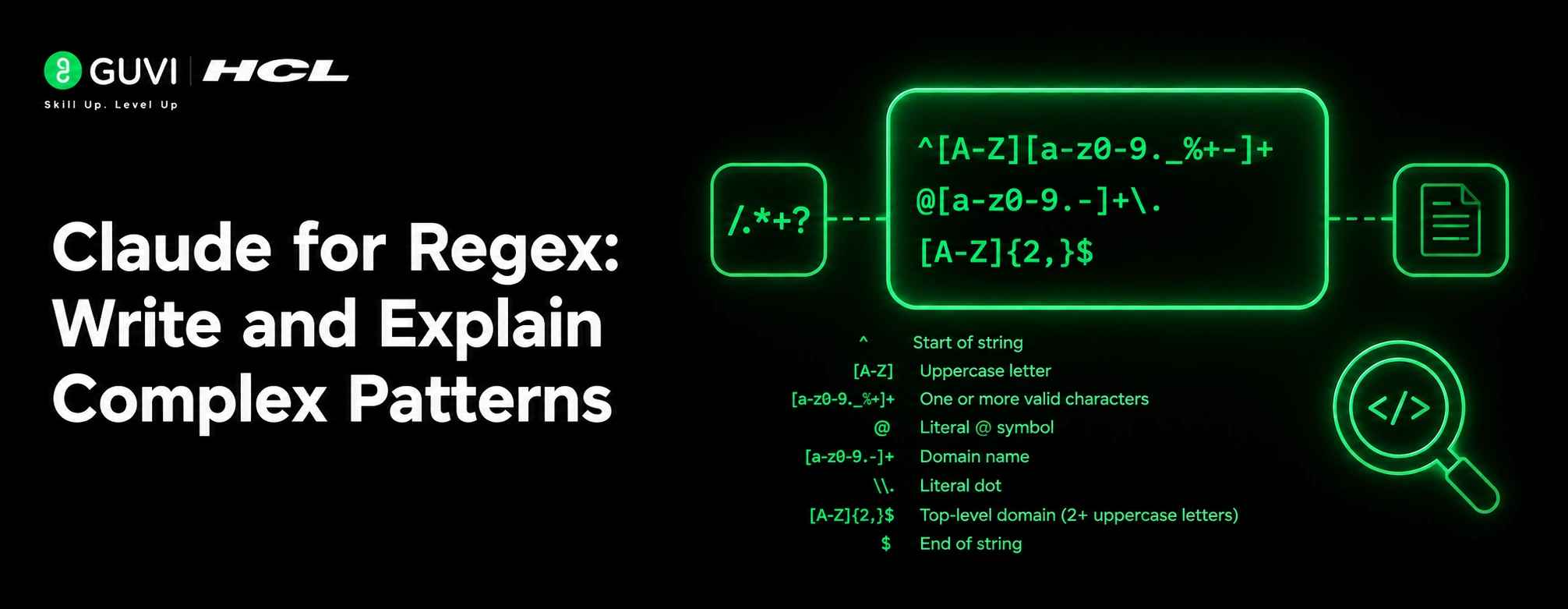
Claude for regex is especially useful because it can do two hard things at once: generate the pattern and explain what it means. That matters because regex often becomes unreadable fast, and a small mistake can change the whole result.
Table of contents
- TL;DR Summary
- Claude for Regex Helps With
- Pattern Creation
- Pattern Explanation
- Claude for Regex helps in debugging and refinement.
- How To Ask For A Good Regex
- What To Include
- Why Examples Matter
- How To Get An Explanation
- Comparison Table
- Best Workflow
- Step 1: Define The Goal
- Step 2: Ask for the pattern.
- Step 3: Ask for a breakdown.
- Step 4: Test In Real Data
- Common Mistakes
- Real-World Example
- What To Do Next
- Conclusion
- FAQs
- Can Claude write complex regex?
- Can Claude explain a regex I already have?
- What should I include in my prompt?
- Why are examples important?
- Should I trust the first pattern Claude gives me?
TL;DR Summary
- Start with a plain-English description of the pattern.
- Give Claude both must-match and must-not-match examples.
- Specify the regex engine or language you are using.
- Ask for a breakdown of each group, symbol, and flag.
- Test the final pattern against real examples before using it.
| Direct Answer Box: Claude can help you write complex regex by turning plain-English pattern descriptions into working expressions and then explaining each part in simple terms. The best results come when you provide sample matches, sample non-matches, the regex flavor you need, and the exact text you want to capture or reject. |
Claude for Regex Helps With
Claude can help you write new patterns, debug broken ones, and explain patterns that already exist. It is useful when you are parsing logs, validating inputs, cleaning text, or building search-and-replace rules.
1. Pattern Creation
You can describe what you want in plain English, and Claude can turn that into a regex. This is helpful when you know the goal but not the exact syntax.
2. Pattern Explanation
Claude can break a complex regex into parts and explain what each token does. That makes it easier to learn, review, and troubleshoot.
3. Claude for Regex helps in debugging and refinement.
If a regex is close but not correct, Claude can help you adjust it. You can show what is matching incorrectly, what is missing, and what edge cases need to be handled.
How To Ask For A Good Regex
The quality of the result depends heavily on the prompt. Claude works best when you give it structure instead of a vague request like “write a regex for this.”
1. What To Include
Give Claude:
- A plain-English description of the pattern.
- Sample strings that should match.
- Sample strings that should not match.
- The regex flavor or programming language.
- Any edge cases.
- The output format you want.
2. Why Examples Matter
Examples remove ambiguity. A pattern that looks right in words can behave differently in code, so must-match and must-not-match samples help Claude produce something more accurate.
How To Get An Explanation
If you already have a regex, ask Claude to explain it line by line or group by group. That is often the fastest way to understand why a pattern works or why it fails
Ask for:
- A plain-English summary.
- A token-by-token breakdown.
- A capture group explanation.
- A note on limitations.
- A list of edge cases.
That kind of explanation is especially useful when a regex is long or uses lookarounds, optional groups, or nested quantifiers.
Comparison Table
| Prompt Style | Result |
| “Write a regex for emails.” | Often too generic |
| “Write a regex for emails with examples.” | Better |
| “Write and explain a regex for emails with match and non-match examples.” | Strongest |
Best Workflow
The most reliable workflow is: describe the pattern, get the regex, test it, then refine it if needed. Claude is good at the first two steps, but you should still validate the final result in your actual environment.
Step 1: Define The Goal
Be clear about what the regex should do. For example, say whether you want to extract, validate, replace, or split text.
Step 2: Ask for the pattern.
Request the regex in the exact flavor you need. Different engines handle escapes, anchors, and look-behinds differently.

Step 3: Ask for a breakdown.
Have Claude explain the regex so you can confirm that each piece does what you intended. This is especially useful for long or tricky patterns.
Step 4: Test In Real Data
Run the regex on real examples and check the results. Even a well-written pattern can behave differently when it meets messy real-world text.
💡 Pro Tip: Always include one or two edge cases in your prompt. They often reveal whether the pattern is truly robust or only works on ideal examples.
Use Claude to write complex regex patterns and explain each part in plain English, so debugging becomes much faster. Learn full-stack skills with HCL GUVI’s Full Stack Development Course.
Common Mistakes
The biggest mistake is asking for a regex without telling Claude what should not match. Without negative examples, the pattern can become too broad.
To Avoid:
- Forgetting to name the regex flavor.
- Skipping sample inputs.
- Using overly vague pattern descriptions.
- Not testing the final result.
- Ignoring edge cases like spacing, punctuation, or case sensitivity.
⚠️ Warning: A regex that looks correct in plain text may still fail in your programming language because of escaping rules or engine differences.
Real-World Example
If you need to extract ticket IDs like ABC-1234, Claude can write the pattern and explain the capture groups in a way that makes sense. If you also provide examples like ABC-1234 should match and abc1234 should not, the result is usually much more accurate.
That makes Claude useful not just for writing regex but for understanding it well enough to trust it.
What To Do Next
Start with a simple pattern description, add examples, and ask Claude for both the regex and a plain-English explanation. Then test the output in your code or regex tool and refine as needed.
Conclusion
Claude is a strong helper for regex because it can bridge the gap between intent and syntax. It can write the pattern, explain the logic, and help you debug mistakes faster than doing it from scratch.
The best results come from clear examples, a named regex flavor, and a final test pass in real data. That is the safest way to use Claude for complex patterns.
FAQs
1. Can Claude write complex regex?
Yes, Claude can write complex regex from a plain English description, especially if you give it examples.
2. Can Claude explain a regex I already have?
Yes, it can break the pattern into parts and explain what each symbol, group, and flag does.
3. What should I include in my prompt?
Include the goal, sample matches, sample non-matches, the regex flavor, and any edge cases.
4. Why are examples important?
Examples reduce ambiguity and help Claude build a regex that matches your real use case more closely
5. Should I trust the first pattern Claude gives me?
No. Always test it against real data before using it.
Success Stories

About the Author
Vishalini Devarajan
An Aerospace Engineer turned content writer, I focus on making complex concepts easy to understand through well-structured, reader-friendly blogs. Whether it’s a technical topic or a non-technical one, I love creating content that is clear, engaging, and impactful.
View all posts by Vishalini Devarajan
Connect with me @







































Did you enjoy this article?