


Cloud Computing Articles
From Beginner to DevOps Engineer: How HCL GUVI Zen Class Helps You Get There
Istio Service Mesh Tutorial for Beginners


Get In Touch For Details! Request More Information
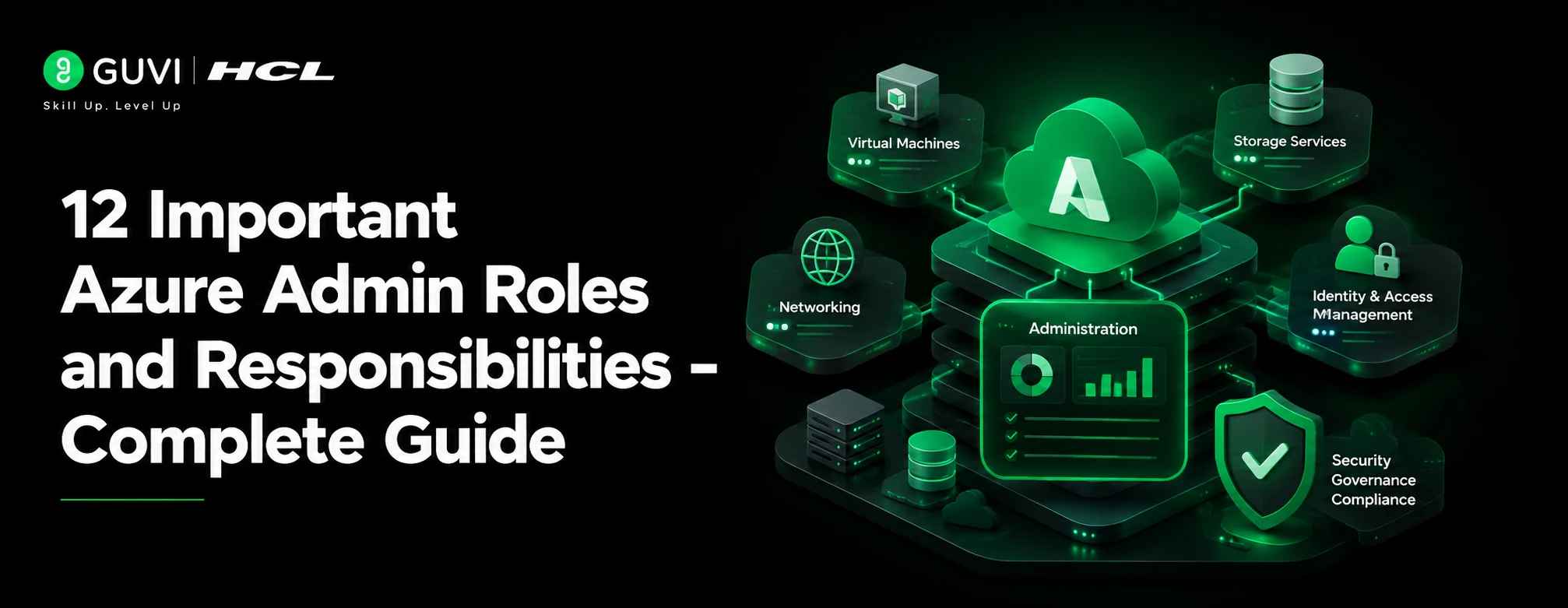
12 Important Azure Admin Roles and Responsibilities- Complete Guide
Jul 09, 2026 8 Min Read 793 Views
(Last Updated)
Table of contents
- TL;DR Summary
- What Does an Azure Admin Do?
- What is an Azure Administrator?
- Why are Azure Administrators Important?
- Key Azure Terms Beginners Should Know
- What are Azure Admin Roles and Responsibilities?
- 12 Azure Admin Roles and Responsibilities
- Managing Azure Identities and Users
- Managing Access with RBAC
- Managing Azure Subscriptions and Resource Groups
- Creating and Managing Virtual Machines
- Managing Azure Storage
- Configuring Virtual Networks
- Managing Security and Governance
- Monitoring Azure Resources
- Managing Backup and Disaster Recovery
- Managing Costs and Resource Optimization
- Troubleshooting Azure Issues
- Working with Developers, Security Teams, and IT Teams
- A Day in the Life of an Azure Administrator
- Azure Admin vs Cloud Engineer vs Azure Architect
- Skills Required for Azure Administrator Roles and Responsibilities
- Tools Used by Azure Administrators
- Real-World Example: Azure Admin in an E-commerce Company
- How Azure Admin Roles and Responsibilities are Changing in 2026
- Security is Becoming a Bigger Responsibility
- Cost Management is No Longer Optional
- Automation Skills are More Valuable
- Hybrid Cloud Knowledge Matters
- Monitoring and Reliability are More Important
- Common Mistakes Beginners Make About Azure Admin Roles and Responsibilities
- Thinking Azure Admin Only Creates Virtual Machines
- Ignoring Networking Basics
- Giving Too Much Access
- Skipping Monitoring and Alerts
- Not Watching Cloud Costs
- Best Practices for Azure Administrators
- Build Cloud and DevOps Skills with HCL GUVI
- Conclusion
- FAQs
- What are Azure admin roles and responsibilities?
- What does an Azure Administrator do daily?
- Is Azure Administrator a good career?
- What skills are required for Azure Administrator roles?
- Is coding required for Azure Admin?
- Can freshers become Azure Administrators?
- What is the difference between Azure Admin and Azure Developer?
- What is the difference between Azure Admin and Azure Architect?
- Which certification is useful for Azure Administrator?
- How are Azure Admin roles changing in 2026?
TL;DR Summary
Azure admin roles and responsibilities include managing Azure users, subscriptions, virtual machines, storage, virtual networks, security, backups, monitoring, and cloud resources. An Azure Administrator keeps an organization’s Azure environment secure, available, cost-efficient, and properly configured. They work with identity, governance, compute, networking, storage, monitoring, and disaster recovery. This role is important for companies using Microsoft Azure to run applications, store data, manage infrastructure, and support cloud-based business operations.
What Does an Azure Admin Do?
An Azure Admin manages and monitors Microsoft Azure cloud resources. Their work includes creating users, assigning access, managing virtual machines, configuring storage, setting up virtual networks, monitoring performance, controlling costs, applying security policies, managing backups, and troubleshooting cloud issues. In simple words, an Azure Administrator makes sure Azure services run safely and smoothly for the organization.
Azure admin roles and responsibilities are important for anyone planning to work in cloud computing, IT administration, or Microsoft Azure.
An Azure Administrator manages cloud resources such as users, virtual machines, storage, networks, security, backups, and monitoring.
If you are a fresher or beginner, think of this role as the person who keeps an organization’s Azure cloud environment running properly.
In this guide, you will learn Azure Admin roles and responsibilities, required skills, tools, daily tasks, career relevance, and real-world examples.
What is an Azure Administrator?
An Azure Administrator is a cloud professional who manages Microsoft Azure resources for an organization.
They make sure users have the right access, virtual machines run properly, storage is configured correctly, networks are secure, and cloud resources are monitored regularly.
In simple words, an Azure Administrator takes care of the day-to-day management of Azure cloud infrastructure.
For example, if a company hosts its website, database, internal tools, and backups on Azure, the Azure Admin helps manage those services so they remain secure, available, and cost-controlled.
Beginners can first go through a simple cloud computing guide to understand how cloud platforms support storage, networking, security, and application hosting.
Why are Azure Administrators Important?
Azure Administrators are important because companies depend on cloud platforms to run applications, store data, manage users, and support business operations.
Without proper administration, cloud resources can become insecure, expensive, slow, or difficult to manage.
An Azure Admin helps prevent these problems by:
- Managing access correctly
- Monitoring cloud performance
- Keeping systems available
- Controlling cloud costs
- Protecting data and resources
- Supporting backup and recovery
- Troubleshooting technical issues
- Helping teams use Azure safely
For example, if a virtual machine stops working during business hours, the Azure Admin checks the issue, reviews logs, restores access, and helps reduce downtime.
If you are comparing cloud platforms, this AWS vs Azure vs Google Cloud guide can help you understand where Azure stands among major cloud providers.
Microsoft Azure was first announced as Windows Azure on October 28, 2008, and became commercially available on February 1, 2010. It was later renamed Microsoft Azure in 2014, showing how the platform evolved from Windows-focused cloud services into a broader cloud computing platform.
Key Azure Terms Beginners Should Know
Before understanding Azure admin roles and responsibilities, it helps to know a few basic Azure terms.
| Term | Simple Meaning |
| Azure Portal | Web interface used to manage Azure services |
| Microsoft Entra ID | Identity service used to manage users and access |
| Subscription | Billing and management container for Azure resources |
| Resource Group | A logical group where Azure resources are organized |
| Virtual Machine | A cloud-based server |
| Virtual Network | A private network inside Azure |
| Storage Account | A service used to store files, blobs, queues, and tables |
| Azure Monitor | Tool used to track performance, logs, alerts, and metrics |
| Azure Policy | Governance tool used to enforce rules |
| RBAC | Role-based access control used to manage permissions |
These terms appear often in Azure Admin work, so beginners should understand them early.
What are Azure Admin Roles and Responsibilities?
Azure admin roles and responsibilities include implementing, managing, securing, monitoring, and troubleshooting Azure cloud resources.
An Azure Administrator usually works on identity, governance, storage, compute, virtual networking, monitoring, backup, and cost management.
The role is practical and hands-on. It is not only about knowing cloud theory. An Azure Admin must be able to create resources, configure settings, solve issues, and support teams using Azure.
Common Azure Admin roles and responsibilities include:
- Managing Azure users and groups
- Assigning access using RBAC
- Managing subscriptions and resource groups
- Creating and managing virtual machines
- Configuring storage accounts
- Setting up virtual networks
- Managing security rules
- Monitoring Azure resources
- Setting up alerts and logs
- Managing backups and recovery
- Controlling cloud costs
- Troubleshooting Azure issues
12 Azure Admin Roles and Responsibilities
1. Managing Azure Identities and Users
One of the main Azure Admin roles and responsibilities is managing identities.
This includes creating users, managing groups, assigning licenses, handling external users, and supporting password reset options.
For example, when a new employee joins a company, the Azure Admin may create their account, add them to the right group, and give them access to the required cloud tools.
This responsibility is important because identity is the starting point for secure cloud access.
2. Managing Access with RBAC
Azure Admins use Role-Based Access Control, or RBAC, to decide who can access which resources.
Not every user should have full admin access. A developer may need access to one resource group, while a finance team member may only need billing visibility.
An Azure Admin assigns the right roles at the right scope, such as subscription, resource group, or specific resource level.
This helps reduce security risks and prevents accidental changes.
3. Managing Azure Subscriptions and Resource Groups
Azure resources are organized using subscriptions and resource groups.
An Azure Admin manages these structures so resources are easy to track, control, and maintain.
For example, a company may have separate resource groups for development, testing, and production environments.
This makes management easier because resources related to one project can be grouped together.
4. Creating and Managing Virtual Machines
Virtual machines are cloud-based servers.
Azure Admins create, configure, resize, monitor, and troubleshoot virtual machines based on business needs.
They may also manage VM disks, availability options, backups, and access settings.
For example, if a company needs a Windows Server for an internal application, the Azure Admin can create a VM, configure networking, attach storage, and monitor its performance.
5. Managing Azure Storage
Azure Admins manage storage accounts, file shares, blobs, access keys, shared access signatures, redundancy, and storage security.
Storage is used for application files, backups, logs, documents, media, and structured or unstructured data.
For example, a company may store invoice PDFs in Azure Blob Storage. The Azure Admin ensures the storage account is secure, accessible to the right users, and protected from accidental deletion.
6. Configuring Virtual Networks
Networking is a major part of Azure administration.
Azure Admins create virtual networks, subnets, network security groups, public IPs, private endpoints, DNS settings, and routing rules.
For example, if a web application needs to communicate with a database securely, the Azure Admin configures networking so only approved traffic is allowed.
This responsibility helps keep cloud applications connected and protected.
Since Azure networking involves subnets, routing, IP addresses, and traffic control, learning routing and switching can make virtual network concepts easier to understand.
7. Managing Security and Governance
Azure Admins help enforce security and governance policies.
This may include Azure Policy, resource locks, tags, role assignments, network security groups, and secure access controls.
For example, a company may want all production resources to have proper tags for owner, cost center, and environment. The Azure Admin can use governance rules to make this consistent.
Security and governance help companies avoid messy, risky, or uncontrolled cloud environments.
8. Monitoring Azure Resources
Azure Admins monitor resources to make sure systems are healthy and performing well.
They use Azure Monitor, metrics, logs, alerts, and dashboards to track issues.
For example, if a VM’s CPU usage stays high, the Azure Admin can investigate performance, resize the VM, or alert the application team.
Monitoring helps detect problems before users are badly affected.
9. Managing Backup and Disaster Recovery
Azure Admins help protect business data through backup and recovery planning.
They may configure Azure Backup, Recovery Services vaults, backup policies, restore operations, and Azure Site Recovery.
For example, if a virtual machine fails, the Azure Admin should know how to restore it from backup.
This responsibility is important because every company needs a recovery plan when systems fail.
10. Managing Costs and Resource Optimization
Cloud resources can become expensive if they are not managed properly.
Azure Admins help control costs by reviewing usage, setting budgets, checking recommendations, identifying unused resources, and resizing services.
For example, if a test VM is running 24/7 even when nobody uses it, the Azure Admin may schedule it to stop after office hours.
Cost control is now a major part of Azure admin work.
11. Troubleshooting Azure Issues
Azure Admins regularly troubleshoot access problems, VM errors, network failures, storage issues, performance problems, and backup failures.
For example, if a user cannot access a storage account, the Azure Admin checks permissions, firewall settings, network rules, and access keys.
Troubleshooting requires patience, logs, monitoring tools, and a clear understanding of Azure services.
12. Working with Developers, Security Teams, and IT Teams
An Azure Administrator does not work alone.
They coordinate with developers, DevOps engineers, security teams, database teams, and business users.
For example, a developer may need a test environment, a security team may ask for access logs, and a manager may need cost reports.
The Azure Admin helps connect these needs with the right Azure services and controls.
As of Microsoft’s AZ-104 study guide updated in March 2026, Azure Administrator candidates are expected to know how to implement, manage, and monitor Azure environments across virtual networks, storage, compute, identity, security, and governance. This directly matches the real work Azure Admins handle in companies.
A Day in the Life of an Azure Administrator
An Azure Administrator’s day usually revolves around monitoring cloud resources, managing access, solving issues, supporting teams, and keeping Azure services secure and cost-efficient.
9:00 AM – Check cloud health
The day often starts by checking Azure alerts, resource health, failed backups, and overnight incidents.
10:00 AM – Manage user access
Next, the admin may review access requests, update RBAC roles, add users to groups, or fix login-related issues.
11:30 AM – Monitor resources
They check virtual machines, storage usage, network activity, performance metrics, and any unusual usage patterns.
2:00 PM – Troubleshoot support tickets
The admin may fix VM errors, storage access issues, network failures, backup problems, or application performance alerts.
3:30 PM – Support internal teams
They may work with developers, DevOps teams, or security teams for deployments, access logs, policy updates, or infrastructure changes.
4:30 PM – Review cost and governance
The admin checks cost alerts, unused resources, tags, budgets, and optimization recommendations.
End of day – Document and recheck
Before closing the day, they update documentation, review critical alerts again, and make sure important Azure resources are stable.

In small companies, one Azure Admin may handle most of these tasks. In larger companies, the work may be divided across identity, networking, security, and infrastructure teams.
Azure Admin vs Cloud Engineer vs Azure Architect
Beginners often confuse Azure Administrator, Cloud Engineer, and Azure Architect.
Here is a simple difference.
| Role | Main Focus | Simple Explanation |
| Azure Administrator | Manage Azure resources | Handles day-to-day Azure operations |
| Cloud Engineer | Build and automate cloud systems | Works on deployment, infrastructure, and automation |
| Azure Architect | Design cloud solutions | Plans the overall cloud architecture |
| DevOps Engineer | CI/CD and automation | Automates build, release, monitoring, and infrastructure workflows |
An Azure Admin usually focuses on managing existing cloud resources.
A Cloud Engineer may build and automate more complex cloud systems.
An Azure Architect designs the overall solution before it is implemented.
You can also compare this role with the roles and responsibilities of a cloud engineer to understand how Azure Admin work differs from broader cloud engineering tasks.
Azure Admins may also work with teams using Azure DevOps, especially when cloud resources support development, deployment, and monitoring workflows.
Skills Required for Azure Administrator Roles and Responsibilities
To become an Azure Administrator, you need both technical and practical skills.
Important technical skills include:
- Microsoft Azure fundamentals
- Microsoft Entra ID
- Azure Portal
- Cloud Computing Skills
- Azure CLI
- PowerShell
- Virtual machines
- Virtual networks
- Storage accounts
- Azure Monitor
- Backup and recovery
- RBAC and security basics
- Azure Policy
- Resource groups and subscriptions
- Basic scripting
- Cost management
You also need basic IT knowledge such as operating systems, servers, networking, virtualization, DNS, VPNs, firewalls, and Active Directory concepts.
Apart from technical skills, Azure Admins also need communication, documentation, troubleshooting, time management, and teamwork skills.
A good Azure Admin does not just create resources. They also explain issues clearly and help teams use cloud resources responsibly.
If you are planning this career path, following an Azure certification roadmap can help you understand which Microsoft certifications to take after learning the basics.
Tools Used by Azure Administrators
Azure Admins use different tools to manage cloud resources.
Common tools include:
| Tool | Use |
| Azure Portal | Manage resources through a web interface |
| Azure CLI | Run Azure commands from terminal |
| PowerShell | Automate Azure administration tasks |
| Microsoft Entra ID | Manage users, groups, and identity |
| Azure Monitor | Track metrics, logs, and alerts |
| Azure Advisor | Get recommendations for cost, performance, and security |
| Azure Policy | Apply governance rules |
| Azure Storage Explorer | Manage storage data |
| ARM Templates / Bicep | Deploy infrastructure as code |
| Azure Backup | Configure backup and restore |
Beginners can start with Azure Portal first, then slowly learn Azure CLI, PowerShell, and infrastructure-as-code tools.
Azure Admins may also come across containers in cloud environments, so understanding Docker in DevOps can be useful when working with modern application deployments.
If you want a structured learning path, a cloud computing career roadmap can help you plan your journey from beginner level to cloud roles like Azure Administrator or Cloud Engineer.
Real-World Example: Azure Admin in an E-commerce Company
Imagine an e-commerce company running its website and backend services on Azure.
The company uses Azure Virtual Machines for internal tools, Azure Storage for product images, Azure SQL Database for order data, and virtual networks to connect services securely.
An Azure Admin manages user access, checks VM performance, monitors storage usage, configures security rules, and ensures backups are running.
One day, the website becomes slow during a sale.
The Azure Admin checks Azure Monitor, finds high CPU usage on a VM, reviews alerts, and works with the development team to scale resources.
They also check cost impact and make sure the change does not create unnecessary long-term spending.
This is how Azure Admin roles and responsibilities supports business operations.
How Azure Admin Roles and Responsibilities are Changing in 2026
Azure Admin roles and responsibilities are becoming more important in 2026 because companies are using more cloud services, hybrid infrastructure, automation, and security-focused operations.
Earlier, cloud administration was mostly about creating resources and keeping systems running. Now, Azure Admins also need to think about security, cost control, compliance, automation, and hybrid cloud management.
1. Security is Becoming a Bigger Responsibility
Azure Admins now need stronger knowledge of identity, access control, network security, private endpoints, alerts, and governance rules.
Companies expect administrators to reduce unnecessary access and follow least-privilege principles.
2. Cost Management is No Longer Optional
Cloud bills can grow quickly.
Azure Admins are expected to monitor budgets, review recommendations, identify unused resources, and optimize virtual machines, storage, and network usage.
3. Automation Skills are More Valuable
Manual work is slowly being replaced by automation.
Azure Admins who know Azure CLI, PowerShell, ARM templates, Bicep, and basic scripting can work faster and reduce errors.
4. Hybrid Cloud Knowledge Matters
Many companies still use on-premises systems along with Azure.
This means Azure Admins may need to understand VPNs, hybrid identity, backup, networking, and connectivity between on-premises and cloud systems.
5. Monitoring and Reliability are More Important
Businesses expect cloud systems to stay available.
Azure Admins need to understand alerts, logs, metrics, backup, recovery, and performance monitoring more deeply.
As Azure Admin roles move closer to automation and infrastructure management, learning DevOps and infrastructure fundamentals can help you understand modern cloud operations better.
Common Mistakes Beginners Make About Azure Admin Roles and Responsibilities
1. Thinking Azure Admin Only Creates Virtual Machines
Virtual machines are only one part of the role.
Azure Admins also manage identity, storage, networking, governance, monitoring, security, backup, and cost control.
2. Ignoring Networking Basics
Many Azure problems are networking problems.
Beginners should learn subnets, DNS, VPNs, firewalls, IP addresses, routing, and network security groups.
3. Giving Too Much Access
Giving everyone admin-level access is risky.
Azure Admins should follow least-privilege access and use RBAC carefully.
4. Skipping Monitoring and Alerts
Creating resources is not enough.
Azure Admins must monitor performance, set alerts, and check logs so problems are noticed early.
5. Not Watching Cloud Costs
A running VM, unused disk, or oversized resource can increase cloud bills.
Beginners should learn cost management early.
Best Practices for Azure Administrators
A good Azure Admin follows simple but important practices.
- Use least-privilege access
- Organize resources with resource groups
- Use tags for ownership and cost tracking
- Set up budgets and cost alerts
- Monitor resources regularly
- Enable backups for important workloads
- Keep documentation updated
- Use naming standards
- Review security recommendations
- Learn Azure CLI and PowerShell slowly
- Test changes before applying them to production
- Avoid making changes without understanding impact
These habits make Azure environments easier to manage and safer for teams.
Build Cloud and DevOps Skills with HCL GUVI
Azure admin roles and responsibilities are closely connected to cloud computing, networking, security, monitoring, and infrastructure management.
If you want to build a career in cloud or IT administration, start with strong fundamentals in cloud computing, operating systems, networking, Azure services, and DevOps workflows.
HCL GUVI’s Advanced AI Cloud Computing & DevOps Program can help learners build practical knowledge through hands-on learning, real-world projects, and career-focused guidance.
Once you understand the basics, you can move toward roles like Azure Administrator, Cloud Engineer, DevOps Engineer, Cloud Security Associate, or Cloud Architect.
Conclusion
Azure admin roles and responsibilities are important for companies that run applications, data, and infrastructure on Microsoft Azure.
An Azure Admin manages identities, storage, virtual machines, networking, security, backups, monitoring, and cost control.
For beginners, this role is a strong entry point into cloud computing because it builds practical knowledge of how cloud environments work.
Start with Azure fundamentals, learn networking and identity basics, practise with the Azure Portal, and slowly move into Azure CLI, PowerShell, monitoring, and automation.
With the right practice, Azure administration can become a strong foundation for a long-term cloud career.
FAQs
1. What are Azure admin roles and responsibilities?
Azure admin roles and responsibilities include managing Azure users, virtual machines, storage, networking, security, monitoring, backups, subscriptions, resource groups, and cloud costs.
2. What does an Azure Administrator do daily?
An Azure Administrator checks alerts, manages access, monitors resources, troubleshoots issues, reviews backups, manages VMs and storage, and supports teams using Azure services.
3. Is Azure Administrator a good career?
Yes, Azure Administrator is a good career for people interested in cloud computing, IT administration, infrastructure, networking, and Microsoft Azure services.
4. What skills are required for Azure Administrator roles?
Azure Administrator roles require Azure fundamentals, identity management, networking, storage, virtual machines, monitoring, backup, PowerShell, Azure CLI, and basic security knowledge.
5. Is coding required for Azure Admin?
Coding is not always required, but scripting knowledge helps. Azure Admins benefit from learning PowerShell, Azure CLI, ARM templates, and Bicep for automation.
6. Can freshers become Azure Administrators?
Freshers can start learning Azure fundamentals, networking, operating systems, and cloud basics. Many begin with support, system admin, or junior cloud roles before becoming Azure Administrators.
7. What is the difference between Azure Admin and Azure Developer?
An Azure Admin manages cloud resources and infrastructure. An Azure Developer builds applications that run on Azure.
8. What is the difference between Azure Admin and Azure Architect?
An Azure Admin manages Azure resources day to day. An Azure Architect designs the overall cloud solution, including architecture, security, networking, data, and scalability.
9. Which certification is useful for Azure Administrator?
Microsoft Certified: Azure Administrator Associate, linked with AZ-104, is the common certification for Azure Administrator roles.
10. How are Azure Admin roles changing in 2026?
Azure Admin roles are changing with more focus on cloud security, cost optimization, automation, hybrid cloud, monitoring, and governance.
Success Stories

About the Author
Reemsha Khan
Always been a storyteller at heart. Now, I turn complex topics into simple, easy-to-understand stories through content. Hope you find it helpful.
View all posts by Reemsha Khan
Connect with me @










Did you enjoy this article?