


Cloud Computing Articles
From Beginner to DevOps Engineer: How HCL GUVI Zen Class Helps You Get There
12 Important Azure Admin Roles and Responsibilities- Complete Guide


Get In Touch For Details! Request More Information
7 Essential Cloud Computing Skills For Cloud Engineers
Jun 09, 2026 6 Min Read 20484 Views
(Last Updated)
Cloud computing has become an integral part of how businesses and individuals use technology. It is now one of the most in-demand areas in the tech industry, ranking just after Machine Learning and Artificial Intelligence, making cloud computing skills highly valuable in today’s job market.
As demand for cloud professionals continues to grow, companies are actively looking for experts who can work with modern tools and technologies. In this blog, we’ll explore the essential skills needed to succeed in cloud computing, from beginner basics to advanced expertise, along with practical ways to build them through real-world practice and projects.
Table of contents
- TL;DR Summary
- What is Cloud Computing?
- Foundational Cloud Computing Skills
- Understanding Cloud Fundamentals (Services & Platforms)
- Programming and Scripting Skills
- Networking and Security Basics
- Data Management (Databases and Storage)
- Quick Cloud Computing Quiz
- Advanced Cloud Computing Skills
- DevOps and Cloud Automation
- Containers and Orchestration
- Serverless Computing
- Keep Learning and Building Hands-on Projects
- Conclusion
- FAQs
- Which skill should be learned first after understanding cloud basics?
- How much coding is required for cloud engineering roles?
- Should DevOps tools be learned at the beginning or at a later stage?
- What kind of projects help build a real cloud experience?
- How is a cloud engineer's role different from a DevOps engineer's role?
- How to stay updated in cloud computing without feeling overwhelmed?
TL;DR Summary
- This blog provides a basic understanding of cloud computing, explaining what it is in simple terms.
- It covers foundational cloud computing skills, helping readers see the starting points mentioned in the blog.
- The quiz and advanced skills sections are included to show both learning checks and next-level topics mentioned in the content.
- It highlights hands-on projects and learning, in line with the blog’s focus on practice and building skills step by step.
What is Cloud Computing?
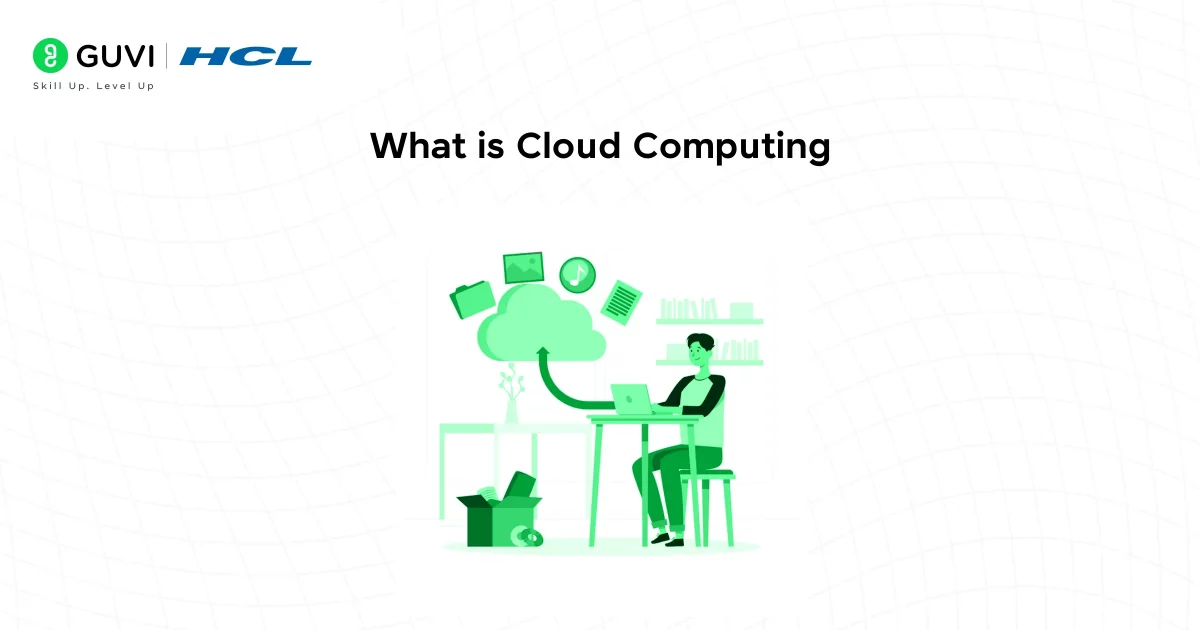
Cloud computing refers to the virtual internet service provided by the cloud for data storage. It enhances the security of organizations and enables data storage with minimal or basically no IT infrastructure.
In simpler terms, cloud computing delivers computing services, including storage, databases, networks, and software analytics. There are different ways to implement cloud computing, including public clouds, private clouds, hybrid clouds, and multi-cloud environments.
The biggest advantage of cloud computing is its ability to be customized based on the specific needs of a company. It offers adaptability to the cloud infrastructure that best suits the organization and your specific needs.
Foundational Cloud Computing Skills
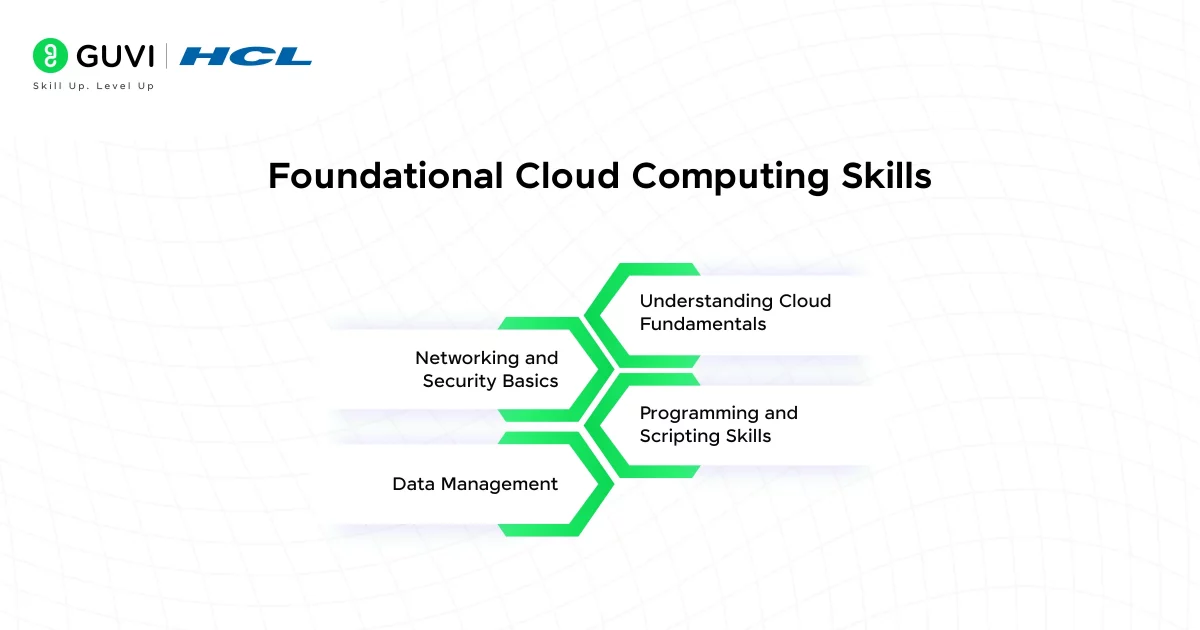
These are the core skills that form the base for any cloud computing professional. Beginners should start here, as these fundamentals will be necessary no matter which cloud role or platform you work with.
1. Understanding Cloud Fundamentals (Services & Platforms)
This is the broad knowledge of how cloud computing works and the types of services available. The three main cloud service models are Infrastructure as a Service (IaaS), Platform as a Service (PaaS), and Software as a Service (SaaS).
- IaaS (Infrastructure as a Service): Basic building blocks like servers and storage.
- PaaS (Platform as a Service): Pre-configured platforms for app development.
- SaaS (Software as a Service): Fully managed software delivered via the internet (like Google Docs or Zoom).
You should also know the basics of cloud architecture (such as regions, availability zones, and data centers) and get a feel for how major cloud providers organize their services.
Why is it important?
No matter what your role in cloud computing, you’ll need to speak the cloud’s language. Knowing how IaaS, PaaS, and SaaS differ helps in designing the right solutions. Employers expect familiarity with fundamental concepts from day one because it shows you can navigate any cloud environment and make informed decisions about which services to use.
How to Start?
Launch a virtual server or upload files to a cloud storage bucket using a free-tier account. Try building a basic app using a PaaS like Google App Engine or AWS Elastic Beanstalk to see cloud concepts in action.
2. Programming and Scripting Skills
Cloud environments are highly automated, so the ability to write code and scripts is a core skill. This includes developing cloud-based applications and automating cloud setup or maintenance tasks.
Proficiency in one or more of the following is a must:
- Python – Widely used for automation, scripting, and cloud functions.
- Java and C++ – Useful for building cloud-native apps.
- Ruby, .NET, PHP – Often used in enterprise systems.
- SQL – Critical for working with databases in the cloud.
Why is it important?
If you can code, you can unlock the real power of cloud computing. Instead of clicking through web consoles, skilled cloud professionals use code to provision and configure resources quickly and reliably.
Many cloud roles (from developers to DevOps engineers) involve writing software or scripts. Even basic scripting knowledge can save time by automating routine tasks in a cloud environment.
How to Start?
Start with Python and automate simple tasks like uploading files to cloud storage or deploying a test server. Then, expand into infrastructure automation using scripting or Infrastructure-as-Code tools.
3. Networking and Security Basics
Networking and security are closely intertwined in the cloud. Networking involves connecting resources and controlling data flow, while security ensures that those resources and data are protected from unauthorized access.
Core Networking Concepts:
- IP addressing, DNS, Load Balancers, Routing
- Virtual Private Cloud (VPC), Subnets, NAT gateways
- Firewall rules, Security Groups
Security Foundations:
- IAM (Identity & Access Management): Controls who can access what.
- Encryption (At-rest and in-transit)
- Role-based access and multi-factor authentication
Why is it important?
Solid networking skills ensure your cloud services can talk to each other and to users reliably, while solid security skills ensure that data and services are safe from attacks or leaks.
How to Start?
Set up a private cloud network, launch a couple of instances, and practice controlling access using security groups. Use cloud IAM tools to create users with limited permissions and observe how access differs.
4. Data Management (Databases and Storage)
Most applications rely on data, so managing data in the cloud is a key competency. This means understanding different kinds of databases and storage services that cloud providers offer.
Key Storage Types in the Cloud:
- Object Storage (e.g., Amazon S3, Azure Blob): Great for files, images, and backups.
- Block Storage: Used with virtual machines for structured storage.
- File Storage: Shared access file systems for applications.
Database Types:
- SQL Databases (e.g., MySQL, PostgreSQL): Best for structured, relational data.
- NoSQL Databases (e.g., MongoDB, DynamoDB): Suitable for unstructured or dynamic schema data.
- Cloud-native data warehouses (e.g., BigQuery, Redshift) for analytics.
Why is it important?
Virtually all cloud-based apps need to store and retrieve data. Choosing the right database or storage solution can impact an application’s performance, scalability, and cost. If you understand how a cloud database scales and how to enable features like automatic backups or caching, you can keep applications running smoothly as data grows.
Why is it important?
Almost all cloud applications depend on efficient data storage and retrieval. Choosing the right database or storage solution directly impacts performance, scalability, and cost. Understanding how cloud databases scale, along with features like automatic backups and caching, helps ensure applications run smoothly even as data grows.
Also Read: Mastering Database Management
Quick Cloud Computing Quiz
Test your knowledge with a few quick questions! (Answers are provided after the questions, so try not to peek and see how you do.)
- Which cloud service model are you using if you access an email service like Gmail via your web browser?
- A. Infrastructure as a Service (IaaS)
- B. Platform as a Service (PaaS)
- C. Software as a Service (SaaS)
- D. None of the above
- Which of these is commonly used as a scripting language for cloud automation?
- To restrict access so that only your computer (and no one else on the internet) can connect to your cloud virtual machine, what should you configure?
- A. A firewall or security group rule on the VM
- B. A faster processor for the VM
- C. A container around the VM
- D. A different operating system on the VM
Answers: 1. C) SaaS; 2. A) Python; 3. A) A firewall or security group rule on the VM

Advanced Cloud Computing Skills
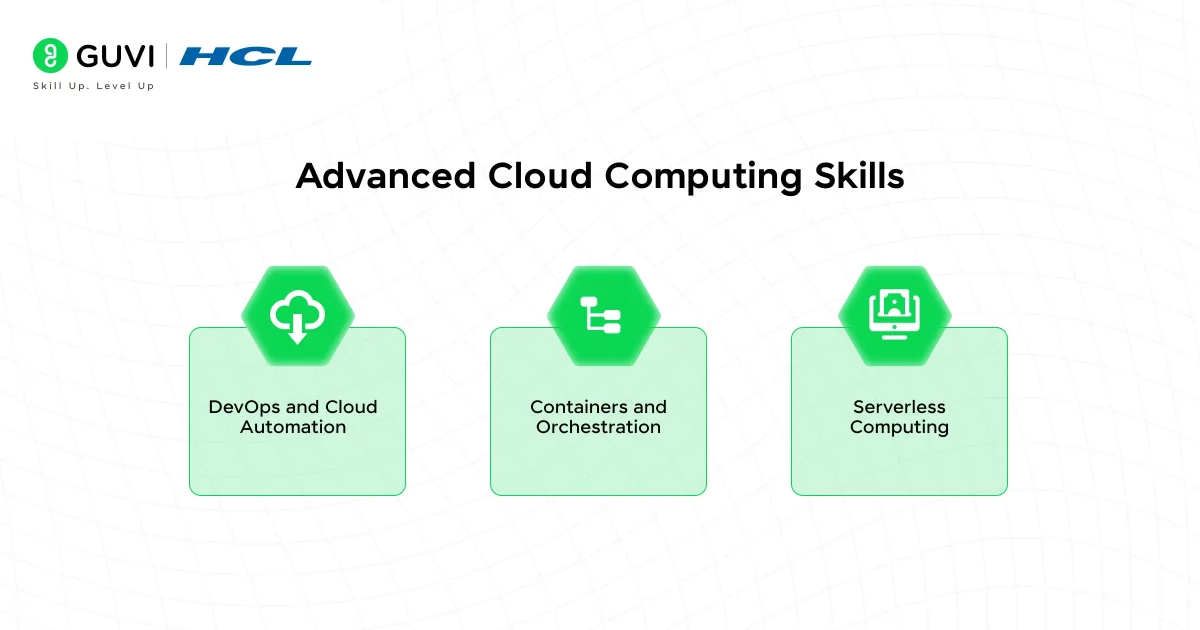
Not everyone working with cloud computing will need all of the following skills right away. However, as you grow and specialize, these advanced skills become increasingly valuable. They build on foundational skills, allowing you to tackle more complex projects and design sophisticated cloud solutions.
1. DevOps and Cloud Automation
DevOps is a set of practices that combines software development (Dev) and IT operations (Ops) to shorten the systems development lifecycle while delivering updates more reliably. In the cloud, DevOps goes hand in hand with automation.
Key DevOps skills include:
- CI/CD tools like Jenkins, GitHub Actions, GitLab CI
- Infrastructure as Code (IaC) tools such as Terraform, CloudFormation, and Ansible
- Monitoring tools like Prometheus, Grafana, or Cloud-native dashboards
Why is it important?
Modern cloud environments are too complex to manage by hand. Companies value engineers who can automate deployments and keep cloud services up to date without downtime. A strong grasp of DevOps practices allows teams to innovate faster and with fewer mistakes.
How to Start?
Learn Git basics and integrate with a CI tool like GitHub Actions. Then create a simple pipeline to test and deploy a web app to the cloud. Later, move on to IaC — try provisioning a VM or network using Terraform scripts instead of the cloud provider’s console.
2. Containers and Orchestration
Containers (e.g., using Docker) allow developers to package applications with all their dependencies into a standardized unit that can run reliably in any environment. This has revolutionized how applications are deployed in the cloud, making them highly portable and efficient.
Key Tools & Platforms:
- Docker: To package apps and dependencies into containers.
- Kubernetes: To manage, scale, and deploy containers at scale.
- Helm or Docker Compose: For defining multi-container applications.
Why is it Important?
Containers let you build apps that run the same anywhere, on your laptop, a cloud VM, or in a Kubernetes cluster. They’re efficient, portable, and ideal for microservices. Orchestration tools like Kubernetes take it to the next level by automating scaling, healing, and networking across multiple containers.
How to Start?
Begin by writing a simple Dockerfile for a web app, building an image, and running it locally. Once you’re comfortable, deploy the same app on a local Kubernetes setup like Minikube. Learn how to manage pods, services, and volumes, then gradually explore cloud-managed Kubernetes offerings.
3. Serverless Computing
Serverless computing is a cloud model in which you can run your code without managing servers. In a serverless setup, you write small units of code (functions) and the cloud provider runs them on demand, automatically handling all the underlying server management and scaling.
Why is it Important?
Serverless allows you to focus purely on writing logic, no server provisioning, patching, or scaling required. You write small, single-purpose functions and let the cloud provider handle the rest. It’s highly cost-efficient and ideal for event-driven applications, APIs, and automation workflows.
How to Start?
Write a simple function (such as sending an email or resizing an image) and deploy it to AWS Lambda or another platform. Trigger it via an HTTP call or file upload. Over time, connect multiple serverless functions to build entire backend workflows or APIs.
Keep Learning and Building Hands-on Projects
Cloud computing is a fast-changing field where new tools, services, and updates are introduced regularly. To stay relevant, it is important to continuously learn and apply your knowledge in real-world scenarios.
The best way to grow your cloud computing skills is through hands-on practice. Work on small projects like deploying a website, setting up a cloud database, or experimenting with different cloud services. This helps you understand how things actually work in real environments.
Along with practice, stay up to date by following cloud blogs, official documentation, and online communities. Learning consistently and building cloud computing projects side by side will strengthen your understanding and prepare you for real-world cloud engineering challenges.
| Activity | What You do | Benefit |
| Hands-on Projects | Build apps, deploy websites, use cloud services | Improves practical understanding |
| Online Learning | Follow tutorials, courses, and documentation | Keeps knowledge updated |
| Community Engagement | Join forums, groups, and discussions | Learn real-world problem solving |
| Experimentation | Try new cloud tools and features | Builds confidence and adaptability |
If you want to learn Cloud Computing from Scratch, and that too for free, consider enrolling in HCL GUVI’s Cloud Computing Course, where you will master technologies like Matplotlib, Pandas, SQL, NLP, and deep learning, and build interesting real-life cloud computing projects.
Conclusion
In conclusion, the field of cloud computing is vast, dynamic, and continuously evolving. By beginning with strong foundational skills and gradually building advanced skills, you can develop the ability to design and manage modern cloud solutions with confidence.
Every expert starts as a beginner, and progress comes through consistent practice, curiosity, and dedication. With steady hands-on effort and the right mindset, your cloud computing skills will grow strongly and open doors to exciting career opportunities in this fast-growing field.
FAQs
Which skill should be learned first after understanding cloud basics?
Start with programming in Python and simple scripting, as they help with automation and real cloud tasks.
How much coding is required for cloud engineering roles?
Basic to moderate coding is enough, mainly for automation, scripting tasks, and efficient cloud service management.
Should DevOps tools be learned at the beginning or at a later stage?
Start using DevOps tools after building strong fundamentals, especially once you’re comfortable with cloud services and basic coding.
What kind of projects help build a real cloud experience?
Simple projects like hosting a website, setting up storage, creating a database, or automating deployments build a strong practical understanding.
How is a cloud engineer’s role different from a DevOps engineer’s role?
Cloud engineers focus on building and managing cloud infrastructure, while DevOps engineers focus on automation, deployment pipelines, and system delivery processes.
How to stay updated in cloud computing without feeling overwhelmed?
Follow small daily learning, practice hands-on labs, and focus on one tool or concept at a time rather than trying everything at once.
Success Stories









Did you enjoy this article?