


Artificial Intelligence and Machine Learning Articles
Finance Manager to Data Analytics: Career Growth, Salary and Seniority
How to Evaluate LLM Outputs in Production Deployments
AI/ML Skills Gap 2026: Why Companies Can't Find Job-Ready Talent
20 AI/ML Interview Questions Recruiters Can Use Without a Tech Background - Best Guide


Get In Touch For Details! Request More Information
LangGraph Tutorial: Building Stateful AI Agents
Jul 10, 2026 5 Min Read 1457 Views
(Last Updated)
Most AI applications built on language models follow a straight line. The user sends a message, the model responds, done.
That works for simple question answering. It breaks the moment your application needs to make decisions, loop back on itself, call external tools, coordinate multiple agents, or maintain context across a complex multi-step workflow.
This is the problem LangGraph was built to solve. Not linear chains but graphs. Not single-shot responses but stateful workflows that branch, loop, pause, and resume based on what the AI discovers at each step.
This guide covers how LangGraph works, how to build graph-based workflows from scratch, multi-agent coordination, memory, persistence, and where LangGraph fits in the broader AI orchestration landscape.
Table of contents
- Quick TL;DR Summary
- What LangGraph Actually Does
- Core Concepts You Must Understand Before Building
- Memory, Persistence, and Human-in-the-Loop
- Multi-Agent Systems With LangGraph
- Streaming, Debugging, and Observability
- LangGraph vs. Alternative Agent Frameworks
- Final Thoughts
- FAQs
- Do I need to know LangChain before learning LangGraph?
- What is the difference between a node and a tool in LangGraph?
- How does LangGraph handle errors mid-workflow?
- Can LangGraph run nodes in parallel?
- Is LangGraph production-ready?
Quick TL;DR Summary
- LangGraph extends LangChain with directed graphs, cyclic execution, and shared state to power stateful multi-step AI agent workflows.
- Nodes are actions, edges are transitions, and a shared state object carries information across every step of the workflow.
- It supports conditional branching, human-in-the-loop interruption, and database-backed persistence for long-running agents.
- Multi-agent systems are built natively by treating each agent as a node in a larger coordination graph.
- LangGraph is the right choice when your workflow needs loops, branching, shared memory, or multiple coordinating agents.
What is LangGraph?
LangGraph is a Python library built on top of LangChain that enables developers to build stateful AI agent workflows using directed graphs. In this structure, nodes represent actions and edges define transitions between steps. Unlike linear chains, LangGraph supports cycles, conditional branching, and persistent state, making it well-suited for building complex, production-grade multi-agent AI systems.
What LangGraph Actually Does
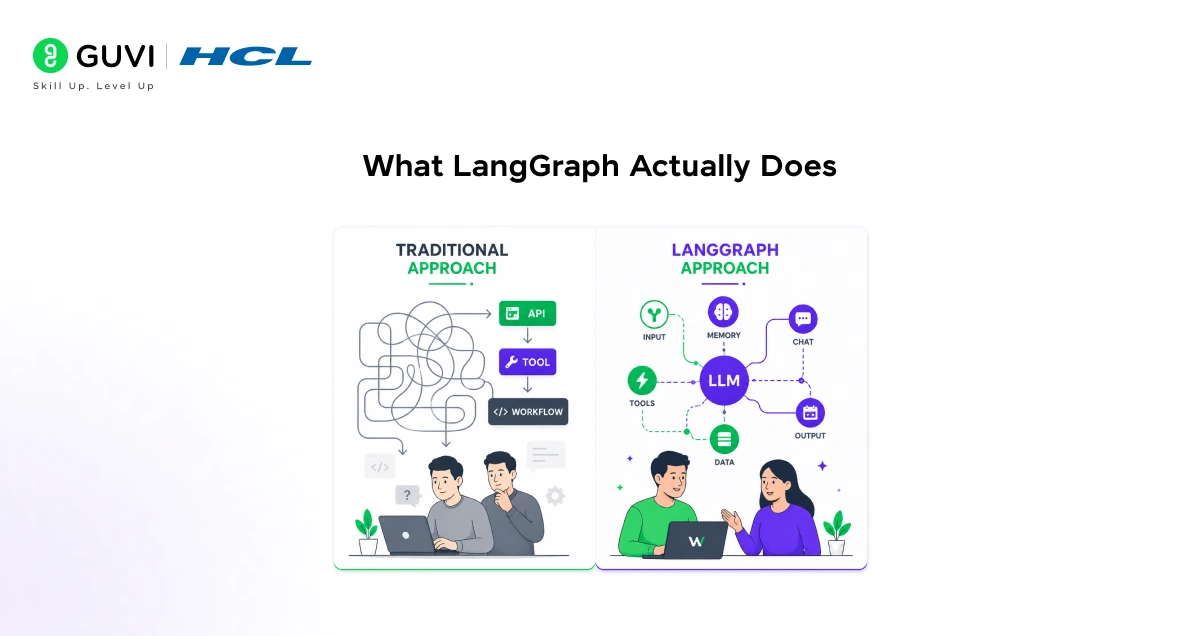
- It Brings Cyclic Graphs to LLM Workflows
LangChain chains flow in one direction only. Real agent behavior requires loops. An agent that searches the web, evaluates whether it found what it needed, and searches again with a refined query is executing a cycle. LangGraph makes cycles a first-class primitive rather than a workaround.
- It Manages State Across the Entire Workflow
Every node reads from and writes to a shared state object that persists across all steps. This shared state transforms individual LLM calls into a coherent agent that remembers what it has done, what it has found, and what it still needs to accomplish.
- It Enables Conditional Routing Between Nodes
After any node executes, LangGraph routes to different next nodes based on the current state. An agent finishing a research step might route to a writing node if it has enough information, or loop back to a search node if it does not. This conditional routing gives workflows genuine decision-making capability.
- It Supports Multi-Agent Coordination Natively
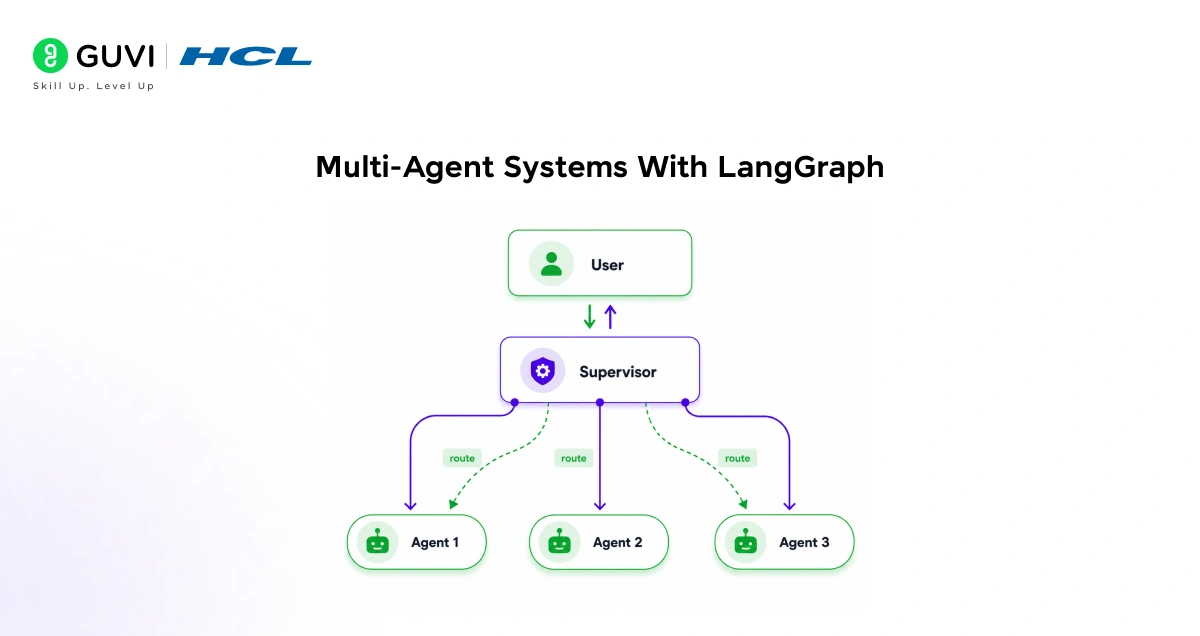
LangGraph treats each agent as a node in a larger graph. Multiple specialized agents compose into a single workflow where a supervisor routes tasks to specialists, collects outputs, and decides what happens next, scaling from simple loops to complex systems without changing the core framework.
Read More: How to Build Agentic AI with LangChain and LangGraph in 2026
Core Concepts You Must Understand Before Building
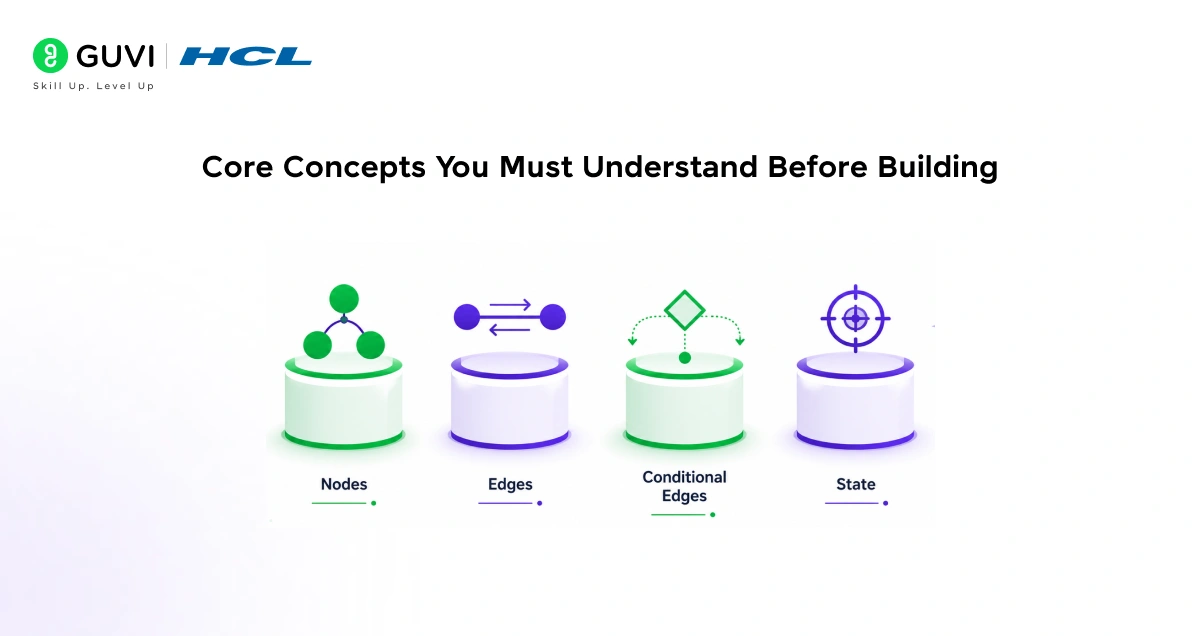
- State
State is a typed Python object that holds all information the graph accumulates during execution. Every node receives current state as input and returns updates as output.
from typing import TypedDict, Annotated
import operator
class AgentState(TypedDict):
messages: Annotated[list, operator.add]
research_results: list
final_answer: str
iteration_count: int
- Nodes
Nodes are Python functions that take state as input and return a dictionary of state updates containing the actual logic of your workflow.
def research_node(state: AgentState) -> dict:
response = llm.invoke(state[“messages”])
return {
“messages”: [response],
“iteration_count”: state[“iteration_count”] + 1
}
- Edges and Conditional Routing
Edges define which node runs next. Conditional edges call a routing function that examines state and returns the next node name.
def should_continue(state: AgentState) -> str:
if state[“iteration_count”] >= 3:
return “format_output”
if “sufficient” in state[“messages”][-1].content.lower():
return “format_output”
return “research”
- Compiling the Graph
from langgraph.graph import StateGraph, END
workflow = StateGraph(AgentState)
workflow.add_node(“research”, research_node)
workflow.add_node(“format_output”, format_output_node)
workflow.set_entry_point(“research”)
workflow.add_conditional_edges(“research”, should_continue, {
“research”: “research”,
“format_output”: “format_output”
})
workflow.add_edge(“format_output”, END)
app = workflow.compile()
Memory, Persistence, and Human-in-the-Loop
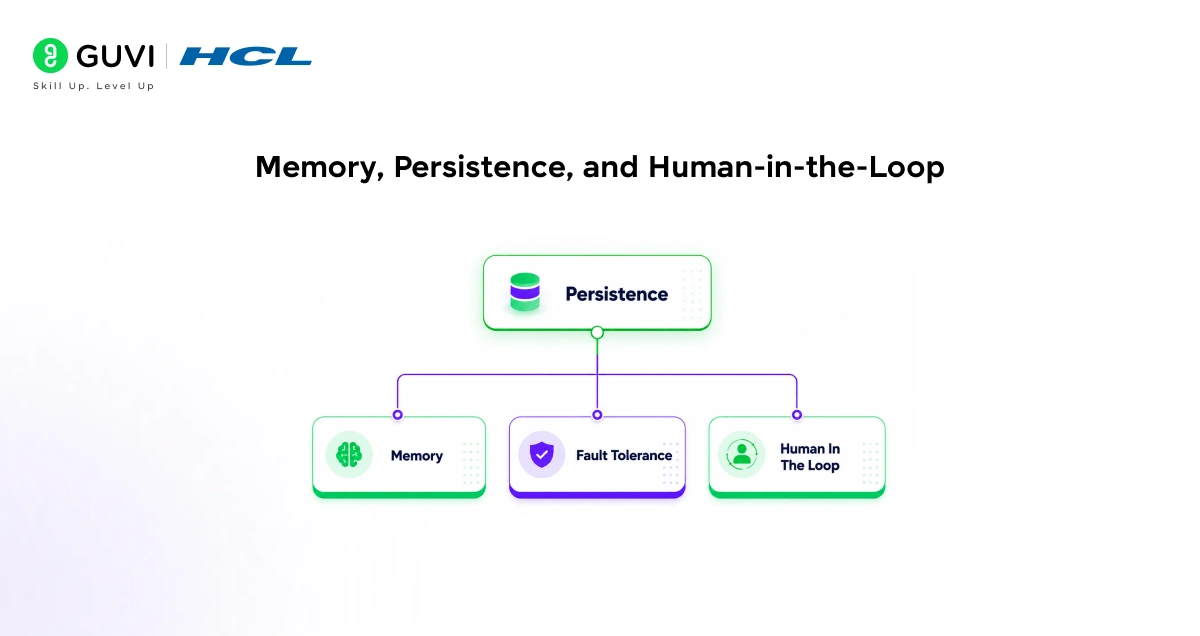
- In-Memory Checkpointing
LangGraph saves state after every node execution, enabling workflows to pause and resume and supporting human approval at critical steps.
from langgraph.checkpoint.memory import MemorySaver
memory = MemorySaver()
agent = builder.compile(checkpointer=memory)
config = {“configurable”: {“thread_id”: “session-001”}}
result = agent.invoke(initial_state, config=config)
- Database Persistence for Production
For production deployments, LangGraph supports database-backed checkpointers so state survives server restarts and long-running workflows spanning hours or days.
from langgraph.checkpoint.sqlite import SqliteSaver
with SqliteSaver.from_conn_string(“agent_memory.db”) as checkpointer:
agent = builder.compile(checkpointer=checkpointer)
- Human-in-the-Loop Interruption
agent = builder.compile(
checkpointer=memory,
interrupt_before=[“execute_action”]
)
result = agent.invoke(initial_state, config=config)
print(“Agent wants to execute:”, result[“planned_action”])
user_approval = input(“Approve? (yes/no): “)
if user_approval == “yes”:
final_result = agent.invoke(None, config=config)
LangGraph’s persistence system was designed specifically for long-horizon agent workflows that cannot be completed in a single API call. It enables stateful execution across extended periods—ranging from hours to even days—while preserving memory, context, and decision history. This makes it possible to build multi-step AI agents that include structured checkpoints and human-in-the-loop review stages, allowing complex workflows to be safely monitored and corrected as they evolve.
Multi-Agent Systems With LangGraph
- The Supervisor Pattern
The most common multi-agent pattern uses a supervisor node that routes tasks to specialized worker agents based on what needs to happen next.
def supervisor_node(state: MultiAgentState) -> dict:
system = SystemMessage(content=”””You are a supervisor.
Route to: ‘researcher’, ‘analyst’, ‘writer’, or ‘FINISH’.
Respond with only the specialist name.”””)

response = llm.invoke([system] + state[“messages”])
return {“next_agent”: response.content.strip()}
def route_to_agent(state: MultiAgentState) -> str:
return state[“next_agent”]
- Wiring the Multi-Agent Graph
multi_agent = StateGraph(MultiAgentState)
multi_agent.add_node(“supervisor”, supervisor_node)
multi_agent.add_node(“researcher”, researcher_node)
multi_agent.add_node(“analyst”, analyst_node)
multi_agent.add_node(“writer”, writer_node)
multi_agent.set_entry_point(“supervisor”)
multi_agent.add_conditional_edges(“supervisor”, route_to_agent, {
“researcher”: “researcher”,
“analyst”: “analyst”,
“writer”: “writer”,
“FINISH”: END
})
for agent in [“researcher”, “analyst”, “writer”]:
multi_agent.add_edge(agent, “supervisor”)
app = multi_agent.compile(checkpointer=memory)
LangGraph was developed by the LangChain team in response to growing developer demand for more structured support for stateful, cyclical AI workflows. Before its introduction, many developers had to manually implement loop and state management logic outside the framework, which often led to inconsistent designs and harder-to-maintain agent architectures. LangGraph was designed to bring these capabilities natively into the framework, making complex agent workflows more reliable and easier to orchestrate.
Streaming, Debugging, and Observability
This is one of the most practically important topics that most LangGraph tutorials skip entirely.
- Streaming Node Outputs in Real Time
LangGraph supports streaming so your application can display partial results as each node completes rather than waiting for the full workflow to finish.
for chunk in app.stream(initial_state, config=config):
for node_name, node_output in chunk.items():
print(f”Node ‘{node_name}’ completed:”)
print(node_output)
This is critical for user-facing applications where a workflow might take 30 seconds. Streaming lets you show progress instead of a blank screen.
- Inspecting Graph Structure Before Running
Always visualize your graph before running it in production. LangGraph can output a Mermaid diagram of the compiled graph structure.
print(app.get_graph().draw_mermaid())
This catches missing edges, incorrect routing logic, and disconnected nodes before they cause runtime failures.
- Tracing With LangSmith
LangGraph integrates natively with LangSmith for full execution tracing. Every node input, output, routing decision, and LLM call is logged automatically when LangSmith is enabled.
export LANGCHAIN_TRACING_V2=true
export LANGCHAIN_API_KEY=your_key
Without tracing, debugging a multi-agent workflow that fails silently after step seven is nearly impossible. With it, you see exactly what every node received and returned at every step.
LangGraph vs. Alternative Agent Frameworks
- vs. LangChain Agents
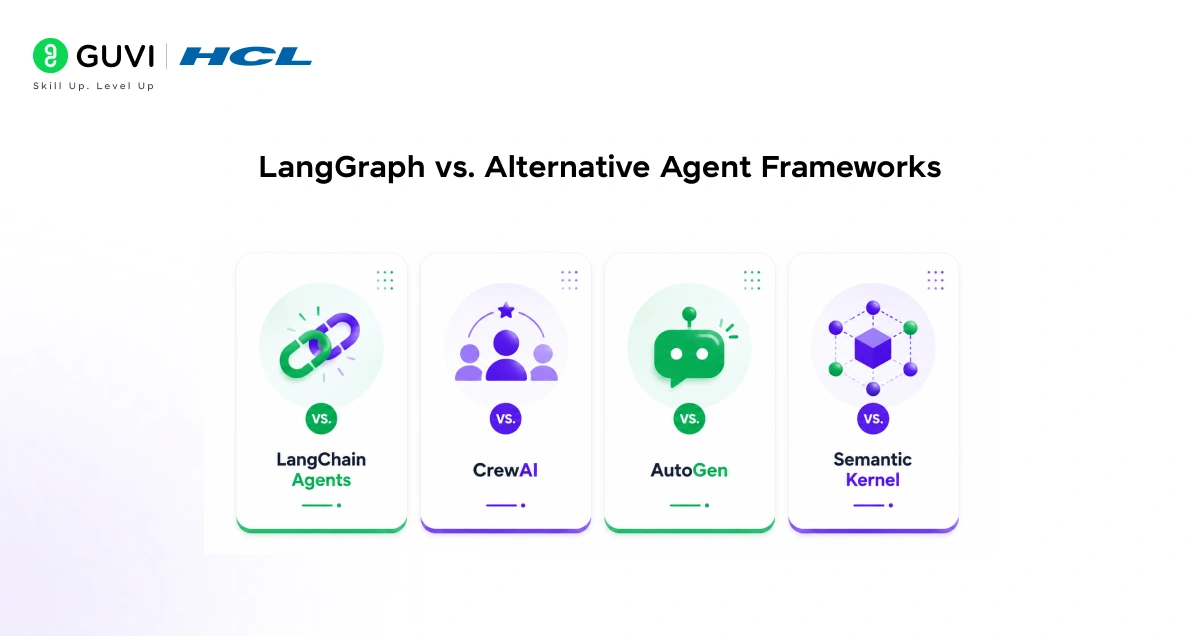
It offers limited flow control with no native cyclic support. LangGraph gives explicit control over every transition and routing decision at the cost of more boilerplate.
- vs. CrewAI
It provides higher-level abstractions for role-based multi-agent task delegation. LangGraph operates at a lower level with more flexibility for custom workflows. CrewAI is faster to start with. LangGraph scales better with complexity.
- vs. AutoGen
It focuses on multi-agent conversation patterns through message passing. LangGraph focuses on explicit workflow orchestration with precise state management. AutoGen is better for debate and critique patterns. LangGraph is better for structured task pipelines.
- vs. Semantic Kernel
It supports Python, C#, and Java with strong enterprise plugin architecture. LangGraph is Python-first and LangChain-native. Teams already on LangChain choose LangGraph. Enterprise teams needing .NET support choose Semantic Kernel.
To learn more about building stateful AI agents and creating intelligent workflows with LangGraph, do not miss the chance to enroll in HCL GUVI’s Intel & IITM Pravartak Certified Artificial Intelligence & Machine Learning course. Endorsed with Intel certification, this course adds a globally recognized credential to your resume, a powerful edge that sets you apart in the competitive AI job market.
Final Thoughts
LangGraph did not reinvent AI agents. It gave developers the right primitives to build them properly: explicit state, controlled cycles, conditional routing, and persistence that survives restarts.
The developers who get the most out of it design their state carefully before writing a single node, keep each node focused on one responsibility, and treat routing logic as the true intelligence of the system rather than an afterthought.
Start with a two-node graph and one conditional edge. That teaches you more about stateful agent design than reading about it ever will.
FAQs
1. Do I need to know LangChain before learning LangGraph?
Basic familiarity helps since LangGraph builds on LangChain abstractions, but it is not required. If you understand Python and can make LLM API calls, you can learn LangGraph concepts directly.
2. What is the difference between a node and a tool in LangGraph?
A node is a workflow step that reads and updates state. A tool is a capability an LLM can invoke like web search or a calculator. Tools are typically called from within nodes, not instead of them.
3. How does LangGraph handle errors mid-workflow?
With a checkpointer enabled, state is saved after each node. If a node fails, you inspect the saved state, fix the issue, and resume from the last successful checkpoint without restarting the full workflow.
4. Can LangGraph run nodes in parallel?
Yes. Branching edges route to multiple nodes simultaneously and the graph waits for all parallel branches to complete before merging state and continuing, enabling patterns like running multiple research agents at the same time.
5. Is LangGraph production-ready?
Yes. Workflows compile to standard Python objects deployable via FastAPI or any web framework. Use a database-backed checkpointer like PostgreSQL for production reliability, and LangSmith for observability across complex multi-agent runs.
Success Stories

About the Author
Vishalini Devarajan
An Aerospace Engineer turned content writer, I focus on making complex concepts easy to understand through well-structured, reader-friendly blogs. Whether it’s a technical topic or a non-technical one, I love creating content that is clear, engaging, and impactful.
View all posts by Vishalini Devarajan
Connect with me @

















Did you enjoy this article?