


Artificial Intelligence and Machine Learning Articles
Finance Manager to Data Analytics: Career Growth, Salary and Seniority
How to Evaluate LLM Outputs in Production Deployments
AI/ML Skills Gap 2026: Why Companies Can't Find Job-Ready Talent
20 AI/ML Interview Questions Recruiters Can Use Without a Tech Background - Best Guide


Get In Touch For Details! Request More Information
How to Make a Social Media App Using AI-Powered Development
Sep 02, 2026 5 Min Read 1396 Views
(Last Updated)
Over 5.44 billion people use social media globally, and platforms powered by AI are seeing significantly higher engagement because they deliver more personalized, real-time experiences. This shift is changing how apps are built, from static feature-driven products to intelligent systems that continuously adapt based on user behavior. Traditional development alone is no longer enough if you want to build something responsive and truly engaging.
Curious how to actually build a social media app using AI-powered development from scratch? Keep reading this blog for a complete step-by-step breakdown of the architecture, tools, and real-world implementation.
Quick Answer:
To make a social media app using AI-powered development, define a scalable architecture, design UI with AI tools, build frontend and backend efficiently, integrate ML-driven features like feeds and recommendations, and continuously optimize using analytics. AI transforms the app into a personalized, adaptive system that improves with user interactions.
- The AI in social media market is expected to reach around US$ 24.56 billion by 2034.
- The AI app sector generated nearly $18.5 billion in 2025, with about 43% of that revenue driven by ChatGPT.
- Approximately 66% of people use AI regularly, influencing how users interact with modern social media apps.
Table of contents
- What is AI-Powered Development in Social Media?
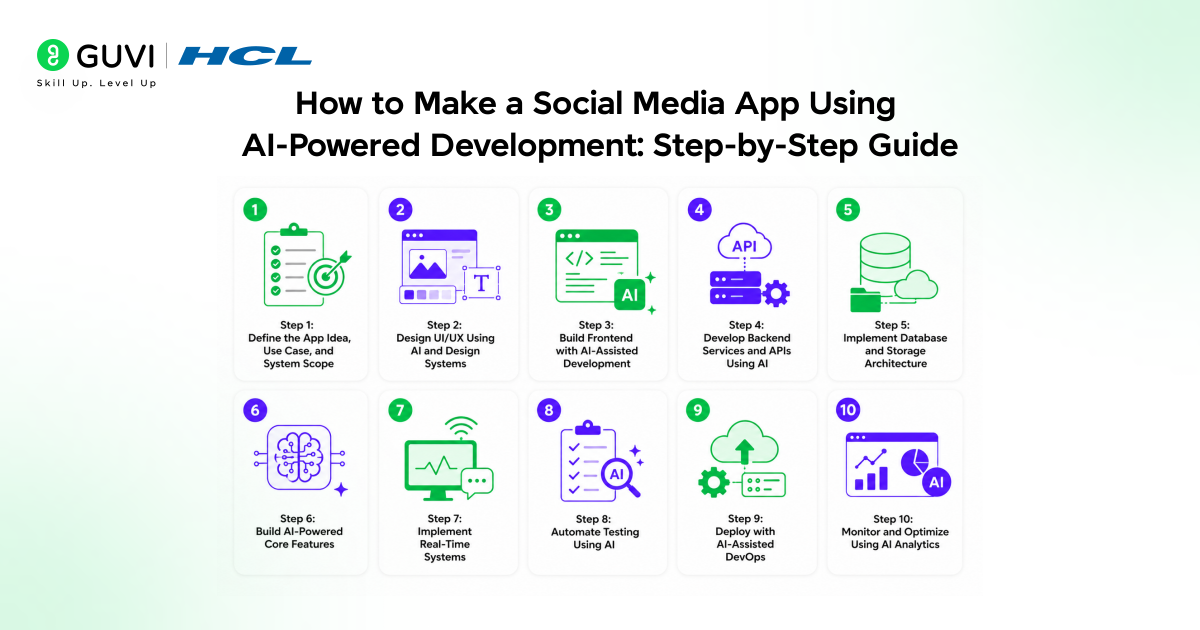
- How to Make a Social Media App Using AI-Powered Development: Step-by-Step Guide
- Step 1: Define the App Idea, Use Case, and System Scope
- Step 2: Design UI/UX Using AI and Design Systems
- Step 3: Build Frontend with AI-Assisted Development
- Step 4: Develop Backend Services and APIs Using AI
- Step 5: Implement Database and Storage Architecture
- Step 6: Build AI-Powered Core Features
- Step 7: Implement Real-Time Systems
- Step 8: Automate Testing Using AI
- Step 9: Deploy with AI-Assisted DevOps
- Step 10: Monitor and Optimize Using AI Analytics
- Example: Building an AI-Powered Social Media App
- Best AI Tools for Social Media App Development
- Challenges and Best Practices in AI-Powered Social Media App Development
- Data Privacy and Security
- Model Bias and Fairness
- Latency and Performance
- The Bottom Line
- FAQs
- What architecture is best for scaling a modern social platform?
- How do real-time features improve user engagement?
- Why is continuous optimization important after launch?
What is AI-Powered Development in Social Media?
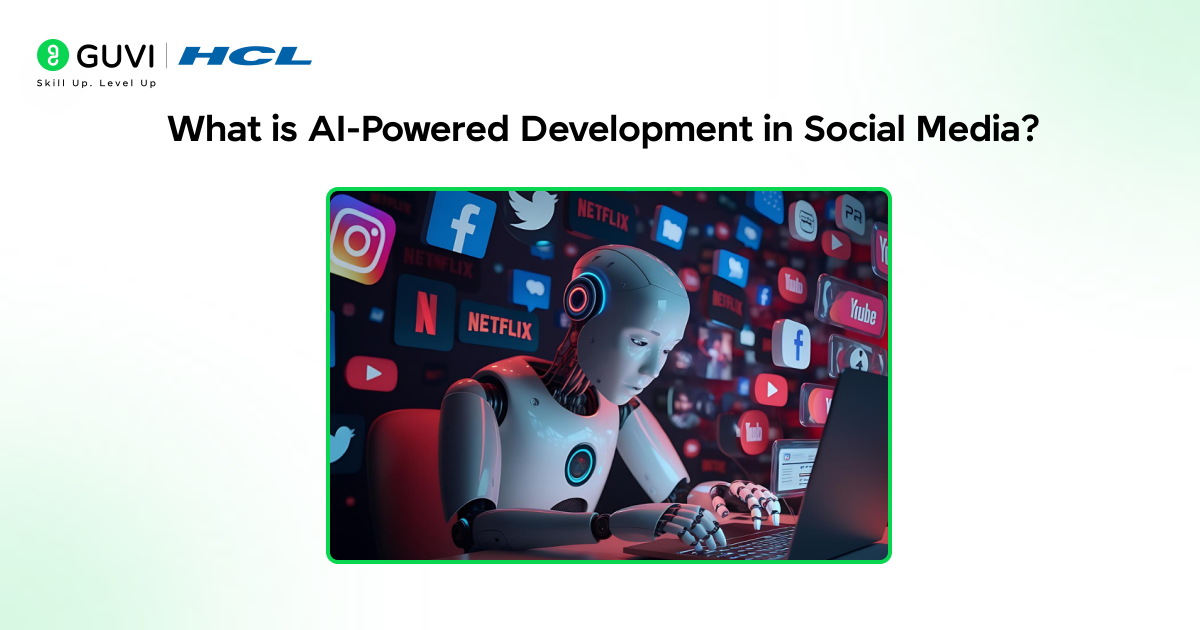
AI-powered development in social media means using AI to build apps that are faster, smarter, and more personalized. It helps developers generate code, optimize performance, and add features like personalized feeds, recommendations, and content moderation. Instead of building everything manually, AI works alongside developers to create platforms that learn from user behavior and improve the experience over time.
How to Make a Social Media App Using AI-Powered Development: Step-by-Step Guide
Step 1: Define the App Idea, Use Case, and System Scope
Before writing a single line of code, you need to clearly define what your social media app is solving and how it will scale. This is where Artificial Intelligence can significantly accelerate early-stage decision-making.
Start by identifying your target users, core use case (e.g., short-form video, professional networking, niche community), and key differentiator. Use AI tools to analyze existing platforms, extract feature patterns, and generate structured product requirements.
From a technical perspective, define:
- Core modules: User service, content service, feed service, messaging service
- Data flow: How content is created, stored, and delivered
- System architecture: Monolithic vs microservices (prefer microservices for scalability)
- API design approach: REST vs GraphQL
AI can help generate PRDs, user personas, and even initial architecture diagrams based on prompts. This step ensures your app is not just an idea, but a well-scoped system ready for AI-assisted development in the next stages.
Step 2: Design UI/UX Using AI and Design Systems
Once the idea and scope are clear, the next step is to translate that into a usable interface. AI-powered design tools can generate wireframes and high-fidelity UI screens from simple prompts, allowing you to explore multiple layouts quickly without starting from scratch. The focus here is not just visual appeal but usability, ensuring smooth navigation, clear hierarchy, and consistent interactions across the app.
To build a scalable and system-driven UI, focus on:
- Component architecture: Reusable UI elements like buttons, cards, and modals
- Design system: Tokens for colors, typography, spacing, and themes
- Responsive layouts: Mobile-first design with adaptive scaling
- UI states: Handling loading, empty, and error scenarios
This makes sure your design is not just good-looking but also easy to build, scale, and maintain as your app grows.
Step 3: Build Frontend with AI-Assisted Development
With the design system in place, frontend development becomes faster and more structured using AI-assisted coding tools. These tools help generate component code and improve development speed while maintaining consistency across the application.
To implement a performant and scalable frontend, focus on:
- Framework: React or Next.js for component-based architecture
- State management: React Query, Zustand, or Redux for data handling
- API integration: Structured data fetching and caching layers
- Performance optimization: Lazy loading and code splitting
This step helps you turn your designs into a smooth, fast, and interactive experience that users can actually enjoy using.
Step 4: Develop Backend Services and APIs Using AI
The backend powers your application by handling data, business logic, and user interactions. AI tools can accelerate backend development by generating APIs, automating repetitive logic, and improving consistency across services.
To build a robust and scalable backend, focus on:
- Backend framework: Node.js (Express/NestJS) or Django
- Authentication: JWT and OAuth-based secure login systems
- API design: REST or GraphQL endpoints
- Core services: User, content, feed, and notification modules
This ensures everything behind the scenes runs smoothly and can handle real users without breaking.
Step 5: Implement Database and Storage Architecture
A social media app handles large volumes of structured and unstructured data, making database design critical for performance and scalability. AI can help suggest optimized schemas and indexing strategies based on expected usage patterns.
To build a strong data layer, focus on:
- Database: PostgreSQL for structured data or MongoDB for flexibility
- Media storage: Cloud solutions like AWS S3 for images and videos
- Caching: Redis to reduce latency and improve performance
- Search: Elasticsearch for fast content discovery
This gives your app a solid backbone so data is stored, fetched, and delivered quickly as users start growing.
Step 6: Build AI-Powered Core Features
This is where AI becomes part of the product experience itself. Instead of static features, your app starts adapting to user behavior and delivering personalized interactions in real time.
To integrate intelligent features, focus on:
- Feed ranking: Machine learning-based personalized content delivery
- Recommendation system: Behavior-driven content suggestions
- Content moderation: NLP and computer vision APIs
- Smart notifications: Event-based and behavior-driven triggers
This is what makes your app feel smart and personal, not just another generic platform.
Build AI-powered applications like social media platforms with real-world expertise and structured learning. Join HCL GUVI’s Artificial Intelligence and Machine Learning Course to learn from industry experts and Intel engineers through live online classes, master in-demand skills like Python, ML, MLOps, Generative AI, and Agentic AI, and gain hands-on experience with 20+ industry-grade projects, 1:1 doubt sessions, and placement support with 1000+ hiring partners.
Step 7: Implement Real-Time Systems
Real-time interaction is essential for engagement in social media apps. Features like messaging and live updates require low-latency communication and efficient event handling.
To enable real-time functionality, focus on:
- Real-time communication: WebSockets or Socket.IO
- Event streaming: Kafka or RabbitMQ
- Feed updates: Fan-out strategies for scalability
- User presence: Online/offline status tracking
This is what makes your app feel alive, where everything updates instantly and users stay engaged.
Step 8: Automate Testing Using AI
As your application grows, maintaining stability becomes critical. AI-powered testing tools can automate test case generation, identify edge cases, and improve overall reliability.
To ensure application quality, focus on:
- Unit testing: Validating individual components
- Integration testing: Testing API and service interactions
- UI testing: End-to-end user flow validation
- Error detection: AI-based anomaly identification
This helps you catch issues early so users get a smooth experience without unexpected bugs.

Step 9: Deploy with AI-Assisted DevOps
Deployment ensures your application is accessible to users in a scalable and reliable environment. AI tools can streamline infrastructure setup and optimize resource usage.
To prepare your app for production, focus on:
- Cloud platform: AWS, Azure, or GCP
- CI/CD pipelines: Automated build and deployment workflows
- Containerization: Docker for consistent environments
- Scaling: Kubernetes and load balancing
This is the stage where your app goes live and becomes ready to handle real users at scale.
Step 10: Monitor and Optimize Using AI Analytics
After launch, continuous improvement is essential for long-term success. AI helps analyze user behavior and system performance to guide optimization and feature evolution.
To drive continuous growth, focus on:
- Analytics: Tracking engagement, retention, and churn
- A/B testing: Experimenting with features and UI changes
- Performance monitoring: Measuring latency and errors
- Optimization: Refining feeds and recommendations
This keeps your app improving over time, so it stays relevant and better with every user interaction.
Example: Building an AI-Powered Social Media App
Let’s build a unique social media app called “StudySync”, a platform where students share short concept videos, collaborate on notes, and get AI-personalized study feeds. Unlike typical social apps, StudySync blends social interaction with learning efficiency, using AI to adapt content based on a student’s pace, weak areas, and engagement patterns. It is designed as a data-driven system where every interaction feeds into personalization, making the platform smarter with usage.
Here’s how AI powers the entire system in practice:
- Content Processing Pipeline: Every uploaded video is automatically transcribed, analyzed using NLP models, and tagged with relevant subjects, concepts, and difficulty levels to make content structured and searchable
- Personalized Feed Engine: Machine learning models rank and deliver content based on user behavior such as watch time, skips, engagement, and identified learning gaps
- Frontend Intelligence: AI-assisted tools generate reusable UI components and optimize rendering using techniques like lazy loading and virtualized lists for smooth performance
- Scalable Backend Architecture: Microservices separate core functions like user management, content ingestion, feed ranking, and notifications, allowing independent scaling and better system resilience
- Data Layer Optimization: A combination of PostgreSQL for structured data, Redis for caching, and Elasticsearch for semantic search ensures fast and efficient data retrieval
- Continuous Learning Loop: The system continuously improves by learning from user interactions, refining recommendations, and adapting the experience in real time
This approach turns a simple social media app into a system that feels intelligent and increasingly personalized with every use.
Best AI Tools for Social Media App Development
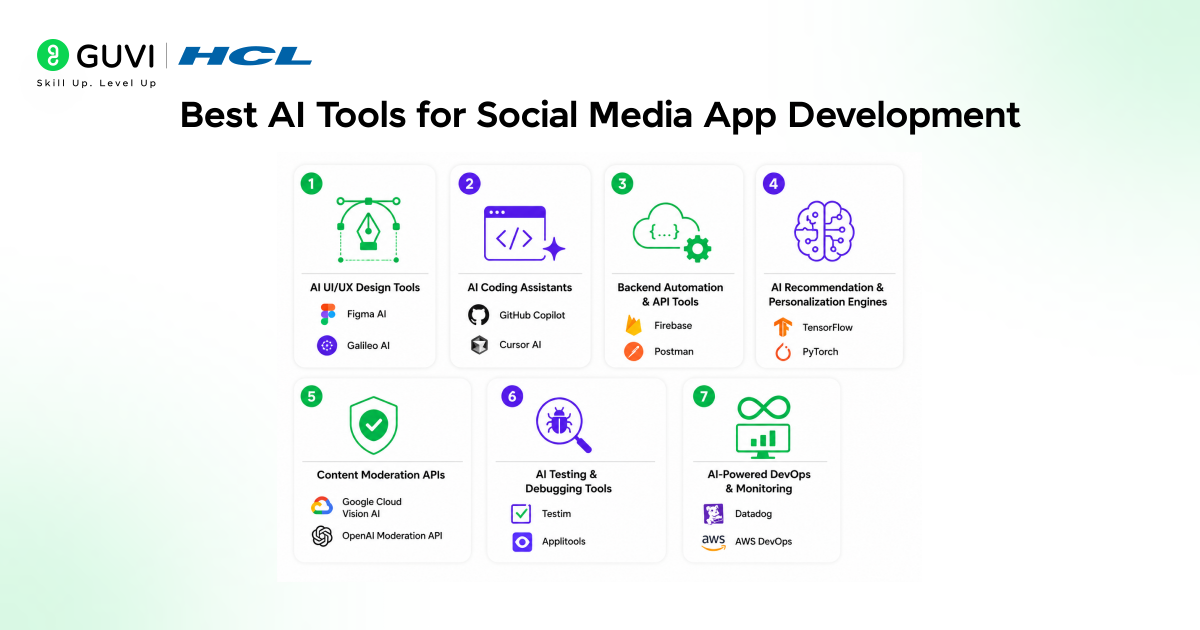
- AI UI/UX Design Tools: Figma AI, Galileo AI
Function: Generate UI layouts, design systems, and reusable components from prompts while maintaining consistency and responsiveness across screens - AI Coding Assistants: GitHub Copilot, Cursor AI
Function: Assist in writing code, auto-completing logic, generating components and APIs, and improving code quality and development speed - Backend Automation & API Tools: Firebase, Postman
Function: Simplify backend setup, handle authentication and databases, and enable API creation, testing, and real-time data integration - AI Recommendation & Personalization Engines: TensorFlow, PyTorch
Function: Build machine learning models for feed ranking, content recommendations, and personalization based on user behavior - Content Moderation APIs: Google Cloud Vision AI, OpenAI Moderation API
Function: Detect and filter harmful, inappropriate, or spam content using NLP and computer vision techniques - AI Testing & Debugging Tools: Testim, Applitools
Function: Automate test generation, validate UI consistency, and detect bugs or anomalies in application behavior - AI-Powered DevOps & Monitoring: Datadog, AWS DevOps
Function: Monitor system performance, manage deployments, enable auto-scaling, and detect anomalies in infrastructure and application behavior
Understand how to build AI-powered applications with the right concepts and practical frameworks. Download HCL GUVI’s GenAI eBook to learn core Generative AI workflows, prompt strategies, and real-world use cases for building scalable AI systems.
Challenges and Best Practices in AI-Powered Social Media App Development
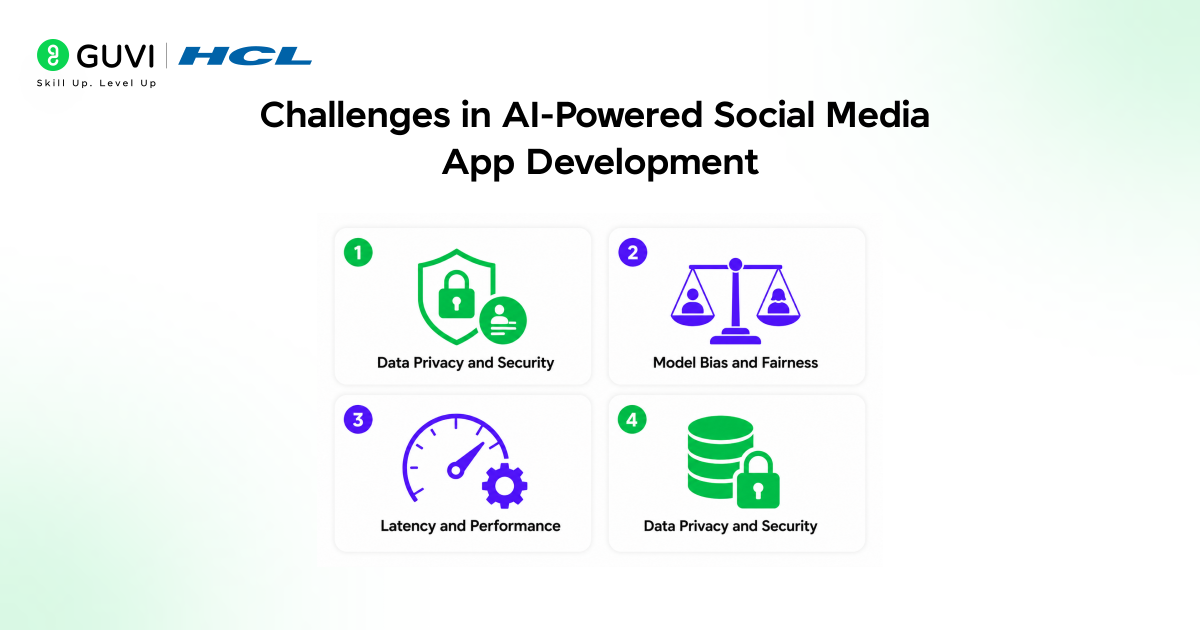
1. Data Privacy and Security
Handling large volumes of user data increases the risk of breaches and misuse. Social media apps deal with sensitive personal and behavioral data, making security critical.
How to handle it:
- Encrypt data at rest and in transit using industry standards
- Implement strict access controls and role-based permissions
- Follow compliance standards like GDPR and data protection laws
- Regularly audit and monitor data access patterns
2. Model Bias and Fairness
AI models can unintentionally favor certain content or users, leading to biased recommendations and poor user experience.
How to handle it:
- Train models on diverse and balanced datasets
- Continuously monitor outputs for bias and unfair patterns
- Introduce fairness constraints in recommendation algorithms
- Include human review loops for sensitive decisions
3. Latency and Performance
AI-powered features like feed ranking and moderation can introduce delays if not optimized properly.
How to handle it:
- Use asynchronous processing for heavy tasks
- Cache frequently accessed data like feeds
- Precompute recommendations during low-load periods
- Optimize database queries and indexing
The Bottom Line
Building a social media app using AI-powered development is all about building smarter systems from the ground up. When AI is integrated across ideation, design, development, and optimization, every part of the app becomes more adaptive and user-focused. Instead of static features, you create a platform that learns from user behavior, improves continuously, and scales intelligently. The real shift is not speed alone, but how thoughtfully you combine AI with solid architecture to deliver an experience that feels relevant and built for real-world usage.
FAQs
What architecture is best for scaling a modern social platform?
A microservices-based architecture is ideal, as it allows independent scaling of services like feeds, messaging, and AI models while improving performance and fault isolation.
How do real-time features improve user engagement?
Real-time systems like WebSockets and event streaming enable instant updates for messages, feeds, and notifications, making the app feel interactive and increasing user retention.
Why is continuous optimization important after launch?
User behavior constantly evolves, so monitoring analytics, running A/B tests, and refining algorithms ensures the platform stays relevant, performs well, and delivers better user experiences over time.
Success Stories

About the Author
Vaishali
I'm a seasoned writer with four years of experience across technical, non-technical, and just about every genre or niche you can imagine. Adaptable and curious, I enjoy exploring new topics and making information engaging and easy to understand. Fueled by a steady stream of tea, I approach each project with creativity, reliability, and genuine enthusiasm for storytelling.
View all posts by Vaishali
Connect with me @













Did you enjoy this article?