


VFX Articles
Top 16 AI-Driven Tools for 3D Animation and VFX
9 Must-Know VFX Project Ideas for Beginners in 2026


Get In Touch For Details! Request More Information
How to Learn VFX in 2026: Complete Roadmap from Zero to Job-Ready
Jul 14, 2026 9 Min Read 14947 Views
(Last Updated)
A dragon flying over a city, an actor performing in space, or a building collapsing safely on screen may look real. However, much of what viewers see is created or enhanced after filming through visual effects.
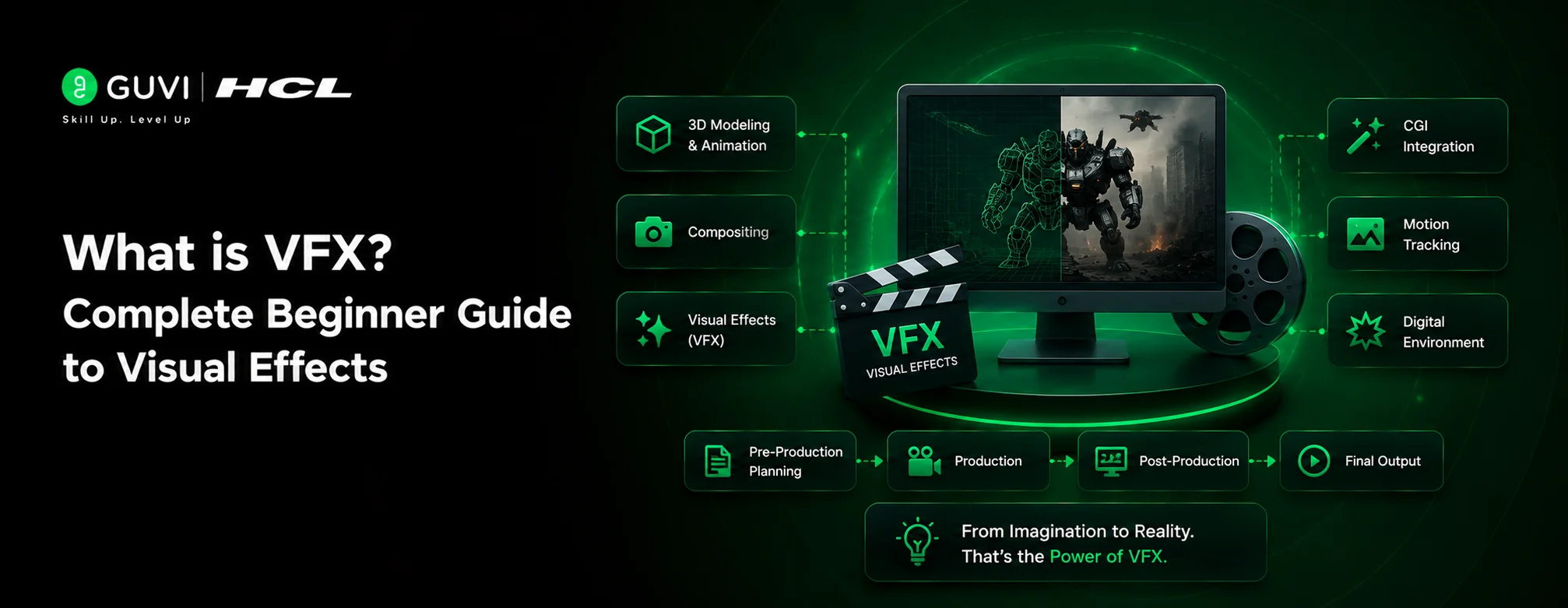
Visual Effects, commonly called VFX, refers to the process of creating, altering, or combining imagery that cannot be captured easily through live-action shooting. VFX artists blend computer-generated elements with recorded footage to produce realistic characters, environments, objects, and physical effects.
VFX differs from special effects because special effects are usually created during filming. Examples include practical explosions, makeup, mechanical props, and artificial rain. Visual effects are mainly developed during post-production using digital software.
The process starts before the camera begins recording. Artists and filmmakers plan camera angles, lighting, green-screen shots, digital assets, and scene movement in advance. The footage then moves through modelling, animation, simulation, rendering, and compositing before becoming the final shot.
Learning VFX therefore involves much more than mastering one software application. Artists need visual storytelling, colour theory, composition, lighting, animation, and technical pipeline knowledge. This guide explains the complete learning path, essential tools, career-level skills, hardware requirements, and production workflow needed to build a professional VFX career.
Table of contents
- TL;DR
- What is VFX and How it Works
- Different Types of Visual Effects
- How to Learn VFX
- 1) Acquire Educational Qualifications
- 2) Essential Technical Foundation
- 3) Mastering VFX Production Pipeline
- 4) Software Expertise
- 5) Skills Required By Career Level
- Recommended Software Order by Career Goal
- VFX Software Comparison Table
- How Long Does It Take to Learn VFX Professionally?
- Zero to Three Months: Visual and Software Foundations
- Three to Eight Months: Core VFX Skills
- Eight to Fourteen Months: Pipeline and Specialization
- Fourteen to Twenty-Four Months: Portfolio Development
- Can VFX Be Learned in Six Months?
- Self-Taught VFX vs VFX Institute: Pros and Cons
- Advantages of Learning VFX Independently
- Advantages of Joining a VFX Institute
- Which Option Is Better?
- Build a Structured VFX Foundation With HCL GUVI
- Concluding Thoughts…
- FAQs
- What are the essential steps to start learning VFX?
- How long does it take to learn VFX?
- What are the key skills needed for a career in VFX?
- How can I create an effective VFX portfolio?
- What are some good platforms to showcase a VFX portfolio?
TL;DR
- Visual effects combine live-action footage with digitally created or modified imagery.
- Common VFX techniques include CGI, compositing, motion capture, rotoscoping, and particle simulations.
- A typical VFX workflow moves through planning, asset creation, animation, simulation, rendering, and compositing.
- Beginners should first learn visual principles, followed by tools such as After Effects, Nuke, Maya, and Houdini.
- A strong VFX career requires artistic judgment, technical expertise, problem-solving skills, and a focused portfolio.
What is VFX and How it Works
Visual Effects (VFX) creates or manipulates imagery beyond live-action shooting. Unlike special effects captured on camera, VFX combines computer-generated elements with live-action footage during post-production.
This creates realistic environments and effects that would be impossible, dangerous, or too expensive to film.
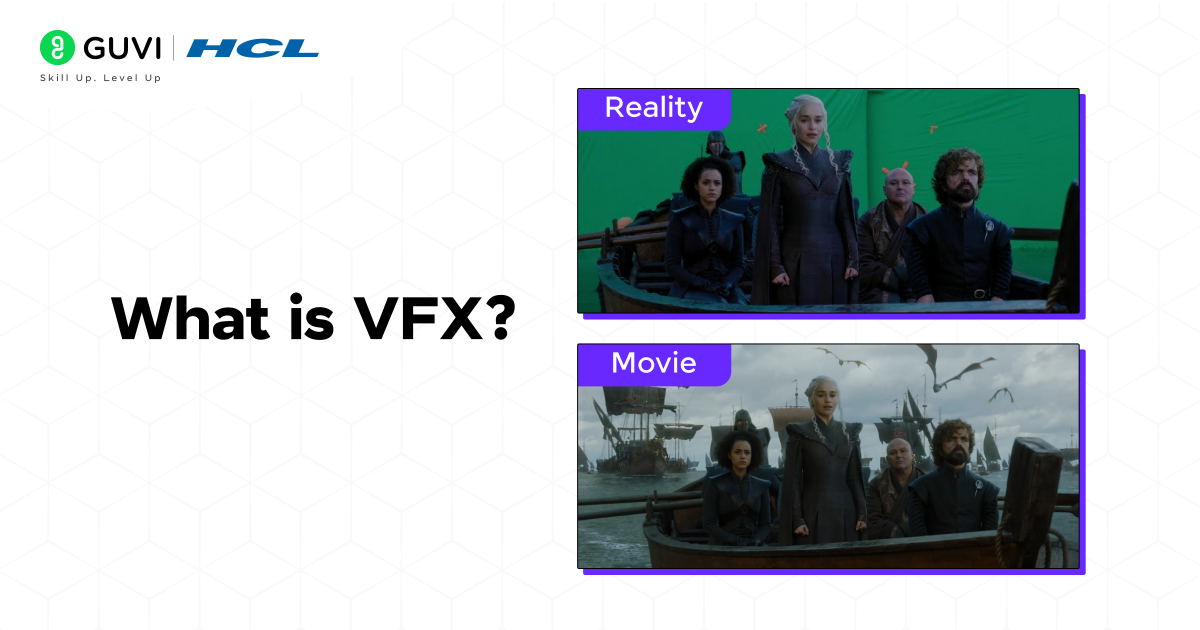
The VFX workflow combines live-action footage with enhanced imagery to create ultra-realistic environments, characters, and effects. This needs careful planning before production and precise execution afterward.
Different Types of Visual Effects
VFX includes several specialized techniques:
- Computer-Generated Imagery (CGI): Creates entirely digital elements, from fantastical creatures to entire worlds
- Compositing: Combines multiple images into a seamless final shot, often using green screen technology
- Motion Capture: Transforms actor performances into digital characters
- Particle Systems: Generates effects like fire, rain, or explosions
How to Learn VFX
Now, it’s time for the section you’ve actually been waiting for, the complete how-to on learning VFX. I have made sure to provide a detailed guide under all steps and across all tools. I hope you find it to be helpful.
| Phase | Timeframe | Focus Areas | Outcome |
| Phase 1: Foundation | 0–3 months | Design principles, colour theory, Photoshop/Illustrator | Visual literacy established |
| Phase 2: Core Tools | 3–8 months | After Effects, Nuke basics, Maya 3D modelling | First demo reel shots ready |
| Phase 3: Pipeline | 8–14 months | Houdini simulations, Python scripting, USD workflow | Studio-ready reel (3–5 shots) |
| Phase 4: Specialise | 14–24 months | One deep specialisation + real client/studio projects | Junior VFX Artist placement |
1) Acquire Educational Qualifications
A strong educational foundation is critical for aspiring VFX artists. While creativity and technical skills are paramount, formal education equips candidates with industry knowledge and structured learning, providing a significant edge in this competitive field.
Educational Pathways:
1. Bachelor’s Degree Programs:
Pursue a bachelor’s degree in fields like:
- Animation and Visual Effects: Comprehensive training in design, animation, and compositing.
- Computer Science with a Focus on Graphics: Ideal for those interested in technical roles like simulation or tool development.
- Digital Media or Fine Arts: Offers creative exposure to storytelling and aesthetics.
Popular courses include:
- B.Sc. in Animation and VFX
- B.A. in Digital Media Design
- B.F.A. in Multimedia Arts
Duration: Typically 3-4 years.
Cost: Ranges from ₹2,00,000 to ₹8,00,000 depending on the university.
Self-Learning Resources:
- Online Platforms:
Platforms like Coursera, Udemy, and LinkedIn Learning provide affordable, flexible learning options tailored for beginners and professionals.- Advantages: Self-paced, affordable, and access to global expertise.
- Popular Courses:
- Houdini FX Mastery (Udemy): Comprehensive Houdini training.
- VFX Compositing with Nuke (LinkedIn Learning): Focused on industry-standard compositing.
- Books and Tutorials:
- Books:
- The VES Handbook of Visual Effects: A technical guide for VFX professionals.
- Digital Compositing for Film and Video: A definitive compositing reference.
- Tutorials:
- YouTube channels like Film Riot and Action VFX offer free VFX walkthroughs.
- Books:
2) Essential Technical Foundation
A successful career in VFX requires a solid technical foundation that covers specific software skills, programming knowledge, and hardware capabilities. These requirements will help you create a well-laid-out approach to skill development.
2.1) Core Software Proficiency Standards
Your VFX experience starts with becoming skilled at industry-standard software tools. Here’s a detailed breakdown of essential software skills:
| Software Category | Core Applications | Primary Use |
| 3D Animation & Modeling | Maya, Houdini | Asset creation, animation |
| Compositing | Nuke, After Effects | Final composition, effects |
| Texturing | Substance Painter | Asset texturing |
| Game Engines | Unreal Engine | Real-time rendering |
2.2) Programming Language Prerequisites
Programming knowledge is vital for VFX artists today. You need to be proficient in:
- Python: The main scripting language used in major VFX software platforms including Nuke, Maya, and Houdini. Its versatility makes it essential to automate tasks and develop pipelines.
- C++: This language becomes especially important in technical director roles and pipeline development.
2.3) Hardware and System Requirements
Your workstation must meet specific requirements to handle VFX work effectively:
Processor & Memory:
- Intel i9 processor (3.5GHz or higher) with 8-32 cores
- Minimum 32GB RAM, with 64GB recommended for complex simulations
Storage & Graphics:
- Primary SSD and secondary SSD for render scratch (NVMe recommended)
- GPU with specialized video card for rendering capabilities
System Configuration:
- Windows 10 Professional for optimal software compatibility
- Reliable backup systems to protect project data
- Power supply with sufficient wattage to maintain system stability
Your hardware setup should focus on rendering capabilities and system stability. These factors directly affect how well you handle complex VFX tasks. Make sure all components work with your main software tools and rendering engines.
India’s media and entertainment industry is experiencing rapid growth and is projected to reach approximately ₹3.08 lakh crore (USD 37 billion) by 2027. Among its fastest-growing segments are animation, visual effects (VFX), and post-production, fueled by rising demand from streaming platforms, gaming companies, digital content creators, and international film collaborations. India has also become a global outsourcing hub for creative production services, with hundreds of thousands of professionals working across animation, VFX, and post-production roles. As content consumption continues to expand, demand for skilled artists, animators, compositors, and VFX specialists is expected to grow alongside the industry’s digital transformation.
3) Mastering VFX Production Pipeline
A VFX artist’s career growth depends on mastering the VFX production pipeline. A well-laid-out pipeline will give a smooth workflow from concept to final delivery, making it a vital skill you need to progress.
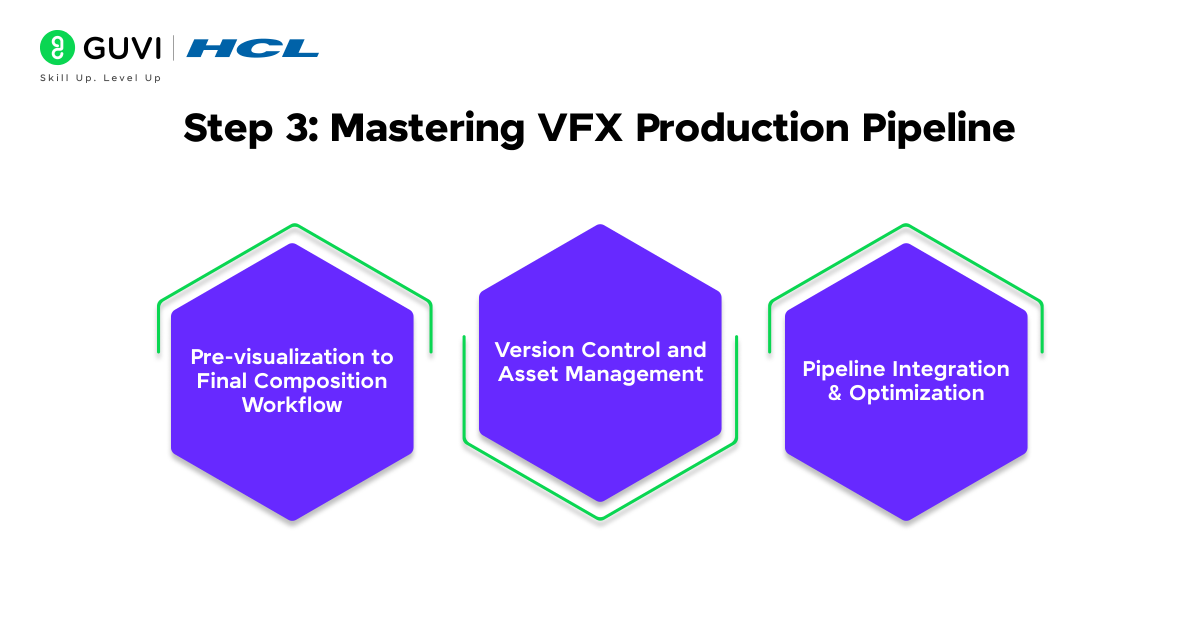
3.1) Pre-visualization to Final Composition Workflow
Your journey through the VFX pipeline starts with pre-visualization. You’ll create low-poly 3D models and scene representations that map out complex sequences. The workflow follows this structure:
| Pipeline Stage | Key Activities | Tools/Skills Required |
| Pre-visualization | Scene blocking, camera setup | Unreal Engine, Maya |
| Asset Creation | 3D modeling, texturing | Substance Painter, ZBrush |
| Animation/Simulation | Character/object animation | Houdini, Maya |
| Compositing | Final integration, color correction | Nuke, After Effects |
3.2) Version Control and Asset Management
Project organization and collaboration need proper version control. Version control systems help you track changes, manage iterations, and arrange team efforts. The main benefits are:
- Smooth collaboration in a variety of teams
- Automatic file versioning and iteration tracking
- Secure backup of creative assets
- Efficient resource management across projects
3.3) Pipeline Integration and Optimization
Production efficiency improves when you optimize the VFX pipeline. Modern pipelines need integration with various tools and platforms. These optimization strategies deserve your attention:
Cloud-based platforms should connect workflows and data throughout the production lifecycle. This integration makes live project tracking and resource optimization possible, which helps meet tight deadlines and budget constraints.
USD (Universal Scene Description) workflows offer technical optimization advantages. They allow smooth translation between different software environments. This approach cuts down data translation overhead and keeps complex scene hierarchies intact across your pipeline.
The VFX industry demands continuous improvement. You should assess and refine pipeline processes regularly. Focus on automating repetitive tasks and streamlining asset management to boost overall production efficiency.
4) Software Expertise
Knowing how to use the right software tools at each career stage is vital to your progression in the VFX industry. Your trip from junior to senior level needs strategic skill development and continuous learning of new tools and technologies.
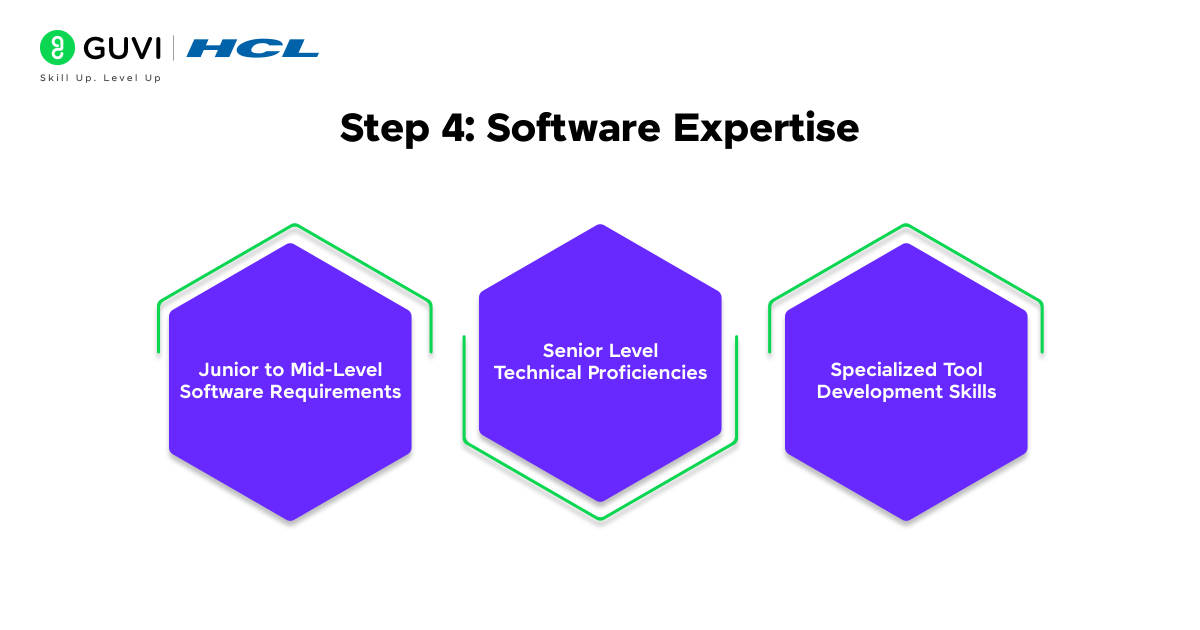
4.1) Junior to Mid-Level Software Requirements
Starting your VFX career requires proficiency in industry-standard software. Junior artists work with After Effects, Cinema 4D, Nuke, or Houdini, based on their specialization. Junior artists typically earn between ₹ 3 LPA to ₹ 12+ LPA.
| Career Level | Required Software | Experience | Average Annual Salary (₹) |
| Junior | After Effects, Maya, Nuke | 0-3 years | ₹3,00,000 – ₹5,00,000 |
| Mid-Level | + Houdini, Python scripting | 3-7 years | ₹5,00,000 – ₹8,00,000 |
| Senior | Advanced Houdini, Unreal Engine, AI tools | 7+ years | ₹8,00,000 – ₹12,00,000+ |
- Junior-Level Artists (₹3-5 LPA):
- Roles: Roto Artist, Junior Compositor, Junior Animator.
- Typical Tasks: Basic compositing, rotoscoping, assisting in rendering tasks.
- Software Proficiency: After Effects, Nuke, Maya.
- Insights: Entry-level professionals working in small-to-mid-sized studios generally start at ₹25,000 to ₹40,000 per month.
- Mid-Level Artists (₹5-8 LPA):
- Roles: Mid-level Compositor, Effects Artist, Animator.
- Typical Tasks: Handling key shots, particle simulations, and lighting.
- Software Proficiency: Houdini, Maya, Python scripting.
- Insights: Mid-level professionals contribute to complex sequences and can work independently on substantial tasks.
- Senior-Level Artists (₹8-12 LPA):
- Roles: Senior VFX Artist, Technical Director, Simulation Artist.
- Typical Tasks: Leading teams, managing the VFX pipeline, or handling high-complexity effects (e.g., explosions, water simulations).
- Software Proficiency: Advanced Houdini, Unreal Engine, AI-driven tools.
- Insights: Professionals in this tier are highly sought after, especially for projects in feature films or gaming.
Mid-level advancement requires:
- Strong grasp of VEX and beginner-level Python programming
- Knowing how to design builds that junior artists can use
- Complete knowledge of the VFX pipeline
4.2) Senior Level Technical Proficiencies
Senior positions demand mastery of multiple technical domains. You need at least 5 years of experience and should demonstrate:
- Advanced Pipeline Knowledge: Knowing how to handle VFX for entire projects independently
- Technical Leadership: Skills to mentor junior artists and make confident decisions
- Software Mastery: Expertise in at least three core areas: particles, scripting, shading, animation, or modeling
4.3) Specialized Tool Development Skills
Tool development becomes more important as you advance. Focus on:
| Skill Area | Tools/Languages | Application |
| Pipeline Development | Python, VEX | Workflow automation |
| Asset Management | Shotgun, Deadline | Production tracking |
| Custom Solutions | PyQT, C++ | Tool creation |
Your learning should include updates with the latest versions of core software like Houdini. This helps you understand new shortcuts, SOPs, and improvements to simulation and lighting integration. Growth accelerates when you participate regularly in training events and masterclasses – aim for 1-5 tutorials monthly in your first three years.
Note that adaptability and strong communication skills matter as much as technical proficiency. Your career progression substantially depends on how well you work in teams and handle feedback professionally.
5) Skills Required By Career Level
A successful career in the visual effects industry requires meeting specific technical standards at each career stage. These requirements are the foundations of effective professional development planning and help you advance through the VFX industry ranks.
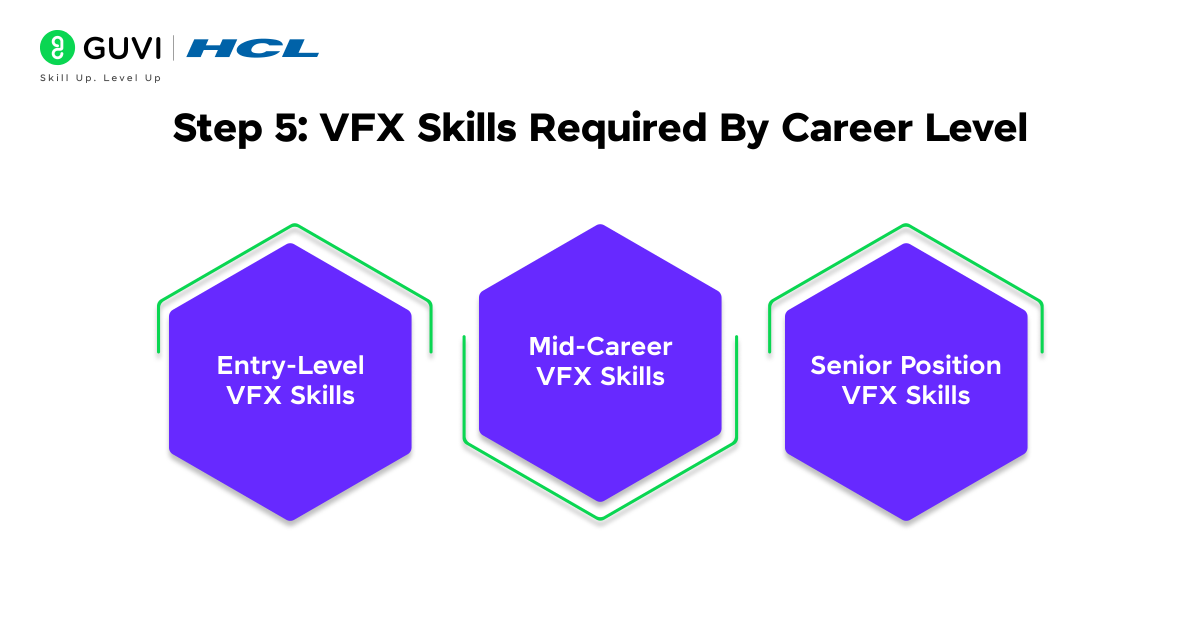
5.1) Entry-Level VFX Skills
Your first step is to become skilled at fundamental technical skills. The VFX industry needs highly qualified professionals, and 86% of them hold a degree. Entry-level positions typically require:
| Technical Skill Area | Required Proficiency |
| Software Mastery | After Effects, Maya, Basic Compositing |
| Programming | Basic Python Scripting |
| Creative Skills | Drawing, Visual Aesthetics |
| Technical Foundation | Photography, Anatomy |
5.2) Mid-Career VFX Skills
Technical expertise should expand substantially as you move to mid-level positions, typically after 3-5 years. Mid-level VFX artists earn approximately $60,000 to $80,000 annually. Key technical requirements include:
- Advanced Software Proficiency: Mastery of industry-standard tools like Nuke, Houdini, and Maya
- Technical Skills Development:
- Particle and fluid simulation expertise
- Advanced compositing techniques
- Pipeline integration capabilities
- Asset management proficiency
5.3) Senior Position VFX Skills
Senior positions just need detailed technical mastery and typically require 5+ years of production experience. Your technical portfolio should demonstrate:

| Senior Level Requirements | Technical Specifications |
| Software Expertise | Unity VFX Graph, Unreal Niagara |
| Programming Skills | HLSL/GLSL Shader Development |
| Technical Leadership | Pipeline Development, Team Management |
| Specialized Knowledge | VR/AR Content Creation |
This level requires an excellent sense of scale, timing, detail, form, texture, and color. Your technical abilities should include:
- Advanced understanding of animation, modeling, and texturing pipelines
- Skills to break down visual effects from various sources
- Expertise in performance optimization and technical limitations
- Proficiency in generating assets across multiple software platforms
The progression path requires continuous learning because the VFX industry evolves constantly with new technologies and techniques. Your technical skills must adapt to meet changing industry standards while maintaining core competencies in traditional VFX principles.
Recommended Software Order by Career Goal
| Career Goal | Recommended Learning Order |
|---|---|
| Motion Graphics Artist | After Effects → Photoshop → Cinema 4D or Blender |
| Compositor | After Effects → Nuke → DaVinci Resolve Fusion |
| 3D Generalist | Maya or Blender → Substance Painter → Nuke |
| FX Artist | Maya → Houdini → Nuke |
| Character Animator | Maya → Rigging Tools → Unreal Engine |
| Virtual Production Artist | Maya or Blender → Unreal Engine → Nuke |
| Technical Director | Maya → Houdini → Python → Nuke |
VFX Software Comparison Table
| VFX Software | What It Is Used For | Free? | Difficulty |
| Adobe After Effects | Motion graphics, tracking, rotoscoping, keying and layer-based compositing | No, seven-day trial available | Beginner to Intermediate |
| Autodesk Maya | 3D modelling, animation, rigging, lighting and rendering | Trial available; educational access for eligible users | Intermediate |
| Nuke | Node-based film compositing, keying, cleanup and render-pass integration | Non-commercial version available | Intermediate to Advanced |
| Houdini | Fire, smoke, fluids, destruction, particles and procedural effects | Apprentice version available for non-commercial use | Advanced |
| Blender | 3D modelling, animation, simulation, sculpting and rendering | Yes, free and open source | Beginner to Advanced |
| DaVinci Resolve Fusion | Node-based compositing, motion graphics, keying and shot repair | Free version available | Intermediate |
| Photoshop | Matte painting, texture creation, concept art and image cleanup | No, trial available | Beginner to Intermediate |
| Substance 3D Painter | Painting textures and materials directly on 3D models | No, educational access may be available | Intermediate |
| Unreal Engine | Real-time environments, previs, virtual production and cinematics | Free under applicable licence terms | Intermediate to Advanced |
| Cinema 4D | Motion graphics, 3D animation and product visualization | No, trial available | Intermediate |
| ZBrush | Digital sculpting and highly detailed character creation | No | Advanced |
| Mocha | Planar tracking, screen replacement and rotoscoping | Limited version included with After Effects | Intermediate |
The difficulty level depends on the learner’s background and chosen specialization. A tool may feel simple for basic exercises but require years of practice for professional production work.
How Long Does It Take to Learn VFX Professionally?
Learning software controls may take a few months. Becoming professionally employable usually takes longer because studios assess shot quality, visual judgment, workflow discipline, and the ability to respond to feedback.
A realistic timeline is 12 to 24 months for someone practising consistently. The duration can change according to weekly study hours, previous design experience, hardware access, specialization, and portfolio quality.
Zero to Three Months: Visual and Software Foundations
The first phase should develop visual awareness and basic software confidence.
Learners should study:
- Composition
- Colour theory
- Lighting
- Perspective
- Camera movement
- Frame rates
- Resolution
- File formats
- Basic editing
- After Effects fundamentals
The objective is to create small effects without following every step from a tutorial.
Three to Eight Months: Core VFX Skills
The next phase should cover compositing and basic 3D work.
Learners can practise:
- Green-screen keying
- Rotoscoping
- Motion tracking
- Object removal
- Screen replacement
- Basic Maya or Blender modelling
- Lighting and rendering
- Render-pass compositing
A few finished shots should be ready by the end of this phase.
Eight to Fourteen Months: Pipeline and Specialization
Learners should now understand how assets move from one application to another.
Important areas include:
- Nuke compositing
- Maya or Blender workflows
- Basic Houdini simulations
- Colour management
- Version control
- File naming
- Render management
- Python fundamentals
- Shot documentation
This stage helps the learner choose between compositing, animation, modelling, lighting, FX simulation, or technical VFX.
Fourteen to Twenty-Four Months: Portfolio Development
The final phase should focus on three to five polished shots rather than dozens of incomplete exercises.
A job-ready reel may include:
- One clean green-screen composite
- One object-removal or cleanup shot
- One 3D integration shot
- One simulation or environment shot
- One specialized shot matching the desired role
Each shot should show strong lighting, edges, perspective, colour matching, and believable interaction with the original footage.
Can VFX Be Learned in Six Months?
Six months can provide a strong foundation, especially for a narrow role such as junior rotoscoping, basic motion graphics, or entry-level compositing.
However, six months is rarely enough to master several tools or handle complex film-quality work independently. A focused portfolio is more valuable than claiming mastery of every VFX application.
Self-Taught VFX vs VFX Institute: Pros and Cons
Both routes can lead to a VFX career. The better choice depends on budget, learning discipline, access to mentors, and the quality of available training.
| Factor | Self-Taught VFX | VFX Institute |
| Cost | Usually lower | Usually higher |
| Learning schedule | Flexible | Fixed or structured |
| Curriculum | Must be planned independently | Usually follows a defined sequence |
| Mentor feedback | Limited unless purchased separately | Often included |
| Software access | Learner arranges licences and hardware | May be available through the institute |
| Networking | Requires personal effort | Classmates and faculty provide a network |
| Learning speed | Depends heavily on discipline | Deadlines may support consistency |
| Portfolio guidance | Must be researched independently | May include reviews and project guidance |
| Placement support | Usually unavailable | Some institutes provide assistance |
| Risk | Gaps may remain unnoticed | Course quality can vary greatly |
Advantages of Learning VFX Independently
Self-learning provides complete control over the schedule and specialization. Learners can use free editions such as Nuke Non-commercial, Houdini Apprentice, Blender, and DaVinci Resolve Fusion to reduce initial costs.
The self-taught route works well for people who:
- Can follow a weekly study plan
- Regularly finish personal projects
- Actively request feedback
- Read software documentation
- Participate in artist communities
- Can identify gaps in their own work
The main challenge is the absence of structured feedback. Learners may repeat poor practices or build technically incorrect shots without realizing it.
Advantages of Joining a VFX Institute
A good institute provides a structured curriculum, deadlines, mentor reviews, production exercises, and access to peers. These features can shorten the trial-and-error phase.
An institute may be useful for learners who:
- Need accountability
- Prefer instructor-led demonstrations
- Want regular portfolio reviews
- Need help choosing a specialization
- Want access to labs or licensed software
- Learn better through group projects
Course quality must be checked carefully. Students should review faculty reels, curriculum depth, student portfolios, software coverage, lab access, internship terms, and placement claims before paying.
Which Option Is Better?
Choose self-learning when the budget is limited and independent study feels manageable.
Choose an institute when structured guidance, deadlines, software access, and personal feedback are important.
A hybrid approach often works best. Learners can complete a structured course for foundations and use free tutorials, documentation, and personal projects to deepen their specialization.
Build a Structured VFX Foundation With HCL GUVI
Random tutorials can teach individual effects, but they do not always explain how each technique fits into a complete shot. A structured course can help beginners move from basic compositions to tracking, rotoscoping, colour matching, and final rendering in a clearer sequence.
HCL GUVI’s Adobe After Effects for VFX Course introduces After Effects from the fundamentals and progresses through render passes, colour-space setup, camera tracking, matchmoving, rotoscoping, Cryptomattes, colour grading, plugins, and export practices. The course currently contains beginner, intermediate, advanced, and expert modules with a completion certificate.
Use the course as the first structured step in the following learning path:
HCL GUVI After Effects for VFX → Maya fundamentals → Nuke compositing → Houdini simulations → Portfolio projects
The guided After Effects course can establish the compositing basics. Learners should then strengthen those skills through original footage, independent projects, and specialized software practice.
Start your VFX learning roadmap with HCL GUVI’s Adobe After Effects Using VFX Masterclass. Learn After Effects, motion graphics, compositing basics, visual effects workflows, and practical VFX techniques through structured training designed for beginners who want to move from zero to job-ready skills.
Concluding Thoughts…
Creating visual effects combines technical expertise with artistic vision. You need dedication to become skilled at multiple specialized skills. Your experience in VFX begins with understanding fundamental concepts and software mastery. The process concludes with creating complex visual effects through optimized workflows.
Professional VFX work needs practical experience with industry-standard tools like Maya, Nuke, and Houdini. You should also master techniques from basic compositing to advanced particle simulations. A systematic approach to building these skills and well-laid-out workflows will help you create impressive effects for your portfolio.
FAQs
1. What are the essential steps to start learning VFX?
Begin by choosing a VFX software, such as Blender or After Effects. Learn the basics through tutorials and online courses. Practice creating simple effects and gradually move to more complex projects. Build a demo reel to showcase your skills, and consider learning some coding for automation.
2. How long does it take to learn VFX?
Learning VFX is a gradual process. While you can grasp basic concepts within a few weeks, mastering advanced techniques takes time and consistent practice. Expect to spend several months to a year developing proficiency in various VFX skills.
3. What are the key skills needed for a career in VFX?
Essential skills for VFX include proficiency in industry-standard software like Maya, Nuke, or Houdini. You should also have a strong understanding of 3D modeling, texturing, animation, and compositing. Creativity, problem-solving abilities, and attention to detail are crucial soft skills in this field.
4. How can I create an effective VFX portfolio?
Focus on quality over quantity when selecting projects for your portfolio. Include a variety of work that demonstrates your technical skills and creativity. Organize your portfolio with clear categories, detailed breakdowns of complex effects, and information about the software and techniques used. Keep your showreel concise, around 2-3 minutes long, and lead with your strongest work.
5. What are some good platforms to showcase a VFX portfolio?
ArtStation is an industry-standard platform that offers excellent networking opportunities and a built-in job board. Behance provides a large creative audience and free hosting. Vimeo is ideal for professional video hosting with high-quality playback and easy integration with portfolio websites. Choose a platform that best suits your needs and regularly update your portfolio to reflect your growth and current skills.
Success Stories

About the Author
Vaishali
I'm a seasoned writer with four years of experience across technical, non-technical, and just about every genre or niche you can imagine. Adaptable and curious, I enjoy exploring new topics and making information engaging and easy to understand. Fueled by a steady stream of tea, I approach each project with creativity, reliability, and genuine enthusiasm for storytelling.
View all posts by Vaishali
Connect with me @







Did you enjoy this article?