


Programming Languages Articles
Product Manager Portfolio: How to Build The Best One That Gets You Hired in 2026
Code Review Best Practices: How to Give and Receive Feedback Effectively


Get In Touch For Details! Request More Information

Pseudocode and Flowchart: The Beginner’s Complete Guide (2026)
Sep 08, 2026 4 Min Read 3391 Views
(Last Updated)
Pseudocode is a plain-language outline of a program’s steps, written without any programming syntax. A flowchart is the same logic shown as a diagram, using shapes and arrows to map the flow of a program.
This guide breaks down both pseudocode and flowcharts from scratch. No experience needed. By the end, you will understand what Pseudocode is, what a Flowchart is, how each one works, when to use them, and how to use them together to solve real problems like a pro.
Table of contents
- AI Overview
- Pseudocode vs Flowchart at a Glance
- What is Pseudocode?
- What is a Flowchart?
- Pseudocode Rules and Syntax
- Pseudocode vs Flowchart: Key Differences
- How to Practice Pseudocode and Flowcharts
- Best Way to Learn Pseudocode and Flowcharts in India in 2026
- 💡 Did You Know?
- Conclusion
- FAQs
- What is the difference between Pseudocode and a Flowchart?
- Do I need to know a programming language to write Pseudocode?
- When should I use Pseudocode instead of a Flowchart?
- What are the main shapes used in a Flowchart?
- Is Pseudocode used in real software development?
AI Overview
Pseudocode is a simple, language-independent way to describe the logic of a program using plain language. A flowchart represents the same logic visually using standardized shapes and arrows. Both are used to plan, understand, and communicate program logic before writing actual code. Pseudocode is usually faster for complex logic, while flowcharts are useful for visually explaining processes and decision paths.
Pseudocode vs Flowchart at a Glance
| Feature | Pseudocode | Flowchart |
|---|---|---|
| Format | Text-based | Visual |
| Main purpose | Describe program logic | Show program flow |
| Best for | Complex algorithms | Processes and decision paths |
| Easy to modify | Yes | Comparatively harder |
| Programming syntax | Not required | Not required |
| Common use | Planning and algorithm design | Documentation and explanation |
What is Pseudocode?
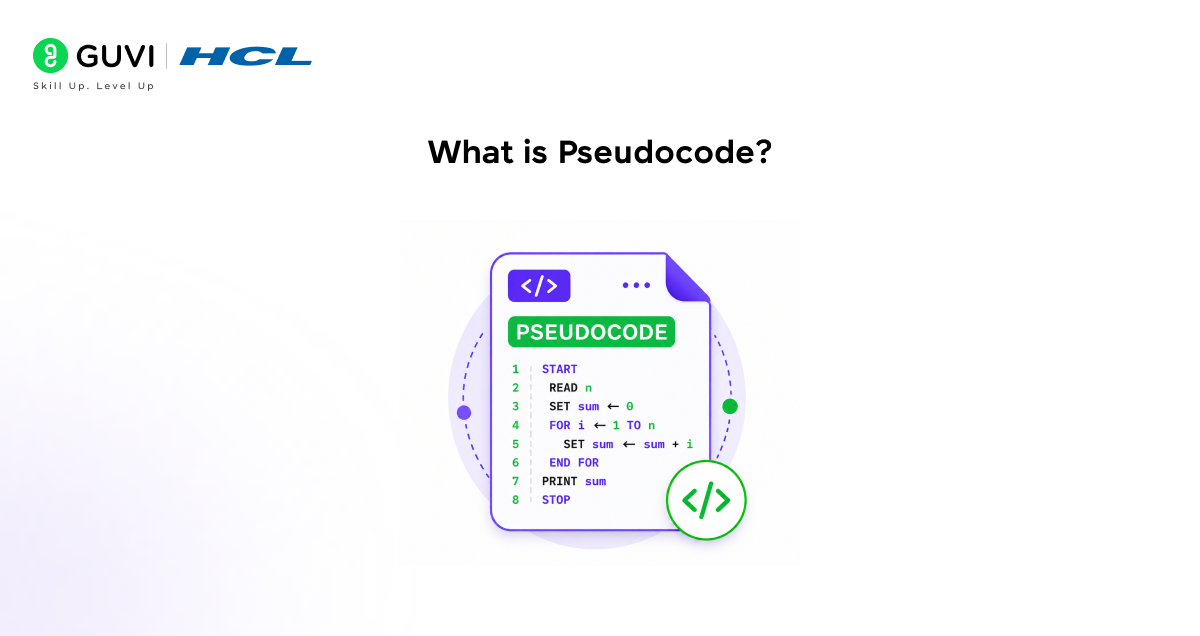
Pseudocode is a way of writing out a program’s logic using everyday language instead of actual code. You don’t need semicolons, brackets, or exact syntax. You just write what should happen, step by step, in an order any programmer could follow.
Think of it as a recipe. A recipe doesn’t specify the exact stove wattage, it just tells you to chop the onion, then heat the oil, then add the onion. Pseudocode does the same thing for your program logic.
Why it matters for you:
- It’s language independent, so you can write it once and translate it into Python, Java, or C++ later
- You don’t need to know any programming language to write or read it
- Logic errors are far easier to catch in plain language than buried inside syntax
- It gives your team a shared understanding of the plan before anyone opens an editor
A simple example:
START
  INPUT number
  IF number MOD 2 = 0 THEN
    OUTPUT "The number is even"
  ELSE
    OUTPUT "The number is odd"
  END IF
END
No curly braces, no data types. Just the logic.
What is a Flowchart?
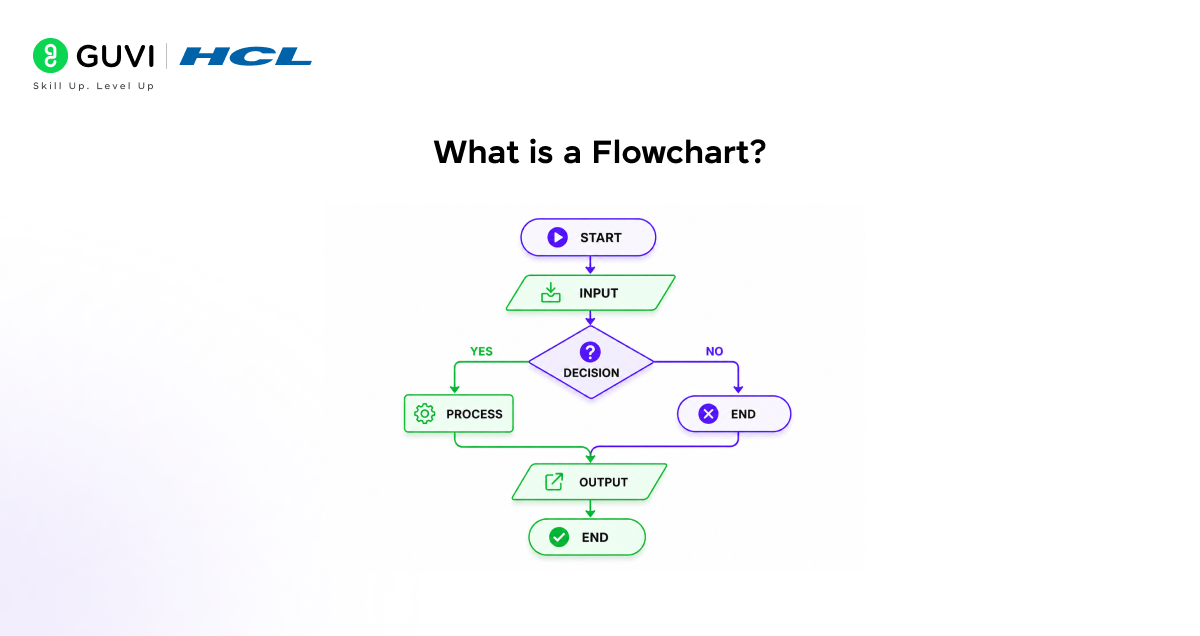
A flowchart shows the same kind of logic, but as a picture. Instead of writing steps in words, you connect shapes with arrows to show how a program moves from start to finish.
If pseudocode is your recipe written down, a flowchart is that recipe drawn as a visual path, so anyone, even someone who has never coded, can follow the arrows and understand what happens.
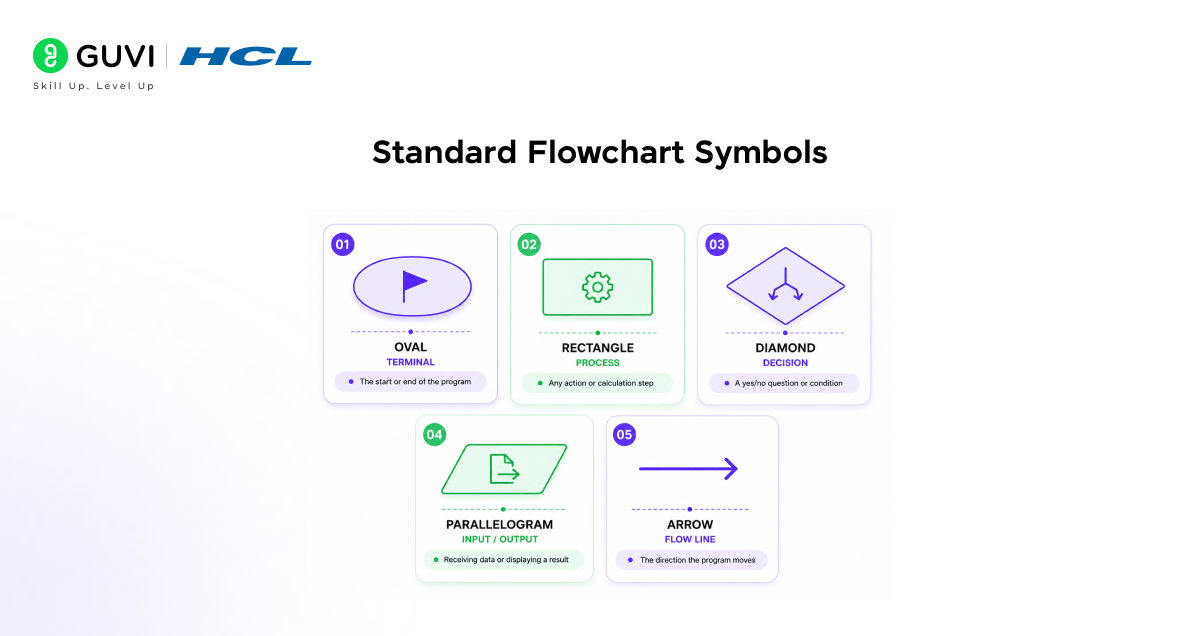
The five shapes you need to know:
| Shape | Name | What it means |
|---|---|---|
| Oval | Terminal | Start or end of the program |
| Rectangle | Process | An action or calculation |
| Diamond | Decision | A yes/no condition |
| Parallelogram | Input/Output | Data entering or leaving |
| Arrow | Flow line | Direction the program moves |
You always start at the “Start” oval and follow the arrows. When you hit a diamond, you’re at a decision point, with one path for “Yes” and one for “No.” You keep following arrows until you reach “End.”
Pseudocode Rules and Syntax
There are no strict universal rules for writing it. That is actually part of its beauty. However, there are conventions that most programmers follow to keep Pseudocode clear and readable.
Common Pseudocode Keywords
These keywords represent the most common programming actions used consistently across the industry.
| Keyword | What It Means | Example |
| START / END | Beginning and end of the program | START, END |
| INPUT | Receive data from the user | INPUT age |
| OUTPUT / PRINT | Display something to the user | OUTPUT “Hello!” |
| SET / LET | Assign a value to a variable | SET total = 0 |
| IF / ELSE | Make a decision based on a condition | IF age >= 18 THEN |
| WHILE | Repeat steps while a condition is true | WHILE count < 10 |
| FOR | Repeat steps a set number of times | FOR i = 1 TO 5 |
| CALL | Use a function or procedure | CALL calculateTotal() |
Example: Pseudocode for Checking If a Number is Even or Odd
Here is a simple, complete example in action.
START INPUT number IF number MOD 2 = 0 THEN OUTPUT “The number is even” ELSE OUTPUT “The number is odd” END IF END
Riddle: A student is writing Pseudocode for a program that calculates a student’s grade. They write: INPUT marks, IF marks >= 90 OUTPUT “A”, IF marks >= 75 OUTPUT “B”, IF marks >= 50 OUTPUT “C”, ELSE OUTPUT “Fail”. Is this Pseudocode correct? What could go wrong?
Answer: There is a logic problem. If a student scores 95, all three IF conditions are true, and the program would output “A”, “B”, and “C” all at once. In Pseudocode (and in real code), you need to use ELSE IF after the first condition so only one output is triggered. This is exactly the kind of mistake that Pseudocode helps you catch before you write real code and waste an hour debugging.
Flowcharts and pseudocode map out the “what” — the next step is translating that logic into an actual programming language and watching it run. HCL GUVI’s online IDE lets you write and execute your first real program instantly, right after you’ve planned it out.
Pseudocode vs Flowchart: Key Differences
Here’s how the two compare directly, so you can decide which one fits your situation.
| Feature | Pseudocode | Flowchart |
|---|---|---|
| Format | Text-based | Visual diagram |
| Speed to create | Faster | Slower |
| Best understood by | Programmers | Anyone, technical or not |
| Best suited for | Complex logic, team coding | Presentations, teaching |
| Tools needed | Notebook or text editor | Drawing tool or paper |
| Handles loops well | Yes, clearly | Can get cluttered |
| Handles branching well | Yes | Yes, very visually |
| Maps directly to code | Yes, almost line for line | No, needs translation |
Neither tool is strictly better. Most experienced developers plan the logic in pseudocode first, then draw a flowchart when they need to explain that logic to a client, teammate, or student.

How to Practice Pseudocode and Flowcharts
The best way to learn these concepts is to practice converting the same problem between different formats:
- Choose a simple problem such as checking whether a number is even or odd.
- Write the solution as pseudocode.
- Convert the pseudocode into a flowchart.
- Implement the same logic in a programming language.
- Test the program with different inputs.
- Repeat the process with loops and nested conditions.
Best Way to Learn Pseudocode and Flowcharts in India in 2026
If you’re a student or a career switcher in India learning this for the first time, here’s what actually works, based on how these concepts are taught in most computer science courses today:
- Start with pseudocode for one small problem, like checking odd or even numbers, before touching a flowchart
- Practice converting your pseudocode into an actual language using a free online IDE, so the logic becomes real code immediately
- Use a free tool like draw.io or Lucidchart to draw your first three or four flowcharts by hand before relying on templates
- Revisit both tools every time you learn a new control structure, such as loops or nested conditions
- Include pseudocode and a flowchart in your project submissions, since most Indian university exams and coding bootcamps expect both
Do check out HCL GUVI’s Artificial Intelligence and Machine Learning Course, a comprehensive program co-designed with industry experts that covers in-demand skills like Python, Machine Learning, Generative AI, and MLOps through live classes, hands-on projects, and placement-focused training to help you build real-world AI applications confidently.
💡 Did You Know?
- Flowcharts were first developed in the 1920s by industrial engineer Frank Gilbreth, who used them to map manufacturing processes long before computers existed. They were later adapted for programming in the 1940s by Herman Goldstine and John von Neumann.
- Many major programming exams and certifications worldwide, including AP Computer Science, Cambridge IGCSE, and various university entrance exams in India, require students to write Pseudocode and draw Flowcharts as core skills.
- Modern AI tools like ChatGPT can generate Pseudocode and help you build a Flowchart outline from a plain-English description of a problem, making these classical planning tools even more accessible in 2026.
Conclusion
Pseudocode and flowcharts remain the two most reliable tools for planning a program before you write a single line of real code. Pseudocode is quicker and closer to actual syntax. A flowchart is visual and easier to share with people who don’t code.
Use pseudocode when you’re thinking through logic alone or with a technical team. Use a flowchart when you need to explain that same logic to someone else. Learn both, and you’ll spend far less time debugging later.
FAQs
1. What is the difference between Pseudocode and a Flowchart?
Pseudocode is a text-based way of writing out the steps of a program in plain, English-like language. A Flowchart is a visual diagram that shows the same steps using shapes and arrows. Both tools serve the same purpose: planning a program before writing real code.
2. Do I need to know a programming language to write Pseudocode?
No. That is the whole point of writing it in plain language. It is not tied to any programming language. You write it in plain language that anyone can understand. Once your Pseudocode is solid, you can translate it into whichever language you are using.
3. When should I use Pseudocode instead of a Flowchart?
Use Pseudocode when you are working alone, planning complex logic, or preparing to write code. Use a Flowchart when you need to present your logic visually, explain a process to someone who is not a programmer, or create documentation for a project.
4. What are the main shapes used in a Flowchart?
The five key shapes are: oval (start or end), rectangle (a process or action), diamond (a yes/no decision), parallelogram (input or output), and arrows (showing flow direction). Learning these five shapes is all you need to read or draw any Flowchart.
5. Is Pseudocode used in real software development?
Yes. Professional developers use it regularly to plan algorithms, discuss solutions with teammates, and document logic before writing code. It is also a standard requirement in many computer science courses, coding interviews, and professional software design processes.
Success Stories

About the Author
Jebasta
I translate the language of data into stories that anyone can understand. As a writer with a data science background, I simplify analytics, AI, and decision-making so beginners and enthusiasts can confidently explore the world of data.
View all posts by Jebasta
Connect with me @













Did you enjoy this article?