


Interview Articles
InfyTQ Interview Experience 2026: Process, Questions, Preparation & Tips
Deloitte NLA Interview Experience 2026: Rounds, Questions and Preparation - Best Guide
Capgemini Exceller Interview Questions 2026: Coding, Technical, HR, and AI Prep - Best Guide
Wipro Elite NTH Interview Experience 2026: What Candidates Say


Get In Touch For Details! Request More Information
Linux Interview Questions and Answers (2026): Fresher to Expert Level
Sep 24, 2026 9 Min Read 2260 Views
(Last Updated)
Most candidates walk into a Linux interview having memorized a handful of commands, only to be asked why a server is running slow or what happens when a process refuses to die. Even after going through dozens of Linux interview questions and answers, that gap between what you studied and what they actually ask is where confidence slips.
The good part is that Linux rewards people who understand how things work, not those who recite syntax. Once that clicks, even the tricky questions start to feel familiar.
Table of contents
- TL;DR Summary
- What Interviewers Actually Look For
- Level 1: Beginner Linux Interview Questions and Answers
- Level 2: Intermediate Linux Interview Questions and Answers
- Level 3: Advanced Linux Interview Questions and Answers
- Quick Reference: Most Important Linux Commands for Interviews
- Tips for Cracking Linux Interview Questions and Answers
- Conclusion
- FAQs
- What are the most common Linux interview questions and answers?
- What Linux interview questions should beginners prepare?
- What Linux interview questions are asked for experienced candidates?
- What Linux commands should I know for an interview?
- How can I prepare for Linux interviews?
TL;DR Summary
- Linux interview questions and answers in this guide are organized into three levels: beginner, intermediate, and advanced.
- Interviewers look for concept clarity, command knowledge, practical thinking, and confidence under pressure.
- Beginner topics include the kernel, shell, file permissions, chmod, and basic commands like cp, mv, and rm.
- Intermediate and advanced topics cover processes, links, inodes, cron, networking, SELinux, systemctl, and SSH troubleshooting.
- A quick command reference table and practical tips help you revise faster and prepare for scenario-based questions.
💡 Did You Know?
- Linux powers over 96 percent of the world’s top one million web servers as of 2026, making it the dominant server operating system on the planet.
- The Linux kernel had over 27 million lines of code as of 2024, contributed by thousands of developers from companies including Google, Intel, Red Hat, and Meta.
- Android, which runs on over 3 billion devices worldwide, is built on the Linux kernel, making Linux the most widely deployed operating system in history.
- The top command in Linux was created in 1984 by William LeFebvre and has been a staple of system monitoring for over 40 years.
What Interviewers Actually Look For

Before diving into the Linux interview questions and answers, understand what interviewers want to see:
- Concept clarity: Can you explain what something is in simple words?
- Command knowledge: Do you know the right command for the right task?
- Practical thinking: Can you apply knowledge to solve a real system problem?
- Confidence under pressure: Do you know your basics cold, or do you fumble?
The best way to use this guide is to read each question, cover the answer, and try to recall it yourself. That active recall builds the memory that holds up in an actual interview.
Ready to stop repeating tasks by hand and start automating them? Join 2,000+ learners in the Introduction to Linux Shell Scripting Course. Learn Bash through 13 hours of self-paced, hands-on lessons across 4 modules and earn a certificate. Enroll today and turn everyday tasks into scripts that work for you!
Level 1: Beginner Linux Interview Questions and Answers
These are guaranteed to be asked in every fresher and entry-level interview. Know all of these by heart.
1. What is Linux?
Linux is a free, open-source operating system kernel based on Unix architecture. It manages hardware resources and allows software to communicate with hardware. It is widely used in servers, mobile devices, embedded systems, and cloud infrastructure worldwide.
2. What is the Linux kernel?
The kernel is the core of the Linux operating system. It bridges hardware and software, managing the CPU, memory, devices, and system calls. Everything else in the OS sits on top of the kernel.
3. What is the difference between Linux and Unix?
Unix is a proprietary operating system developed at Bell Labs in the 1970s. Linux is a free, open-source reimplementation inspired by Unix. Linux is more widely used today and supports far more hardware platforms than Unix.
4. What is BASH?
BASH stands for Bourne Again Shell. It is the default command-line interpreter on most Linux distributions. It processes user commands, runs scripts, and automates tasks. Brian Fox wrote it for the GNU project.
5. What is a shell in Linux?
A shell is a command-line interface that lets users interact with the operating system by typing commands. It takes user input, passes it to the kernel for execution, and returns the output. Common shells include BASH, ZSH, and KSH.
6. What are the basic components of Linux?
| Component | Role |
| Kernel | Core, manages hardware |
| Shell | Interface between user and kernel |
| File System | Organizes how data is stored |
| System Libraries | Functions used by applications |
| System Utilities | Basic tools like ls, cp, mv |
7. What is the root directory in Linux?
The root directory is represented by a single forward slash /. It is the top-level directory of the entire Linux file system. All other directories, files, and mount points exist under the root directory.
8. What is the difference between absolute path and relative path?
An absolute path starts from the root directory and gives the full location of a file, like /home/user/documents/file.txt. A relative path starts from the current directory, like documents/file.txt. Absolute paths work from anywhere. Relative paths depend on where you currently are.
9. What does the pwd command do?
pwd stands for Print Working Directory. It displays the full absolute path of the directory you are currently in. It is the fastest way to confirm your location in the file system.
10. What is the difference between the commands ls, ls -l, and ls -a?
- ls lists all visible files and folders in the current directory
- ls -l shows a detailed long listing with permissions, owner, size, and date
- ls -a shows all files including hidden files that start with a dot
11. What are file permissions in Linux?
Every file and directory in Linux has three permission types: read (r), write (w), and execute (x). These are assigned to three categories: owner, group, and others. Permissions control who can read, modify, or run a file.
12. How do you read the permission string -rwxr-xr–?
| Part | Meaning |
| – | Regular file (d = directory) |
| rwx | Owner has read, write, execute |
| r-x | Group has read and execute only |
| r– | Others have read only |
13. What does the chmod command do?
chmod stands for change mode. It changes a file’s or directory’s permissions. You can use symbolic mode like chmod u+x file.txt to add execute for the owner, or numeric mode like chmod 755 file.txt to set all permissions at once.
14. What does chmod 755 mean?
755 breaks down as: owner gets 7 (read+write+execute), group gets 5 (read+execute), others get 5 (read+execute). Each digit is a sum of read=4, write=2, execute=1. 755 is the most common permission for public executables and directories.
15. What is the difference between cp, mv, and rm?
- cp copies a file from one location to another; the original stays
- mv moves a file to a new location or renames it; the original is removed
- rm permanently deletes a file with no recycle bin
Level 2: Intermediate Linux Interview Questions and Answers
These Linux interview questions and answers test your hands-on knowledge of processes, users, networking, and the file system.
16. What is a process in Linux?
A process is any running instance of a program in Linux. Every process has a unique PID (Process ID). Linux manages processes by allocating CPU time, memory, and resources to each one through the kernel’s process scheduler.
17. What is the difference between a foreground and background process?
A foreground process runs directly in the terminal and blocks it until completion. A background process runs independently behind the terminal, freeing it for other commands. You can move a process to the background by adding & at the end of the command.
18. What does the ps command do?
ps stands for process status. It displays a snapshot of currently running processes. ps aux shows all processes from all users with full details, including PID, CPU usage, memory usage, and the command that started the process.
19. What is the difference between ps and top?
ps gives a one-time static snapshot of running processes. top gives a live, continuously updating view of all processes sorted by CPU or memory usage. top is the go-to tool for real-time system monitoring in Linux interviews and real work.
20. How do you kill a process in Linux?
Use the kill command followed by the PID. kill 1234 sends the default SIGTERM signal asking the process to terminate gracefully. kill -9 1234 sends SIGKILL, which forces immediate termination with no cleanup. Always try SIGTERM before SIGKILL.
21. What is the difference between hard link and soft link?
| Feature | Hard Link | Soft Link (Symbolic Link) |
| Points to | Inode directly | File path |
| Works across file systems | No | Yes |
| Original deleted | Link still works | Link breaks |
| Created with | ln file link | ln -s file link |
22. What is an inode in Linux?
An inode is a data structure that stores file metadata: permissions, owner, size, timestamps, and disk block locations. It does not store the filename. The directory entry maps the filename to the inode number. Every file and directory has exactly one inode.
23. What is the grep command used for?
grep searches for a specific pattern or text string inside files and prints matching lines. grep “error” logfile.txt finds all lines containing the word error. grep -r searches recursively through directories. grep -i makes the search case-insensitive.
24. What does the pipe operator | do in Linux?
The pipe operator passes one command’s output as input to the next command. For example, ps aux | grep nginx runs ps aux and feeds its output directly into grep to filter lines containing nginx. Pipes are fundamental to Linux command-line workflows.
25. What is the difference between > and >> in Linux?
Both redirect command output to a file. The single > overwrites the file completely if it already exists. The double >> appends the output to the end of the file without deleting existing content. Always use >> when you want to keep existing data.
26. What is the find command used for?
find searches for files and directories based on criteria like name, size, type, permissions, or modification time. find /home -name “*.txt” finds all .txt files under /home. find . -type f -size +10M finds files larger than 10MB in the current directory.
27. What is sudo in Linux?
sudo stands for superuser do. It allows a permitted user to run a specific command with root (administrator) privileges without switching to the root account. It is more secure than logging in as root because it logs every privileged command executed.
28. What is the difference between su and sudo?
su switches the entire session to another user account, typically root, requiring that user’s password. sudo runs only a single command with elevated privileges and requires the current user’s own password. sudo is safer and preferred in modern Linux systems.
29. How do you check disk usage in Linux?
- df -h shows disk space usage of all mounted file systems in human-readable format
- du -sh foldername shows the total size of a specific folder
- df is for file system level. du is for directory and file level.
30. What is the /etc/passwd file?
/etc/passwd is a plain text file that stores basic information about every user account on the system. Each line represents one user and contains username, UID, GID, home directory, and default shell. Modern Linux does not store passwords here. They are in /etc/shadow.
Level 3: Advanced Linux Interview Questions and Answers
These Linux interview questions and answers are asked for senior developer, DevOps, and system administrator roles.
31. What is a zombie process in Linux?
A zombie process is a process that has finished execution but still has an entry in the process table because its parent has not yet read its exit status. It consumes no resources except a PID slot. Too many zombies can exhaust the PID space.
32. What is a daemon in Linux?
A daemon is a background service process that runs continuously without user interaction. It typically starts at boot time and waits for events or requests. Examples include sshd (SSH server), httpd (Apache), and cron (scheduled tasks). Daemon names often end in d.

33. What is cron and crontab in Linux?
cron is the Linux task scheduler that runs commands automatically at specified times. crontab is the configuration file where you define scheduled jobs. A crontab entry has five time fields (minute, hour, day, month, weekday) followed by the command to run.
34. What does a crontab entry 0 2 * * * /backup.sh mean?
It means run /backup.sh at 2:00 AM every day of every month on every weekday. The five fields are minute(0), hour(2), day(=every), month(=every), weekday(*=every). The asterisk means “all values” for that field.
35. What is the difference between TCP and UDP in the context of Linux networking?
TCP (Transmission Control Protocol) is connection-oriented, reliable, and ensures packets are delivered in order with error checking. UDP (User Datagram Protocol) is connectionless, faster, and does not guarantee delivery or order. Use netstat or ss commands in Linux to view active TCP and UDP connections.
36. What is the netstat command and what replaced it?
netstat displays network connections, routing tables, and interface statistics. Modern Linux distributions have deprecated it in favour of the ss command, which is faster and more efficient. ss -tuln shows all listening TCP and UDP ports without resolving names.
37. What is the difference between a process and a thread in Linux?
A process is an independent program with its own memory space. A thread is a lightweight unit of execution that shares memory with other threads inside the same process. Processes are isolated. Threads within a process share code, data, and file descriptors.
38. What is swap space in Linux?
Swap space is a dedicated area on disk that Linux uses as virtual memory when physical RAM is full. It is slower than RAM but prevents the system from crashing due to out-of-memory errors. Use free -h to check RAM and swap usage. Use swapon and swapoff to manage swap.
39. What is the difference between /etc/hosts and DNS?
/etc/hosts is a local file that maps hostnames to IP addresses on the machine itself. It is checked before DNS queries. DNS is a distributed network service that resolves hostnames globally across the internet. /etc/hosts takes priority over DNS by default on most Linux systems.
40. What is SELinux?
SELinux (Security-Enhanced Linux) is a mandatory access control security module built into the Linux kernel. It enforces strict policies that restrict what processes and users can do beyond standard file permissions. The NSA developed it, and it is the default security module in RHEL, CentOS, and Fedora.
41. What is the difference between systemctl and service?
service is the older command for managing init.d services. systemctl is the modern command for managing systemd services. Use systemctl start nginx, systemctl stop nginx, systemctl status nginx, and systemctl enable nginx for starting, stopping, checking status, and enabling on boot respectively.
42. How do you check system resource usage in Linux?
| Command | What It Shows |
| top | Live CPU and memory per process |
| htop | Enhanced visual version of top |
| free -h | RAM and swap usage |
| df -h | Disk space per partition |
| iostat | CPU and disk I/O statistics |
| vmstat | Virtual memory and CPU stats |
43. What is a runlevel in Linux?
A runlevel defines the system state and which services are running. Traditional Linux uses runlevels 0 to 6. Modern systems using systemd replaced runlevels with targets. Runlevel 0 is shutdown, runlevel 6 is reboot, runlevel 3 is multi-user without GUI, and runlevel 5 is multi-user with GUI.
44. What is the difference between ext4, XFS, and Btrfs file systems?
| File System | Best For |
| ext4 | General purpose, most widely used, stable |
| XFS | Large files, high-performance servers |
| Btrfs | Advanced features like snapshots and checksums |
ext4 is the default on Ubuntu and Debian. XFS is default on RHEL and CentOS. Btrfs is default on openSUSE and Fedora.
45. How do you troubleshoot a server that is unreachable over SSH?
- Check network: ping the server IP to test connectivity
- Check SSH service: verify sshd is running with systemctl status sshd
- Check firewall: confirm port 22 is open with iptables -L or firewall-cmd –list-all
- Check logs: review /var/log/auth.log or /var/log/secure for SSH errors
46. What is the difference between Linux namespaces and cgroups?
Namespaces isolate what a process can see, while cgroups control how much system resources a process can use.
- Namespaces provide isolation for processes, networking, mounts, hostnames, etc.
- Cgroups limit resources such as CPU, memory, and I/O.
- Both are important technologies behind Linux containers.
For example, containers use namespaces to give processes an isolated environment and cgroups to prevent them from consuming unlimited resources.
lsnsYou can use lsns to view namespaces on a Linux system.
47. What happens when you run a command in Linux?
When you enter a command, the shell interprets it and finds the executable, usually using the PATH variable.
For example:
ls -l /var/logThe general process is:
- The shell reads and interprets the command.
- It searches for
lsusingPATH. - A process is created to execute the program.
- The
execsystem call loads thelsprogram. - The kernel provides the required resources.
- The program runs and returns an exit status to the shell.
You can check where a command is located with:
which ls48. What is the difference between user space and kernel space in Linux?
Linux separates normal applications from privileged operating-system operations into user space and kernel space.
- User space: Applications such as Python, Bash, Nginx, and Java run here.
- Kernel space: The Linux kernel runs here with privileged access to memory, CPU, devices, and other system resources.
- Applications use system calls to request services from the kernel.
For example, when an application needs to read a file, it asks the kernel to perform the operation rather than accessing the disk directly.
Application
     ↓
User Space
     ↓
System Call
     ↓
Kernel Space
     ↓
Hardware
This separation helps protect the system from faulty or unauthorized applications.
49. What is a file descriptor in Linux?
A file descriptor (FD) is a number that a process uses to access an open resource. It can represent a file, socket, pipe, terminal, or device.
The three standard file descriptors are:
| FD | Name | Purpose |
|---|---|---|
| 0 | stdin | Input |
| 1 | stdout | Normal output |
| 2 | stderr | Error output |
For example:
ls /proc/$$/fdThis shows the file descriptors currently open by your shell.
File descriptors are especially important for servers because every network connection or opened file can consume an FD. If the application reaches its limit, you may see:
Too many open files50. What is the difference between a signal and a system call in Linux?
A system call is a request a program makes to the Linux kernel to perform an operation. A signal is a notification sent to a process when an event occurs or an action is requested.
System call examples:
read()— read datawrite()— write dataopen()— open a resourceexecve()— execute a program
Signal examples:
SIGINT— interrupt, usually fromCtrl+CSIGTERM— request graceful terminationSIGKILL— forcefully terminateSIGHUP— commonly used to request a reload
For example:
kill -TERM 1234This sends SIGTERM to process 1234, giving the application an opportunity to shut down cleanly.
Simple difference:
- System call: A program asks the kernel to do something.
- Signal: A process receives a notification or request.
Quick Reference: Most Important Linux Commands for Interviews
| Commands | Category | Respective Purpose |
| pwd, ls, cd | Navigation | Show location, list files, change directory |
| cp, mv, rm, touch, mkdir | File ops | Copy, move, delete, create file, create directory |
| chmod, chown, chgrp | Permissions | Change permissions, owner, group |
| ps, top, kill, bg, fg | Processes | View, monitor, stop, background, foreground processes |
| df, du, mount, umount | Disk | Disk space, folder size, mount drives |
| ping, ifconfig, ip, ss, netstat | Networking | Test connectivity, view interfaces, check ports |
| find, grep, locate | Search | Find files, search content, quick file lookup |
| cat, less, head, tail, nano, vim | Text | View and edit file content |
| useradd, passwd, usermod, su, sudo | Users | Create users, change passwords, switch users |
| uname, uptime, free, hostname | System | OS info, uptime, memory, hostname |
| journalctl, dmesg, tail -f | Logs | View system logs and kernel messages |
| systemctl, service | Services | Start, stop, enable, check services |
Tips for Cracking Linux Interview Questions and Answers
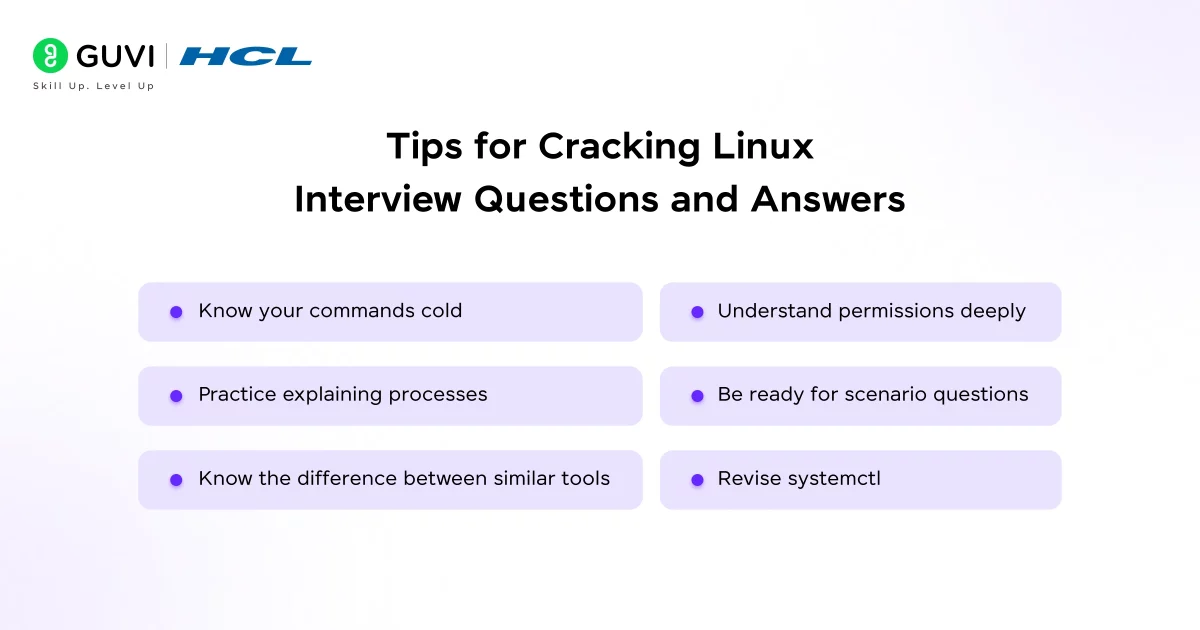
- Know your commands cold. Interviewers often ask what a command does or ask you to pick the right command for a task. The commands in the quick reference table above are the non-negotiables.
- Understand permissions deeply. chmod, chown, and reading permission strings are asked in almost every single linux interview. Know numeric and symbolic modes.
- Practice explaining processes. Questions about foreground, background, zombie, and daemon processes are very common in mid-level and senior interviews.
- Be ready for scenario questions. Senior interviews often say, “The server is slow; what do you do?” Walk through top, free -h, df -h, and iostat systematically.
- Know the difference between similar tools. ps vs top, su vs sudo, > vs >>, hard link vs soft link. Interviewers love testing these pairs.
- Revise systemctl. In 2026, every Linux interview expects you to know systemd and systemctl commands for service management.
Conclusion
Preparing for Linux interview questions and answers is less about collecting every possible command and more about building a habit of understanding why things work the way they do.
Practice on a real system, break things on purpose, and fix them while explaining your steps out loud. That is what interviewers remember, and it is what turns a nervous candidate into a confident one. Keep learning, stay curious, and the right opportunity will follow.
FAQs
1. What are the most common Linux interview questions and answers?
The most common questions cover Linux basics, commands, file permissions, processes, networking, and system administration.
2. What Linux interview questions should beginners prepare?
Beginners should focus on the Linux kernel, shell, file system, permissions, chmod, and basic commands like ls, cp, mv, and rm.
3. What Linux interview questions are asked for experienced candidates?
Experienced candidates should prepare for questions on processes, networking, SELinux, systemd, cron, SSH troubleshooting, and file systems.
4. What Linux commands should I know for an interview?
Know essential commands such as ls, cd, chmod, ps, top, kill, df, du, grep, find, ss, systemctl, and journalctl.
5. How can I prepare for Linux interviews?
Practice commands on a real Linux system and focus on concepts, troubleshooting scenarios, permissions, processes, and networking.
Success Stories















Did you enjoy this article?