


Robotics Process Automation Articles
Selenium vs RPA: Battle Of The Best Automation Technologies
Robotics and Artificial Intelligence – A Comprehensive Look
How to Become a Robotics Engineer: A Beginner's Guide [2026]


Get In Touch For Details! Request More Information
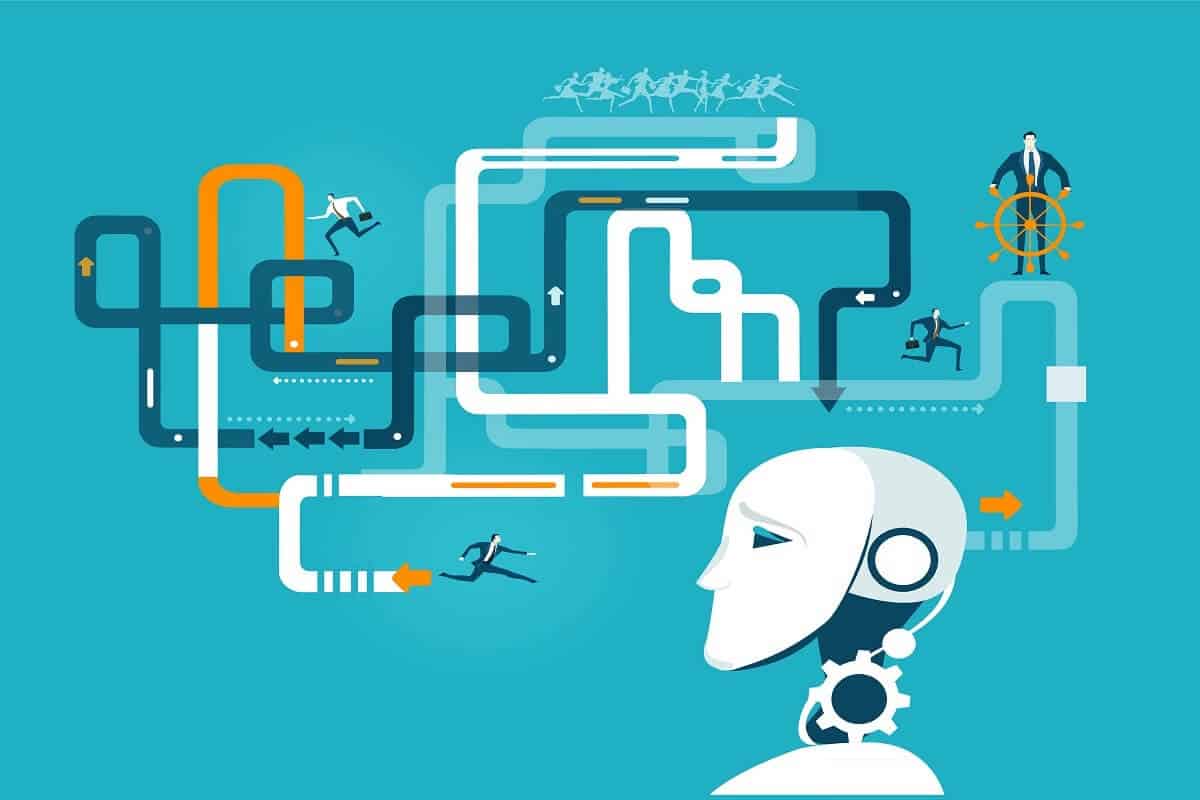
What is PDD and SDD in RPA? THE TWO MOST CRUCIAL BLUEPRINTS in Robotics Process Automation
Jun 03, 2026 5 Min Read 35607 Views
(Last Updated)
There are basically 7 stages in the RPA life-cycle, but in this article, we are going to address about solution design phase, its documentation, and the most widely used acronyms that appear regularly in RPA conversations: PDD (Process Design Document) & SDD (Solution Design Document). Although there are many facets to be explored, we are going to limit this article to PDD &and SDD in RPA
RPA or Robotic Process Automation is currently a hot buzzword that has been able to capture the imagination of large-scale organizations, especially the ones that are preparing to transform into digital working enterprises. To put this statically, a Grandview study estimates that the Automation sector’s value is expected to soar from $358 million in 2017 to $3.11 billion in 2025.
Moreover, many business leaders have started taking RPA seriously. In Fact, 85% of large & very large-scale organizations are planning to deploy some form of RPA by the end of 2022. Since all businesses rely on reduced cost & efficiencies, robots or software can help them automate a transaction, communicate with other digital systems, or extract & manipulate data.
Table of contents
- TL;DR - Quick Summary
- What is RPA Solution Design Phase?
- Where Do PDD and SDD Fit in the RPA Lifecycle?
- What Is a Process Design Document (PDD) in RPA?
- Who Creates the PDD?
- What Is the Purpose of a PDD in RPA?
- Complete Components of a PDD in RPA
- What Is a Solution Design Document (SDD) in RPA?
- What Is the Purpose of a SDD in RPA?
- Who Creates the SDD?
- Complete Components of a SDD in RPA
- PDD vs SDD in RPA: Key Differences (Comparison Table)
- Best Tools for Creating PDD and SDD Documents
- Summary
- FAQs
- What does PDD stand for in RPA?
- What does SDD stand for in RPA?
- Which comes first: PDD or SDD in RPA?
- Is PDD the same as BRD (Business Requirements Document)?
TL;DR – Quick Summary
PDD (Process Design Document) and SDD (Solution Design Document) are the two most critical documents in the RPA lifecycle. PDD is created first by Business Analysts, it captures the current manual process (“as-is”) and defines what needs to be automated. SDD is created next by RPA Developers, it translates the PDD into a technical blueprint for how the bot will be built. Together, they ensure every RPA project is built correctly, approved by stakeholders, and maintainable long-term.
What is RPA Solution Design Phase?
The RPA lifecycle is the structure of how automation is delivered and executed. It consists of every one of the phases a bot goes through: from identifying a business process or task to automate through to its deployment as a bot in production and its continuous monitoring thereafter.
RPA solution design in RPA lifecycle management comes after ideation & assessment. It includes modeling & defining processes or tasks that need to be automated that are discovered in the discovery phase. It also includes mapping any dependencies that the automation might have. For instance, the automated task will interact with a system or regulations that impact it.
The design phase of the RPA lifecycle features a blueprint for RPA developers to analyze and understand what tasks need to be automated. Traditionally, the Design phase is drafted in paper-based documents like PDD, but with time this process has ushered in a better, digital way of design. The RPA development phase comes next.
Before we proceed further, it’s essential to have a solid foundation in automation testing principles and selenium basics. If you’re eager to dive deep into software testing, consider joining HCL GUVI’s Automation Testing with Selenium Course. In this program, you’ll learn the fundamentals of Selenium, Python, Java, Jenkins, JMeter, API Testing, and more. Gain hands-on experience with industry-standard tools and techniques to get into a professional career focusing on the quality of Product & Process development.
Also, if you want to explore Automation Testing with Python through a Self-paced course, try HCL GUVI’s Self-Paced Selenium Automation with Python course.
Where Do PDD and SDD Fit in the RPA Lifecycle?
To understand PDD and SDD, you first need to see where they sit in the full 7-stage RPA lifecycle:
| Stage | Phase Name | Key Activity | Document Produced |
| 1 | Ideation & Discovery | Identify automation candidates | Process Assessment Report |
| 2 | Assessment & Feasibility | Evaluate ROI and technical viability | Feasibility Study / FIT Report |
| 3 | Solution Design | Document process & design the solution | PDD → then SDD |
| 4 | Development | Build the automation bot | Code, Workflows, Config files |
| 5 | Testing (UAT) | Validate bot against requirements | Test Cases, Bug Reports |
| 6 | Deployment | Move bot to production | Deployment Plan |
| 7 | Monitoring & Support | Maintain and optimise running bots | Monitoring Reports |

What Is a Process Design Document (PDD) in RPA?
A Process Design Document (PDD) in RPA is a detailed, business-oriented document that captures the current manual process (the “as-is” state) and defines all the requirements, steps, exceptions, and business rules needed for automation. It is created by Business Analysts in collaboration with Subject Matter Experts (SMEs) and must be approved by the client before any development begins
Who Creates the PDD?
The PDD is typically created by a Business Analyst (BA) in collaboration with the Subject Matter Expert (SME), the person who actually performs the manual process today. In some organisations, the RPA Solution Architect or Process Consultant may also contribute.
| Role | Contribution to PDD |
| Business Analyst (BA) | Primary author — documents process steps, exceptions, and business rules |
| Subject Matter Expert (SME) | Provides detailed knowledge of how the manual process works today |
| Process Owner / Manager | Reviews and signs off on the PDD |
| RPA Solution Architect | May contribute technical feasibility input |
| Client/Stakeholder | Final approval before handover to the development team |
What Is the Purpose of a PDD in RPA?
- Serves as the single source of truth about what the process does
- Documents every step, decision point, and exception in the current manual process
- Forms the foundation from which the SDD and automation bot are developed
- Protects the project team from scope creep, any changes require a formal change request
- Ensures business stakeholders and developers share a common understanding of the process
Complete Components of a PDD in RPA
A well-structured PDD typically contains the following sections:
| PDD Section | What It Contains | Why It Matters |
| 1. Document Header | Title, version, author, date, approval signatures | Tracks changes and ownership |
| 2. Objective & Scope | Purpose of the document; what is in scope and out of scope | Prevents scope creep |
| 3. Process Overview | High-level description of the process and its business value | Gives context to developers |
| 4. Applications in Scope | All systems, applications, websites the process touches | Identifies access and licensing needs |
| 5. Process Trigger | What initiates the process (e.g. email arrival, scheduled time, manual trigger) | Determines bot scheduling |
| 6. As-Is Process Flow | Step-by-step flowchart of the current manual process | The backbone of the PDD |
| 7. Detailed Process Steps | Keystroke-level steps with screenshots for each action | Allows exact bot replication |
| 8. Business Rules | Decision rules and conditions that govern the process | Ensures bot behaves correctly |
| 9. Exception Handling | All known errors, edge cases, and how they are handled manually today | Critical for bot resilience |
| 10. Transaction Volume | Daily/monthly volume, peak periods, SLA requirements | Sizing and scheduling of bot |
| 11. FTE & ROI Data | How many hours the manual process takes; expected savings | Justifies automation investment |
| 12. Dependencies | Systems, data sources, or processes this automation depends on | Identifies integration risks |
| 13. Risks & Assumptions | Known risks and assumptions made during documentation | Manages project expectations |
| 14. Open Questions | Items requiring clarification from the business or IT team | Tracks unresolved issues |
What Is a Solution Design Document (SDD) in RPA?
A Solution Design Document (SDD) in RPA is a technical document that translates the business requirements from the PDD into a detailed blueprint for how the automation bot will be built. It is created by RPA Developers or Solution Architects and describes the “to-be” automated process, including bot behaviour, system integrations, exception handling logic, and data flows.
What Is the Purpose of a SDD in RPA?
- Translates business requirements into a technical automation design
- Acts as the primary reference document for the developer building the bot
- Ensures all stakeholders (technical and business) agree on how the bot will work before a line of code is written
- Enables knowledge transfer — future developers can understand and maintain the bot using the SDD
- Documents the “to-be” process, which may differ from the “as-is” because automation often improves the workflow
Who Creates the SDD?
The SDD is created by a Senior RPA Developer, RPA Lead, or Solution Architect. Unlike the PDD — which is a business document — the SDD is a technical document requiring deep knowledge of the RPA platform (UiPath, Automation Anywhere, Blue Prism, etc.).
| Role | Contribution to SDD |
| Senior RPA Developer / Lead | Primary author — designs the technical solution and bot logic |
| RPA Solution Architect | Reviews and validates the overall architecture and design decisions |
| Business Analyst | Ensures SDD accurately reflects the PDD requirements |
| IT / Infrastructure Team | Provides input on system access, credentials, and deployment environment |
| Client / Process Owner | Reviews and signs off before development begins |
Complete Components of a SDD in RPA
| SDD Section | What It Contains | Why It Matters |
| 1. Document Header | Title, version, author, date, approval log | Version control and traceability |
| 2. Process Overview | High-level summary of what the bot does (sourced from PDD) | Context for new developers |
| 3. Technical Environment | RPA platform, OS version, server specs, bot machine details | Ensures correct setup |
| 4. Applications & Access | All target applications with version, URL, credentials source, access type | Prevents deployment issues |
| 5. To-Be Process Flow | How the bot will execute the process — may differ from the as-is PDD flow | The core of the SDD |
| 6. Bot Architecture | Number of bots, attended vs unattended, orchestrator setup | Defines deployment model |
| 7. Workflow / Logic Design | Detailed flowchart of bot decision logic (IF/THEN, loops, conditions) | Developer’s implementation guide |
| 8. Data Flow Diagram | How data moves between systems — input, processing, output | Identifies integration points |
| 9. Exception Handling Design | Technical approach to each exception type (retry, log, escalate, skip) | Bot resilience and reliability |
| 10. Configuration & Variables | Config file structure, variable names, credential vault references | Maintainability and security |
| 11. Logging & Auditing | What the bot logs, where logs are stored, log format | Compliance and debugging |
| 12. Scheduling & Triggers | When the bot runs, what starts it, frequency | Operational planning |
| 13. Effort Estimate | Development, testing, and deployment time estimates | Project planning |
| 14. Assumptions & Risks | Technical assumptions and risks that could affect delivery | Risk management |
PDD vs SDD in RPA: Key Differences (Comparison Table)
| Aspect | PDD (Process Design Document) | SDD (Solution Design Document) |
| Full Name | Process Design Document | Solution Design Document |
| Created By | Business Analyst (BA) + SME | Senior RPA Developer / Solution Architect |
| Created When | First — during process discovery and design | Second — after PDD is signed off |
| Audience | Business stakeholders, process owners, project managers | RPA developers, architects, IT teams |
| Language | Business / non-technical language | Technical language with system-level detail |
| Describes | The “as-is” current manual process | The “to-be” automated bot process |
| Focus | What the process does and what needs automating | How the bot will implement the automation |
| Content Type | Process steps, business rules, exceptions (from business POV) | Bot logic, workflows, data flows, tech specs |
| Includes Code? | No | No code, but includes pseudocode / workflow diagrams |
| Sign-Off By | Client / Process Owner | Client / Process Owner + IT/Architecture Lead |
| Confidentiality | Highly confidential — business-sensitive data | Confidential — technical IP and security details |
| Changes After Sign-Off | Requires formal Change Request (CR) | Requires formal Change Request (CR) |
| Template Tool | MS Word / Confluence / SharePoint | MS Word / Visio / Confluence |
Best Tools for Creating PDD and SDD Documents
| Tool | Best For | Cost |
| Microsoft Word | Writing PDD and SDD content — most widely used in RPA projects | Paid (included in MS 365) |
| Microsoft Visio | Creating process flowcharts and data flow diagrams | Paid (MS 365 add-on) |
| Lucidchart | Online flowcharting — collaborative, browser-based | Free (basic) / Paid |
| draw.io (diagrams.net) | Free online diagramming tool — widely used for RPA docs | Free |
| Confluence | Wiki-style documentation — ideal for team collaboration | Paid (Atlassian) |
| SharePoint | Document storage, version control, and approval workflows | Paid (MS 365) |
| UiPath Studio (REFramework) | Template-based SDD aligned with UiPath’s standard framework | Free (Community Edition) |
| Smartdraw | Professional flowcharts with RPA-specific templates | Paid |
Summary
When it comes to RPA, documenting almost everything is a blessing rather than a curse. Creating PDD & SDD in RPA doesn’t necessarily imply immediate automation but ensuring access to key information & knowledge. So that it can be readily accessible to future developers & users.
Read More: Learn 12 essential skills to become an RPA developer.
Enroll in HCL GUVI’s Automation Testing Course to get your software testing career off to a great start. Here, you can master in-demand skills like Selenium, Python, Java, Jenkins, JMeter, API Testing, and more.
Alternatively, if you want to explore Automation Testing with Python through a Self-paced course, try HCL GUVI’s Self-Paced Selenium Automation with Python course.
FAQs
1. What does PDD stand for in RPA?
PDD stands for Process Design Document (also sometimes called Process Definition Document). In RPA, it is the first formal document created in the Solution Design phase. It captures the current manual process in detail — including all steps, business rules, exceptions, and transaction volumes — as the foundation for building automation.
2. What does SDD stand for in RPA?
SDD stands for Solution Design Document. In RPA, it is a technical document created by RPA developers after the PDD is approved. It translates the business requirements from the PDD into a detailed technical blueprint for how the automation bot will be designed, built, and deployed.
3. Which comes first: PDD or SDD in RPA?
PDD always comes first. The PDD documents the business process and must be signed off by the client before the SDD is created. The SDD is then written by the RPA developer using the PDD as its primary input. The sequence is: PDD creation → PDD sign-off → SDD creation → SDD sign-off → Development.
4. Is PDD the same as BRD (Business Requirements Document)?
PDD and BRD are similar but not identical. A BRD captures high-level business requirements without necessarily documenting the step-by-step process. A PDD in RPA goes further it captures keystroke-level process steps, screenshots, exception flows, and transaction volumes specifically to guide bot development. Some organisations use BRD and PDD interchangeably; others treat them as sequential documents.
Success Stories

About the Author
Tushar Vinocha
A seasoned content writer with over four years of experience in crafting both technical and non-technical blogs. My passion for writing is fuelled by a relentless curiosity and a love for following-down the rabbit hole, recently leading me to explore the fascinating fields of Natural Language Processing (NLP), Human psychology and Philosophy. Here, you’ll find a blend of genuine insights, innovative ideas, and refusal to settle for the mundane.
View all posts by Tushar Vinocha
Connect with me @







Did you enjoy this article?