


Artificial Intelligence and Machine Learning Articles
Deploying a Machine Learning Model as a FastAPI Microservice
What Is an AI Red Teamer? The Newest Career in AI Safety
What is Blackbox AI: Complete Guide to AI Coding Assistant
Breadth First Search in Artificial Intelligence with Examples


Get In Touch For Details! Request More Information
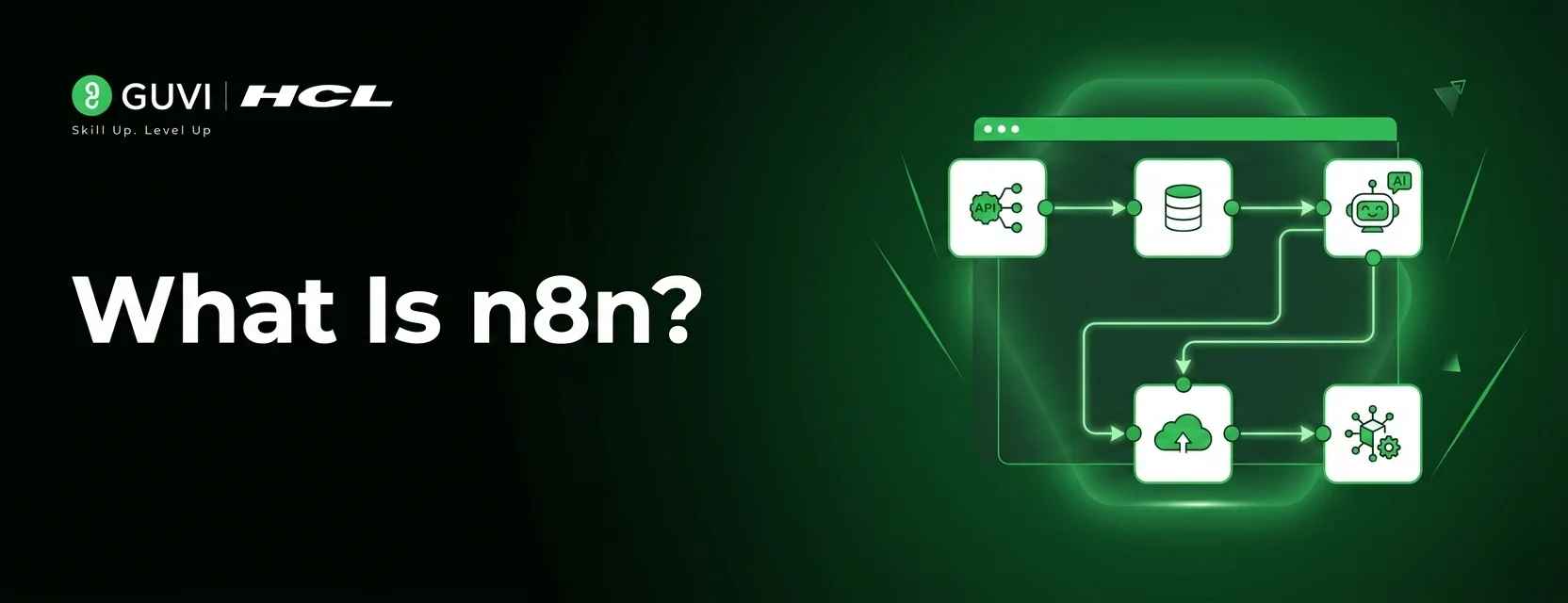
n8n Explained: Everything You Need to Know
Jun 15, 2026 7 Min Read 563 Views
(Last Updated)
You have ten different tools running your business. Your CRM sits in one corner. Your email platform in another. Your project management tool somewhere else entirely. And every day, someone on your team is manually copying data from one to another, triggering the same repetitive tasks, and doing work that should never have required a human in the first place.
There is a better way. And it does not require a team of developers or an enterprise software budget.
n8n is an open-source workflow automation platform that connects your tools, automates your processes, and handles the repetitive work so your team does not have to. Whether you want to sync data between apps, automate customer notifications, or build complex multi-step workflows without writing much code, n8n makes it possible.
This guide explains exactly what n8n is, how it works, why it stands out from every other automation tool, and how to start building workflows that actually save time.
Table of contents
- Quick TL;DR Summary
- Why Manual Workflows Are Costing You More Than You Think
- What Makes n8n Different From Every Other Automation Tool
- The Core Building Blocks of n8n
- How to Get Started With n8n: Step-by-Step
- Step 1: Choose Your Deployment Method
- Step 2: Create Your n8n Account and Access the Editor
- Step 3: Choose Your Trigger Node
- Step 4: Add and Connect Your Action Nodes
- Step 5: Handle Data Transformations
- Step 6: Test Your Workflow Thoroughly
- Step 7: Activate and Monitor
- Common Mistakes People Make With n8n
- Getting Maximum Value From n8n
- What You Can Build With n8n: Real Examples
- Conclusion
- FAQs
- Is n8n completely free to use?
- How does n8n compare to Zapier?
- Do I need to know how to code to use n8n?
- Is n8n secure for sensitive business data?
- What happens if a workflow fails?
Quick TL;DR Summary
- This guide explains what n8n is and how it works as an open-source workflow automation and API integration platform.
- You will learn what makes n8n different from other automation tools and why developers and non-technical teams both find it valuable.
- The guide covers the core components of n8n, including nodes, workflows, triggers, and integrations, in plain language anyone can follow.
- Step-by-step instructions show you exactly how to get started building your first automated workflow from scratch.
- You will understand where n8n fits into the automation landscape and whether it is the right tool for your specific needs.
What Is n8n?
n8n is an open-source, low-code workflow automation platform that enables individuals and teams to connect applications, automate repetitive tasks, and build data integration pipelines visually without writing extensive code. It also offers self-hosting and full data control, which many other automation platforms do not provide.
Why Manual Workflows Are Costing You More Than You Think
- Repetitive tasks drain your best people
Every hour your team spends copying data between tools, sending routine follow-up emails, or manually triggering the same process for the hundredth time is an hour not spent on work that actually requires human thinking. The cost is not just time. It is the opportunity cost of what those people could have been doing instead.
- Manual processes break when people are unavailable
If the person who runs the weekly data export goes on holiday, the process stops. If the team member who manually triggers customer notifications is sick, customers do not hear from you. Processes that live in people’s heads and hands are fragile in ways that automated workflows simply are not.
- Human error is built into manual data handling
Copy-paste errors. Missed rows. Wrong fields. When humans move data between systems manually, mistakes are not a question of if but when. Automated workflows execute the same logic perfectly every single time with no variation and no fatigue.
- Disconnected tools create information silos
When your CRM does not talk to your email platform, which does not talk to your project management tool, you end up with the same information living in three places and none of them fully up to date. The real cost of disconnected tools is decisions made on incomplete or outdated information.
- Scaling manual processes means hiring more people
When your business grows, manual processes do not scale gracefully. They scale by adding headcount. Automation scales instantly. The same workflow that handles ten tasks handles ten thousand with no additional cost or effort.
Read More: n8n Workflow Automation- Beginner’s Guide to Connecting Your Apps Without Code
What Makes n8n Different From Every Other Automation Tool
- It Is Genuinely Open-Source
Unlike Zapier, Make, or other automation platforms that are fully proprietary, n8n is open-source. The code is publicly available. You can inspect it, modify it, and contribute to it. This is not just a philosophical point. It means you are never locked into a vendor’s pricing decisions, feature roadmap, or data policies.
- You Can Self-Host It Completely
Most automation platforms live on someone else’s servers. Every piece of data flowing through your workflows passes through their infrastructure. n8n lets you host the entire platform on your own servers, your own cloud account, or even your local machine. Your data never leaves your control unless you want it to.
- It Handles Technical Complexity That Others Cannot
Zapier is excellent for simple linear automations. n8n handles genuinely complex workflows with branching logic, loops, error handling, custom code execution, and API calls to services that do not have pre-built integrations. The ceiling is dramatically higher and technical users can push it much further.
- The Pricing Model Makes Sense at Scale
Most automation platforms charge per task or per workflow run. At low volumes this is fine. At high volumes it becomes extremely expensive. n8n’s self-hosted version costs nothing per run. You pay for infrastructure, not for automation executions. For teams running thousands of automations daily, this difference is enormous.
- It Combines No-Code Simplicity With Code Power
Non-technical users can build useful workflows visually without writing a line of code. Developers can drop into any workflow and add custom JavaScript or Python logic exactly where they need it. The same platform serves both audiences without compromise on either side.
n8n was founded in 2019 by Jan Oberhauser and quickly gained traction in the developer community.
Within its first two years, the platform grew to more than 40,000 active self-hosted instances, driven largely by word-of-mouth adoption.
Today, n8n is widely recognized as one of the fastest-growing open-source automation platforms in the workflow automation space.

The Core Building Blocks of n8n
- Nodes: The Individual Building Blocks
Every action in n8n is a node. Sending an email is a node. Querying a database is a node. Making an API call is a node. Transforming data is a node. Each node does one specific thing and passes its output to the next node in the workflow. n8n has over 400 pre-built nodes for popular services and tools, and you can build custom nodes for anything that is not already covered.
- Workflows: The Connected Process
A workflow is a sequence of connected nodes that together accomplish a complete automated process. Nodes connect to each other with edges that pass data from one step to the next. Workflows can be simple and linear or complex with multiple branches, conditional logic, loops, and error handling paths. The visual canvas makes the entire process easy to see and understand at a glance.
- Triggers: What Starts the Automation
Every workflow needs something to set it in motion. Triggers are the nodes that start a workflow running. A trigger can be a scheduled time, an incoming webhook, a new record appearing in a database, a form submission, an email arriving, or any other event that signals it is time for the workflow to execute. Without a trigger, a workflow just sits there.
- Credentials: Secure Connections to Your Tools
To connect n8n to your existing tools, you provide API keys and authentication credentials for each service. n8n stores these securely and uses them whenever a workflow needs to interact with that service. Once credentials are set up for a service, every workflow in your n8n instance can use them without reconfiguring authentication each time.
How to Get Started With n8n: Step-by-Step
Here is exactly how to set up n8n and build your first automated workflow from scratch.
Step 1: Choose Your Deployment Method
Pick the setup that fits your situation
n8n offers three main ways to get started. n8n Cloud is the hosted version requiring no setup, ideal for teams who want to start immediately without managing infrastructure. Self-hosting on a server or cloud provider gives you full data control and unlimited runs. Running locally via npm or Docker works perfectly for testing and personal use. Start with n8n Cloud if you want the fastest path to your first workflow.
Step 2: Create Your n8n Account and Access the Editor
Your workflow canvas is waiting
Sign up at n8n.io for the cloud version or access your self-hosted instance in a browser. You land in the workflow editor, a visual canvas where you build automations by adding and connecting nodes. Spend five minutes clicking around the interface before building anything. The layout is intuitive but a quick orientation saves confusion later.
Step 3: Choose Your Trigger Node
Every workflow starts with what sets it off
Click the plus button to add your first node and select a trigger. For your first workflow, a simple Schedule trigger that runs at a specific time or a Webhook trigger that fires when something hits a URL are the easiest starting points. Configure the trigger with the timing or conditions you need and activate it. This is the starting gun for your entire workflow.
Step 4: Add and Connect Your Action Nodes
Build the sequence of things you want to happen
Click the plus button after your trigger to add the first action node. Search for the service you want to interact with, Gmail, Slack, Airtable, Google Sheets, HubSpot, whatever is relevant to your automation. Configure the node with the specific action you want it to perform and connect your stored credentials. Add as many nodes as your workflow requires, connecting each to the next.
Step 5: Handle Data Transformations
Shape the data as it moves between your tools
Data rarely comes out of one system in exactly the format another system needs. Use n8n’s Set node to rename or restructure fields. Use the Function node to write custom JavaScript for more complex transformations. Use the IF node to add conditional logic that sends data down different paths based on its content. This is where workflows go from basic to genuinely powerful.
Step 6: Test Your Workflow Thoroughly
Never activate a workflow you have not tested
n8n has a built-in test execution mode that runs your workflow with real data and shows you exactly what each node receives and produces. Use this to verify that data flows correctly through every step before activating the workflow. Check edge cases: what happens when a field is empty, when an API call fails, or when data arrives in an unexpected format.
Step 7: Activate and Monitor
Turn it on and keep an eye on it
Once testing confirms everything works correctly, activate the workflow with the toggle in the top right of the editor. n8n logs every execution with full details of what ran, what succeeded, and what failed. Check execution logs regularly in the first few days after activation to catch any issues that only appear with real production data. Set up error notifications so failures alert you immediately rather than silently accumulating.
Common Mistakes People Make With n8n
- Skipping the test execution step and discovering errors only after the workflow is live
- Not setting up error handling nodes, leaving workflows that silently fail with no notification
- Building one enormous workflow when several smaller connected ones would be easier to maintain
- Storing credentials insecurely outside of n8n’s built-in credential management
- Not documenting what a workflow does, making it impossible to maintain months later
- Ignoring the execution logs until something obviously breaks
- Trying to automate a process that is not yet well-defined enough to automate reliably
Getting Maximum Value From n8n
- Map your process before building your workflow
- Use sub-workflows to keep things maintainable
- Add error handling to every production workflow
- Start with high-frequency manual tasks
- Use the community for templates and ideas
n8n integrates with over 400 services out of the box, including platforms like Google Workspace, Slack, HubSpot, Salesforce, GitHub, Notion, Airtable, PostgreSQL, and MySQL.
For tools without a dedicated integration, the HTTP Request node allows connections to virtually any API on the internet.
This makes the effective number of possible integrations almost unlimited, giving developers enormous flexibility when building automation workflows.
What You Can Build With n8n: Real Examples
- Automated lead management
New lead fills out a form on your website. n8n captures it via webhook, enriches the data with information from a data provider API, adds the lead to your CRM, assigns it to the right sales rep based on territory rules, sends the lead a personalized welcome email, and posts a notification to the sales team’s Slack channel. All of this happens in seconds with zero human involvement.
- Automated reporting pipelines
Every Monday morning, n8n queries your database, pulls last week’s key metrics, formats them into a structured report, generates a chart, and emails the finished report to your leadership team before they arrive at their desks. No analyst has to spend their Monday morning on report assembly.
- Customer support automation
A new support ticket arrives. n8n checks whether the customer has an active subscription, retrieves their account history, checks the knowledge base for relevant articles, adds context to the ticket in your helpdesk tool, and routes it to the appropriate support queue based on issue type and customer tier. Your support team gets every ticket pre-triaged with the context they need.
- Development and DevOps workflows
A pull request is merged to main. n8n triggers a notification to the team channel, updates the relevant project management ticket to in review, posts a summary of changes to a changelog document, and sends a webhook to trigger the staging deployment pipeline. All the administrative work that follows a code merge happens automatically.
To build real skills in workflow automation tools like n8n, do not miss the chance to enroll in HCL GUVI’s Intel & IITM Pravartak Certified Artificial Intelligence & Machine Learning course. Endorsed with Intel certification, this course adds a globally recognized credential to your resume, a powerful edge that sets you apart in the competitive AI job market.
Conclusion
Manual work is expensive. Disconnected tools are frustrating. Processes that depend on specific people being available are fragile. n8n solves all three problems with a single platform that is powerful enough for developers and accessible enough for everyone else.
The open-source foundation means you are never locked in. The self-hosting option means your data stays yours. The visual workflow builder means you can see exactly what your automations are doing. And the combination of 400-plus integrations with custom code support means the ceiling on what you can build is effectively unlimited.
Whether you are a solo developer automating your personal workflows, a small team trying to do more with fewer people, or an enterprise looking for automation infrastructure you actually control, n8n is worth serious attention.
The best time to automate a repetitive process was the first time you did it manually. The second best time is right now.
FAQs
1. Is n8n completely free to use?
The self-hosted version of n8n is free with no limits on workflow runs. n8n Cloud has a free tier with limitations and paid plans for higher usage. The open-source nature means the core platform will always be available without licensing costs.
2. How does n8n compare to Zapier?
Zapier is easier to start with and better for simple linear automations. n8n handles more complex logic, offers self-hosting, costs less at scale, and gives developers far more flexibility. The right choice depends on your technical comfort level and the complexity of what you want to automate.
3. Do I need to know how to code to use n8n?
No. Most workflows can be built entirely with the visual editor and pre-built nodes without writing any code. Coding becomes useful for complex data transformations or custom integrations but is never required for the majority of common automation use cases.
4. Is n8n secure for sensitive business data?
Self-hosted n8n keeps all data within your own infrastructure, making it suitable for sensitive data that cannot pass through third-party servers. Credentials are stored encrypted. For maximum security, self-hosting on your own infrastructure with proper access controls is the recommended approach.
5. What happens if a workflow fails?
n8n logs every execution with full details of what succeeded and what failed. You can configure error workflows that trigger automatically when a failure occurs, sending alerts via email, Slack, or any other channel. Failed executions can be inspected in detail and retried manually once the underlying issue is resolved.
Success Stories

About the Author
Vishalini Devarajan
An Aerospace Engineer turned content writer, I focus on making complex concepts easy to understand through well-structured, reader-friendly blogs. Whether it’s a technical topic or a non-technical one, I love creating content that is clear, engaging, and impactful.
View all posts by Vishalini Devarajan
Connect with me @






Did you enjoy this article?