


Java Articles
Kafka Streams Tutorial: Build Your First Data Pipeline
What is ArrayList in Java: A Complete Guide
TCP IP Model: Layers, Functions, and How It Works
Spring Boot vs Traditional Spring: 5 Important Features That Changed Java Development


Get In Touch For Details! Request More Information

What is HashMap in Java: How It Works, Methods, and Examples
Jul 21, 2026 5 Min Read 655 Views
(Last Updated)
Many Java beginners struggle to choose the right data structure when they need fast data lookup without caring about the order of elements. HashMap in Java is built exactly for this purpose, letting you store and retrieve data using a unique key in constant time. Understanding how HashMap works internally and when to use it will make you a more confident and efficient Java developer.
Table of contents
- Quick TL;DR
- What Is HashMap in Java?
- How Does HashMap Work Internally?
- How to Create and Use a HashMap in Java
- Important HashMap Methods in Java
- HashMap vs HashTable in Java
- Real-World Example of HashMap in Java
- Common Mistakes When Using HashMap in Java
- Conclusion
- FAQ
- What is HashMap in Java?
- How does HashMap work internally in Java?
- What is the difference between HashMap and HashTable in Java?
- Can HashMap have duplicate keys in Java?
- What is the default initial capacity and load factor of HashMap in Java?
- What is the difference between HashMap and LinkedHashMap in Java?
- What happens if two keys have the same hash code in HashMap?
- Is HashMap thread-safe in Java?
Quick TL;DR
- HashMap in Java is a data structure that stores data in key-value pairs and allows you to retrieve any value instantly using its key.
- It is part of the Java Collections Framework and implements the Map interface.
- HashMap allows one null key and multiple null values, does not maintain insertion order, and offers constant-time performance for get and put operations in most cases.
- It is one of the most widely used data structures in Java for fast data lookup and storage.
What Is HashMap in Java?
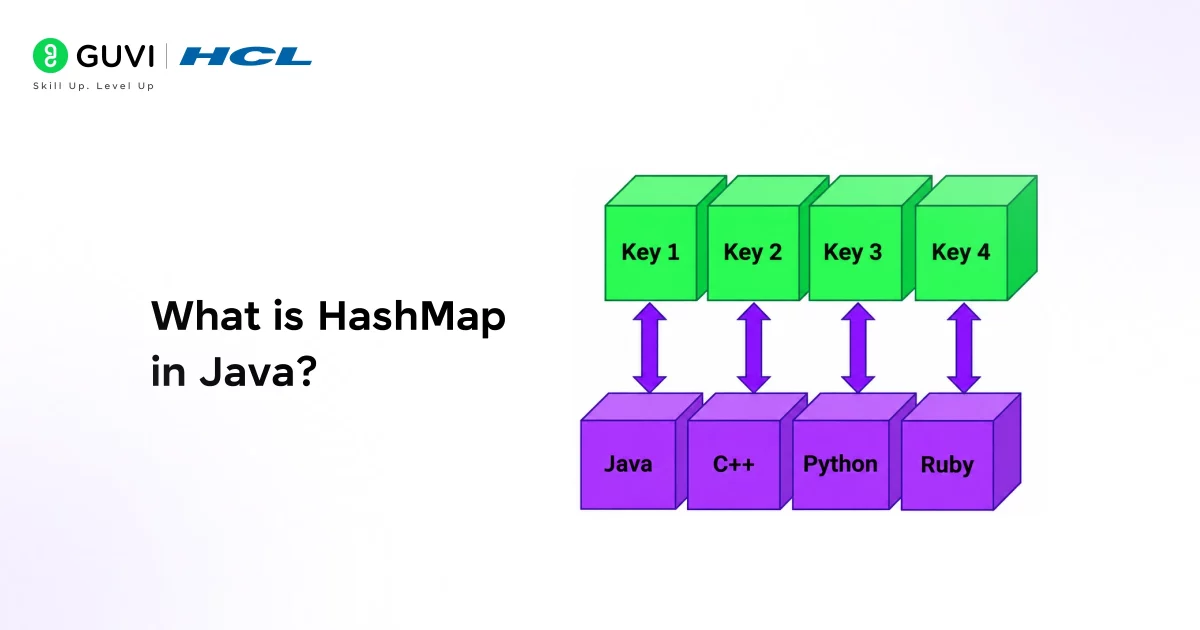
HashMap in Java is a class in the java.util package that stores data as key-value pairs. Every key in a HashMap is unique, and each key maps to exactly one value. You use the key to store a value and the same key to retrieve it later.
Key characteristics of HashMap:
- Stores data as key-value pairs
- Keys must be unique, values can be duplicated
- Allows one null key and multiple null values
- Does not guarantee insertion order
- Not thread-safe by default
- Provides O(1) average time complexity for get and put operations
Read More: Java Data Structures Unlocked: A Layman’s Guide with Easy Examples
How Does HashMap Work Internally?
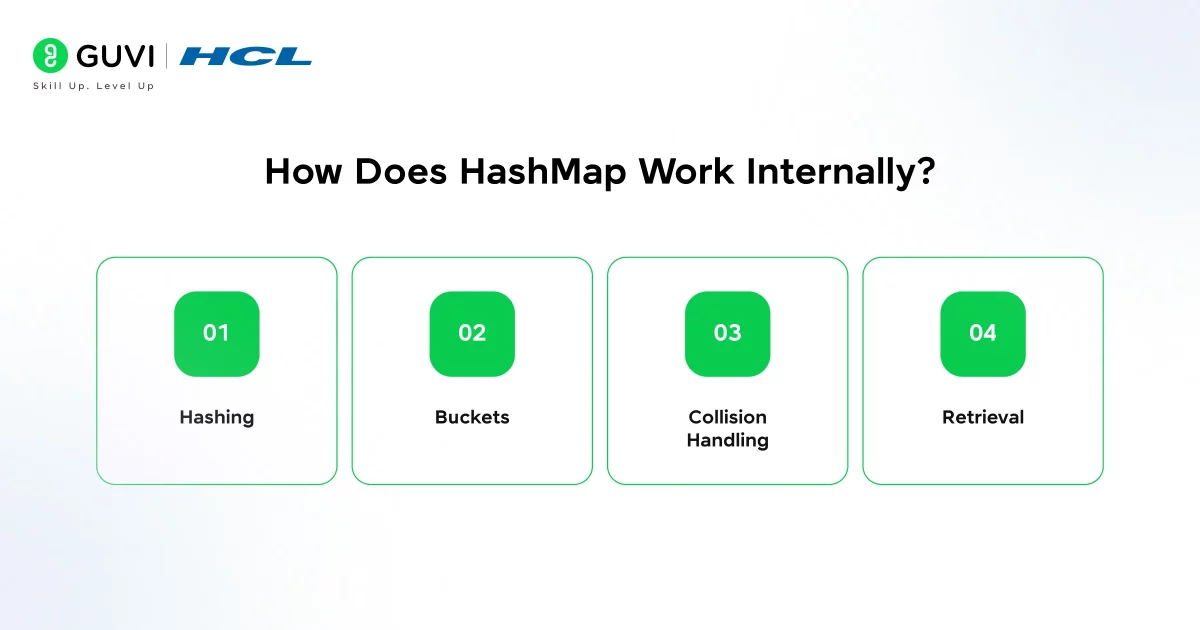
Understanding the internal working of HashMap is one of the most common Java interview topics. Here is how it works under the hood.
- Hashing
When you insert a key-value pair, Java calls the hashCode() method on the key. This produces an integer called a hash code, which is used to calculate the index of a bucket in an internal array.
- Buckets
HashMap uses an array of linked lists called buckets. Each bucket holds one or more entries. When two keys produce the same bucket index, it is called a collision.
- Collision Handling
Java handles collisions using chaining. Multiple entries with the same bucket index are stored as a linked list at that index. From Java 8 onwards, when the number of entries in a single bucket exceeds 8, the linked list is converted to a balanced binary tree (Red-Black Tree) for faster lookup.
- Retrieval
When you call get(key), Java computes the hash code of the key, finds the correct bucket, and then uses equals() to find the exact entry within that bucket.
How to Create and Use a HashMap in Java
Creating a HashMap is straightforward. Here is the basic syntax:
| import java.util.HashMap; HashMap<String, Integer> studentMarks = new HashMap<>(); // Adding key-value pairs studentMarks.put(“Arun”, 85); studentMarks.put(“Priya”, 92); studentMarks.put(“Rahul”, 78); // Retrieving a value System.out.println(studentMarks.get(“Priya”)); // Output: 92 // Checking if a key exists System.out.println(studentMarks.containsKey(“Rahul”)); // Output: true // Removing a key studentMarks.remove(“Arun”); // Iterating over the HashMap for (String name : studentMarks.keySet()) { System.out.println(name + “: ” + studentMarks.get(name)); } |
The type parameters inside the angle brackets define the data type of the key and value. In this example, the key is a String and the value is an Integer.
Important HashMap Methods in Java
Here are the most commonly used HashMap methods you should know:
| Method | Description |
| put(key, value) | Inserts a key-value pair into the map |
| get(key) | Returns the value associated with the key |
| remove(key) | Removes the entry for the specified key |
| containsKey(key) | Returns true if the key exists in the map |
| containsValue(value) | Returns true if the value exists in the map |
| keySet() | Returns a Set of all keys |
| values() | Returns a Collection of all values |
| entrySet() | Returns a Set of all key-value pairs |
| size() | Returns the number of key-value pairs |
| isEmpty() | Returns true if the map has no entries |
| clear() | Removes all entries from the map |
| getOrDefault(key, default) | Returns the value or a default if key is absent |
| putIfAbsent(key, value) | Inserts only if the key is not already present |
HashMap vs HashTable in Java
HashMap and HashTable are often confused by beginners. Here is a clear comparison:
| Feature | HashMap | HashTable |
| Thread safety | Not thread-safe | Thread-safe (synchronized) |
| Null keys | Allows one null key | Does not allow null keys |
| Null values | Allows multiple null values | Does not allow null values |
| Performance | Faster | Slower due to synchronisation |
| Introduced in | Java 1.2 (Collections Framework) | Java 1.0 (legacy class) |
| Recommended | Yes, for most use cases | No, use ConcurrentHashMap instead |
In modern Java development, HashMap is preferred for single-threaded applications. For multi-threaded environments, use ConcurrentHashMap instead of HashTable.
From Java 8 onwards, HashMap includes a key optimization for handling hash collisions. When the number of entries in a single bucket exceeds a threshold (typically 8), the underlying structure is transformed from a linked list into a Red-Black Tree. This change significantly improves performance in worst-case scenarios, reducing lookup time from O(n) to O(log n). This hybrid design ensures that HashMap remains efficient both in average cases (with good hashing) and in edge cases where many keys collide into the same bucket, making it one of the most robust and widely used data structures in Java.
Real-World Example of HashMap in Java

Consider an online food delivery application that needs to track how many times each menu item has been ordered during the day.
| import java.util.HashMap; HashMap<String, Integer> orderCount = new HashMap<>(); String[] orders = {“Biryani”, “Dosa”, “Biryani”, “Idli”, “Dosa”, “Biryani”}; for (String item : orders) { orderCount.put(item, orderCount.getOrDefault(item, 0) + 1); } System.out.println(orderCount); // Output: {Biryani=3, Dosa=2, Idli=1} |
Here, the getOrDefault method retrieves the current order count for an item and adds 1. If the item is not yet in the map, it starts from 0. This pattern is widely used in e-commerce and analytics systems to count occurrences of events or items efficiently.
HashMap is one of the most frequently tested topics in Java technical interviews across both Indian and global tech companies. Developer surveys and interview trend analyses consistently show that core concepts such as hashing, collision handling, and the internal working of hashCode() and equals() appear in a large share of Java interview question sets for both fresher and experienced roles. Because HashMap forms the backbone of many real-world systems, interviewers often use it to evaluate a candidate’s understanding of data structures, performance trade-offs, and runtime behavior in practical scenarios.

Common Mistakes When Using HashMap in Java
1. Not overriding hashCode() and equals() for custom key objects: When you use a custom class as a HashMap key, you must override both hashCode() and equals(). Without this, two logically identical objects will be treated as different keys, leading to duplicate entries and incorrect lookups.
2. Modifying a HashMap while iterating over it: Changing a HashMap during iteration using a regular for-each loop throws a ConcurrentModificationException. Use an Iterator or collect the keys to modify separately if you need to remove entries during iteration.
3. Using HashMap in multi-threaded code without synchronisation: HashMap is not thread-safe. Using it across multiple threads without synchronisation causes data corruption and unpredictable behaviour. Use ConcurrentHashMap for thread-safe operations instead.
4. Assuming HashMap maintains insertion order: HashMap does not guarantee any order. If you need entries in insertion order, use LinkedHashMap. If you need sorted order by key, use TreeMap.
5. Ignoring the initial capacity and load factor: HashMap resizes itself when the number of entries exceeds the load factor threshold, which is 0.75 by default. Frequent resizing is expensive. If you know the approximate size of data upfront, initialise the HashMap with a suitable capacity to avoid unnecessary resizing.
Want to master Java collections, data structures, and object-oriented programming with real projects? Explore HCL GUVI’s Java Programming Course, designed for beginners with hands-on practice and guided learning.
Conclusion
As Java continues to power enterprise applications, Android development, and backend systems worldwide, HashMap remains one of the most used and most interviewed data structures in the language.
Mastering how HashMap stores data internally, knowing its key methods, and understanding when to use it over alternatives like LinkedHashMap, TreeMap, or ConcurrentHashMap will significantly strengthen your Java skills. Start by practising common HashMap operations, then try implementing frequency counters or caching logic using HashMap in small projects.
FAQ
1. What is HashMap in Java?
HashMap in Java is a class that stores data as key-value pairs, where each key is unique and maps to exactly one value. It is part of the Java Collections Framework and provides constant-time performance for basic operations like get and put.
2. How does HashMap work internally in Java?
HashMap uses an array of buckets internally. When you insert a key-value pair, Java computes the hash code of the key to find the bucket index. If multiple keys map to the same bucket, they are stored as a linked list or a Red-Black Tree from Java 8 onwards.
3. What is the difference between HashMap and HashTable in Java?
HashMap is not thread-safe and allows null keys and values. HashTable is thread-safe but slower and does not allow null keys or values. For modern multi-threaded applications, ConcurrentHashMap is recommended over HashTable.
4. Can HashMap have duplicate keys in Java?
No. HashMap does not allow duplicate keys. If you insert a value with an existing key, the new value replaces the old one. However, duplicate values are allowed across different keys.
5. What is the default initial capacity and load factor of HashMap in Java?
The default initial capacity of a HashMap is 16 buckets, and the default load factor is 0.75. When the number of entries exceeds 75% of the current capacity, HashMap automatically resizes by doubling its capacity.
6. What is the difference between HashMap and LinkedHashMap in Java?
HashMap does not maintain any order of entries. LinkedHashMap maintains insertion order, meaning entries are returned in the order they were added. Use LinkedHashMap when order matters and HashMap when it does not.
7. What happens if two keys have the same hash code in HashMap?
This is called a hash collision. HashMap handles it using chaining, where multiple entries with the same bucket index are stored in a linked list. From Java 8 onwards, if the list grows beyond 8 entries, it is converted to a Red-Black Tree for faster lookup.
8. Is HashMap thread-safe in Java?
No, HashMap is not thread-safe. Concurrent read and write operations from multiple threads can cause data corruption. Use ConcurrentHashMap from the java.util.concurrent package for thread-safe key-value storage in multi-threaded applications.
Success Stories

About the Author
Vishalini Devarajan
An Aerospace Engineer turned content writer, I focus on making complex concepts easy to understand through well-structured, reader-friendly blogs. Whether it’s a technical topic or a non-technical one, I love creating content that is clear, engaging, and impactful.
View all posts by Vishalini Devarajan
Connect with me @



























Did you enjoy this article?