


Programming Languages Articles
Product Manager Portfolio: How to Build The Best One That Gets You Hired in 2026
Code Review Best Practices: How to Give and Receive Feedback Effectively


Get In Touch For Details! Request More Information
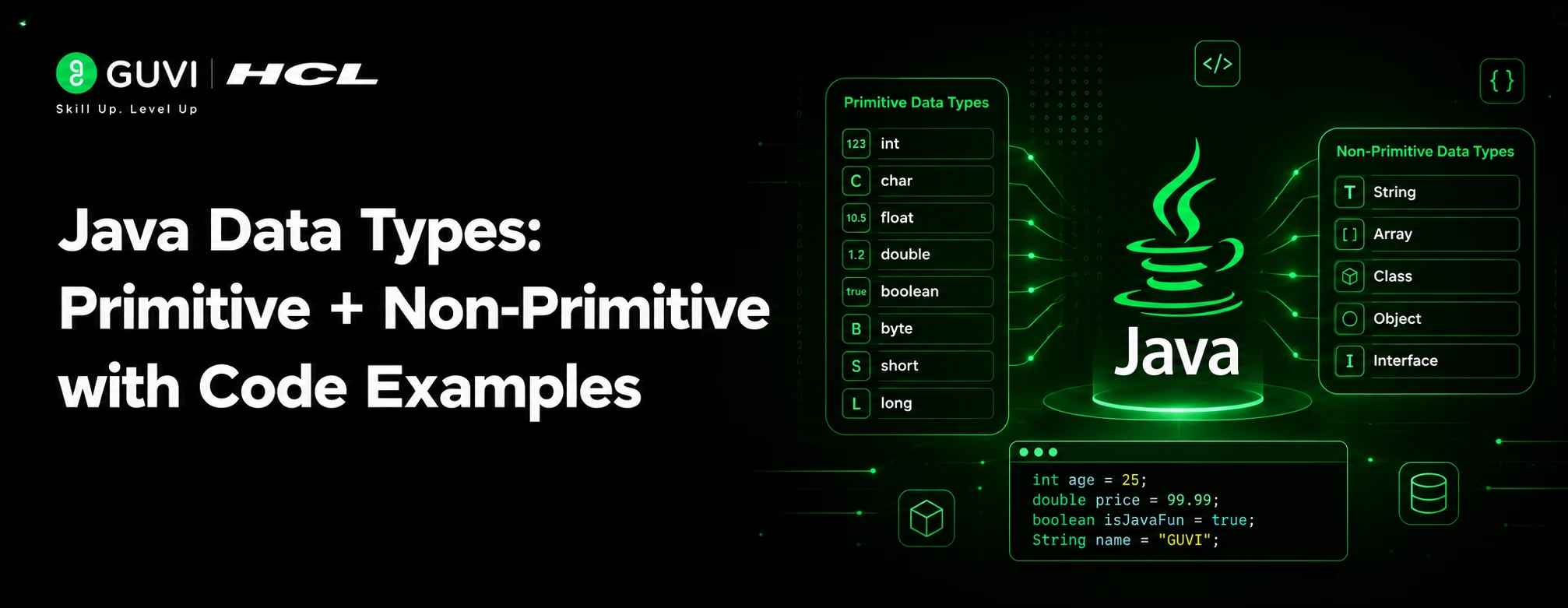
Java Data Types: Primitive + Non-Primitive with Code Examples (2026)
Sep 10, 2026 5 Min Read 17407 Views
(Last Updated)
Every variable in Java needs a data type. It tells the compiler how much memory to reserve and what operations are allowed on that data. If you’re learning Java in 2026, understanding data types in Java properly is one of the first real milestones — get this wrong and you’ll spend hours debugging things that should have been obvious.
Data types in Java fall into two big buckets: primitive and non-primitive (also called reference types). Let’s go through both, with code you can actually run.
Table of contents
- TL;DR Summary
- What Are Primitive Data Types in Java?
- Code Example: Primitive Types
- What Are Non-Primitive (Reference) Data Types in Java?
- Code Example: Non-Primitive Types
- Primitive vs Non-Primitive Data Types in Java: Key Differences
- Autoboxing and Unboxing in Java — Why It Matters
- Quick Tips for 2026 Java Developers
- Java Data Types Interview Questions for Freshers
- Conclusion
- FAQs
- What are data types in Java?
- How many primitive data types does Java have?
- What is the difference between primitive and non-primitive data types in Java?
- Is String a primitive or non-primitive data type in Java?
- What is the default value of an int in Java?
- Why should freshers learn data types in Java for interviews?
TL;DR Summary
- Data types in Java define what kind of value a variable can hold and how much memory it needs, and they split into primitive and non-primitive types.
- Primitive data types in Java include byte, short, int, long, float, double, char, and boolean — all 8 store actual values directly and don’t have methods.
- Non-primitive data types in Java, like String, arrays, classes, interfaces, and enums, store references to objects on the heap and can be null.
- Autoboxing and unboxing let Java convert automatically between primitive and non-primitive data types in Java, which matters for performance and avoiding NullPointerExceptions with collections.
- Understanding data types in Java is a common interview topic for freshers, especially around defaults, ranges, and wrapper classes.
What Are Primitive Data Types in Java?
Primitive types are the most basic data types built directly into the Java language. They’re not objects; they don’t have methods, and they hold their values directly in memory—which makes them fast and lightweight.
Java has 8 primitive types:
| Data Type | Size | Range | Default Value | Wrapper Class |
|---|---|---|---|---|
byte | 1 byte | -128 to 127 | 0 | Byte |
short | 2 bytes | -32,768 to 32,767 | 0 | Short |
int | 4 bytes | -2^31 to 2^31-1 | 0 | Integer |
long | 8 bytes | -2^63 to 2^63-1 | 0L | Long |
float | 4 bytes | ~6-7 decimal digits precision | 0.0f | Float |
double | 8 bytes | ~15 decimal digits precision | 0.0d | Double |
char | 2 bytes | single 16-bit Unicode character | ‘\u0000’ | Character |
boolean | 1 bit (JVM-dependent) | true or false | false | Boolean |
Code Example: Primitive Types
public class PrimitiveTypesDemo {
    public static void main(String[] args) {
        byte age = 25;
        short year = 2026;
        int population = 1_400_000_000;
        long distanceToSun = 149_600_000_000L;
        float price = 19.99f;
        double pi = 3.14159265358979;
        char grade = 'A';
        boolean isJavaFun = true;

        System.out.println("Age: " + age);
        System.out.println("Year: " + year);
        System.out.println("Population: " + population);
        System.out.println("Distance to Sun: " + distanceToSun + " meters");
        System.out.println("Price: $" + price);
        System.out.println("Pi: " + pi);
        System.out.println("Grade: " + grade);
        System.out.println("Is Java fun? " + isJavaFun);
    }
}
Output:
Age: 25
Year: 2026
Population: 1400000000
Distance to Sun: 149600000000 meters
Price: $19.99
Pi: 3.14159265358979
Grade: A
Is Java fun? true
A few things worth remembering:
- Use
Lsuffix forlongliterals that exceed theintrange. - Use
fsuffix forfloatliterals — without it, Java assumesdouble. - Underscores in numeric literals (like
1_400_000_000) are purely for readability; Java ignores them.
Stop just reading about data types in Java and start actually building with them. HCL GUVI’s Complete Java Development Course covers everything from the basics to OOP, collections, JDBC, and design patterns through real hands-on practice, not just theory. Get 20 hours of content and an industry-recognized certificate, and pick up skills companies like Flipkart and PayPal look for. Enroll now and take your Java skills to the next level!
What Are Non-Primitive (Reference) Data Types in Java?
Non-primitive types don’t store the value directly — they store a reference (memory address) pointing to where the actual object lives on the heap. They’re created by the programmer (except String, which is built-in) and can be null, unlike primitives.
Common non-primitive types include:
- String – sequence of characters
- Arrays – fixed-size collections of the same type
- Classes – user-defined blueprints for objects
- Interfaces – contracts that classes implement
- Enums – fixed sets of constants
- Wrapper classes – object versions of primitives (
Integer,Double,Character, etc.)
Code Example: Non-Primitive Types
import java.util.ArrayList;

public class NonPrimitiveTypesDemo {

    // Custom class
    static class Car {
        String model;
        int topSpeed;

        Car(String model, int topSpeed) {
            this.model = model;
            this.topSpeed = topSpeed;
        }
    }

    // Enum
    enum Day { MONDAY, TUESDAY, WEDNESDAY, THURSDAY, FRIDAY }

    public static void main(String[] args) {
        // String
        String greeting = "Hello, Java in 2026!";

        // Array
        int[] scores = {90, 85, 78, 92};

        // ArrayList (a common built-in class)
        ArrayList<String> languages = new ArrayList<>();
        languages.add("Java");
        languages.add("Kotlin");
        languages.add("Python");

        // Custom object
        Car myCar = new Car("Tesla Model 5", 250);

        // Enum
        Day today = Day.WEDNESDAY;

        // Wrapper class
        Integer boxedNumber = 42;

        System.out.println(greeting);
        System.out.println("First score: " + scores[0]);
        System.out.println("Languages: " + languages);
        System.out.println("Car model: " + myCar.model + ", Top speed: " + myCar.topSpeed);
        System.out.println("Today is: " + today);
        System.out.println("Boxed number: " + boxedNumber);
    }
}
Output:
Hello, Java in 2026!
First score: 90
Languages: [Java, Kotlin, Python]
Car model: Tesla Model 5, Top speed: 250
Today is: WEDNESDAY
Boxed number: 42
Primitive vs Non-Primitive Data Types in Java: Key Differences
| Aspect | Primitive | Non-Primitive |
|---|---|---|
| Definition | Built into the language | Created by programmer (mostly) |
| Storage | Stores actual value | Stores reference to object |
| Default value | Type-specific (0, false, etc.) | null |
| Memory location | Stack | Heap (object), reference on stack |
| Methods | None | Has methods (via class) |
| Size | Fixed, known in advance | Depends on the object |
| Example | int, char, boolean | String, Array, ArrayList |
Autoboxing and Unboxing in Java — Why It Matters
Since Java is partly object-oriented, it often needs to convert between primitives and their wrapper objects automatically. This is called autoboxing (primitive → wrapper) and unboxing (wrapper → primitive).
Here’s why this actually matters in practice, not just as trivia: Java’s collections (List, Map, Set, etc.) and generics only work with objects — they were never built to hold raw primitives.
So the moment you put an int into an ArrayList<Integer>, Java is quietly boxing it into an Integer behind the scenes, and unboxing it back to int when you pull it out. If you didn’t know this was happening, two things can bite you.
First, performance — boxing millions of values in a tight loop creates millions of tiny objects, and that’s real garbage-collector overhead you didn’t ask for.

Second, and more critical, NullPointerExceptions that seem to come out of nowhere: if a wrapper object is null and Java tries to unbox it into a primitive, it crashes, because there’s no such thing as a “null int”. Knowing when boxing happens is what lets you write code that doesn’t randomly fail in production or slow down under load.
public class AutoboxingDemo {
    public static void main(String[] args) {
        int primitiveNum = 10;
        Integer boxedNum = primitiveNum; // autoboxing
        int unboxedNum = boxedNum;       // unboxing

        System.out.println("Primitive: " + primitiveNum);
        System.out.println("Boxed: " + boxedNum);
        System.out.println("Unboxed: " + unboxedNum);
    }
}
This is especially handy when working with collections like ArrayList, which can only hold objects — not primitives.
Quick Tips for 2026 Java Developers
- Prefer primitives for performance-critical code — they avoid the overhead of object creation and garbage collection.
- Use wrapper classes when working with collections (
List<Integer>instead ofint[]), since generics don’t support primitives directly. - Watch out for
nullwith wrapper classes — unboxing anullIntegerthrows aNullPointerException. - Use
varfor local type inference (available since Java 10) to reduce boilerplate, but keep the underlying type in mind.
var count = 10;          // inferred as int
var name = "Java 2026";  // inferred as String
Java Data Types Interview Questions for Freshers
If you’re prepping for a Java interview, data types in Java are one of the first topics that comes up — it’s basic enough to ask everyone, but it separates people who’ve actually written code from people who’ve just read about it. Here are the ones that come up most often:
1. What is the difference between primitive and non-primitive data types in Java?
Primitive types store the actual value directly and are built into the language (int, char, boolean, etc.). Non-primitive types store a reference to an object on the heap and are created by the programmer (with String being a notable built-in exception).
2. Why doesn’t Java have unsigned data types like unsigned int in C?
Java deliberately left them out to keep the language simpler and more portable across platforms. This is also why byte and short are signed even though it can feel limiting.
3. What’s the default value of a boolean and an int in Java?
boolean defaults to false, int defaults to 0. But this only applies to instance and static fields — local variables in Java are never auto-initialized and must be assigned before use.
4. Can you explain autoboxing with a real example?
Autoboxing is when Java automatically converts a primitive to its wrapper class, like assigning an int to an Integer variable, or adding an int directly into a List<Integer>. It happens implicitly, without you writing any conversion code.
5. Why is String not a primitive type even though it behaves like one?
String is a class in Java, so it’s a non-primitive/reference type. It just feels primitive because Java gives it special treatment — like literal syntax ("hello") and operator overloading for +.
6. What happens if you try to store 130 in a byte variable?
It won’t compile, because byte can only hold values from -128 to 127. You’d get a compile-time error unless you explicitly cast it, and even then the value will overflow and wrap around.
7. Is char a numeric type in Java?
Yes — under the hood, char is a 16-bit unsigned integer representing a Unicode character, so it can actually be used in arithmetic operations.
These are the kind of data types in Java questions interviewers ask to check whether you understand what’s happening under the hood, not just whether you can recite definitions.
Conclusion
Primitive types give you speed and simplicity for basic values, while non-primitive types give you flexibility, structure, and behavior through objects. A solid grip on both — and when to use each — is foundational for writing clean, efficient Java code in 2026 and beyond. Whether you’re building something real or prepping for interviews, understanding data types in Java properly will save you time down the road.
FAQs
1. What are data types in Java?
Data types in Java define the kind of value a variable can hold, like numbers, characters, or objects.
2. How many primitive data types does Java have?
Java has 8 primitive data types: byte, short, int, long, float, double, char, and boolean.
3. What is the difference between primitive and non-primitive data types in Java?
Primitive types store actual values, while non-primitive types store references to objects.
4. Is String a primitive or non-primitive data type in Java?
String is a non-primitive data type, even though it behaves like one due to special syntax support.
5. What is the default value of an int in Java?
The default value of an int is 0 for instance and static fields.
6. Why should freshers learn data types in Java for interviews?
Understanding data types in Java helps freshers explain memory usage, defaults, and wrapper classes confidently in interviews.
Success Stories









Did you enjoy this article?