


Cloud Computing Articles
Advanced DNS Interview Questions for Senior Engineers: What to Expect in 2026
Advantages of Computer Network: Key Benefits, Limitations & Practical Applications


Get In Touch For Details! Request More Information
What are Computer Networks? A Comprehensive Guide
Dec 12, 2025 6 Min Read 2138 Views
(Last Updated)
Have you ever wondered how your phone streams videos, how files move across office computers, or how millions of devices talk to each other every second? All of that is possible because of computer networks.
At its core, a computer network is simply a way for devices to connect and communicate, but the impact it has on our everyday lives is enormous. By understanding what networks are, how they work, and the different types you’ll encounter, you get a clearer picture of the digital world that powers almost everything you do.
In this article, we walk through the fundamentals of computer networks: what it is, how they work, the different types, the main components, and why they’re increasingly critical in today’s digital world. So, without further ado, let us get started!
Table of contents
- Quick Answer:
- What is a Computer Network?
- How Computer Networks Work?
- Types of Computer Networks
- Personal Area Network (PAN)
- Local Area Network (LAN)
- Metropolitan Area Network (MAN)
- Wide Area Network (WAN)
- Intranet, Extranet, and the Internet
- Key Components of Computer Networks
- Network Interface Controller (NIC)
- Router
- Switch
- Hub (Older and Less Common Today)
- Modem
- Access Point (AP)
- Transmission Media (The Path Data Travels)
- Servers
- Firewalls
- What Makes a Good Network?
- Conclusion
- FAQs
- What is a computer network?
- What are the main types of computer networks?
- Why are computer networks important?
- What devices are needed to set up a basic network?
- What is the difference between a router and a switch?
Quick Answer:
A computer network is a system where two or more devices connect to share data, resources, and services using wired or wireless communication. It works by sending data in small packets across routers, switches, and other components that help each device communicate efficiently.
What is a Computer Network?
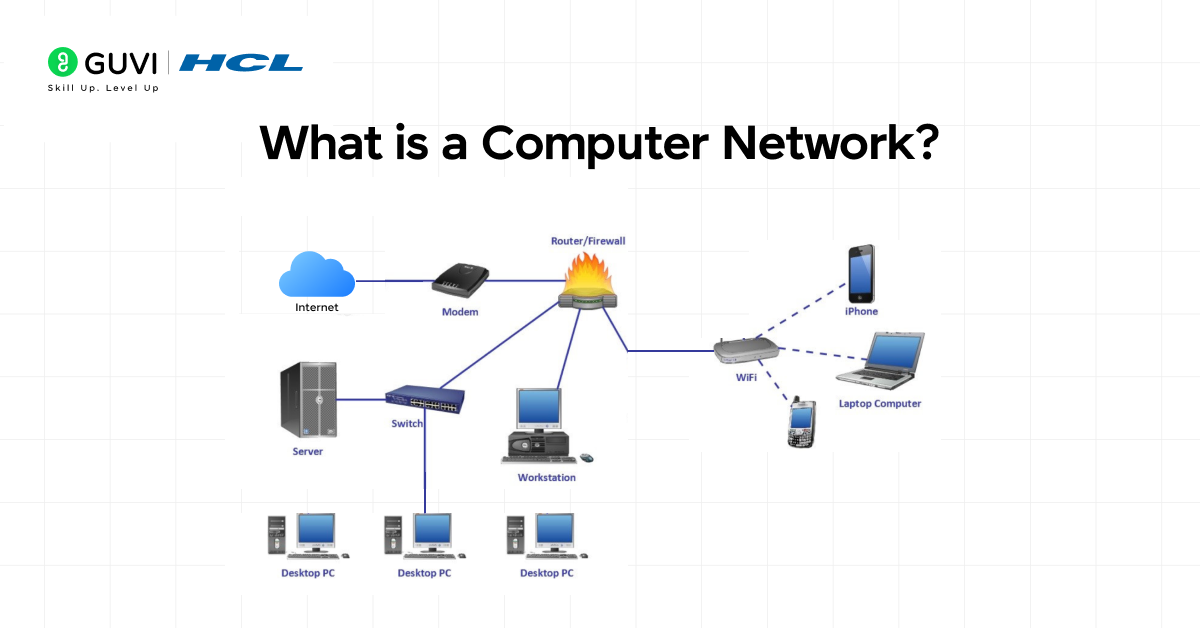
A computer network is basically a group of two or more devices connected so they can communicate, exchange data, and share things like printers, storage, or the internet. You can picture it as a tiny digital community.
Here’s the thing: the connection between devices doesn’t have to be complicated. It might be a cable, it might be Wi-Fi, or it could be something like Bluetooth. As long as two devices can talk to each other, you’ve got a network.
To make this simple:
- Your phone is connected to your home Wi-Fi
- Your laptop is sharing files with another laptop
- A smart TV streaming from the internet
- Office computers linked to a common server
All of these are examples of networks at work.
How Computer Networks Work?
Now let’s break it down in a way that’s easy to picture. When one device wants to send information to another, it doesn’t just “throw” the data across. There’s a clear process happening behind the scenes.
Here’s a simple story you can imagine:
- A device wants to talk. Say your phone wants to send a photo to your laptop.
- It wraps the data. The photo gets broken into smaller chunks called packets. Each packet is labeled with details like who sent it and who should receive it.
- The packets travel. They move across the network, either through cables or wireless signals. On the way, they might pass through switches, routers, or access points.
- Each device along the path has a job.
- A switch helps direct the packets inside a local area, like inside your home or office.
- A router helps the packet move between different networks, like from your home network to the internet.
- A switch helps direct the packets inside a local area, like inside your home or office.
- The packets arrive. Your laptop receives all the packets, puts them back together, and reconstructs the photo.
That’s the simple story. Under the hood, it gets more detailed, but this is the part that matters most when you’re building foundational understanding.
Another important piece is the idea of layers, often explained through models like OSI or TCP/IP. You don’t need the entire breakdown here, but the idea is that communication is divided into steps or layers, and each layer has one job.
For example:
- One layer handles physical signals.
- Another layer manages addresses.
- Another layer deals with applications.
This separation keeps everything organized and helps different kinds of hardware and software work together easily.
So when you browse a website or play a game online, your device is quietly coordinating all these steps every single second. You don’t see it, but it’s happening continuously.
If you want in-depth knowledge about computer networks and don’t know where to start, consider enrolling in HCL GUVI’s Self-Paced Networking Concepts course, which covers essential networking concepts, protocols, and security measures to help upskill your career in IT infrastructure and network management.

Types of Computer Networks
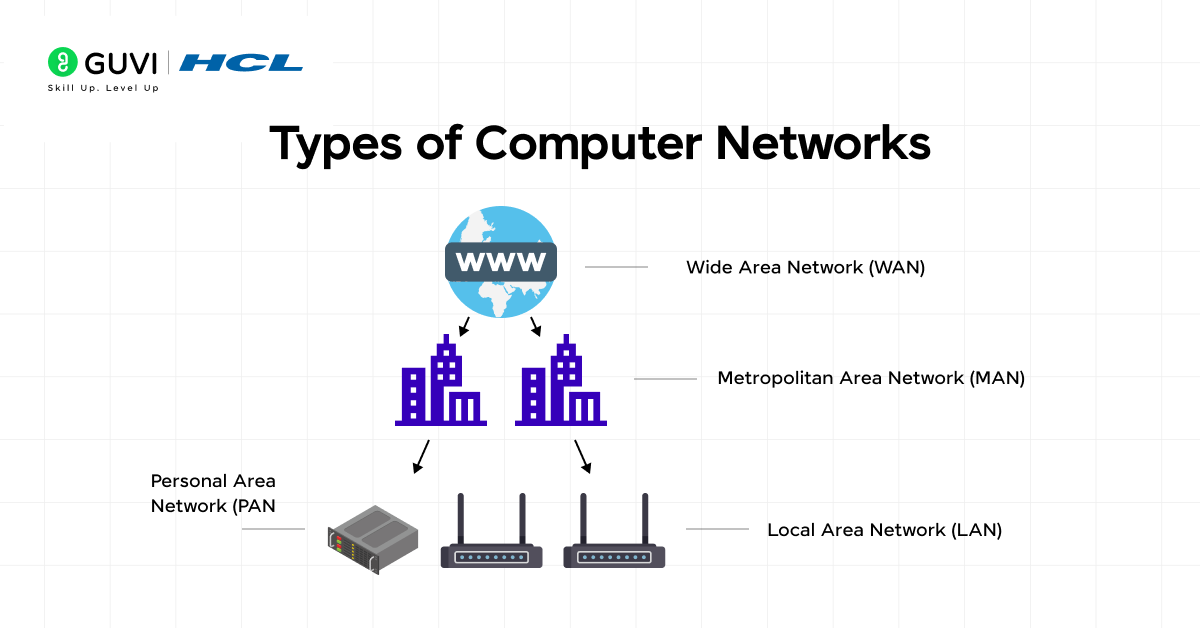
When people talk about computer networks, they’re usually referring to how big the network is, who owns it, and what purpose it serves. Thinking about this in layers helps: your personal space, your home, your neighborhood, and then the world. Each type of network fits somewhere along that scale.
Let’s walk through them one by one.
1. Personal Area Network (PAN)
A PAN is the smallest type of network you’ll come across. It’s all about the devices that belong to you and stay close to you physically. Picture the space around your body, maybe two or three meters. That’s where a PAN lives.
You use a PAN every day without realizing it:
- Your phone is connected to Bluetooth earbuds
- A smartwatch paired with your mobile
- A wireless keyboard and mouse connected to your laptop
PANs don’t need heavy hardware. They’re simple, low-power, and built for quick, short-range communication.
2. Local Area Network (LAN)
If PANs revolve around individuals, LANs revolve around small spaces. A LAN typically covers a home, an office floor, a computer lab, or a small shop. This is one of the most common and important network types because it’s fast, secure, and cost-effective.
In your home, your LAN might include:
- Wi-Fi router
- Phones, laptops, tablets
- Smart speakers or TVs
- A printer connected to the network
In a business, the LAN expands to include workstations, office servers, and networked storage systems. The best part about LANs is that they give you full control over your own local environment, speed, security, layout, everything.
3. Metropolitan Area Network (MAN)
Now imagine a network that stretches across a city. That’s a MAN. You’ll often see MANs in these scenarios:
- Universities with multiple buildings across a city
- Government offices are spread over various city districts
- Large corporations with several branches within one metro area
MANs usually rely on high-speed fibre-optic connections. They’re larger than LANs but still localized enough to be managed as a single entity.
4. Wide Area Network (WAN)
A WAN covers huge geographical areas, sometimes even entire continents. The internet itself is the most well-known WAN. Companies use WANs to connect their offices in different cities or countries. Service providers use WANs to deliver internet access to homes and businesses.
A WAN works using a mix of transport methods:
- Fibre-optic cables running between cities
- Undersea cables crossing the ocean
- Satellite links for remote locations
Because WANs span long distances, they depend on advanced routing, backup connections, and strong security controls.
5. Intranet, Extranet, and the Internet
These networks focus more on purpose than physical size.
- Intranet: A private, internal network used only by an organization. Employees use it to access company applications, documents, and communication tools.
- Extranet: A controlled extension of an intranet. It gives trusted outsiders, vendors, partners, and clients limited access to specific resources.
- Internet: The global “network of networks.” It connects millions of private, public, academic, business, and government networks. Almost everything you do online flows through it.
Key Components of Computer Networks
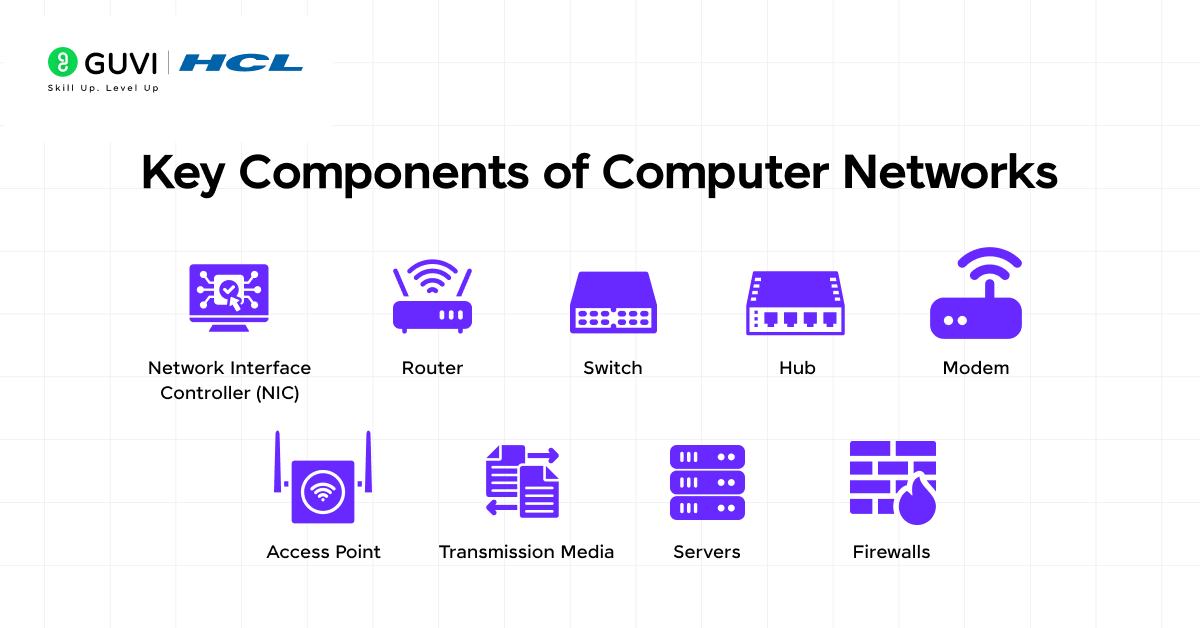
A network isn’t just cables and Wi-Fi signals. Several components are working quietly to ensure that data moves smoothly. Understanding these pieces helps you see how everything fits together, even if you’re a complete beginner.
1. Network Interface Controller (NIC)
Every device needs a way to talk to the network. That’s where the NIC comes in.
A NIC can be:
- A physical card (common in desktop PCs)
- A built-in chip (common in laptops and phones)
- Wired (Ethernet)
- Wireless (Wi-Fi, Bluetooth)
Its main job is to convert data into signals that can be transmitted over the network, and then convert received signals back into usable data. Without a NIC, your device wouldn’t even know a network exists.
2. Router
A router is like a traffic director for networks. It connects multiple networks together and makes sure data travels in the right direction.
In your home, the router:
- Connects your devices to the internet
- Assigns IP addresses
- Manages traffic so everyone can use the connection smoothly
- Often includes a firewall for security
In larger environments, routers become more powerful and complex, handling large volumes of traffic and routing data between remote locations.
3. Switch
A switch works within a LAN. Its job is to connect devices inside the same local network and send data only to the device that needs it.
Here’s a simple way to picture the difference:
- Router: connects your home network to the internet
- Switch: connects devices inside your home network to each other
Switches make LANs faster and more organized by preventing unnecessary data broadcasts.
4. Hub (Older and Less Common Today)
A hub is a simpler version of a switch. Instead of sending data only where it needs to go, it repeats the data to every port.
This wastes bandwidth and isn’t secure, which is why switches replaced hubs in most modern networks.
5. Modem
If your router is the brain of your home network, the modem is the doorway to the external world.
A modem’s job is to:
- Convert digital data from your network into signals that can travel over your ISP’s infrastructure
- Bring incoming signals back into your network
Many modern routers combine modem and router functions into a single device.
6. Access Point (AP)
An access point creates a Wi-Fi zone. In small homes, your router acts as the access point. In big offices or large buildings, separate access points are installed so devices anywhere can get stable wireless coverage.
APs help:
- Extend Wi-Fi range
- Connect wireless devices to a wired network
- Distribute traffic efficiently
7. Transmission Media (The Path Data Travels)
This is the actual road that data travels on. There are two broad categories:
Wired media:
- Ethernet cables
- Coaxial cables
- Fibre-optic cables
Wired media is fast, reliable, and secure.
Wireless media:
- Wi-Fi
- Bluetooth
- Infrared
- Satellite
- Mobile networks (4G, 5G)
Wireless media gives you mobility and flexibility. Both wired and wireless systems often work together in modern setups.
8. Servers
A server is a powerful computer that provides services to other devices.
Depending on the need, you may encounter:
- File servers
- Web servers
- Application servers
- Database servers
Servers live at the center of many networks, delivering data, apps, or storage to users.
9. Firewalls
Firewalls protect the network from threats. They monitor incoming and outgoing traffic and decide what should be allowed or blocked.
You’ll find:
- Hardware firewalls (often built into enterprise routers)
- Software firewalls (within operating systems)
They’re essential for keeping networks safe from unauthorized access.
What Makes a Good Network?
You want your network to be efficient, reliable, and secure. Here are the attributes to look out for:
- Scalability: Can you add more devices without major re-design?
- Reliability / Uptime: How often does the network fail or require maintenance?
- Performance / Bandwidth / Latency: How quickly can data move? How much data at once?
- Security: Are the communications safe from unauthorized access or attacks?
- Manageability: Can you monitor and manage the network easily (devices, traffic, access)?
Did you know the internet is powered by more than 1.4 million kilometers of undersea cables quietly sitting on the ocean floor? These cables carry most of the world’s data, even the videos you stream or messages you send. And here’s something even more surprising: when you share a simple file on your home network, your device breaks it into tiny packets that may take completely different paths before coming back together at the destination. Networking is full of these invisible, fascinating processes that make everyday digital life feel instant.
If you’re curious to learn all about Computer Networks and want to apply it in real-world scenarios, don’t miss the chance to enroll in HCL GUVI’s IITM Pravartak and MongoDB Certified Online AI Software Development Course. Endorsed with NSDC certification, this course adds a globally recognized credential to your resume, a powerful edge that sets you apart in the competitive job market.
Conclusion
In conclusion, a computer network isn’t just an IT concept; it’s the invisible foundation behind communication, collaboration, and connectivity in modern life. Whether it’s your home Wi-Fi, an office setup, or the vast internet itself, networks help devices share information effortlessly.
Now that you understand the basics, how computer networks work, and the variety of types out there, you’re better equipped to recognize how these systems shape the digital experiences you rely on every day. If you explore further, you’ll find that networking opens the door to countless possibilities in technology, learning, and innovation.
FAQs
1. What is a computer network?
A computer network is a group of interconnected devices that share data, resources, and services. It can be wired, wireless, or a mix of both.
2. What are the main types of computer networks?
The most common types are PAN, LAN, MAN, WAN, intranet, extranet, and the Internet. They differ mainly in size, coverage, and purpose.
3. Why are computer networks important?
They allow devices to communicate, share files, access the internet, and use shared resources like printers or servers. Networks make modern communication possible.
4. What devices are needed to set up a basic network?
You typically need a router, switch, modem, NIC, and transmission media like cables or Wi-Fi. In homes, many of these are combined in a single device.
5. What is the difference between a router and a switch?
A router connects different networks and provides internet access. A switch connects devices within the same local network and manages internal data flow.
Success Stories

About the Author
Lukesh S
A professional content writer who has experience in freelancing and now working as a Technical Content Writer at GUVI. Google Certified Digital Marketer. Have a sound knowledge of SQL, Data Structures and Cloud Computing.
View all posts by Lukesh S
Connect with me @









Did you enjoy this article?