


Full Stack Development Articles
Claude for Architecture and Engineering Documentation
Freelancing as a Python Developer: Getting Your First Client


Get In Touch For Details! Request More Information
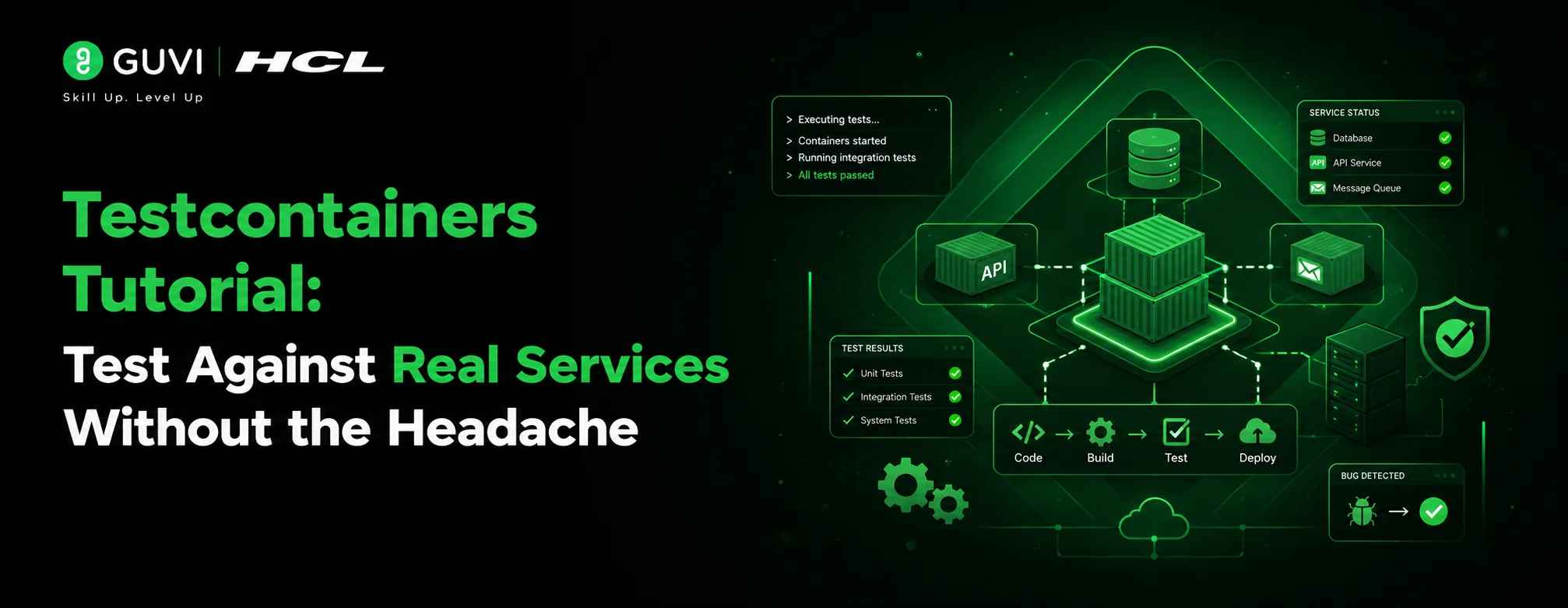
Testcontainers Tutorial: Test Against Real Services Without the Headache
Jul 27, 2026 5 Min Read 287 Views
(Last Updated)
Testcontainers is an open-source library that lets you run Docker containers inside your test suite. Instead of mocking a database or faking an API response, you get a real PostgreSQL instance, a real Redis server, or a real Kafka broker running only for the duration of your test. It supports Java, Python, Node.js, Go, Rust, and more. Tests stay honest; bugs stay caught.
Table of contents
- TL;DR — Quick Summary
- What Is Testcontainers?
- Why Does Container-Based Testing Matter?
- How Does Testcontainers Work?
- Testcontainers vs. Other Testing Approaches
- Step-by-Step: Setting Up Testcontainers in Java
- Prerequisites
- Step 1 — Add the Dependencies
- Step 2 — Write Your First Testcontainers Test
- Step 3 — Run Your Test
- Step-by-Step: Using Testcontainers with Python
- Install the Package
- Write a Test with pytest
- Real-World Scenario: Testing a User Registration Flow
- Best Practices for Using Testcontainers in Production Projects
- Key Takeaways
- Conclusion
- What is Testcontainers used for?
- Does Testcontainers work without Docker?
- How slow are Testcontainers tests compared to unit tests?
- Can I use Testcontainers in GitHub Actions?
- What databases and services does Testcontainers support?
- Is Testcontainers free to use?
TL;DR — Quick Summary
- Testcontainers is a testing library that spins up real Docker containers so your integration tests run against actual services — not mocks.
- It works with Java, Python, Node.js, Go, and more, with official SDKs for each.You can test against PostgreSQL, Redis, Kafka, and hundreds of other services using pre-built container modules.
- Containers start automatically before each test and shut down cleanly after — zero manual setup needed.
- This tutorial walks you through installation, writing your first test, and best practices for a real project.
Here’s a situation most developers know too well: you write clean unit tests, everything passes, you ship to staging and then something breaks. A database constraint you didn’t account for. A Redis key that behaves differently in production. A Kafka consumer that works fine against your mock but chokes on real messages.
The root cause is almost always the same: your tests weren’t testing reality.
That’s exactly the gap Testcontainers was built to close. In this tutorial, you’ll learn what Testcontainers is, why it matters, and how to go from zero to a working integration test that talks to a real database container all from your local machine.
What Is Testcontainers?
Testcontainers is a testing library that starts Docker containers on demand during your test runs. It was originally built for the JVM ecosystem (Java, Kotlin, Groovy) but now has official SDKs for Python, Node.js, Go, Rust, .NET, and more.
The core idea is simple: instead of mocking external dependencies like databases, message queues, or third-party APIs, you give your tests a real version of those services — containerized and isolated — that lives only for the duration of the test.
| Data Point Testcontainers has over 11,000 GitHub stars on its Java library alone. It is actively maintained by AtomicJar (acquired by Docker in 2023) and used by teams at Google, Netflix, and Zalando. [HUMAN EDITOR: Verify current star count and confirm acquisition details before publishing] |
Why Does Container-Based Testing Matter?
Integration tests are the tests that check whether your code works correctly with the things it depends on databases, queues, file systems. For years, the default approach was to mock those dependencies.
Mocks have their place. But they have a serious flaw: they only test the behavior you already assumed. A mock PostgreSQL will happily accept a query that real PostgreSQL would reject with a type mismatch.
| Warning: Mocking your database gives you confidence that your code calls the right methods — not that the right things actually happen in your database. That distinction has shipped a lot of bugs. |
Container-based testing with Testcontainers gives you:
- Real query behavior — indexes, constraints, stored procedures, all of it
- Isolation — each test gets a fresh container; no shared state between runs
- Repeatability — the container image is pinned, so tests run the same way on every machine
- Speed (surprisingly) — containers start in 2–5 seconds for most services
How Does Testcontainers Work?
Under the hood, Testcontainers uses the Docker daemon running on your machine (or in your CI environment) to pull and start container images. It then exposes the container’s ports to your test via a dynamically assigned host port — so there are no port conflicts.
The lifecycle looks like this:
- Test starts → Testcontainers pulls the Docker image (if not cached)
- Container boots → Testcontainers waits for a readiness signal (e.g., the database accepting connections)
- Your test runs → It connects to the container at localhost:{dynamic-port}
- Test finishes → Container shuts down and is removed automatically
| Pro Tip Testcontainers supports ‘Ryuk’ — an automatic cleanup sidecar container that removes leftover containers even if your test process crashes. This prevents test pollution and avoids orphaned containers piling up on your machine. |
Testcontainers vs. Other Testing Approaches
Here’s how container-based testing compares to the most common alternatives:
| Approach | Pros | Cons | Best For |
| Unit tests with mocks | Fast, no dependencies | Doesn’t test real behavior | Pure logic testing |
| In-memory DB (H2) | Quick setup | SQL dialect differences cause false passes | Simple CRUD apps |
| Shared test database | Real DB behavior | Shared state causes flaky tests | Small teams, quick POCs |
| Testcontainers | Real behavior + isolation + repeatable | Needs Docker; slightly slower than H2 | Integration and regression testing |
| Full staging environment | Most realistic | Slow, expensive, hard to manage | End-to-end smoke tests only |
Step-by-Step: Setting Up Testcontainers in Java
Prerequisites
- Java 11 or later
- Maven or Gradle build tool
- Docker Desktop installed and running
Step 1 — Add the Dependencies
Add these to your pom.xml (Maven):
| <dependency> <groupId>org.testcontainers</groupId> <artifactId>testcontainers</artifactId> <version>1.19.7</version> <scope>test</scope></dependency><dependency> <groupId>org.testcontainers</groupId> <artifactId>postgresql</artifactId> <version>1.19.7</version> <scope>test</scope></dependency> |
| Pro Tip Always pin your Testcontainers version. The library updates frequently, and a minor version bump can change container startup behavior and break your CI pipeline unexpectedly. |
Step 2 — Write Your First Testcontainers Test
| import org.testcontainers.containers.PostgreSQLContainer;import org.junit.jupiter.api.*; @Testcontainersclass UserRepositoryTest { @Container static PostgreSQLContainer<?> postgres = new PostgreSQLContainer<>(“postgres:16-alpine”); @Test void shouldInsertAndFetchUser() { String jdbcUrl = postgres.getJdbcUrl(); // connect to jdbcUrl, run your query, assert results }} |
A few things to note about this code:
- @Testcontainers tells JUnit to manage the container lifecycle automatically.
- @Container marks the container as a managed resource — JUnit starts it before tests and stops it after.
- The static keyword makes the container shared across all test methods in the class, reducing startup overhead.
- postgres:16-alpine is a lightweight PostgreSQL image. Always use a specific tag — never latest.
Step 3 — Run Your Test
Run your tests the same way you always do: mvn test or ./gradlew test. Testcontainers handles everything else. You’ll see Docker pull and start the container in your test output.
| Best Practice Add @DynamicPropertySource in Spring Boot projects to inject the container’s JDBC URL into your application context automatically. This removes the need to hardcode any connection details. |
Step-by-Step: Using Testcontainers with Python
If you’re working in Python, the testcontainers-python library gives you the same power with familiar syntax.

Install the Package
| pip install testcontainers[postgres] |
Write a Test with pytest
| import pytestfrom testcontainers.postgres import PostgresContainerimport sqlalchemy def test_postgres_connection(): with PostgresContainer(‘postgres:16-alpine’) as pg: engine = sqlalchemy.create_engine(pg.get_connection_url()) with engine.connect() as conn: result = conn.execute(sqlalchemy.text(‘SELECT 1’)) assert result.fetchone()[0] == 1 |
The with block handles the full container lifecycle — start on entry, stop on exit. Clean and Pythonic.
If you want a structured, mentor-supported path and learn all these new tools, then HCL GUVI’s IIT-M Pravartak Certified Full Stack Developer Course with AI Integration covers the entire journey, from HTML to deployment, with real projects, live sessions, and placement support. Over 10,000 students have used it to break into product-based companies.
Real-World Scenario: Testing a User Registration Flow
Let’s look at a concrete example. Say you’re building a user registration feature that hashes passwords and writes records to PostgreSQL.
Without Testcontainers, you’d either mock the database call or use H2. With Testcontainers, your test flow looks like this:
- A fresh PostgreSQL container starts
- Your schema migration runs against it
- The test calls your real UserService.register() method
- It asserts that the record exists in the database with the correct hashed password
- The container shuts down — no cleanup needed
| 💡 Pro Tip Run your real database migrations (Flyway or Liquibase) inside the test setup. This catches migration bugs before they reach production — a bug class that’s almost invisible with mocks or H2. |
Best Practices for Using Testcontainers in Production Projects
After working with Testcontainers across different codebases, a few patterns show up again and again as the ones that make the biggest difference:
- Use static containers — Annotating your container with @Container and static means one container per test class, not one per test method. This cuts your total test time significantly.
- Pin your Docker image tags — Never use postgres:latest in tests. Use postgres:16-alpine or whatever version matches your production environment.
- Use a shared network for multi-container setups — If your test needs both PostgreSQL and Redis, create a Docker Network and attach both containers to it. Testcontainers makes this straightforward.
- Run Testcontainers tests in CI — GitHub Actions, GitLab CI, and Jenkins all support Docker. Testcontainers works out of the box. Add TESTCONTAINERS_RYUK_DISABLED=true in environments where Ryuk causes problems.
- Reuse containers in local development — Enable container reuse with .withReuse(true) to skip startup on repeated test runs. This shaves seconds off your local feedback loop.
| ✅ Best Practice Separate your Testcontainers tests into a dedicated source set or test suite (e.g., integrationTest). This lets developers run fast unit tests without starting Docker, and lets CI run integration tests on its own schedule. |
Key Takeaways
- Testcontainers replaces mocks and in-memory databases with real containers — closing the gap between your test environment and production.
- It works with Java, Python, Node.js, Go, and more, with official modules for PostgreSQL, MySQL, Redis, Kafka, and dozens of other services.
- Container lifecycle is fully automatic — no manual setup, no teardown, no port conflicts.
- Static containers and container reuse keep test suites fast even as integration test coverage grows.
- Testcontainers integrates cleanly with JUnit 5, pytest, Jest, and most popular test frameworks.
Conclusion
Mocks are a shortcut. Sometimes that’s the right call. But for integration tests — the ones that check whether your code actually works with your database, your queue, your cache — a mock will only ever tell you what you already believed.
Testcontainers gives you the real thing. A real PostgreSQL instance. A real Kafka cluster. Real behavior, real constraints, real confidence.
Getting started takes less than fifteen minutes. Pick one test. Swap the mock for a container. Run it. That experience tends to be convincing on its own.
Explore the GUVI blog for more hands-on guides on Java testing, Docker, and the broader DevOps tooling ecosystem.
1. What is Testcontainers used for?
Testcontainers is used to run real Docker containers during automated tests. Instead of mocking databases, message queues, or APIs, you test against the actual services your code depends on — giving you much more confidence that your code will work in production.
2. Does Testcontainers work without Docker?
Testcontainers requires a Docker-compatible runtime. On a local machine, Docker Desktop is the easiest option. In CI, most platforms (GitHub Actions, GitLab CI, Jenkins) support Docker out of the box. If you’re on a machine without Docker, Testcontainers won’t run.
3. How slow are Testcontainers tests compared to unit tests?
Container startup typically takes 2–5 seconds for most services. By using static containers (shared across test methods in a class), you pay that startup cost once per class rather than once per test. In practice, a full integration test suite with Testcontainers is usually 10–30 seconds slower than an equivalent mock-based suite — a worthwhile trade for the accuracy you gain.
4. Can I use Testcontainers in GitHub Actions?
Yes. GitHub Actions supports Docker by default on its ubuntu-latest runners. No special configuration is needed. Just add your Testcontainers tests to your workflow, and they’ll run the same way they do locally.
5. What databases and services does Testcontainers support?
Testcontainers has pre-built modules for PostgreSQL, MySQL, MariaDB, MongoDB, Redis, Kafka, RabbitMQ, Elasticsearch, MinIO, LocalStack (AWS), and many more. For any service that has a Docker image, you can also use a GenericContainer and configure it yourself.
6. Is Testcontainers free to use?
The Testcontainers library itself is open-source and free. Testcontainers Cloud (a hosted service from Docker that removes the need for local Docker) has a paid tier, but using the local library with your own Docker installation costs nothing.
Success Stories

About the Author
Vishalini Devarajan
An Aerospace Engineer turned content writer, I focus on making complex concepts easy to understand through well-structured, reader-friendly blogs. Whether it’s a technical topic or a non-technical one, I love creating content that is clear, engaging, and impactful.
View all posts by Vishalini Devarajan
Connect with me @

































Did you enjoy this article?