


Software Development Articles
How to Read and Understand System Design Diagrams?
System Engineer Roles and Responsibilities: 12 Proven Duties for Growth
SAP Consultant Roles and Responsibilities: 12 Proven Duties for Growth and Success
Network Engineer Roles and Responsibilities: 12 Essential Duties for Success


Get In Touch For Details! Request More Information
System Design Primer: A Beginner’s Guide to Building Scalable Systems
Sep 02, 2026 6 Min Read 1118 Views
(Last Updated)
What if your app suddenly goes viral overnight? Can your system handle 1 million users without crashing? That is exactly where system design comes into play. It is not just about writing code anymore. It is about designing systems that are scalable, fault-tolerant, and efficient under real-world pressure.
From apps like social media platforms to payment gateways and streaming services, every successful product relies on strong system design foundations. This guide will break down everything you need to know, from basics to advanced concepts, in a structured and beginner-friendly way.
Table of contents
- What is a System Design Primer?
- Key Goals
- What is System Design?
- Types of System Design
- What HLD Covers
- What LLD Covers
- HLD vs LLD: The Real Difference
- Key Concepts of System Design
- Scalability: Designing for Growth, Not Just Today
- Availability: Systems That Never “Go Down”
- Consistency: Truth of Data Across Systems
- Latency vs Throughput: The Performance Trade-Off
- Partitioning (Sharding): Breaking the Monolith of Data
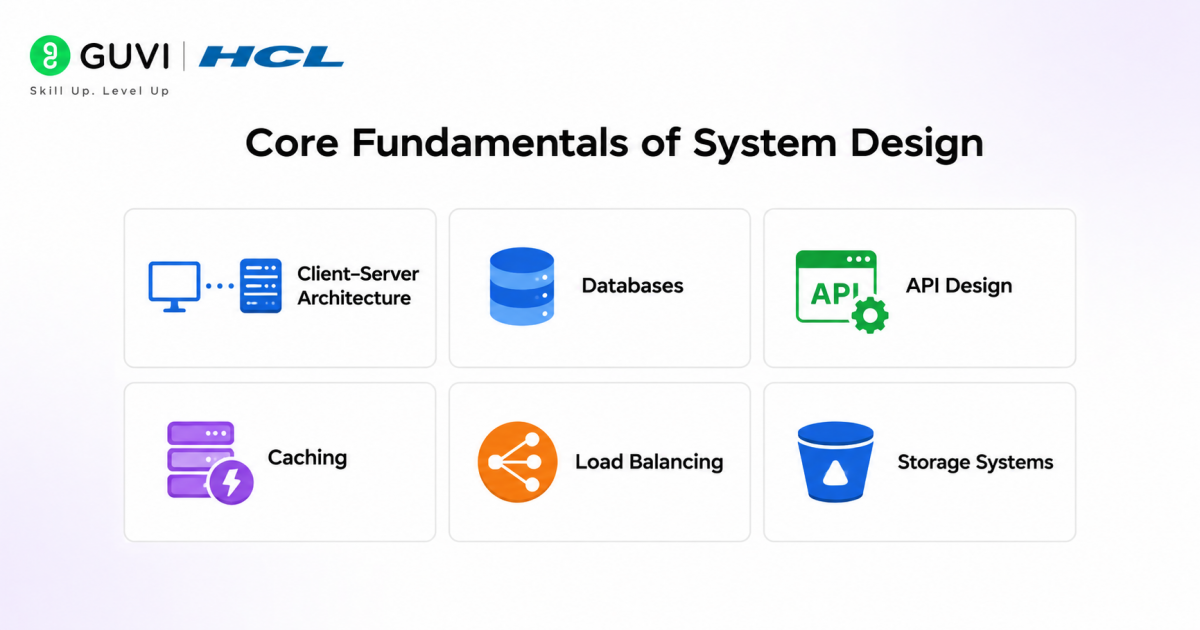
- Core Fundamentals of System Design
- Client–Server Architecture
- Databases
- API Design
- Caching
- Load Balancing
- Storage Systems
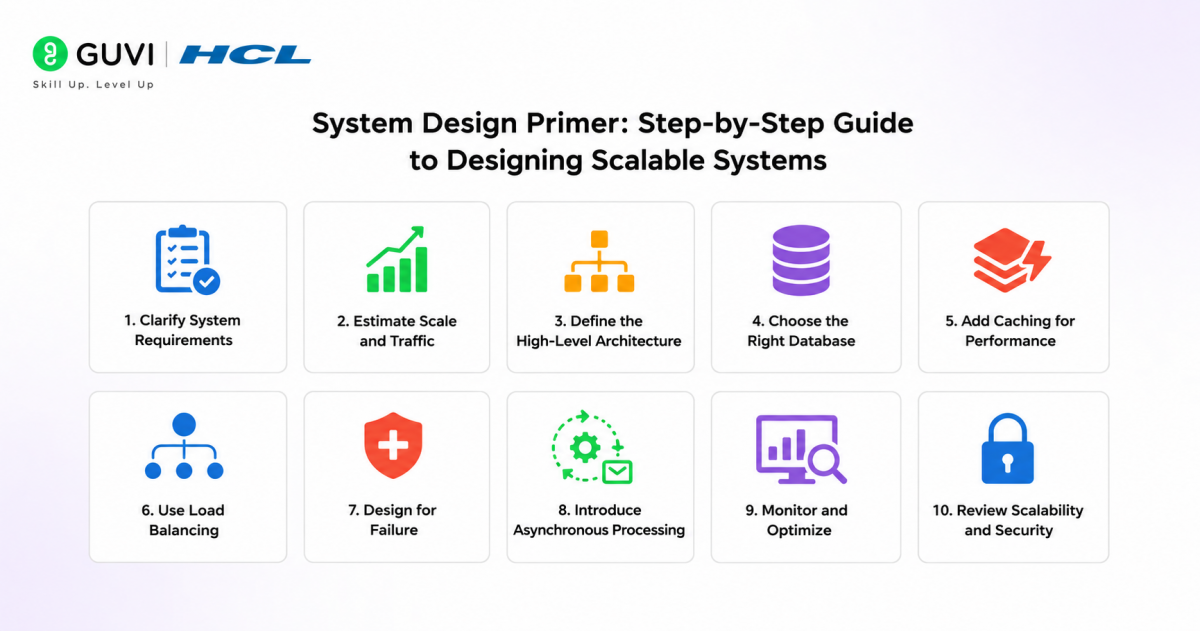
- System Design Primer: Step-by-Step Guide to Designing Scalable Systems
- Step 1: Clarify System Requirements
- Step 2: Estimate Scale and Traffic
- Step 3: Define the High-Level Architecture
- Step 4: Choose the Right Database
- Step 5: Add Caching for Performance
- Step 6: Use Load Balancing
- Step 7: Design for Failure
- Step 8: Introduce Asynchronous Processing
- Step 9: Monitor and Optimize
- Step 10: Review Scalability and Security
- System Design Primer: Step-by-Step Example (Designing a Scalable URL Shortener)
- Step 1: Clarify Requirements
- Step 2: Estimate Scale
- Step 3: High-Level Architecture
- Step 4: ID Generation (Core Logic)
- Step 5: Database Design
- Step 6: Add Caching Layer
- Step 7: Load Balancing
- Step 8: Redirection Flow
- Step 9: Handle Scale & Failures
- Step 10: Add Analytics (Optional)
- Best Practices for Effective System Design
- Common Mistakes in System Design
- Conclusion
- FAQs
- What skills are needed for system design?
- How long does it take to learn system design?
- Is system design only for senior engineers?
What is a System Design Primer?
A System Design Primer is a foundational guide that introduces the principles and practices of designing large-scale software systems.
Key Goals
- Understand how systems scale
- Learn architecture patterns
- Design efficient and reliable applications
- Make informed technical decisions
What is System Design?
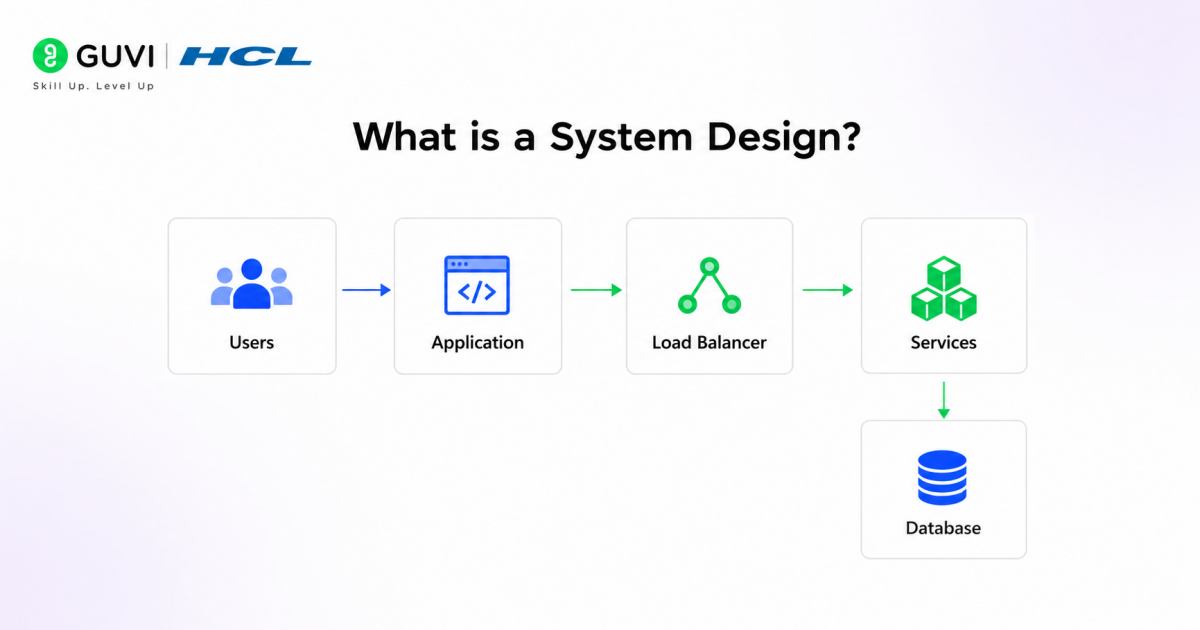
System design is the process of architecting, modeling, and defining the structure of a software system to meet specific functional and non-functional requirements at scale. It goes beyond writing code and focuses on how different components, such as services, databases, APIs, and infrastructure, interact to deliver reliability, performance, and scalability under real-world conditions.
Why is System Design Important?
- Handles Scale: Helps applications support growing users and traffic.
→ Uses horizontal scaling techniques like distributed systems and sharding to manage millions of concurrent requests efficiently. - Boosts Performance: Improves speed, response time, and user experience.
→ Leverages caching, CDNs, and optimized data access patterns to reduce latency and increase throughput. - Supports Interviews: Commonly tested in software engineering roles.
→ Evaluates a candidate’s ability to design scalable architectures, handle trade-offs, and reason about real-world constraints. - Enables Better Engineering Decisions: Helps developers choose the right database, architecture, and infrastructure.
→ Involves trade-off analysis between consistency, availability, cost, and scalability using frameworks like CAP theorem.
Types of System Design
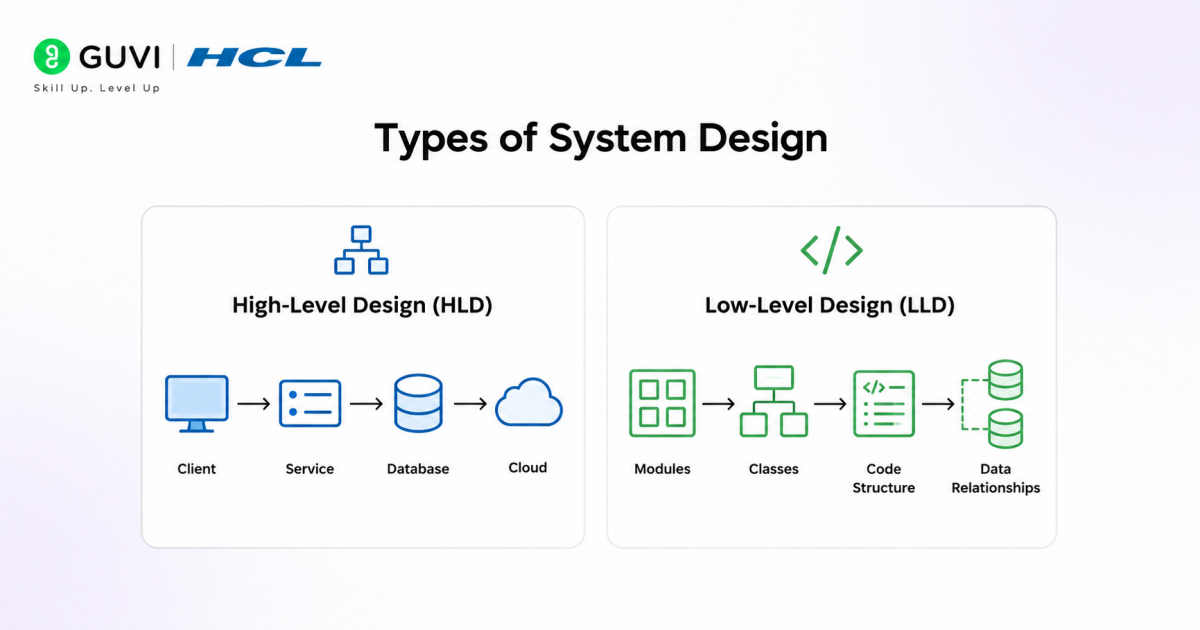
- High-Level Design (HLD): System Architecture & Macro-Level Decisions
High-Level Design defines the overall structure and behavior of the system at scale. It focuses on how major components interact, rather than how they are internally implemented.
What HLD Covers
- Architecture Style Selection
- Monolith vs Microservices vs Event-Driven vs Serverless
- Trade-offs in coupling, scalability, and operational complexity
- Service Decomposition
- Breaking the system into bounded contexts (domain-driven design)
- Identifying independent services (auth, payments, notifications, etc.)
- Inter-Service Communication
- Synchronous (REST/gRPC) vs Asynchronous (Kafka, message queues)
- Latency vs reliability trade-offs
- Data Flow & Control Flow
- Request lifecycle from entry (API Gateway) to persistence
- Event propagation in distributed systems
- Infrastructure & Deployment Topology
- Cloud regions, availability zones
- Container orchestration (Kubernetes), auto-scaling groups
- Scalability & Fault Tolerance
- Horizontal scaling strategies
- Failover mechanisms, circuit breakers, retries
Key Artifacts
- Architecture diagrams
- Data flow diagrams (DFDs)
- Sequence diagrams
- Low-Level Design (LLD): Implementation & Code-Level Precision
Low-Level Design translates the high-level architecture into concrete, implementable components. It focuses on how each module works internally.
What LLD Covers
- Class & Object Modeling
- Entity relationships, inheritance, composition
- Domain models aligned with business logic
- API Contracts
- Request/response schemas (JSON, Protobuf)
- Validation rules, error handling, idempotency
- Database Schema Design
- Table structures, relationships (1:1, 1:N, N:M)
- Indexing strategy and query optimization
- Design Patterns
- Creational: Factory, Singleton
- Structural: Adapter, Decorator
- Behavioral: Observer, Strategy
- Algorithm & Logic Design
- Efficient data structures
- Time and space complexity considerations
- Concurrency & Threading
- Handling race conditions
- Locks, semaphores, async processing
Key Artifacts
- Class diagrams (UML)
- Sequence diagrams (method-level)
- API documentation
Go beyond just understanding system design concepts and start building scalable, real-world applications with structured expertise. Join HCL GUVI’s AI-Powered Software Development Course to learn through live online classes led by industry experts. Master in-demand skills like system design, backend development, APIs, databases, and scalable architectures while working on real-world projects. Get 1:1 doubt support and access placement assistance with 1000+ hiring partners
HLD vs LLD: The Real Difference
| Factor | High-Level Design (HLD) | Low-Level Design (LLD) |
| Focus | System architecture | Internal implementation |
| Scope | Entire system | Individual components |
| Abstraction | High | Detailed |
| Key Concern | Scalability, reliability | Code quality, efficiency |
| Example | Microservices vs Monolith | Class structure for User Service |
Key Concepts of System Design
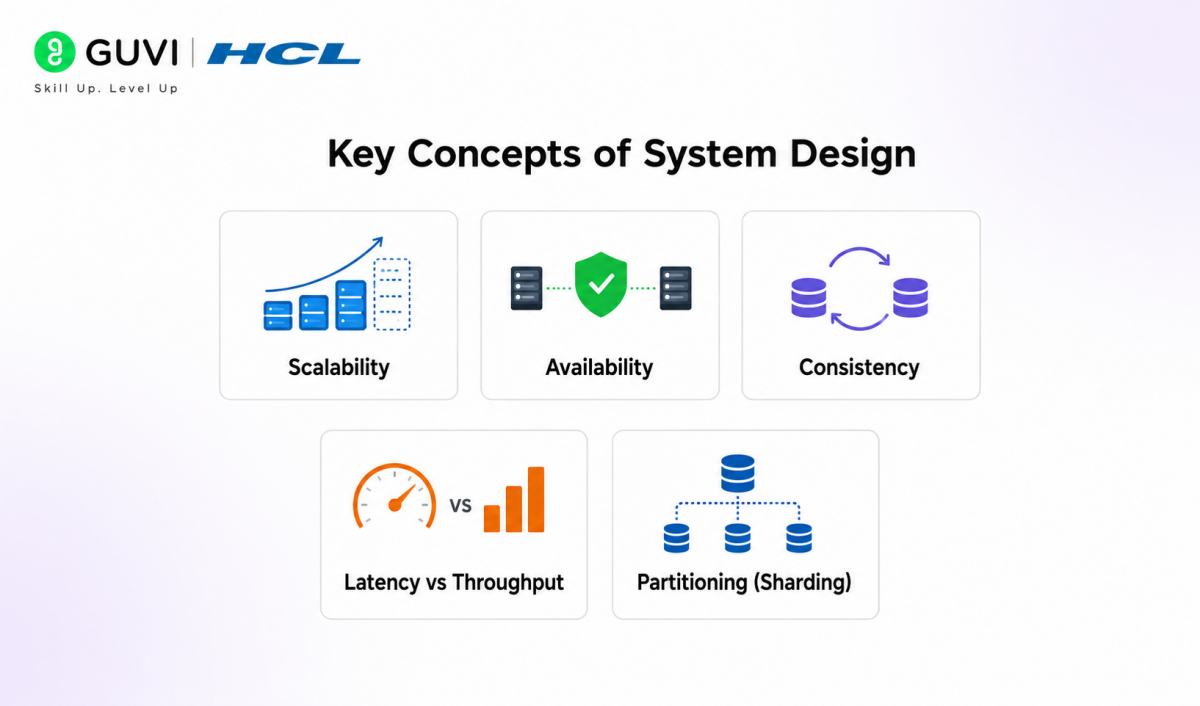
1. Scalability: Designing for Growth, Not Just Today
Scalability is the system’s ability to handle increasing load (users, data, requests) without degrading performance.
Vertical Scaling (Scale Up)
- Add more CPU, RAM, SSD to a single machine
- Simple to implement
- Limited by hardware constraints
Horizontal Scaling (Scale Out)
- Add more machines and distribute load
- Requires distributed architecture
- Enables infinite scale (in theory)
Advanced Considerations
- Auto-scaling policies (based on CPU, latency, queue depth)
- Stateless services for easy replication
- Data partitioning to avoid bottlenecks
Reality Check: Most large systems fail not because they cannot scale, but because they were not designed to scale from day one.
2. Availability: Systems That Never “Go Down”
Availability measures the percentage of time a system remains operational.
Key Strategies
- Redundancy: Multiple instances of services
- Failover: Automatic switching to backup systems
- Health Checks: Detect and replace unhealthy nodes
Multi-Region Architecture
- Deploy across geographies
- Reduces downtime due to regional failures
Availability Metrics
- 99.9% → ~8.7 hours downtime/year
- 99.99% → ~52 minutes/year
Engineering Insight: High availability is achieved not by preventing failure, but by designing systems that recover instantly.
3. Consistency: Truth of Data Across Systems
Consistency ensures that all users see the same data at the same time.
Strong Consistency
- Immediate synchronization
- Required for banking, payments
Eventual Consistency
- Data converges over time
- Used in distributed systems like social media
CAP Theorem
In distributed systems, you can only guarantee two of the three:
- Consistency (C)
- Availability (A)
- Partition Tolerance (P)
Trade-off Example:
- Banking → CP (Consistency + Partition Tolerance)
- Social Media → AP (Availability + Partition Tolerance)
4. Latency vs Throughput: The Performance Trade-Off
These two metrics define how a system performs under load.
Latency
- Time taken to process a single request
- Measured in milliseconds
Throughput
- Number of requests processed per second
Trade-Off
- Optimizing for low latency may reduce throughput
- High throughput systems may batch requests, increasing latency
Optimization Techniques
- Caching (reduce latency)
- Load balancing (increase throughput)
- Asynchronous processing (improve both in some cases)
Example:
- Real-time gaming → ultra-low latency
- Data pipelines → high throughput
5. Partitioning (Sharding): Breaking the Monolith of Data
Partitioning divides large datasets into smaller, manageable chunks across multiple machines.
Why It Matters
- Eliminates single database bottlenecks
- Enables horizontal scaling
- Improves query performance
Types of Sharding
- Range-based: Split by value ranges (e.g., user IDs 1–1M)
- Hash-based: Even distribution using hash functions
- Geo-based: Data split by region
Challenges
- Rebalancing shards
- Cross-shard queries
- Data consistency
Key Insight: Poor sharding strategy can lead to hotspots, where one shard gets overloaded while others stay idle.
Core Fundamentals of System Design
1. Client–Server Architecture
At its core, modern applications follow a client–server model, where the client (browser, mobile app, IoT device) sends requests and the server processes them and returns responses.
But in real-world systems, this is not just a simple request–response loop. It evolves into:
- Multi-tier architecture (presentation → application → data layer)
- Stateless vs stateful servers (stateless APIs scale better using horizontal scaling)
- CDNs (Content Delivery Networks) to push static content closer to users
Example: When you open Instagram, your mobile app (client) calls multiple backend services (servers) for feed, stories, and notifications simultaneously.
2. Databases
Databases are the backbone of any system. The choice here directly impacts performance and consistency.
SQL vs NoSQL
- SQL (Relational): Structured schema, ACID compliance, strong consistency
- Example: MySQL, PostgreSQL
- NoSQL (Non-relational): Flexible schema, high scalability, eventual consistency
- Example: MongoDB, Cassandra
Data Modeling
- Designing schemas based on access patterns, not just structure
- Techniques: Normalization (reduce redundancy) vs Denormalization (optimize reads)
Indexing
- Improves query speed using structures like B-Trees or Hash Indexes
- Trade-off: Faster reads but slower writes
Key Insight: Poor indexing is one of the most common bottlenecks in production systems.
3. API Design
APIs are the contract between frontend and backend systems.
REST vs GraphQL
- REST: Resource-based endpoints (/users, /posts)
- Simple, cache-friendly, widely adopted
- GraphQL: Query-based approach
- Fetch exactly what you need, reduces over-fetching
Versioning
- Ensures backward compatibility (/v1/users, /v2/users)
- Prevents breaking existing clients
Scalability Considerations
- Rate limiting
- Idempotency (safe retries)
- Pagination for large datasets
Example: Payment APIs must be idempotent to avoid duplicate transactions.

4. Caching
Caching is a performance multiplier.
How It Works
Instead of hitting the database every time, frequently accessed data is stored in in-memory systems like:
- Redis
- Memcached
Caching Strategies
- Cache-aside (lazy loading)
- Write-through
- Write-back (write-behind)
Benefits
- Reduces latency (milliseconds → microseconds)
- Decreases database load
- Improves user experience
For example: Your homepage feed is often cached to serve millions of users instantly.
5. Load Balancing
Load balancers act as traffic controllers.
What They Do
- Distribute incoming requests across multiple servers
- Prevent any single server from being overwhelmed
Types
- Layer 4 (Transport level): Based on IP/port
- Layer 7 (Application level): Based on headers, URLs
Algorithms
- Round Robin
- Least Connections
- IP Hash
Real-world example: Netflix uses advanced load balancing to handle billions of requests daily.
6. Storage Systems
Different use cases require different storage types.
Object Storage
- Stores files as objects (images, videos, backups)
- Highly scalable and cost-efficient
- Example: Amazon S3
Block Storage
- Low-level storage volumes attached to servers
- High performance, used for databases
File Storage
- Shared file systems across servers
Key Insight: Choosing the wrong storage type can drastically increase costs or latency.
System Design Primer: Step-by-Step Guide to Designing Scalable Systems
Step 1: Clarify System Requirements
Start by identifying what the system must do and how it should perform under real-world usage. Define functional requirements like user login, search, payments, or messaging, and non-functional requirements like scalability, availability, latency, security, and fault tolerance.
Step 2: Estimate Scale and Traffic
Calculate expected daily active users, requests per second, read/write ratio, storage needs, and peak traffic. These estimates help decide whether the system needs caching, load balancing, database partitioning, or asynchronous processing.
Step 3: Define the High-Level Architecture
Create a broad system design with core components such as clients, API gateway, application servers, databases, cache, object storage, message queues, and load balancers. This gives a clear view of how data flows across the system.
Step 4: Choose the Right Database
Select the database based on access patterns. Use SQL databases for structured data and strong consistency, and NoSQL databases for flexible schemas, high write throughput, or distributed scale. Plan indexing, replication, and sharding early.
Step 5: Add Caching for Performance
Use caching systems like Redis or Memcached to store frequently accessed data. A good caching strategy reduces database load, improves response time, and supports scalable system design under high traffic.
Step 6: Use Load Balancing
Place a load balancer in front of application servers to distribute requests evenly. This improves availability, prevents server overload, and enables horizontal scaling as traffic grows.
Step 7: Design for Failure
Build redundancy into every critical layer. Use replication, failover, retries, timeouts, circuit breakers, and health checks so the system continues working even when one component fails.
Step 8: Introduce Asynchronous Processing
Use message queues or event streaming platforms like Kafka or RabbitMQ for tasks that do not need immediate response, such as notifications, analytics, emails, and background jobs. This improves scalability and system responsiveness.
Step 9: Monitor and Optimize
Add logs, metrics, alerts, and distributed tracing to track system health. Identify bottlenecks in databases, APIs, network calls, or compute resources, then optimize based on real usage patterns.
Step 10: Review Scalability and Security
Before finalizing, check whether the system can handle growth securely. Review rate limiting, authentication, authorization, encryption, data backups, disaster recovery, and capacity planning.
System Design Primer: Step-by-Step Example (Designing a Scalable URL Shortener)
Step 1: Clarify Requirements
- Users can submit a long URL and get a short URL
- Redirect short URL → original URL instantly
- Optional: analytics (click count, location)
Non-functional requirements:
- Low latency redirects (<100ms)
- High availability
- Massive read traffic (read-heavy system)
Step 2: Estimate Scale
- Assume 10 million URLs/day
- Read-heavy system → ~100x more redirects than writes
- Storage: billions of URL mappings over time
This tells us we need horizontal scaling, caching, and distributed databases.
Step 3: High-Level Architecture
- Client → Load Balancer → Application Servers
- Application Servers → Cache → Database
- Optional: Analytics pipeline
This step ensures scalable request handling and fast lookups.
Step 4: ID Generation (Core Logic)
- Convert long URL into a short unique key
- Use:
- Base62 encoding (compact format)
- Counter or Snowflake ID generator
Example: https://example.com/page → abc123
Step 5: Database Design
- Store mapping:
short_id → long_url - Use a distributed DB like Cassandra for:
- High write throughput
- Horizontal scalability
- Add indexing for fast lookup
Step 6: Add Caching Layer
- Use Redis
- Store frequently accessed URLs
Flow:
- Check cache
- If miss → query DB
- Store result in cache
Reduces latency from milliseconds to microseconds
Step 7: Load Balancing
- Use load balancer to distribute traffic across servers
- Enables horizontal scaling and fault tolerance
Step 8: Redirection Flow
- User clicks short URL
- Request hits load balancer
- Cache lookup (fast path)
- DB lookup (fallback)
- Redirect using HTTP 301/302
Step 9: Handle Scale & Failures
- Replicate database across nodes
- Use failover mechanisms
- Handle hot URLs (viral links) with caching and CDN
Step 10: Add Analytics (Optional)
- Track clicks using Apache Kafka
- Process data asynchronously
- Store insights for reporting
Best Practices for Effective System Design
- Start Simple: Build for Today, Scale for Tomorrow
- Begin with a modular monolith
- Introduce complexity only when required
- Design for Failure: Assume Every Component Can Break
- Use retries, failover, circuit breakers
- Avoid single points of failure
- Use Caching Strategically: Speed Without Staleness
- Cache high-read data
- Use TTL and invalidation strategies
- Monitor Everything: Observability is Critical
- Logs for debugging
- Metrics for performance
- Alerts for failures
Common Mistakes in System Design
- Overengineering too early: Adopting microservices, complex patterns, or distributed systems prematurely adds unnecessary complexity, operational overhead, and failure points.
- Poor database design: Incorrect schema design, missing indexes, and ignoring access patterns result in slow queries, high latency, and inefficient resource usage.
- Single point of failure: Relying on a single server, database, or region without redundancy or failover mechanisms can bring the entire system down during failures.
- Lack of observability: Absence of logging, monitoring, and alerting makes it difficult to detect, debug, and resolve production issues efficiently.
Conclusion
System design is where coding knowledge starts turning into real engineering judgment. Once you understand scalability, databases, APIs, caching, load balancing, and failure handling, you can design systems that do not just work, but keep working under pressure. Start with the fundamentals, practice real-world architectures, and keep thinking in engineering decisions and compromises. That is how you build scalable systems with confidence.
FAQs
What skills are needed for system design?
Strong basics in databases, networking, APIs, and distributed systems, along with problem-solving and trade-off thinking.
How long does it take to learn system design?
Basics can take 4 to 8 weeks, but mastering real-world systems requires continuous practice.
Is system design only for senior engineers?
No, it is useful at all levels and helps developers build scalable systems and prepare for interviews early.
Success Stories

About the Author
Vaishali
I'm a seasoned writer with four years of experience across technical, non-technical, and just about every genre or niche you can imagine. Adaptable and curious, I enjoy exploring new topics and making information engaging and easy to understand. Fueled by a steady stream of tea, I approach each project with creativity, reliability, and genuine enthusiasm for storytelling.
View all posts by Vaishali
Connect with me @















Did you enjoy this article?