


Project Articles
Build AI Agents with LangChain v1: Step-by-Step Tutorial
Build a Blog Research and Writer n8n Workflow: Complete Guide
Building an AI Chatbot with Rasa and Ollama: Exploring the Process


Get In Touch For Details! Request More Information
10 Best React Project Ideas for Developers [with Source Code]
Feb 17, 2026 6 Min Read 88283 Views
(Last Updated)
As of 2025, React powers over 43% of professional developers worldwide, maintaining its lead as the most popular JavaScript library for building dynamic user interfaces. Its dominance stems from features such as efficient rendering, reusable components, and a vast ecosystem of tools that simplify development.
If you’re looking to learn React or strengthen your portfolio, building real-world projects is the most effective way to master it. In this blog, you’ll explore some of the best React project ideas — from beginner to advanced — complete with source code to help you apply concepts, sharpen skills, and stand out in the tech industry. Let’s begin!
Table of contents
- What is ReactJS?
- 10 Best React Project Ideas for Developers [with Source Code]
- A) Beginner-Level React Projects
- B) Intermediate-Level React Projects
- C) Advanced-Level React Projects
- Concluding Thoughts...
- FAQs
- What are the best React project ideas for beginners?
- How do React projects help improve frontend development skills?
- Which tech stack is used for most React projects?
- How long does it take to complete a React project?
- Where can I find React project source code for practice?
What is ReactJS?
React is a JavaScript-based UI library. It is widely used in web development. Its initial release was on May 29, 2013, and is now one of the most commonly used frontend libraries for web development. Its community-driven approach has led to a rich repository of resources, tools, and libraries that facilitate rapid application development.
For developers just starting with React, it’s recommended to become familiar with JSX, hooks, and the component lifecycle, which are foundational concepts within the framework.
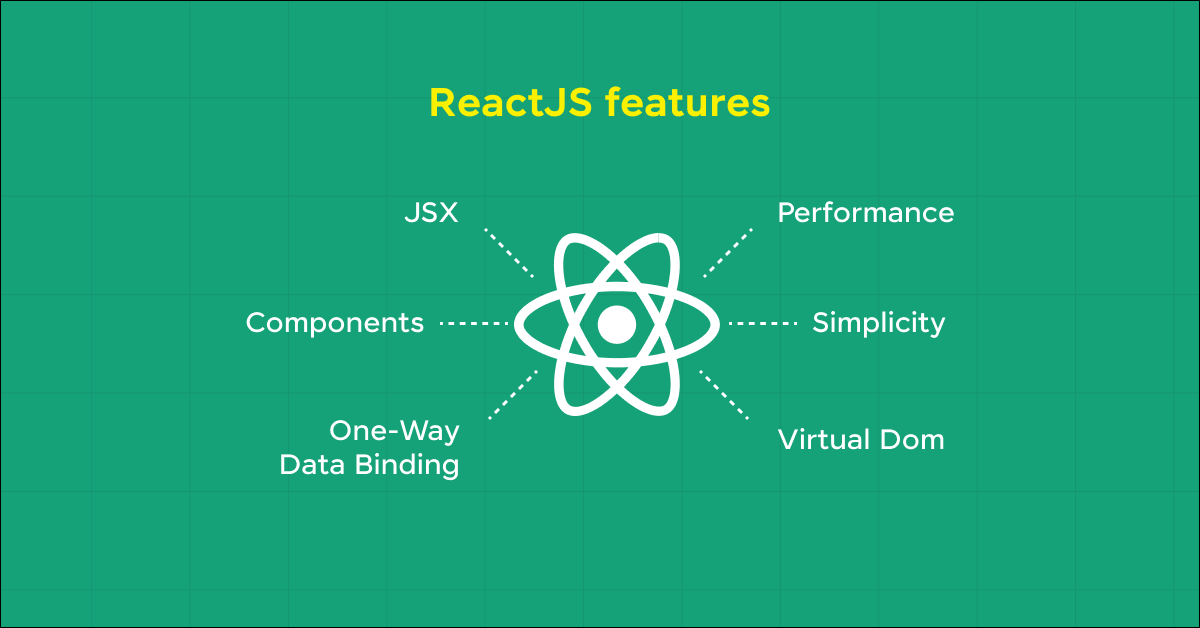
Features of React:
- Component-Based Architecture: React’s design is centered around reusable components, allowing developers to break down complex UIs into smaller, manageable, and reusable pieces that can be developed and maintained independently.
- Virtual DOM: React utilizes a virtual DOM to optimize updates, which makes the UI more efficient and faster. It compares the current state of the UI with the new state in a virtual environment, updating only what is necessary in the actual DOM.
- JSX (JavaScript XML): React uses JSX for templating instead of regular JavaScript. It allows HTML quoting and uses HTML tag syntax to render subcomponents, improving readability and ease of development.
10 Best React Project Ideas for Developers [with Source Code]
Let’s go through some of the best React project ideas for developers based on the level you’re currently at, be it beginner, intermediate, or advanced.
A) Beginner-Level React Projects
Let’s begin with the beginner-level React project ideas so that you, as a newbie developer, may try these out and get a hands-on experience.
1. ToDo List App
Nothing could be a better start in building a React project than implementing a To-Do list app. It’s a beginner-friendly app that developers can easily work on. It helps understand the basics of state management and UI rendering.
It’s an application wherein you can manage your daily tasks based on priority level and update them whenever required. This helps to bring discipline into your life daily.
Time Taken: 1–2 days
Skills required:
- HTML, CSS, and JavaScript
- Basic React concepts
- State management
- Conditional rendering
Tech Stack Needed:
- React (useState, useEffect)
- JavaScript ES6
- CSS Modules for styling
- LocalStorage for persistence
- React Icons for visual clarity
What You Learn:
- Handling user input and event-driven updates
- Creating reusable React components
- Managing and persisting state
- Basic UI/UX principles for lists
- Implementing CRUD operations in React
Source Code: ToDo List App
2. Fitness Tracker
Next on the list is creating a fitness tracker app that keeps you physically fit, wherein you can track your health progress, including heart rate, no of steps covered, cholesterol level, blood pressure rate, etc. This keeps you away from doctors (also, do not forget to have a regular health checkup every year).
The features of this app can be calendars, notifications, and perhaps sync with other fitness apps.
Time Taken: 3–4 days
Skills required:
- Third-party API integration
- Local storage management
- Advanced React patterns
Tech Stack Needed:
- React (Hooks + Functional Components)
- Chart.js for data visualization
- RESTful APIs (health or fitness APIs)
- CSS Grid or Tailwind for layout
- LocalStorage or IndexedDB for data
What You Learn:
- Fetching and rendering live API data
- Using React Hooks (useEffect/useState) effectively
- Implementing data charts and graphs
- Managing local data efficiently
- Building responsive layouts in React
Source Code: Fitness Tracker
Also Read: Top Technologies to Learn for a JavaScript Backend Developer
3. Quiz App
A Quiz App is a dynamic web application that allows users to participate in quizzes on various topics, see instant feedback on their answers, and track their progress over time. This type of project is excellent for beginners and intermediate developers alike, as it encompasses a broad range of functionalities from user interface design to complex logic handling and data management.
Developing a quiz app can also introduce challenges like scoring, timing, and user authentication, making it a comprehensive project to hone web development skills.
Time Taken: 2–3 days
Skills required:
- Interactive UI Design
- Question and Answer Management
- State Management
- Routing
Tech Stack Needed:
- React (Router, Hooks)
- JavaScript for quiz logic
- CSS Animations
- JSON Data for questions
- LocalStorage for session scores
What You Learn:
- State transitions and conditional rendering
- Managing timed events (quiz timers)
- Controlled components for input
- Navigation using React Router
- Handling user feedback dynamically
Source Code: Quiz App

B) Intermediate-Level React Projects
Now that you know some of the best beginner-level React project ideas, let’s move to a bit higher level, i.e., intermediate-level React project ideas:
4. Social Media App
Although there are many projects that you can build to move to higher-level project ideas, social media is one that you can start with. This app helps in developing a dashboard to track social media metrics, integrating various APIs to fetch data and display it using charts and graphs.
Time Taken: 4–5 days
Skills required:
- API integration
- Chart libraries like Chart.js or D3.js
- React hooks
Tech Stack Needed:
- React (Hooks, Context API)
- Chart.js or D3.js
- REST APIs (Facebook, Twitter API samples)
- Axios for data fetching
- Tailwind CSS for responsive layouts
What You Learn:
- Working with multiple API endpoints
- Complex UI visualization and charts
- State synchronization with APIs
- Optimizing React performance
- Implementing reusable UI components
Source Code: Social Media App
5. Food Delivery App
Since technology has been advancing, we all have a habit of ordering food while sitting at home. Apps like Zomato, Swiggy, etc. are great examples. Why not build such an app? You, as a developer, can try building a food delivery app.
This is an application where users can search for recipes, filter by ingredients, and save favorites. This project can be enhanced with user accounts and customization.
Time Taken: 5–6 days
Skills required:
- API use
- Complex state management
- Responsive design
Tech Stack Needed:
- React + Context API / Redux
- Firebase for backend
- REST API for restaurant data
- Stripe API for payment simulation
- Tailwind CSS
What You Learn:
- Global state management (Redux/Context)
- Simulating e-commerce workflows
- Optimizing UI for performance
- Real-time updates (orders, carts)
- Integrating backend services with React
Source Code: Food Delivery App
Want to build these projects with clear guidance?
Explore the HCL GUVI React JS Project Handbook and start building real-world React projects step by step.
6. Online Tutorials App
The most important concern today is the education system, on which the entire society is focused. Many apps give you the best online tutorials, such as Udemy, Coursera, etc. You can also try out building such an app. An Online tutorial app provides a platform for users to learn various subjects and skills at their own pace.
The project involves building a comprehensive application where users can browse different tutorial courses, watch instructional videos, and track their progress. This app can include features like categorization of courses, user authentication, and interactive quizzes to test knowledge retention.
Time Taken: 1 week
Skills required:
- User Authentication
- Video Streaming
- Database Management
- State Management
- Routing
Tech Stack Needed:
- React + React Router
- Firebase Auth / JWT Authentication
- Node.js + Express backend
- MongoDB for course data
- Video.js or YouTube Embed API
What You Learn:
- Full-stack React integration
- Implementing secure user login
- Managing user sessions and access control
- Video rendering in React
- Dynamic routing and content fetching
Source Code: Online Tutorials App
React has an interesting history that goes beyond just web development. Here are a few facts you might not know:
React Was Created at Facebook: React was developed by Jordan Walke, a Facebook software engineer, in 2011 to solve UI rendering issues in Facebook’s News Feed. It became open-source in 2013.
The Virtual DOM Revolutionized UI Updates: Before React, updating the UI was slow and complex. React’s Virtual DOM changed that by making rendering faster and more efficient.
React Isn’t a Framework: Despite its popularity, React is technically a library, not a framework — it focuses solely on building user interfaces, letting developers choose their own tools for routing, state management, and APIs.
React Native Was Born from React: The success of React led to React Native in 2015, enabling developers to build mobile apps using the same principles — one of the first true “learn once, write anywhere” technologies.
These milestones show how React evolved from an internal Facebook tool to a core technology shaping modern web and mobile development.
C) Advanced-Level React Projects
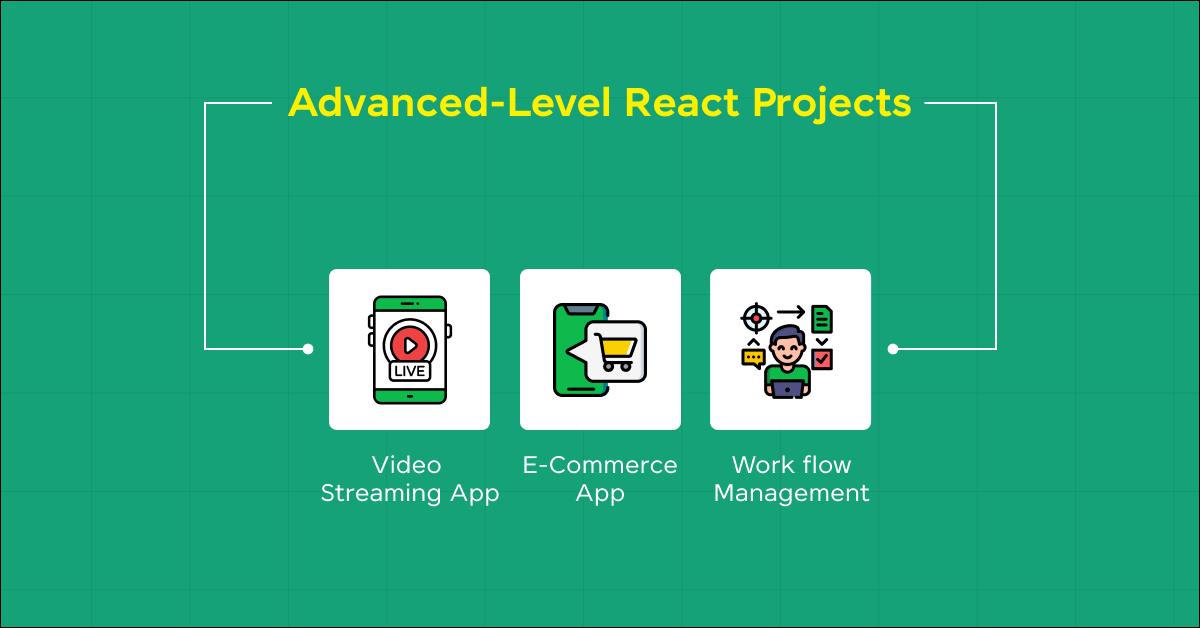
If you are a pro developer, you can now focus on Advanced-Level React project ideas, giving you complete knowledge of advanced features.
7. Video Streaming App
A Video Streaming App is akin to creating a mini-version of platforms like YouTube or Netflix. This project involves building a web application that allows users to upload, stream, and manage video content.
Key features might include video playback, search functionality, a recommendations system, user profiles, and perhaps a commenting system. This project teaches how to handle large data files, stream video content efficiently, and manage user interactions in real-time.
Time Taken: 1–2 weeks
Skills required:
- Video Handling and Streaming
- Database Management
- User Authentication
- API Development
- State Management
Tech Stack Needed:
- React + Redux
- Node.js + Express
- MongoDB / AWS S3 for storage
- JWT Authentication
- HLS.js / Video.js for playback
What You Learn:
- Handling large video files
- Streaming optimization and buffering
- Secure authentication flows
- Scalable API design
- State synchronization with backend
Source Code: Video Streaming App
8. E-Commerce App
Developing an e-commerce App is a comprehensive project that mimics real-world online shopping experiences like those offered by Amazon, eBay, or Etsy. This app allows users to browse products, add them to a cart, and proceed through a checkout process. Key features include product listings, search functionality, user reviews, and payment integration.
This project is excellent for understanding how to handle complex user interactions, data management, and integrating with external services such as payment processors.
Time Taken: 2 weeks
Skills required:
- React Router
- Global state management tools like Redux or Context API
- Basic back-end integration
Tech Stack Needed:
- React + Redux
- Stripe API for payments
- Express + Node.js
- MongoDB for products
- Tailwind for responsive design
What You Learn:
- Payment processing workflows
- State synchronization with Redux
- Backend integration patterns
- Authentication + session handling
- UI optimization for e-commerce
9. Workflow Management Tool
A Workflow Management Tool helps teams and organizations streamline their processes by organizing tasks, tracking progress, and facilitating collaboration among team members. This type of application often features task assignments, progress tracking, timelines, notifications, and perhaps even integration with other tools such as email or collaborative software like Slack or Microsoft Teams.
Building such a tool is a great project for understanding system design, user interface considerations, and complex state management in React.
Time Taken: 10–12 days
Skills required:
- Complex UI Components
- State Management
- Real-time Updates
- Authentication and Authorization
Tech Stack Needed:
- React + Firebase Realtime DB
- WebSockets
- Tailwind + Drag-and-Drop library
- Node.js backend
- JWT Auth
What You Learn:
- Real-time synchronization
- Role-based access control
- Drag-and-drop interactivity
- Advanced form and modal handling
- Efficient component structuring
Source Code: Workflow Management Tool
10. Movie Ticket Booking System
A Movie Ticket Booking System is an interactive web application that allows users to select movies, choose showtimes, pick seats, and purchase tickets online. This project involves simulating a real-world cinema booking system, providing a streamlined user experience from browsing movies to finalizing the transaction. It’s a great opportunity to build a comprehensive system that includes front-end user interfaces, back-end services, and integration with payment processing systems.
Time Taken: 1 week
Skills required:
- User Interface Design
- Dynamic Seat Selection
- State Management
- API Integration
Tech Stack Needed:
- React + Context API
- Node.js + Express
- MongoDB
- Razorpay API for payments
- Tailwind CSS
What You Learn:
- Payment gateway integration
- Managing complex component states
- Rendering dynamic seat grids
- Validating and submitting forms
- Backend-frontend data flow
Source Code: Movie Ticket Booking System
Kickstart your Full Stack Development journey by enrolling in HCL GUVI’s Full Stack Development Course with Placement Assistance, where you will master the MERN stack (MongoDB, Express.js, React, Node.js) and build interesting real-life projects. This program is crafted by our team of experts to help you upskill and assist you in placements.
Want to build these projects with clear guidance?
Explore the HCL GUVI React JS Project Handbook and start building real-world React projects step by step.
Concluding Thoughts…
Now that you have learned the best React project ideas from beginner-level to advanced level, you can now assured that your fundamentals are very strong. Building projects such as these enhances your skills and significantly bolsters your portfolio, making you a more competitive candidate in the tech industry.
Each project focuses on different aspects of React and related technologies, ensuring that you gain a holistic view of web development as you progress through them.
FAQs
1. What are the best React project ideas for beginners?
If you’re new to React, start with simple apps that teach component structure, state management, and UI rendering. Some great beginner projects include a To-Do List App, Weather App, Recipe Finder, and Quiz App. These projects focus on mastering React basics like hooks, props, and API integration.
2. How do React projects help improve frontend development skills?
React projects provide hands-on experience in component-based architecture, state management, and API handling, which are essential for frontend development. They also help you understand advanced concepts like routing, authentication, and global state through real-world problem-solving.
3. Which tech stack is used for most React projects?
A standard React project tech stack typically includes:
Frontend: React, Redux/Context API, Tailwind CSS or Bootstrap
Backend: Node.js with Express or Firebase
Database: MongoDB or Firestore
APIs & Tools: Axios, Chart.js, and third-party APIs
This combination offers flexibility, scalability, and seamless integration for building modern web apps.
4. How long does it take to complete a React project?
The time depends on the project’s complexity:
Beginner projects: 1–3 days (To-Do, Quiz, Weather App)
Intermediate projects: 4–7 days (Food Delivery, Expense Tracker, Blog CMS)
Advanced projects: 1–2 weeks (E-commerce, Workflow Tool, AI Chatbot)
Consistency and debugging practice are key to mastering React development.
5. Where can I find React project source code for practice?
You can find complete source codes for these React projects on GitHub, HCL GUVI’s project repository, or coding platforms like FreeCodeCamp and Dev.to. Each project mentioned here includes a “Source Code” link that helps you clone and modify the code for personal learning or portfolio building.
Success Stories

About the Author
Jaishree Tomar
A recent CS Graduate with a quirk for writing and coding, a Data Science and Machine Learning enthusiast trying to pave my own way with tech. I have worked as a freelancer with a UK-based Digital Marketing firm writing various tech blogs, articles, and code snippets. Now, working as a Technical Writer at GUVI writing to my heart’s content!
View all posts by Jaishree Tomar
Connect with me @

Did you enjoy this article?
Comments
















Thanks for sharing valuable information and very useful for me.