


Programming Languages Articles
Product Manager Portfolio: How to Build The Best One That Gets You Hired in 2026
Code Review Best Practices: How to Give and Receive Feedback Effectively


Get In Touch For Details! Request More Information
Top 6 Python Libraries for Parallel Processing in 2026 for Data Engineers and Developers
Sep 07, 2026 6 Min Read 18071 Views
(Last Updated)
Processing one task at a time works well for small programs. However, it becomes a bottleneck when Python applications need to process millions of records, train machine learning models or perform several CPU-intensive calculations.
This is where parallel processing becomes useful.
Instead of making one processor complete every part of a workload sequentially, parallel processing divides the work so multiple CPU cores, processes or machines can handle different tasks simultaneously.
Python provides several libraries and built-in modules for this purpose. Some are designed for a single multicore computer, while others can distribute workloads across entire clusters.
In this guide, we will explore the top six Python libraries for parallel processing in 2026, compare their best use cases and understand which option works best for data engineering, machine learning and general Python development.
Quick Answer: Python libraries for parallel processing help divide workloads across multiple CPU cores, processes or machines to reduce execution time and handle larger workloads. In 2026, leading options include Ray, Dask, Joblib, multiprocessing, concurrent.futures and ipyparallel for workloads ranging from local CPU tasks to distributed data processing.
Table of contents
- What Is Parallel Processing?
- Why Use Python Libraries for Parallel Processing?
- Python Libraries for Parallel Processing: Quick Comparison
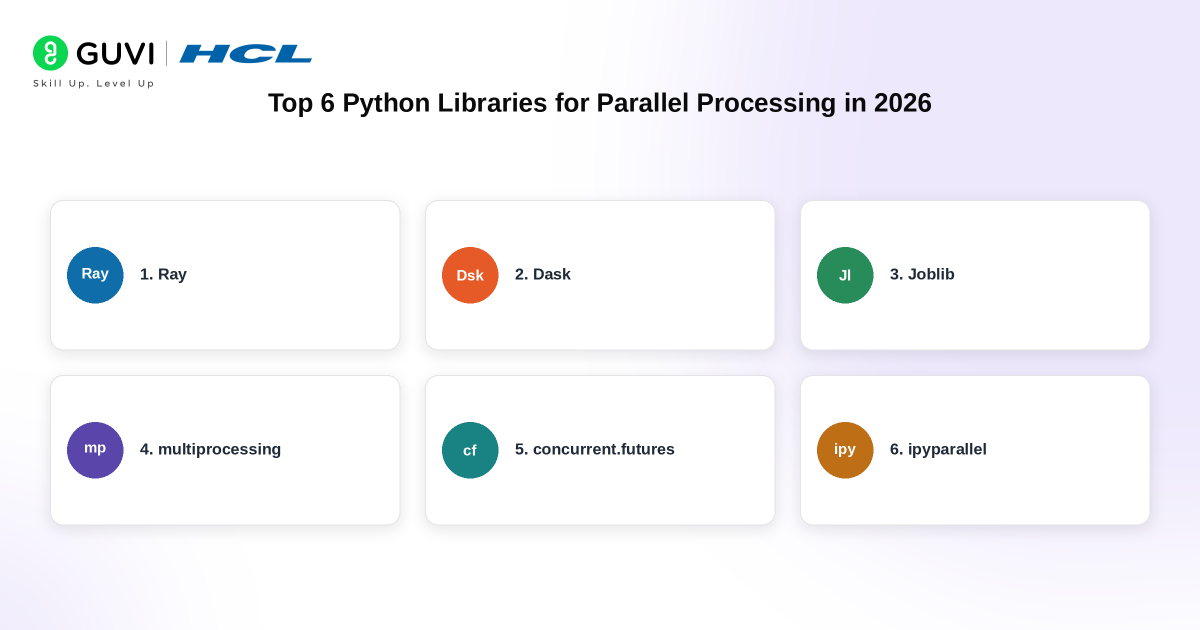
- Top 6 Python Libraries for Parallel Processing in 2026
- Ray
- Dask
- Joblib
- multiprocessing
- concurrent.futures
- ipyparallel
- What About Pandarallel and Dispy?
- How to Choose the Right Python Parallel Processing Library
- Top Python Libraries for Parallel Processing in India in 2026
- Parallel Processing vs Concurrency in Python
- The Future of Parallel Processing in Python
- Conclusion
- FAQs
- Which Python library is best for parallel processing?
- Does Python support parallel processing?
- How can Python use multiple CPU cores?
- Is Dask better than Ray for parallel processing?
- What is the difference between multiprocessing and Joblib?
What Is Parallel Processing?
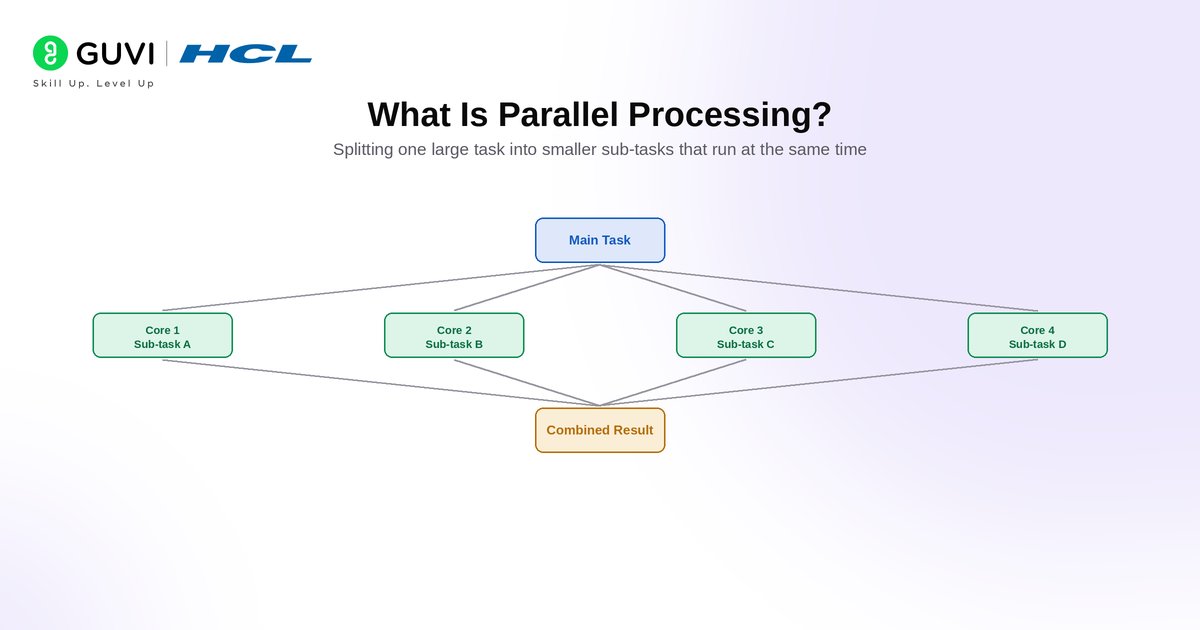
Parallel processing is a computing technique in which multiple tasks or parts of the same task are executed simultaneously.
For example, imagine that a Python program needs to process 10,000 independent files. Processing them one after another may take considerable time. If the workload can be safely divided, several worker processes can handle different files at the same time.
Parallel processing can help with:
- Large-scale data transformations
- CPU-intensive calculations
- Machine learning workloads
- Scientific computing
- Batch processing
- Image and video processing
- Distributed data pipelines
However, parallel processing does not automatically make every program faster. Communication between workers, memory usage, task size and data transfer can add overhead.
The best approach therefore depends on the workload.
Why Use Python Libraries for Parallel Processing?
Python is widely used across data science, machine learning, automation and data engineering because of its readable syntax and extensive ecosystem.
Parallel execution in traditional CPython has historically required additional consideration because of the Global Interpreter Lock or GIL. In the standard GIL-enabled interpreter, only one thread can execute Python bytecode at a time. CPU-bound programs therefore commonly use separate processes to take advantage of multiple cores.
Python has started changing in this area. Since Python 3.13, CPython has supported optional free-threaded builds that can disable the GIL. Python 3.14 continues this support, allowing properly designed threaded programs to execute across CPU cores, although package compatibility and workload characteristics still matter.
Python libraries make parallel processing easier by providing abstractions for:
- Creating worker processes
- Scheduling tasks
- Sharing or transferring data
- Managing clusters
- Recovering from worker failures
- Scaling workloads beyond one machine
Python Libraries for Parallel Processing: Quick Comparison
| Library | 2026 Version/Platform | Best For | Runs Across Multiple Machines? | Difficulty |
| Ray | 2.58.0 | Distributed Python, AI/ML and scalable applications | Yes | Intermediate |
| Dask | 2026.8.0 | Large datasets and parallel analytics | Yes | Intermediate |
| Joblib | 1.5.3 | Parallel loops and scientific Python workloads | Limited through backends | Beginner |
| multiprocessing | Python 3.14 | CPU-bound processing on one machine | No | Beginner–Intermediate |
| concurrent.futures | Python 3.14 | Simple process, thread and interpreter pools | Primarily local | Beginner |
| ipyparallel | 9.2.0 | Interactive parallel computing with Jupyter | Yes | Intermediate |
Ray 2.58.0 was released on August 23, 2026, while Dask 2026.8.0 arrived on August 24, 2026. Joblib’s current stable release is 1.5.3, and ipyparallel reached version 9.2.0 in May 2026.
Top 6 Python Libraries for Parallel Processing in 2026
1. Ray
Ray is one of the most powerful choices when a Python workload needs to scale beyond a single process or machine.
Instead of rewriting an application around complex distributed systems concepts, developers can convert ordinary Python functions and classes into distributed tasks and actors.
Tasks are useful for stateless parallel operations. Actors maintain state between operations, making them suitable for applications where workers need to retain information.
Ray can scale from a laptop to a multi-node cluster and is particularly useful for:
- Distributed Python applications
- Machine learning
- Model training
- Hyperparameter tuning
- Model serving
- Reinforcement learning
- Data processing
The Ray ecosystem includes components such as Ray Data, Ray Train, Ray Tune, Ray Serve and RLlib. Its current official release on PyPI is Ray 2.58.0 as of August 2026.
Best for: Developers who need to scale Python or AI workloads from one machine to distributed infrastructure.
2. Dask
Dask is particularly useful when datasets become too large or computationally expensive for normal Pandas or NumPy workflows.
It provides parallel versions of familiar data structures, including:
- Dask DataFrame
- Dask Array
- Dask Bag
Dask uses a task scheduler to divide large computations into smaller tasks and execute them across available workers.
One of its major advantages is scalability. The same general workflow can run on a developer’s laptop and later expand to a distributed cluster.
Dask is commonly used for:
- Data engineering
- Large-scale analytics
- Parallel Pandas-style operations
- NumPy workloads
- Machine learning pipelines
- ETL processing
The current PyPI release is Dask 2026.8.0, released on August 24, 2026. Dask also supports modern Python versions and includes support work around free-threaded Python.
Best for: Data engineers and analysts processing datasets that exceed normal in-memory workflows.
3. Joblib
Joblib provides a relatively simple way to parallelise independent Python function calls.
It is especially useful when a program contains a loop where the same function needs to run many times with different inputs.
Its Parallel and delayed interfaces allow developers to distribute these function calls across worker processes without building an entire distributed architecture.
Joblib also works closely with the scientific Python ecosystem and is frequently encountered alongside scikit-learn.
Its default process-based backend uses loky, which is bundled with Joblib.
Joblib 1.5.3 is the current stable PyPI release and supports Python 3.9 and later.
Best for: Parallelising independent CPU-heavy function calls and loops with minimal code changes.
Libraries such as Ray and Dask assume that you’re already comfortable writing efficient Python. HCL GUVI’s Code Kata helps you sharpen core skills such as loops, functions and data structures before moving towards performance-focused Python tools.
4. multiprocessing
Python’s built-in multiprocessing module remains one of the most important tools for CPU-bound parallel processing.
Instead of creating multiple threads inside the same Python process, multiprocessing creates separate processes.
Each process has its own Python interpreter and memory space. This lets CPU-bound workloads use multiple processor cores without being constrained by the GIL in a traditional CPython build.
It is useful for tasks such as:
- Mathematical calculations
- Data transformations
- Image processing
- File processing
- Independent CPU-heavy jobs
The module provides tools such as:
- Process
- Pool
- Queues
- Pipes
- Shared memory
- Synchronisation primitives
Python’s own documentation continues to recommend multiprocessing or ProcessPoolExecutor when applications need to make better use of multicore CPUs for CPU-bound Python work.
Best for: Developers who want direct control over CPU-based parallel processing without installing a third-party library.
Build strong Python programming skills to understand parallel processing, data workflows, and performance-focused development with HCL GUVI’s Python Course. Learn Python fundamentals, scripting, automation, problem-solving, and real-world programming concepts through self-paced training designed for data engineers, developers, and aspiring Python professionals.
5. concurrent.futures
concurrent.futures provides a higher-level interface for executing tasks concurrently and in parallel.
It is often easier to start with than the lower-level multiprocessing API.
The module includes:
- ThreadPoolExecutor
- ProcessPoolExecutor
- InterpreterPoolExecutor
ThreadPoolExecutor works well for many I/O-bound tasks, while ProcessPoolExecutor uses separate processes and is more suitable for CPU-heavy work.
Python 3.14 adds an especially interesting option: InterpreterPoolExecutor.
Each worker runs in its own Python interpreter with its own GIL. This allows true multi-core parallel execution while retaining an executor-based interface. The trade-off is that worker interpreters are isolated, so developers need to manage data sharing carefully.
Python 3.14 also adds terminate_workers() and kill_workers() to ProcessPoolExecutor, giving developers additional control over worker processes.
Best for: Developers who want a clean, high-level API for thread, process or interpreter-based parallel execution.
6. ipyparallel
ipyparallel is designed for interactive and distributed parallel computing within the IPython and Jupyter ecosystem.

Developers can create groups of Python engines and distribute work across those engines directly from notebooks or Python applications.
It supports several parallel-computing approaches and gives users considerable control over how tasks are distributed.
This makes it useful for:
- Scientific computing
- Research
- Jupyter-based experimentation
- Interactive cluster computing
- Parallel simulations
The latest release is ipyparallel 9.2.0, released in May 2026. It requires Python 3.10 or newer and supports integration with modern Jupyter environments.
Best for: Researchers, data scientists and developers who want interactive parallel computing from Jupyter.
What About Pandarallel and Dispy?
Older lists of Python parallel-processing libraries frequently include Pandarallel and Dispy. Both can still be useful in existing projects, but they are no longer the strongest choices for a current top-six list.
Pandarallel makes it easy to parallelise selected Pandas operations such as apply() across CPU cores. However, its latest PyPI release is 1.6.5 from May 2023.
Dispy provides distributed and parallel execution across processors and machines, but its latest PyPI release is 4.15.2 from October 2022.
For new projects in 2026, actively maintained alternatives such as Ray, Dask, Joblib, multiprocessing, concurrent.futures and ipyparallel generally provide a stronger starting point.
How to Choose the Right Python Parallel Processing Library
There is no single library that is best for every workload.
Choose based on where and how the program needs to execute.
| Requirement | Recommended Option |
| Simple CPU-heavy tasks on one machine | multiprocessing |
| Simple high-level process pools | concurrent.futures |
| Parallel Python loops | Joblib |
| Large Pandas-style datasets | Dask |
| Distributed Python or AI applications | Ray |
| Jupyter-based parallel experiments | ipyparallel |
| Large cluster-based analytics | Dask or Ray |
| I/O-heavy concurrent tasks | ThreadPoolExecutor |
| Python 3.14 multi-interpreter workloads | InterpreterPoolExecutor |
For smaller applications, starting with concurrent.futures or multiprocessing is often sufficient. For workloads that need distributed scheduling, cluster management or fault tolerance, Ray or Dask becomes more appropriate.
Top Python Libraries for Parallel Processing in India in 2026
Parallel-processing skills are particularly useful in India for developers working in data engineering, machine learning, cloud computing, analytics and backend systems.
For data engineering roles, Dask is useful when working with large analytical datasets, while Ray has become increasingly relevant for distributed Artificial Intelligence, model-serving and machine-learning infrastructure. Joblib remains valuable for scientific Python workloads, while multiprocessing and concurrent.futures provide strong fundamentals for understanding multicore computing.
These skills also connect directly with the broader Indian data-engineering job market. Current Glassdoor India data places the average base salary for a Data Engineer at approximately ₹10.3 lakh per year, with a typical reported base-pay range of around ₹6 lakh to ₹19 lakh per year. Senior Data Engineer compensation can move considerably higher depending on experience, platform expertise and company.
For students and professionals preparing for data-focused roles in India, a useful learning sequence is:
- Learn Python functions, iterators and data structures.
- Understand processes, threads and the GIL.
- Practise multiprocessing and concurrent.futures.
- Learn Joblib for simpler scientific workflows.
- Move to Dask for parallel data processing.
- Explore Ray when workloads need distributed computing or AI infrastructure.
This creates a progression from local multicore programming towards production-scale distributed systems.
Parallel Processing vs Concurrency in Python
Parallelism and concurrency are related but not identical.
- Concurrency means managing multiple tasks during overlapping periods of time. The tasks do not necessarily execute at the exact same instant.
- Parallelism means two or more tasks actually execute simultaneously, usually across multiple CPU cores or machines.
For example, asynchronous network requests can be concurrent without being CPU-parallel. Running four CPU-intensive calculations on four processor cores is parallel processing. Understanding this difference helps developers select between tools such as asyncio, threading, multiprocessing and distributed-computing frameworks.
| Factor | Concurrency | Parallel Processing |
| Meaning | Manages multiple tasks with overlapping execution | Executes multiple tasks at the same time |
| Main Goal | Improve responsiveness and task handling | Reduce execution time |
| Best For | I/O-bound tasks | CPU-bound tasks |
| Execution | Tasks may take turns | Tasks run simultaneously |
| Common Python Tools | asyncio, threading | multiprocessing, ProcessPoolExecutor, Ray |
| CPU Cores | Can work on one core | Usually uses multiple cores or machines |
| Example | Handling many API requests | Processing large datasets across cores |
The Future of Parallel Processing in Python
Python’s parallel-processing story is changing significantly. One of the biggest developments is free-threaded CPython. Python 3.13 introduced an optional build that disables the GIL, and Python 3.14 continues that work. Free-threaded execution allows threads to use multiple CPU cores simultaneously when the application and its dependencies support the mode.
Python 3.14 also introduces InterpreterPoolExecutor, which provides another route to true multicore execution by running workers in isolated interpreters..At the same time, frameworks such as Ray and Dask continue to improve distributed execution across clusters. This means Python developers in 2026 have more choices than simply deciding between threading and multiprocessing. The future is increasingly about choosing the right execution model for the workload: threads, processes, interpreters or distributed workers.
Conclusion
Parallel processing becomes increasingly important as Python applications move from small scripts to large datasets, machine learning pipelines and distributed systems.
For beginners, multiprocessing and concurrent.futures provide the best foundation for understanding multicore execution. Joblib simplifies common parallel loops, while Dask and Ray help move workloads beyond a single machine. ipyparallel remains particularly useful for interactive scientific and Jupyter-based computing.
Python 3.14 also makes this topic more interesting than before. Free-threaded builds and the new InterpreterPoolExecutor are expanding the ways Python applications can use modern multicore processors.
The best approach is not to use parallelism everywhere. Start by identifying the actual bottleneck, choose the execution model that matches the workload and measure whether parallelisation genuinely improves performance.
FAQs
Which Python library is best for parallel processing?
The best library depends on the workload. multiprocessing and concurrent.futures work well for local CPU-bound tasks. Joblib is convenient for parallel loops. Dask is suited to large analytical datasets, while Ray is a strong choice for distributed Python and AI workloads.
Does Python support parallel processing?
Yes. Python supports parallel processing through modules such as multiprocessing and concurrent.futures, as well as third-party frameworks such as Ray, Dask, Joblib and ipyparallel. Python 3.14 also supports optional free-threaded builds and introduces InterpreterPoolExecutor for multi-interpreter parallelism.
How can Python use multiple CPU cores?
CPU-bound programs can use multiple cores through separate processes with multiprocessing or ProcessPoolExecutor. Python 3.14 also provides InterpreterPoolExecutor, while free-threaded Python builds can allow threads to execute Python code simultaneously across multiple cores when compatible.
Is Dask better than Ray for parallel processing?
Neither is universally better. Dask is particularly strong for parallel analytics and familiar NumPy or Pandas-style workflows. Ray is broader and works well for distributed Python applications, machine learning, model training and serving. The right choice depends on the type of workload and scaling requirements.
What is the difference between multiprocessing and Joblib?
Multiprocessing is part of Python’s standard library and provides lower-level control over processes, pools and inter-process communication. Joblib offers a simpler interface for parallelising repeated function calls and is often more convenient for scientific Python and machine-learning workflows.
Success Stories

About the Author
Vaishali
I'm a seasoned writer with four years of experience across technical, non-technical, and just about every genre or niche you can imagine. Adaptable and curious, I enjoy exploring new topics and making information engaging and easy to understand. Fueled by a steady stream of tea, I approach each project with creativity, reliability, and genuine enthusiasm for storytelling.
View all posts by Vaishali
Connect with me @










Did you enjoy this article?