


Database Articles
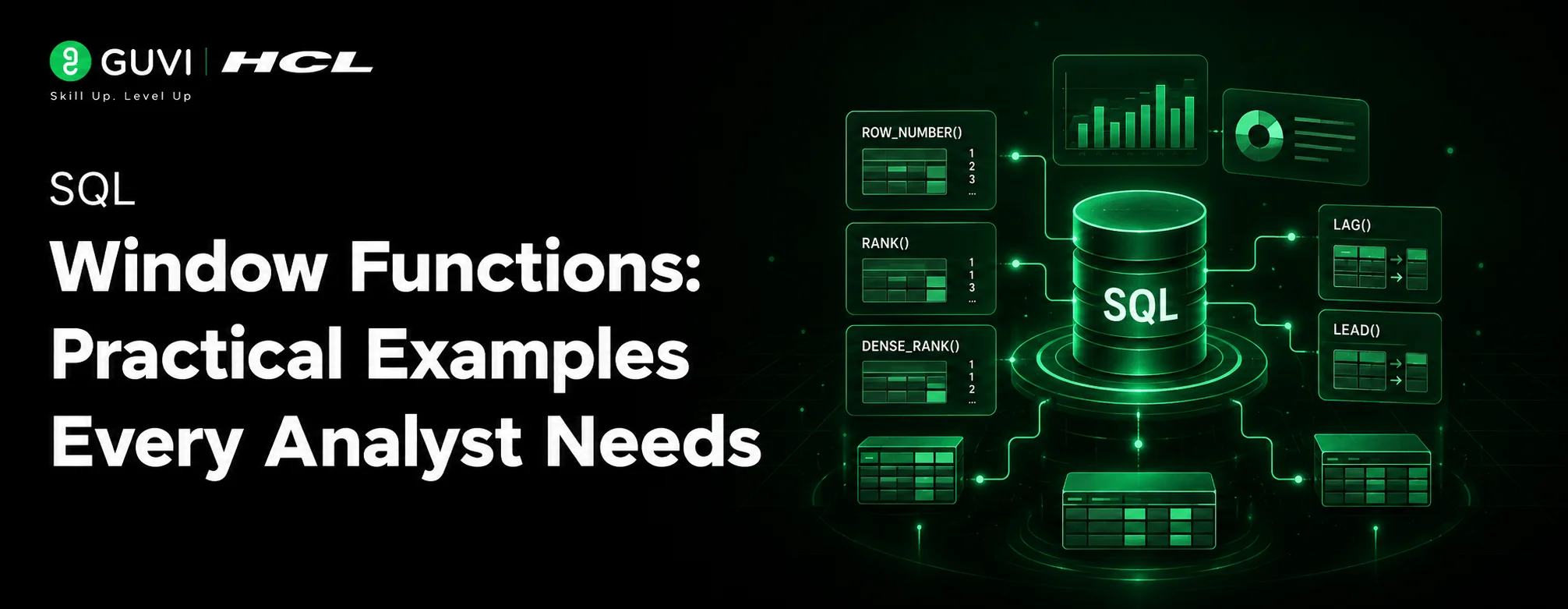
SQL Window Functions: Practical Examples Every Analyst Needs
Microservices vs Monolith: Making the Right Architectural Choice


Get In Touch For Details! Request More Information
Prisma ORM Tutorial: Type-Safe Database Access from Setup to Query
Aug 12, 2026 4 Min Read 657 Views
(Last Updated)
Raw SQL is powerful, but it does not scale well with a growing codebase, rotating team members, and multiple database targets. Prisma ORM changes that by sitting between your application and your database and giving you a fully type-safe query client generated from your own schema. Every model, every field, and every relation becomes a TypeScript type your editor understands before the code ever reaches production. This Prisma ORM tutorial walks you through installation, schema definition, migrations, seeding, and querying with both basic and advanced patterns, starting from zero.
Table of contents
- TL;DR Summary
- What is Prisma ORM?
- Prisma ORM Tutorial: Installation and Setup
- Defining Your Schema
- Running Migrations
- Querying with Prisma Client
- Seeding the Database
- Prisma Studio
- When to Use Prisma ORM
- 💡 Did You Know?
- Common Mistakes to Avoid
- Conclusion
- FAQs
- What is Prisma ORM?
- Is Prisma ORM free?
- How is Prisma ORM different from Sequelize or TypeORM?
- Does Prisma ORM support NoSQL databases?
- Can I use Prisma ORM with an existing database?
TL;DR Summary
- Prisma ORM consists of three parts: Prisma Client, Prisma Migrate, and Prisma Studio.
- Define your entire data model in a single schema.prisma file and let Prisma ORM generate the query client automatically.
- It supports PostgreSQL, MySQL, SQLite, SQL Server, MongoDB, and CockroachDB.
- Migrations are generated as plain SQL files you can inspect, version, and roll back.
- Prisma Studio gives you a visual browser for your database at localhost:5555 with no configuration needed.
- It works with Node.js, TypeScript, and any framework including Next.js, Express, NestJS, and Fastify.
What is Prisma ORM?
Prisma ORM is a next-generation Node.js and TypeScript ORM that replaces hand-written SQL and traditional ORMs like Sequelize and TypeORM with a declarative schema, auto-generated type-safe client, and a built-in migration system.
| Layer | What It Does |
| Prisma Schema | Single source of truth for your data models, relations, and database connection |
| Prisma Client | Auto-generated, fully type-safe query builder tailored to your schema |
| Prisma Migrate | Generates and applies SQL migration files from schema changes |
| Prisma Studio | Browser-based GUI to browse and edit database records |
The key difference between Prisma ORM and older ORMs is that the client is generated from your schema, not written by hand. When you add a field to a model, your editor immediately knows about it without any manual type declarations.
Prisma ORM sits at the centre of modern full-stack architectures where type-safe database access is non-negotiable. If you want to build production-grade full-stack applications with tools like Prisma ORM, Node.js, and React, HCL GUVI’s Full Stack Development Course is IITM Pravartak certified and builds the backend depth that makes Prisma ORM practical in real-world projects.
Prisma ORM Tutorial: Installation and Setup
Initialize a new Node.js project and install Prisma ORM:
mkdir prisma-demo && cd prisma-demo
npm init -y
npm install prisma --save-dev
npm install @prisma/client
npx prisma init --datasource-provider sqlite
This creates two things: a prisma/schema.prisma file and a .env file with your DATABASE_URL. SQLite is used here so no external database server is needed to follow along.
Your .env file will contain:
DATABASE_URL="file:./dev.db"
Defining Your Schema
The schema.prisma file is the heart of Prisma ORM. Every model you define here becomes a database table and a TypeScript type simultaneously.
generator client {
  provider = "prisma-client-js"
}

datasource db {
  provider = "sqlite"
  url      = env("DATABASE_URL")
}

model User {
  id        Int      @id @default(autoincrement())
  email     String   @unique
  name      String?
  posts     Post[]
  createdAt DateTime @default(now())
}

model Post {
  id        Int      @id @default(autoincrement())
  title     String
  published Boolean  @default(false)
  author    User     @relation(fields: [authorId], references: [id])
  authorId  Int
}
The @relation directive tells Prisma ORM how Post and User are connected. No JOIN syntax in your application code — Prisma ORM handles that translation for you.
Running Migrations
Once your schema is ready, push it to the database as a tracked migration:
npx prisma migrate dev --name init
Prisma ORM generates a migrations/ folder containing a plain SQL file you can inspect:
CREATE TABLE "User" (
  "id" INTEGER NOT NULL PRIMARY KEY AUTOINCREMENT,
  "email" TEXT NOT NULL,
  "name" TEXT,
  "createdAt" DATETIME NOT NULL DEFAULT CURRENT_TIMESTAMP
);
Every time you change schema.prisma, run prisma migrate dev again. Prisma ORM diffs the schema, generates only the delta SQL, and applies it without touching existing data.
Querying with Prisma Client
After migration, regenerate the client:
npx prisma generate
Now write your first queries:
import { PrismaClient } from '@prisma/client'

const prisma = new PrismaClient()

async function main() {
  const user = await prisma.user.create({
    data: {
      email: '[email protected]',
      name: 'Dani',
      posts: {
        create: { title: 'My first post with Prisma ORM' }
      }
    },
    include: { posts: true }
  })
  console.log(user)

  const posts = await prisma.post.findMany({
    where: { published: true },
    include: { author: true },
    orderBy: { id: 'desc' }
  })
  console.log(posts)
}

main()
  .catch(console.error)
  .finally(() => prisma.$disconnect())
Notice there is no SQL, no manual JOIN, and no type casting. Prisma ORM infers the return type of every query from your schema so TypeScript flags mismatches before runtime.

Seeding the Database
Prisma ORM supports a dedicated seed script for populating test data:
import { PrismaClient } from '@prisma/client'
const prisma = new PrismaClient()

async function seed() {
  await prisma.user.createMany({
    data: [
      { email: '[email protected]', name: 'Alice' },
      { email: '[email protected]', name: 'Bob' }
    ]
  })
}

seed().finally(() => prisma.$disconnect())
Register the seed command in package.json:
"prisma": {
  "seed": "ts-node prisma/seed.ts"
}
Then run npx prisma db seed anytime you need a clean dataset.
Prisma Studio
Launch the visual database browser with one command:
npx prisma studioPrisma Studio opens at http://localhost:5555 and lets you browse tables, filter rows, edit records, and follow relations through a point-and-click interface — no SQL required.
When to Use Prisma ORM
| Use Case | Why Prisma ORM |
| Next.js or Remix full-stack apps | Built-in type safety across API routes and server components |
| Multi-database projects | Switch providers by changing one line in schema.prisma |
| Team codebases | Shared schema file makes the data model readable to every contributor |
| Rapid prototyping | Schema-first workflow gets a typed database layer running in minutes |
| Microservices | Lightweight Prisma Client per service with independent migration history |
💡 Did You Know?
Prisma ORM generates type-safe enums directly from your schema. If you define a Role enum with values ADMIN and USER, your TypeScript code will refuse to compile if you pass any other string — caught at build time, not in production.
Common Mistakes to Avoid
1. Not calling prisma.$disconnect() in scripts. Prisma ORM keeps a connection pool open by default. In long-running servers this is correct behaviour, but in one-off scripts and serverless functions you must call $disconnect() to prevent the process from hanging after execution.
2. Running prisma generate without running prisma migrate. The generated client reflects your current schema file, not your actual database. If the two are out of sync, you will see runtime errors on fields that do not yet exist as columns. Always migrate first, then generate.
3. Using findMany without pagination on large tables. Prisma ORM returns all matching rows by default. On large datasets, always pass take and skip (or cursor-based pagination) to avoid pulling thousands of records into memory.
Conclusion
This Prisma ORM tutorial covered the full beginner path: installing Prisma ORM, defining a schema, running migrations, seeding data, querying with Prisma Client, and browsing records in Prisma Studio. Prisma ORM removes the gap between your database structure and your application types, making it significantly harder to ship data bugs to production. Whether you are building a solo side project or a multi-team backend, Prisma ORM gives you the confidence that your database layer and your TypeScript code are always in agreement.
FAQs
1. What is Prisma ORM?
Prisma ORM is an open-source Node.js and TypeScript ORM that provides a type-safe query client generated from a declarative schema, a SQL migration system, and a visual database browser called Prisma Studio.
2. Is Prisma ORM free?
Yes. Prisma ORM is fully open-source under the Apache 2.0 license. Prisma also offers a paid cloud platform called Prisma Data Platform for connection pooling, monitoring, and team collaboration.
3. How is Prisma ORM different from Sequelize or TypeORM?
Sequelize and TypeORM require you to define models in code and manually maintain type mappings. Prisma ORM generates the entire client from a single schema file, so your types are always in sync with your database without manual effort.
4. Does Prisma ORM support NoSQL databases?
Prisma ORM supports MongoDB in addition to relational databases. The schema syntax and query API remain consistent, though MongoDB-specific features like embedded documents use slightly different relation syntax.
5. Can I use Prisma ORM with an existing database?
Yes. Run npx prisma db pull to introspect an existing database and generate a schema.prisma file that matches your current tables automatically.
Success Stories

About the Author
Jebasta
I translate the language of data into stories that anyone can understand. As a writer with a data science background, I simplify analytics, AI, and decision-making so beginners and enthusiasts can confidently explore the world of data.
View all posts by Jebasta
Connect with me @










Did you enjoy this article?