


Artificial Intelligence and Machine Learning Articles
AI/ML Skills Gap 2026: Why Companies Can't Find Job-Ready Talent
20 AI/ML Interview Questions Recruiters Can Use Without a Tech Background - Best Guide
How Industry-Backed AI/ML Bootcamps Are Changing the AI/ML Hiring Pipeline - Best Guide 2026
From IT Support to AI Engineer: A Realistic Career Switch Guide 2026


Get In Touch For Details! Request More Information

HealthEx Connector Guide: Manage Health Data with Claude
Jun 24, 2026 6 Min Read 812 Views
(Last Updated)
Managing your health has always meant dealing with scattered information. Lab results in one portal, medications noted by another doctor, diagnosis history sitting somewhere else entirely. Pulling it all together before a doctor’s visit feels like a part time job.
The HealthEx Connector for Claude changes that completely.
With HealthEx connected to Claude, all your health records from every care provider come together in one place. You can ask Claude to explain your lab results, summarize your health history, or help you prepare for your next appointment, all in a simple conversation, without digging through multiple apps or portals.
This guide explains what the HealthEx Connector is, how to set it up, what it can do, and everything you need to know to use it confidently.
Quick TL;DR Summary
- This guide explains what the HealthEx Connector is and how it brings all your health records into a single Claude conversation.
- You will learn how to set up the connector step by step, including what you need before you start.
- The guide covers all the tools HealthEx gives Claude access to, from Lab Results and Medications to General Health Summaries and more.
- Real world examples show you exactly how to use Claude with HealthEx for everyday health tasks.
- You will understand how your data is protected and what privacy and security standards HealthEx follows.
- Practical tips help you get the most out of every conversation with Claude once your records are connected.
Table of contents
- What Is the HealthEx Connector?
- Why Does This Matter?
- How Does It Work?
- Step 1: You ask a health related question
- Step 2: Claude identifies what data it needs
- Step 3: HealthEx pulls your records
- Step 4: Claude gives you a personalized answer
- How to Set Up the HealthEx Connector
- Step 1: Verify your identity with CLEAR
- Step 2: Consent to connect your records
- Step 3: Log in to your health providers
- Step 4: Records are retrieved in the background
- Step 5: You receive an email when everything is ready
- What Can Claude Do With HealthEx?
- Real World Examples
- Example 1: Understanding Lab Results
- Example 2: Preparing for a Specialist Visit
- Example 3: Keeping Track of Medications
- Example 4: Getting a Full Health Overview
- Pros and Cons of Using the HealthEx Connector
- Pros
- Cons
- Privacy and Security: What You Need to Know
- Tips for Getting the Best Results
- Limitations to Keep in Mind
- Conclusion
- FAQs
- Is the HealthEx Connector free to use?
- How long does setup take?
- Will my health data be used to train AI models?
- Can I disconnect HealthEx from Claude whenever I want?
- Does HealthEx automatically update my records after new doctor visits?
What Is the HealthEx Connector?
The HealthEx Connector is a tool that links your personal health records directly to Claude. It securely pulls data from all your care providers and organizes it in one place so Claude can give you personalized health insights based on your actual records, not just general information.
Think of it as giving Claude a complete picture of your health history. Instead of asking Claude a generic question and getting a generic answer, you get responses based on your specific conditions, medications, lab values, and medical background.
HealthEx gives Claude access to tools like General Health Summary, Lab Results, Conditions, Medications, and more. Each tool pulls the relevant part of your records so Claude can answer your question accurately and personally.
Why Does This Matter?
Most people walk into doctor appointments underprepared. They forget which medications they are on, cannot recall when their last blood test was, or do not fully understand what a previous diagnosis actually means for their daily life.
The HealthEx Connector solves this by making your health history instantly accessible and understandable. You do not need to be a medical professional to make sense of your own records. You just need to ask Claude in plain language.
This is especially valuable for people who see multiple specialists, manage chronic conditions, or simply want to take a more active role in understanding their own health.
Read More: Building AI agents for healthcare and life sciences
How Does It Work?
Here is a simple breakdown of what happens when you use Claude with HealthEx connected.
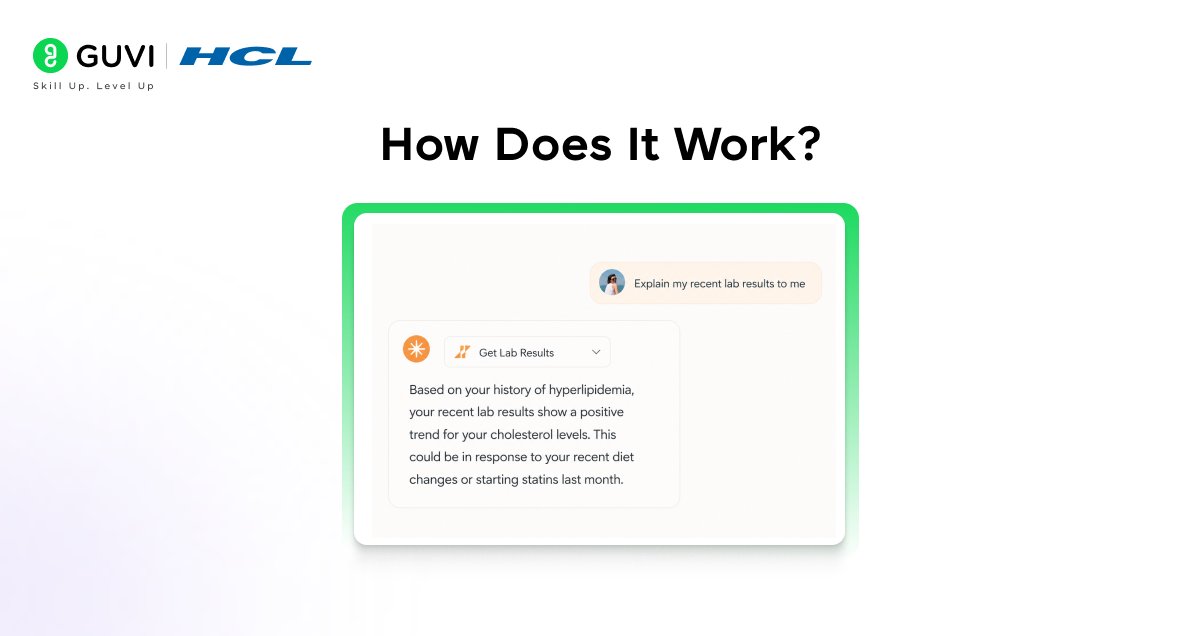
Step 1: You ask a health related question
You type something like “Can you summarize my recent lab results?” or “What medications am I currently on?”
Step 2: Claude identifies what data it needs
Claude recognizes that your question requires specific health data and calls the right HealthEx tool.
Step 3: HealthEx pulls your records
The connector securely retrieves the relevant information from your connected health providers.
Step 4: Claude gives you a personalized answer
Claude takes your actual data and explains it in clear, simple language tailored to your question.
You never have to search through portals or paperwork. Claude does the work for you.
HealthEx retrieves records using the full USCDI v3 clinical dataset, covering problems, medications, allergies, labs, vitals, procedures, imaging, and more. It integrates with major EHR platforms like Epic, Athena, MEDITECH, and eClinicalWorks. All data is deduplicated and standardized before reaching Claude, ensuring clean and accurate insights.
How to Set Up the HealthEx Connector
Setup takes about 15 minutes. Before you begin, make sure you have your phone, a valid US government ID, and your login credentials for your health provider portals.
Step 1: Verify your identity with CLEAR
This is a one time biometric verification to make sure only you can access your records. CLEAR is a trusted identity verification service.
Step 2: Consent to connect your records
You authorize HealthEx and Claude to access your health data for up to one year. You can withdraw this at any time.
Step 3: Log in to your health providers
Connect the portals from your care providers. HealthEx automatically detects many common systems and lets you add others manually.
Step 4: Records are retrieved in the background
This process takes between 10 and 30 minutes. You do not have to do anything during this time.
Step 5: You receive an email when everything is ready
Once your records are prepared, Claude is ready to answer your health questions using your actual data.
What Can Claude Do With HealthEx?
Once connected, Claude can help you with a wide range of health tasks using the tools HealthEx provides.
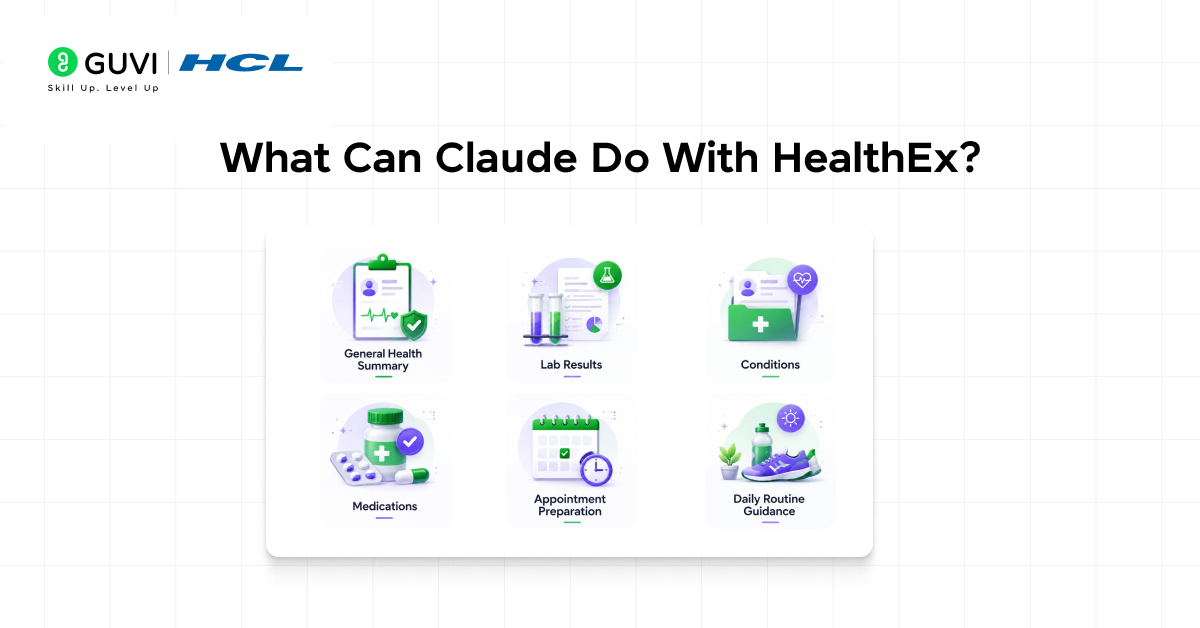
- General Health Summary
Ask Claude for a complete overview of your health. It pulls together your history, conditions, and key data points into one easy to understand summary.
- Lab Results
Instead of staring at numbers and wondering what they mean, ask Claude to explain your latest blood work, flag anything unusual, and put it in context for you.
- Conditions
Claude can list and explain all the conditions in your health records, including when they were diagnosed and how they relate to each other.
- Medications
Get a clear breakdown of every medication you are currently on, what each one is for, and any important details worth knowing.
- Appointment Preparation
Ask Claude to help you prepare for your next doctor’s visit. It can summarize recent changes in your health, suggest questions to ask, and make sure you walk in informed.
- Daily Routine Guidance
Based on your health data, Claude can offer personalized suggestions to support your daily habits and overall wellbeing.
When you connect HealthEx to Claude, model training is automatically disabled for those conversations. This means your health data, lab results, and medical queries remain completely private and are never used to train or improve any AI model.
Real World Examples
Example 1: Understanding Lab Results
Your doctor sent over blood test results and the numbers mean nothing to you. You ask Claude to explain them. Claude pulls your lab data through HealthEx and walks you through each value in plain language, telling you which ones are within normal range and which ones your doctor may want to discuss.
Example 2: Preparing for a Specialist Visit
You have an appointment with a cardiologist next week and want to go in prepared. You ask Claude to summarize your heart related history and suggest questions to bring up. Claude reviews your records and gives you a clear, organized summary to take into the appointment.

Example 3: Keeping Track of Medications
You cannot remember if a medication was changed at your last visit. You ask Claude what you are currently prescribed. Claude pulls your medication list from HealthEx and gives you an up to date, accurate answer in seconds.
Example 4: Getting a Full Health Overview
You have not had a clear picture of your overall health in years because your records are spread across three different providers. You ask Claude for a general health summary. Claude pulls everything together and gives you a single, easy to read overview of your health history.
Pros and Cons of Using the HealthEx Connector
Like any tool, the HealthEx Connector has its strengths and limitations. Here is an honest look at both sides.
Pros
- All your health records from different providers come together in one place, making it much easier to get a complete picture of your health.
- Claude explains medical information in plain, everyday language so you do not need a medical background to understand your own records.
- It saves significant time before doctor appointments by helping you prepare quickly and clearly.
- Setup is free, and connecting your records does not cost anything.
- Your data is fully protected with HIPAA compliance, encryption, and strict privacy standards.
Cons
- Currently available for US users only, as it requires a valid US government ID for identity verification.
- Records do not update automatically. You need to manually request updates when new visits or test results come in.
- Setup takes up to 30 minutes for records to be fully retrieved, so it is not instant.
- You need login credentials for each health provider portal, which some users may not have readily available.
- Claude provides health insights based on your records but is not a substitute for professional medical advice.
Privacy and Security: What You Need to Know
- Health data is deeply personal and HealthEx takes that seriously. Here is how your information is protected.
- HealthEx follows HIPAA privacy rules and is SOC2 compliant, meaning it meets strict industry standards for handling sensitive health information.
- All data is encrypted both while being transferred and while stored. Your biometric verification data from CLEAR is never shared with Claude.
- Claude only accesses the specific data it needs at the moment you ask a question. Your health data does not carry across different conversations.
- Model training is turned off for any responses that use the HealthEx connector, meaning your personal health information will never be used to train AI models.
- HealthEx will never share or sell your data to third parties.
- You stay in full control at all times. You can update your records, withdraw consent, or disconnect HealthEx from Claude completely whenever you choose.
Tips for Getting the Best Results
- Be specific when you ask questions. Instead of “how is my health,” try “can you summarize my lab results from the last six months.”
- Ask Claude to help you prepare before every doctor appointment. Even a quick summary can make a big difference in how productive the visit is.
- Use plain language. You do not need medical terminology. Just describe what you want to know the way you would explain it to a friend.
- Keep your records updated. Since HealthEx does not update automatically, visit your HealthEx dashboard or ask Claude to check for updates after new appointments or test results.
- Use Claude as a starting point, not a final answer. The insights Claude provides are based on your records and are genuinely useful, but always follow up with your doctor for any medical decisions.
Limitations to Keep in Mind
- HealthEx is currently available for US users only. Records do not update on their own, so you need to manually refresh them after new health events.
- Claude provides personalized insights based on your data but is not a licensed medical professional and cannot diagnose or treat conditions.
- Some health provider portals may not be supported yet.
- The initial setup requires up to 30 minutes for your records to be fully prepared.
If you want to learn more about using the HealthEx Connector in Claude, do not miss the chance to enroll in HCL GUVI’s Intel & IITM Pravartak Certified Artificial Intelligence & Machine Learning course. Endorsed with Intel certification, this course adds a globally recognized credential to your resume, a powerful edge that sets you apart in the competitive AI job market.
Conclusion
The HealthEx Connector turns Claude into something far more powerful than a general health resource. It becomes a personal health assistant that actually knows your history, understands your records, and speaks to you in language that makes sense.
Whether you want to understand a confusing lab result, prepare for a specialist visit, or simply get a clear picture of your overall health, HealthEx and Claude make it possible in a single conversation.
Your health deserves more than scattered portals and confusing medical jargon. With HealthEx connected to Claude, it finally gets the attention and clarity it deserves.
FAQs
1. Is the HealthEx Connector free to use?
Yes. Connecting your health records through HealthEx for Claude is currently completely free.
2. How long does setup take?
The initial setup process takes about 15 minutes. After that, retrieving and preparing your records happens in the background and takes between 10 and 30 minutes. You will receive an email when everything is ready.
3. Will my health data be used to train AI models?
No. Model training is turned off for any conversations that use the HealthEx connector. Your personal health data will never be used for AI training or development.
4. Can I disconnect HealthEx from Claude whenever I want?
Yes. You have full control at all times. You can disconnect HealthEx by going to Settings, then Connectors, and removing the connection. You can also withdraw consent directly through your HealthEx account.
5. Does HealthEx automatically update my records after new doctor visits?
No. Your records do not update automatically. You will need to visit your HealthEx dashboard or ask Claude to check for updates whenever you want your most recent visits and test results included.
Success Stories

About the Author
Vishalini Devarajan
An Aerospace Engineer turned content writer, I focus on making complex concepts easy to understand through well-structured, reader-friendly blogs. Whether it’s a technical topic or a non-technical one, I love creating content that is clear, engaging, and impactful.
View all posts by Vishalini Devarajan
Connect with me @











Did you enjoy this article?