


Artificial Intelligence and Machine Learning Articles
Data Analyst vs Machine Learning Engineer: Which Career Grows Faster?
Finance Manager to Data Analytics: Career Growth, Salary and Seniority
How to Evaluate LLM Outputs in Production Deployments
AI/ML Skills Gap 2026: Why Companies Can't Find Job-Ready Talent


Get In Touch For Details! Request More Information
Pose Estimation: How AI Detects and Tracks Human Movement
Nov 18, 2026 4 Min Read 425 Views
(Last Updated)
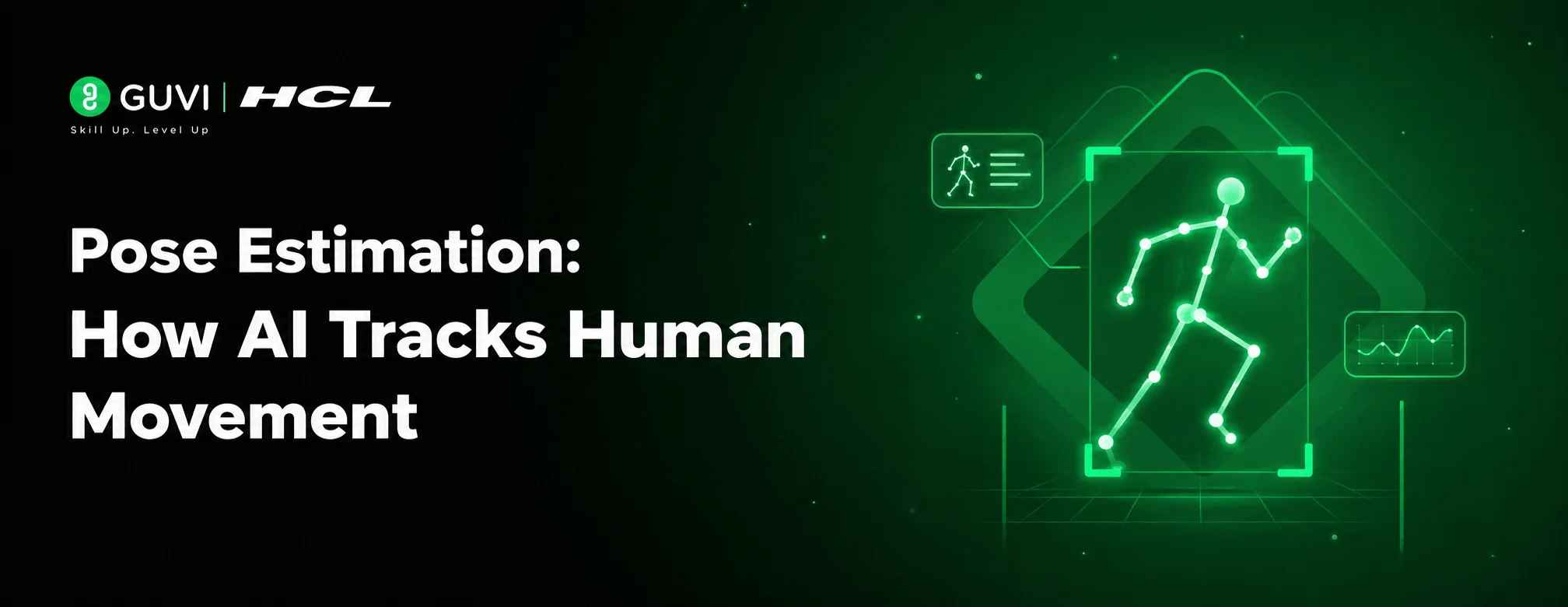
A video shows a person moving, but to software it is only a grid of pixels. Pose estimation turns that grid into coordinates for the body’s joints, which makes posture and movement something a program can measure.
The technique now runs on ordinary phones and cameras as well as powerful servers. Body-position data can be collected in places where specialized motion-capture equipment was once required.
Table of contents
- TL;DR Summary
- What Is Pose Estimation in Computer Vision?
- How Does Pose Estimation Work?
- Types of Pose Estimation
- Pose Estimation in Video: How Movement Is Tracked
- Pose Estimation Models Comparison
- Pose Estimation Code Example: Detect Body Keypoints in Python
- Common Applications of Pose Estimation
- From Keypoints to Insights: Analyzing Pose Data
- Pose Estimation Best Practices
- Conclusion
- FAQs
- What is pose estimation in computer vision?
- How does pose estimation work?
- What is the difference between 2D and 3D pose estimation?
- What is the difference between top-down and bottom-up pose estimation?
- What are the common applications of pose estimation?
TL;DR Summary
- Pose Estimation is a computer vision technique that converts video pixels into measurable body joint coordinates
- The process involves person detection, keypoint prediction, skeleton construction, and frame-by-frame tracking
- Methods are classified by output dimension, number of subjects, and processing order
- Models such as MediaPipe, OpenPose, YOLO-Pose, and RTMPose address varying requirements for speed and accuracy
- Its applications include fitness tracking, sports analysis, gaming, gesture control, and animation
What Is Pose Estimation in Computer Vision?
Pose estimation is a computer vision task that finds where a person’s joints are in an image or video frame. Connecting those points produces a stick-figure skeleton that describes how the body is arranged. The result is a set of coordinates for each joint, often paired with a confidence score.
It does not identify who the person is, and it does not recognize actions on its own. Those jobs build on the skeleton data. The COCO benchmark defines 17 body keypoints, while MediaPipe’s model tracks 33.
Also Read: Top Computer Vision Projects for Beginners
Curious how machines read human movement? Pose Estimation is only the beginning of what computer vision can do. HCL GUVI’s Intel & IITM Pravartak Certified AI/ML Course helps you build real skills across Python, deep learning, and vision, with no coding experience required. Explore the course and start your journey!
How Does Pose Estimation Work?
The steps below describe the common top-down pipeline. Other designs reorder them, as covered under Top-Down vs Bottom-Up Approaches.
Step 1: Capture the Image or Video
A camera supplies the frames, and each one is resized and normalized so the model receives a consistent input.
Step 2: Detect the Person
A detector draws a box around every person, so the keypoint model only has to study that region.
Step 3: Detect Body Keypoints
Inside each box, a neural network predicts joint locations. Many models do this with one heatmap per keypoint, where the brightest spot marks the joint.
Step 4: Build the Skeleton
The predicted points are linked according to a fixed body layout, so each wrist connects to its elbow and each elbow to its shoulder.
Step 5: Track Movement Across Frames
Repeating this on every frame, and matching each person from one frame to the next, shows how the pose changes over time.
Optional Read: Computer Vision Engineer Skills Roadmap
Types of Pose Estimation
Methods are grouped by output dimension, number of people, and processing order.
I. 2D Pose Estimation
Predicts each joint as a position within the image. It is the most common form and the starting point for many 3D methods.
II. 3D Pose Estimation
Adds depth, so each joint gets a depth value in addition to its image position. Many systems detect 2D keypoints first and then lift them into 3D. From a single camera, depth is an estimate, because different 3D poses can produce the same 2D view.
III. Single-Person Pose Estimation
Assumes one person is in the frame and locates that person’s keypoints. It is the simpler case, suited to close-up uses such as a person exercising in front of a camera.
IV. Multi-Person Pose Estimation
Handles an unknown number of people at once. This is harder, because bodies overlap and appear at different sizes, and crowded scenes are the toughest case.
V. Top-Down vs Bottom-Up Approaches
Top-down methods detect each person first, then find keypoints inside each box. Bottom-up methods find every keypoint in the image first, then group them into individuals.
Because top-down methods run the keypoint model once per person, their cost grows with the crowd, while bottom-up methods depend less on headcount. Some one-stage models skip the split and predict people and keypoints together.
Pose Estimation in Video: How Movement Is Tracked
Video adds time to the problem. The model estimates a pose on each frame, and a tracker links the same person from one frame to the next so every skeleton keeps a consistent identity.
Frame-by-frame results can jitter slightly, and joints can disappear when a limb is hidden behind an object or another person. Smoothing across neighboring frames and discarding low-confidence points keep the motion steady.
Some models use the sequence itself. A 3D lifting model can read keypoints from many frames at once, and that extra context helps resolve depth ambiguity.
Pose Estimation Models Comparison
These models reach the same goal by different routes, so the table shows how each is built and where it fits.
| Model | Pipeline Type | Output | Standout Trait | Typical Use |
|---|---|---|---|---|
| MediaPipe Pose Landmarker | Top-down, two models | 33 landmarks in image and 3D world coordinates | Light enough for on-device use, with three size variants | Mobile fitness apps |
| OpenPose | Bottom-up | 2D keypoints, up to 135 per person | Body-keypoint runtime stays steady as more people appear | Research and crowded camera feeds |
| YOLO-Pose | One-stage | 2D, 17 COCO keypoints | Finds people and keypoints in one pass, with no grouping step | Multi-person video |
| HRNet | Top-down | 2D keypoint heatmaps | Keeps high-resolution features through the whole network | Accuracy-focused benchmarks |
| ViTPose | Top-down or bottom-up | 2D keypoints from a heatmap decoder | Plain vision transformer backbone that scales in size | Large-scale model research |
| RTMPose | Top-down | 2D, 17 COCO keypoints | Tuned for speed on CPUs and mobile chips | Edge devices and live video |
| VideoPose3D | 2D detection, then 3D lifting | 3D joint positions from monocular video | Dilated temporal convolutions over keypoint sequences | Single-camera 3D motion analysis |
Note: OpenPose is free for non-commercial use only, and commercial use requires a separate license.

Pose Estimation Code Example: Detect Body Keypoints in Python
This script loads a pretrained pose model, runs it on one image, and prints the nose position of every detected person.
# pip install ultralytics
from ultralytics import YOLO

model = YOLO("yolo26n-pose.pt")
results = model("people.jpg")  # use your own image

keypoints = results[0].keypoints.xy  # shape: (people, 17, 2)
for person in keypoints:
    print(person[0])  # nose position
Code Explanation:
- Loads a small pretrained pose model.
- Runs it on an image and returns one result per image.
- keypoints.xy holds the x and y positions of every joint for every person.
- Each person has 17 keypoints, and index 0 is the nose.
- The loop prints the nose position of each detected person.
Common Applications of Pose Estimation
Wherever movement matters, body keypoints give software something concrete to work with.
- Fitness Tracking: Follows exercise movements to analyze posture and form in real time.
- Sports Analysis: Measures athlete movement and technique from video footage.
- Gaming: Lets body movement control on-screen characters without a handheld controller.
- Human-Computer Interaction: Enables gesture-based control of devices and interfaces.
- Animation: Turns recorded human motion into character movement for animators.
From Keypoints to Insights: Analyzing Pose Data
Raw keypoints become useful once software measures something from them.
- Calculate Joint Angles: Three connected keypoints form an angle that describes how far a joint is bent. Angles measured in 2D shift with camera position, so a side view and a front view can give different values.
- Measure Movement Over Time: Tracking a keypoint across frames gives measures such as speed and range of motion.
- Compare Against a Reference Pose: Scoring the distance between a user’s pose and a target pose shows how closely they match.
- Generate Feedback: Rules or thresholds turn measurements into cues, such as a prompt to straighten the back.
Pose Estimation Best Practices
- Choose the Right Model Size: Smaller models run faster on limited hardware, while larger ones offer finer detail. MediaPipe, for instance, ships its model in three sizes.
- Light the Scene Well: Even lighting without strong backlight helps the model see the body clearly.
- Keep the Whole Body in Frame: Cropped or hidden limbs lead to missing or guessed joints.
- Place the Camera Deliberately: Shoot from an angle that shows the joints you plan to measure.
- Filter by Confidence: Ignore keypoints with low confidence scores before calculating angles or counts.
- Smooth Across Frames: Light temporal smoothing reduces jitter in video output.
- Respect Privacy: Video of people is often personal data, so collect only what is needed and tell people how it is used.
Behind every tracked skeleton is someone who chose to learn how it works. Be that person. Join HCL GUVI’s Intel & IITM Pravartak Certified AI/ML Course to master Python, deep learning, and Generative AI through live classes, 20+ projects, and placement support from 1000+ hiring partners.
Conclusion
Pose Estimation has changed what a camera can capture. A body in motion is no longer just pixels, because software can now read it as measurable data. As models get faster and lighter, Pose Estimation will keep finding its way into everyday devices. Every frame of human movement now carries data that machines can understand.
FAQs
1. What is pose estimation in computer vision?
Pose Estimation is a computer vision task that locates a person’s joints in an image or video and connects them into a skeleton.
2. How does pose estimation work?
It detects each person, predicts joint keypoints with a neural network, links them into a skeleton, and tracks them across frames.
3. What is the difference between 2D and 3D pose estimation?
2D pose estimation gives joint positions within the image, while 3D pose estimation adds a depth value to each joint.
4. What is the difference between top-down and bottom-up pose estimation?
Top-down methods detect each person first and then find their keypoints, while bottom-up methods find all keypoints first and group them into individuals.
5. What are the common applications of pose estimation?
It is used in fitness tracking, sports analysis, gaming, gesture-based control, and animation.
Success Stories















Did you enjoy this article?